rear HONDA PASSPORT 2021 (in English) Owner's Guide
[x] Cancel search | Manufacturer: HONDA, Model Year: 2021, Model line: PASSPORT, Model: HONDA PASSPORT 2021Pages: 607, PDF Size: 36.04 MB
Page 136 of 607
uuLocking and Unlocking the Doors uLocking/Unlocking the Doors from the Outside
134
Controls
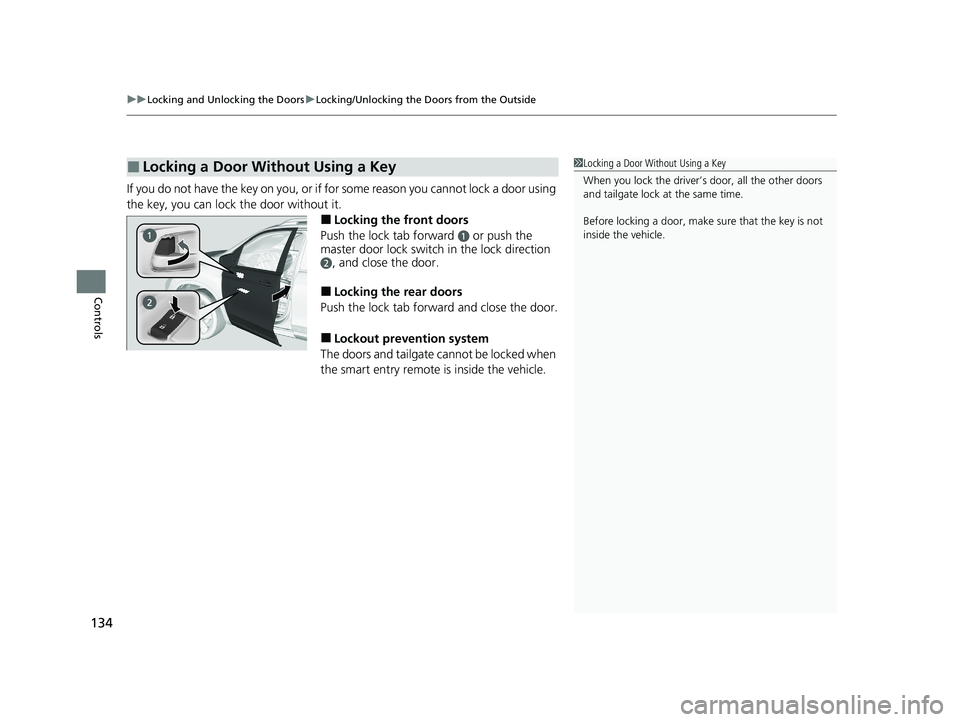
If you do not have the key on you, or if for some reason you cannot lock a door using
the key, you can lock the door without it.
■Locking the front doors
Push the lock tab forward
a or push the
master door lock switch in the lock direction
b, and close the door.
■Locking the rear doors
Push the lock tab forward and close the door.
■Lockout prevention system
The doors and tailgate cannot be locked when
the smart entry remote is inside the vehicle.
■Locking a Door Without Using a Key1 Locking a Door Without Using a Key
When you lock the driver’s door, all the other doors
and tailgate lock at the same time.
Before locking a door, make sure that the key is not
inside the vehicle.
21 PASSPORT-31TGS6200.book 134 ページ 2020年9月4日 金曜日 午後2時35分
Page 137 of 607
135
uuLocking and Unlocking the Doors uLocking/Unlocking the Doors from the Inside
Continued
Controls
Locking/Unlocking the Doors from the Inside
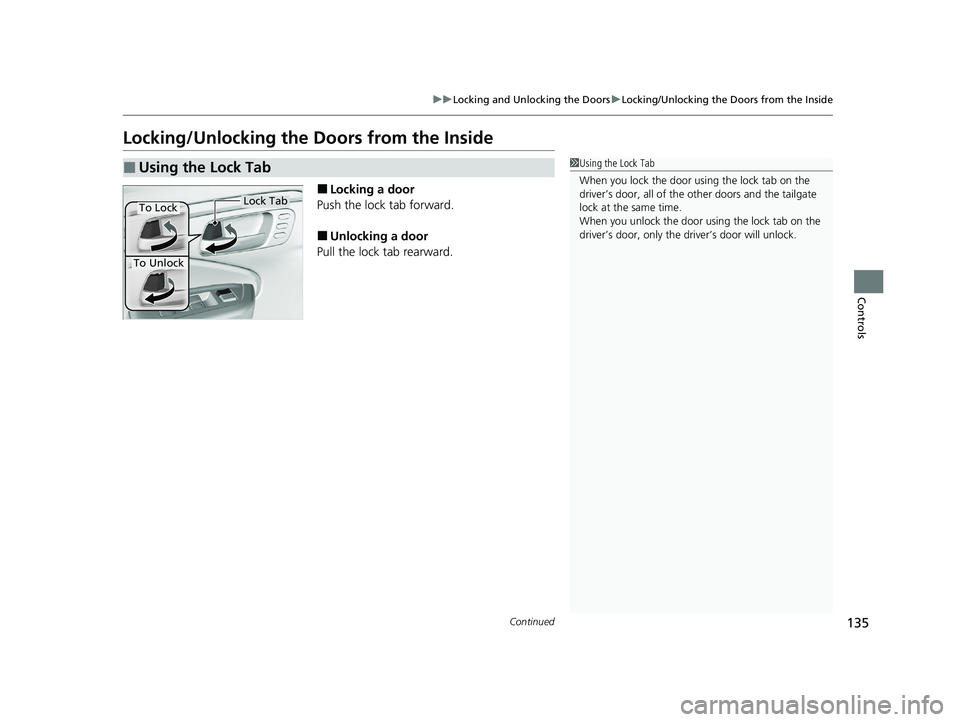
■Locking a door
Push the lock tab forward.
■Unlocking a door
Pull the lock tab rearward.
■Using the Lock Tab1 Using the Lock Tab
When you lock the door using the lock tab on the
driver’s door, all of the ot her doors and the tailgate
lock at the same time.
When you unlock the door using the lock tab on the
driver’s door, only the driv er’s door will unlock.
To Unlock
Lock TabTo Lock
21 PASSPORT-31TGS6200.book 135 ページ 2020年9月4日 金曜日 午後2時35分
Page 138 of 607
uuLocking and Unlocking the Doors uLocking/Unlocking the Doors from the Inside
136
Controls
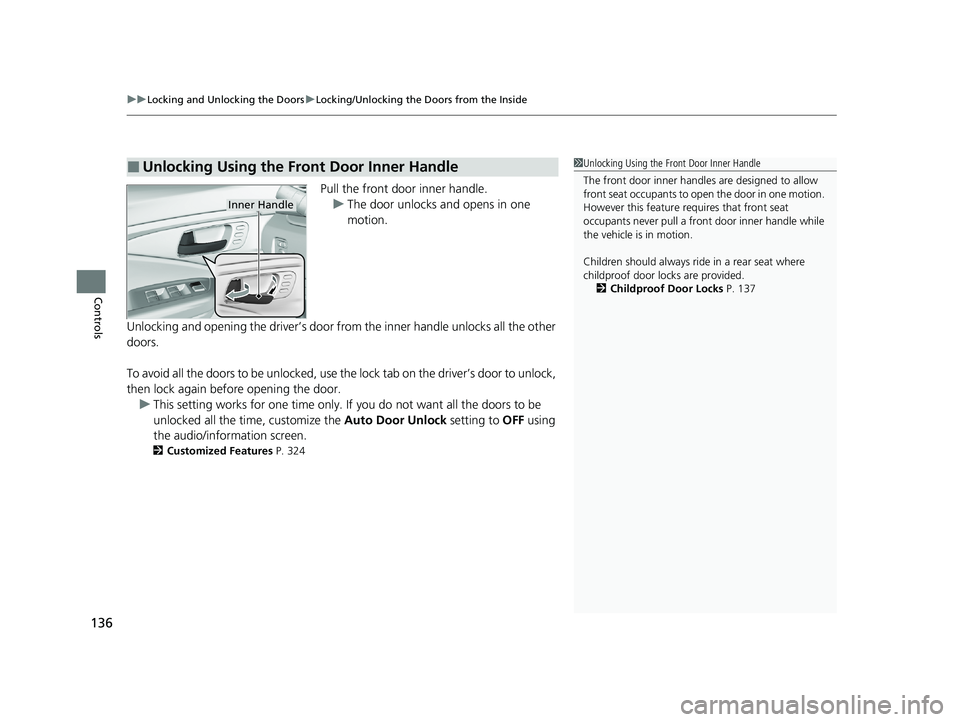
Pull the front door inner handle.
u The door unlocks and opens in one
motion.
Unlocking and opening the driver’s door from the inner handle unlocks all the other
doors.
To avoid all the doors to be unlocked, use the lock tab on the driver’s door to unlock,
then lock again before opening the door. u This setting works for one time only. If you do not want all the doors to be
unlocked all the time, customize the Auto Door Unlock setting to OFF using
the audio/information screen.
2 Customized Features P. 324
■Unlocking Using the Front Door Inner Handle1Unlocking Using the Front Door Inner Handle
The front door inne r handles are designed to allow
front seat occupants to ope n the door in one motion.
However this feature requires that front seat
occupants never pull a front door inner handle while
the vehicle is in motion.
Children should always ride in a rear seat where
childproof door locks are provided.
2 Childproof Door Locks P. 137
Inner Handle
21 PASSPORT-31TGS6200.book 136 ページ 2020年9月4日 金曜日 午後2時35分
Page 139 of 607
137
uuLocking and Unlocking the Doors uChildproof Door Locks
Controls
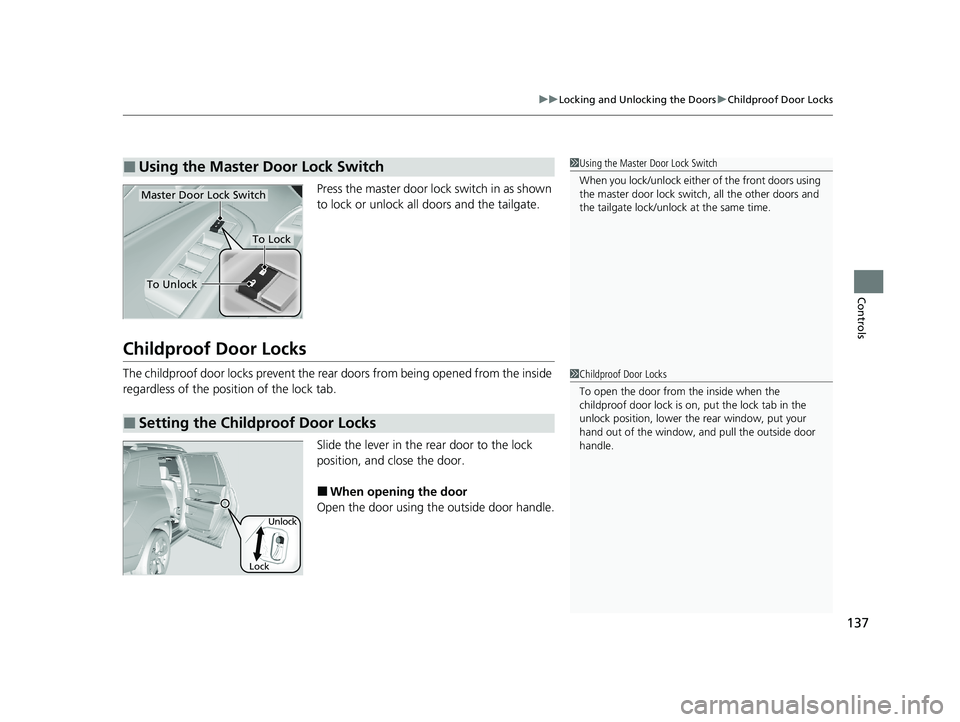
Press the master door lo ck switch in as shown
to lock or unlock all doors and the tailgate.
Childproof Door Locks
The childproof door locks prevent the rear doors from being opened from the inside
regardless of the position of the lock tab.
Slide the lever in the rear door to the lock
position, and close the door.
■When opening the door
Open the door using the outside door handle.
■Using the Master Door Lock Switch1 Using the Master Door Lock Switch
When you lock/unlock either of the front doors using
the master door lock swit ch, all the other doors and
the tailgate lock/unlock at the same time.
To Unlock
Master Door Lock Switch
To Lock
■Setting the Childproof Door Locks
1 Childproof Door Locks
To open the door from the inside when the
childproof door lock is on, put the lock tab in the
unlock position, lower the rear window, put your
hand out of the window, and pull the outside door
handle.
Lock Unlock
21 PASSPORT-31TGS6200.book 137 ページ 2020年9月4日 金曜日 午後2時35分
Page 141 of 607
139Continued
Controls
Opening and Closing the Tailgate
Precautions for Opening/Closing the Tailgate
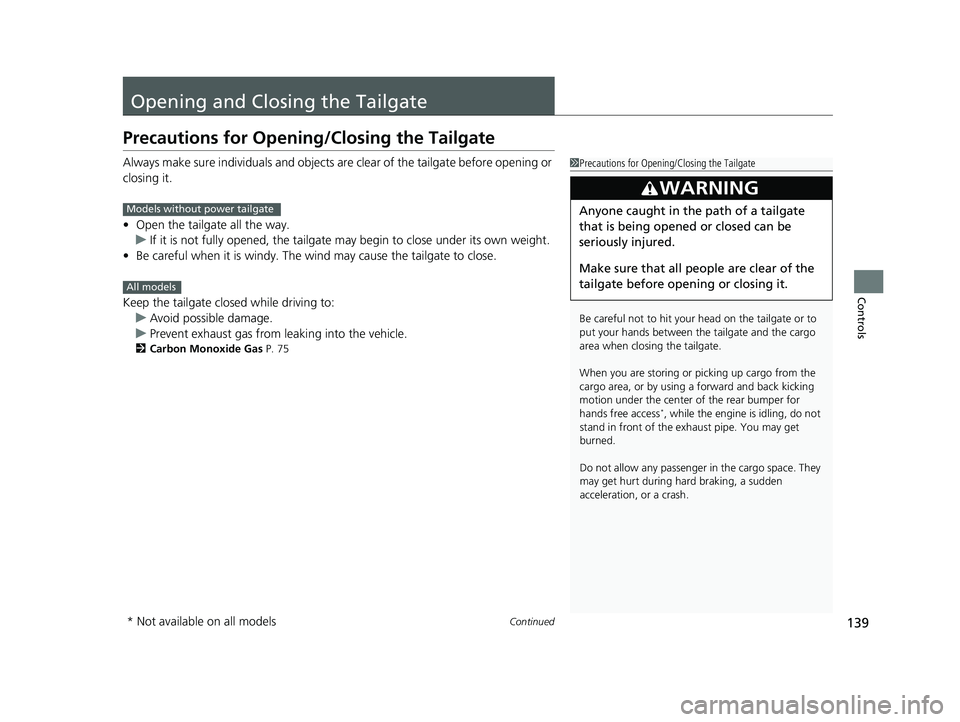
Always make sure individuals and objects are clear of the tailgate before opening or
closing it.
• Open the tailgate all the way.
u If it is not fully opened, the tailgate may begin to close under its own weight.
• Be careful when it is windy. The wi nd may cause the tailgate to close.
Keep the tailgate closed while driving to: u Avoid possible damage.
u Prevent exhaust gas from leaking into the vehicle.
2 Carbon Monoxide Gas P. 75
1Precautions for Opening/Closing the Tailgate
Be careful not to hit your head on the tailgate or to
put your hands between th e tailgate and the cargo
area when closing the tailgate.
When you are storing or picking up cargo from the
cargo area, or by using a forward and back kicking
motion under the center of the rear bumper for
hands free access
*, while the engine is idling, do not
stand in front of the ex haust pipe. You may get
burned.
Do not allow any passenger in the cargo space. They
may get hurt during hard braking, a sudden
acceleration, or a crash.
3WARNING
Anyone caught in the path of a tailgate
that is being opened or closed can be
seriously injured.
Make sure that all people are clear of the
tailgate before opening or closing it.Models without power tailgate
All models
* Not available on all models
21 PASSPORT-31TGS6200.book 139 ページ 2020年9月4日 金曜日 午後2時35分
Page 142 of 607
uuOpening and Closing the Tailgate uPrecautions for Openi ng/Closing the Tailgate
140
Controls
The power tailgate can be operated by pressing the power tailgate button on the
remote transmitter, pressing the power tail gate button in the driver side control
panel, pressing the button on the tailgate, or by raising and lowering your foot
under the center of the rear bumper for hands free access
*.
The power tailgate can be opened/c losed when the transmission is in
(P.
1Precautions for Opening/Closing the Tailgate
NOTICE
Do not push or pull on the power tailgate when it is
being automatically opened or closed.
Forcibly opening or closing the power tailgate while
in operation can deform the tailgate frame.
When operating the power tailgate, make sure there
is enough space around your ve hicle. People near the
tailgate may be se riously hurt if the tailgate hits or
closes on their heads. Be especially cautious if
children are around.
The power tailgate may not open or close under the
following conditions:
•You start the engine while the tailgate is
automatically openi ng or closing.
•The vehicle is parked on a steep hill.•The vehicle is swayed in a strong wind.
•The tailgate or the roof is covered with snow or ice.
3WARNING
Closing a power tailgate while anyone is in
the path of the tailgate can cause serious
injury.
Make sure everyone is clear before closing
the power tailgate.
Models with power tailgate
Models with power tailgate
* Not available on all models
21 PASSPORT-31TGS6200.book 140 ページ 2020年9月4日 金曜日 午後2時35分
Page 143 of 607
141
uuOpening and Closing the Tailgate uOpening/Closing the Power Tailgate*
Continued
Controls
Opening/Closing the Power Tailgate*
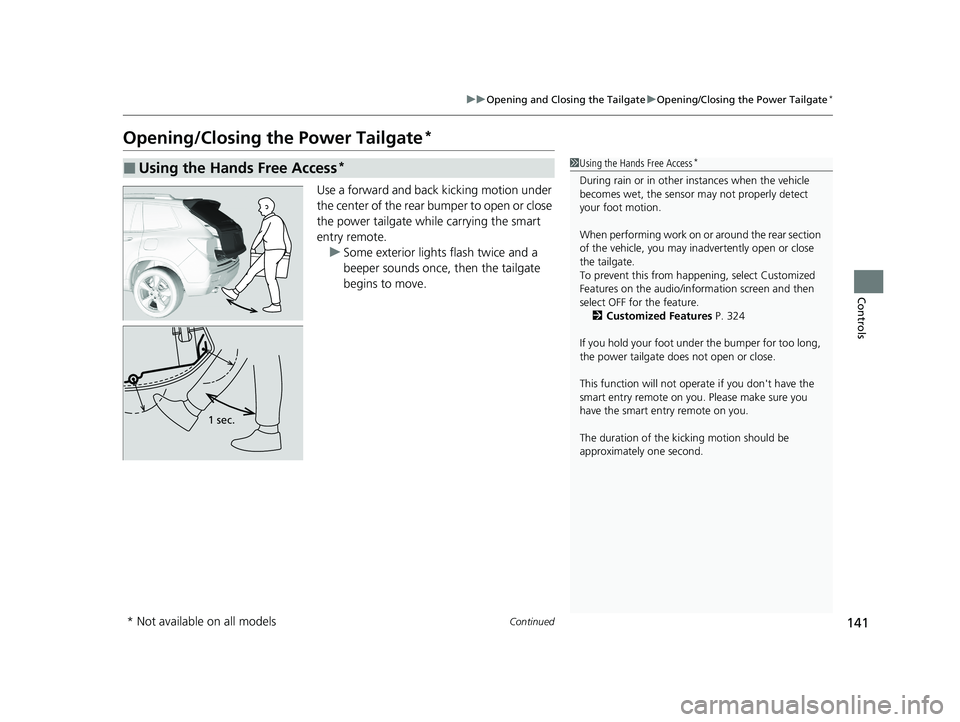
Use a forward and back kicking motion under
the center of the rear bumper to open or close
the power tailgate while carrying the smart
entry remote.
u Some exterior lights flash twice and a
beeper sounds once, then the tailgate
begins to move.
■Using the Hands Free Access*1Using the Hands Free Access*
During rain or in other instances when the vehicle
becomes wet, the sensor may not properly detect
your foot motion.
When performing work on or around the rear section
of the vehicle, you may in advertently open or close
the tailgate.
To prevent this from happe ning, select Customized
Features on the audio/information screen and then
select OFF for the feature. 2 Customized Features P. 324
If you hold your foot under the bumper for too long,
the power tailgate doe s not open or close.
This function will not opera te if you don't have the
smart entry remote on you. Please make sure you
have the smart entry remote on you.
The duration of the kick ing motion should be
approximately one second.
1 sec.
* Not available on all models
21 PASSPORT-31TGS6200.book 141 ページ 2020年9月4日 金曜日 午後2時35分
Page 162 of 607
160
uuOperating the Switches Around the Steering Wheel uLight Switches
Controls
Light Switches
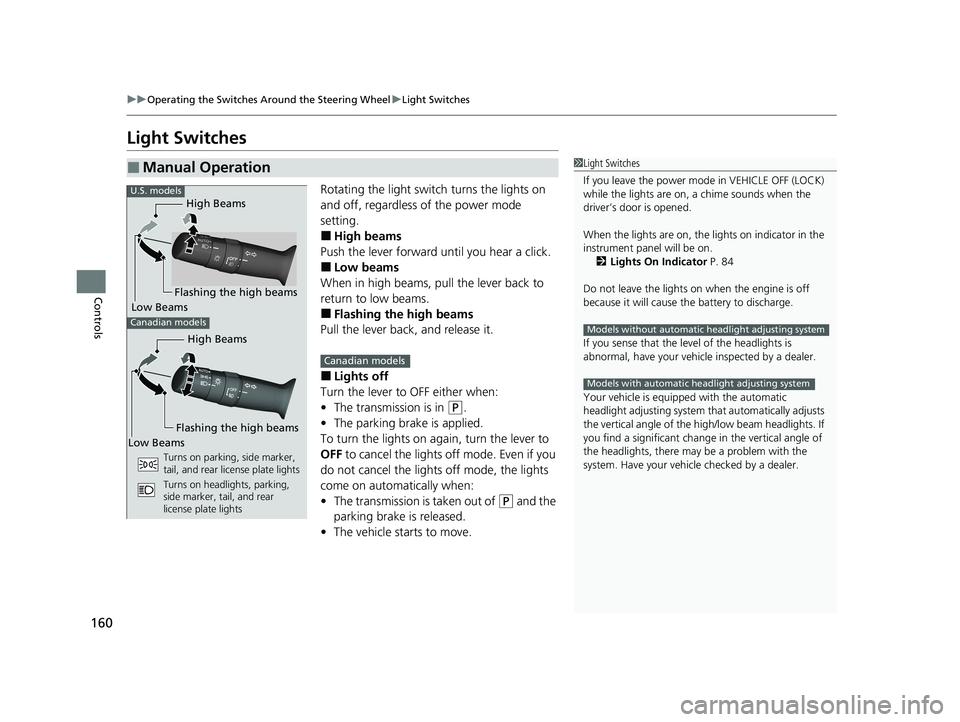
Rotating the light switch turns the lights on
and off, regardless of the power mode
setting.
■High beams
Push the lever forward until you hear a click.
■Low beams
When in high beams, pull the lever back to
return to low beams.
■Flashing the high beams
Pull the lever back, and release it.
■Lights off
Turn the lever to OFF either when:
• The transmission is in
(P.
• The parking brake is applied.
To turn the lights on again, turn the lever to
OFF to cancel the lights off mode. Even if you
do not cancel the lights off mode, the lights
come on automatically when:
• The transmission is taken out of
(P and the
parking brake is released.
• The vehicle starts to move.
■Manual Operation1Light Switches
If you leave the power mode in VEHICLE OFF (LOCK)
while the lights are on, a chime sounds when the
driver’s door is opened.
When the lights are on, the lights on indicator in the
instrument pane l will be on.
2 Lights On Indicator P. 84
Do not leave the lights on when the engine is off
because it will cause the battery to discharge.
If you sense that the le vel of the headlights is
abnormal, have your vehicle inspected by a dealer.
Your vehicle is equipped with the automatic
headlight adjusting system that automatically adjusts
the vertical angle of the high/low beam headlights. If
you find a significant change in the vertical angle of
the headlights, there may be a problem with the
system. Have your vehicle checked by a dealer.
Models without automatic headlight adjusting system
Models with automatic headlight adjusting system
High Beams
Flashing the high beams
Low Beams
Turns on parking, side marker,
tail, and rear license plate lights
Turns on headlights, parking,
side marker, tail, and rear
license plate lights
U.S. models
Canadian models
High Beams
Flashing the high beams
Low Beams
Canadian models
21 PASSPORT-31TGS6200.book 160 ページ 2020年9月4日 金曜日 午後2時35分
Page 168 of 607
uuOperating the Switches Around the Steering Wheel uAuto High-Beam
166
Controls
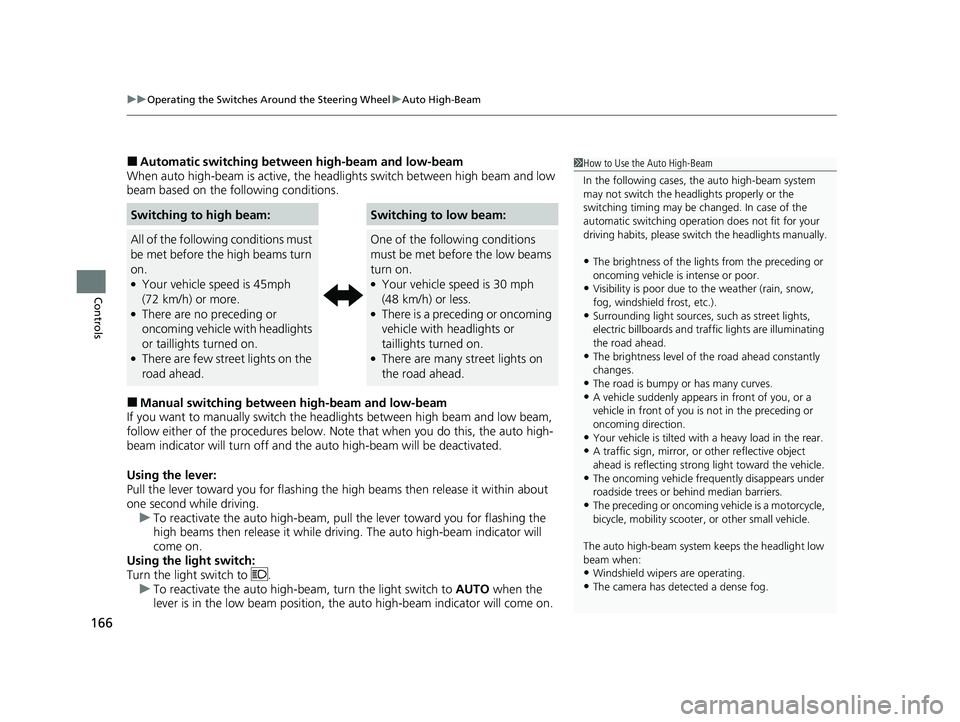
■Automatic switching between high-beam and low-beam
When auto high-beam is ac tive, the headlights switch between high beam and low
beam based on the following conditions.
■Manual switching between high-beam and low-beam
If you want to manually switch the headlights between high beam and low beam,
follow either of the proced ures below. Note that when you do this, the auto high-
beam indicator will turn off and the auto high-beam will be deactivated.
Using the lever:
Pull the lever toward you fo r flashing the high beams then release it within about
one second while driving. u To reactivate the auto high-beam, pull the lever toward you for flashing the
high beams then release it while driving. The auto high-beam indicator will
come on.
Using the light switch:
Turn the light switch to . u To reactivate the auto high-be am, turn the light switch to AUTO when the
lever is in the low beam position, the auto high-beam indicator will come on.
Switching to high beam:Switching to low beam:
All of the following conditions must
be met before the high beams turn
on.
●Your vehicle speed is 45mph
(72 km/h) or more.
●There are no preceding or
oncoming vehicle with headlights
or taillights turned on.
●There are few street lights on the
road ahead.
One of the following conditions
must be met before the low beams
turn on.
●Your vehicle speed is 30 mph
(48 km/h) or less.
●There is a preceding or oncoming
vehicle with headlights or
taillights turned on.
●There are many street lights on
the road ahead.
1 How to Use the Auto High-Beam
In the following cases, th e auto high-beam system
may not switch the head lights properly or the
switching timing may be ch anged. In case of the
automatic switching operati on does not fit for your
driving habits, please swit ch the headlights manually.
•The brightness of the lights from the preceding or
oncoming vehicle is intense or poor.
•Visibility is poor due to the weather (rain, snow,
fog, windshield frost, etc.).
•Surrounding light sources, such as street lights,
electric billboards and traf fic lights are illuminating
the road ahead.
•The brightness level of th e road ahead constantly
changes.
•The road is bumpy or has many curves.•A vehicle suddenly appears in front of you, or a
vehicle in front of you is not in the preceding or
oncoming direction.
•Your vehicle is tilted with a heavy load in the rear.•A traffic sign, mirror, or other reflective object
ahead is reflecting strong light toward the vehicle.
•The oncoming vehicle freq uently disappears under
roadside trees or be hind median barriers.
•The preceding or oncoming vehicle is a motorcycle,
bicycle, mobility scooter, or other small vehicle.
The auto high-beam system keeps the headlight low
beam when:
•Windshield wipers are operating.
•The camera has dete cted a dense fog.
21 PASSPORT-31TGS6200.book 166 ページ 2020年9月4日 金曜日 午後2時35分
Page 172 of 607
170
uuOperating the Switches Around the Steering Wheel uWipers and Washers
Controls
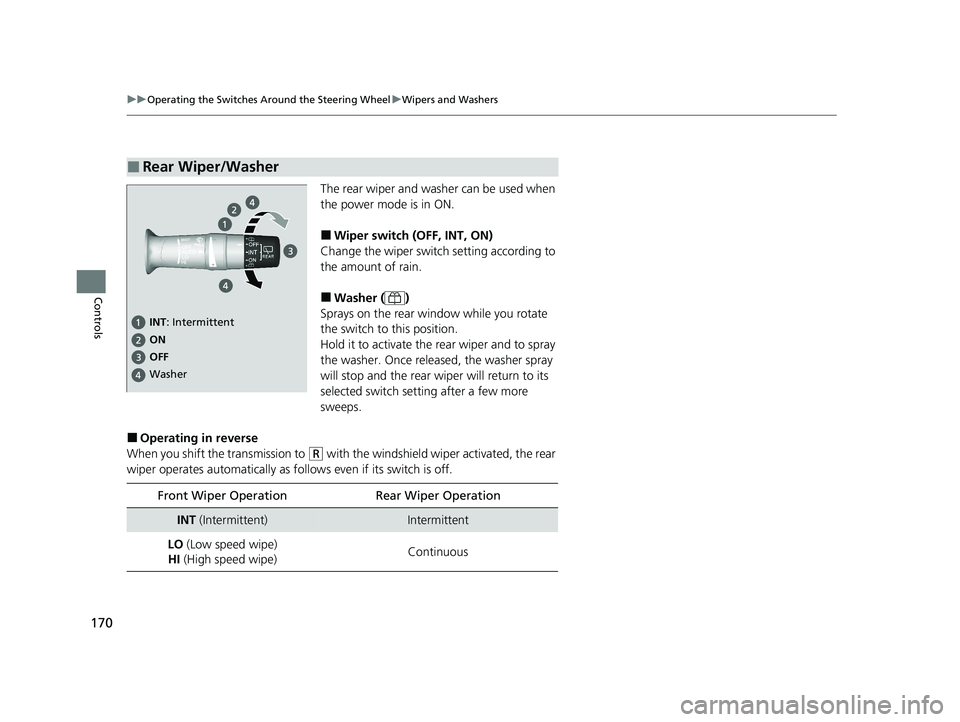
The rear wiper and washer can be used when
the power mode is in ON.
■Wiper switch (OFF, INT, ON)
Change the wiper switch setting according to
the amount of rain.
■Washer ( )
Sprays on the rear wi ndow while you rotate
the switch to this position.
Hold it to activate the rear wiper and to spray
the washer. Once released, the washer spray
will stop and the rear wi per will return to its
selected switch setting after a few more
sweeps.
■Operating in reverse
When you shift the transmission to
(R with the windshield wiper activated, the rear
wiper operates automatically as fo llows even if its switch is off.
■Rear Wiper/Washer
INT: Intermittent
OFF ON
Washer
Front Wiper Op eration Rear Wiper Operation
INT (Intermittent)Intermittent
LO (Low speed wipe)
HI (High speed wipe) Continuous
21 PASSPORT-31TGS6200.book 170 ページ 2020年9月4日 金曜日 午後2時35分