acc HONDA PASSPORT 2022 Owner's Guide
[x] Cancel search | Manufacturer: HONDA, Model Year: 2022, Model line: PASSPORT, Model: HONDA PASSPORT 2022Pages: 607, PDF Size: 20.86 MB
Page 101 of 607
99
uuIndicators uDriver Information Interface Wa rning and Information Messages
Continued
Instrument Panel
MessageConditionExplanation
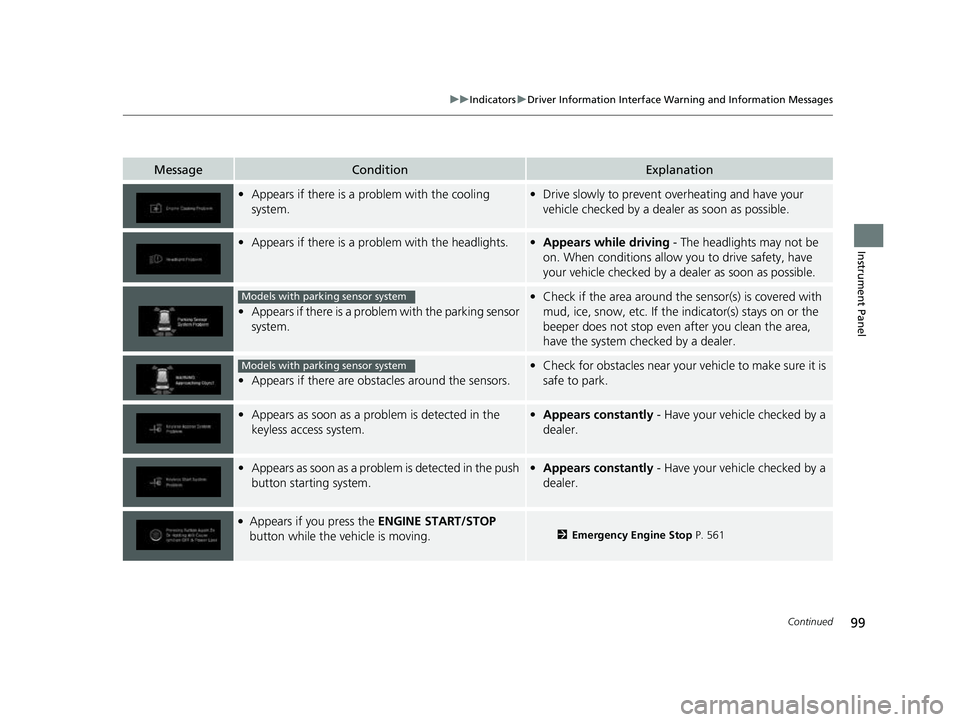
•Appears if there is a problem with the cooling
system.•Drive slowly to prevent ov erheating and have your
vehicle checked by a dealer as soon as possible.
• Appears if there is a pr oblem with the headlights.•Appears while driving - The headlights may not be
on. When conditions allow you to drive safety, have
your vehicle checked by a d ealer as soon as possible.
•Appears if there is a proble m with the parking sensor
system.
• Check if the area around the sensor(s) is covered with
mud, ice, snow, etc. If the indicator(s) stays on or the
beeper does not stop even after you clean the area,
have the system checked by a dealer.
• Appears if there are obstacles around the sensors.
•Check for obstacles near your vehicle to make sure it is
safe to park.
• Appears as soon as a prob lem is detected in the
keyless access system.• Appears constantly - Have your vehicle checked by a
dealer.
• Appears as soon as a problem is detected in the push
button starting system.•Appears constantly - Have your vehicle checked by a
dealer.
●Appears if you press the ENGINE START/STOP
button while the vehicle is moving.2 Emergency Engine Stop P. 561
Models with parking sensor system
Models with parking sensor system
22 PASSPORT-31TGS6300.book 99 ページ 2021年10月6日 水曜日 午前10時2分
Page 102 of 607
100
uuIndicators uDriver Information Interface Wa rning and Information Messages
Instrument Panel
MessageConditionExplanation
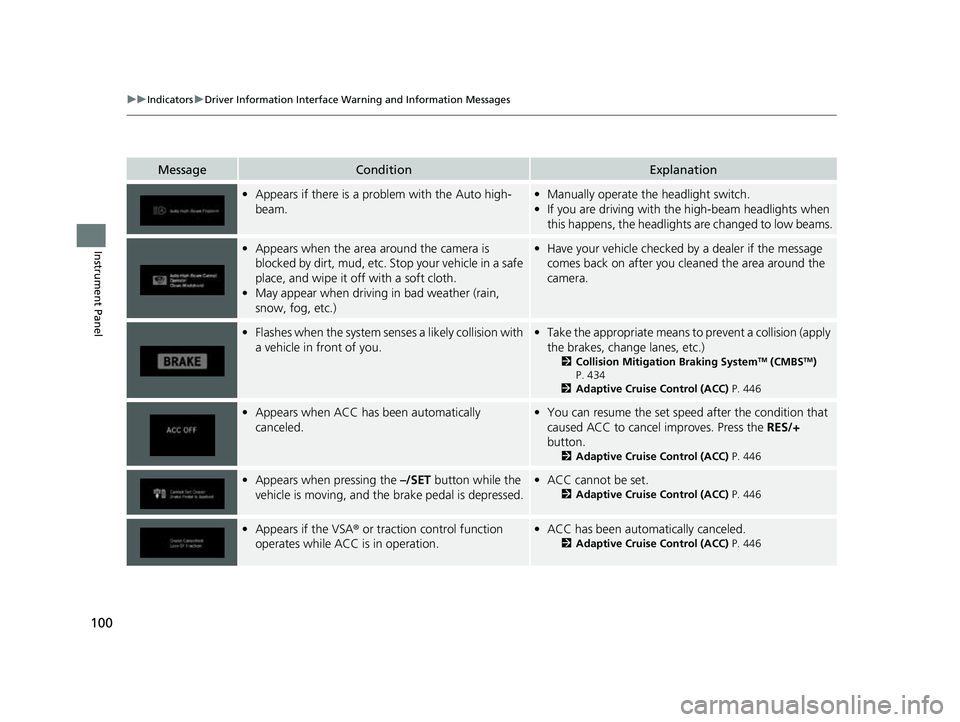
•Appears if there is a prob lem with the Auto high-
beam.• Manually operate the headlight switch.
• If you are driving with th e high-beam headlights when
this happens, the headlights are changed to low beams.
• Appears when the area around the camera is
blocked by dirt, mud, etc. Stop your vehicle in a safe
place, and wipe it off with a soft cloth.
• May appear when driving in bad weather (rain,
snow, fog, etc.)•Have your vehicle checked by a dealer if the message
comes back on after you cl eaned the area around the
camera.
• Flashes when the system senses a likely collision with
a vehicle in front of you.•Take the appropriate means to prevent a collision (apply
the brakes, change lanes, etc.)
2 Collision Mitigation Braking SystemTM (CMBSTM)
P. 434
2 Adaptive Cruise Control (ACC) P. 446
•Appears when ACC has been automatically
canceled.•You can resume the set speed after the condition that
caused ACC to cancel improves. Press the RES/+
button.
2 Adaptive Cruise Control (ACC) P. 446
•Appears when pressing the –/SET button while the
vehicle is moving, and the brake pedal is depressed.• ACC cannot be set.
2 Adaptive Cruise Control (ACC) P. 446
•Appears if the VSA ® or traction control function
operates while ACC is in operation.• ACC has been automatically canceled.
2 Adaptive Cruise Control (ACC) P. 446
22 PASSPORT-31TGS6300.book 100 ページ 2021年10月6日 水曜日 午前10時2分
Page 103 of 607
101
uuIndicators uDriver Information Interface Wa rning and Information Messages
Continued
Instrument Panel
MessageConditionExplanation
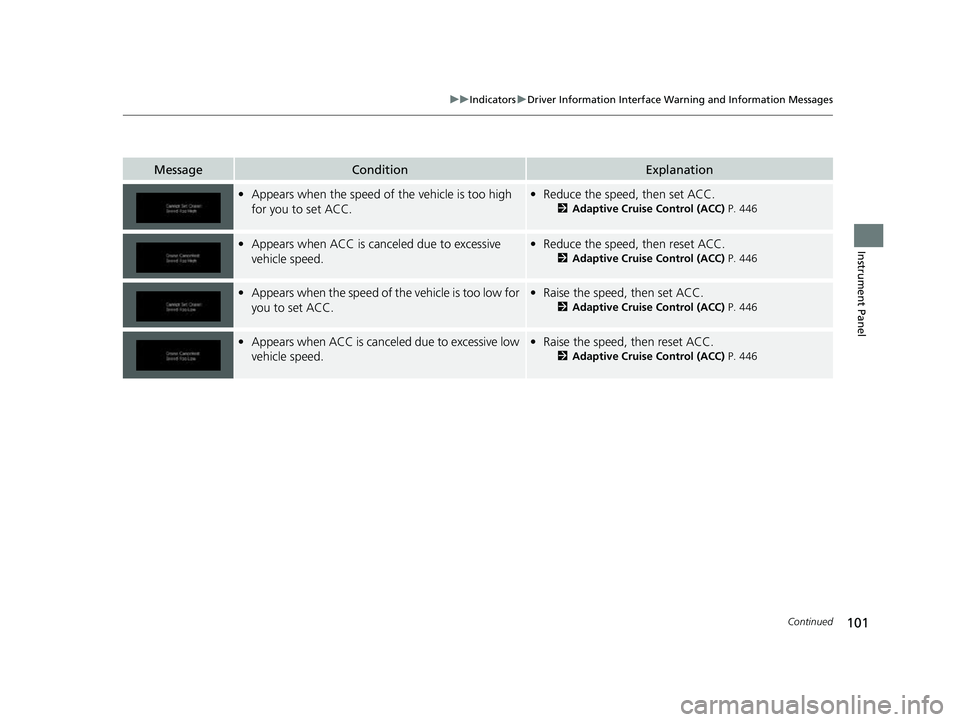
•Appears when the speed of the vehicle is too high
for you to set ACC.• Reduce the speed, then set ACC.
2 Adaptive Cruise Control (ACC) P. 446
•Appears when ACC is canc eled due to excessive
vehicle speed.• Reduce the speed, then reset ACC.
2 Adaptive Cruise Control (ACC) P. 446
•Appears when the speed of the vehicle is too low for
you to set ACC.• Raise the speed, then set ACC.
2 Adaptive Cruise Control (ACC) P. 446
•Appears when ACC is canceled due to excessive low
vehicle speed.•Raise the speed, then reset ACC.
2 Adaptive Cruise Control (ACC) P. 446
22 PASSPORT-31TGS6300.book 101 ページ 2021年10月6日 水曜日 午前10時2分
Page 106 of 607
104
uuIndicators uDriver Information Interface Wa rning and Information Messages
Instrument Panel
MessageConditionExplanation
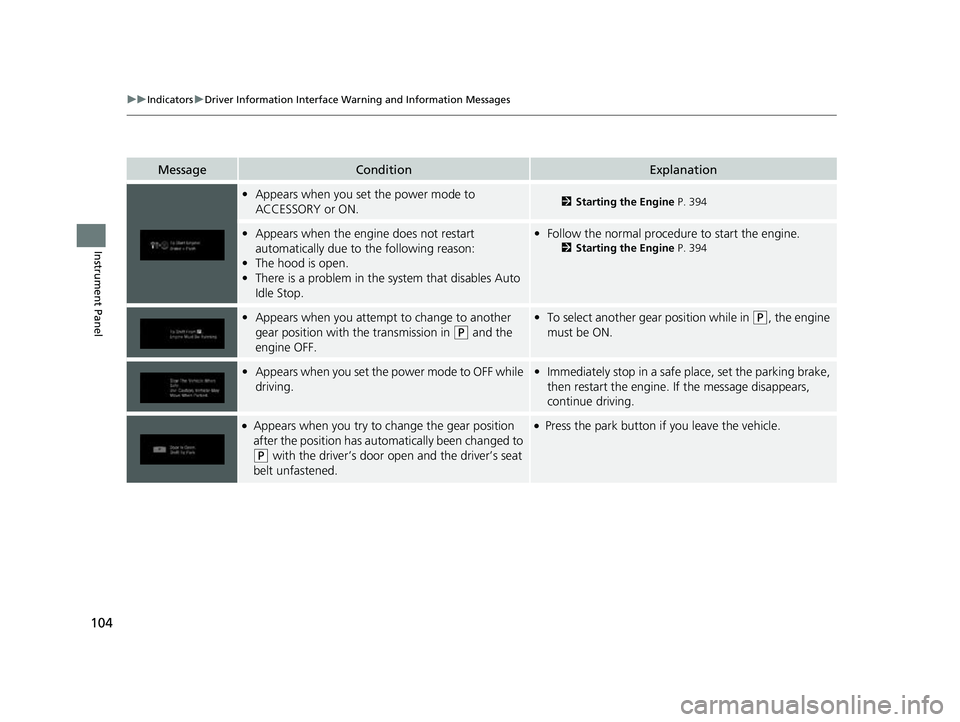
•Appears when you set the power mode to
ACCESSORY or ON.2 Starting the Engine P. 394
•Appears when the engine does not restart
automatically due to the following reason:
• The hood is open.
• There is a problem in the sy stem that disables Auto
Idle Stop.• Follow the normal procedure to start the engine.
2 Starting the Engine P. 394
•Appears when you attempt to change to another
gear position with the transmission in
(P and the
engine OFF.
• To select another gear position while in (P, the engine
must be ON.
• Appears when you set the power mode to OFF while
driving.•Immediately stop in a safe place, set the parking brake,
then restart the engine. If the message disappears,
continue driving.
●Appears when you try to change the gear position
after the position has auto matically been changed to
(P with the driver’s door open and the driver’s seat
belt unfastened.
●Press the park button if you leave the vehicle.
22 PASSPORT-31TGS6300.book 104 ページ 2021年10月6日 水曜日 午前10時2分
Page 108 of 607
106
uuIndicators uDriver Information Interface Wa rning and Information Messages
Instrument Panel
MessageConditionExplanation
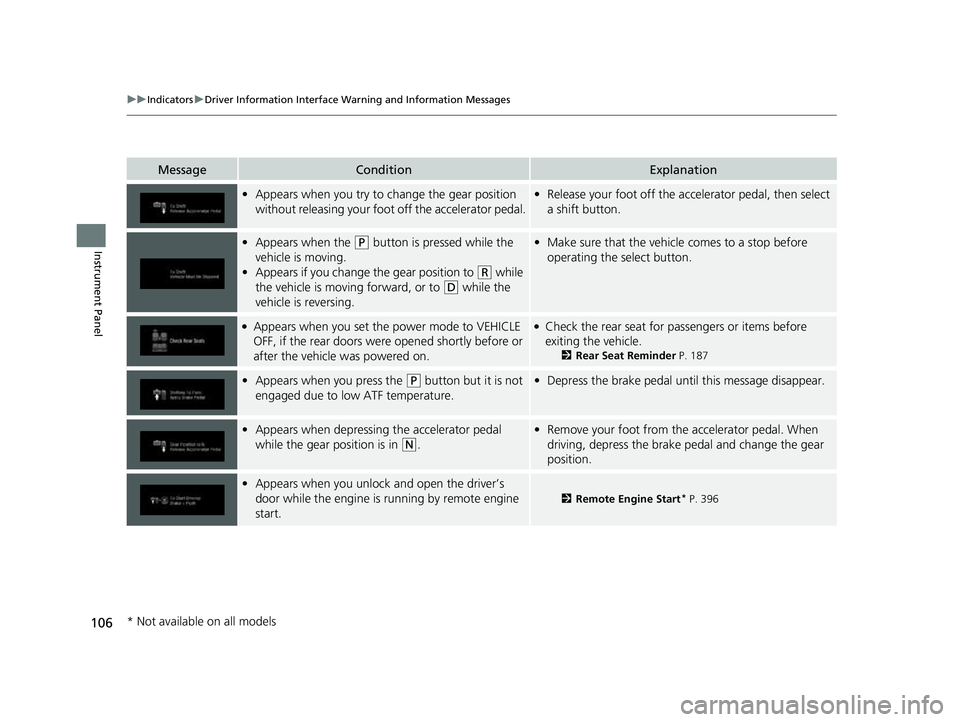
•Appears when you try to change the gear position
without releasing your foot off the accelerator pedal.• Release your foot off the acce lerator pedal, then select
a shift button.
• Appears when the (P button is pressed while the
vehicle is moving.
• Appears if you change the gear position to
(R while
the vehicle is moving forward, or to
(D while the
vehicle is reversing.
• Make sure that the vehicle comes to a stop before
operating the select button.
●Appears when you set the power mode to VEHICLE
OFF, if the rear doors were opened shortly before or
after the vehicle was powered on.●Check the rear seat for passengers or items before
exiting the vehicle.
2 Rear Seat Reminder P. 187
•Appears when you press the (P button but it is not
engaged due to low ATF temperature.• Depress the brake pedal until this message disappear.
•Appears when depressing the accelerator pedal
while the gear position is in
(N.
•Remove your foot from the accelerator pedal. When
driving, depress the brake pedal and change the gear
position.
•Appears when you unlock and open the driver’s
door while the engine is running by remote engine
start.
2 Remote Engine Start* P. 396
* Not available on all models
22 PASSPORT-31TGS6300.book 106 ページ 2021年10月6日 水曜日 午前10時2分
Page 111 of 607
Continued109
uuGauges and Displays uDriver Information Interface
Instrument Panel
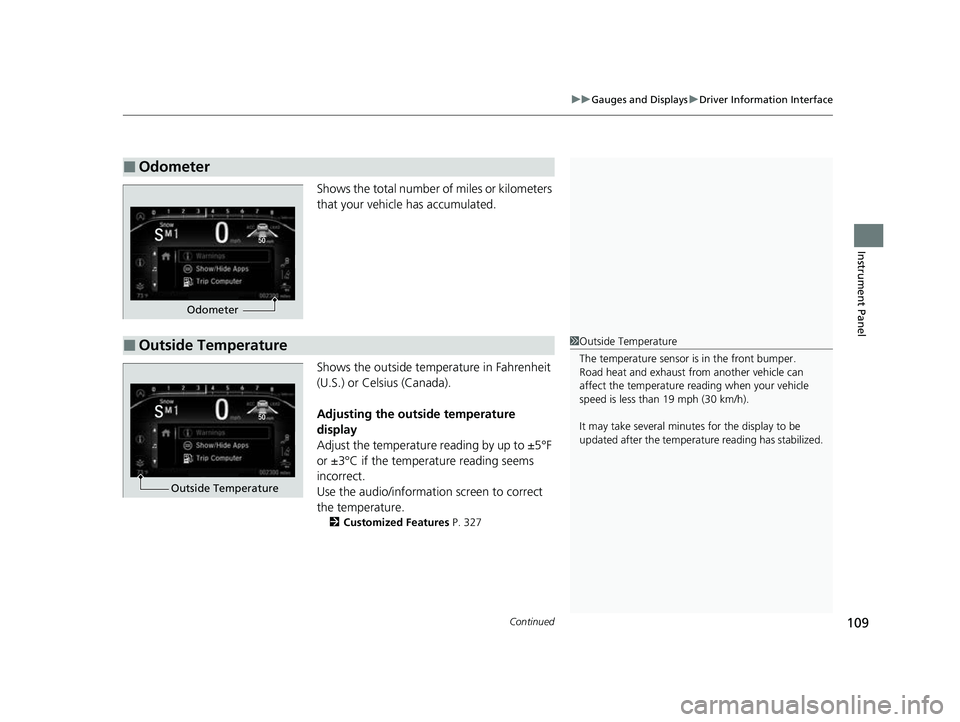
Shows the total number of miles or kilometers
that your vehicle has accumulated.
Shows the outside temperature in Fahrenheit
(U.S.) or Celsius (Canada).
Adjusting the outside temperature
display
Adjust the temperature reading by up to ±5°F
or ±3°C if the temperature reading seems
incorrect.
Use the audio/informatio n screen to correct
the temperature.
2 Customized Features P. 327
■Odometer
Odometer
■Outside Temperature1Outside Temperature
The temperature sensor is in the front bumper.
Road heat and exhaust fr om another vehicle can
affect the temperature reading when your vehicle
speed is less than 19 mph (30 km/h).
It may take several minutes for the display to be
updated after the temperature reading has stabilized.
Outside Temperature
22 PASSPORT-31TGS6300.book 109 ページ 2021年10月6日 水曜日 午前10時2分
Page 112 of 607
uuGauges and Displays uDriver Information Interface
110
Instrument Panel
Press the (home) button, then press the / button to scroll to the content
you want to see. Press the ENTER button to see detailed information.
■Accessing Content1Accessing Content
To go back to the previous screen, press the
(back) button.
You can edit, add, or delete the meter contents using
the driver information interface.
2 Arrange Apps P. 120
2 Show/Hide Apps P. 119
34
22 PASSPORT-31TGS6300.book 110 ページ 2021年10月6日 水曜日 午前10時2分
Page 131 of 607
129
uuLocking and Unlocking the Doors uLocking/Unlocking the Doors from the Outside
Continued
Controls
Locking/Unlocking the Doors from the Outside
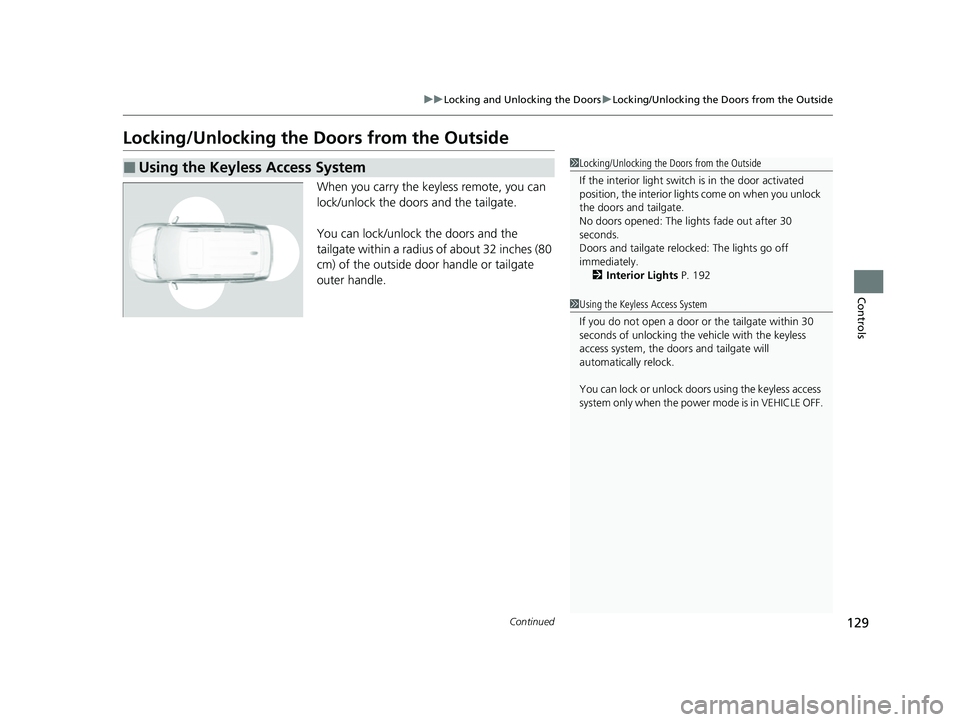
When you carry the keyless remote, you can
lock/unlock the doors and the tailgate.
You can lock/unlock the doors and the
tailgate within a radius of about 32 inches (80
cm) of the outside door handle or tailgate
outer handle.
■Using the Keyless Access System1Locking/Unlocking the Doors from the Outside
If the interior light switch is in the door activated
position, the interior light s come on when you unlock
the doors and tailgate.
No doors opened: The li ghts fade out after 30
seconds.
Doors and tailgate relo cked: The lights go off
immediately. 2 Interior Lights P. 192
1Using the Keyless Access System
If you do not open a door or the tailgate within 30
seconds of unlocking the vehicle with the keyless
access system, the doors and tailgate will
automatically relock.
You can lock or unlock doors using the keyless access
system only when the power mode is in VEHICLE OFF.
22 PASSPORT-31TGS6300.book 129 ページ 2021年10月6日 水曜日 午前10時2分
Page 132 of 607
uuLocking and Unlocking the Doors uLocking/Unlocking the Doors from the Outside
130
Controls
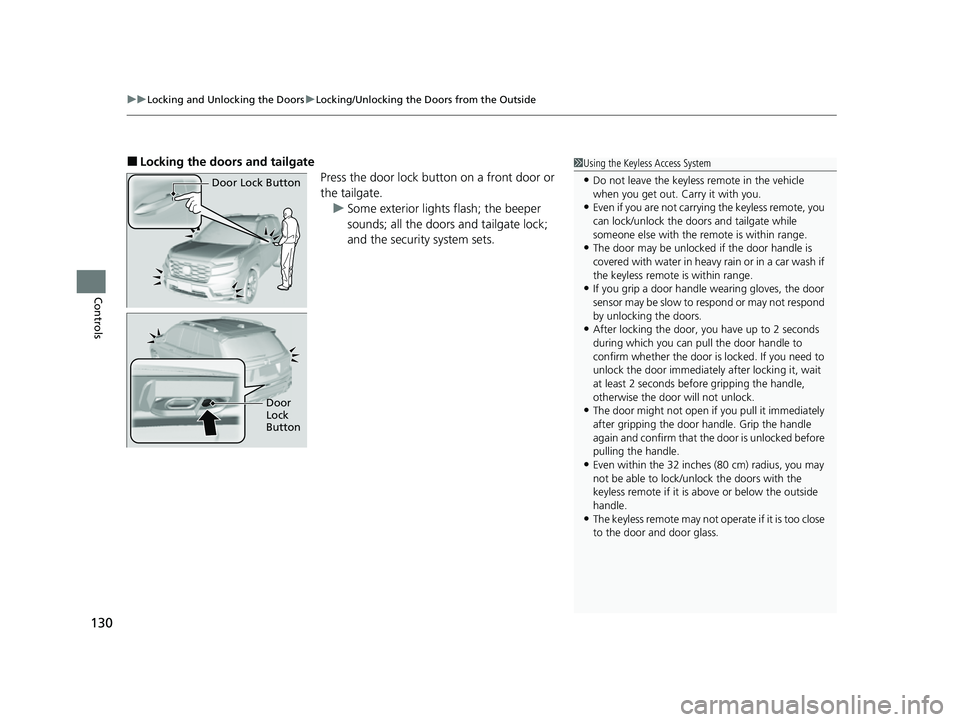
■Locking the doors and tailgate
Press the door lock button on a front door or
the tailgate.u Some exterior lights flash; the beeper
sounds; all the doors and tailgate lock;
and the security system sets.1Using the Keyless Access System
•Do not leave the keyless remote in the vehicle
when you get out. Carry it with you.
•Even if you are not carrying the keyless remote, you
can lock/unlock the doors and tailgate while
someone else with the remote is within range.
•The door may be unlocked if the door handle is
covered with water in heavy rain or in a car wash if
the keyless remote is within range.
•If you grip a door handle wearing gloves, the door
sensor may be slow to respond or may not respond
by unlocking the doors.
•After locking the door, you have up to 2 seconds
during which you can pull the door handle to
confirm whether the door is locked. If you need to
unlock the door immediately after locking it, wait
at least 2 seconds befo re gripping the handle,
otherwise the door will not unlock.
•The door might not open if you pull it immediately
after gripping the door handle. Grip the handle
again and confirm that th e door is unlocked before
pulling the handle.
•Even within the 32 inches (80 cm) radius, you may
not be able to lock/unl ock the doors with the
keyless remote if it is above or below the outside
handle.
•The keyless remote may not operate if it is too close
to the door and door glass.
Door Lock Button
Door
Lock
Button
22 PASSPORT-31TGS6300.book 130 ページ 2021年10月6日 水曜日 午前10時2分
Page 133 of 607
Continued131
uuLocking and Unlocking the Doors uLocking/Unlocking the Doors from the Outside
Controls
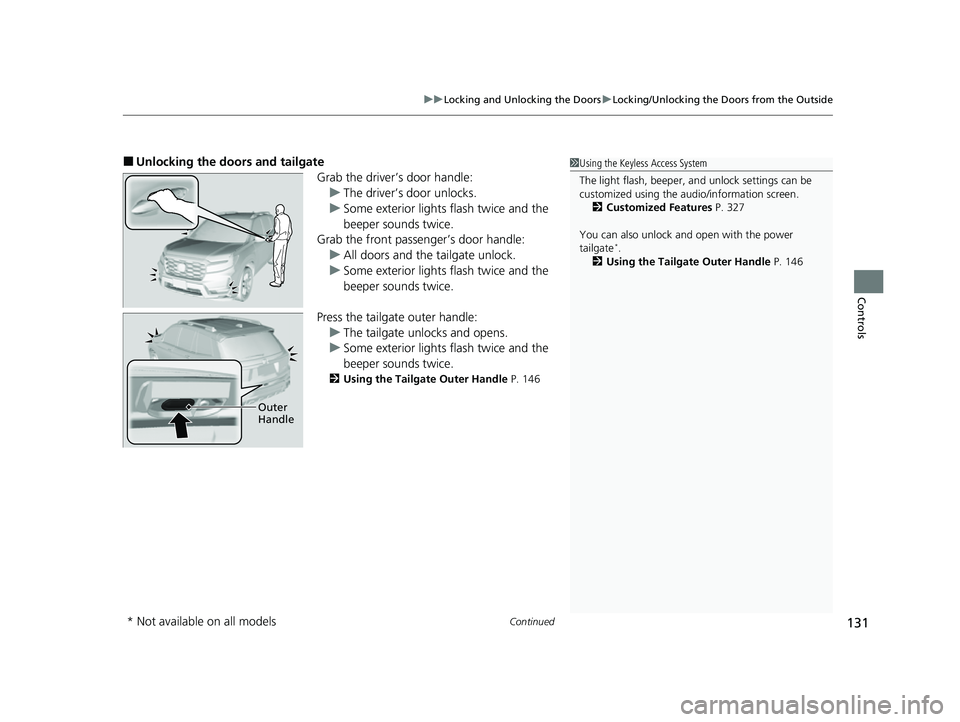
■Unlocking the doors and tailgate
Grab the driver’s door handle:u The driver’s door unlocks.
u Some exterior lights flash twice and the
beeper sounds twice.
Grab the front passenger’s door handle:
u All doors and the tailgate unlock.
u Some exterior lights flash twice and the
beeper sounds twice.
Press the tailgate outer handle: u The tailgate unlocks and opens.
u Some exterior lights flash twice and the
beeper sounds twice.
2 Using the Tailgate Outer Handle P. 146
1Using the Keyless Access System
The light flash, beeper, a nd unlock settings can be
customized using the audio/information screen.
2 Customized Features P. 327
You can also unlock and open with the power
tailgate
*.
2 Using the Tailgate Outer Handle P. 146
Outer
Handle
* Not available on all models
22 PASSPORT-31TGS6300.book 131 ページ 2021年10月6日 水曜日 午前10時2分