USB HONDA PASSPORT 2023 User Guide
[x] Cancel search | Manufacturer: HONDA, Model Year: 2023, Model line: PASSPORT, Model: HONDA PASSPORT 2023Pages: 610, PDF Size: 20.93 MB
Page 235 of 610
uuAudio System Basic Operation uAudio/Information Screen
234
Features
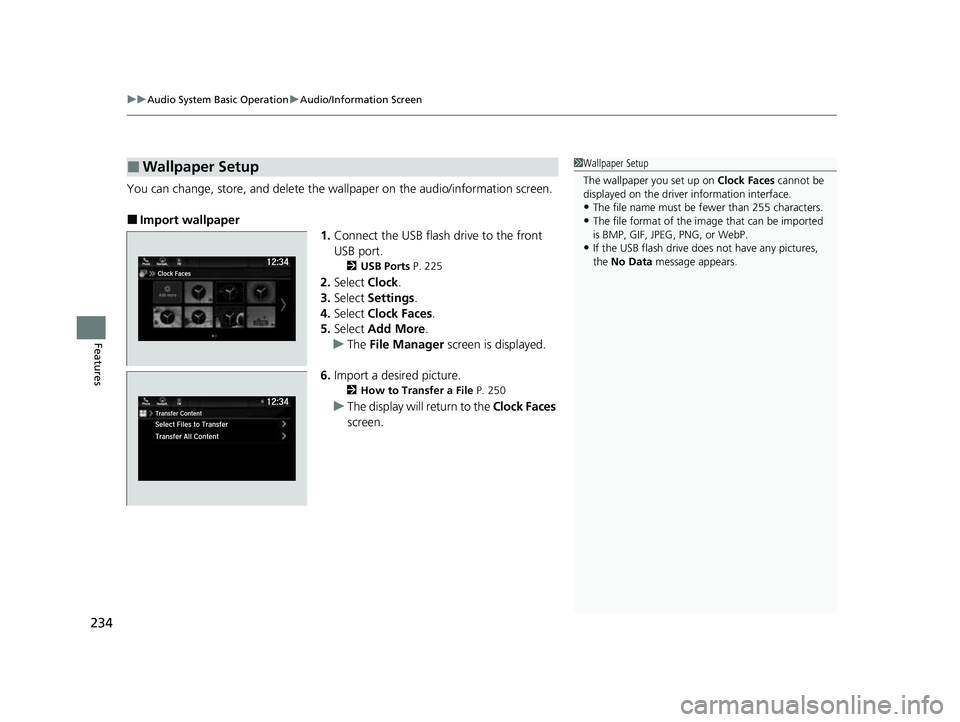
You can change, store, and delete the wa llpaper on the audio/information screen.
■Import wallpaper
1.Connect the USB flash drive to the front
USB port.
2 USB Ports P. 225
2.Select Clock.
3. Select Settings .
4. Select Clock Faces.
5. Select Add More .
u The File Manager screen is displayed.
6. Import a desired picture.
2 How to Transfer a File P. 250
uThe display will return to the Clock Faces
screen.
■Wallpaper Setup1 Wallpaper Setup
The wallpaper you set up on Clock Faces cannot be
displayed on the driver information interface.
•The file name must be fewer than 255 characters.
•The file format of the im age that can be imported
is BMP, GIF, JPEG, PNG, or WebP.
•If the USB flash drive doe s not have any pictures,
the No Data message appears.
23 PASSPORT-31TGS6400.book 234 ページ 2022年8月5日 金曜日 午後9時2分
Page 245 of 610
244
uuAudio System Basic Operation uSystem Updates
Features
System Updates
The audio system’s firmware can be update d with a Wi-Fi connection or with a USB
device.
■Wireless connecti on mode setup
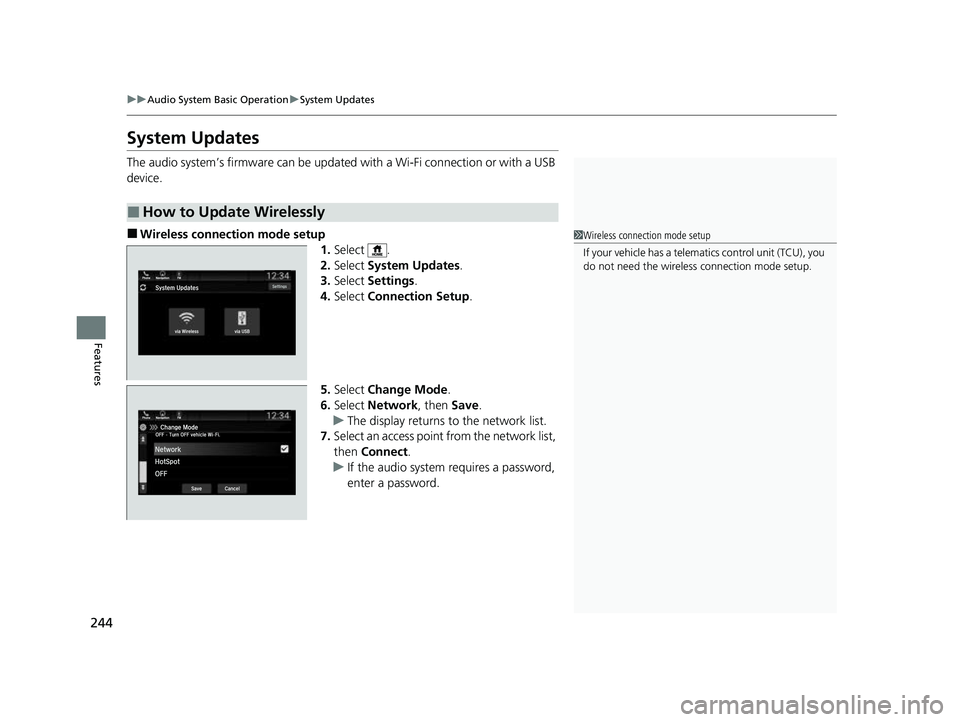
1.Select .
2. Select System Updates .
3. Select Settings .
4. Select Connection Setup .
5. Select Change Mode .
6. Select Network, then Save.
u The display returns to the network list.
7. Select an access point from the network list,
then Connect .
u If the audio system requires a password,
enter a password.
■How to Update Wirelessly
1Wireless connection mode setup
If your vehicle has a telema tics control unit (TCU), you
do not need the wireless connection mode setup.
23 PASSPORT-31TGS6400.book 244 ページ 2022年8月5日 金曜日 午後9時2分
Page 249 of 610
uuAudio System Basic Operation uSystem Updates
248
Features
■Download the update files from the server
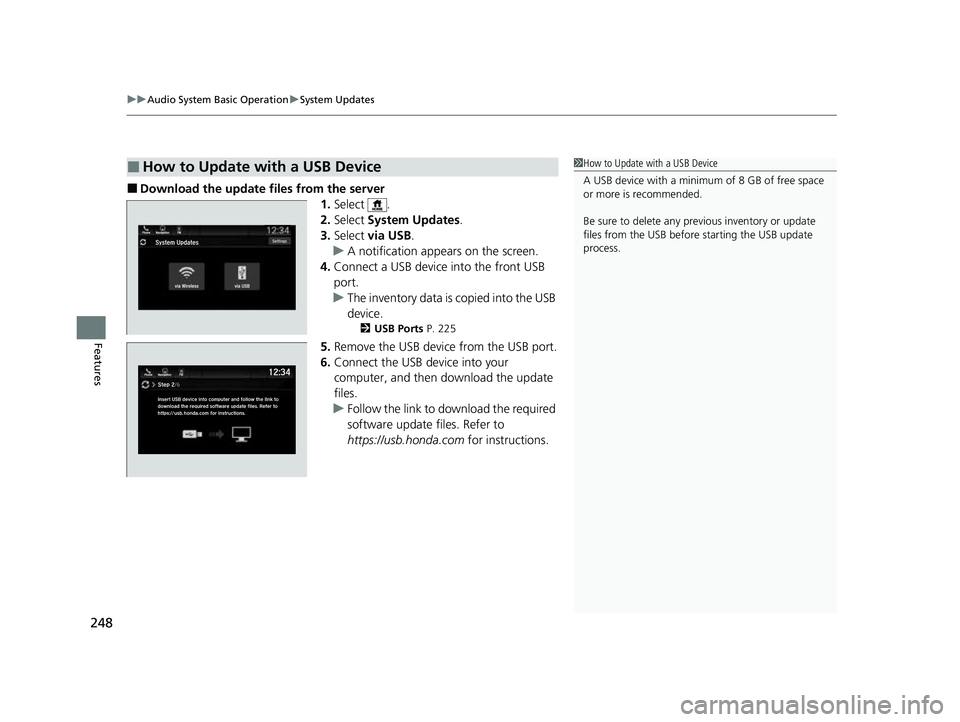
1.Select .
2. Select System Updates .
3. Select via USB .
u A notification appears on the screen.
4. Connect a USB device into the front USB
port.
u The inventory data is copied into the USB
device.
2 USB Ports P. 225
5.Remove the USB device from the USB port.
6. Connect the USB device into your
computer, and then download the update
files.
u Follow the link to download the required
software update files. Refer to
https://usb.honda.com for instructions.
■How to Update with a USB Device1How to Update with a USB Device
A USB device with a minimum of 8 GB of free space
or more is recommended.
Be sure to delete any pr evious inventory or update
files from the USB before starting the USB update
process.
23 PASSPORT-31TGS6400.book 248 ページ 2022年8月5日 金曜日 午後9時2分
Page 250 of 610
249
uuAudio System Basic Operation uSystem Updates
Features
■Update the audio system
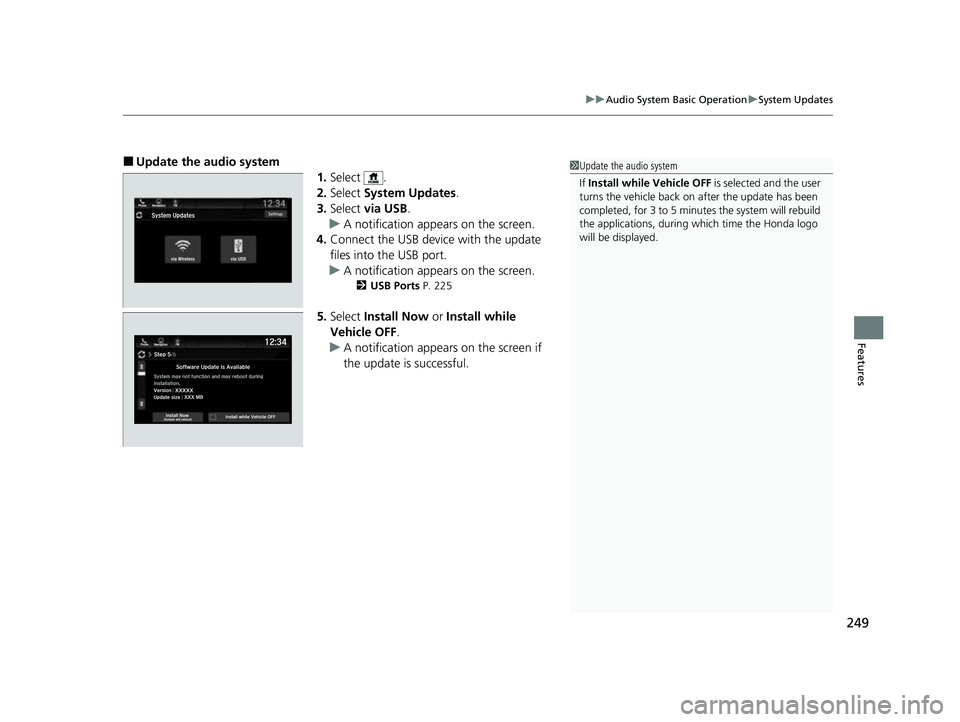
1.Select .
2. Select System Updates .
3. Select via USB .
u A notification appears on the screen.
4. Connect the USB device with the update
files into the USB port.
u A notification appears on the screen.
2 USB Ports P. 225
5.Select Install Now or Install while
Vehicle OFF .
u A notification appears on the screen if
the update is successful.
1Update the audio system
If Install while Vehicle OFF is selected and the user
turns the vehicle back on after the update has been
completed, for 3 to 5 minutes the system will rebuild
the applications, during which time the Honda logo
will be displayed.
23 PASSPORT-31TGS6400.book 249 ページ 2022年8月5日 金曜日 午後9時2分
Page 251 of 610
250
uuAudio System Basic Operation uFile Manager
Features
File Manager
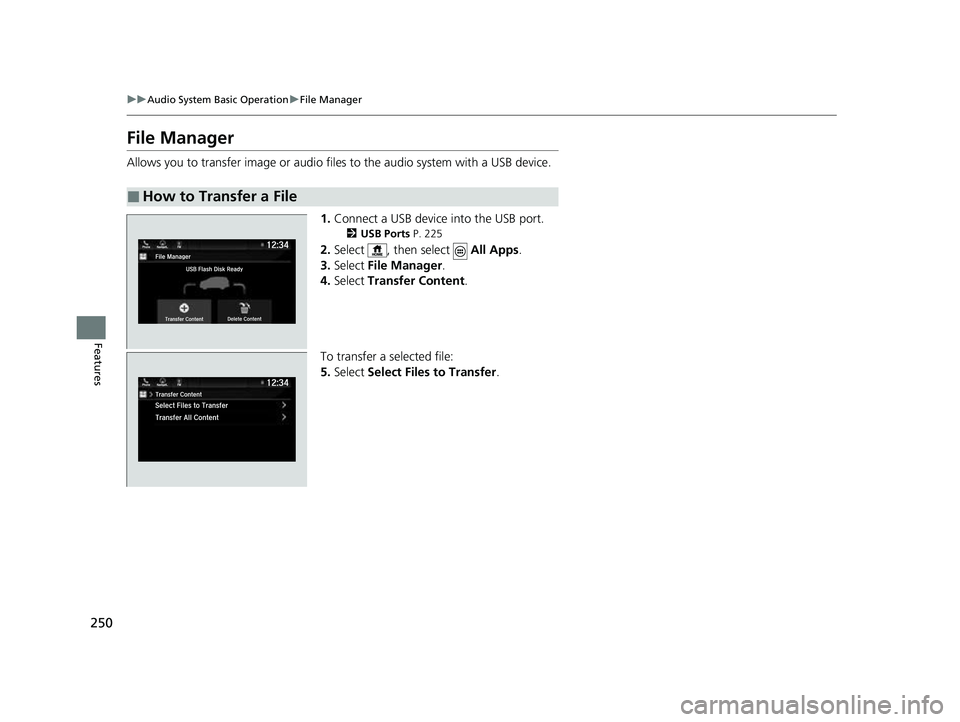
Allows you to transfer imag e or audio files to the audio system with a USB device.
1.Connect a USB device into the USB port.
2 USB Ports P. 225
2.Select , then select All Apps.
3. Select File Manager .
4. Select Transfer Content .
To transfer a selected file:
5. Select Select Files to Transfer .
■How to Transfer a File
23 PASSPORT-31TGS6400.book 250 ページ 2022年8月5日 金曜日 午後9時2分
Page 261 of 610
260
uuAudio System Basic Operation uVoice Control Operation
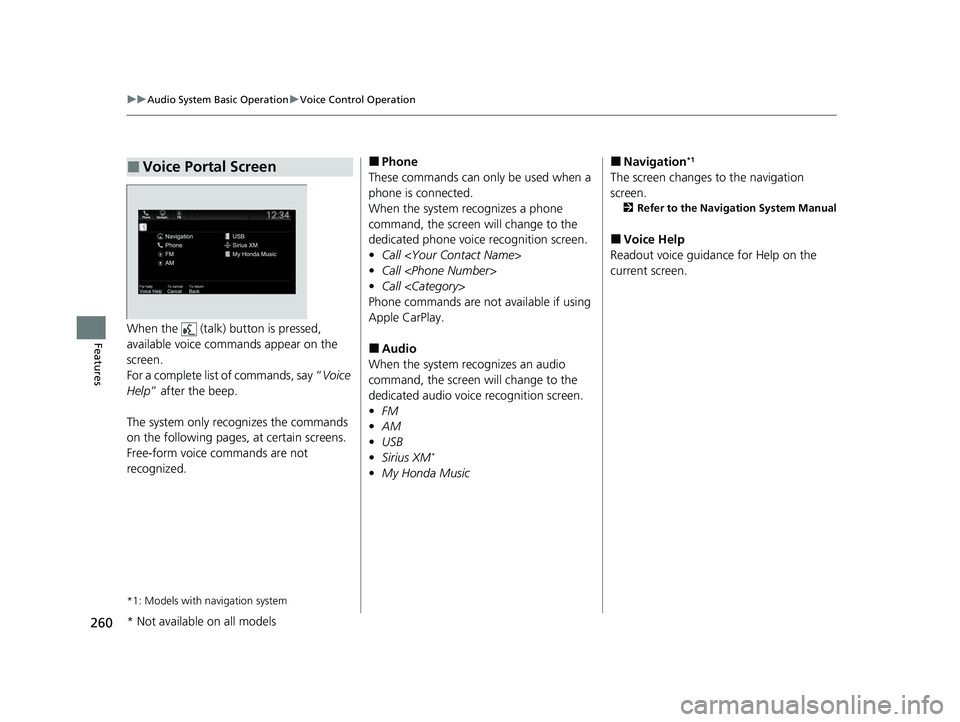
FeaturesWhen the (talk) button is pressed,
available voice commands appear on the
screen.
For a complete list of commands, say “ Voice
Help ” after the beep.
The system only reco gnizes the commands
on the following pages, at certain screens.
Free-form voice commands are not
recognized.
*1: Models with navigation system
■Voice Portal Screen■Phone
These commands can only be used when a
phone is connected.
When the system recognizes a phone
command, the screen will change to the
dedicated phone voice recognition screen.
• Call
• Call
• Call
Phone commands are not available if using
Apple CarPlay.
■Audio
When the system re cognizes an audio
command, the screen will change to the
dedicated audio voice recognition screen.
• FM
• AM
• USB
• Sirius XM
*
•My Honda Music
■Navigation*1
The screen changes to the navigation
screen.
2 Refer to the Navigation System Manual
■Voice Help
Readout voice guidance for Help on the
current screen.
* Not available on all models
23 PASSPORT-31TGS6400.book 260 ページ 2022年8月5日 金曜日 午後9時2分
Page 262 of 610
261
uuAudio System Basic Operation uVoice Control Operation
Features
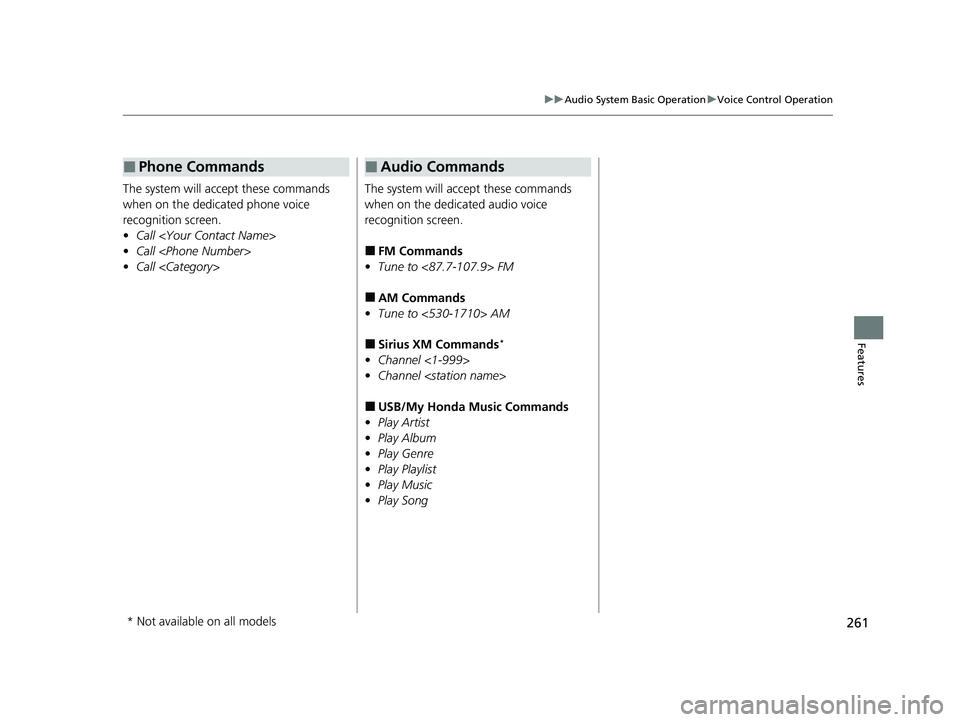
The system will acce pt these commands
when on the dedicated phone voice
recognition screen.
• Call
• Call
• Call
■Phone Commands
The system will accept these commands
when on the dedicated audio voice
recognition screen.
■FM Commands
• Tune to <87.7-107.9> FM
■AM Commands
• Tune to <530-1710> AM
■Sirius XM Commands*
•Channel <1-999>
• Channel
■USB/My Honda Music Commands
• Play Artist
• Play Album
• Play Genre
• Play Playlist
• Play Music
• Play Song
■Audio Commands
* Not available on all models
23 PASSPORT-31TGS6400.book 261 ページ 2022年8月5日 金曜日 午後9時2分
Page 276 of 610
275
uuAudio System Basic Operation uPlaying an iPod
Continued
Features
Playing an iPod
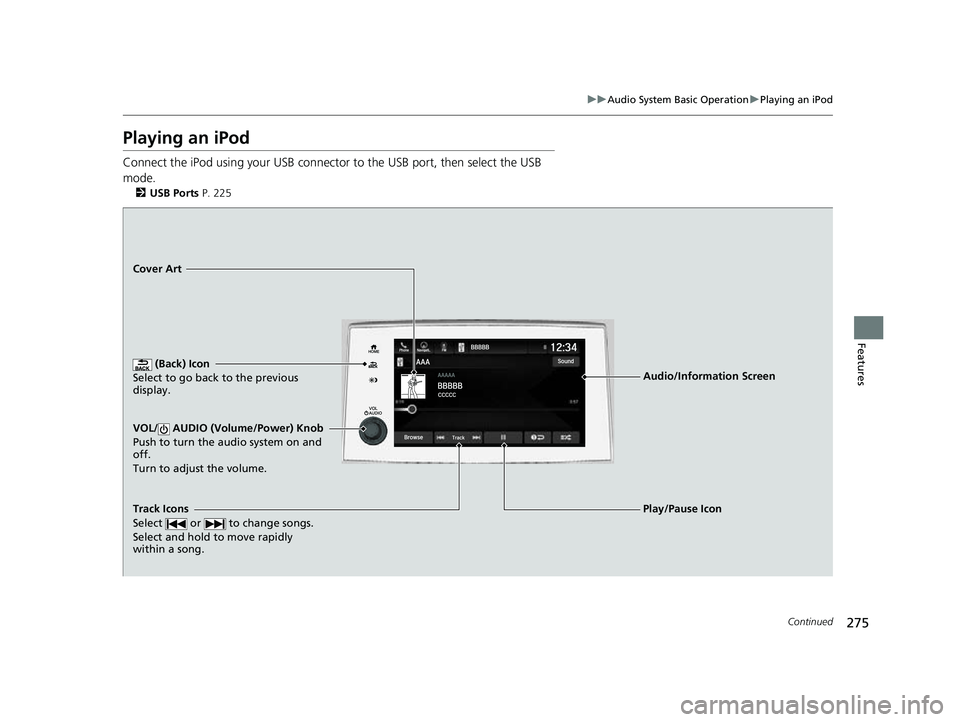
Connect the iPod using your USB connector to the USB port, then select the USB
mode.
2 USB Ports P. 225
(Back) Icon
Select to go back to the previous
display.
Track Icons
Select or to change songs.
Select and hold to move rapidly
within a song.
VOL/ AUDIO (Volume/Power) Knob
Push to turn the audio system on and
off.
Turn to adjust the volume.
Cover Art
Audio/Information Screen
Play/Pause Icon
23 PASSPORT-31TGS6400.book 275 ページ 2022年8月5日 金曜日 午後9時2分
Page 277 of 610
uuAudio System Basic Operation uPlaying an iPod
276
Features
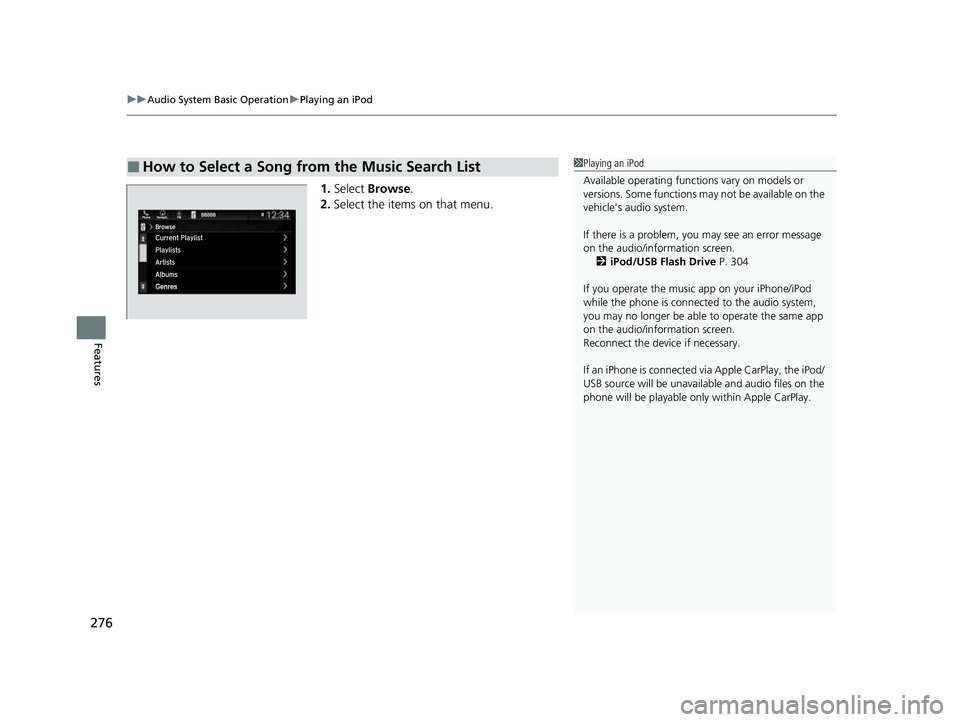
1. Select Browse .
2. Select the items on that menu.
■How to Select a Song from the Music Search List1Playing an iPod
Available operating functi ons vary on models or
versions. Some functions ma y not be available on the
vehicle’s audio system.
If there is a problem, you may see an error message
on the audio/information screen. 2 iPod/USB Flash Drive P. 304
If you operate the musi c app on your iPhone/iPod
while the phone is connected to the audio system,
you may no longer be able to operate the same app
on the audio/information screen.
Reconnect the devi ce if necessary.
If an iPhone is connected vi a Apple CarPlay, the iPod/
USB source will be unavailable and audio files on the
phone will be playable onl y within Apple CarPlay.
23 PASSPORT-31TGS6400.book 276 ページ 2022年8月5日 金曜日 午後9時2分
Page 279 of 610
278
uuAudio System Basic Operation uPlaying a USB Flash Drive
Features
Playing a USB Flash Drive
Your audio system reads and plays audio f iles on a USB flash drive in either MP3,
WMA, or AAC*1 format.
Connect your USB flash drive to the USB port, then select the USB mode.
2USB Ports P. 225
*1: Only AAC format files recorded with iTunes are playable on this unit.
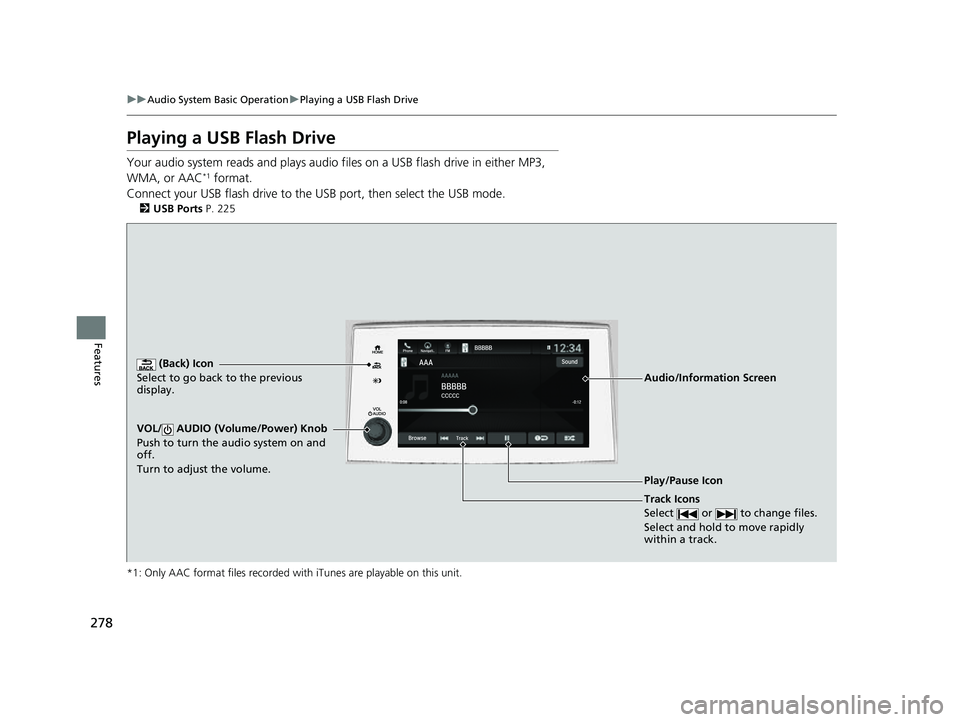
(Back) Icon
Select to go back to the previous
display.
Track Icons
Select or to change files.
Select and hold to move rapidly
within a track.
VOL/ AUDIO (Volume/Power) Knob
Push to turn the audio system on and
off.
Turn to adjust the volume.
Audio/Information Screen
Play/Pause Icon
23 PASSPORT-31TGS6400.book 278 ページ 2022年8月5日 金曜日 午後9時2分