buttons HONDA PASSPORT 2023 Owner's Manual
[x] Cancel search | Manufacturer: HONDA, Model Year: 2023, Model line: PASSPORT, Model: HONDA PASSPORT 2023Pages: 610, PDF Size: 20.93 MB
Page 430 of 610
429
uuWhen Driving uTire Pressure Monitoring System (TPMS) with Tire Fill Assist
Driving
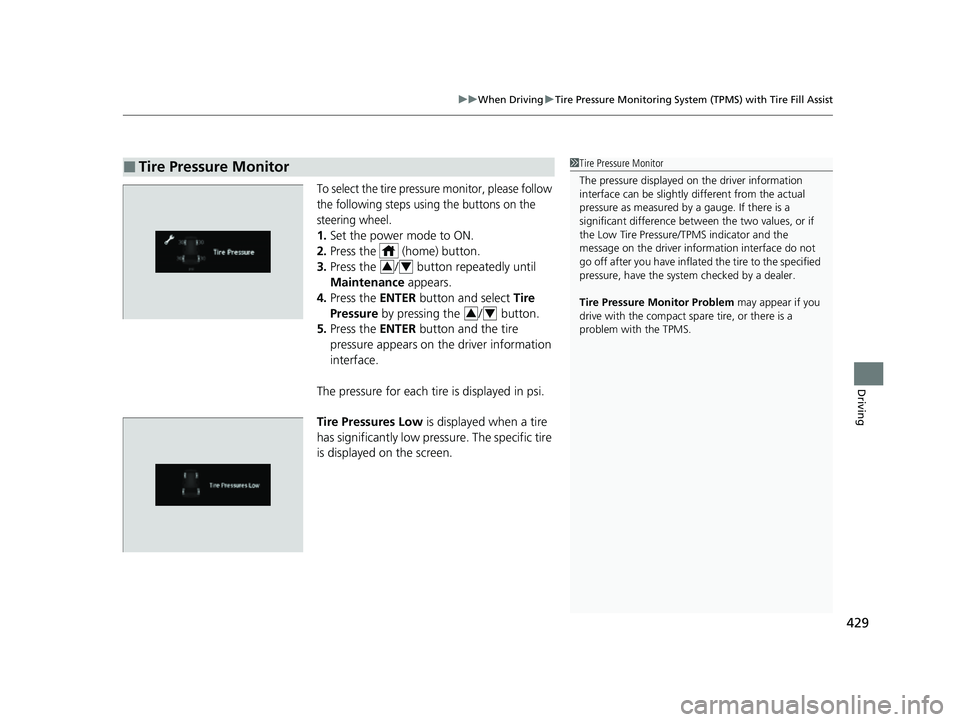
To select the tire pressure monitor, please follow
the following steps using the buttons on the
steering wheel.
1. Set the power mode to ON.
2. Press the (home) button.
3. Press the / button repeatedly until
Maintenance appears.
4. Press the ENTER button and select Tire
Pressure by pressing the / button.
5. Press the ENTER button and the tire
pressure appears on th e driver information
interface.
The pressure for each tire is displayed in psi.
Tire Pressures Low is displayed when a tire
has significantly low pressure. The specific tire
is displayed on the screen.
■Tire Pressure Monitor1 Tire Pressure Monitor
The pressure displayed on the driver information
interface can be slightly different from the actual
pressure as measured by a gauge. If there is a
significant di fference between the two values, or if
the Low Tire Pressure/TPMS indicator and the
message on the driver info rmation interface do not
go off after you have inflated the tire to the specified
pressure, have the system checked by a dealer.
Tire Pressure Monitor Problem may appear if you
drive with the compact spare tire, or there is a
problem with the TPMS.
34
34
23 PASSPORT-31TGS6400.book 429 ページ 2022年8月5日 金曜日 午後9時2分
Page 456 of 610
Continued455
uuHonda Sensing ®u Adaptive Cruise Control (ACC)
Driving
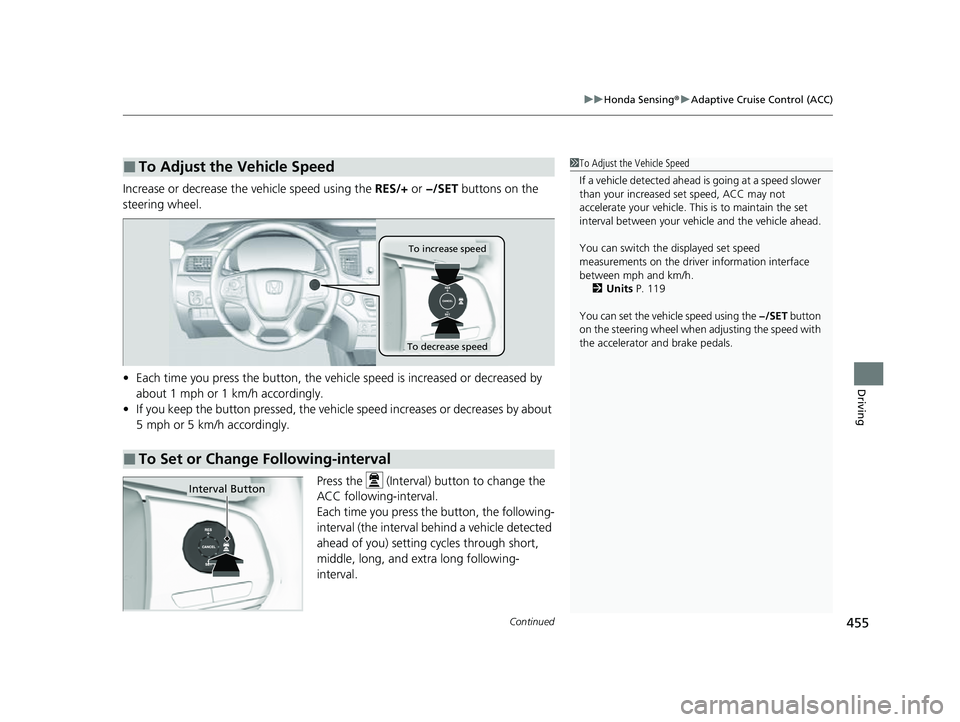
Increase or decrease the vehicle speed using the RES/+ or −/SET buttons on the
steering wheel.
• Each time you press the button, the vehicl e speed is increased or decreased by
about 1 mph or 1 km/h accordingly.
• If you keep the button pressed, the vehicle speed increases or decreases by about
5 mph or 5 km/h accordingly.
Press the (Interval) button to change the
ACC following-interval.
Each time you press th e button, the following-
interval (the interval behind a vehicle detected
ahead of you) setting cycles through short,
middle, long, and extra long following-
interval.
■To Adjust the Vehicle Speed1 To Adjust the Vehicle Speed
If a vehicle detected ahead is going at a speed slower
than your increased set speed, ACC may not
accelerate your vehicle. This is to maintain the set
interval between your vehi cle and the vehicle ahead.
You can switch the displayed set speed
measurements on the driver information interface
between mph and km/h.
2 Units P. 119
You can set the vehicle speed using the −/SET button
on the steering wheel when adjusting the speed with
the accelerator and brake pedals.
■To Set or Change Following-interval
To increase speed
To decrease speed
Interval Button
23 PASSPORT-31TGS6400.book 455 ページ 2022年8月5日 金曜日 午後9時2分
Page 542 of 610
541
Maintenance
Remote Transmitter Care
Replacing the Remote Battery
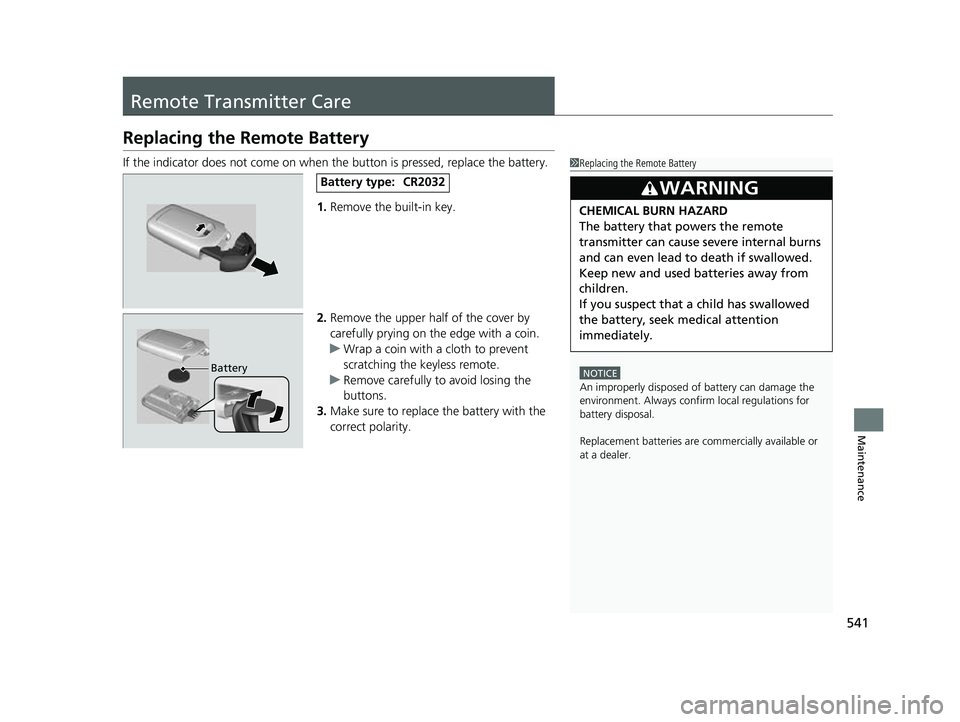
If the indicator does not come on when the button is pressed, replace the battery.
1. Remove the built-in key.
2. Remove the upper half of the cover by
carefully prying on the edge with a coin.
u Wrap a coin with a cloth to prevent
scratching the keyless remote.
u Remove carefully to avoid losing the
buttons.
3. Make sure to replace the battery with the
correct polarity.1Replacing the Remote Battery
NOTICE
An improperly disposed of battery can damage the
environment. Always conf irm local regulations for
battery disposal.
Replacement batteries are commercially available or
at a dealer.
3WARNING
CHEMICAL BURN HAZARD
The battery that powers the remote
transmitter can cause severe internal burns
and can even lead to death if swallowed.
Keep new and used batteries away from
children.
If you suspect that a child has swallowed
the battery, seek medical attention
immediately.
Battery type:CR2032
Battery
23 PASSPORT-31TGS6400.book 541 ページ 2022年8月5日 金曜日 午後9時2分
Page 564 of 610
563
uuEngine Does Not Start uIf the Keyless Remote Battery is Weak
Handling the Unexpected
If the Keyless Remo te Battery is Weak
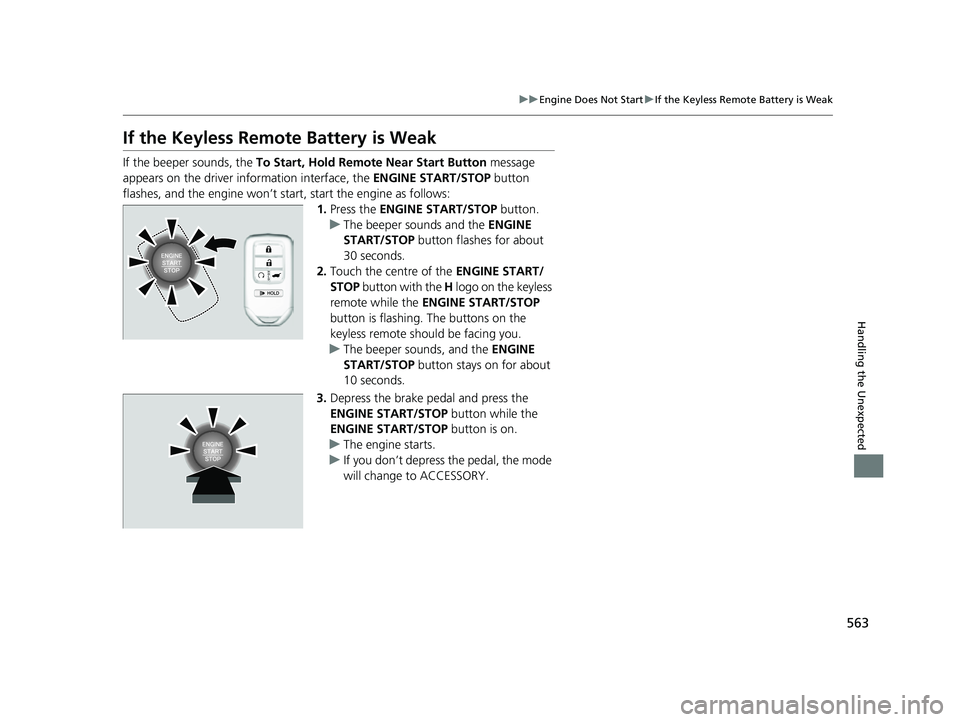
If the beeper sounds, the To Start, Hold Remote Near Start Button message
appears on the driver information interface, the ENGINE START/STOP button
flashes, and the engine won’t start, start the engine as follows:
1.Press the ENGINE START/STOP button.
u The beeper sounds and the ENGINE
START/STOP button flashes for about
30 seconds.
2. Touch the centre of the ENGINE START/
STOP button with the H logo on the keyless
remote while the ENGINE START/STOP
button is flashing. The buttons on the
keyless remote should be facing you.
u The beeper sounds, and the ENGINE
START/STOP button stays on for about
10 seconds.
3. Depress the brake pedal and press the
ENGINE START/STOP button while the
ENGINE START/STOP button is on.
u The engine starts.
u If you don’t depress the pedal, the mode
will change to ACCESSORY.
23 PASSPORT-31TGS6400.book 563 ページ 2022年8月5日 金曜日 午後9時2分
Page 603 of 610
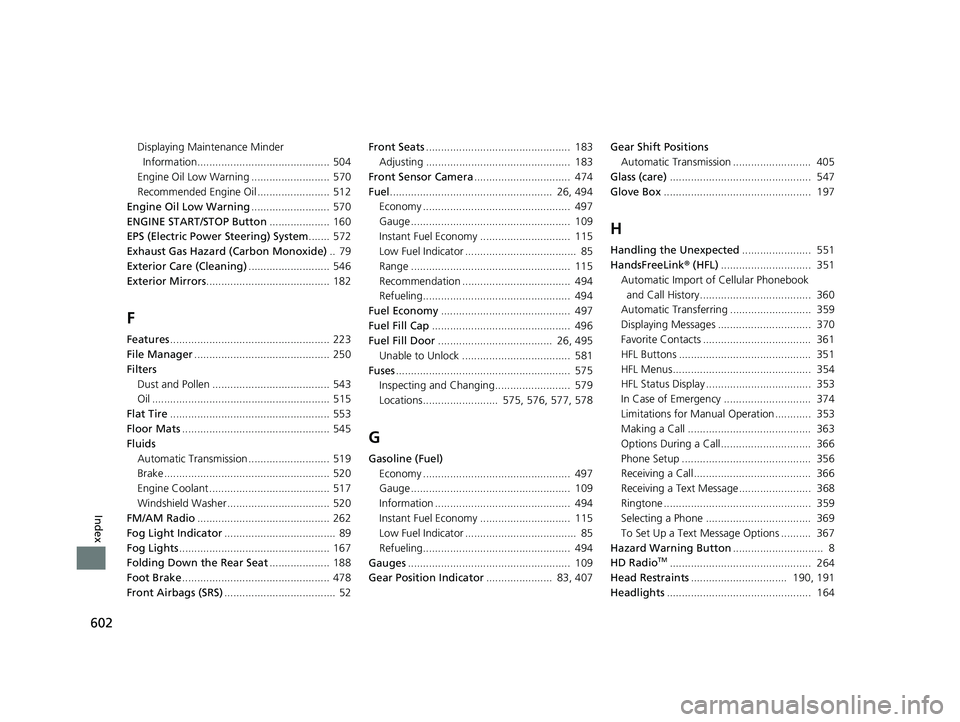
602
Index
Displaying Maintenance Minder
Information............................................ 504
Engine Oil Low Warning .......................... 570
Recommended Engine Oil ........................ 512
Engine Oil Low Warning .......................... 570
ENGINE START/STOP Button .................... 160
EPS (Electric Power Steering) System ....... 572
Exhaust Gas Hazard (Carbon Monoxide) .. 79
Exterior Care (Cleaning) ........................... 546
Exterior Mirrors ......................................... 182
F
Features..................................................... 223
File Manager ............................................. 250
Filters
Dust and Pollen ....................................... 543
Oil ........................................................... 515
Flat Tire ..................................................... 553
Floor Mats ................................................. 545
Fluids
Automatic Transmission ........................... 519
Brake ....................................................... 520
Engine Coolant ........................................ 517
Windshield Washer .................................. 520
FM/AM Radio ............................................ 262
Fog Light Indicator ..................................... 89
Fog Lights .................................................. 167
Folding Down the Rear Seat .................... 188
Foot Brake ................................................. 478
Front Airbags (SRS) ..................................... 52 Front Seats
................................................ 183
Adjusting ................................................ 183
Front Sensor Camera ................................ 474
Fuel ...................................................... 26, 494
Economy ................................................. 497
Gauge ..................................................... 109
Instant Fuel Economy .............................. 115
Low Fuel Indicator ..................................... 85
Range ..................................................... 115
Recommendation .................................... 494
Refueling................................................. 494
Fuel Economy ........................................... 497
Fuel Fill Cap .............................................. 496
Fuel Fill Door ...................................... 26, 495
Unable to Unlock .................................... 581
Fuses .......................................................... 575
Inspecting and Changing......................... 579
Locations......................... 575, 576, 577, 578
G
Gasoline (Fuel) Economy ................................................. 497
Gauge ..................................................... 109
Information ............................................. 494
Instant Fuel Economy .............................. 115
Low Fuel Indicator ..................................... 85
Refueling................................................. 494
Gauges ...................................................... 109
Gear Position Indicator ...................... 83, 407 Gear Shift Positions
Automatic Transmission .......................... 405
Glass (care) ............................................... 547
Glove Box ................................................. 197
H
Handling the Unexpected ....................... 551
HandsFreeLink® (HFL).............................. 351
Automatic Import of Cellular Phonebook
and Call History..................................... 360
Automatic Transferring ........................... 359
Displaying Messages ............................... 370
Favorite Contacts .................................... 361
HFL Buttons ............................................ 351
HFL Menus.............................................. 354
HFL Status Display ................................... 353
In Case of Emergency ............................. 374
Limitations for Manual Operation ............ 353
Making a Call ......................................... 363
Options During a Call.............................. 366
Phone Setup ........................................... 356
Receiving a Call....................................... 366
Receiving a Text Message........................ 368
Ringtone ................................................. 359
Selecting a Phone ................................... 369
To Set Up a Text Message Options .......... 367
Hazard Warning Button .............................. 8
HD Radio
TM............................................... 264
Head Restraints ................................ 190, 191
Headlights ................................................ 164
23 PASSPORT-31TGS6400.book 602 ページ 2022年8月5日 金曜日 午後9時2分