front camera HONDA PASSPORT 2023 Owner's Manual
[x] Cancel search | Manufacturer: HONDA, Model Year: 2023, Model line: PASSPORT, Model: HONDA PASSPORT 2023Pages: 610, PDF Size: 20.93 MB
Page 462 of 610
Continued461
uuHonda Sensing ®u Lane Keeping Assist System (LKAS)
Driving
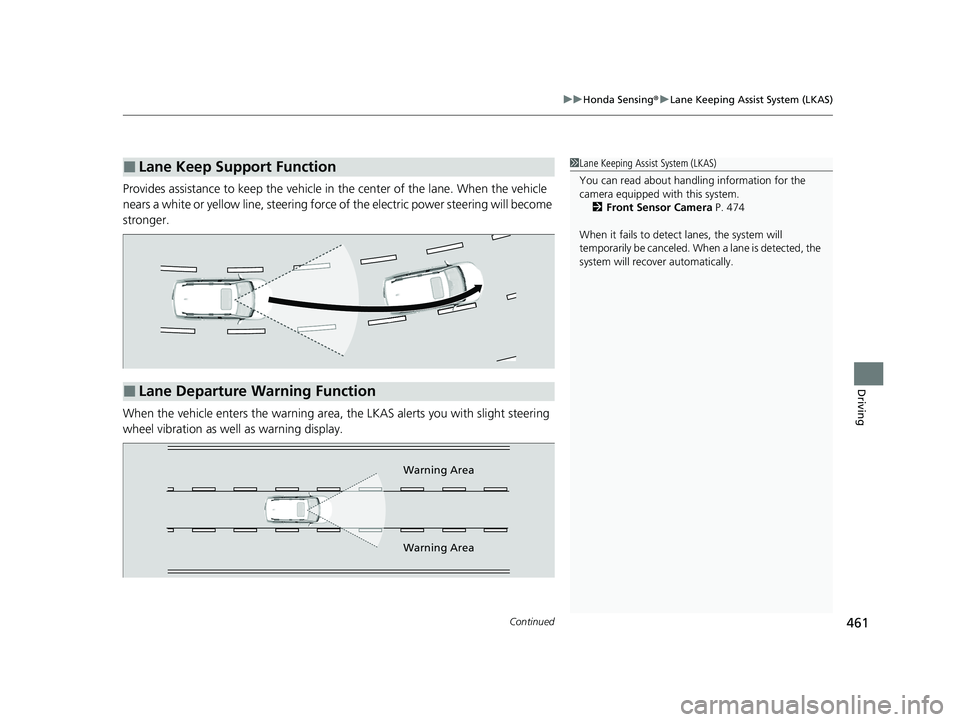
Provides assistance to keep the vehicle in the center of the lane. When the vehicle
nears a white or yellow line, steering force of the electric power steering will become
stronger.
When the vehicle enters the warning area, the LKAS alerts you with slight steering
wheel vibration as well as warning display.
■Lane Keep Support Function1 Lane Keeping Assist System (LKAS)
You can read about handling information for the
camera equipped with this system.
2 Front Sensor Camera P. 474
When it fails to detect lanes, the system will
temporarily be canceled. When a lane is detected, the
system will recover automatically.
■Lane Departure Warning Function
Warning Area
Warning Area
23 PASSPORT-31TGS6400.book 461 ページ 2022年8月5日 金曜日 午後9時2分
Page 470 of 610
469
uuHonda Sensing ®u Road Departure Mitigation (RDM) System
Continued
Driving
Road Departure Mitigation (RDM) System
Alerts and helps to assist you when the system detects a possibility of your vehicle
unintentionally crossing over detected lane markings and/or leaving the roadway
altogether.
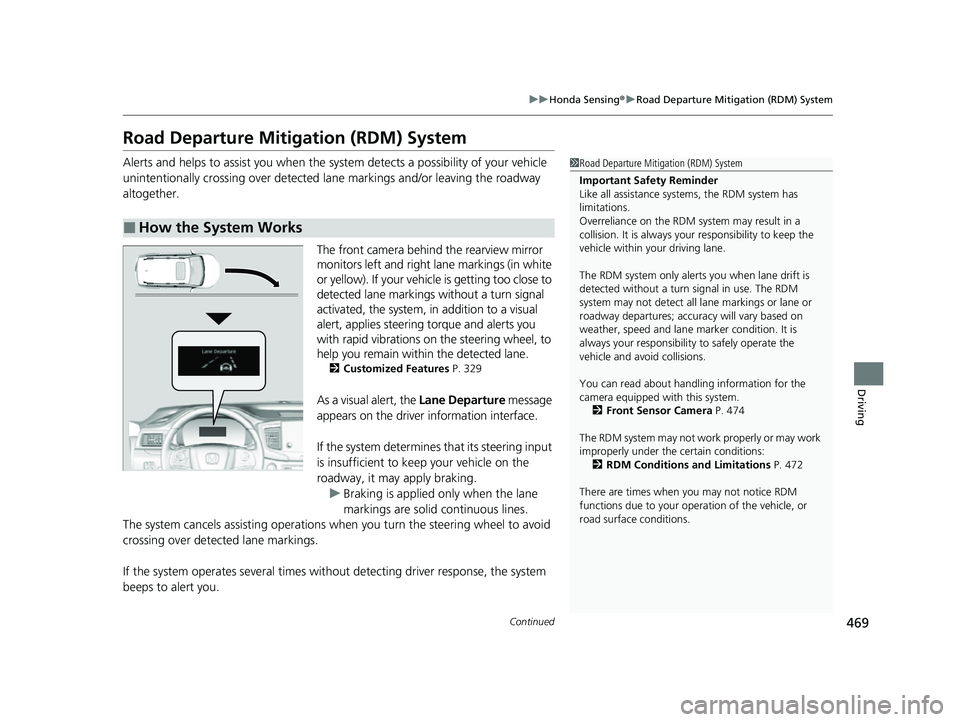
The front camera behind the rearview mirror
monitors left and right lane markings (in white
or yellow). If your vehicl e is getting too close to
detected lane markings without a turn signal
activated, the system, in addition to a visual
alert, applies steering torque and alerts you
with rapid vibrations on the steering wheel, to
help you remain within the detected lane.
2 Customized Features P. 329
As a visual alert, the Lane Departure message
appears on the driver information interface.
If the system determines that its steering input
is insufficient to keep your vehicle on the
roadway, it may apply braking. u Braking is applied only when the lane
markings are solid continuous lines.
The system cancels assisting operations wh en you turn the steering wheel to avoid
crossing over detected lane markings.
If the system operates several times with out detecting driver response, the system
beeps to alert you.
■How the System Works
1 Road Departure Mitigation (RDM) System
Important Safety Reminder
Like all assistance systems, the RDM system has
limitations.
Overreliance on the RDM system may result in a
collision. It is always your responsibility to keep the
vehicle within your driving lane.
The RDM system only alerts you when lane drift is
detected without a turn signal in use. The RDM
system may not detect all la ne markings or lane or
roadway departures; accu racy will vary based on
weather, speed and lane marker condition. It is
always your responsibilit y to safely operate the
vehicle and avoid collisions.
You can read about handling information for the
camera equipped with this system.
2 Front Sensor Camera P. 474
The RDM system may not wo rk properly or may work
improperly under the certain conditions: 2 RDM Conditions and Limitations P. 472
There are times when you may not notice RDM
functions due to your opera tion of the vehicle, or
road surface conditions.
23 PASSPORT-31TGS6400.book 469 ページ 2022年8月5日 金曜日 午後9時2分
Page 474 of 610
473
uuHonda Sensing ®u Road Departure Mitigation (RDM) System
Driving
■Roadway conditions
• Driving on a snowy or wet roadway (obs cured lane marking, vehicle tracks,
reflected lights, road spray, high contrast).
• Driving on a road with temporary lane markings.
• Faint, multiple, or varied lane markings are visible on the roadway due to road
repairs or old lane markings.
• The roadway has merging, split, or crossing lines (e.g., such as at an intersection
or crosswalk).
• The lane markings are extremel y narrow, wide, or changing.
• The vehicle in front of you is driving near the lane lines.
• The road is hilly or the vehicle is approaching the crest of a hill.
• Driving on rough or unpaved roads, or over bumpy surfaces.
• When objects on the road (curb, guard rail, pylons, etc.) are recognized as white
lines (or yellow lines).
• Driving on roads with double lines.
■Vehicle conditions
• Headlight lenses are dirty or the h eadlights are not properly adjusted.
• The outside of the windshield is streaked or blocked by dirt, mud, leaves, wet
snow, etc.
• The inside of the windshield is fogged.
• The camera temperature gets too high.
• An abnormal tire or wheel condition (inco rrect sizes, varied sizes or construction,
improperly inflated, co mpact spare tire, etc.).
• The vehicle is tilted due to a heavy load or suspension modifications.
• When tire chains are installed.
• The vehicle is towing a trailer.
23 PASSPORT-31TGS6400.book 473 ページ 2022年8月5日 金曜日 午後9時2分
Page 475 of 610
474
uuHonda Sensing ®u Front Sensor Camera
Driving
Front Sensor Camera
The camera, used in systems such as LKAS, RDM, ACC, and CMBSTM, is designed to
detect an object that triggers any of the systems to operate its functions.
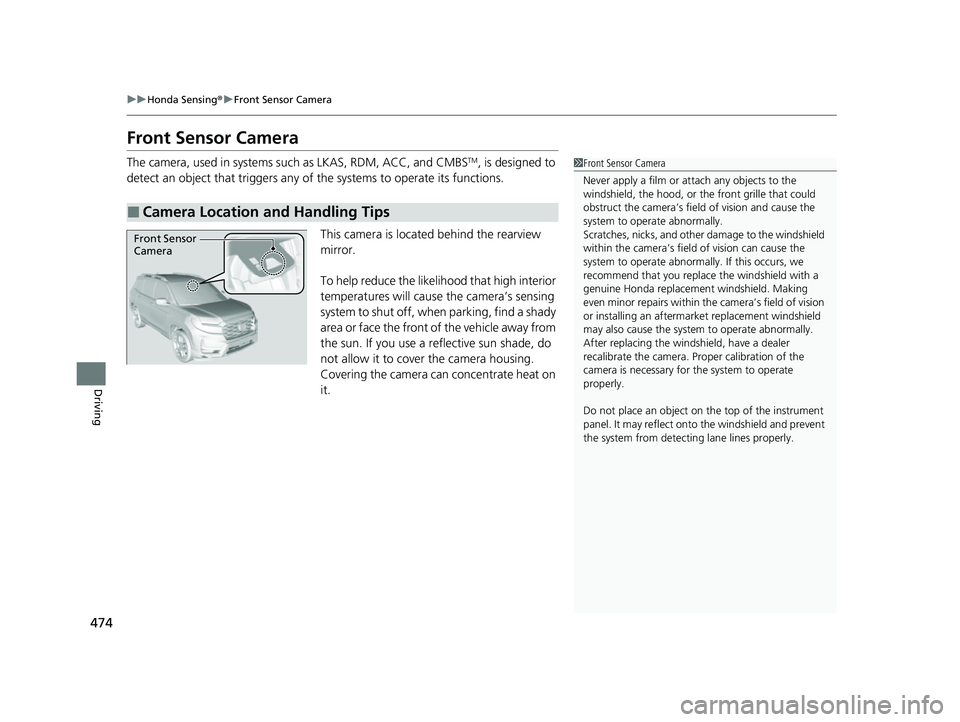
This camera is located behind the rearview
mirror.
To help reduce the likelihood that high interior
temperatures will cause the camera’s sensing
system to shut off, when parking, find a shady
area or face the front of the vehicle away from
the sun. If you use a re flective sun shade, do
not allow it to cover the camera housing.
Covering the camera can concentrate heat on
it.
■Camera Location and Handling Tips
1 Front Sensor Camera
Never apply a film or attach any objects to the
windshield, the hood, or th e front grille that could
obstruct the camera’s fiel d of vision and cause the
system to operate abnormally.
Scratches, nicks, and othe r damage to the windshield
within the camera’s fiel d of vision can cause the
system to operate abnormall y. If this occurs, we
recommend that you replac e the windshield with a
genuine Honda replacem ent windshield. Making
even minor repairs within th e camera’s field of vision
or installing an aftermarket replacement windshield
may also cause the system to operate abnormally.
After replacing the winds hield, have a dealer
recalibrate the camera. Pr oper calibration of the
camera is necessary for the system to operate
properly.
Do not place an object on the top of the instrument
panel. It may reflect onto the windshield and prevent
the system from detecting lane lines properly.
Front Sensor
Camera
23 PASSPORT-31TGS6400.book 474 ページ 2022年8月5日 金曜日 午後9時2分
Page 476 of 610
475
uuHonda Sensing ®u Front Sensor Camera
Driving
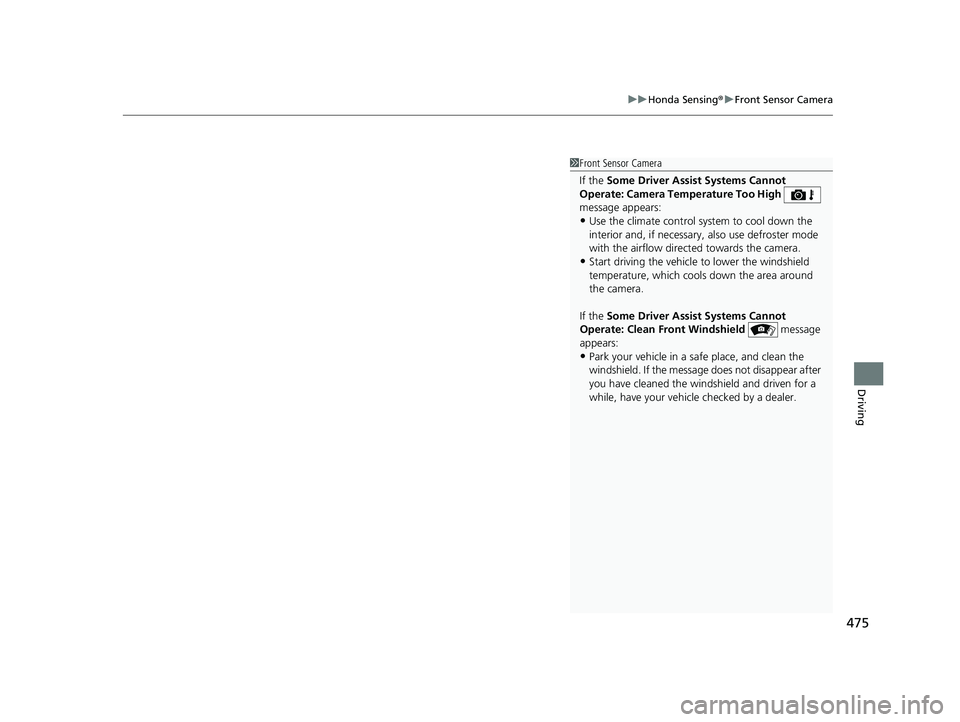
1Front Sensor Camera
If the Some Driver Assist Systems Cannot
Operate: Camera Temperature Too High
message appears:
•Use the climate control system to cool down the
interior and, if necessary, also use defroster mode
with the airflow directed towards the camera.
•Start driving the vehicle to lower the windshield
temperature, which cool s down the area around
the camera.
If the Some Driver Assist Systems Cannot
Operate: Clean Front Windshield message
appears:
•Park your vehicle in a sa fe place, and clean the
windshield. If the message does not disappear after
you have cleaned the winds hield and driven for a
while, have your vehicle checked by a dealer.
23 PASSPORT-31TGS6400.book 475 ページ 2022年8月5日 金曜日 午後9時2分
Page 545 of 610
544
Maintenance
Cleaning
Interior Care
Use a damp cloth with a mixture of mild detergent and warm water to remove dirt.
Use a clean cloth to remove detergent residue.
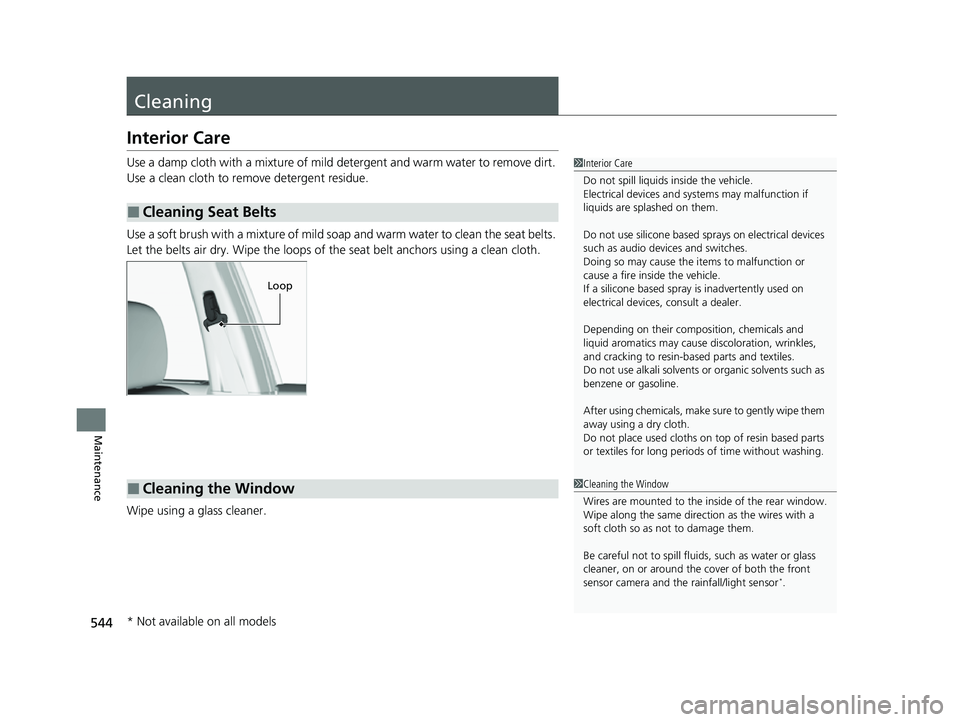
Use a soft brush with a mixture of mild soap and warm water to clean the seat belts.
Let the belts air dry. Wipe the loops of the seat belt anchors using a clean cloth.
Wipe using a glass cleaner.
■Cleaning Seat Belts
1 Interior Care
Do not spill liquids inside the vehicle.
Electrical devices and systems may malfunction if
liquids are splashed on them.
Do not use silicone based sprays on electrical devices
such as audio devices and switches.
Doing so may cause the items to malfunction or
cause a fire inside the vehicle.
If a silicone based spray is inadvertently used on
electrical devices, consult a dealer.
Depending on their compos ition, chemicals and
liquid aromatics may cause discoloration, wrinkles,
and cracking to resin-ba sed parts and textiles.
Do not use alkali solvents or organic solvents such as
benzene or gasoline.
After using chemicals, make su re to gently wipe them
away using a dry cloth.
Do not place used cloths on top of resin based parts
or textiles for long periods of time without washing.
Loop
■Cleaning the Window1Cleaning the Window
Wires are mounted to the in side of the rear window.
Wipe along the same direct ion as the wires with a
soft cloth so as not to damage them.
Be careful not to spill flui ds, such as water or glass
cleaner, on or around the co ver of both the front
sensor camera and the rainfall/light sensor
*.
* Not available on all models
23 PASSPORT-31TGS6400.book 544 ページ 2022年8月5日 金曜日 午後9時2分
Page 603 of 610
602
Index
Displaying Maintenance Minder
Information............................................ 504
Engine Oil Low Warning .......................... 570
Recommended Engine Oil ........................ 512
Engine Oil Low Warning .......................... 570
ENGINE START/STOP Button .................... 160
EPS (Electric Power Steering) System ....... 572
Exhaust Gas Hazard (Carbon Monoxide) .. 79
Exterior Care (Cleaning) ........................... 546
Exterior Mirrors ......................................... 182
F
Features..................................................... 223
File Manager ............................................. 250
Filters
Dust and Pollen ....................................... 543
Oil ........................................................... 515
Flat Tire ..................................................... 553
Floor Mats ................................................. 545
Fluids
Automatic Transmission ........................... 519
Brake ....................................................... 520
Engine Coolant ........................................ 517
Windshield Washer .................................. 520
FM/AM Radio ............................................ 262
Fog Light Indicator ..................................... 89
Fog Lights .................................................. 167
Folding Down the Rear Seat .................... 188
Foot Brake ................................................. 478
Front Airbags (SRS) ..................................... 52 Front Seats
................................................ 183
Adjusting ................................................ 183
Front Sensor Camera ................................ 474
Fuel ...................................................... 26, 494
Economy ................................................. 497
Gauge ..................................................... 109
Instant Fuel Economy .............................. 115
Low Fuel Indicator ..................................... 85
Range ..................................................... 115
Recommendation .................................... 494
Refueling................................................. 494
Fuel Economy ........................................... 497
Fuel Fill Cap .............................................. 496
Fuel Fill Door ...................................... 26, 495
Unable to Unlock .................................... 581
Fuses .......................................................... 575
Inspecting and Changing......................... 579
Locations......................... 575, 576, 577, 578
G
Gasoline (Fuel) Economy ................................................. 497
Gauge ..................................................... 109
Information ............................................. 494
Instant Fuel Economy .............................. 115
Low Fuel Indicator ..................................... 85
Refueling................................................. 494
Gauges ...................................................... 109
Gear Position Indicator ...................... 83, 407 Gear Shift Positions
Automatic Transmission .......................... 405
Glass (care) ............................................... 547
Glove Box ................................................. 197
H
Handling the Unexpected ....................... 551
HandsFreeLink® (HFL).............................. 351
Automatic Import of Cellular Phonebook
and Call History..................................... 360
Automatic Transferring ........................... 359
Displaying Messages ............................... 370
Favorite Contacts .................................... 361
HFL Buttons ............................................ 351
HFL Menus.............................................. 354
HFL Status Display ................................... 353
In Case of Emergency ............................. 374
Limitations for Manual Operation ............ 353
Making a Call ......................................... 363
Options During a Call.............................. 366
Phone Setup ........................................... 356
Receiving a Call....................................... 366
Receiving a Text Message........................ 368
Ringtone ................................................. 359
Selecting a Phone ................................... 369
To Set Up a Text Message Options .......... 367
Hazard Warning Button .............................. 8
HD Radio
TM............................................... 264
Head Restraints ................................ 190, 191
Headlights ................................................ 164
23 PASSPORT-31TGS6400.book 602 ページ 2022年8月5日 金曜日 午後9時2分