instrument panel HONDA PASSPORT 2023 Workshop Manual
[x] Cancel search | Manufacturer: HONDA, Model Year: 2023, Model line: PASSPORT, Model: HONDA PASSPORT 2023Pages: 610, PDF Size: 20.93 MB
Page 163 of 610
uuOperating the Switches Around the Steering Wheel uENGINE START/STOP Button
162
Controls
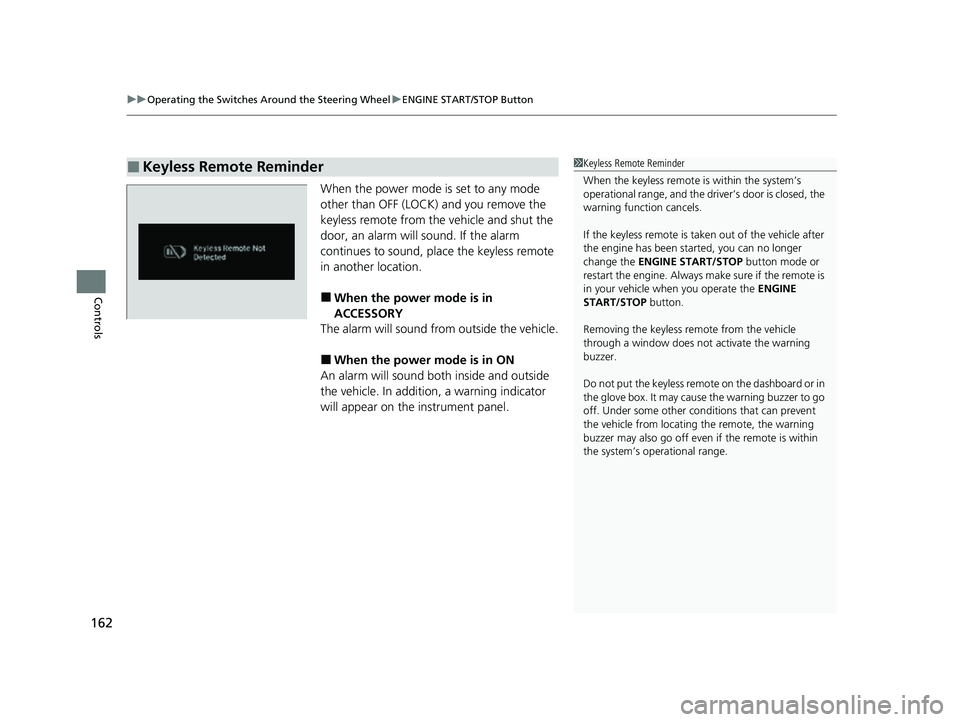
When the power mode is set to any mode
other than OFF (LOCK) and you remove the
keyless remote from the vehicle and shut the
door, an alarm will sound. If the alarm
continues to sound, pl ace the keyless remote
in another location.
■When the power mode is in
ACCESSORY
The alarm will sound from outside the vehicle.
■When the power mode is in ON
An alarm will sound both inside and outside
the vehicle. In addition, a warning indicator
will appear on the instrument panel.
■Keyless Remote Reminder1 Keyless Remote Reminder
When the keyless remote is within the system’s
operational range, and the driv er’s door is closed, the
warning function cancels.
If the keyless remote is taken out of the vehicle after
the engine has been st arted, you can no longer
change the ENGINE START/STOP button mode or
restart the engine. Always make sure if the remote is
in your vehicle when you operate the ENGINE
START/STOP button.
Removing the keyless remote from the vehicle
through a window does not activate the warning
buzzer.
Do not put the keyless remo te on the dashboard or in
the glove box. It may cause the warning buzzer to go
off. Under some other cond itions that can prevent
the vehicle from locating the remote, the warning
buzzer may also go off even if the remote is within
the system’s operational range.
23 PASSPORT-31TGS6400.book 162 ページ 2022年8月5日 金曜日 午後9時2分
Page 167 of 610
uuOperating the Switches Around the Steering Wheel uLight Switches
166
Controls
The headlights automatically come on when the wipers are used several times within
a certain number of intervals wi th the headlight switch in AUTO.
The headlights automatically go off a few minutes later if the wipers are stopped.
The headlights, all other exterior lights, an d the instrument panel lights turn off 15
seconds after you set the power mode to VE HICLE OFF, take the remote with you,
and close the driver’s door.
If you set the power mode to VEHICLE OFF with the headlight switch on, but do not
open the door, the lights turn off after 10 minutes (three mi nutes, if the switch is in
the AUTO position).
The lights turn on again when you unlock or open the driver’s door. If you unlock
the door, but do not open it within 15 seconds, the lights go off. If you open the
driver’s door, you will hear a reminder chime alerting you that the lights are on.
■Headlight Integration with Wipers
■Automatic Lighting Off Feature
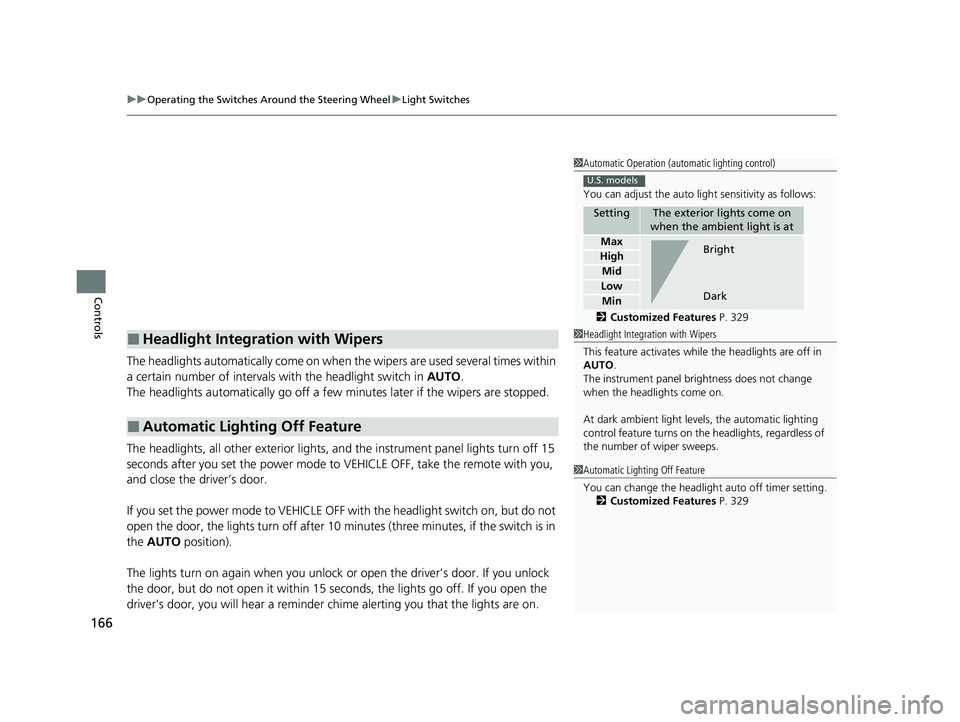
1Automatic Operation (aut omatic lighting control)
You can adjust the auto li ght sensitivity as follows:
2 Customized Features P. 329
SettingThe exterior lights come on
when the ambient light is at
Max
High
Mid
Low
Min
U.S. models
Bright
Dark
1 Headlight Integration with Wipers
This feature activates while the headlights are off in
AUTO .
The instrument panel br ightness does not change
when the headlights come on.
At dark ambient light levels, the automatic lighting
control feature turns on the headlights, regardless of
the number of wiper sweeps.
1 Automatic Lighting Off Feature
You can change the headlight auto off timer setting.
2 Customized Features P. 329
23 PASSPORT-31TGS6400.book 166 ページ 2022年8月5日 金曜日 午後9時2分
Page 178 of 610
177
uuOperating the Switches Around the Steering Wheel uBrightness Control
Controls
Brightness Control
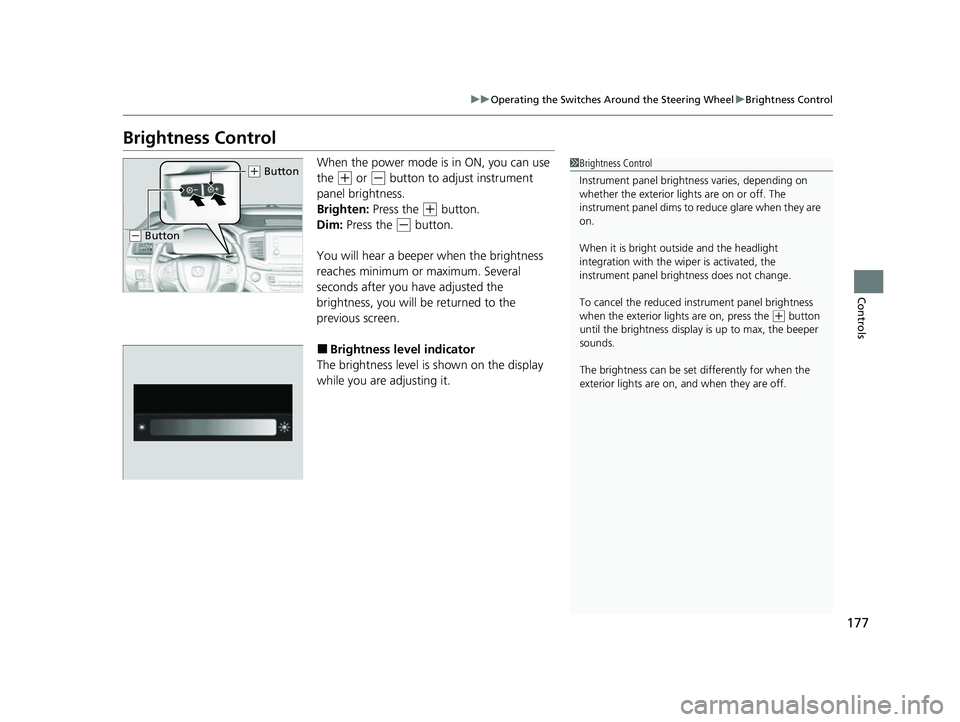
When the power mode is in ON, you can use
the
(+ or (- button to adjust instrument
panel brightness.
Brighten: Press the
(+ button.
Dim: Press the
(- button.
You will hear a beeper when the brightness
reaches minimum or maximum. Several
seconds after you have adjusted the
brightness, you will be returned to the
previous screen.
■Brightness level indicator
The brightness level is shown on the display
while you are adjusting it.
1 Brightness Control
Instrument panel brightne ss varies, depending on
whether the exterior lights are on or off. The
instrument panel dims to reduce glare when they are
on.
When it is bright out side and the headlight
integration with the wi per is activated, the
instrument panel bri ghtness does not change.
To cancel the reduced in strument panel brightness
when the exterior lights are on, press the
( + button
until the brightness display is up to max, the beeper
sounds.
The brightness can be set differently for when the
exterior lights are on, and when they are off.
( + Button
(- Button
23 PASSPORT-31TGS6400.book 177 ページ 2022年8月5日 金曜日 午後9時2分
Page 181 of 610
180
uuOperating the Switches Around the Steering Wheel uAdjusting the Steering Wheel
Controls
Adjusting the Steering Wheel
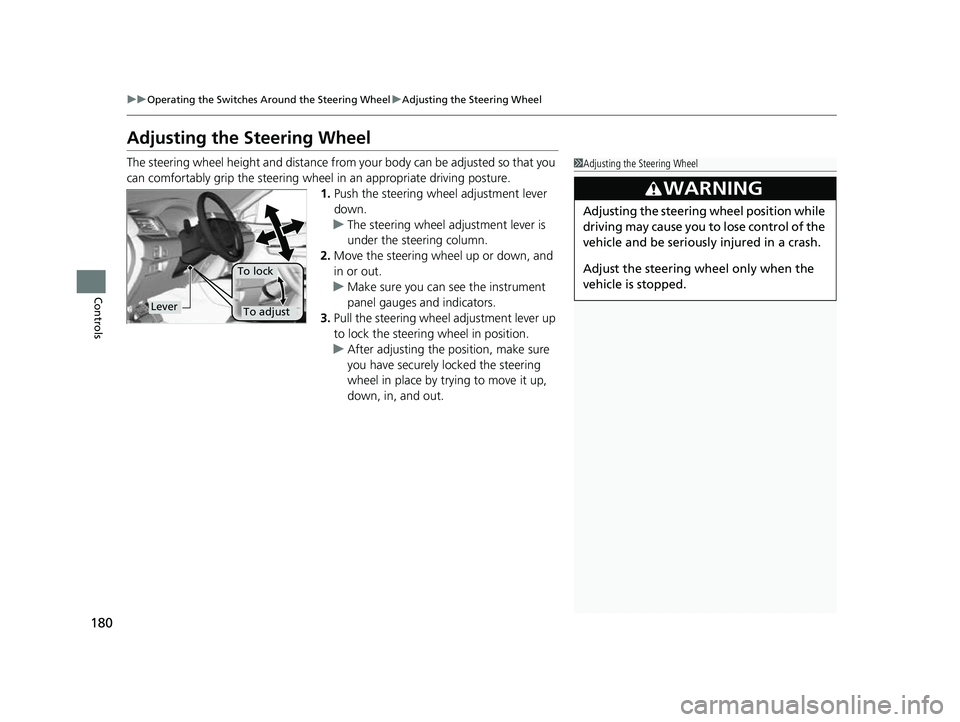
The steering wheel height and distance from your body can be adjusted so that you
can comfortably grip the steering wheel in an appropriate driving posture.
1.Push the steering wheel adjustment lever
down.
u The steering wheel adjustment lever is
under the steering column.
2. Move the steering wheel up or down, and
in or out.
u Make sure you can see the instrument
panel gauges and indicators.
3. Pull the steering wheel adjustment lever up
to lock the steering wheel in position.
u After adjusting the position, make sure
you have securely locked the steering
wheel in place by trying to move it up,
down, in, and out.1Adjusting the Steering Wheel
3WARNING
Adjusting the steering wheel position while
driving may cause you to lose control of the
vehicle and be seriously injured in a crash.
Adjust the steering wheel only when the
vehicle is stopped.
Lever
To lock
To adjust
23 PASSPORT-31TGS6400.book 180 ページ 2022年8月5日 金曜日 午後9時2分
Page 345 of 610
344
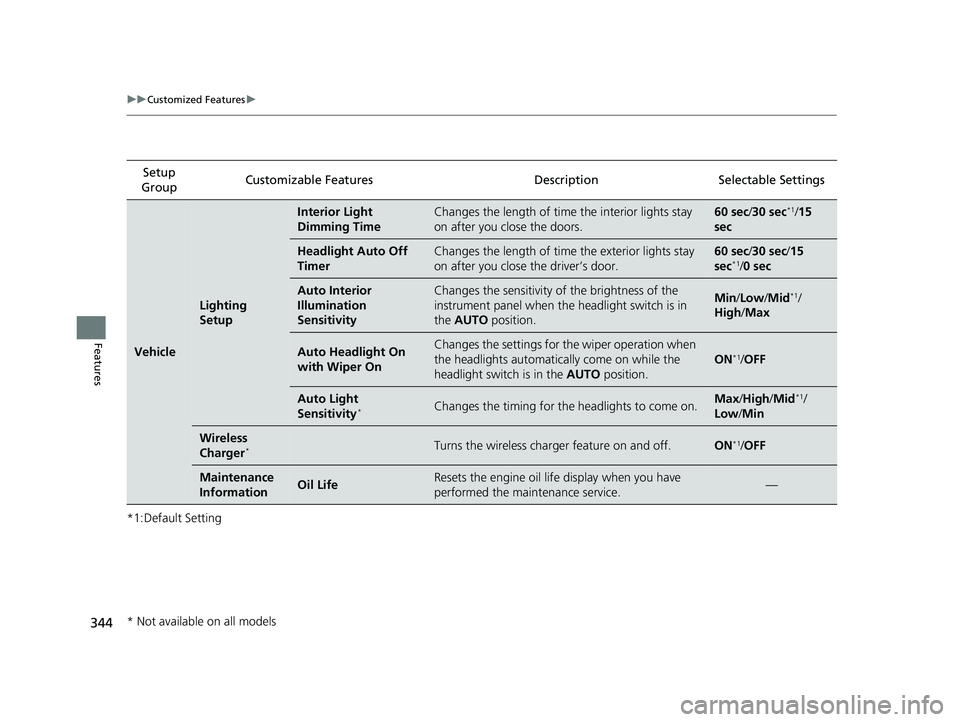
uuCustomized Features u
Features
*1:Default SettingSetup
Group Customizable Features
DescriptionSelectable Settings
Vehicle
Lighting
Setup
Interior Light
Dimming TimeChanges the length of time the interior lights stay
on after you close the doors.60 sec/ 30 sec*1/15
sec
Headlight Auto Off
TimerChanges the length of time the exterior lights stay
on after you close the driver’s door.60 sec/ 30 sec/ 15
sec*1/ 0 sec
Auto Interior
Illumination
SensitivityChanges the sensitivity of the brightness of the
instrument panel when the headlight switch is in
the AUTO position.Min/Low/Mid*1/
High /Max
Auto Headlight On
with Wiper OnChanges the settings for th e wiper operation when
the headlights automati cally come on while the
headlight switch is in the AUTO position.
ON*1/OFF
Auto Light
Sensitivity*Changes the timing for the headlights to come on.Max /High /Mid*1/
Low /Min
Wireless
Charger*Turns the wireless charger feature on and off.ON*1/OFF
Maintenance
InformationOil LifeResets the engine oil life display when you have
performed the maintenance service.—
* Not available on all models
23 PASSPORT-31TGS6400.book 344 ページ 2022年8月5日 金曜日 午後9時2分
Page 388 of 610
Continued387
uuTowing a Trailer uTowing Preparation
Driving
Towing generally requires a vari ety of supplemental equipment.
To ensure the best quality, we recommend that you purchase Honda equipment
whenever possible.
■Trailer brakes
Recommended for any trailer with a total weight of 1,000 lbs (450 kg) or more:
There are two common types of trailer bra kes: surge and electric. Surge brakes are
common for boat trailers, since the brakes will get wet.
If you choose electric brakes, be sure th ey are electronically actuated. Do not
attempt to attach trailer brakes to your ve hicle’s hydraulic system, as it will lower
braking effectiveness and create a potential hazard.
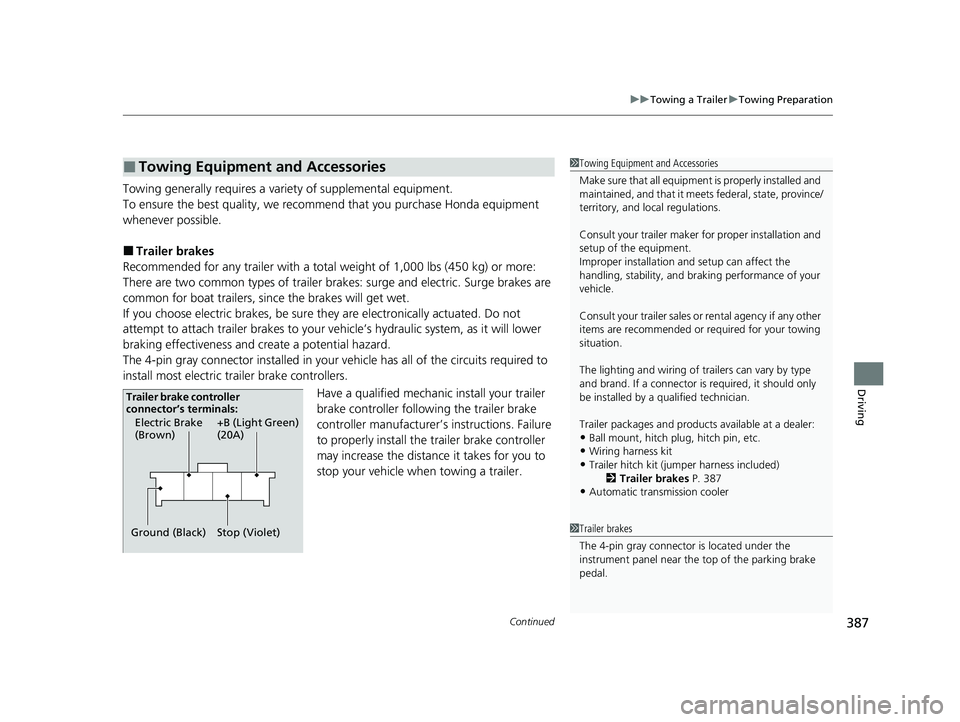
The 4-pin gray connector installed in your vehicle has all of the circuits required to
install most electric trailer brake controllers.
Have a qualified mechanic install your trailer
brake controller following the trailer brake
controller manufacturer’s instructions. Failure
to properly install the trailer brake controller
may increase the distance it takes for you to
stop your vehicle when towing a trailer.
■Towing Equipment and Accessories1Towing Equipment and Accessories
Make sure that all equipmen t is properly installed and
maintained, and that it meets federal, state, province/
territory, and lo cal regulations.
Consult your trai ler maker for prope r installation and
setup of the equipment.
Improper installation and setup can affect the
handling, stability, and br aking performance of your
vehicle.
Consult your traile r sales or rental agency if any other
items are recommended or required for your towing
situation.
The lighting and wiring of tra ilers can vary by type
and brand. If a connector is required, it should only
be installed by a qua lified technician.
Trailer packages and products availa ble at a dealer:
•Ball mount, hitch plug, hitch pin, etc.•Wiring harness kit
•Trailer hitch kit (jum per harness included)
2 Trailer brakes P. 387
•Automatic transmission cooler
1Trailer brakes
The 4-pin gray connector is located under the
instrument panel near the top of the parking brake
pedal.
Electric Brake
(Brown)
Ground (Black) +B (Light Green)
(20A)
Stop (Violet)
Trailer brake controller
connector’s terminals:
23 PASSPORT-31TGS6400.book 387 ページ 2022年8月5日 金曜日 午後9時2分
Page 439 of 610
uuHonda Sensing ®u Collision Mitigation Braking SystemTM (CMBSTM)
438
Driving
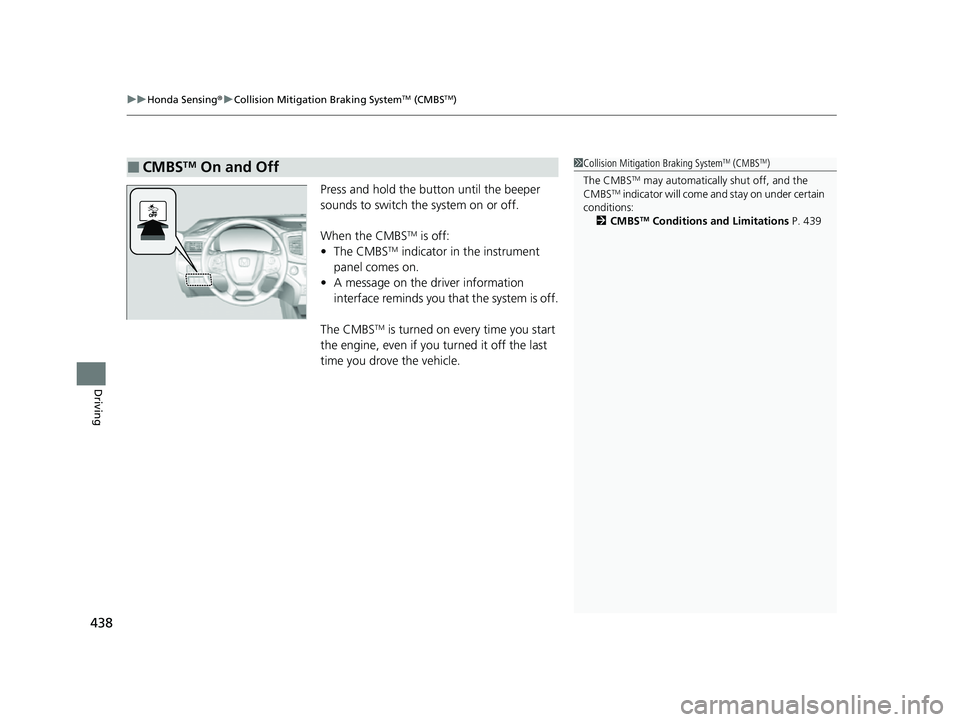
Press and hold the button until the beeper
sounds to switch the system on or off.
When the CMBS
TM is off:
• The CMBSTM indicator in the instrument
panel comes on.
• A message on the driver information
interface reminds you that the system is off.
The CMBS
TM is turned on every time you start
the engine, even if you turned it off the last
time you drove the vehicle.
■CMBSTM On and Off1 Collision Mitigation Braking SystemTM (CMBSTM)
The CMBS
TM may automatically shut off, and the
CMBSTM indicator will come an d stay on under certain
conditions: 2 CMBS
TM Conditions and Limitations P. 439
23 PASSPORT-31TGS6400.book 438 ページ 2022年8月5日 金曜日 午後9時2分
Page 461 of 610
460
uuHonda Sensing ®u Lane Keeping Assist System (LKAS)
Driving
Lane Keeping Assist System (LKAS)
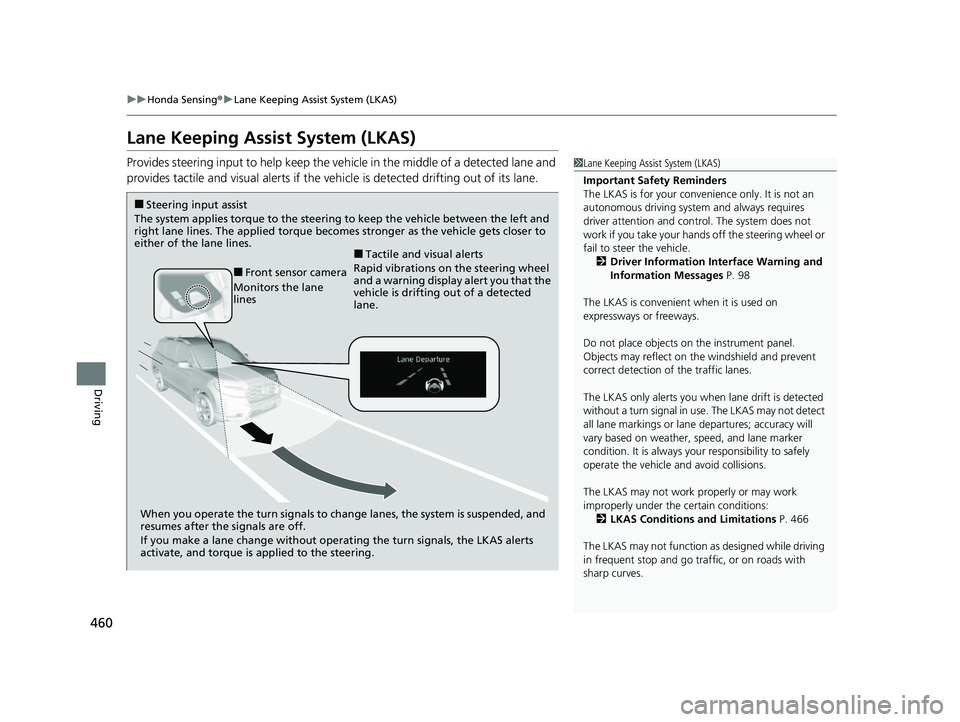
Provides steering input to help keep the vehicle in the middle of a detected lane and
provides tactile and visual alerts if the ve hicle is detected drifting out of its lane.1Lane Keeping Assist System (LKAS)
Important Safety Reminders
The LKAS is for your convenience only. It is not an
autonomous driving system and always requires
driver attention and control. The system does not
work if you take your hands off the steering wheel or
fail to steer the vehicle. 2 Driver Information Interface Warning and
Information Messages P. 98
The LKAS is convenient when it is used on
expressways or freeways.
Do not place objects on the instrument panel.
Objects may reflect on th e windshield and prevent
correct detection of the traffic lanes.
The LKAS only alerts you when lane drift is detected
without a turn signal in use. The LKAS may not detect
all lane markings or lane departures; accuracy will
vary based on weather, speed, and lane marker
condition. It is always your responsibility to safely
operate the vehicle an d avoid collisions.
The LKAS may not work properly or may work
improperly under the certain conditions: 2 LKAS Conditions and Limitations P. 466
The LKAS may not function as designed while driving
in frequent stop and go traf fic, or on roads with
sharp curves.
When you operate the turn signals to chan ge lanes, the system is suspended, and
resumes after the signals are off.
If you make a lane change without operat ing the turn signals, the LKAS alerts
activate, and torque is applied to the steering.
■Front sensor camera
Monitors the lane
lines
■Tactile and visual alerts
Rapid vibrations on the steering wheel
and a warning display alert you that the
vehicle is drifting out of a detected
lane.
■Steering input assist
The system applies torque to the steering to keep the vehicle between the left and
right lane lines. The applied torque becomes stronger as the vehicle gets closer to
either of the lane lines.
23 PASSPORT-31TGS6400.book 460 ページ 2022年8月5日 金曜日 午後9時2分
Page 475 of 610
474
uuHonda Sensing ®u Front Sensor Camera
Driving
Front Sensor Camera
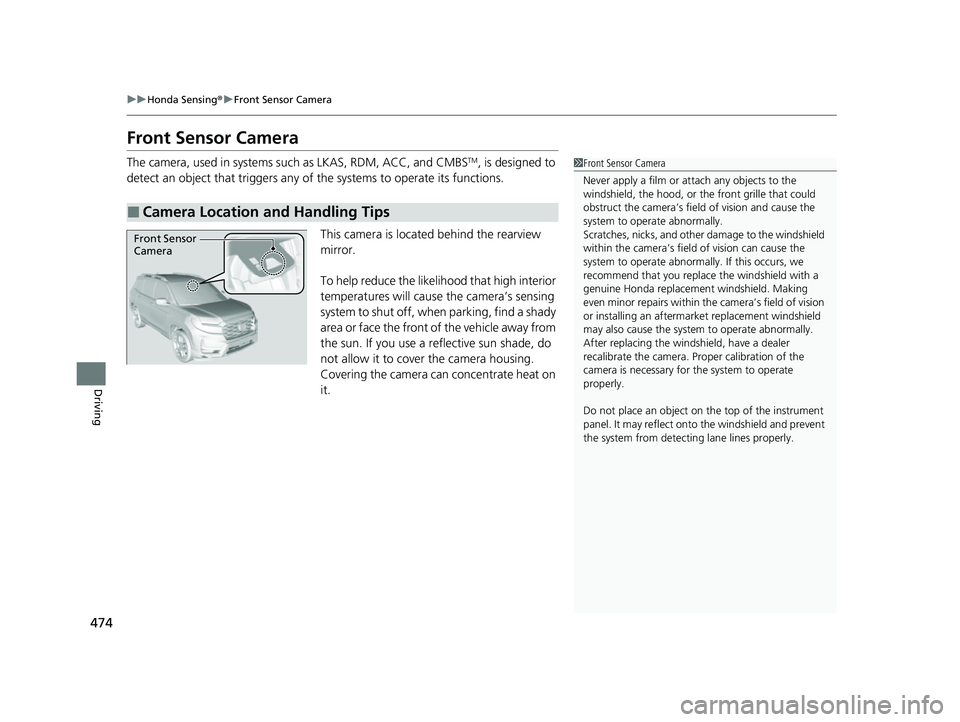
The camera, used in systems such as LKAS, RDM, ACC, and CMBSTM, is designed to
detect an object that triggers any of the systems to operate its functions.
This camera is located behind the rearview
mirror.
To help reduce the likelihood that high interior
temperatures will cause the camera’s sensing
system to shut off, when parking, find a shady
area or face the front of the vehicle away from
the sun. If you use a re flective sun shade, do
not allow it to cover the camera housing.
Covering the camera can concentrate heat on
it.
■Camera Location and Handling Tips
1 Front Sensor Camera
Never apply a film or attach any objects to the
windshield, the hood, or th e front grille that could
obstruct the camera’s fiel d of vision and cause the
system to operate abnormally.
Scratches, nicks, and othe r damage to the windshield
within the camera’s fiel d of vision can cause the
system to operate abnormall y. If this occurs, we
recommend that you replac e the windshield with a
genuine Honda replacem ent windshield. Making
even minor repairs within th e camera’s field of vision
or installing an aftermarket replacement windshield
may also cause the system to operate abnormally.
After replacing the winds hield, have a dealer
recalibrate the camera. Pr oper calibration of the
camera is necessary for the system to operate
properly.
Do not place an object on the top of the instrument
panel. It may reflect onto the windshield and prevent
the system from detecting lane lines properly.
Front Sensor
Camera
23 PASSPORT-31TGS6400.book 474 ページ 2022年8月5日 金曜日 午後9時2分
Page 575 of 610
574
uuIndicator, Coming On/Blinking uIf the Transmission Indicator Blinks along with the Warning Message
Handling the Unexpected
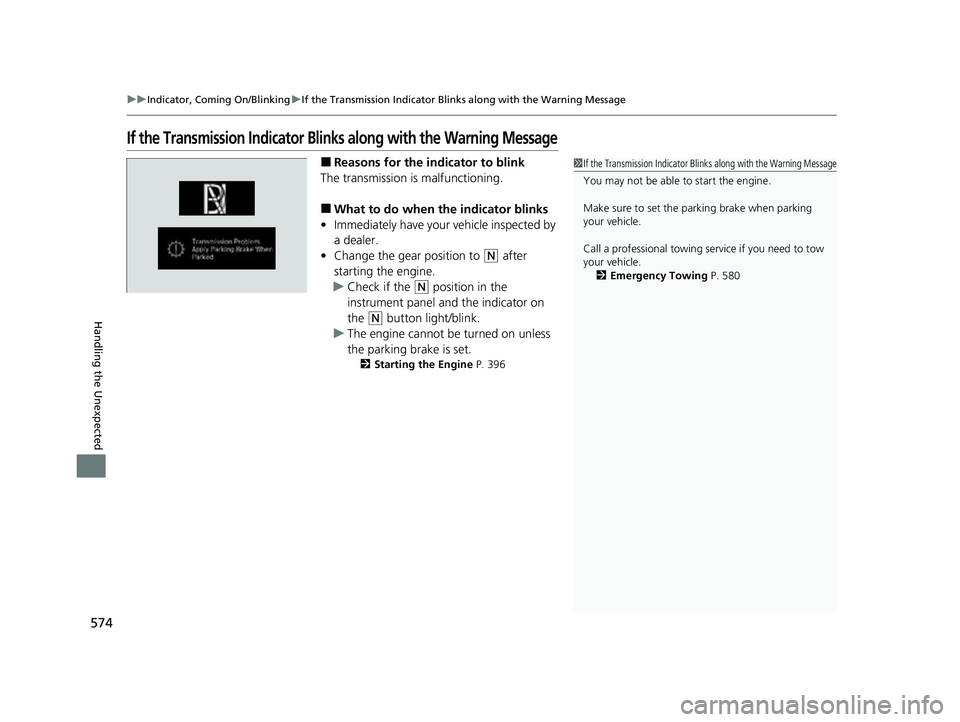
If the Transmission Indicator Blinks along with the Warning Message
■Reasons for the in dicator to blink
The transmission is malfunctioning.
■What to do when the indicator blinks
• Immediately have your vehicle inspected by
a dealer.
• Change the gear position to
(N after
starting the engine.
u Check if the
(N position in the
instrument panel and the indicator on
the
(N button light/blink.
u The engine cannot be turned on unless
the parking brake is set.
2 Starting the Engine P. 396
1If the Transmission Indicator Blin ks along with the Warning Message
You may not be able to start the engine.
Make sure to set the pa rking brake when parking
your vehicle.
Call a professional towing service if you need to tow
your vehicle.
2 Emergency Towing P. 580
23 PASSPORT-31TGS6400.book 574 ページ 2022年8月5日 金曜日 午後9時2分