audio HONDA PILOT 2013 2.G User Guide
[x] Cancel search | Manufacturer: HONDA, Model Year: 2013, Model line: PILOT, Model: HONDA PILOT 2013 2.GPages: 488, PDF Size: 10.18 MB
Page 175 of 488
174
uuAudio SystemuAudio System Theft Protection
Features
Audio System Theft Protection
The audio system is disabled when it is disconnected from the power source, such as
when the battery is disconnected or goes dead.
■Reactivating the audio system
1.Turn the ignition switch to ON (w, and turn on the audio system.
uIf you turn the ignition switch to ACCESSORY (q, you will be requested to
enter the audio security code. See step 3.
2.Press and hold the power button again for more than two seconds.
uThe audio system is reactivated when the system’s control unit recognizes that
the system is in your vehicle.
If the control unit fails to recognize, ENTER CODE appears on the audio/
information screen.
3.Enter the audio security code using the preset buttons. If you enter an incorrect
digit, continue to the last digit, then try again. If you do not enter the code
correctly after 10 tries, leave the system for one hour before trying again, or visit
a dealer to have the system reset.
1Audio System Theft Protection
We recommend that you write down the serial
number in this owner’s manual.
You can find out about your serial number and
security code from a dealer.
You can register the security code at Owner Link
(owners.honda.com.), and find information on how to retrieve the serial number and obtain the code at
radio-navicode.honda.com.
See the Navigation System Manual for details.
U.S. models
Models with navigation system
Models without navigation system
Except LX models
Page 176 of 488
175
Features
Audio System Basic Operation
To use the audio system function, the ignition switch must be in ACCESSORY (q or
ON (w.
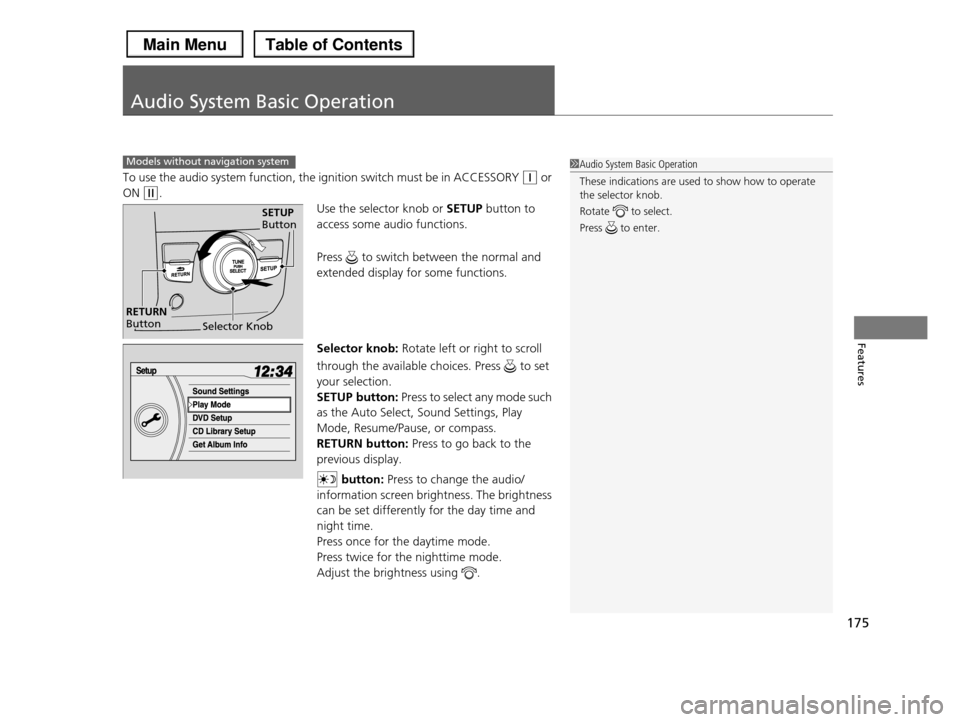
Use the selector knob or SETUP button to
access some audio functions.
Press to switch between the normal and
extended display for some functions.
Selector knob: Rotate left or right to scroll
through the available choices. Press to set
your selection.
SETUP button: Press to select any mode such
as the Auto Select, Sound Settings, Play
Mode, Resume/Pause, or compass.
RETURN button: Press to go back to the
previous display.
button: Press to change the audio/
information screen brightness. The brightness
can be set differently for the day time and
night time.
Press once for the daytime mode.
Press twice for the nighttime mode.
Adjust the brightness using .
Models without navigation system1Audio System Basic Operation
These indications are used to show how to operate
the selector knob.
Rotate to select.
Press to enter.
Selector Knob
SETUP Button
RETURN Button
Page 177 of 488
176
uuAudio System Basic OperationuAudio/Information Screen*
Features
Audio/Information Screen*
Displays audio status, trip computer and wallpaper, and allows you to go to various
setup options.
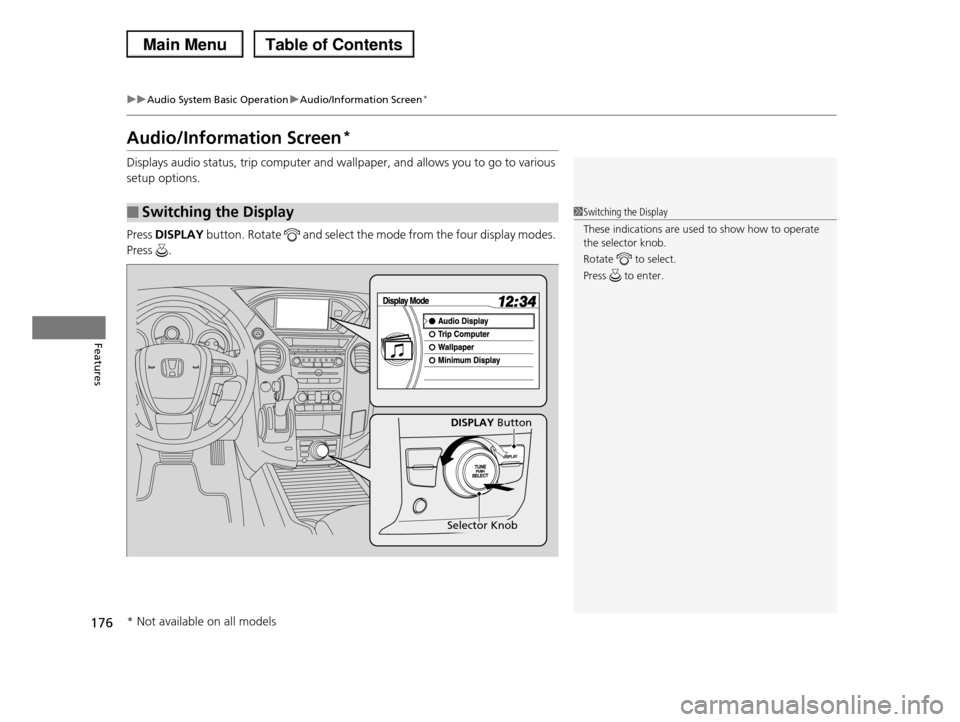
Press DISPLAY button. Rotate and select the mode from the four display modes.
Press .
■Switching the Display1Switching the Display
These indications are used to show how to operate the selector knob.
Rotate to select.
Press to enter.
DISPLAY Button
Selector Knob
* Not available on all models
Page 178 of 488
Continued177
uuAudio System Basic OperationuAudio/Information Screen*
Features
Shows the current audio information.
2Audio System Basic Operation P. 175
Shows the instant fuel economy, average fuel economy, distance (trip meter),
average speed, elapsed time, and range.
2Instant Fuel Economy P. 82
2Trip Meter P. 82
2Range P. 82
■Average speed
Shows the average speed in mph (U.S.) or km/h (Canada).
■Elapsed time
Shows the time during one drive cycle.
Shows a clock screen or an image you import.
2Wallpaper Setup P. 179
Minimizes the display by only showing the compass, audio status, and clock on the
upper part of the display.
■Audio Display
■Trip Computer
■Wallpaper
■Minimum Display
1Trip Computer
You can reset the trip computer.
2Trip Computer P. 88
Page 179 of 488
178
uuAudio System Basic OperationuAudio/Information Screen*
Features
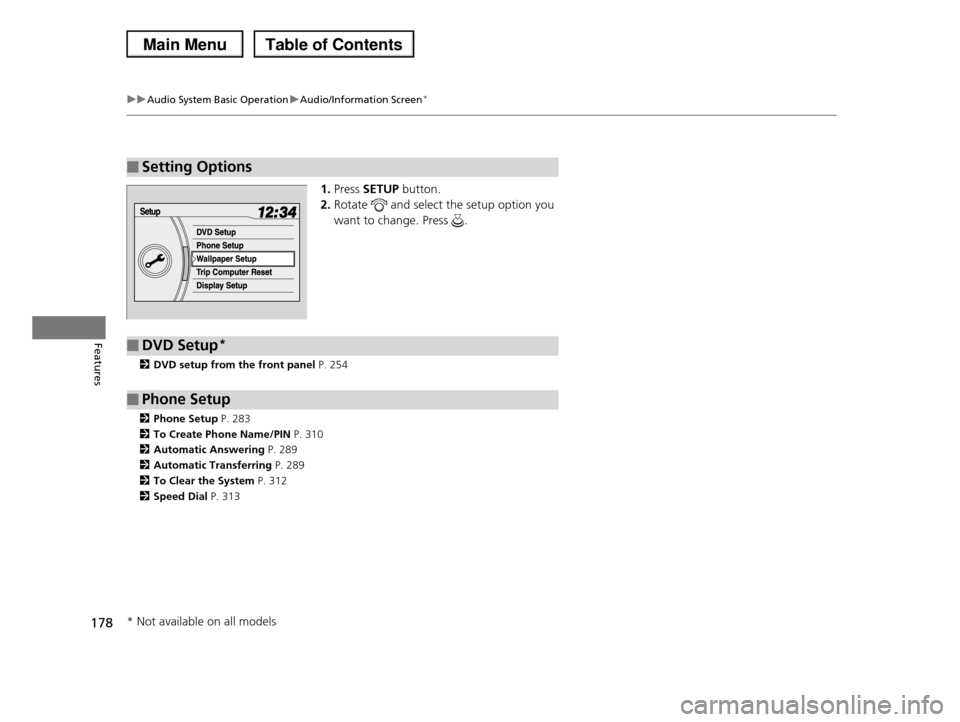
1.Press SETUP button.
2.Rotate and select the setup option you
want to change. Press .
2DVD setup from the front panel P. 254
2Phone Setup P. 283
2To Create Phone Name/PIN P. 310
2Automatic Answering P. 289
2Automatic Transferring P. 289
2To Clear the System P. 312
2Speed Dial P. 313
■Setting Options
■DVD Setup*
■Phone Setup
* Not available on all models
Page 180 of 488
Continued179
uuAudio System Basic OperationuAudio/Information Screen*
Features
You can change, store, delete the wallpaper on the audio/information screen.
See the navigation system manual for how to change the wallpaper.
■Importing pictures from USB
You can import up to five images, one at a time, for wallpaper from USB flash drive.
Select Import picture from USB from setup menu and properly connect a USB
flash drive to store an image.
1.Connect the USB flash drive to the adapter
cable.
2USB Adapter Cable P. 173
2.Press the SETUP button.
3.Rotate to select Wallpaper Setup,
then press .
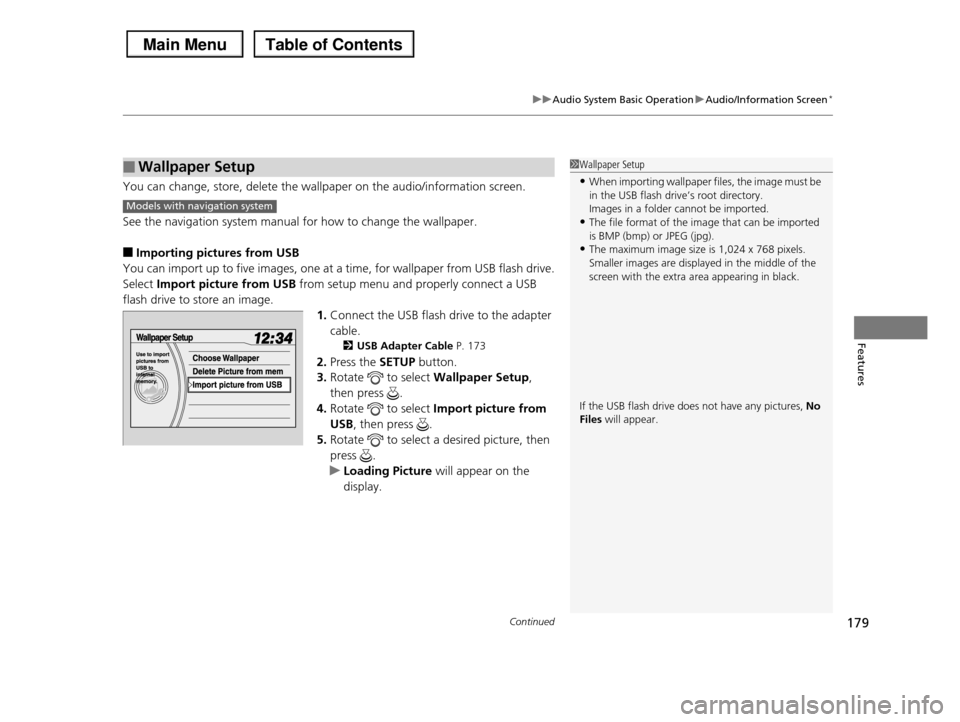
4.Rotate to select Import picture from
USB, then press .
5.Rotate to select a desired picture, then
press .
uLoading Picture will appear on the
display.
■Wallpaper Setup1Wallpaper Setup
•When importing wallpaper files, the image must be
in the USB flash drive’s root directory.Images in a folder cannot be imported.
•The file format of the image that can be imported
is BMP (bmp) or JPEG (jpg).•The maximum image size is 1,024 x 768 pixels.
Smaller images are displayed in the middle of the
screen with the extra area appearing in black.
If the USB flash drive does not have any pictures, No Files will appear.
Models with navigation system
Page 181 of 488
180
uuAudio System Basic OperationuAudio/Information Screen*
Features
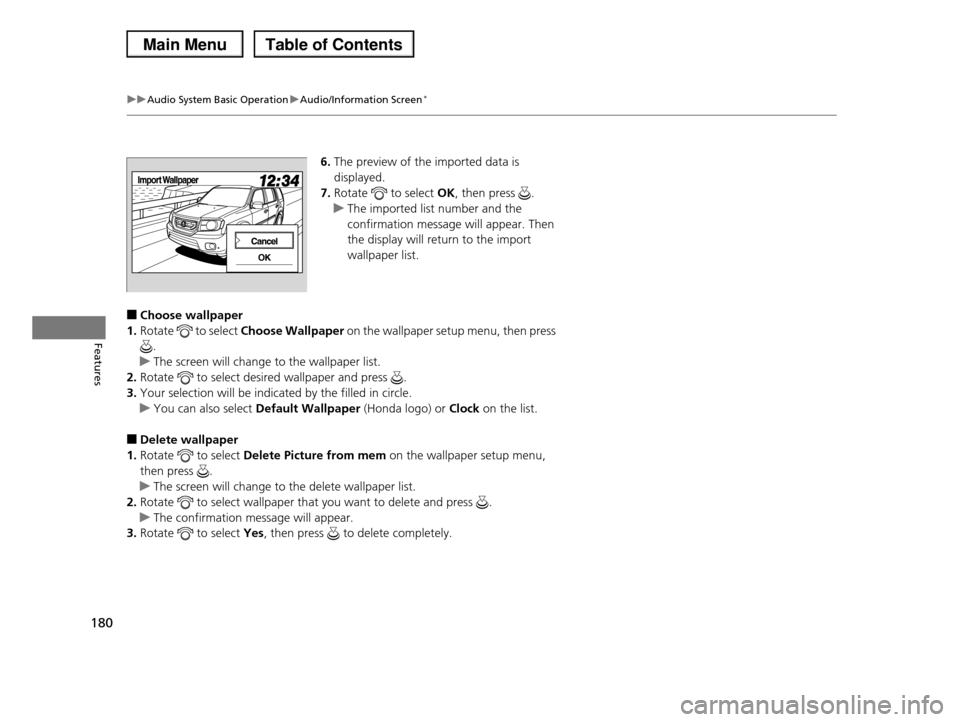
6.The preview of the imported data is
displayed.
7.Rotate to select OK, then press .
uThe imported list number and the
confirmation message will appear. Then
the display will return to the import
wallpaper list.
■Choose wallpaper
1.Rotate to select Choose Wallpaper on the wallpaper setup menu, then press
.
uThe screen will change to the wallpaper list.
2.Rotate to select desired wallpaper and press .
3.Your selection will be indicated by the filled in circle.
uYou can also select Default Wallpaper (Honda logo) or Clock on the list.
■Delete wallpaper
1.Rotate to select Delete Picture from mem on the wallpaper setup menu,
then press .
uThe screen will change to the delete wallpaper list.
2.Rotate to select wallpaper that you want to delete and press .
uThe confirmation message will appear.
3.Rotate to select Yes, then press to delete completely.
Page 182 of 488
181
uuAudio System Basic OperationuAudio/Information Screen*
Continued
Features
You can reset all data on the trip computer.
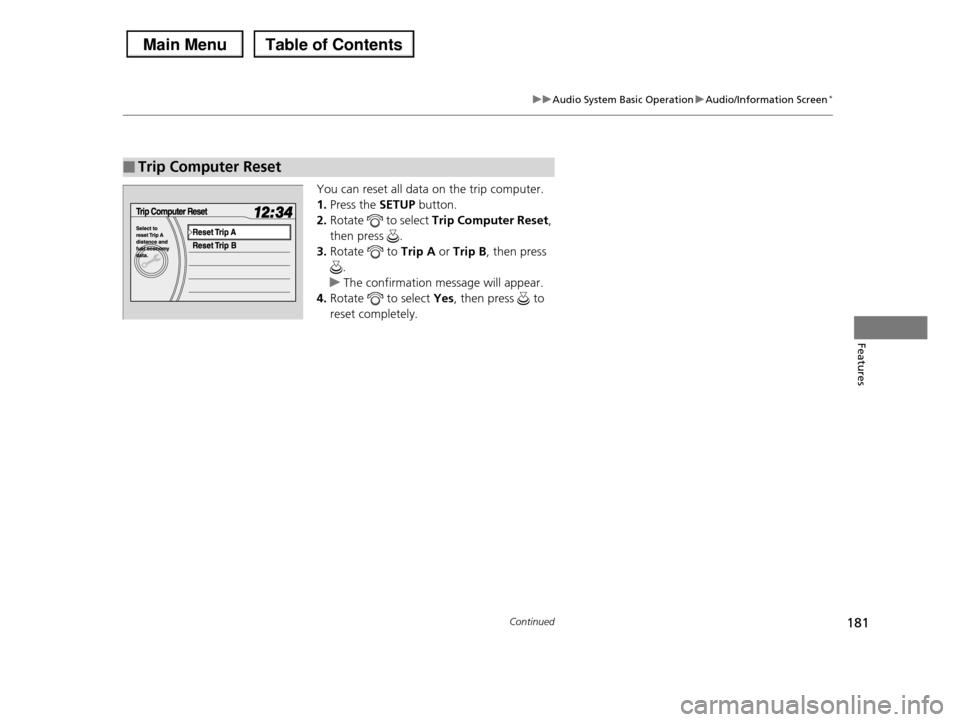
1.Press the SETUP button.
2.Rotate to select Trip Computer Reset,
then press .
3.Rotate to Trip A or Trip B, then press
.
uThe confirmation message will appear.
4.Rotate to select Yes, then press to
reset completely.
■Trip Computer Reset
Page 183 of 488
182
uuAudio System Basic OperationuAudio/Information Screen*
Features
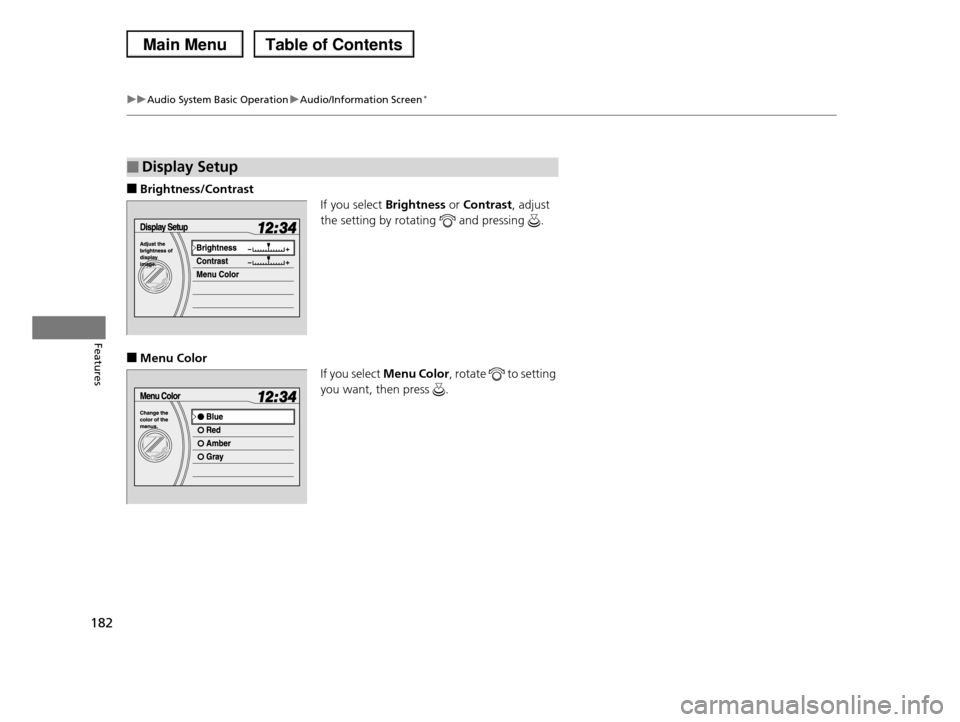
■Brightness/Contrast
If you select Brightness or Contrast, adjust
the setting by rotating and pressing .
■Menu Color
If you select Menu Color, rotate to setting
you want, then press .
■Display Setup
Page 184 of 488
183
uuAudio System Basic OperationuAudio/Information Screen*
Features
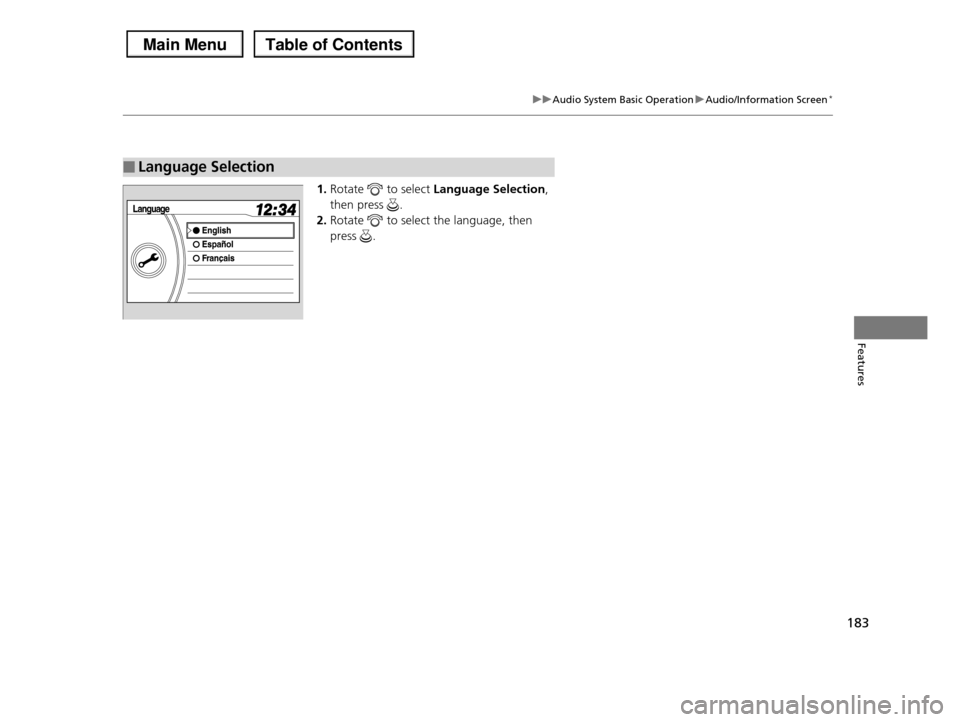
1.Rotate to select Language Selection,
then press .
2.Rotate to select the language, then
press .
■Language Selection