AUX HONDA PILOT 2013 2.G Owner's Manual
[x] Cancel search | Manufacturer: HONDA, Model Year: 2013, Model line: PILOT, Model: HONDA PILOT 2013 2.GPages: 488, PDF Size: 10.18 MB
Page 251 of 488
uuAudio System Basic OperationuPlaying Bluetooth® Audio
250
Features
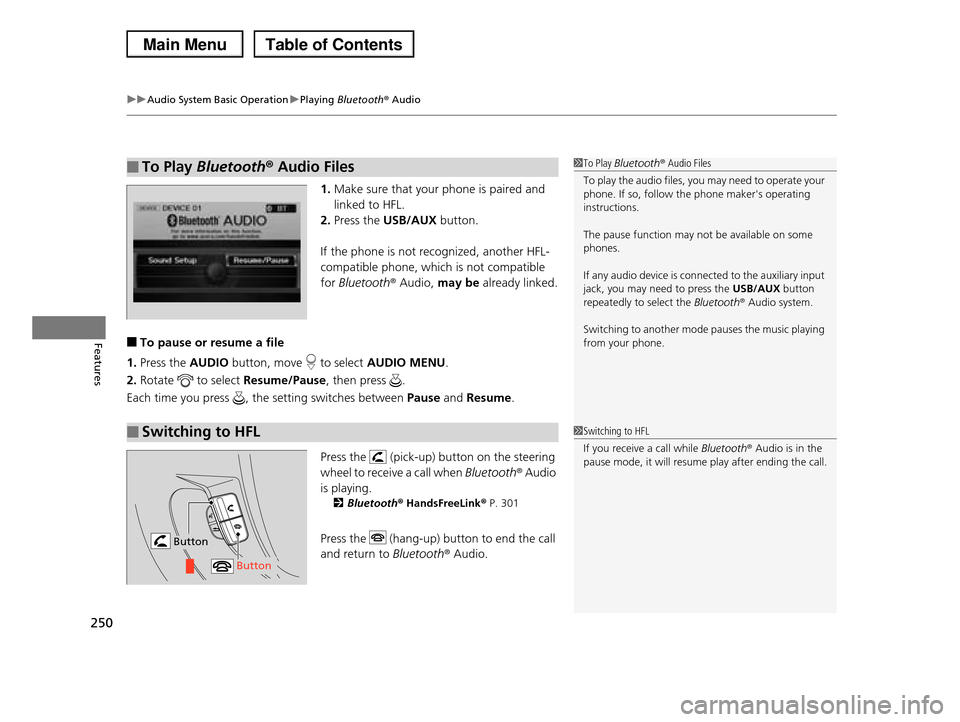
1.Make sure that your phone is paired and
linked to HFL.
2.Press the USB/AUX button.
If the phone is not recognized, another HFL-
compatible phone, which is not compatible
for Bluetooth® Audio, may be already linked.
■To pause or resume a file
1.Press the AUDIO button, move to select AUDIO MENU.
2.Rotate to select Resume/Pause, then press .
Each time you press , the setting switches between Pause and Resume.
Press the (pick-up) button on the steering
wheel to receive a call when Bluetooth® Audio
is playing.
2Bluetooth® HandsFreeLink® P. 301
Press the (hang-up) button to end the call
and return to Bluetooth® Audio.
■To Play Bluetooth® Audio Files1To Play Bluetooth® Audio Files
To play the audio files, you may need to operate your phone. If so, follow the phone maker's operating
instructions.
The pause function may not be available on some
phones.
If any audio device is connected to the auxiliary input
jack, you may need to press the USB/AUX button
repeatedly to select the Bluetooth® Audio system.
Switching to another mode pauses the music playing
from your phone.
■Switching to HFL1Switching to HFL
If you receive a call while Bluetooth® Audio is in the
pause mode, it will resume play after ending the call.
Button
Button
Page 252 of 488
251Continued
Features
Rear Entertainment System*
Allows the rear passengers to enjoy a different entertainment source, such as DVD,
CD, CD Library*, HDD*, and radio, than the front passengers.
The rear seat passengers can listen to audio from the rear entertainment system by
a wireless headphone that comes with your vehicle.
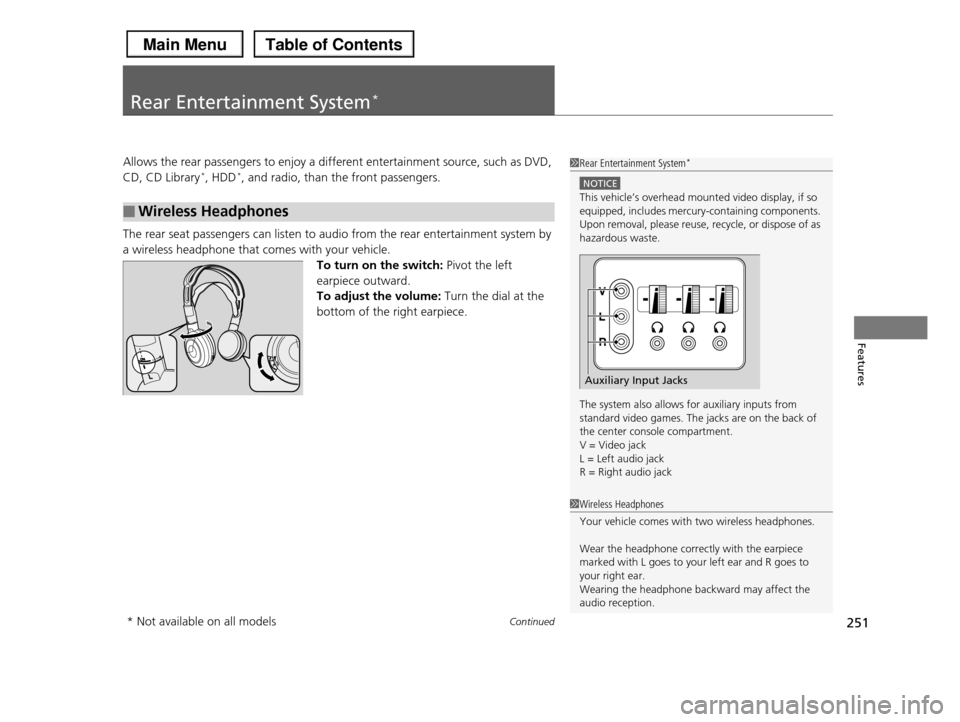
To turn on the switch: Pivot the left
earpiece outward.
To adjust the volume: Turn the dial at the
bottom of the right earpiece.
■Wireless Headphones
1Rear Entertainment System*
NOTICE
This vehicle’s overhead mounted video display, if so equipped, includes mercury-containing components.
Upon removal, please reuse, recycle, or dispose of as
hazardous waste.
The system also allows for auxiliary inputs from standard video games. The jacks are on the back of
the center console compartment.
V = Video jack L = Left audio jack
R = Right audio jack
Auxiliary Input Jacks
1Wireless Headphones
Your vehicle comes with two wireless headphones.
Wear the headphone correctly with the earpiece marked with L goes to your left ear and R goes to
your right ear.
Wearing the headphone backward may affect the audio reception.
* Not available on all models
Page 262 of 488
261
uuRear Entertainment System*uOperating the System
Continued
Features
■System Controls and Menus for Audio
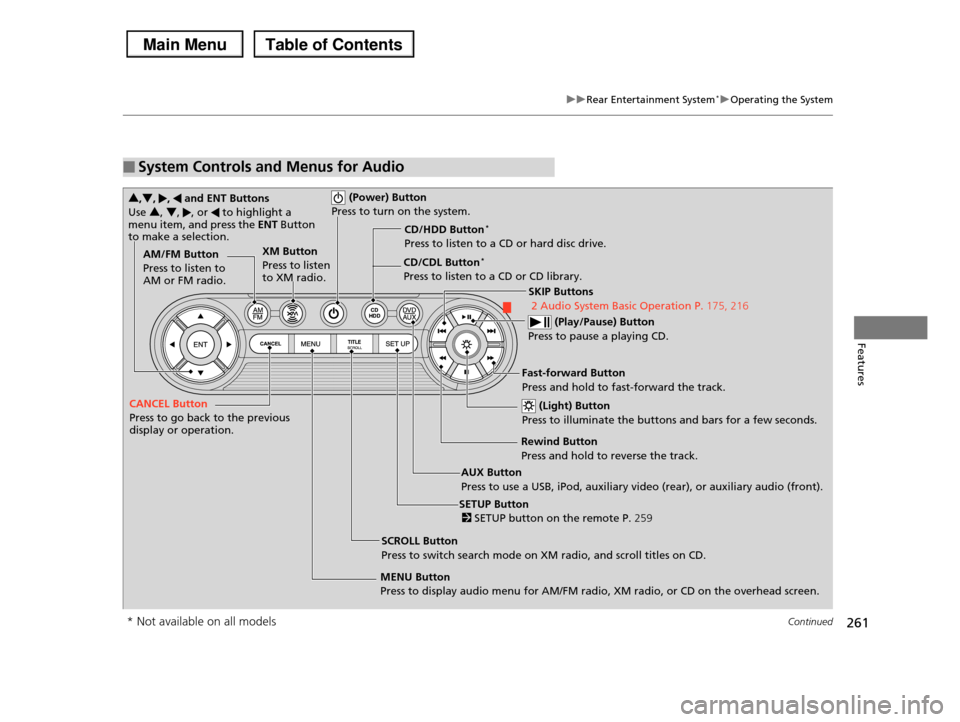
(Power) Button
Press to turn on the system.
AUX Button
Press to use a USB, iPod, auxiliary video (rear), or auxiliary audio (front).
(Light) Button
Press to illuminate the buttons and bars for a few seconds.
SKIP Buttons
2 Audio System Basic Operation P.175, 216
(Play/Pause) Button
Press to pause a playing CD.
SCROLL Button
Press to switch search mode on XM radio, and scroll titles on CD.
CANCEL Button
Press to go back to the previous display or operation.
3,4, , and ENT Buttons
Use 3, 4, , or to highlight a menu item, and press the ENT Button to make a selection.
CD/CDL Button*
Press to listen to a CD or CD library.
AM/FM Button
Press to listen to AM or FM radio.
SETUP Button
2 SETUP button on the remote P.259
XM Button
Press to listen to XM radio.
MENU Button
Press to display audio menu for AM/FM radio, XM radio, or CD on the overhead screen.
CD/HDD Button*
Press to listen to a CD or hard disc drive.
Rewind Button
Press and hold to reverse the track.
Fast-forward Button
Press and hold to fast-forward the track.
* Not available on all models
Page 264 of 488
263
uuRear Entertainment System*uOperating the System
Features
■Playing a CD, CD Library*, and Hard disc drive*
Press the CD/CDL or CD/HDD button.
The available options appear on the overhead screen are Repeat, Random, and
Scan. These functions are the same as those of the front audio system.
2Playing a CD P. 193
2Playing CD Library P. 197
2Playing Hard Disc Drive (HDD) Audio P. 230
To scroll your audio data title, press the TITLE/SCROLL button.
■Playing iPod® and a USB flash drive
Press the AUX button.
The available options appear on the overhead screen are Repeat, Random, and
Scan. These functions are the same as those of the front audio system.
2Playing an iPod® P. 203
2Playing a USB Flash Drive P. 207
To scroll your audio data title, press the TITLE/SCROLL button.
1System Controls and Menus for Audio
You can also insert an audio CD compatible with the system, or recorded in MP3/WMA/AAC formats into
the lower slot and play. The front passengers can
listen to the same CD, or select another audio source.2Playable Discs P. 265
2Audio Sources for Front and Rear Seats
P. 264
* Not available on all models
Page 479 of 488
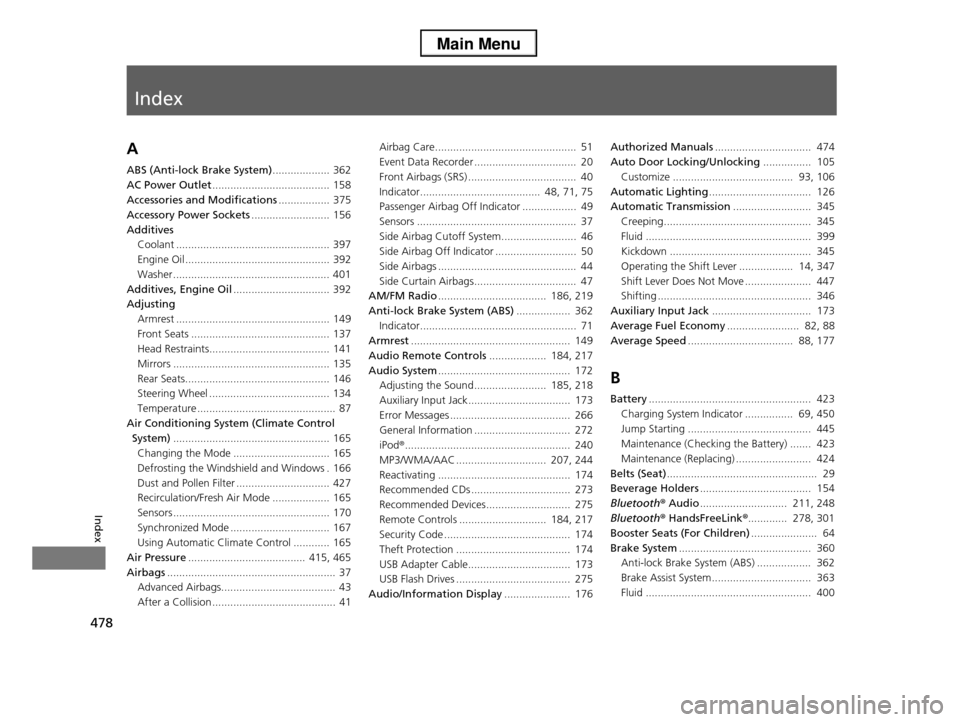
Index
478
Index
Index
A
ABS (Anti-lock Brake System)................... 362
AC Power Outlet....................................... 158
Accessories and Modifications................. 375
Accessory Power Sockets.......................... 156
Additives
Coolant ................................................... 397
Engine Oil ................................................ 392
Washer .................................................... 401
Additives, Engine Oil................................ 392
Adjusting
Armrest ................................................... 149
Front Seats .............................................. 137
Head Restraints........................................ 141
Mirrors .................................................... 135
Rear Seats................................................ 146
Steering Wheel ........................................ 134
Temperature .............................................. 87
Air Conditioning System (Climate Control
System).................................................... 165
Changing the Mode ................................ 165
Defrosting the Windshield and Windows . 166
Dust and Pollen Filter ............................... 427
Recirculation/Fresh Air Mode ................... 165
Sensors .................................................... 170
Synchronized Mode ................................. 167
Using Automatic Climate Control ............ 165
Air Pressure....................................... 415, 465
Airbags........................................................ 37
Advanced Airbags...................................... 43
After a Collision ......................................... 41
Airbag Care............................................... 51
Event Data Recorder .................................. 20
Front Airbags (SRS) .................................... 40
Indicator........................................ 48, 71, 75
Passenger Airbag Off Indicator .................. 49
Sensors ..................................................... 37
Side Airbag Cutoff System......................... 46
Side Airbag Off Indicator ........................... 50
Side Airbags .............................................. 44
Side Curtain Airbags.................................. 47
AM/FM Radio.................................... 186, 219
Anti-lock Brake System (ABS).................. 362
Indicator.................................................... 71
Armrest..................................................... 149
Audio Remote Controls................... 184, 217
Audio System............................................ 172
Adjusting the Sound........................ 185, 218
Auxiliary Input Jack.................................. 173
Error Messages ........................................ 266
General Information ................................ 272
iPod®....................................................... 240
MP3/WMA/AAC .............................. 207, 244
Reactivating ............................................ 174
Recommended CDs ................................. 273
Recommended Devices............................ 275
Remote Controls ............................. 184, 217
Security Code .......................................... 174
Theft Protection ...................................... 174
USB Adapter Cable.................................. 173
USB Flash Drives ...................................... 275
Audio/Information Display...................... 176
Authorized Manuals................................ 474
Auto Door Locking/Unlocking................ 105
Customize ........................................ 93, 106
Automatic Lighting.................................. 126
Automatic Transmission.......................... 345
Creeping................................................. 345
Fluid ....................................................... 399
Kickdown ............................................... 345
Operating the Shift Lever .................. 14, 347
Shift Lever Does Not Move ...................... 447
Shifting ................................................... 346
Auxiliary Input Jack................................. 173
Average Fuel Economy........................ 82, 88
Average Speed................................... 88, 177
B
Battery...................................................... 423
Charging System Indicator ................ 69, 450
Jump Starting ......................................... 445
Maintenance (Checking the Battery) ....... 423
Maintenance (Replacing) ......................... 424
Belts (Seat).................................................. 29
Beverage Holders..................................... 154
Bluetooth® Audio............................. 211, 248
Bluetooth® HandsFreeLink®............. 278, 301
Booster Seats (For Children)...................... 64
Brake System............................................ 360
Anti-lock Brake System (ABS) .................. 362
Brake Assist System................................. 363
Fluid ....................................................... 400