air condition HONDA PILOT 2013 2.G Owners Manual
[x] Cancel search | Manufacturer: HONDA, Model Year: 2013, Model line: PILOT, Model: HONDA PILOT 2013 2.GPages: 488, PDF Size: 10.18 MB
Page 13 of 488
12
Quick Reference Guide
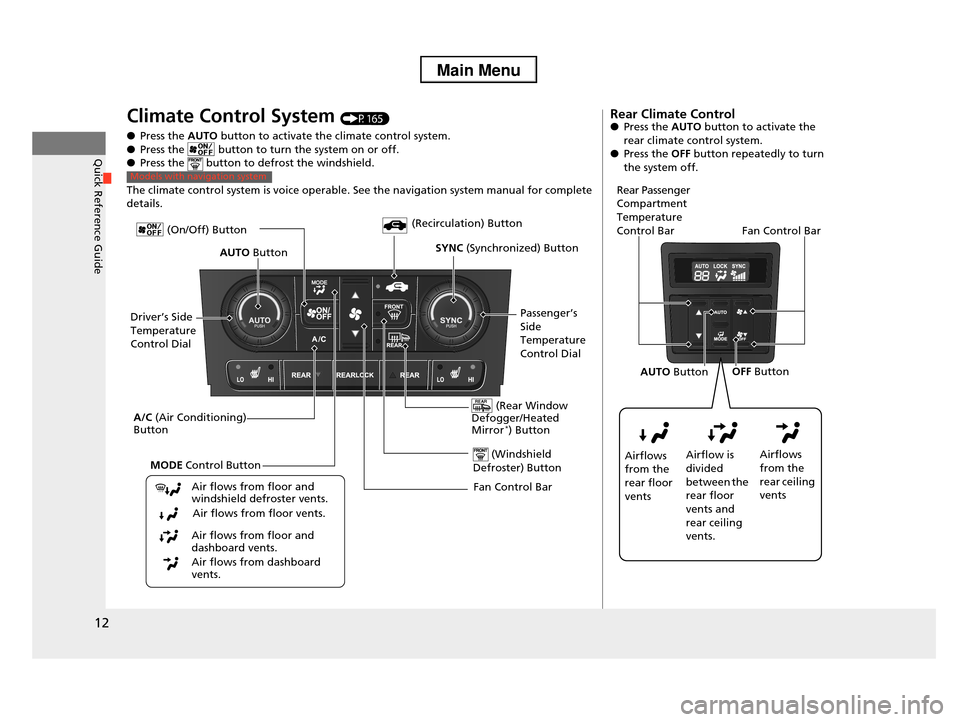
Climate Control System (P165)
●Press the AUTO button to activate the climate control system.
●Press the button to turn the system on or off.●Press the button to defrost the windshield.
The climate control system is voice operable. See the navigation system manual for complete details.
Models with navigation system
Fan Control Bar
(Rear Window Defogger/Heated Mirror*) Button
(Windshield
Defroster) Button
A/C (Air Conditioning) Button
Air flows from floor and windshield defroster vents.
Air flows from floor vents.
Air flows from floor and dashboard vents.
Air flows from dashboard vents.
(Recirculation) Button
Passenger’s
Side Temperature
Control Dial
AUTO Button
Driver’s Side
Temperature
Control Dial
MODE Control Button
SYNC (Synchronized) Button
(On/Off) Button
Rear Climate Control●Press the AUTO button to activate the
rear climate control system.●Press the OFF button repeatedly to turn
the system off.
Rear Passenger Compartment
Temperature
Control BarFan Control Bar
Airflows
from the rear floor
vents
Airflow is
divided between the
rear floor
vents and rear ceiling
vents.
Airflows
from the
rear ceiling vents
OFF ButtonAUTO Button
Page 21 of 488
20
Quick Reference Guide
California Proposition 65 Warning
Event Data Recorders
This vehicle is equipped with an event data recorder (EDR).
The main purpose of an EDR is to record, in certain crash or near
crash-like situations, such as an air bag deployment or hitting a
road obstacle, data that will assist in understanding how a vehicle’s
systems performed. The EDR is designed to record data related
to vehicle dynamics and safety systems for a short period of
time, typically 30 seconds or less. The EDR in this vehicle is
designed to record such data as:
•How various systems in your vehicle were operating;
•Whether or not the driver and passenger safety belts were
buckled/fastened;
•How far (if at all) the driver was depressing the accelerator
and/or brake pedal; and,
•How fast the vehicle was traveling.
These data can help provide a better understanding of the
circumstances in which crashes and injuries occur. NOTE: EDR data
are recorded by your vehicle only if a non-trivial crash situation
occurs; no data are recorded by the EDR under normal driving
conditions and no personal data (e.g., name, gender, age, and
crash location) are recorded. However, other parties, such as law
enforcement, could combine the EDR data with the type of
personally identifying data routinely acquired during a crash
investigation.
WARNING: This product contains or emits
chemicals known to the state of California to cause
cancer and birth defects or other reproductive
harm.
To read data recorded by an EDR, special equipment is required,
and access to the vehicle or the EDR is needed. In addition to the
vehicle manufacturer, other parties, such as law enforcement, that
have the special equipment, can read the information if they have
access to the vehicle or the EDR.
The data belongs to the vehicle owner and may not be accessed by
anyone else except as legally required or with the permission of the
vehicle owner.
Service Diagnostic Recorders
This vehicle is equipped with service-related devices that record
information about powertrain performance. The data can be used
to verify emissions law requirements and/or help technicians
diagnose and solve service problems. It may also be combined with
data from other sources for research purposes, but it remains
confidential.
California Perchlorate Contamination Prevention Act
The airbags, seat belt tensioners, and CR type batteries in this
vehicle may contain perchlorate materials - special handling may
apply. See www.dtsc.ca.gov/hazardouswaste/perchlorate/
As you read this manual, you will find information that is preceded
by a symbol. This information is intended to help you avoid
damage to your vehicle, other property, or the environment.
NOTICE
Page 25 of 488
24
Safe Driving
For Safe Driving
The following pages explain your vehicle's safety features and how to use them
properly. The safety precautions below are ones that we consider to be among the
most important.
Important Safety Precautions
■Always wear your seat belt
A seat belt is your best protection in all types of collisions. Airbags are designed to
supplement seat belts, not replace them. So even though your vehicle is equipped
with airbags, make sure you and your passengers always wear your seat belts, and
wear them properly.
■Restrain all children
Children age 12 and under should ride properly restrained in a back seat, not the
front seat. Infants and small children should be restrained in a child seat. Larger
children should use a booster seat and a lap/shoulder seat belt until they can use the
belt properly without a booster seat.
■Be aware of airbag hazards
While airbags can save lives, they can cause serious or fatal injuries to occupants
who sit too close to them, or are not properly restrained. Infants, young children,
and short adults are at the greatest risk. Be sure to follow all instructions and
warnings in this manual.
■Don't drink and drive
Alcohol and driving don't mix. Even one drink can reduce your ability to respond to
changing conditions, and your reaction time gets worse with every additional drink.
So don't drink and drive, and don't let your friends drink and drive, either.
1Important Safety Precautions
Some states, provinces and territories prohibit the use
of cell phones other than hands-free devices by the driver while driving.
Page 50 of 488
Continued49
uuAirbagsuAirbag System Indicators
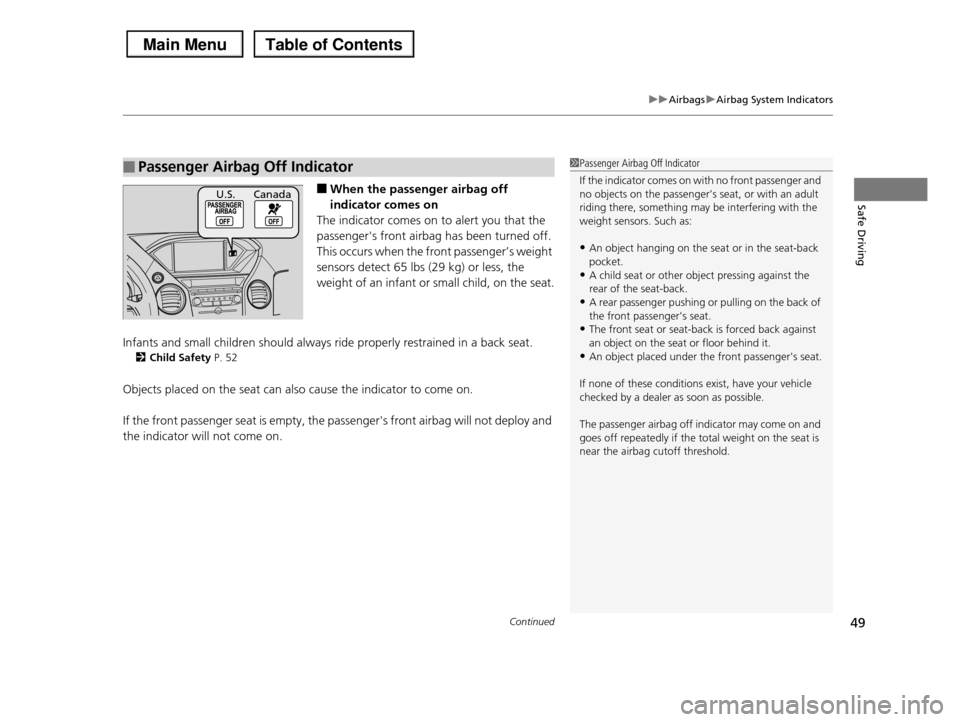
Safe Driving■When the passenger airbag off
indicator comes on
The indicator comes on to alert you that the
passenger's front airbag has been turned off.
This occurs when the front passenger’s weight
sensors detect 65 lbs (29 kg) or less, the
weight of an infant or small child, on the seat.
Infants and small children should always ride properly restrained in a back seat.
2Child Safety P. 52
Objects placed on the seat can also cause the indicator to come on.
If the front passenger seat is empty, the passenger's front airbag will not deploy and
the indicator will not come on.
■Passenger Airbag Off Indicator1Passenger Airbag Off Indicator
If the indicator comes on with no front passenger and no objects on the passenger’s seat, or with an adult
riding there, something may be interfering with the
weight sensors. Such as:
•An object hanging on the seat or in the seat-back
pocket.•A child seat or other object pressing against the
rear of the seat-back.
•A rear passenger pushing or pulling on the back of the front passenger's seat.
•The front seat or seat-back is forced back against
an object on the seat or floor behind it.•An object placed under the front passenger's seat.
If none of these conditions exist, have your vehicle checked by a dealer as soon as possible.
The passenger airbag off indicator may come on and
goes off repeatedly if the total weight on the seat is near the airbag cutoff threshold.
U.S. Canada
Page 66 of 488
65
Safe Driving
Exhaust Gas Hazard
Carbon Monoxide Gas
The engine exhaust from this vehicle contains carbon monoxide, a colorless,
odorless, and highly toxic gas. As long as you properly maintain your vehicle, carbon
monoxide gas will not get into the interior.
■Have the exhaust system inspected for leaks whenever
•The exhaust system is making an unusual noise.
•The exhaust system may have been damaged.
•The vehicle is raised for an oil change.
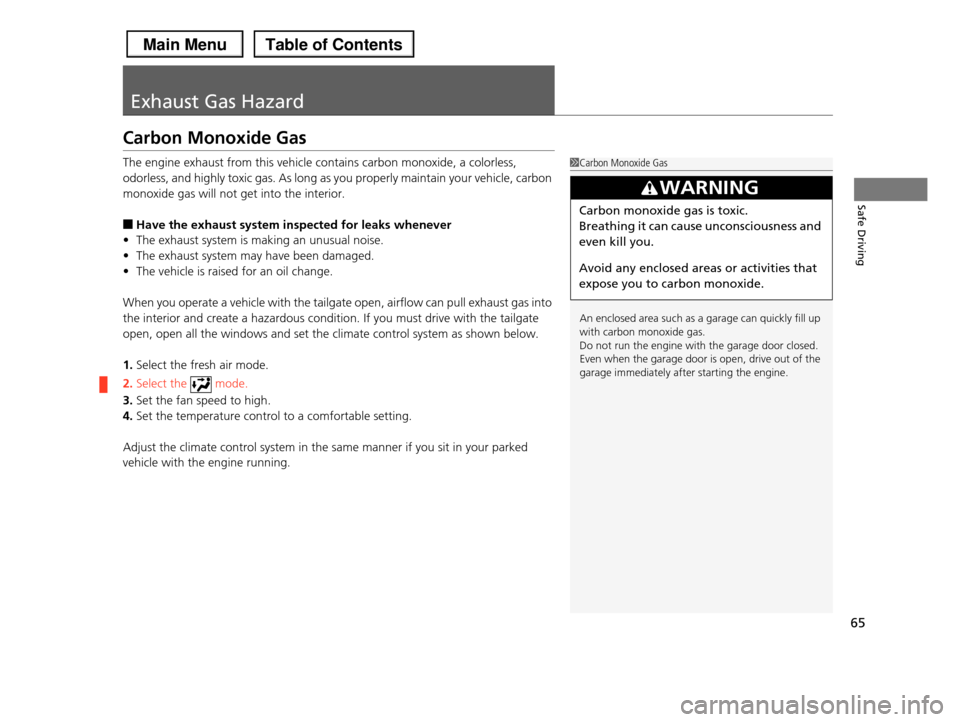
When you operate a vehicle with the tailgate open, airflow can pull exhaust gas into
the interior and create a hazardous condition. If you must drive with the tailgate
open, open all the windows and set the climate control system as shown below.
1.Select the fresh air mode.
2.Select the mode.
3.Set the fan speed to high.
4.Set the temperature control to a comfortable setting.
Adjust the climate control system in the same manner if you sit in your parked
vehicle with the engine running.
1Carbon Monoxide Gas
An enclosed area such as a garage can quickly fill up with carbon monoxide gas.
Do not run the engine with the garage door closed.
Even when the garage door is open, drive out of the garage immediately after starting the engine.
3WARNING
Carbon monoxide gas is toxic.
Breathing it can cause unconsciousness and
even kill you.
Avoid any enclosed areas or activities that
expose you to carbon monoxide.
Page 163 of 488
uuInterior Lights/Interior Convenience ItemsuInterior Convenience Items
162
Controls
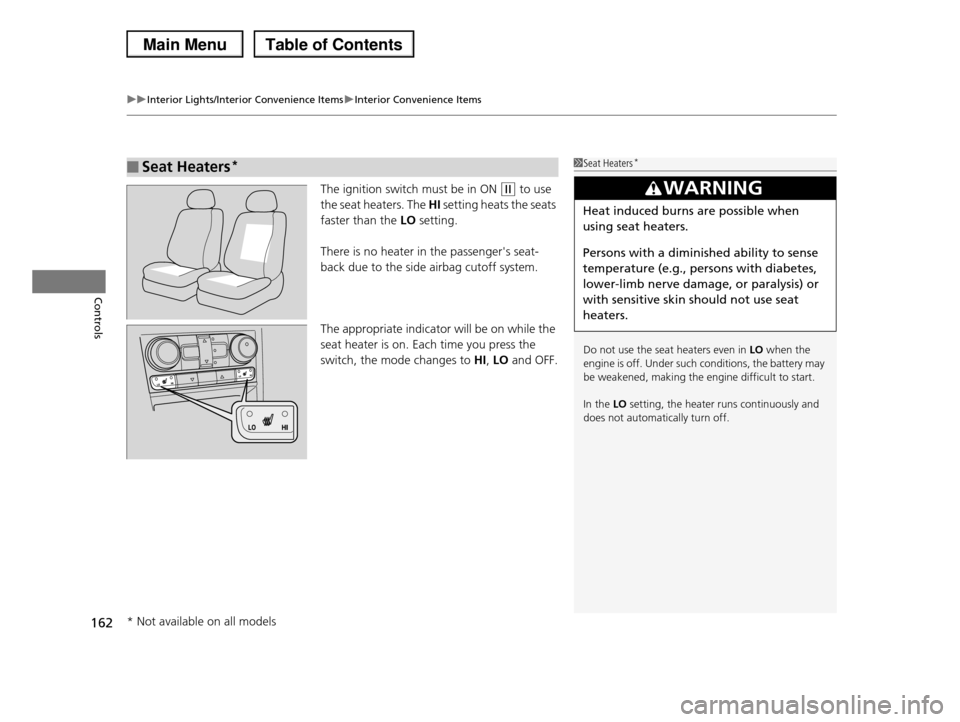
The ignition switch must be in ON (w to use
the seat heaters. The HI setting heats the seats
faster than the LO setting.
There is no heater in the passenger's seat-
back due to the side airbag cutoff system.
The appropriate indicator will be on while the
seat heater is on. Each time you press the
switch, the mode changes to HI, LO and OFF.
■Seat Heaters*1Seat Heaters*
Do not use the seat heaters even in LO when the engine is off. Under such conditions, the battery may
be weakened, making the engine difficult to start.
In the LO setting, the heater runs continuously and
does not automatically turn off.
3WARNING
Heat induced burns are possible when
using seat heaters.
Persons with a diminished ability to sense
temperature (e.g., persons with diabetes,
lower-limb nerve damage, or paralysis) or
with sensitive skin should not use seat
heaters.
* Not available on all models
Page 166 of 488
165Continued
Controls
Climate Control System
Using Automatic Climate Control
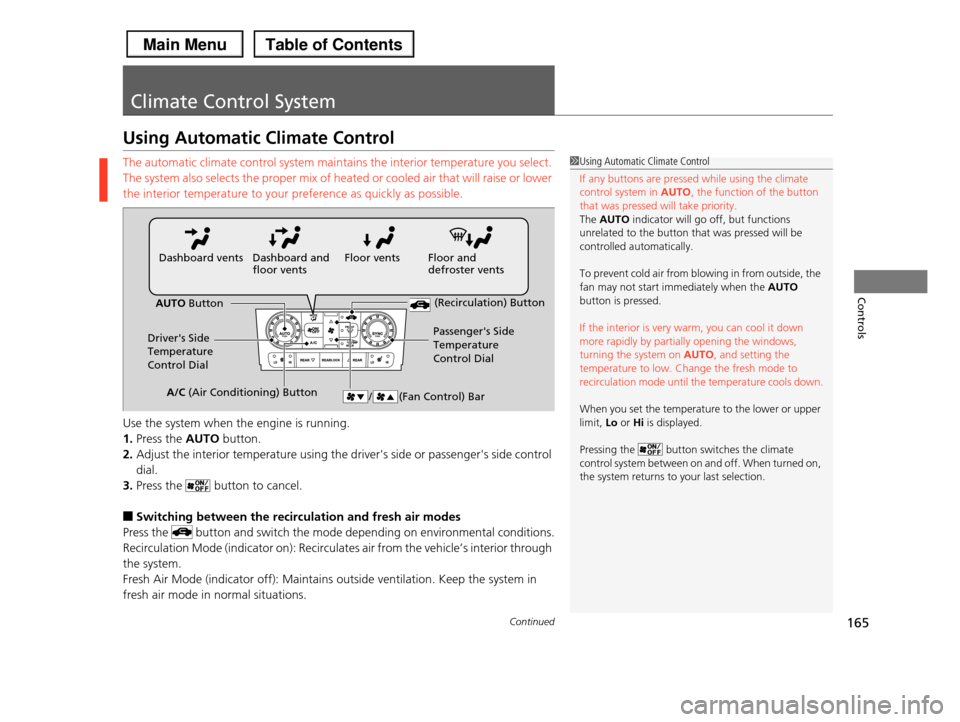
The automatic climate control system maintains the interior temperature you select.
The system also selects the proper mix of heated or cooled air that will raise or lower
the interior temperature to your preference as quickly as possible.
Use the system when the engine is running.
1.Press the AUTO button.
2.Adjust the interior temperature using the driver's side or passenger's side control
dial.
3.Press the button to cancel.
■Switching between the recirculation and fresh air modes
Press the button and switch the mode depending on environmental conditions.
Recirculation Mode (indicator on): Recirculates air from the vehicle’s interior through
the system.
Fresh Air Mode (indicator off): Maintains outside ventilation. Keep the system in
fresh air mode in normal situations.
1Using Automatic Climate Control
If any buttons are pressed while using the climate
control system in AUTO, the function of the button that was pressed will take priority.
The AUTO indicator will go off, but functions
unrelated to the button that was pressed will be
controlled automatically.
To prevent cold air from blowing in from outside, the
fan may not start immediately when the AUTO button is pressed.
If the interior is very warm, you can cool it down more rapidly by partially opening the windows,
turning the system on AUTO, and setting the
temperature to low. Change the fresh mode to recirculation mode until the temperature cools down.
When you set the temperature to the lower or upper limit, Lo or Hi is displayed.
Pressing the button switches the climate control system between on and off. When turned on,
the system returns to your last selection.
Floor and defroster ventsFloor ventsDashboard and floor ventsDashboard vents
AUTO Button
Driver's Side Temperature
Control Dial
Passenger's Side
Temperature
Control Dial
/ (Fan Control) Bar
(Recirculation) Button
A/C (Air Conditioning) Button
Page 167 of 488
uuClimate Control SystemuUsing Automatic Climate Control
166
Controls
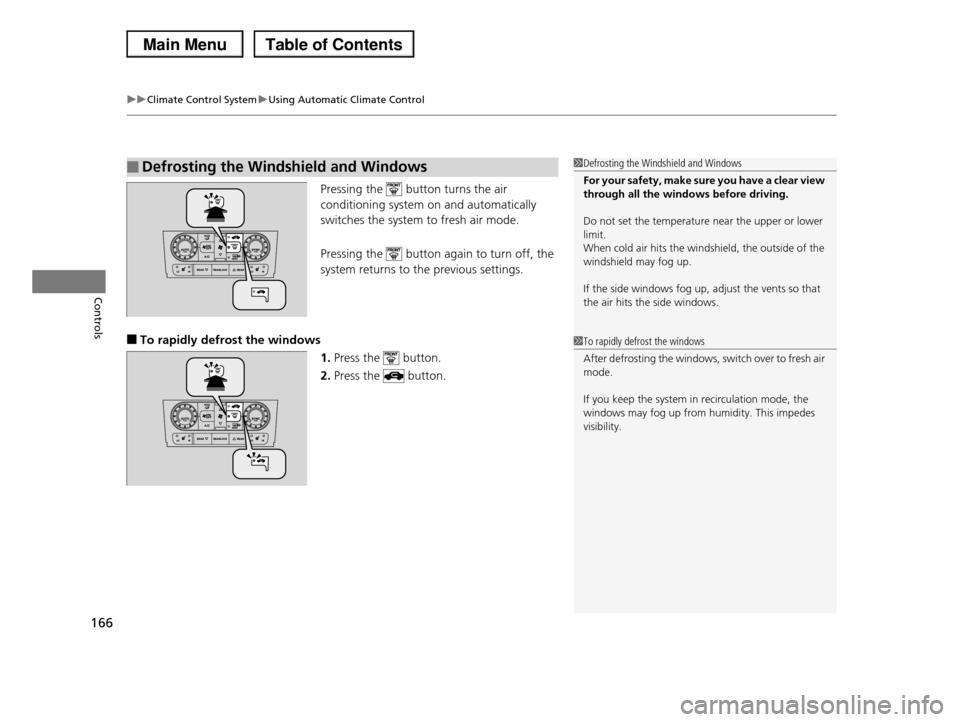
Pressing the button turns the air
conditioning system on and automatically
switches the system to fresh air mode.
Pressing the button again to turn off, the
system returns to the previous settings.
■To rapidly defrost the windows
1.Press the button.
2.Press the button.
■Defrosting the Windshield and Windows1Defrosting the Windshield and Windows
For your safety, make sure you have a clear view through all the windows before driving.
Do not set the temperature near the upper or lower limit.
When cold air hits the windshield, the outside of the
windshield may fog up.
If the side windows fog up, adjust the vents so that
the air hits the side windows.
1To rapidly defrost the windows
After defrosting the windows, switch over to fresh air mode.
If you keep the system in recirculation mode, the windows may fog up from humidity. This impedes
visibility.
Page 325 of 488
324
Driving
Before Driving
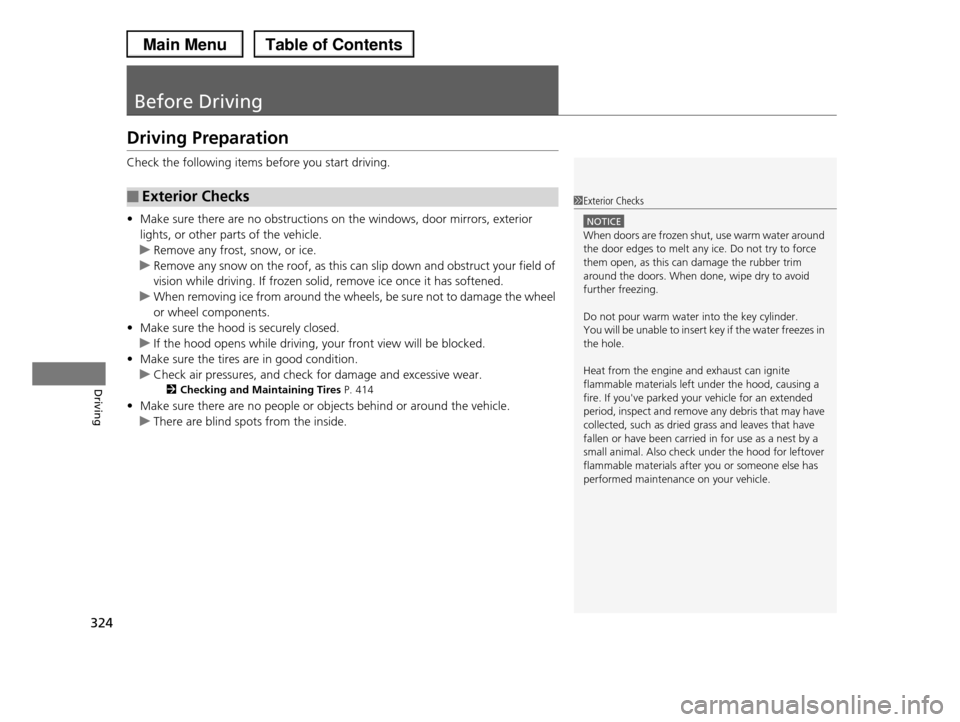
Driving Preparation
Check the following items before you start driving.
•Make sure there are no obstructions on the windows, door mirrors, exterior
lights, or other parts of the vehicle.
uRemove any frost, snow, or ice.
uRemove any snow on the roof, as this can slip down and obstruct your field of
vision while driving. If frozen solid, remove ice once it has softened.
uWhen removing ice from around the wheels, be sure not to damage the wheel
or wheel components.
•Make sure the hood is securely closed.
uIf the hood opens while driving, your front view will be blocked.
•Make sure the tires are in good condition.
uCheck air pressures, and check for damage and excessive wear.
2Checking and Maintaining Tires P. 414
•Make sure there are no people or objects behind or around the vehicle.
uThere are blind spots from the inside.
■Exterior Checks1Exterior Checks
NOTICE
When doors are frozen shut, use warm water around
the door edges to melt any ice. Do not try to force
them open, as this can damage the rubber trim around the doors. When done, wipe dry to avoid
further freezing.
Do not pour warm water into the key cylinder.
You will be unable to insert key if the water freezes in
the hole.
Heat from the engine and exhaust can ignite
flammable materials left under the hood, causing a fire. If you've parked your vehicle for an extended
period, inspect and remove any debris that may have
collected, such as dried grass and leaves that have fallen or have been carried in for use as a nest by a
small animal. Also check under the hood for leftover
flammable materials after you or someone else has performed maintenance on your vehicle.
Page 353 of 488
352
uuWhen DrivinguVSA® (Vehicle Stability Assist), aka ESC (Electronic Stability Control), System
Driving
VSA® (Vehicle Stability Assist), aka ESC (Electronic
Stability Control), System
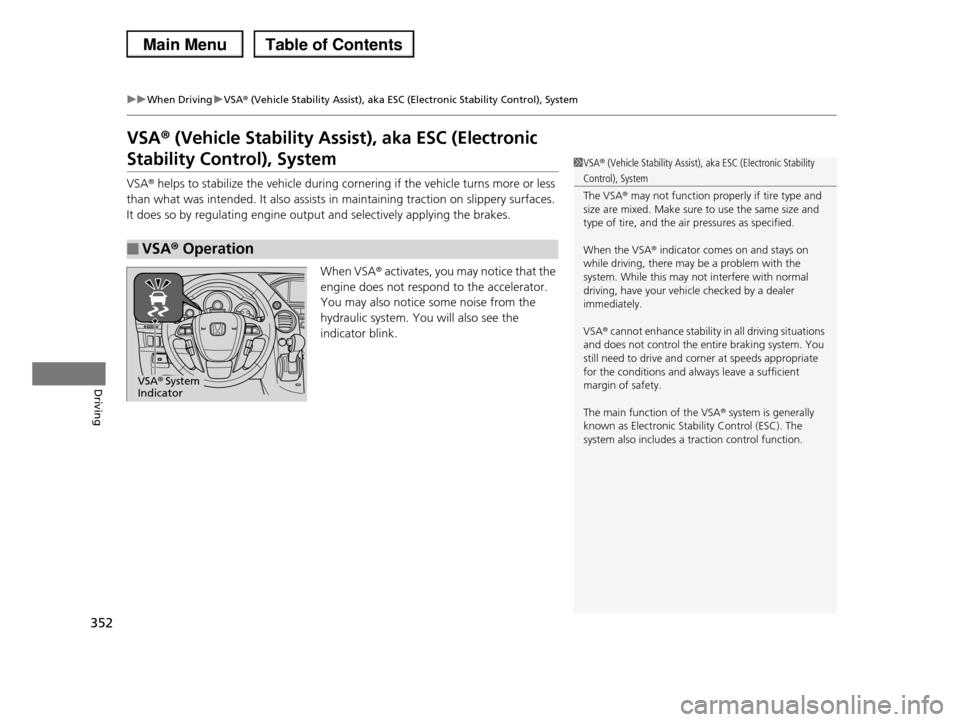
VSA® helps to stabilize the vehicle during cornering if the vehicle turns more or less
than what was intended. It also assists in maintaining traction on slippery surfaces.
It does so by regulating engine output and selectively applying the brakes.
When VSA® activates, you may notice that the
engine does not respond to the accelerator.
You may also notice some noise from the
hydraulic system. You will also see the
indicator blink.
■VSA® Operation
1VSA® (Vehicle Stability Assist), aka ESC (Electronic Stability
Control), System
The VSA® may not function properly if tire type and
size are mixed. Make sure to use the same size and type of tire, and the air pressures as specified.
When the VSA® indicator comes on and stays on while driving, there may be a problem with the
system. While this may not interfere with normal
driving, have your vehicle checked by a dealer immediately.
VSA® cannot enhance stability in all driving situations and does not control the entire braking system. You
still need to drive and corner at speeds appropriate
for the conditions and always leave a sufficient margin of safety.
The main function of the VSA® system is generally known as Electronic Stability Control (ESC). The
system also includes a traction control function.
VSA® System Indicator