extra HONDA PILOT 2013 2.G Owners Manual
[x] Cancel search | Manufacturer: HONDA, Model Year: 2013, Model line: PILOT, Model: HONDA PILOT 2013 2.GPages: 488, PDF Size: 10.18 MB
Page 116 of 488
115
uuOpening and Closing the TailgateuOpening/Closing the Power Tailgate*
Controls
If you manually close the power tailgate, it latches automatically.
The power tailgate fail-safe mode detects if there is an extra load on the tailgate (for
example, it is covered with snow). If an extra load is detected, the tailgate opens
completely then lowers to the close position.
■Auto-Closer
■Power Tailgate Fail-safe Mode
1Auto-Closer
The auto-closer feature does not activate if you push
the tailgate release button while the power tailgate is
closing.
Do not put any force on the tailgate while the power
tailgate is latching.
Keep your hands away from the tailgate when you
manually close the tailgate and let it latch automatically. It is dangerous to put your hands
around the tailgate as it starts to latch itself.
1Power Tailgate Fail-safe Mode
If you try to manually close the power tailgate
immediately after it fully opens, the power tailgate
fail-safe mode may activate.
Once the power tailgate fail-safe mode activates,
wait until the power tailgate fully closes. Keep away from the power tailgate when it is in motion.
If the power tailgate fail-safe mode constantly activates, consult at a dealer.
Page 180 of 488
Continued179
uuAudio System Basic OperationuAudio/Information Screen*
Features
You can change, store, delete the wallpaper on the audio/information screen.
See the navigation system manual for how to change the wallpaper.
■Importing pictures from USB
You can import up to five images, one at a time, for wallpaper from USB flash drive.
Select Import picture from USB from setup menu and properly connect a USB
flash drive to store an image.
1.Connect the USB flash drive to the adapter
cable.
2USB Adapter Cable P. 173
2.Press the SETUP button.
3.Rotate to select Wallpaper Setup,
then press .
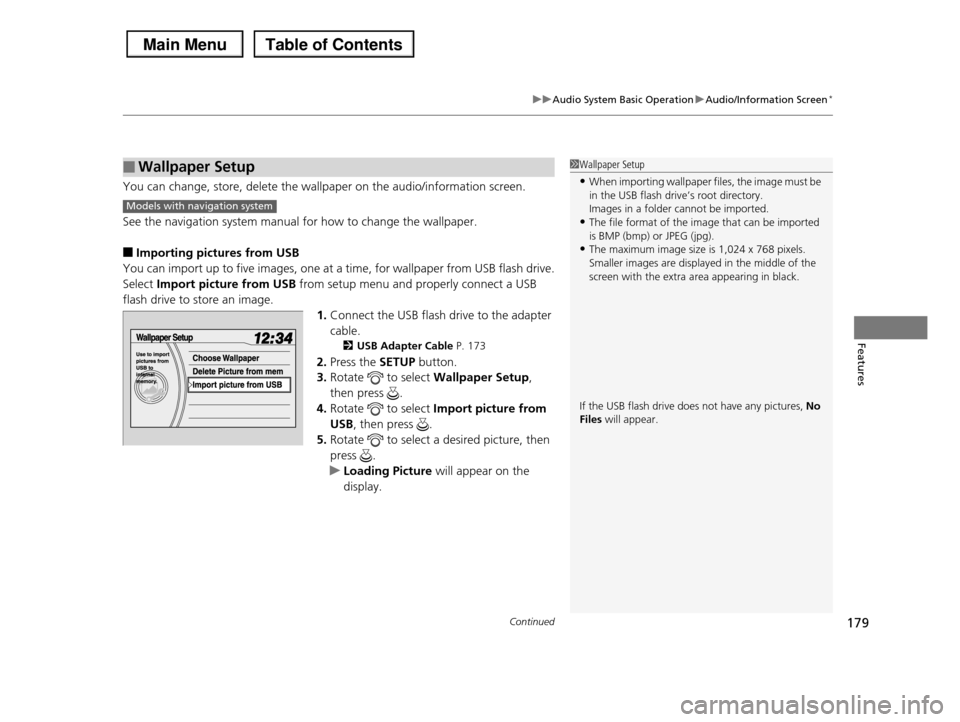
4.Rotate to select Import picture from
USB, then press .
5.Rotate to select a desired picture, then
press .
uLoading Picture will appear on the
display.
■Wallpaper Setup1Wallpaper Setup
•When importing wallpaper files, the image must be
in the USB flash drive’s root directory.Images in a folder cannot be imported.
•The file format of the image that can be imported
is BMP (bmp) or JPEG (jpg).•The maximum image size is 1,024 x 768 pixels.
Smaller images are displayed in the middle of the
screen with the extra area appearing in black.
If the USB flash drive does not have any pictures, No Files will appear.
Models with navigation system
Page 442 of 488
Continued441
uuIf a Tire Goes FlatuChanging a Flat Tire
Handling the Unexpected
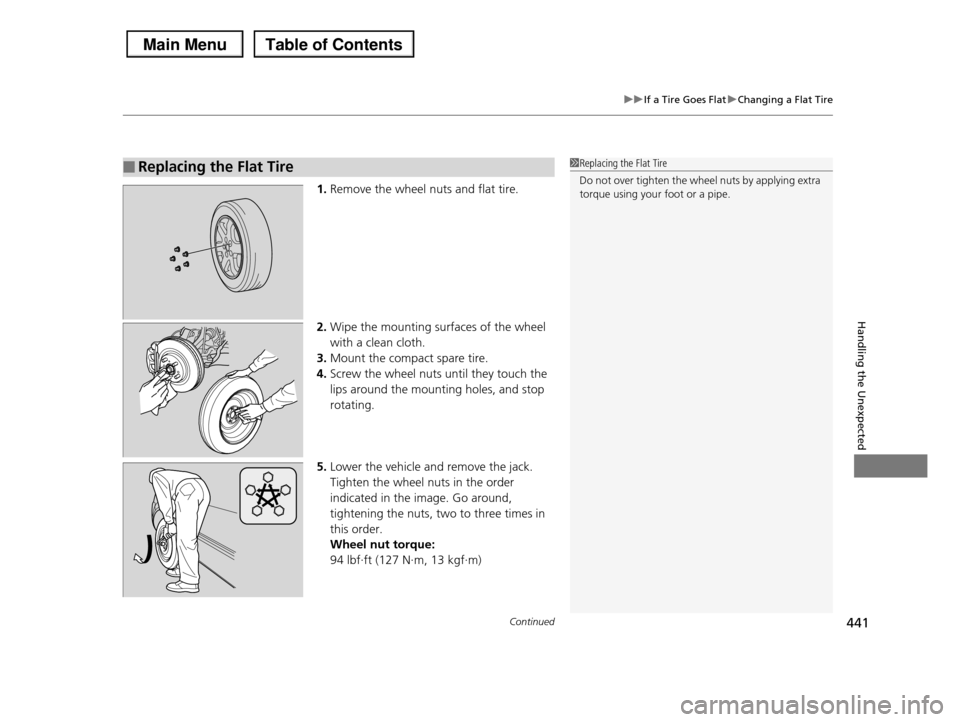
1.Remove the wheel nuts and flat tire.
2.Wipe the mounting surfaces of the wheel
with a clean cloth.
3.Mount the compact spare tire.
4.Screw the wheel nuts until they touch the
lips around the mounting holes, and stop
rotating.
5.Lower the vehicle and remove the jack.
Tighten the wheel nuts in the order
indicated in the image. Go around,
tightening the nuts, two to three times in
this order.
Wheel nut torque:
94 lbf∙ft (127 N∙m, 13 kgf∙m)
■Replacing the Flat Tire1Replacing the Flat Tire
Do not over tighten the wheel nuts by applying extra torque using your foot or a pipe.