ESP HONDA PILOT 2014 2.G Owners Manual
[x] Cancel search | Manufacturer: HONDA, Model Year: 2014, Model line: PILOT, Model: HONDA PILOT 2014 2.GPages: 488, PDF Size: 12.11 MB
Page 22 of 488
21
Quick Reference Guide
A Few Words About Safety
Your safety, and the safety of others, is very important. And
operating this vehicle safely is an important responsibility.
To help you make informed decisions about
safety, we have
provided operating procedures and other information on labels and
in this manual. This information al erts you to potential hazards that
could hurt you or others.
Of course, it is not practical or possible to warn you about all the
hazards
associated with operating or maintaining your vehicle. You
must use your own good judgement. You will find this impo
r
tant safety information in a variety of forms,
including:
● Sa
fety Labels - on the vehicle.
● Sa
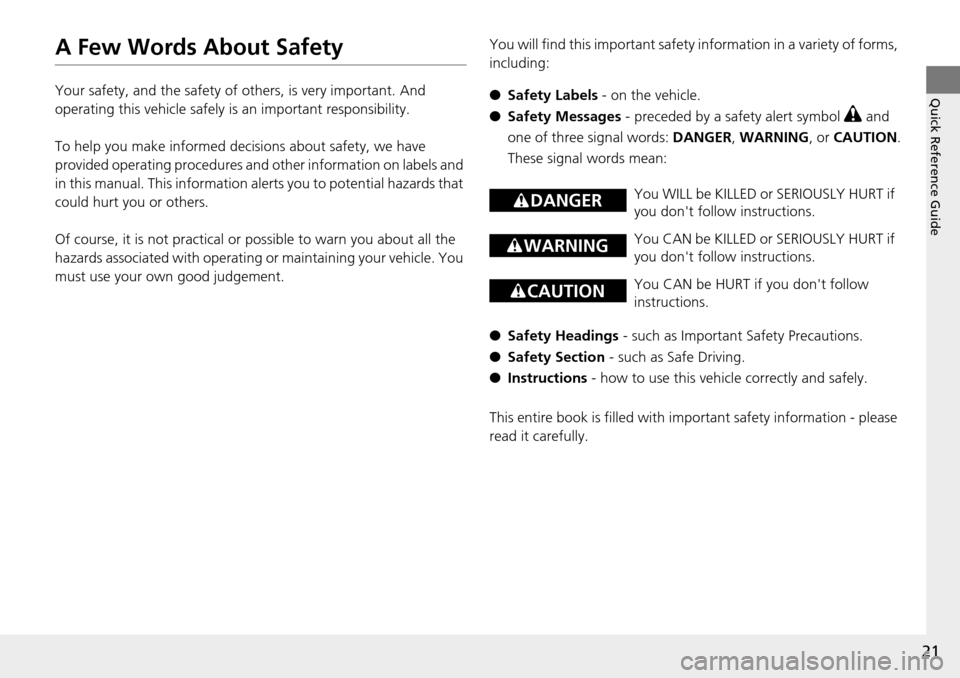
fety Messages - preceded by a safety alert symbol 3 and
one of three signal words: DANGER, WARNING , or CAUTION .
These signal words mean:
● Sa
fety Headings - such as Important Safety Precautions.
● Sa
fety Section - such as Safe Driving.
● Instruct
ions - how to use this vehi cle correctly and safely.
This entire book is filled with im portant sa
fety information - please
read it carefully.
3 DANGERYou WILL be KILLED or SERIOUSLY HURT if
you don't follow instructions.
3 WARNINGYou CAN be KILLED or SERIOUSLY HURT if
you don't follow instructions.
3 CAUTIONYou CAN be HURT if you don't follow
instructions.
Page 25 of 488
24
Safe Driving
For Safe Driving
The following pages explain your vehicle's safety features and how to use them
properly. The safety precauti ons below are ones that we consider to be among the
most important.
Important Safety Precautions
■Always wear your seat belt
A seat belt is your best protection in all types of collisions. Airbags are designed to
supplement
seat belts, not replace them. So even though your vehicle is equipped
with airbags, make sure you and your passe ngers always wear your seat belts, and
wear them properly.
■Restrain all children
Children age 12 and under should ride prop erly restrained in a
back seat, not the
front seat. Infants and small children shoul d be restrained in a child seat. Larger
children should use a booster seat and a lap/shoulder seat belt until they can use the
belt properly without a booster seat.
■Be aware of airbag hazards
While airbags can save lives, they can cause serious or fatal injuries to occupants
wh
o sit too close to them, or are not prop erly restrained. Infants, young children,
and short adults are at the greatest risk. Be sure to follow all instructions and
warnings in this manual.
■Don't drink and drive
Alcohol and driving don't mix. Even one dr in
k can reduce your ability to respond to
changing conditions, and your reaction time gets worse with every additional drink.
So don't drink and drive, and don't let your friends drink and drive, either.
1Important Safety Precautions
Some states, provinces and territories prohibit the use
of cell phones other than hands-free devices by the
driver while driving.
Page 54 of 488
53
uu Child Safety u Protecting Child Passengers
Safe Driving
• Any child who is too small to wear a seat belt correctly must be restrained in an
approved child seat that is properly secured to the vehicle using either the lap belt
portion of the lap/shoulder belt or the lower anchors of the LATCH system.
•Never hold a child on your lap because it is impossible to protect them in the
event of a collision.
• Never put a
seat belt over yourself and a child. During a crash, the belt would
likely press deep into the child and cause serious or fatal injuries.
• Never let
two children use the same seat belt. Both children could be very
seriously injured in a crash.
• Do not allow children
to operate the doors, windows or seat adjustments.
• Do not leav
e children in the vehicle unattended, especially in hot weather when
the inside of the vehicle can get hot enough to kill them. They could also activate
vehicle controls causing it to move unexpectedly.
1 Protecting Child Passengers
To deactivate a lockable retractor, release the buckle
and allow the seat belt to wind up all the way.
To remind you of the pa ssenger's front airbag
hazards and child safety, y our vehicle warning came
with a label on the dashboard (U.S. models) and has
labels on the front visors. Pl ease read and follow the
instructions on these labels.
2 Safety Labels P. 66
3 WARNING
Allowing a child to play with a seat belt or
wrap one around their neck can result in
serious injury or death.
Instruct children not to play with any seat
belt and make sure any unused seat belt a
child can reach is buckled, fully retracted,
and locked.
Page 111 of 488
110
Controls
Opening and Closing the Tailgate
Precautions for Opening/Closing the Tailgate
Always make sure individuals and objects are clear of the tailgate before opening or
closing it.
■Opening the tailgate
• Open
the tailgate all the way.
u If i
t is not fully opened, the tailgate may come down accidentally by its own
weight.
• Be
careful when it is windy. The wind may cause the tailgate to close.
■Closing the tailgate
Keep the tailgate closed while driving to: u Avoi
d possible damage.
uPr
event exhaust gas from leaking into the vehicle.
2 Carbon Monoxide Gas P. 65
1Precautions for Opening/Closing the Tailgate
Be careful not to hit your head on the tailgate or to
put your hands between th e tailgate and the cargo
area when closing the tailgate.
When operating the power tailgate, make sure there
is enough space around your ve hicle. People near the
tailgate may be se riously hurt if the tailgate hits or
closes on their heads. Be especially cautious if
children are around.
When you are storing or pi cking up luggage from the
cargo area while the engine is idling, do not stand in
front of the exhaust pipe. You may get burned.
Do not allow any passenger in the cargo space. They
may get hurt during hard braking, a sudden
acceleration, or a crash.
3 WARNING
Closing a power tailgate while anyone is in
the path of the tailgate can cause serious
injury.
Make sure everyone is clear before closing
the tailgate.
Models with power tailgate
Page 280 of 488
279
uu Bluetooth ® HandsFreeLink ® u Using HFL
Features
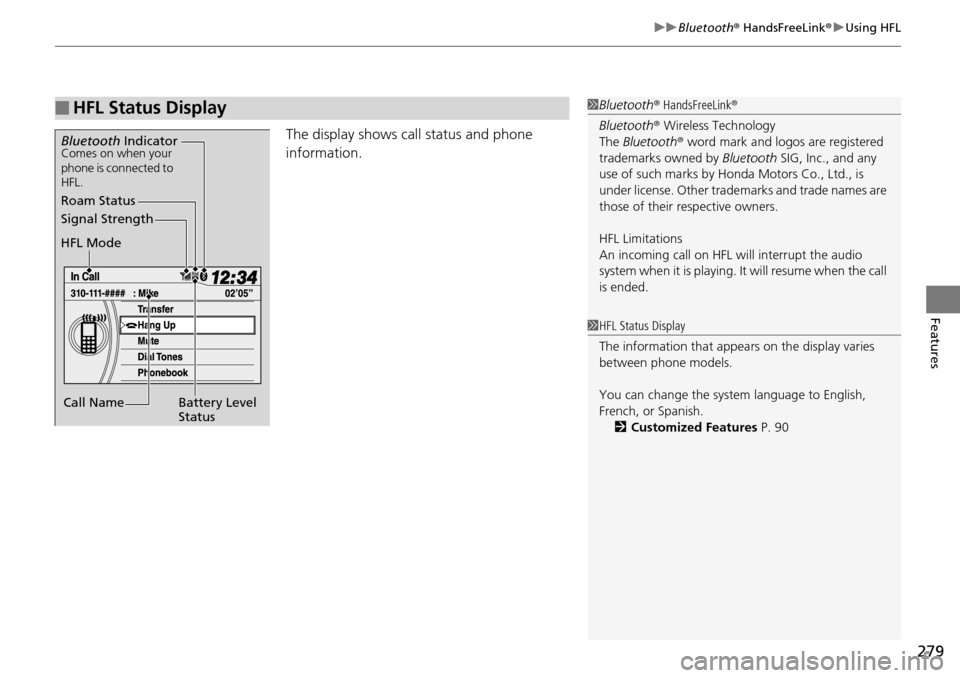
The display shows call status and phone
information.
■HFL Status Display1Bluetooth ® HandsFreeLink ®
Bluetooth ® Wireless Technology
The Bluetooth ® word mark and logos are registered
trademarks owned by Bluetooth SIG, Inc., and any
use of such marks by Honda Motors Co., Ltd., is
under license. Other tradem arks and trade names are
those of their respective owners.
HFL Limitations
An incoming call on HFL will interrupt the audio
system when it is playing. It will resume when the call
is ended.
Signal Strength
HFL Mode
Battery Level
Status
Roam Status
Call Name
Bluetooth IndicatorComes on when your
phone is connected to
HFL.
1HFL Status Display
The information that appe ars on the display varies
between phone models.
You can change the system language to English,
French, or Spanish. 2 Customized Features P. 90
Page 299 of 488
uu Bluetooth ® HandsFreeLink ® u HFL Menus
298
Features
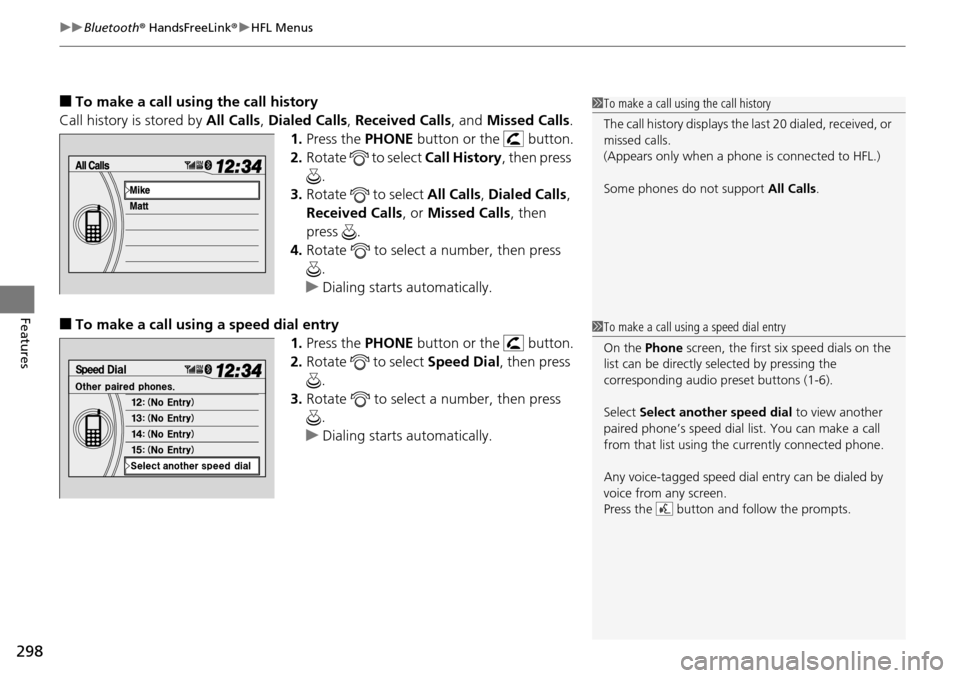
■To make a call usin g the call history
Call history is stored by All Ca
lls, Dialed Calls , Received Calls , and Missed Calls .
1. Press the PH
ONE button or the button.
2. Ro
tate to select Call History, then press
.
3. Ro
tate to select All Call s, Dialed Calls ,
Received Calls , or Mi
ssed Calls, then
press .
4. Ro
tate to select a number, then press
.
u Dialing sta
rts automatically.
■To make a call using a speed dial entry
1.Press the PH
ONE button or the button.
2. Ro
tate to select Speed Dial, then press
.
3. Ro
tate to select a number, then press
.
u Dialing sta
rts automatically.
1To make a call using the call history
The call history disp lays the last 20 dialed, received, or
missed calls.
(Appears only when a phone is connected to HFL.)
Some phones do not support All Calls.
1To make a call using a speed dial entry
On the Phone screen, the first six speed dials on the
list can be directly selected by pressing the
corresponding audio preset buttons (1-6).
Select Select another speed dial to view another
paired phone’s speed dial list. You can make a call
from that list using th e currently connected phone.
Any voice-tagged speed dial entry can be dialed by
voice from any screen.
Press the button and follow the prompts.
Page 303 of 488
uu Bluetooth ® HandsFreeLink ® u Using HFL
302
Features
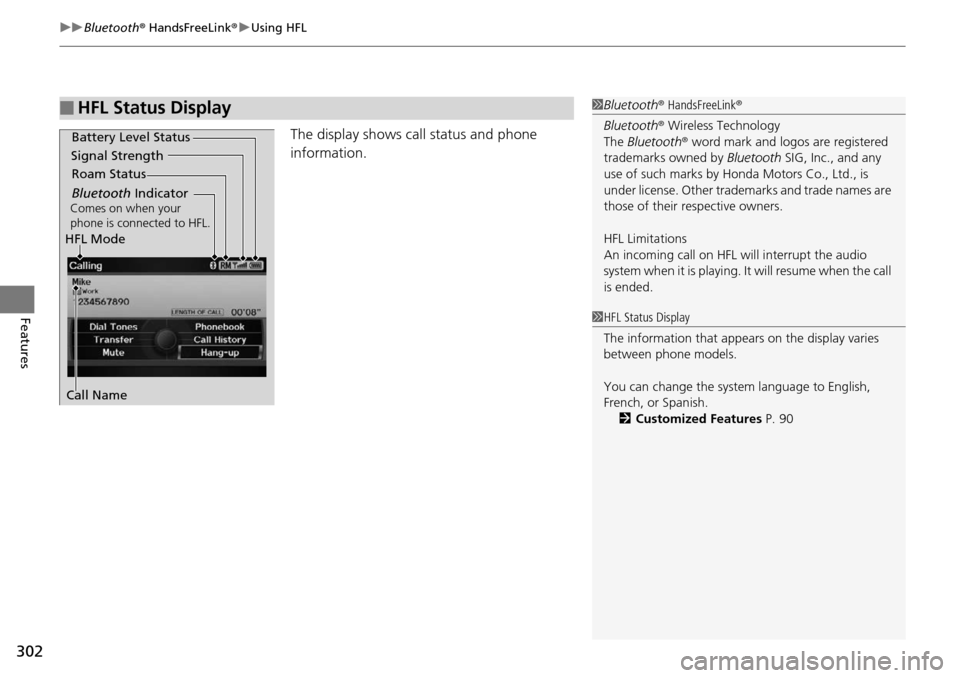
The display shows call status and phone
information.
■HFL Status Display1Bluetooth ® HandsFreeLink ®
Bluetooth ® Wireless Technology
The Bluetooth ® word mark and logos are registered
trademarks owned by Bluetooth SIG, Inc., and any
use of such marks by Honda Motors Co., Ltd., is
under license. Other tradem arks and trade names are
those of their respective owners.
HFL Limitations
An incoming call on HFL will interrupt the audio
system when it is playing. It will resume when the call
is ended.
Signal Strength
HFL Mode Battery Level Status
Roam Status
Call Name
Bluetooth IndicatorComes on when your
phone is connected to HFL.
1 HFL Status Display
The information that appe ars on the display varies
between phone models.
You can change the system language to English,
French, or Spanish.
2 Customized Features P. 90
Page 321 of 488
320
Features
Compass *
When you turn the ignition switch to ON (w
, the compass self-calibrates, and the
compass display appears.
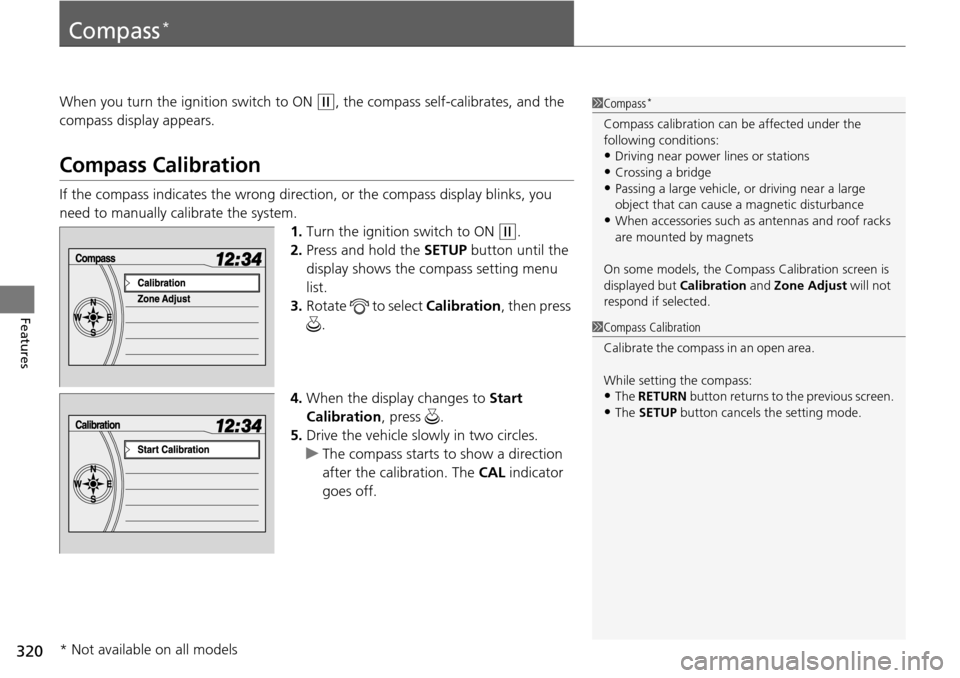
Compass Calibration
If the compass indicates the wrong direction, or the compass display blinks, you
need to manually calibrate the system. 1.Turn
the ignition switch to ON (w
.
2. Press and
hold the SETUP button until the
display shows the compass setting menu
list.
3. Ro
tate to select Cali bration, then press
.
4. When the
display changes to Start
Calibration , press .
5. Drive the
vehicle slowly in two circles.
u T
he compass starts to show a direction
after the calibration. The CAL indicator
goes off.
1 Compass *
Compass calibration can be affected under the
following conditions:
•Driving near power lines or stations
•Crossing a bridge•Passing a large vehicle, or driving near a large
object that can cause a magnetic disturbance
•When accessories such as antennas and roof racks
are mounted by magnets
On some models, the Compass Calibration screen is
displayed but Calibration and Zone Adjust will not
respond if selected.
1 Compass Calibration
C al i b r a t e t h e c o m p as s i n a n o p en ar ea .
While setting the compass:
•The RETURN button returns to the previous screen.
•The SETUP button cancels the setting mode.
* Not available on all models
Page 346 of 488
345
uu When Driving u Automatic Transmission
Driving
Automatic Transmission
The following conditions cause the engine to run at high revolutions, and increase
creeping:
• Immediately after the engine
starts.
• When t
he climate control system is in use.
Keep the brake pedal firmly depressed when stopped.
Quickly depressing the accelerator peda l
while driving uphill may cause the
transmission to drop to a lower gear, unex pectedly increasing vehicle speed. Depress
the accelerator pedal carefully, especi ally on slippery roads and curves.
■Creeping
■Kickdown
Page 353 of 488
352
uu When Driving u VSA ® (Vehicle Stability Assist), aka ESC (Electronic Stability Control), System
Driving
VSA ® (Vehicle Stability Assist ), aka ESC (Electronic
Stability Control), System
VSA® helps to stabilize the vehicle during cornering if the vehicle turns more or less
than what was intended. It also assists in maintaining traction on slippery surfaces.
It does so by regulating engine output and select ively applying the brakes.
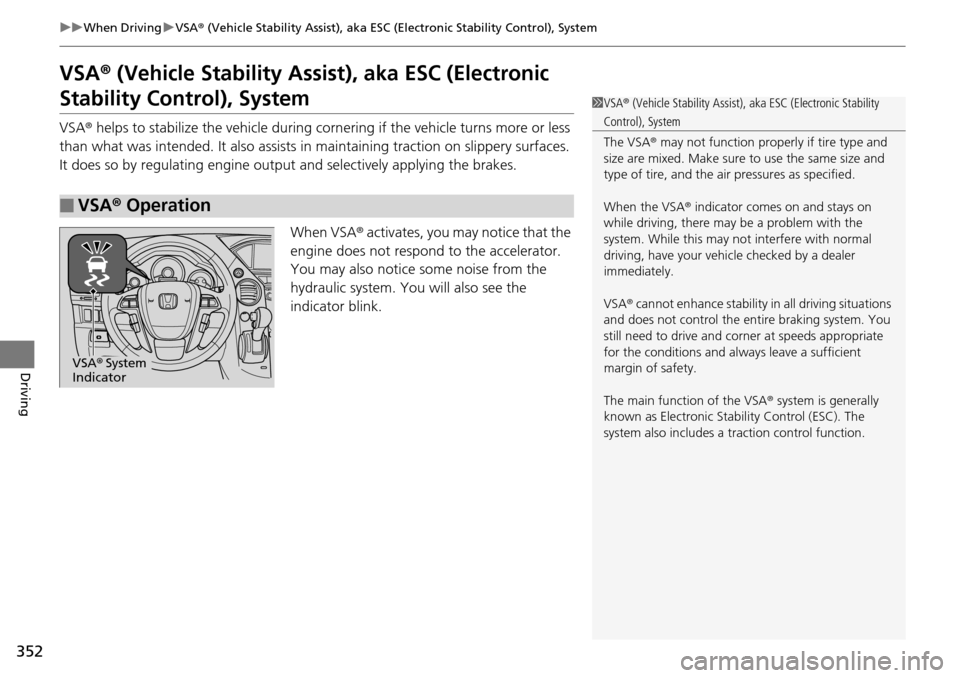
When VSA ® activate
s, you may notice that the
engine does not respond to the accelerator.
You may also notice some noise from the
hydraulic system. You will also see the
indicator blink.
■VSA ® Operation
1 VSA ® (Vehicle Stability Assist), aka ESC (Electronic Stability
Control), System
The VSA® may not function properl y if tire type and
size are mixed. Make sure to use the same size and
type of tire, and the air pressures as specified.
When the VSA ® indicator comes on and stays on
while driving, there may be a problem with the
system. While this may not interfere with normal
driving, have your vehi cle checked by a dealer
immediately.
VSA ® cannot enhance stability in all driving situations
and does not control the entire braking system. You
still need to drive and corner at speeds appropriate
for the conditions and always leave a sufficient
margin of safety.
The main function of the VSA ® system is generally
known as Electronic Stability Control (ESC). The
system also includes a traction control function.
VSA® System
Indicator