engine HONDA PILOT 2015 2.G User Guide
[x] Cancel search | Manufacturer: HONDA, Model Year: 2015, Model line: PILOT, Model: HONDA PILOT 2015 2.GPages: 488, PDF Size: 11.34 MB
Page 74 of 488
73
uuIndicators u
Continued
Instrument Panel
IndicatorNameOn/BlinkingExplanationMessage*
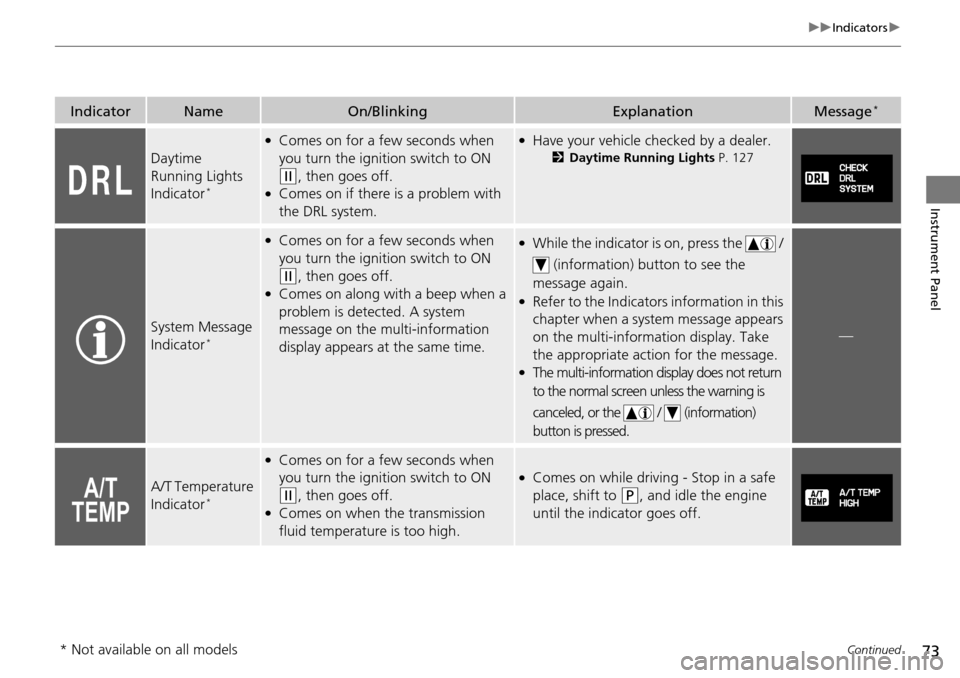
Daytime
Running Lights
Indicator
*
●Comes on for a few seconds when
you turn the igniti on switch to ON
(w, then goes off.●Comes on if there is a problem with
the DRL system.
●Have your vehicle checked by a dealer.
2Daytime Running Lights P. 127
System Message
Indicator*
●Comes on for a few seconds when
you turn the igniti on switch to ON
(w, then goes off.●Comes on along with a beep when a
problem is detected. A system
message on the multi-information
display appears at the same time.
●While the indicator is on, press the /
(information) button to see the
message again.
●Refer to the Indicators information in this
chapter when a syst em message appears
on the multi-information display. Take
the appropriate action for the message.
●The multi-information display does not return
to the normal screen unless the warning is
canceled, or the / (information)
button is pressed.
—
A/T Temperature
Indicator*
●Comes on for a few seconds when
you turn the igniti on switch to ON
(w, then goes off.●Comes on when the transmission
fluid temperature is too high.
●Comes on while driving - Stop in a safe
place, shift to
(P, and idle the engine
until the indicator goes off.
* Not available on all models
Page 77 of 488
76
uuIndicators u
Instrument Panel
IndicatorNameOn/BlinkingExplanationMessage*
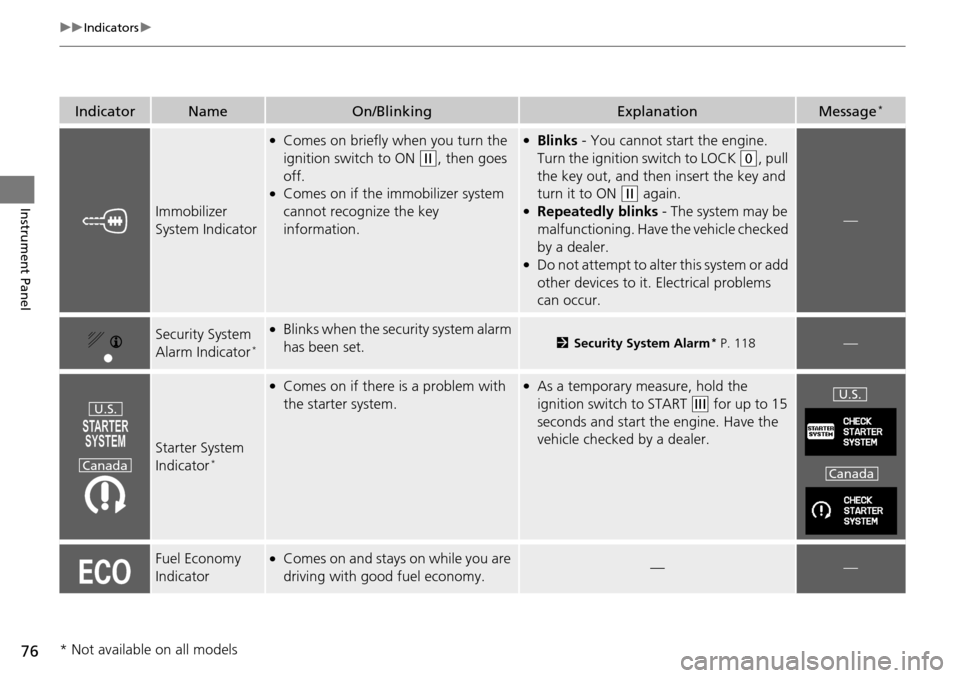
Immobilizer
System Indicator
●Comes on briefly when you turn the
ignition switch to ON
(w, then goes
off.
●Comes on if the immobilizer system
cannot recognize the key
information.
●Blinks - You cannot start the engine.
Turn the ignition switch to LOCK
(0, pull
the key out, and then insert the key and
turn it to ON
(w again.●Repeatedly blinks - The system may be
malfunctioning. Have the vehicle checked
by a dealer.
●Do not attempt to alter this system or add
other devices to it. Electrical problems
can occur.
—
Security System
Alarm Indicator*
●Blinks when the secu rity system alarm
has been set.2 Security System Alarm* P. 118—
Starter System
Indicator*
●Comes on if there is a problem with
the starter system.●As a temporary measure, hold the
ignition switch to START
(e for up to 15
seconds and start the engine. Have the
vehicle checked by a dealer.
Fuel Economy
Indicator●Comes on and stays on while you are
driving with good fuel economy.——
U.S.
CanadaU.S.
Canada
* Not available on all models
Page 79 of 488
78
uuIndicators uMulti-Information Display Warn ing and Information Messages*
Instrument Panel
Multi-Information Display Warn ing and Information Messages*
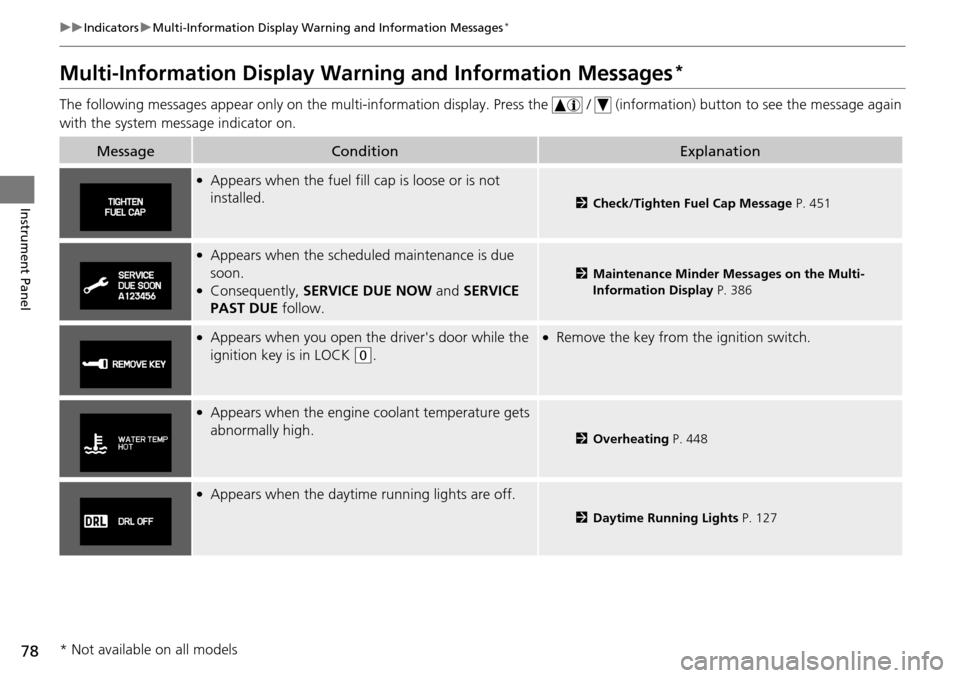
The following messages appear only on the multi-information display. Press the / (information) button to see the message agai n
with the system me ssage indicator on.
MessageConditionExplanation
●Appears when the fuel fill cap is loose or is not
installed.
2Check/Tighten Fuel Cap Message P. 451
●Appears when the scheduled maintenance is due
soon.
●Consequently, SERVICE DUE NOW and SERVICE
PAST DUE follow.
2Maintenance Minder Messages on the Multi-
Information Display P. 386
●Appears when you open the driver's door while the
ignition key is in LOCK
(0.
●Remove the key from the ignition switch.
●Appears when the engine coolant temperature gets
abnormally high.
2 Overheating P. 448
●Appears when the daytime running lights are off.
2Daytime Running Lights P. 127
* Not available on all models
Page 81 of 488
80
Instrument Panel
Gauges and Displays
Gauges
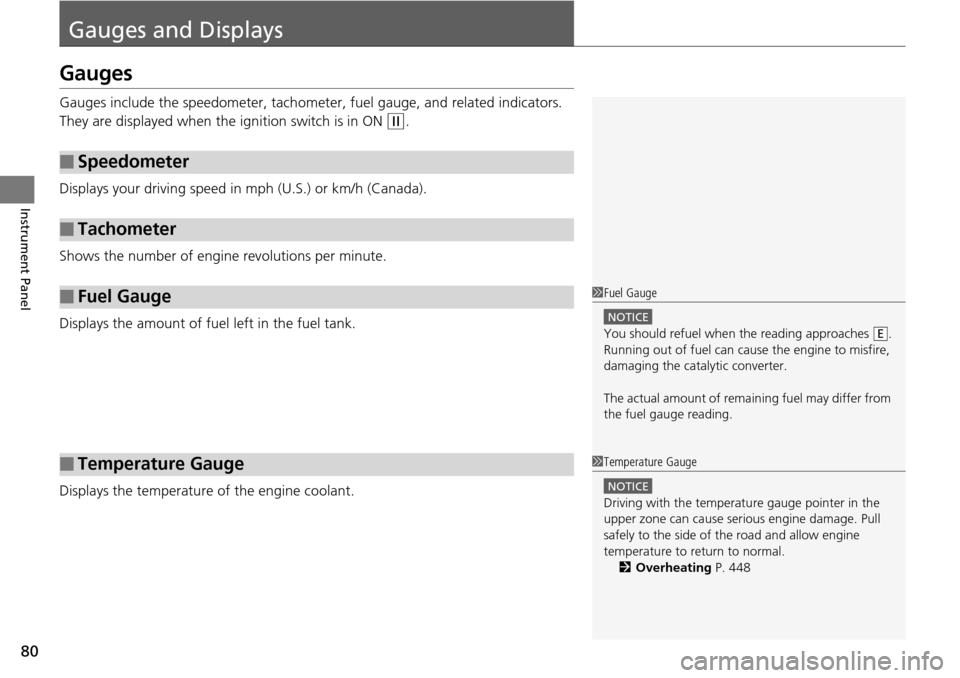
Gauges include the speedometer, tachometer, fuel gauge, and related indicators.
They are displayed when the ignition switch is in ON
(w.
Displays your driving speed in mph (U.S.) or km/h (Canada).
Shows the number of engine revolutions per minute.
Displays the amount of fuel left in the fuel tank.
Displays the temperature of the engine coolant.
■Speedometer
■Tachometer
■Fuel Gauge
■Temperature Gauge
1Fuel Gauge
NOTICE
You should refuel when the reading approaches .
Running out of fuel can cause the engine to misfire,
damaging the cata lytic converter.
The actual amount of remain ing fuel may differ from
the fuel gauge reading.E
1 Temperature Gauge
NOTICE
Driving with the temperat ure gauge pointer in the
upper zone can cause serious engine damage. Pull
safely to the side of th e road and allow engine
temperature to return to normal.
2 Overheating P. 448
Page 82 of 488
81
uuGauges and Displays uInformation Display*
Continued
Instrument Panel
Information Display*
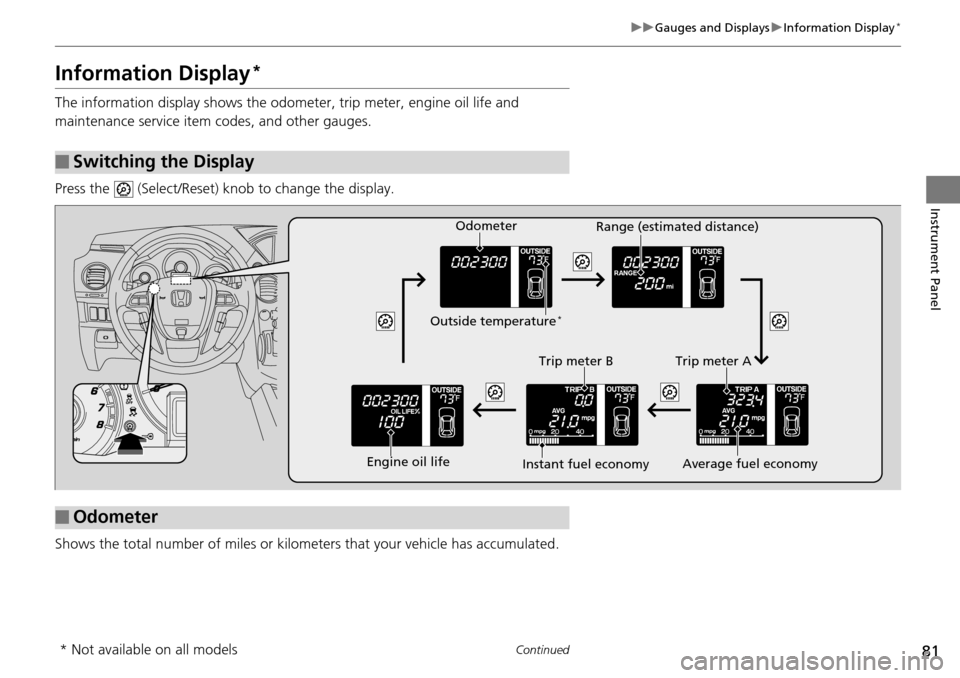
The information display shows the odom eter, trip meter, engine oil life and
maintenance service item codes, and other gauges.
Press the (Select/Reset) knob to change the display.
Shows the total number of miles or kilome ters that your vehicle has accumulated.
■Switching the Display
■Odometer
Engine oil lifeTrip meter B
Average fuel economy
Trip meter A
Instant fuel economy Range (estimated distance)
Outside temperature
*
Odometer
* Not available on all models
Page 83 of 488
uuGauges and Displays uInformation Display*
82
Instrument Panel
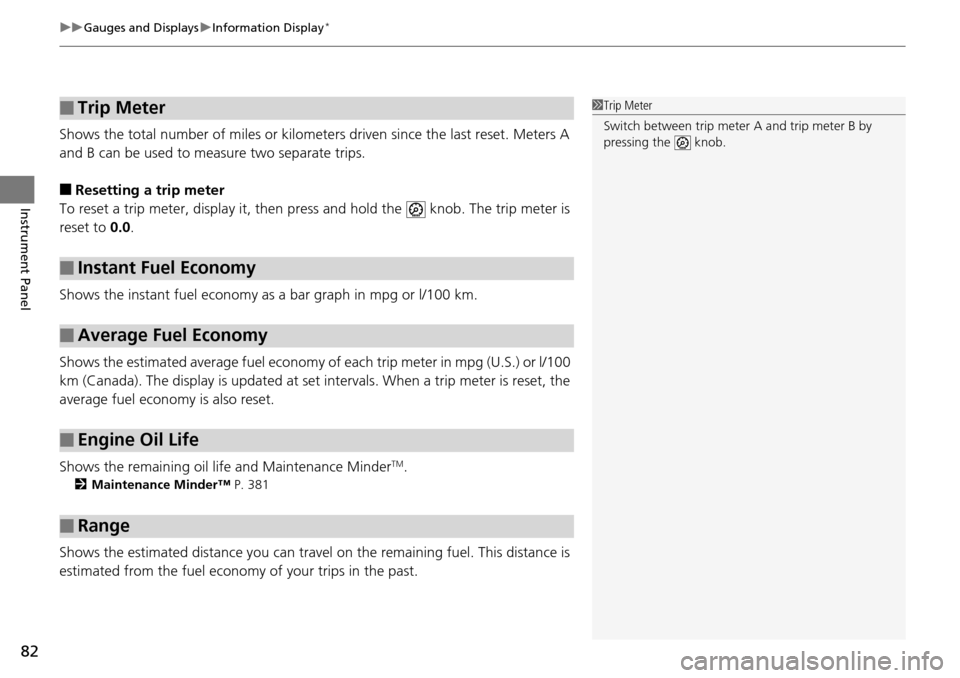
Shows the total number of miles or kilomete rs driven since the last reset. Meters A
and B can be used to measure two separate trips.
■Resetting a trip meter
To reset a trip meter, display it, then pr ess and hold the knob. The trip meter is
reset to 0.0 .
Shows the instant fuel economy as a bar graph in mpg or l/100 km.
Shows the estimated average fuel economy of each trip meter in mpg (U.S.) or l/100
km (Canada). The display is updated at set intervals. When a trip meter is reset, the
average fuel economy is also reset.
Shows the remaining oil life and Maintenance Minder
TM.
2 Maintenance Minder™ P. 381
Shows the estimated distance you can travel on the remaining fuel. This distance is
estimated from the fuel econom y of your trips in the past.
■Trip Meter
■Instant Fuel Economy
■Average Fuel Economy
■Engine Oil Life
■Range
1Trip Meter
Switch between trip meter A and trip meter B by
pressing the knob.
Page 86 of 488
85
uuGauges and Displays uMulti-Information Display*
Continued
Instrument Panel
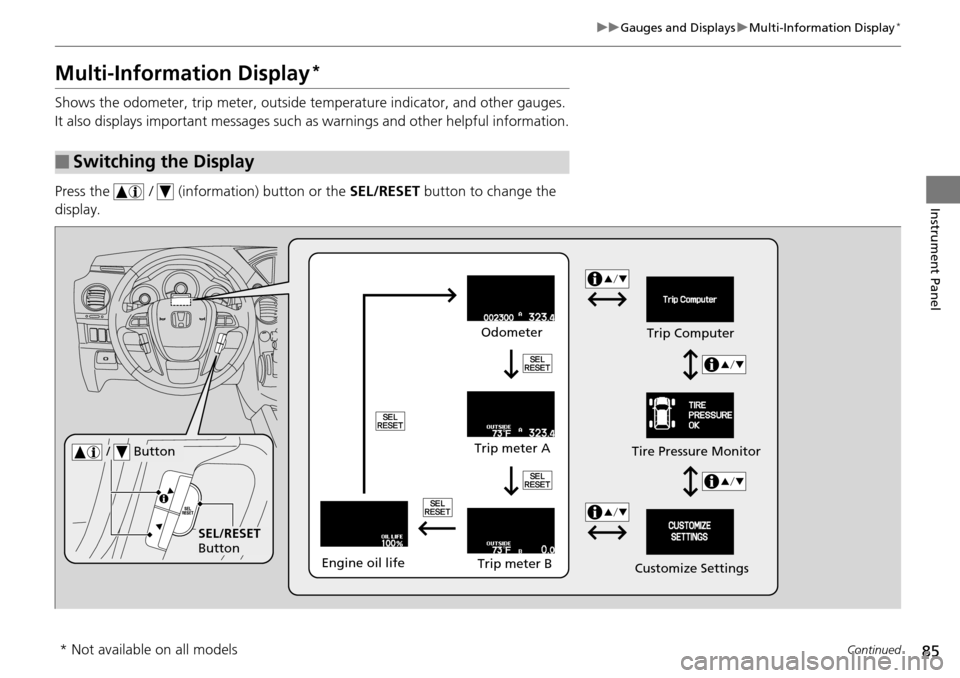
Multi-Information Display*
Shows the odometer, trip meter, outside te mperature indicator, and other gauges.
It also displays important messages such as warnings and other helpful information.
Press the / (information) button or the SEL/RESET button to change the
display.
■Switching the Display
SEL/RESET
Button Tire Pressure Monitor
/ Button
Engine oil life
Trip meter B
Trip meter A Odometer
Customize SettingsTrip Computer
* Not available on all models
Page 90 of 488
89
uuGauges and Displays uMulti-Information Display*
Continued
Instrument Panel
Shows the remaining oil life and Maintenance MinderTM.
2 Maintenance Minder™ P. 381
■Engine Oil Life
Page 100 of 488
99Continued
Controls
Locking and Unlocking the Doors
Key Types and Functions
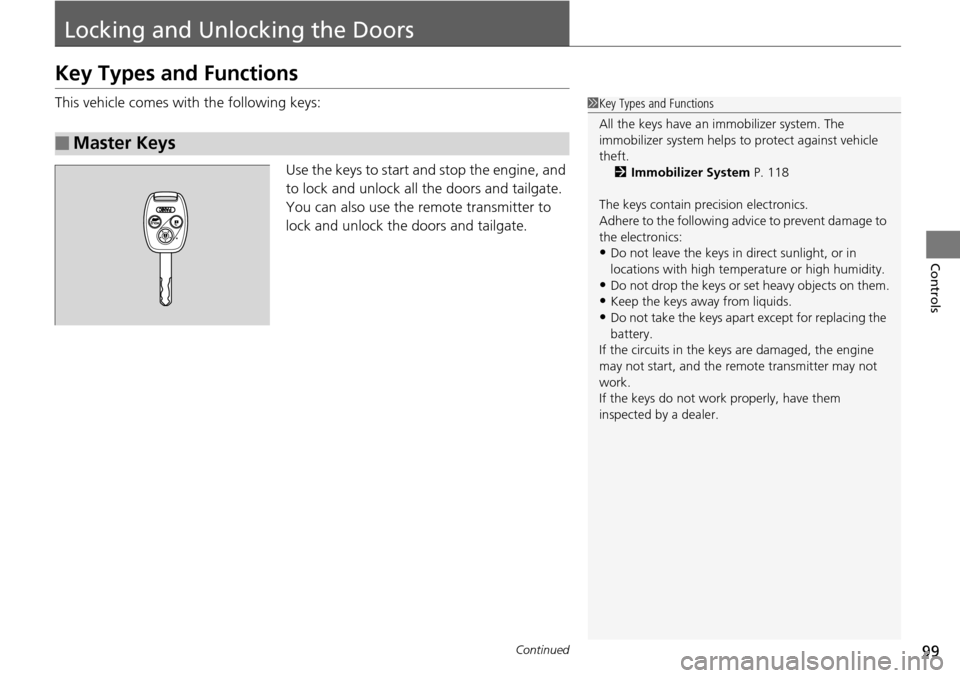
This vehicle comes with the following keys:
Use the keys to start and stop the engine, and
to lock and unlock all the doors and tailgate.
You can also use the remote transmitter to
lock and unlock the doors and tailgate.
■Master Keys
1 Key Types and Functions
All the keys have an immobilizer system. The
immobilizer system helps to protect against vehicle
theft. 2 Immobilizer System P. 118
The keys contain precision electronics.
Adhere to the following advi ce to prevent damage to
the electronics:
•Do not leave the keys in direct sunlight, or in
locations with high temperature or high humidity.
•Do not drop the keys or set heavy objects on them.
•Keep the keys away from liquids.
•Do not take the keys apart except for replacing the
battery.
If the circuits in the keys are damaged, the engine
may not start, and the remote transmitter may not
work.
If the keys do not work properly, have them
inspected by a dealer.
Page 101 of 488
uuLocking and Unlocking the Doors uKey Types and Functions
100
Controls
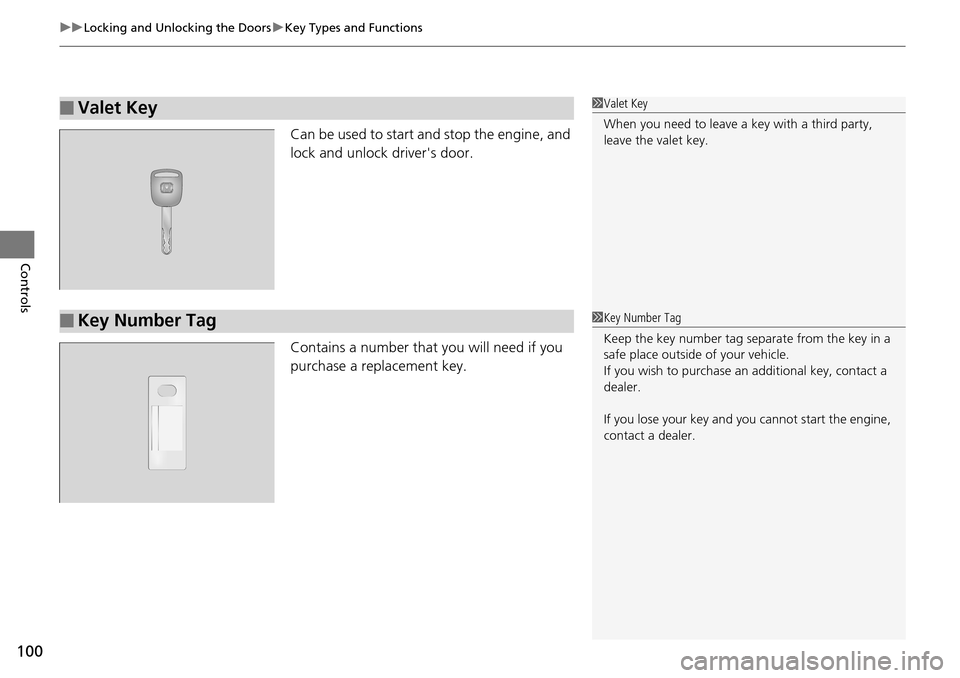
Can be used to start and stop the engine, and
lock and unlock driver's door.
Contains a number that you will need if you
purchase a replacement key.
■Valet Key1Valet Key
When you need to leave a key with a third party,
leave the valet key.
■Key Number Tag1Key Number Tag
Keep the key number tag separate from the key in a
safe place outside of your vehicle.
If you wish to purchase an additional key, contact a
dealer.
If you lose your key and you cannot start the engine,
contact a dealer.