display HONDA PILOT 2015 2.G Manual Online
[x] Cancel search | Manufacturer: HONDA, Model Year: 2015, Model line: PILOT, Model: HONDA PILOT 2015 2.GPages: 488, PDF Size: 11.34 MB
Page 233 of 488
uuAudio System Basic Operation uPlaying Hard Disc Drive (HDD) Audio
232
Features
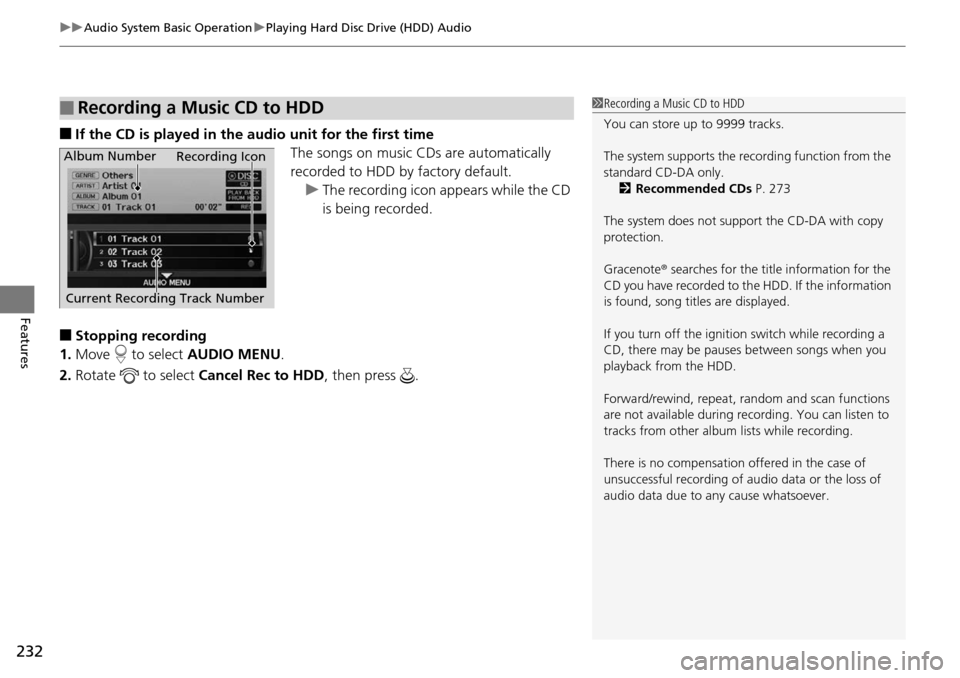
■If the CD is played in the audio unit for the first time
The songs on music CDs are automatically
recorded to HDD by factory default.u The recording icon appears while the CD
is being recorded.
■Stopping recording
1. Move to select AUDIO MENU.
2. Rotate to select Cancel Rec to HDD , then press .
■Recording a Music CD to HDD1Recording a Music CD to HDD
You can store up to 9999 tracks.
The system supports the re cording function from the
standard CD-DA only. 2 Recommended CDs P. 273
The system does not support the CD-DA with copy
protection.
Gracenote ® searches for the title information for the
CD you have recorded to the HDD. If the information
is found, song titles are displayed.
If you turn off the igniti on switch while recording a
CD, there may be pauses between songs when you
playback from the HDD.
Forward/rewind, repeat, ra ndom and scan functions
are not available during recording. You can listen to
tracks from other album lists while recording.
There is no compensation offered in the case of
unsuccessful recording of audio data or the loss of
audio data due to any cause whatsoever.
Album Number
Current Recording Track Number Recording Icon
Page 237 of 488
uuAudio System Basic Operation uPlaying Hard Disc Drive (HDD) Audio
236
Features
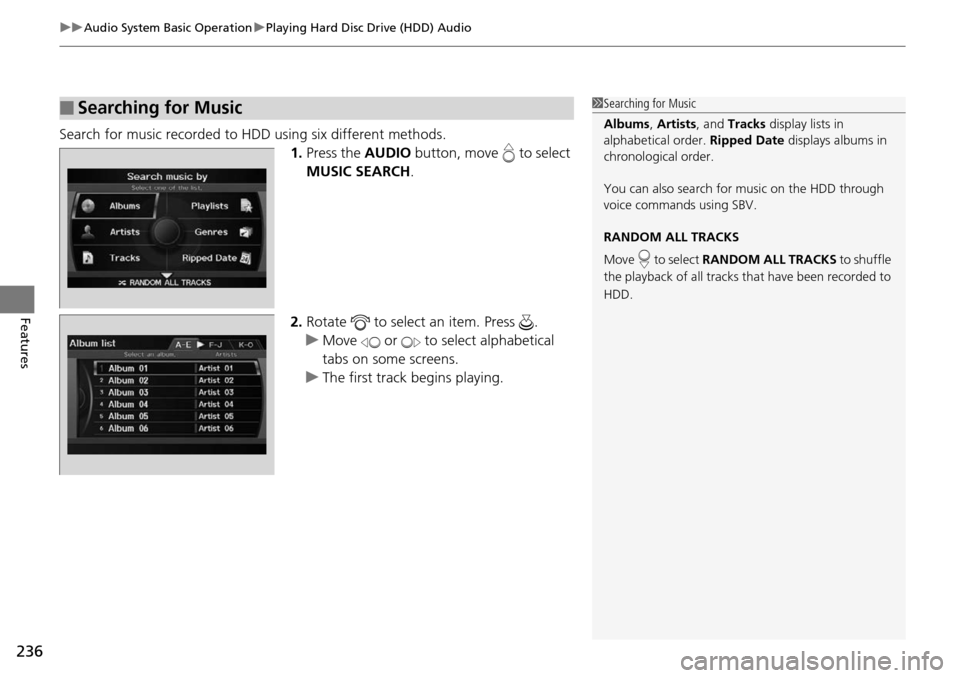
Search for music recorded to HDD using six different methods.
1.Press the AUDIO button, move to select
MUSIC SEARCH .
2. Rotate to select an item. Press .
u Move or to select alphabetical
tabs on some screens.
u The first track begins playing.
■Searching for Music1Searching for Music
Albums , Artists , and Tracks display lists in
alphabetical order. Ripped Date displays albums in
chronological order.
You can also search for music on the HDD through
voice commands using SBV.
RANDOM ALL TRACKS
Move to select RANDOM ALL TRACKS to shuffle
the playback of all tracks that have been recorded to
HDD.
Page 240 of 488
239
uuAudio System Basic Operation uPlaying Hard Disc Drive (HDD) Audio
Features
Display the music information (album name, artist name, genre) for an album
(original playlist).
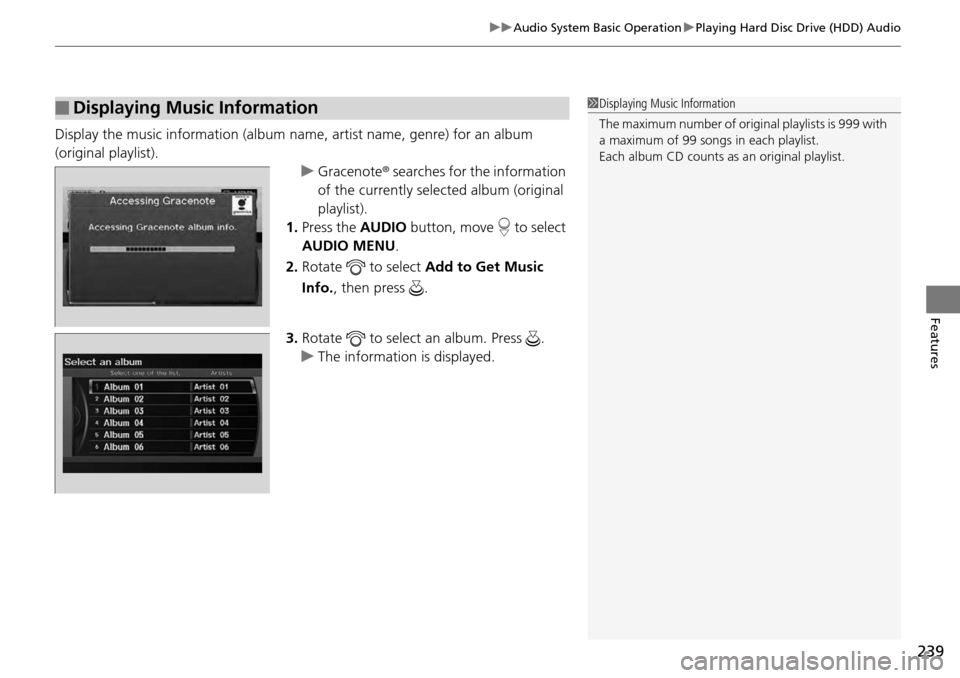
uGracenote r searches for the information
of the currently sele cted album (original
playlist).
1. Press the AUDIO button, move to select
AUDIO MENU .
2. Rotate to select Add to Get Music
Info., then press .
3. Rotate to select an album. Press .
u The information is displayed.
■Displaying Music Information1Displaying Music Information
The maximum number of origin al playlists is 999 with
a maximum of 99 songs in each playlist.
Each album CD counts as an original playlist.
Page 241 of 488
240
uuAudio System Basic Operation uPlaying an iPod ®
Features
Playing an iPod ®
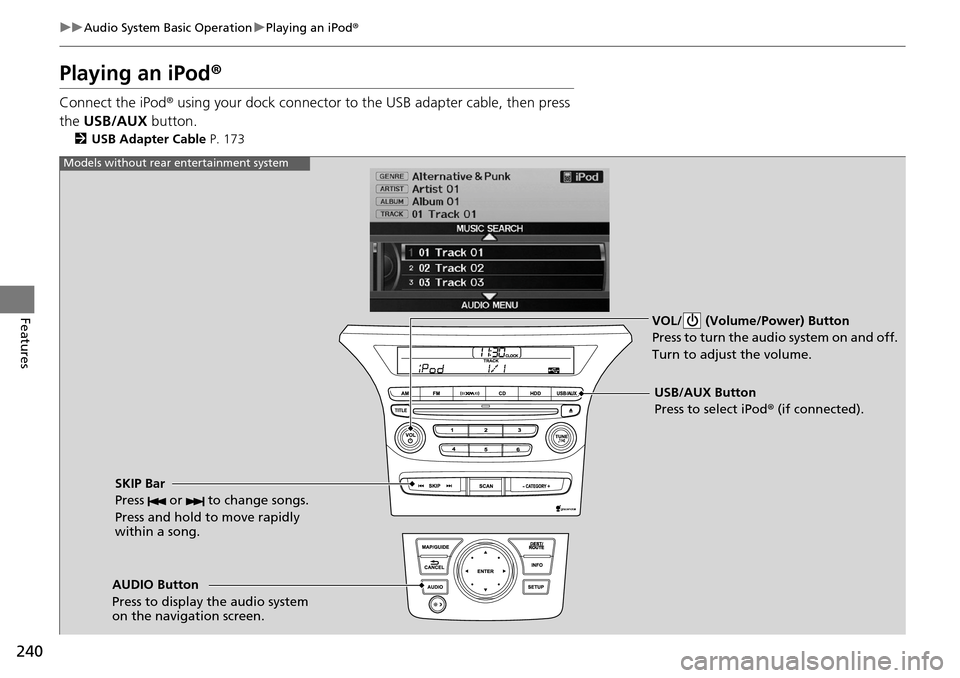
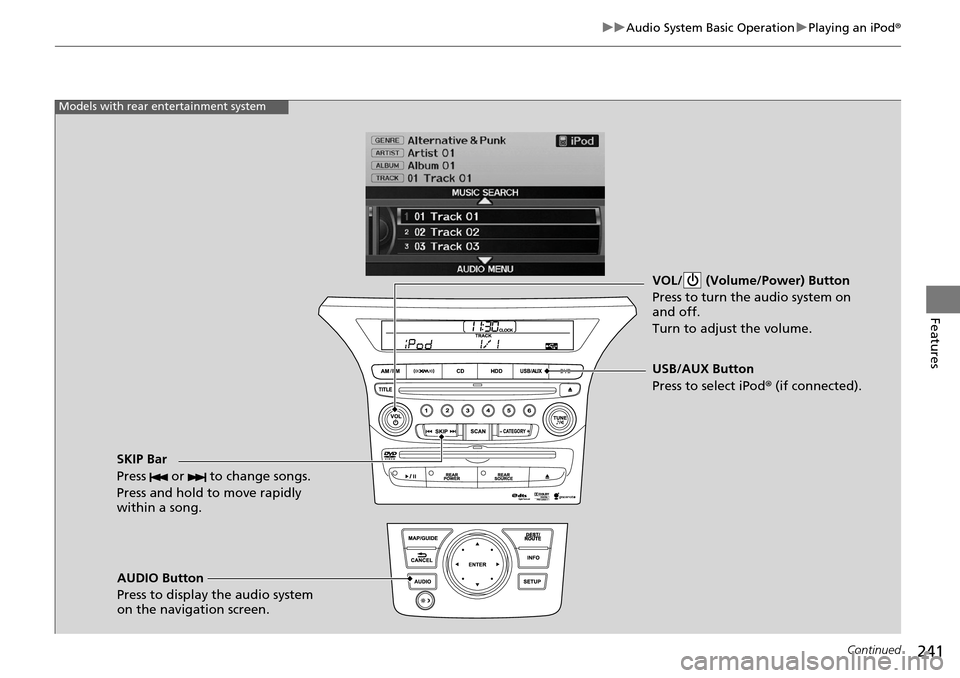
Connect the iPod ® using your dock connector to th e USB adapter cable, then press
the USB/AUX button.
2USB Adapter Cable P. 173
VOL/ (Volume/Power) Button
Press to turn the audio system on and off.
Turn to adjust the volume.
SKIP Bar
Press or to change songs.
Press and hold to move rapidly
within a song.
USB/AUX Button
Press to select iPod® (if connected).
Models without rear entertainment system
AUDIO Button
Press to display the audio system
on the navigation screen.
Page 242 of 488
241
uuAudio System Basic Operation uPlaying an iPod ®
Continued
Features
VOL/ (Volume/Power) Button
Press to turn the audio system on
and off.
Turn to adjust the volume.
SKIP Bar
Press or to change songs.
Press and hold to move rapidly
within a song.
AUDIO Button
Press to display the audio system
on the navigation screen. USB/AUX Button
Press to select iPod
® (if connected).
Models with rear entertainment system
Page 243 of 488
uuAudio System Basic Operation uPlaying an iPod ®
242
Features
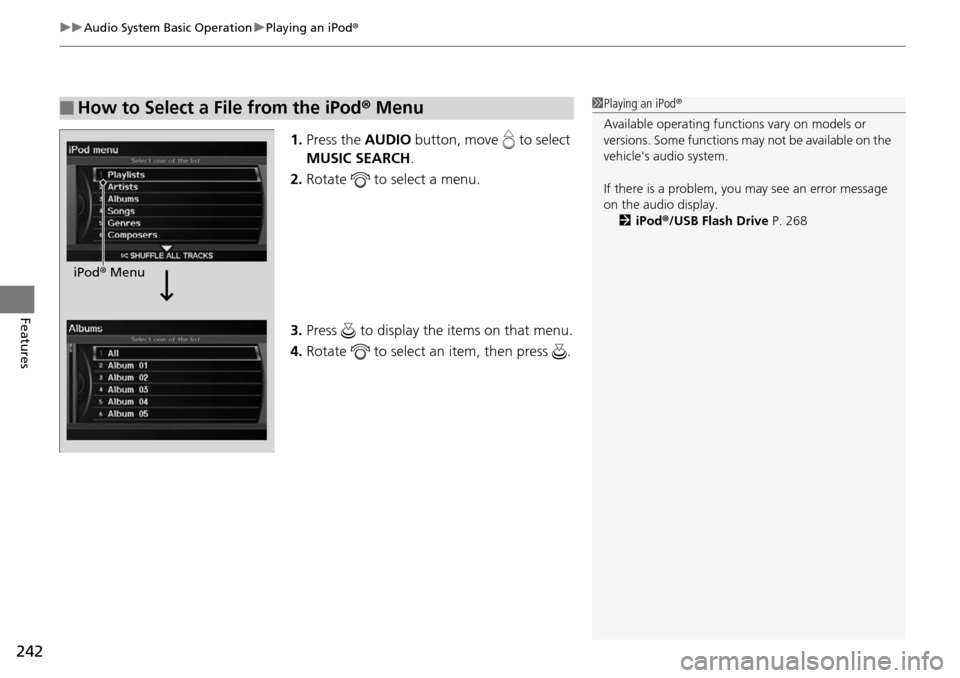
1.Press the AUDIO button, move to select
MUSIC SEARCH .
2. Rotate to select a menu.
3. Press to display the items on that menu.
4. Rotate to select an item, then press .
■How to Select a File from the iPod ® Menu1 Playing an iPod ®
Available operating functi ons vary on models or
versions. Some functions ma y not be available on the
vehicle's audio system.
If there is a problem, you may see an error message
on the audio display. 2 iPod ®/USB Flash Drive P. 268
iPod® Menu
Page 245 of 488
244
uuAudio System Basic Operation uPlaying a USB Flash Drive
Features
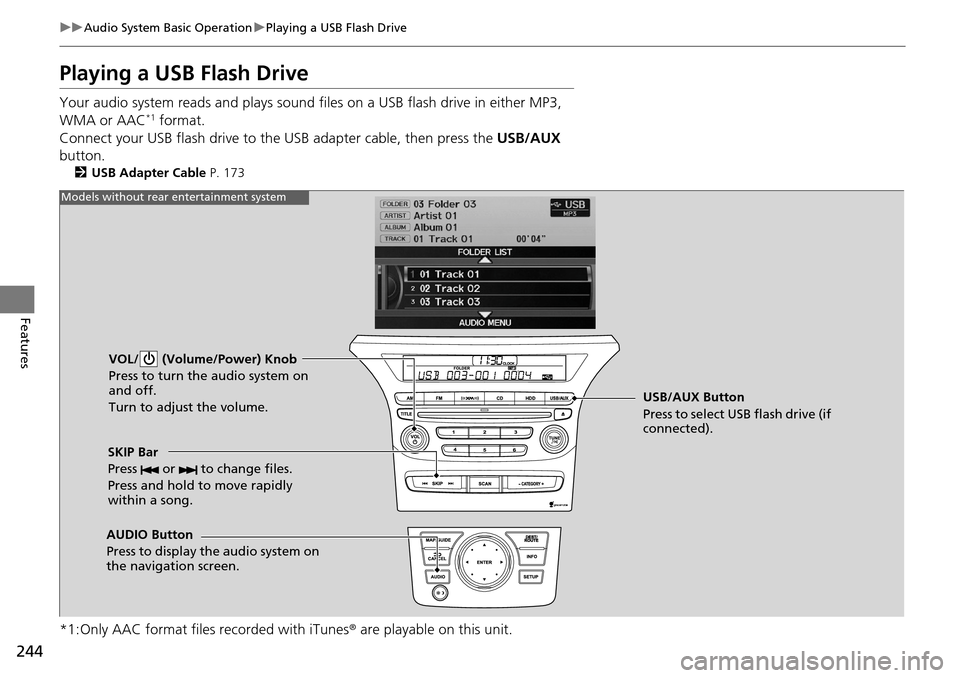
Playing a USB Flash Drive
Your audio system reads and plays sound files on a USB flash drive in either MP3,
WMA or AAC*1 format.
Connect your USB flash drive to the USB adapter cable, then press the USB/AUX
button.
2 USB Adapter Cable P. 173
*1:Only AAC format files recorded with iTunes ® are playable on this unit.
VOL/ (Volume/Power) Knob
Press to turn the audio system on
and off.
Turn to adjust the volume.
SKIP Bar
Press or to change files.
Press and hold to move rapidly
within a song.
AUDIO Button
Press to display the audio system on
the navigation screen. USB/AUX Button
Press to select USB flash drive (if
connected).
Models without rear entertainment system
Page 246 of 488
245
uuAudio System Basic Operation uPlaying a USB Flash Drive
Continued
Features
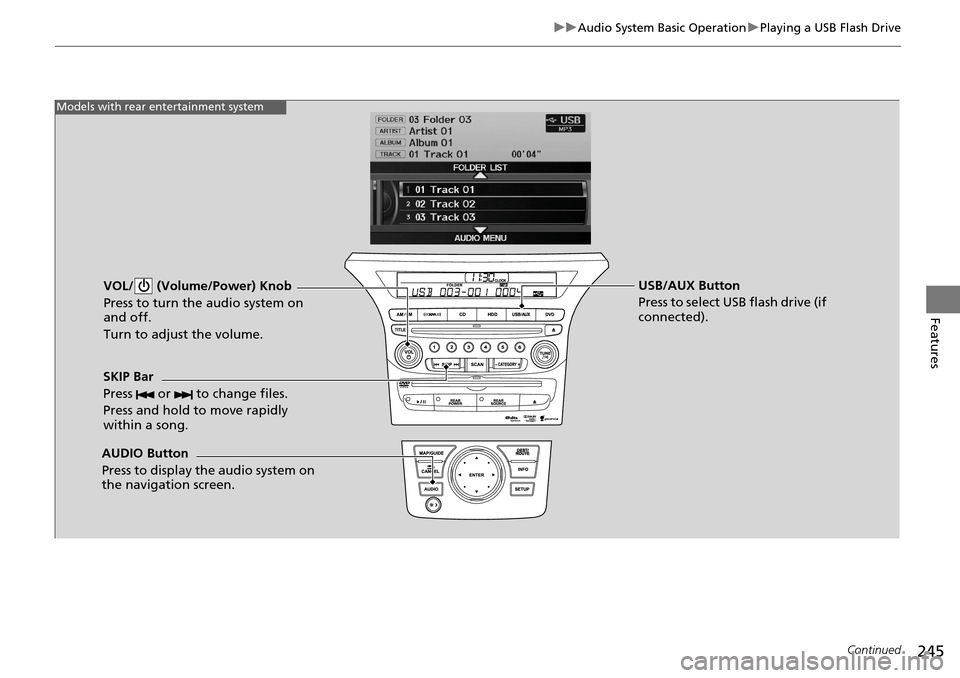
VOL/ (Volume/Power) Knob
Press to turn the audio system on
and off.
Turn to adjust the volume.
SKIP Bar
Press or to change files.
Press and hold to move rapidly
within a song.
AUDIO Button
Press to display the audio system on
the navigation screen. USB/AUX Button
Press to select USB flash drive (if
connected).
Models with rear entertainment system
Page 247 of 488
uuAudio System Basic Operation uPlaying a USB Flash Drive
246
Features
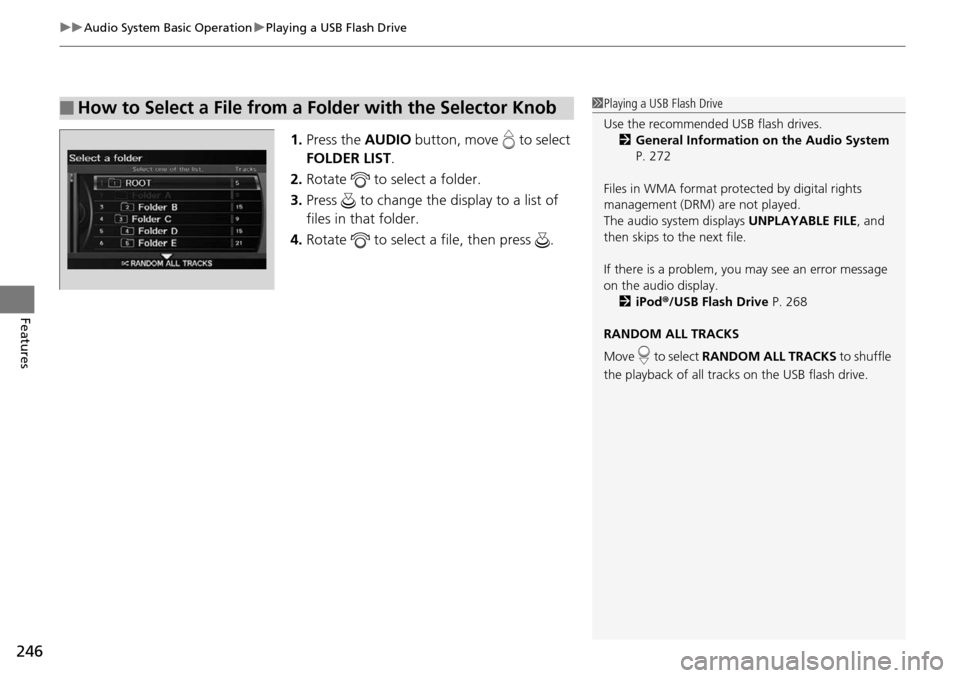
1. Press the AUDIO button, move to select
FOLDER LIST .
2. Rotate to select a folder.
3. Press to change the display to a list of
files in that folder.
4. Rotate to select a file, then press .
■How to Select a File from a Folder with the Selector Knob1Playing a USB Flash Drive
Use the recommended USB flash drives.
2 General Information on the Audio System
P. 272
Files in WMA format prot ected by digital rights
management (DRM) are not played.
The audio system displays UNPLAYABLE FILE, and
then skips to the next file.
If there is a problem, you may see an error message
on the audio display.
2 iPod ®/USB Flash Drive P. 268
RANDOM ALL TRACKS
Move to select RANDOM ALL TRACKS to shuffle
the playback of all trac ks on the USB flash drive.
Page 249 of 488
248
uuAudio System Basic Operation uPlaying Bluetooth ® Audio
Features
Playing Bluetooth ® Audio
Your audio system allows you to listen to music from your Bluetooth®-compatible
phone.
This function is available when the phone is paired a nd linked to the vehicle's
Bluetooth ® HandsFreeLink ® (HFL) system.
2 Phone Setup P. 305
1Playing Bluetooth ® Audio
Not all Bluetooth -enabled phones with streaming
audio capabilities are compatible with the system.
For a list of compatible phones:
•U.S.: Visit www.handsfreelink.honda.com , or call
1-888-528-7876.
•Canada: Visit www.handsfreelink.ca , or call 1-888-
528-7876.
In some states, it may be il legal to perform some data
device functions while driving.
If more than one phone is paired to the HFL system,
there will be a delay before the system begins to play.
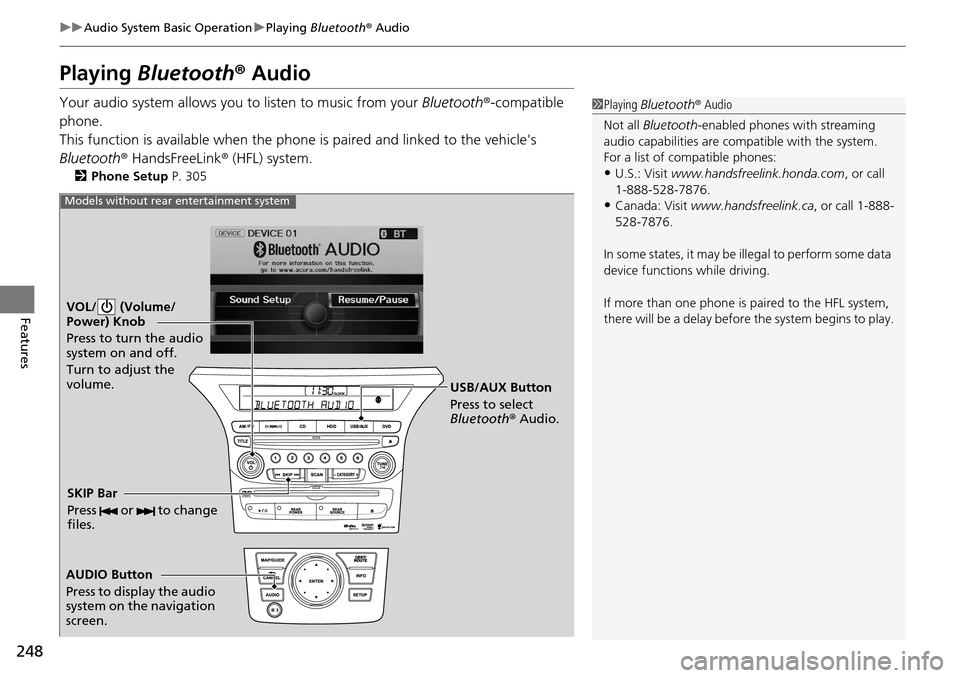
VOL/ (Volume/
Power) Knob
Press to turn the audio
system on and off.
Turn to adjust the
volume.
AUDIO Button
Press to display the audio
system on the navigation
screen. USB/AUX Button
Press to select
Bluetooth
® Audio.
SKIP Bar
Press or to change
files.
Models without rear entertainment system