remote control HONDA PILOT 2016 3.G Owner's Manual
[x] Cancel search | Manufacturer: HONDA, Model Year: 2016, Model line: PILOT, Model: HONDA PILOT 2016 3.GPages: 661, PDF Size: 37.79 MB
Page 146 of 661
Continued145
uuSecurity System uSecurity System Alarm
Controls
■To deactivate the security system alarm
Unlock the vehicle using the key, remote transmitter, or smart entry system. The
system, along with the horn and flashing lights, is deactivated.
■Setting the security system alarm
The security system alarm automatically sets when the following conditions have
been met:
• The power mode is set to VEHICLE OFF (LOCK).
• The hood is closed.
• All doors and the tailgate are locked from outside with the key, remote
transmitter, or smart entry system.
■When the security system alarm sets
The security system alarm indicator in the instrument panel blinks. When the
blinking interval changes after about 15 se conds, the security system alarm is set.
■To cancel the security system alarm
The security system alarm is canceled wh en the vehicle is unlocked using the key,
remote transmitter, smart entry system, or th e power mode is set to ON. The security
system alarm indicator goes off at the same time.
1 Security System Alarm
Do not set the security system alarm when someone
is in the vehicle or a window is open. The system can
accidentally activate when:
•Unlocking the door with the lock tab.•Opening the hood with the hood release.
If the battery goes dead after you have set the
security system alarm, the security alarm may go off
once the battery is re charged or replaced.
If this occurs, deactivate the security system alarm by
unlocking a door using the ke y, remote transmitter,
or smart entry system.
Do not attempt to alter th is system or add another
device to it.
16 PILOT-31TG76000.book 145 ページ 2015年6月15日 月曜日 午前11時30分
Page 147 of 661
146
uuSecurity System uSecurity System Alarm
Controls
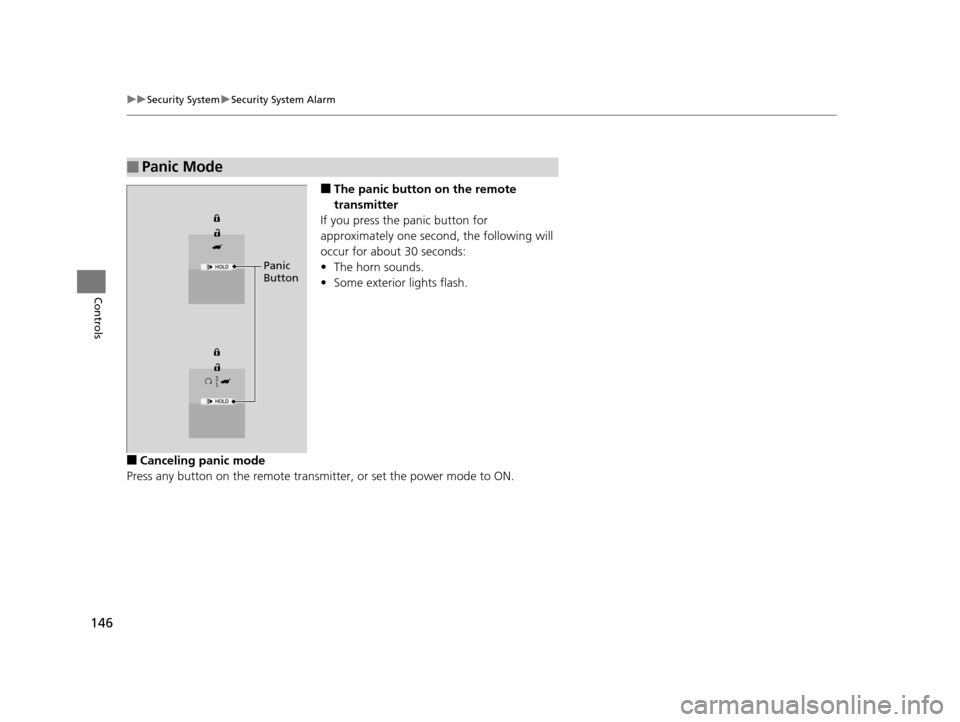
■The panic button on the remote
transmitter
If you press the panic button for
approximately one seco nd, the following will
occur for about 30 seconds:
• The horn sounds.
• Some exterior lights flash.
■Canceling panic mode
Press any button on the remote transmitter, or set the power mode to ON.
■Panic Mode
Panic
Button
16 PILOT-31TG76000.book 146 ページ 2015年6月15日 月曜日 午前11時30分
Page 149 of 661
148
uuOpening and Closing the Windows uOpening/Closing th e Power Windows
Controls
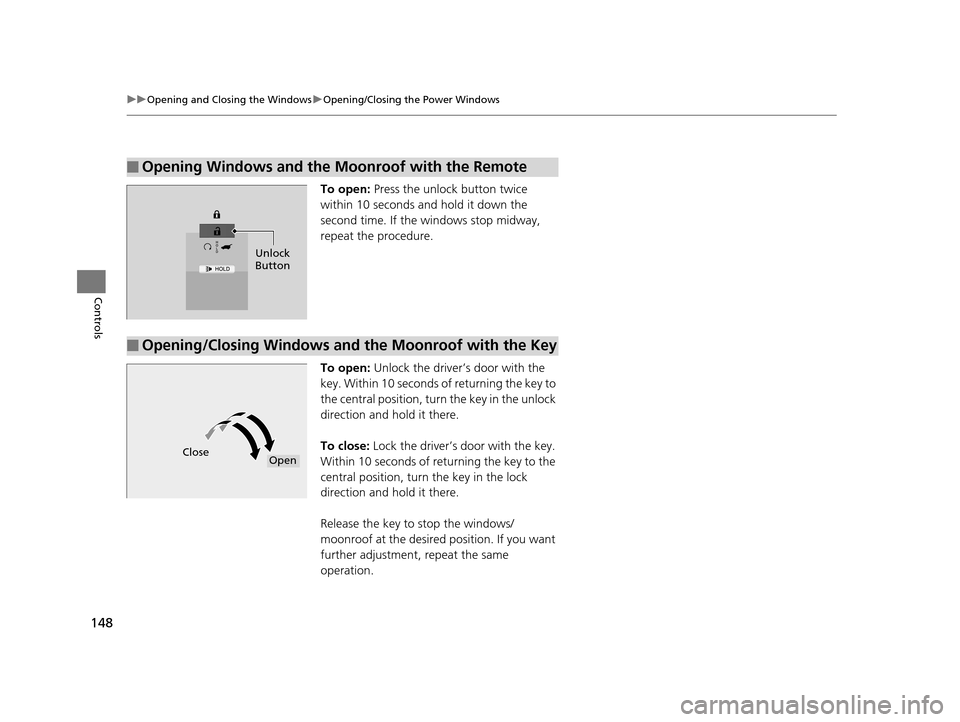
To open: Press the unlock button twice
within 10 seconds and hold it down the
second time. If the windows stop midway,
repeat the procedure.
To open: Unlock the driver’s door with the
key. Within 10 seconds of returning the key to
the central position, turn the key in the unlock
direction and hold it there.
To close: Lock the driver’s door with the key.
Within 10 seconds of re turning the key to the
central position, turn the key in the lock
direction and hold it there.
Release the key to stop the windows/
moonroof at the desired position. If you want
further adjustment, repeat the same
operation.
■Opening Windows and the Moonroof with the Remote
Unlock
Button
■Opening/Closing Windows and the Moonroof with the Key
CloseOpen
16 PILOT-31TG76000.book 148 ページ 2015年6月15日 月曜日 午前11時30分
Page 152 of 661
151Continued
Controls
Operating the Switches Around the Steering Wheel
ENGINE START/STOP Button
*1:Canadian models
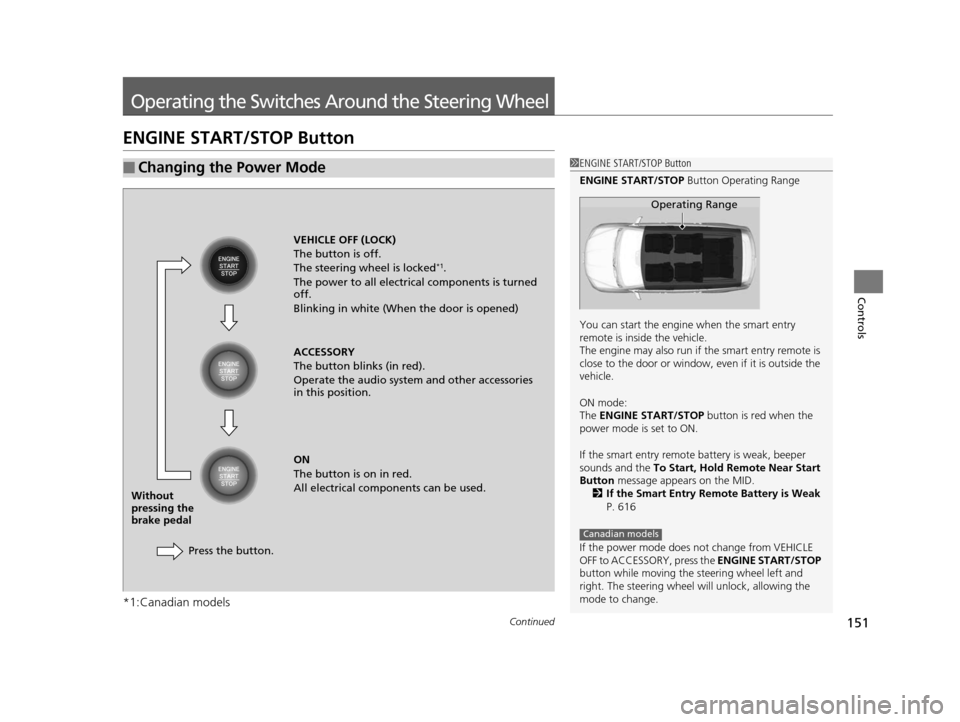
■Changing the Power Mode1ENGINE START/STOP Button
ENGINE START/STOP Button Operating Range
You can start the engine when the smart entry
remote is inside the vehicle.
The engine may also run if the smart entry remote is
close to the door or window, ev en if it is outside the
vehicle.
ON mode:
The ENGINE START/STOP button is red when the
power mode is set to ON.
If the smart entry remote battery is weak, beeper
sounds and the To Start, Hold Remote Near Start
Button message appears on the MID.
2 If the Smart Entry Remote Battery is Weak
P. 616
If the power mode does not change from VEHICLE
OFF to ACCESSORY, press the ENGINE START/STOP
button while moving the st eering wheel left and
right. The steering wheel will unlock, allowing the
mode to change.
Operating Range
Canadian models
VEHICLE OFF (LOCK)
The button is off.
The steering wheel is locked
*1.
The power to all electrical components is turned
off.
Blinking in white (When the door is opened)
ACCESSORY
The button blinks (in red).
Operate the audio system and other accessories
in this position.
ON
The button is on in red.
All electrical components can be used.
Press the button.
Without
pressing the
brake pedal
16 PILOT-31TG76000.book 151 ページ 2015年6月15日 月曜日 午前11時30分
Page 153 of 661
152
uuOperating the Switches Around the Steering Wheel uENGINE START/STOP Button
Controls
If you leave the vehicle for 30 to 60 minutes with the transmission in (P and the
power mode in ACCESSORY, the vehicle automa tically goes into the mode similar to
VEHICLE OFF (LOCK) to avoid the battery drain.
When in this mode:
The steering wheel does not lock.
You cannot lock or unlock doors with th e remote transmitter or the smart entry
system.
Press the ENGINE START/STOP button to switch the mode to VEHICLE OFF (LOCK).
If you open the driver’s doo r when the power mode is set to ACCESSORY, a warning
beeper sounds.
■Automatic Power Off
■Power Mode Reminder
Canadian models
16 PILOT-31TG76000.book 152 ページ 2015年6月15日 月曜日 午前11時30分
Page 154 of 661
153
uuOperating the Switches Around the Steering Wheel uENGINE START/STOP Button
Controls
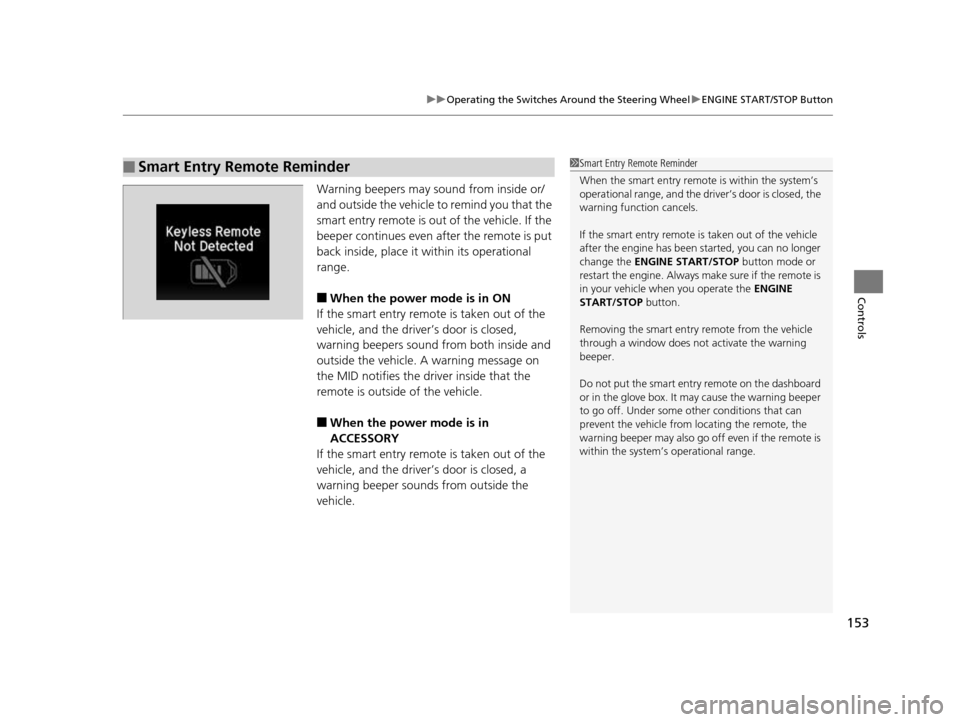
Warning beepers may sound from inside or/
and outside the vehicle to remind you that the
smart entry remote is out of the vehicle. If the
beeper continues even after the remote is put
back inside, place it within its operational
range.
■When the power mode is in ON
If the smart entry remote is taken out of the
vehicle, and the driver’s door is closed,
warning beepers sound from both inside and
outside the vehicle. A warning message on
the MID notifies the driver inside that the
remote is outside of the vehicle.
■When the power mode is in
ACCESSORY
If the smart entry remote is taken out of the
vehicle, and the driver’s door is closed, a
warning beeper sounds from outside the
vehicle.
■Smart Entry Remote Reminder1 Smart Entry Remote Reminder
When the smart entry remote is within the system’s
operational range, and the driv er’s door is closed, the
warning function cancels.
If the smart entry remote is taken out of the vehicle
after the engine has been started, you can no longer
change the ENGINE START/STOP button mode or
restart the engine. Always make sure if the remote is
in your vehicle when you operate the ENGINE
START/STOP button.
Removing the smart entry remote from the vehicle
through a window does not activate the warning
beeper.
Do not put the smart entr y remote on the dashboard
or in the glove box. It ma y cause the warning beeper
to go off. Under some other conditions that can
prevent the vehicle from locating the remote, the
warning beeper may also go of f even if the remote is
within the system’s operational range.
16 PILOT-31TG76000.book 153 ページ 2015年6月15日 月曜日 午前11時30分
Page 158 of 661
157
uuOperating the Switches Around the Steering Wheel uLight Switches
Controls
The headlights automatically come on when the wipers are used several times within
a certain number of intervals with the headlight switch in AUTO.
The headlights automatically go off a few minutes later if the wipers are stopped.
The headlights, all other exterior lights, a nd the instrument panel lights turn off 15
seconds after you set the po wer mode to VEHICLE OFF (LOCK), take the remote with
you, and close the driver’s door.
If you set the power mode to VEHICLE OFF (LOCK) with the headlight switch on, but
do not open the door, the lights turn off after 10 minutes (three minutes, if the
switch is in the AUTO position).
The lights turn on again when you unlock or open the driver’s door. If you unlock
the door, but do not open it within 15 seconds, the lights go off. If you open the
driver’s door, you will hear a lights on reminder chime.
■Headlight Integration with Wiper
■Automatic Lighting Off Feature
1 Automatic Lighting Control
Adjust the auto light sensitivity as follows:
SettingThe exterior lights come on
when the ambient light is at
Max
High
Mid
Low
Min
Bright
Dark
1 Headlight Integration with Wiper
This feature activates during the headlights are off in
AUTO .
The instrument panel br ightness does not change
when the headlights come on.
When the ambient light is dark, the automatic
lighting control feature over rides, and the headlights
come on with or without the wipers sweeping more
than several times.
1 Automatic Lighting Off Feature
You can change the headlight auto off timer setting.
2 Customized Features P. 342
16 PILOT-31TG76000.book 157 ページ 2015年6月15日 月曜日 午前11時30分
Page 169 of 661
168
uuOperating the Switches Around the Steering Wheel uDriving Position Memory System*
Controls
Driving Position Memory System*
You can store two driver’s seat (except for power lumbar) and door mirror positions
with the driving position memory system.
When you unlock and open the driver’s door with a remote transmitter, or smart
entry system, the seat and door mirrors adju st automatically to one of the two preset
positions.
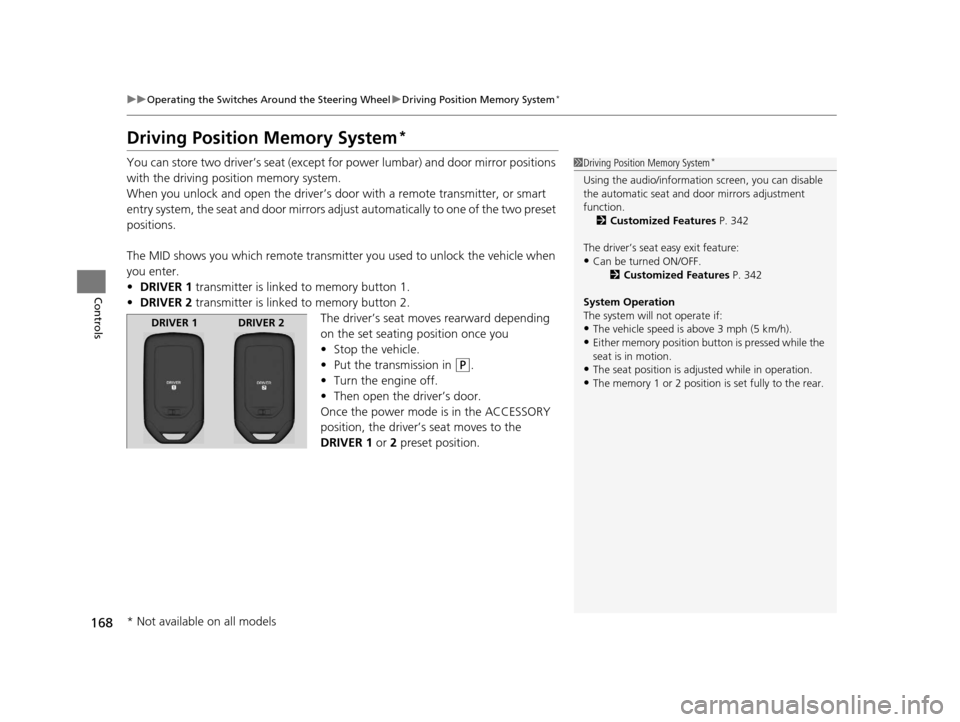
The MID shows you which remote transmitter you used to unlock the vehicle when
you enter.
• DRIVER 1 transmitter is linked to memory button 1.
• DRIVER 2 transmitter is linked to memory button 2.
The driver’s seat moves rearward depending
on the set seating position once you
•Stop the vehicle.
• Put the transmission in
(P.
• Turn the engine off.
• Then open the driver’s door.
Once the power mode is in the ACCESSORY
position, the driver’s seat moves to the
DRIVER 1 or 2 preset position.
1Driving Position Memory System*
Using the audio/informati on screen, you can disable
the automatic seat and d oor mirrors adjustment
function. 2 Customized Features P. 342
The driver’s seat easy exit feature:
•Can be turned ON/OFF. 2Customized Features P. 342
System Operation
The system will not operate if:
•The vehicle speed is above 3 mph (5 km/h).•Either memory position button is pressed while the
seat is in motion.
•The seat position is adju sted while in operation.•The memory 1 or 2 position is set fully to the rear.
DRIVER 1 DRIVER 2
* Not available on all models
16 PILOT-31TG76000.book 168 ページ 2015年6月15日 月曜日 午前11時30分
Page 218 of 661
217
Features
This chapter describes how to operate technology features.
Audio SystemAbout Your Audio System ................ 218
USB Port(s) ....................................... 219
Auxiliary Input Jack .......................... 220
Audio System Theft Protection ......... 221
Audio Remote Controls .................... 222
Audio System Basic Operation ........ 224
Audio System Basic Operation ........ 242
Models with color audio system
Models with Display Audio
Audio Error Messages...................... 304
CD Player*....................................... 304
iPod/USB Flash Drive ........................ 305
Pandora ®
*....................................... 306
Android/Apps .................................. 307
General Information on the Audio
System ............................................. 308
SiriusXM ® Radio Service ................... 308
Recommended CD
*......................... 309
Compatible iPod, iPhone, and USB Flash Drives............................................. 311
About Open Source Licenses ............ 312 Blu-ray/DVD Rear Entertainment
System
*........................................... 313
Customized Features ........................ 342
HomeLink ® Universal Transceiver
*.. 378
Bluetooth ® HandsFreeLink® ............. 381
Bluetooth ® HandsFreeLink® ............. 406
Compass
*.......................................... 439
Compass Calibration........................ 439
Compass Zone Selection .................. 440
Models with color audio system
Models with Display Audio
* Not available on all models
16 PILOT-31TG76000.book 217 ページ 2015年6月15日 月曜日 午前11時30分
Page 219 of 661
218
Features
Audio System
About Your Audio System
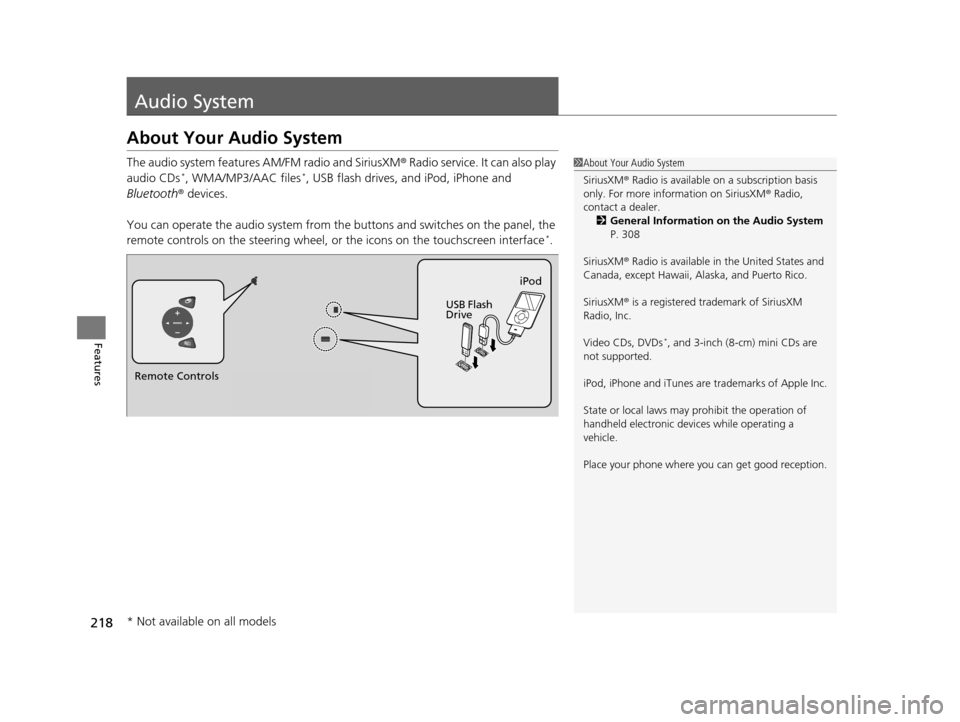
The audio system features AM/FM radio and SiriusXM® Radio service. It can also play
audio CDs*, WMA/MP3/AAC files*, USB flash drives, and iPod, iPhone and
Bluetooth ® devices.
You can operate the audio system from the buttons and switches on the panel, the
remote controls on the steering wheel, or the icons on the touchscreen interface
*.
1About Your Audio System
SiriusXM ® Radio is available on a subscription basis
only. For more information on SiriusXM ® Radio,
contact a dealer.
2 General Information on the Audio System
P. 308
SiriusXM ® Radio is available in the United States and
Canada, except Ha waii, Alaska, and Puerto Rico.
SiriusXM ® is a registered trademark of SiriusXM
Radio, Inc.
Video CDs, DVDs
*, and 3-inch (8-cm) mini CDs are
not supported.
iPod, iPhone and iTunes are trademarks of Apple Inc.
State or local laws may pr ohibit the operation of
handheld electronic devi ces while operating a
vehicle.
Place your phone where y ou can get good reception.
Remote Controls iPod
USB Flash
Drive
* Not available on all models
16 PILOT-31TG76000.book 218 ページ 2015年6月15日 月曜日 午前11時30分