remote start HONDA PILOT 2016 3.G Owner's Manual
[x] Cancel search | Manufacturer: HONDA, Model Year: 2016, Model line: PILOT, Model: HONDA PILOT 2016 3.GPages: 661, PDF Size: 37.79 MB
Page 366 of 661
365
uuCustomized Features u
Continued
Features
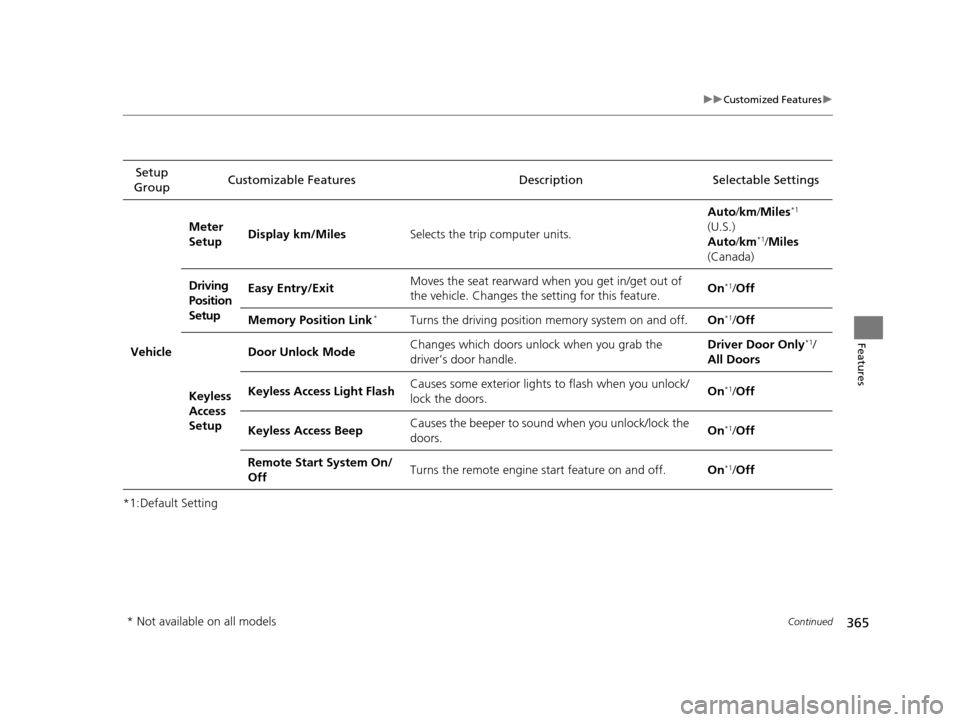
*1:Default SettingSetup
Group Customizable Features Description Selectable Settings
Vehicle
Meter
Setup
Display km/Miles
Selects the trip computer units. Auto
/km /Miles
*1
(U.S.)
Auto /km*1/Miles
(Canada)
Driving
Position
Setup Easy Entry/Exit
Moves the seat rearward when you get in/get out of
the vehicle. Changes the
setting for this feature. On
*1/
Off
Memory Position Link
*Turns the driving position memory system on and off. On*1/Off
Keyless
Access
Setup Door Unlock Mode
Changes which doors unlock when you grab the
driver’s door handle. Driver Door Only
*1/
All Doors
Keyless Access Light Flash Causes some exterior lights to flash when you unlock/
lock the doors. On
*1/
Off
Keyless Access Beep Causes the beeper to soun
d when you unlock/lock the
doors. On
*1/
Off
Remote Start System On/
Off Turns the remote engine start feature on and off.
On
*1/Off
* Not available on all models
16 PILOT-31TG76000.book 365 ページ 2015年6月15日 月曜日 午前11時30分
Page 462 of 661
461Continued
Driving
When Driving
Starting the Engine
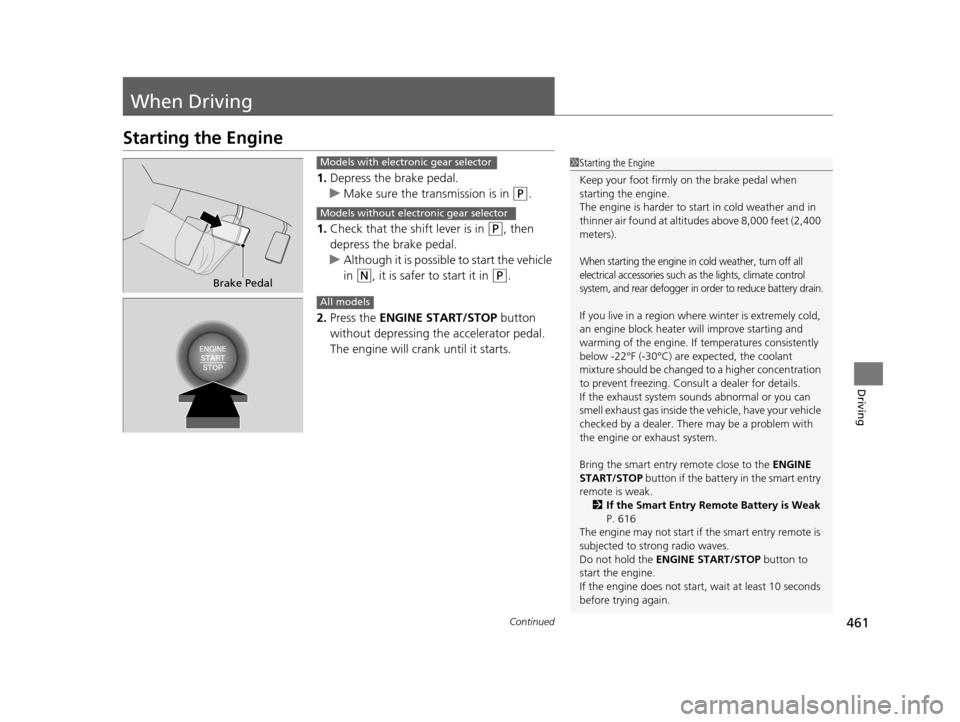
1.Depress the brake pedal.
u Make sure the transmission is in
(P.
1. Check that the shift lever is in
(P, then
depress the brake pedal.
u Although it is possible to start the vehicle
in
(N, it is safer to start it in (P.
2. Press the ENGINE START/STOP button
without depressing the accelerator pedal.
The engine will crank until it starts.
1 Starting the Engine
Keep your foot firmly on the brake pedal when
starting the engine.
The engine is harder to st art in cold weather and in
thinner air found at altitudes above 8,000 feet (2,400
meters).
When starting the engine in cold weather, turn off all
electrical accessories such as the lights, climate control
system, and rear defogger in order to reduce battery drain.
If you live in a region where winter is extremely cold,
an engine block heater will improve starting and
warming of the engine. If temperatures consistently
below -22°F (-30°C) are expected, the coolant
mixture should be changed to a higher concentration
to prevent freezing. Cons ult a dealer for details.
If the exhaust system sounds abnormal or you can
smell exhaust gas inside the vehicle, have your vehicle
checked by a dealer. There may be a problem with
the engine or exhaust system.
Bring the smart entry remote close to the ENGINE
START/STOP button if the battery in the smart entry
remote is weak.
2 If the Smart Entry Remote Battery is Weak
P. 616
The engine may not start if the smart entry remote is
subjected to strong radio waves.
Do not hold the ENGINE START/STOP button to
start the engine.
If the engine does not start, wait at least 10 seconds
before trying again.
Brake Pedal
Models with electronic gear selector
Models without electronic gear selector
All models
16 PILOT-31TG76000.book 461 ページ 2015年6月15日 月曜日 午前11時30分
Page 464 of 661
Continued463
uuWhen Driving uStarting the Engine
Driving
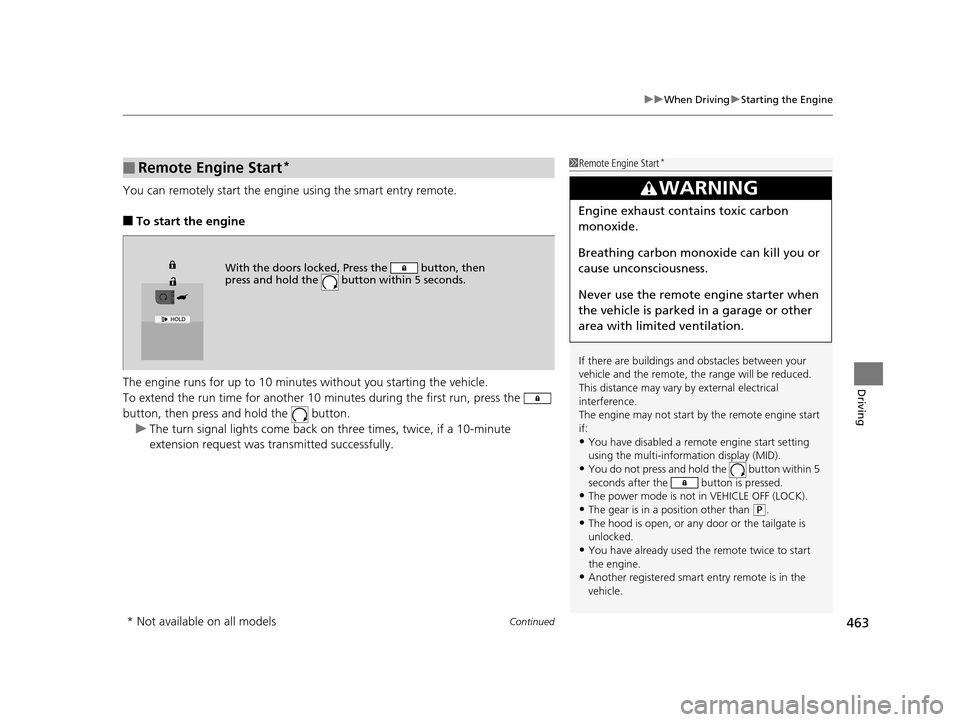
You can remotely start the engine using the smart entry remote.
■To start the engine
The engine runs for up to 10 minu tes without you starting the vehicle.
To extend the run time for another 10 mi nutes during the first run, press the
button, then press an d hold the button.
u The turn signal lights co me back on three times, twice, if a 10-minute
extension request was transmitted successfully.
■Remote Engine Start*1 Remote Engine Start*
If there are buildings an d obstacles between your
vehicle and the remote, th e range will be reduced.
This distance may vary by external electrical
interference.
The engine may not start by the remote engine start
if:
•You have disabled a remo te engine start setting
using the multi-information display (MID).
•You do not press and hold the button within 5
seconds after the button is pressed.
•The power mode is not in VEHICLE OFF (LOCK).•The gear is in a position other than ( P.
•The hood is open, or any door or the tailgate is
unlocked.
•You have already used the remote twice to start
the engine.
•Another registered smart entry remote is in the
vehicle.
3WARNING
Engine exhaust contains toxic carbon
monoxide.
Breathing carbon monoxide can kill you or
cause unconsciousness.
Never use the remote engine starter when
the vehicle is parked in a garage or other
area with limited ventilation.
With the doors locked, Press the button, then
press and hold the button within 5 seconds.
* Not available on all models
16 PILOT-31TG76000.book 463 ページ 2015年6月15日 月曜日 午前11時30分
Page 465 of 661
uuWhen Driving uStarting the Engine
464
Driving
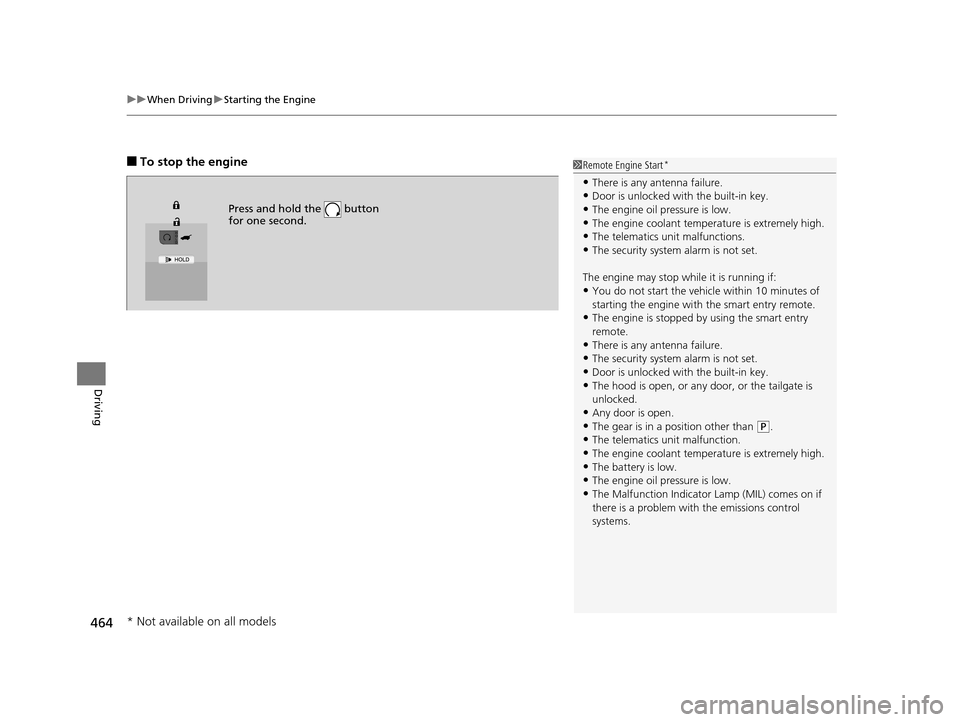
■To stop the engine
Press and hold the button
for one second.
1Remote Engine Start*
•There is any antenna failure.•Door is unlocked with the built-in key.
•The engine oil pressure is low.
•The engine coolant temper ature is extremely high.•The telematics unit malfunctions.
•The security system alarm is not set.
The engine may stop whil e it is running if:
•You do not start the vehicl e within 10 minutes of
starting the engine with the smart entry remote.
•The engine is stopped by using the smart entry
remote.
•There is any antenna failure.
•The security system alarm is not set.•Door is unlocked with the built-in key.
•The hood is open, or any door, or the tailgate is
unlocked.
•Any door is open.
•The gear is in a position other than ( P.
•The telematics unit malfunction.•The engine coolant temper ature is extremely high.
•The battery is low.
•The engine oil pressure is low.•The Malfunction Indicator Lamp (MIL) comes on if
there is a problem with the emissions control
systems.
* Not available on all models
16 PILOT-31TG76000.book 464 ページ 2015年6月15日 月曜日 午前11時30分
Page 466 of 661
Continued465
uuWhen Driving uStarting the Engine
Driving
1Remote Engine Start*
While the engine is running, the vehicle will
automatically preconditi on inside the vehicle.
When it is warm outside:
•The climate control system is activated in
recirculation mode.
•The seat ventilat ion is activated*.
When it is cold outside:
•The defroster is activated at a moderately warm
temperature.
•The rear defogger and door mirror heaters are
activated*.
•The seat heaters and heated steering wheel are
activated*.
2 Heated Steering Wheel* P. 200
2 Front Seat Heaters and Seat
Ventilation
* P. 202, 203
* Not available on all models
16 PILOT-31TG76000.book 465 ページ 2015年6月15日 月曜日 午前11時30分
Page 467 of 661
uuWhen Driving uStarting the Engine
466
Driving
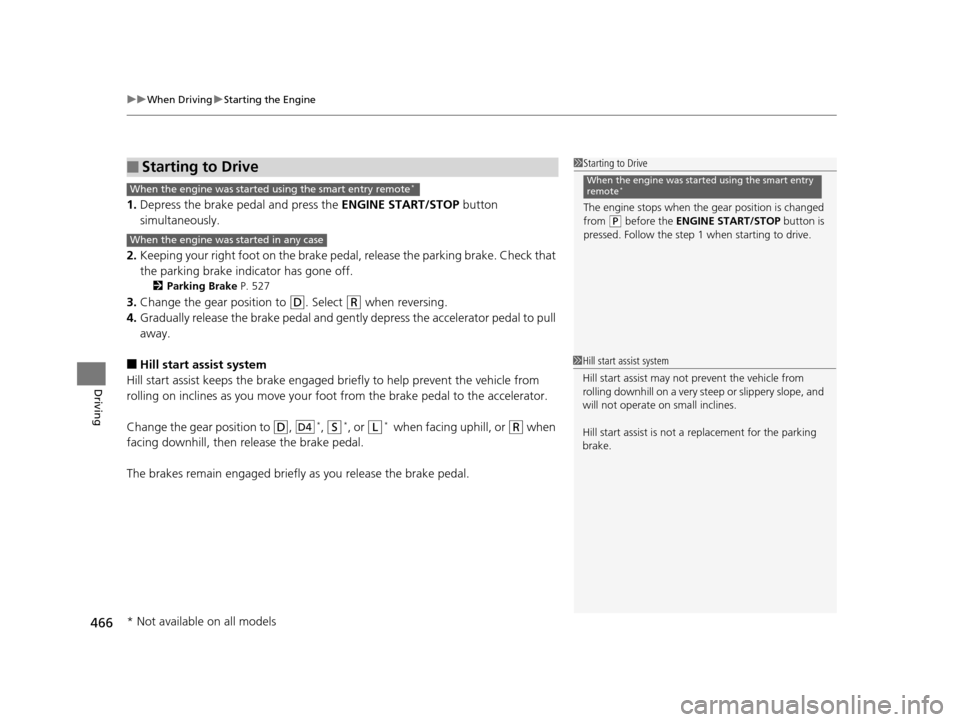
1. Depress the brake pedal and press the ENGINE START/STOP button
simultaneously.
2. Keeping your right foot on the brake peda l, release the parking brake. Check that
the parking brake indicator has gone off.
2 Parking Brake P. 527
3.Change the gear position to (D. Select (R when reversing.
4. Gradually release the brake pedal and gently depress the accelerator pedal to pull
away.
■Hill start assist system
Hill start assist keeps the brake engaged br iefly to help prevent the vehicle from
rolling on inclines as you move your fo ot from the brake pedal to the accelerator.
Change the gear position to
(D, *, (S*, or (L* wh e n f ac in g uphi ll, or (R when
facing downhill, then release the brake pedal.
The brakes remain engaged briefly as you release the brake pedal.
■Starting to Drive1 Starting to Drive
The engine stops when the gear position is changed
from
( P before the ENGINE START/STOP button is
pressed. Follow the step 1 when starting to drive.
When the engine was started using the smart entry
remote*When the engine was started using the smart entry remote*
When the engine was started in any case
D4
1 Hill start assist system
Hill start assist may not prevent the vehicle from
rolling downhill on a very steep or slippe ry slope, and
will not operate on small inclines.
Hill start assist is not a replacement for the parking
brake.
* Not available on all models
16 PILOT-31TG76000.book 466 ページ 2015年6月15日 月曜日 午前11時30分
Page 606 of 661
605
Handling the Unexpected
This chapter explains how to handle unexpected troubles.
ToolsTypes of Tools .................................. 606
If a Tire Goes Flat Changing a Flat Tire ......................... 607
Engine Does Not Start Checking the Engine ........................ 615
If the Smart Entry Remote Battery is Weak .......................................... 616
Emergency Engine Stop ................... 617
Shift Lever Does Not Move*............ 618
Jump Starting .................................... 619 Overheating
How to Handle Overheating............. 622
Indicator, Coming On/Blinking
If the Low Oil Pressure Indicator Comes On ............................................. 624
If the Charging System Indicator Comes
On ................................................. 624
If the Malfunction Indicator Lamp Comes On or Blinks ................................... 625
If the Brake System Indicator (Red) Comes On .................................................... 626
If the Electric Power Steering (EPS) System
Indicator Comes On ............................... 626
If the Low Tire Pressure/Tire Pressure Monitoring System (TPMS) Indicator Comes
On or Blinks........................................ 627
If the Transmission I ndicator Blinks along
with the Warning Message*.......... 627
Fuses
Fuse Locations ................................. 628
Inspecting and Changing Fuses ........ 632
Emergency Towing ........................... 633
When You Cannot Unlock the Fuel Fill Door.. 634
Refueling........................................... 635Refueling From a Portable Fuel Container .... 635
When You Cannot Open the Tailgate.. 636
* Not available on all models
16 PILOT-31TG76000.book 605 ページ 2015年6月15日 月曜日 午前11時30分
Page 616 of 661
615
Handling the Unexpected
Engine Does Not Start
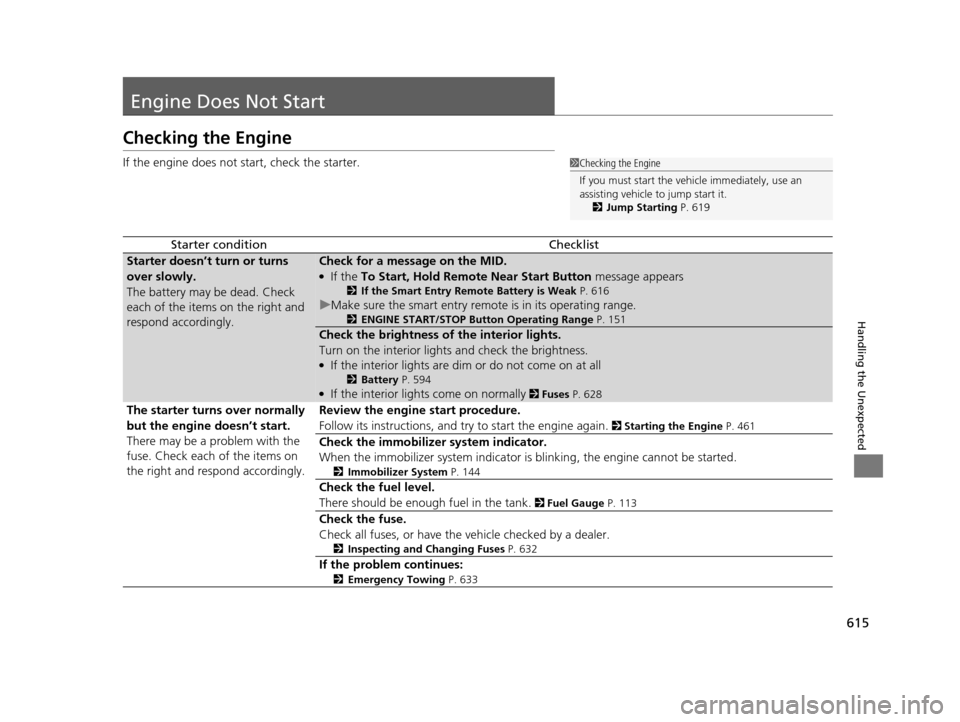
Checking the Engine
If the engine does not start, check the starter.
Starter conditionChecklist
Starter doesn’t turn or turns
over slowly.
The battery may be dead. Check
each of the items on the right and
respond accordingly.Check for a message on the MID.
●If the To Start, Hold Remote Near Start Button message appears
2If the Smart Entry Remote Battery is Weak P. 616
uMake sure the smart entry remote is in its operating range.
2 ENGINE START/STOP Button Operating Range P. 151
Check the brightness of the interior lights.
Turn on the interior lights and check the brightness.
●If the interior lights are dim or do not come on at all
2 Battery P. 594●If the interior lights come on normally 2 Fuses P. 628
The starter turns over normally
but the engine doesn’t start.
There may be a problem with the
fuse. Check each of the items on
the right and respond accordingly. Review the engine start procedure.
Follow its instructions, and try
to start the engine again.
2 Starting the Engine P. 461
Check the immobilizer system indicator.
When the immobilizer system indicator is blinking, the engine cannot be started.
2Immobilizer System P. 144
Check the fuel level.
There should be enough fuel in the tank.
2 Fuel Gauge P. 113
Check the fuse.
Check all fuses, or have the vehicle checked by a dealer.
2Inspecting and Changing Fuses P. 632
If the problem continues:
2Emergency Towing P. 633
1Checking the Engine
If you must start the vehi cle immediately, use an
assisting vehicle to jump start it.
2 Jump Starting P. 619
16 PILOT-31TG76000.book 615 ページ 2015年6月15日 月曜日 午前11時30分
Page 617 of 661
616
uuEngine Does Not Start uIf the Smart Entry Remote Battery is Weak
Handling the Unexpected
If the Smart Entry Remote Battery is Weak
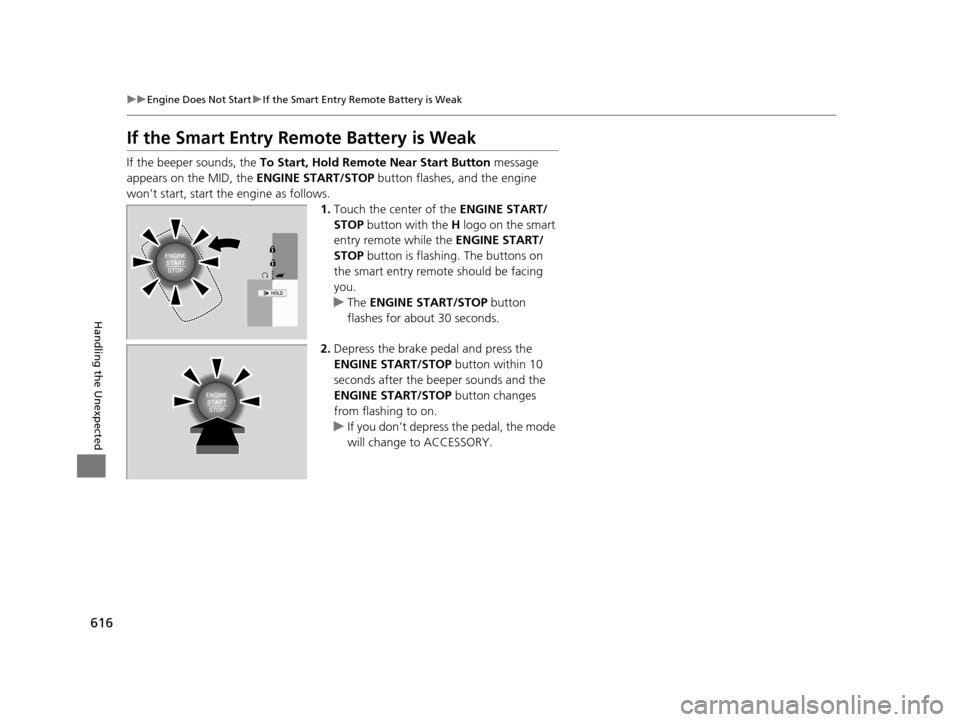
If the beeper sounds, the To Start, Hold Remote Near Start Button message
appears on the MID, the ENGINE START/STOP button flashes, and the engine
won’t start, start the engine as follows.
1.Touch the center of the ENGINE START/
STOP button with the H logo on the smart
entry remote while the ENGINE START/
STOP button is flashing. The buttons on
the smart entry remote should be facing
you.
u The ENGINE START/STOP button
flashes for about 30 seconds.
2. Depress the brake pedal and press the
ENGINE START/STOP button within 10
seconds after the beeper sounds and the
ENGINE START/STOP button changes
from flashing to on.
u If you don’t depress the pedal, the mode
will change to ACCESSORY.
16 PILOT-31TG76000.book 616 ページ 2015年6月15日 月曜日 午前11時30分
Page 642 of 661
641
Information
Devices that Emit Radio Waves
The following products and systems on your vehicle emit radio waves when in operation.
Each of the above complies with the appropriate requirements or the required standards of FCC (Federal Communications Commissio n)
and Industry Canada Standard, described below:
As required by the FCC:
This device complies with Part 15 of the FCC rules. Operation is subject to the following two conditions: (1)
This device may not cause harmful interference, and (2) this device must accept any interference received,
including interference that may cause undesired operation.
Changes or modifications not expres sly approved by the party responsible for compliance could void the
user’s authority to operate the equipment.
This device complies with industry Canada Standard RSS-Gen/210/ 251/310. Operation is subject to the following two conditions: (1) this
device may not cause interference, and (2) this device must ac cept any interference, including interference that may cause unde sired
operation of the device.
HondaLink
Audio System
Blind spot information System*
Bluetooth ® Audio
Bluetooth® HandsFreeLink ®
HomeLink® Universal Transceiver*
Collision Mitigati on Braking SystemTM *
Immobilizer System
Remote Transmitter
Smart Entry System*
Tire Pressure Monitoring System (TPMS)
Remote Engine Start System*
* Not available on all models
16 PILOT-31TG76000.book 641 ページ 2015年6月15日 月曜日 午前11時30分