lock HONDA PILOT 2016 3.G Repair Manual
[x] Cancel search | Manufacturer: HONDA, Model Year: 2016, Model line: PILOT, Model: HONDA PILOT 2016 3.GPages: 661, PDF Size: 37.79 MB
Page 162 of 661
161
uuOperating the Switches Around the Steering Wheel uAuto High-Beam System*
Controls
■To manually cancel th e system temporarily
You can cancel the operation when you ma nually change the headlights to high
beams. Push the lever forward until you hear a click, or lightly pull the lever towards
you to flash high beams. The auto hi gh-beam system indicator goes off.
If you want the auto high-beam system operation to resume at once, pull the lever
towards you.
Disable the system when the vehicle is parked
with the power mode in ON and the light
switch is in the AUTO position.
To disable the system: Pull the light switch
lever towards you and hold it for 40 seconds.
The auto high-beam indica tor in the meter will
blink twice.
To enable the system: Pull the light switch
lever towards you and hold it for 30 seconds.
The auto high-beam indica tor in the meter will
blink once.
■To Disable the System
1 To Operate the System
If the Can Not Operate: message appears:
Park your vehicle in a safe place. Wipe away debris
blocking the windshield, then start driving again. If
the message remains on even after driving for a while
with the clean windshield, have your vehicle checked
by a dealer.
1 To Disable the System
The auto high-beam system will remain in the
selected disabled or enab led setting each time you
start the engine.
16 PILOT-31TG76000.book 161 ページ 2015年6月15日 月曜日 午前11時30分
Page 166 of 661
165
uuOperating the Switches Around the Steering Wheel uWipers and Washers
Controls
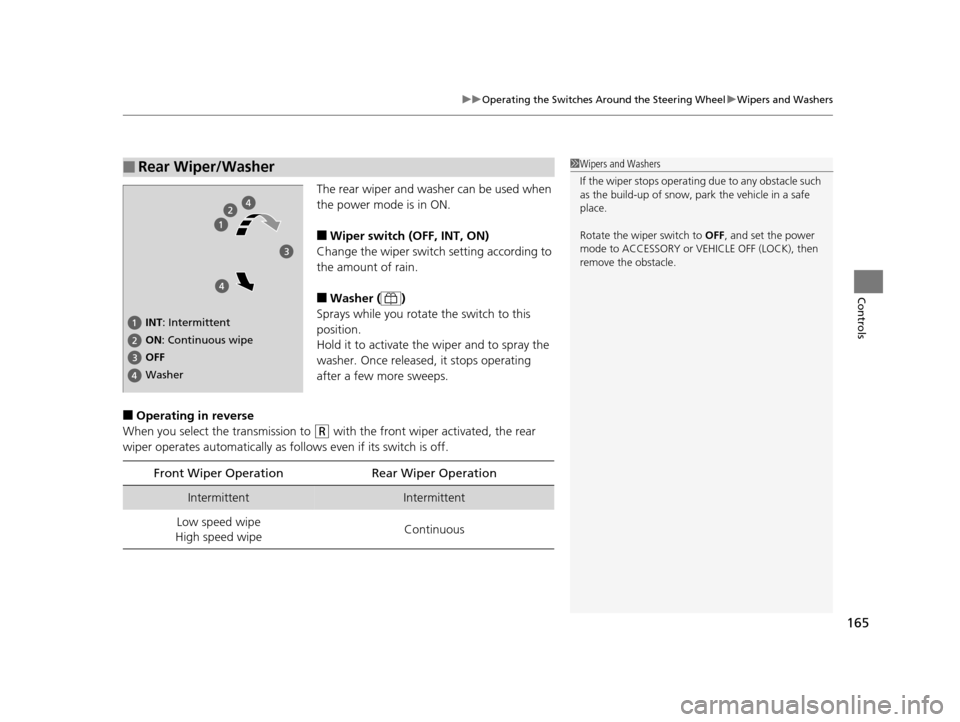
The rear wiper and washer can be used when
the power mode is in ON.
■Wiper switch (OFF, INT, ON)
Change the wiper switch setting according to
the amount of rain.
■Washer ( )
Sprays while you rotate the switch to this
position.
Hold it to activate th e wiper and to spray the
washer. Once released, it stops operating
after a few more sweeps.
■Operating in reverse
When you select the transmission to
(R with the front wiper activated, the rear
wiper operates automati cally as follows even if its switch is off.
■Rear Wiper/Washer1Wipers and Washers
If the wiper stops operating due to any obstacle such
as the build-up of snow, pa rk the vehicle in a safe
place.
Rotate the wipe r switch to OFF, and set the power
mode to ACCESSORY or VEHICLE OFF (LOCK), then
remove the obstacle.
INT: Intermittent
OFF ON : Continuous wipe
Washer
Front Wiper Operation Rear Wiper Operation
IntermittentIntermittent
Low speed wipe
High speed wipe Continuous
16 PILOT-31TG76000.book 165 ページ 2015年6月15日 月曜日 午前11時30分
Page 169 of 661
168
uuOperating the Switches Around the Steering Wheel uDriving Position Memory System*
Controls
Driving Position Memory System*
You can store two driver’s seat (except for power lumbar) and door mirror positions
with the driving position memory system.
When you unlock and open the driver’s door with a remote transmitter, or smart
entry system, the seat and door mirrors adju st automatically to one of the two preset
positions.
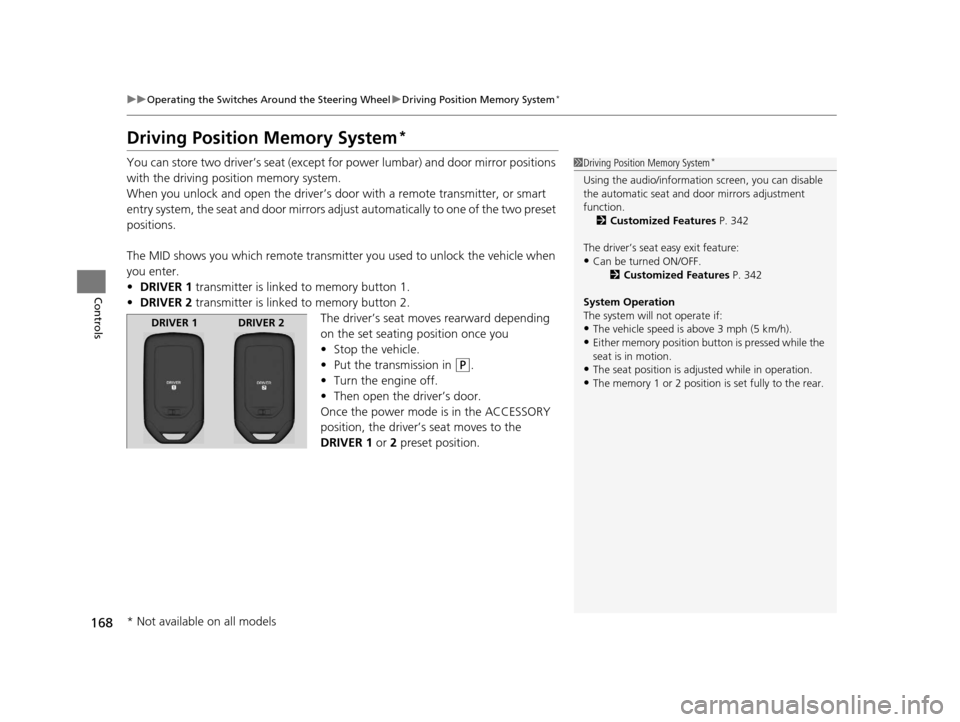
The MID shows you which remote transmitter you used to unlock the vehicle when
you enter.
• DRIVER 1 transmitter is linked to memory button 1.
• DRIVER 2 transmitter is linked to memory button 2.
The driver’s seat moves rearward depending
on the set seating position once you
•Stop the vehicle.
• Put the transmission in
(P.
• Turn the engine off.
• Then open the driver’s door.
Once the power mode is in the ACCESSORY
position, the driver’s seat moves to the
DRIVER 1 or 2 preset position.
1Driving Position Memory System*
Using the audio/informati on screen, you can disable
the automatic seat and d oor mirrors adjustment
function. 2 Customized Features P. 342
The driver’s seat easy exit feature:
•Can be turned ON/OFF. 2Customized Features P. 342
System Operation
The system will not operate if:
•The vehicle speed is above 3 mph (5 km/h).•Either memory position button is pressed while the
seat is in motion.
•The seat position is adju sted while in operation.•The memory 1 or 2 position is set fully to the rear.
DRIVER 1 DRIVER 2
* Not available on all models
16 PILOT-31TG76000.book 168 ページ 2015年6月15日 月曜日 午前11時30分
Page 171 of 661
170
uuOperating the Switches Around the Steering Wheel uAdjusting the Steering Wheel
Controls
Adjusting the Steering Wheel
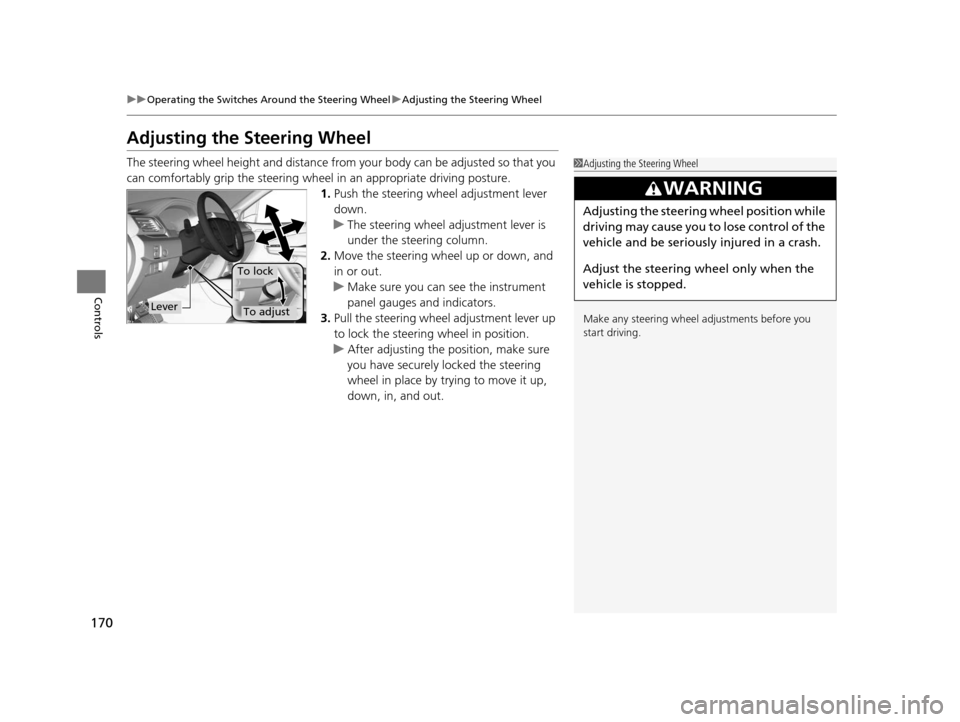
The steering wheel height and distance from your body can be adjusted so that you
can comfortably grip the steering wheel in an appropriate driving posture.
1.Push the steering wheel adjustment lever
down.
u The steering wheel adjustment lever is
under the steering column.
2. Move the steering wheel up or down, and
in or out.
u Make sure you can see the instrument
panel gauges and indicators.
3. Pull the steering wheel adjustment lever up
to lock the steering wheel in position.
u After adjusting the position, make sure
you have securely locked the steering
wheel in place by trying to move it up,
down, in, and out.1Adjusting the Steering Wheel
Make any steering wheel adjustments before you
start driving.
3WARNING
Adjusting the steering wheel position while
driving may cause you to lose control of the
vehicle and be seriously injured in a crash.
Adjust the steering wheel only when the
vehicle is stopped.
Lever
To lock
To adjust
16 PILOT-31TG76000.book 170 ページ 2015年6月15日 月曜日 午前11時30分
Page 176 of 661
Continued175
uuAdjusting the Seats uAdjusting the Seat Positions
Controls
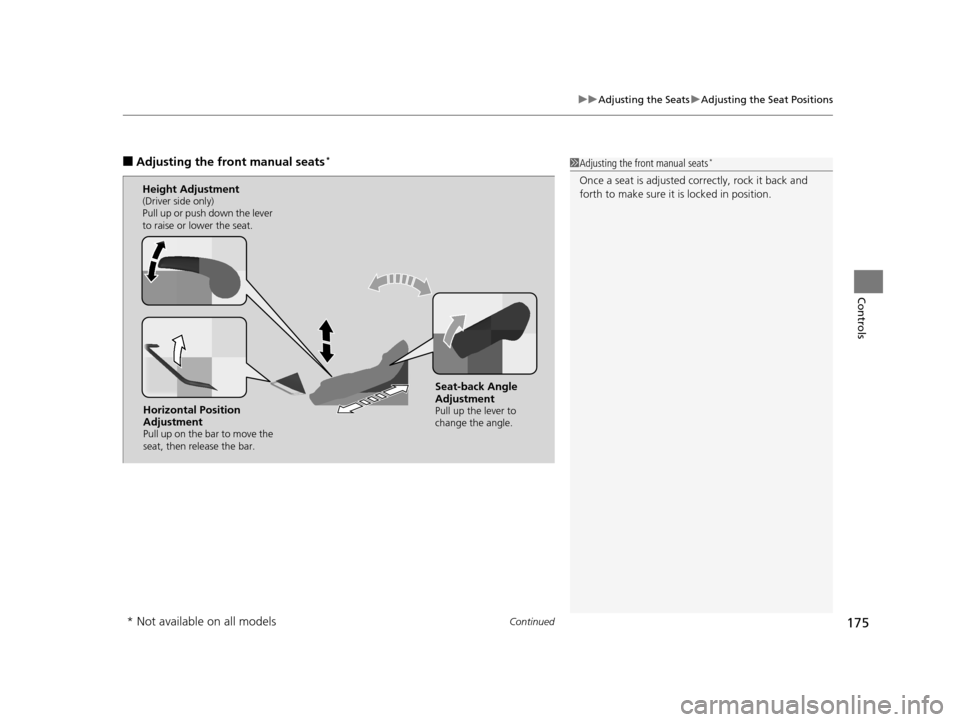
■Adjusting th e front manual seats*1Adjusting the front manual seats*
Once a seat is adjusted co rrectly, rock it back and
forth to make sure it is locked in position.
Horizontal Position
Adjustment
Pull up on the bar to move the
seat, then release the bar.
Height Adjustment(Driver side only)
Pull up or push down the lever
to raise or lower the seat.
Seat-back Angle
Adjustment
Pull up the lever to
change the angle.
* Not available on all models
16 PILOT-31TG76000.book 175 ページ 2015年6月15日 月曜日 午前11時30分
Page 177 of 661
uuAdjusting the Seats uAdjusting the Seat Positions
176
Controls
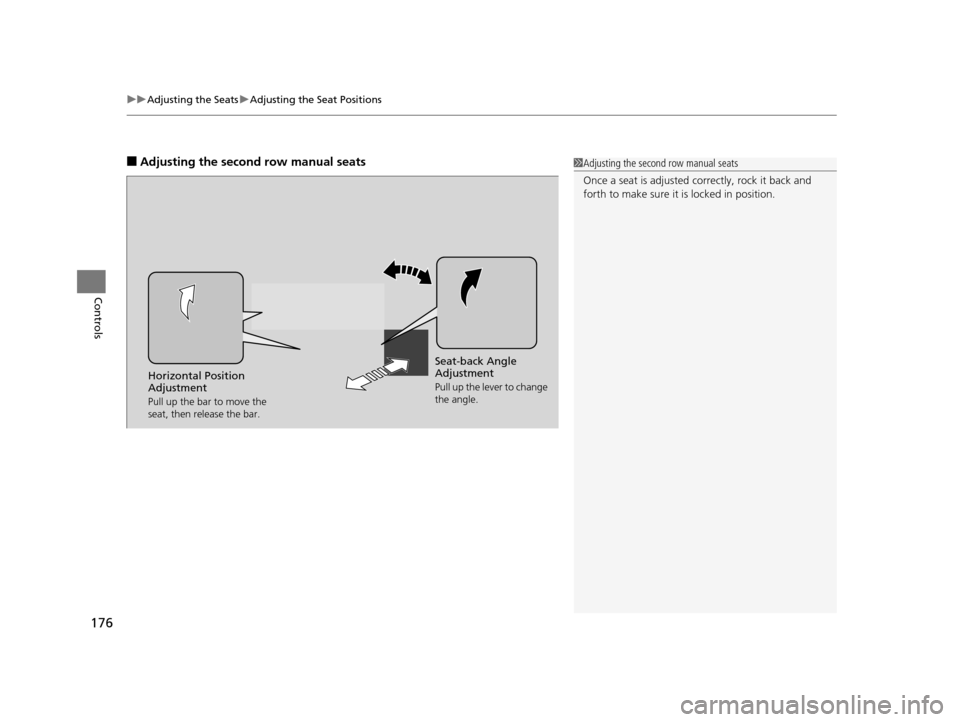
■Adjusting the second row manual seats1Adjusting the second row manual seats
Once a seat is adjusted co rrectly, rock it back and
forth to make sure it is locked in position.
Seat-back Angle
Adjustment
Pull up the lever to change
the angle.Horizontal Position
Adjustment
Pull up the bar to move the
seat, then release the bar.
16 PILOT-31TG76000.book 176 ページ 2015年6月15日 月曜日 午前11時30分
Page 178 of 661
Continued177
uuAdjusting the Seats uAdjusting the Seat Positions
Controls
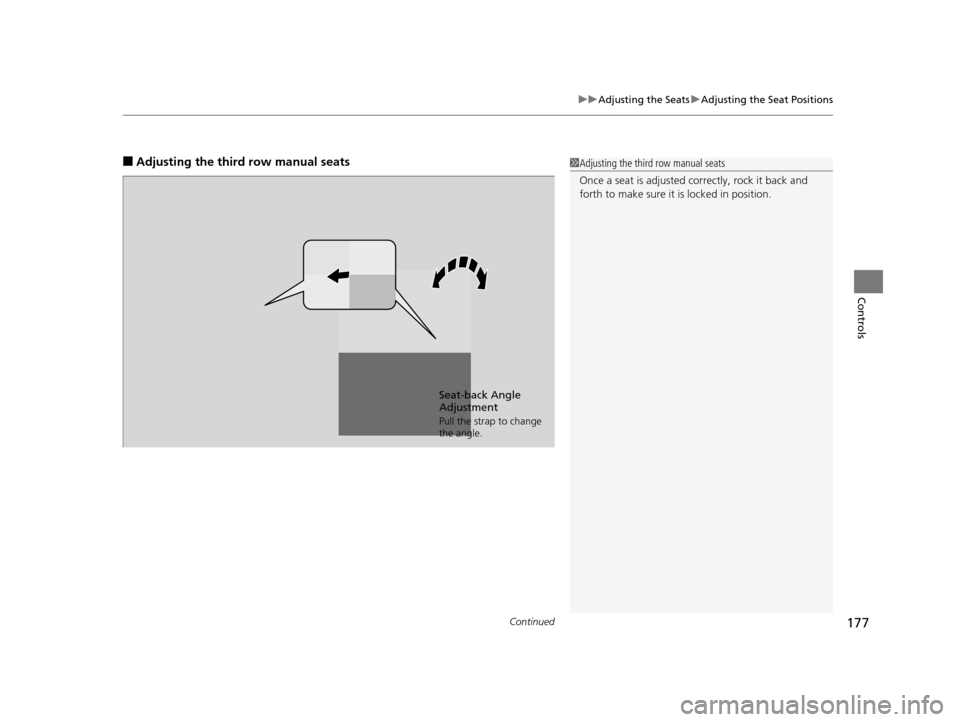
■Adjusting the third row manual seats1Adjusting the third row manual seats
Once a seat is adjusted co rrectly, rock it back and
forth to make sure it is locked in position.
Seat-back Angle
Adjustment
Pull the strap to change
the angle.
16 PILOT-31TG76000.book 177 ページ 2015年6月15日 月曜日 午前11時30分
Page 182 of 661
181
uuAdjusting the Seats uAdjusting the Seat Positions
Continued
Controls
To reinstall a head restraint:
Insert the legs back in place, then adjust the head restraint to an appropriate height
while pressing the release button (s). Pull up on the restraint to make sure it is locked
in position.
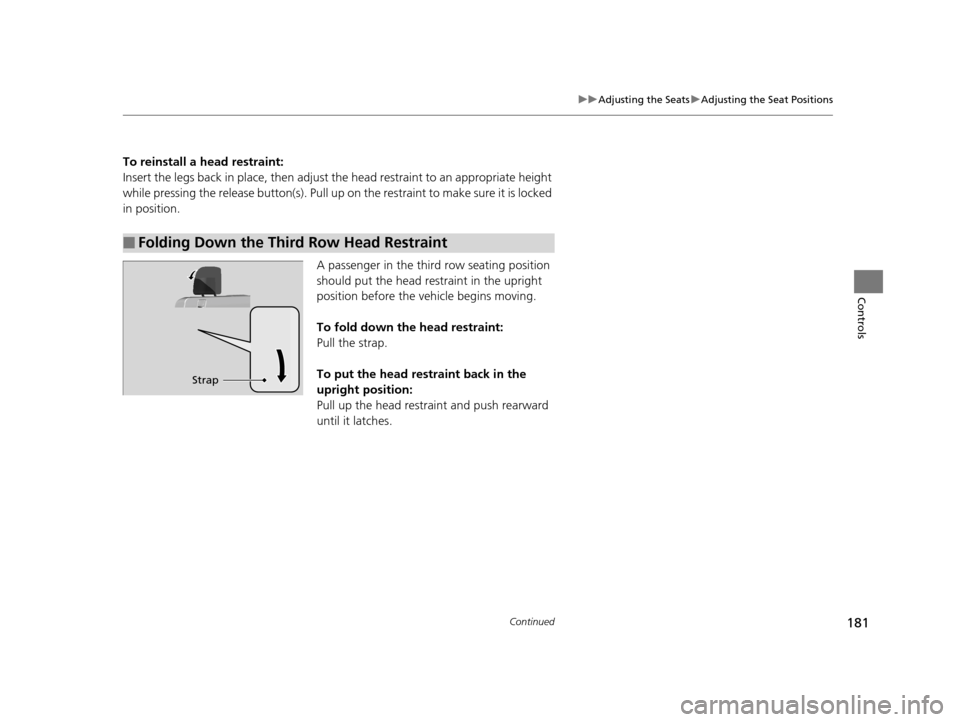
A passenger in the third row seating position
should put the head restraint in the upright
position before the vehicle begins moving.
To fold down the head restraint:
Pull the strap.
To put the head restraint back in the
upright position:
Pull up the head restraint and push rearward
until it latches.
■Folding Down the Third Row Head Restraint
Strap
16 PILOT-31TG76000.book 181 ページ 2015年6月15日 月曜日 午前11時30分
Page 185 of 661
uuAdjusting the Seats uRear Seats
184
Controls
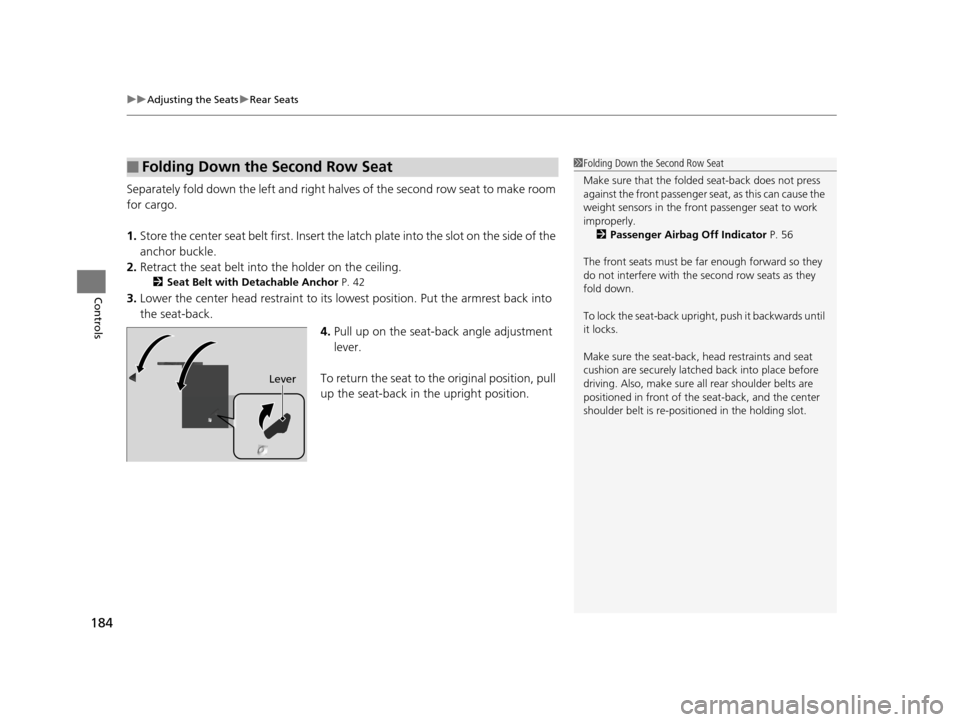
Separately fold down the left and right halves of the second row seat to make room
for cargo.
1. Store the center seat belt first. Insert the latch plate into the slot on the side of the
anchor buckle.
2. Retract the seat belt into the holder on the ceiling.
2 Seat Belt with Detachable Anchor P. 42
3.Lower the center head restraint to its lo west position. Put the armrest back into
the seat-back.
4.Pull up on the seat-back angle adjustment
lever.
To return the seat to th e original position, pull
up the seat-back in the upright position.
■Folding Down the Second Row Seat1Folding Down the Second Row Seat
Make sure that the folded seat-back does not press
against the front passenger seat, as this can cause the
weight sensors in the front passenger seat to work
improperly. 2 Passenger Airbag Off Indicator P. 56
The front seats must be far enough forward so they
do not interfere with the second row seats as they
fold down.
To lock the seat-back upri ght, push it backwards until
it locks.
Make sure the seat-back, head restraints and seat
cushion are securely latche d back into place before
driving. Also, make sure all rear shoulder belts are
positioned in front of the seat-back, and the center
shoulder belt is re-posit ioned in the holding slot.
Lever
16 PILOT-31TG76000.book 184 ページ 2015年6月15日 月曜日 午前11時30分
Page 189 of 661
188
Controls
Interior Lights/Interior Convenience Items
Interior Lights
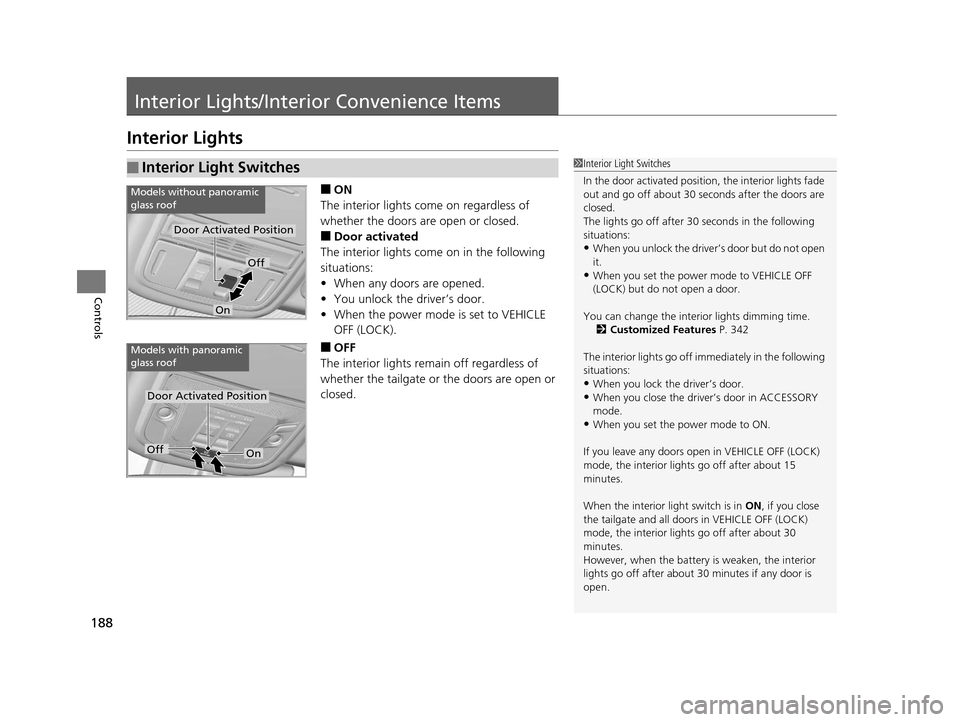
■ON
The interior lights come on regardless of
whether the doors are open or closed.
■Door activated
The interior lights come on in the following
situations:
• When any doors are opened.
• You unlock the driver’s door.
• When the power mode is set to VEHICLE
OFF (LOCK).
■OFF
The interior lights remain off regardless of
whether the tailgate or the doors are open or
closed.
■Interior Light Switches1 Interior Light Switches
In the door activated position, the interior lights fade
out and go off about 30 se conds after the doors are
closed.
The lights go off after 30 seconds in the following
situations:
•When you unlock the driver’s door but do not open
it.
•When you set the power mode to VEHICLE OFF
(LOCK) but do not open a door.
You can change the interi or lights dimming time.
2 Customized Features P. 342
The interior lights go off i mmediately in the following
situations:
•When you lock the driver’s door.
•When you close the driver’s door in ACCESSORY
mode.
•When you set the power mode to ON.
If you leave any doors open in VEHICLE OFF (LOCK)
mode, the interior light s go off after about 15
minutes.
When the interior light switch is in ON, if you close
the tailgate and all doors in VEHICLE OFF (LOCK)
mode, the interior light s go off after about 30
minutes.
However, when the battery is weaken, the interior
lights go off after about 30 minutes if any door is
open.
Door Activated Position
Off
On
Models without panoramic
glass roof
Door Activated Position
Models with panoramic
glass roof
OffOn
16 PILOT-31TG76000.book 188 ページ 2015年6月15日 月曜日 午前11時30分