bluetooth HONDA PILOT 2016 3.G Manual Online
[x] Cancel search | Manufacturer: HONDA, Model Year: 2016, Model line: PILOT, Model: HONDA PILOT 2016 3.GPages: 661, PDF Size: 37.79 MB
Page 432 of 661
Continued431
uuBluetooth ® HandsFreeLink ®u HFL Menus
Features
HFL can display newly received text or e- mail messages as well as 20 of the most
recently received messages on a linked ce ll phone. Each received message can be
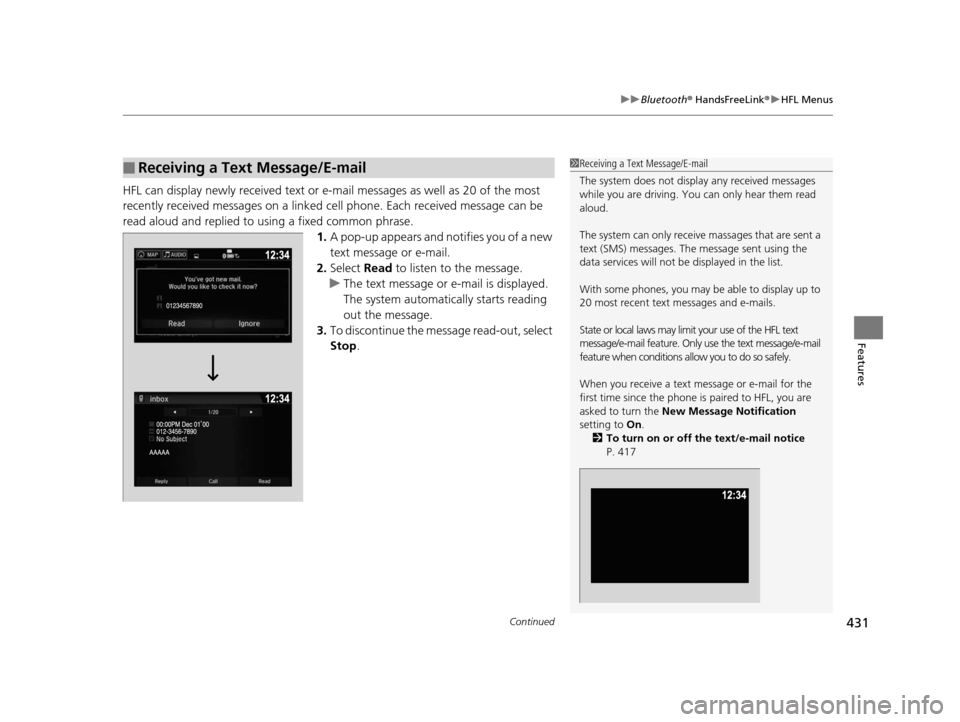
read aloud and replied to using a fixed common phrase. 1.A pop-up appears and notifies you of a new
text message or e-mail.
2. Select Read to listen to the message.
u The text message or e-mail is displayed.
The system automatically starts reading
out the message.
3. To discontinue the mess age read-out, select
Stop .
■Receiving a Text Message/E-mail1Receiving a Text Message/E-mail
The system does not display any received messages
while you are driving. You can only hear them read
aloud.
The system can only receive massages that are sent a
text (SMS) messages. The message sent using the
data services will not be displayed in the list.
With some phones, you may be able to display up to
20 most recent text messages and e-mails.
State or local laws may limit your use of the HFL text
message/e-mail feature. Only use the text message/e-mail
feature when conditions a llow you to do so safely.
When you receive a text message or e-mail for the
first time since the phone is paired to HFL, you are
asked to turn the New Message Notification
setting to On .
2 To turn on or off the text/e-mail notice
P. 417
16 PILOT-31TG76000.book 431 ページ 2015年6月15日 月曜日 午前11時30分
Page 433 of 661
uuBluetooth ® HandsFreeLink ®u HFL Menus
432
Features
If a paired phone has text message or mail accounts, you can select one of them to
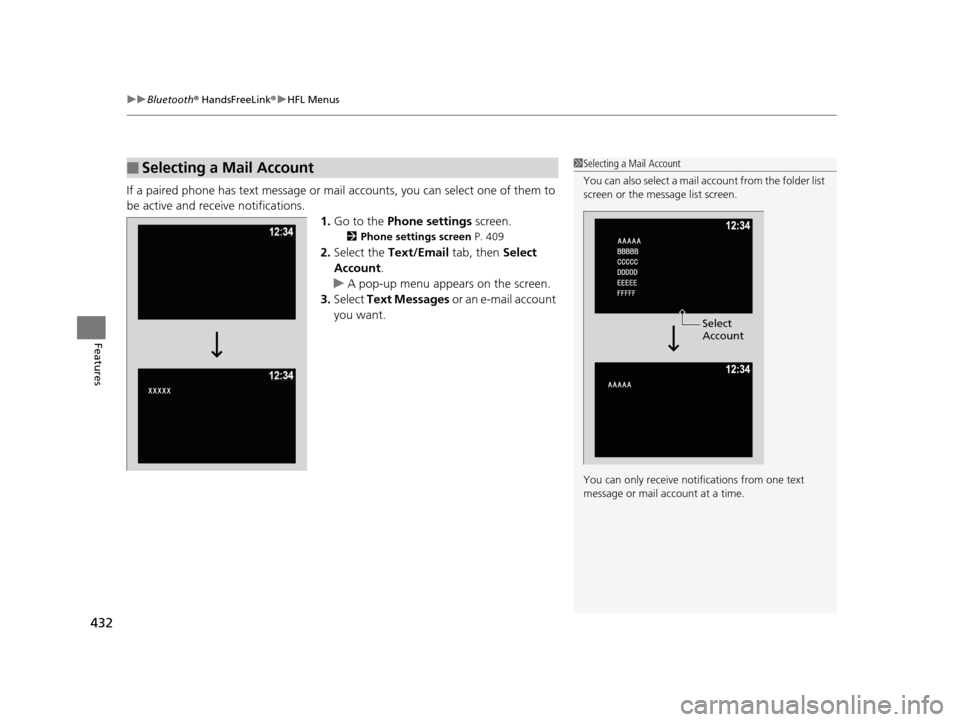
be active and receive notifications.
1.Go to the Phone settings screen.
2Phone settings screen P. 409
2.Select the Text/Email tab, then Select
Account .
u A pop-up menu appears on the screen.
3. Select Text Messages or an e-mail account
you want.
■Selecting a Mail Account1 Selecting a Mail Account
You can also select a mail account from the folder list
screen or the message list screen.
You can only receive notif ications from one text
message or mail a ccount at a time.
Select
Account
16 PILOT-31TG76000.book 432 ページ 2015年6月15日 月曜日 午前11時30分
Page 434 of 661
Continued433
uuBluetooth ® HandsFreeLink ®u HFL Menus
Features
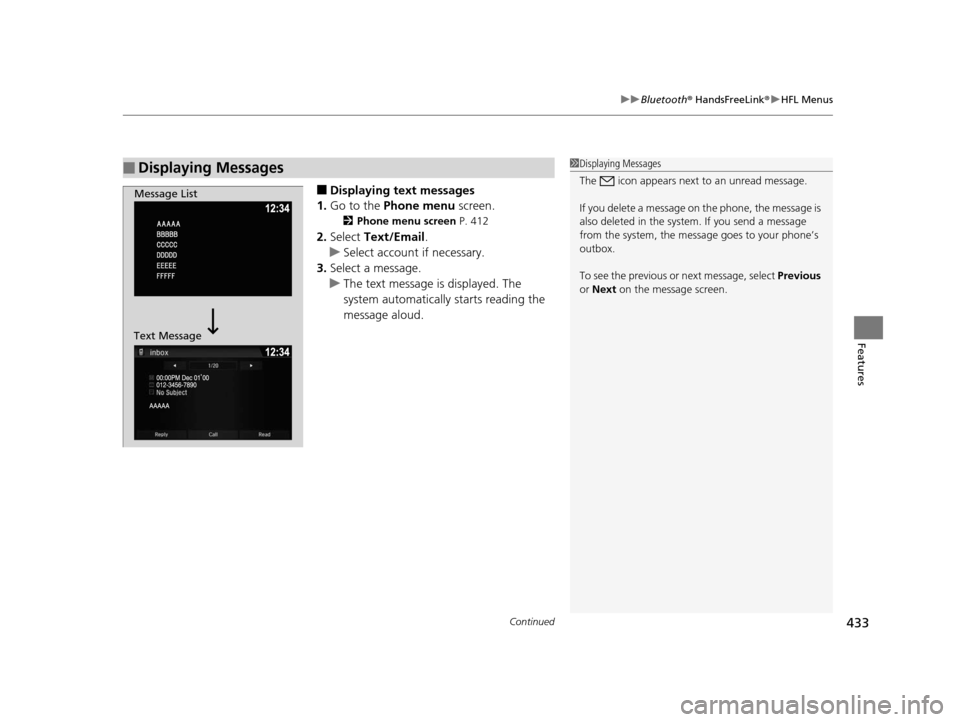
■Displaying text messages
1. Go to the Phone menu screen.
2Phone menu screen P. 412
2.Select Text/Email .
u Select account if necessary.
3. Select a message.
u The text message is displayed. The
system automatically starts reading the
message aloud.
■Displaying Messages1Displaying Messages
The icon appears next to an unread message.
If you delete a message on the phone, the message is
also deleted in the system. If you send a message
from the system, the message goes to your phone’s
outbox.
To see the previous or next message, select Previous
or Next on the message screen.
Message List
Text Message
16 PILOT-31TG76000.book 433 ページ 2015年6月15日 月曜日 午前11時30分
Page 435 of 661
434
uuBluetooth ® HandsFreeLink ®u HFL Menus
Features
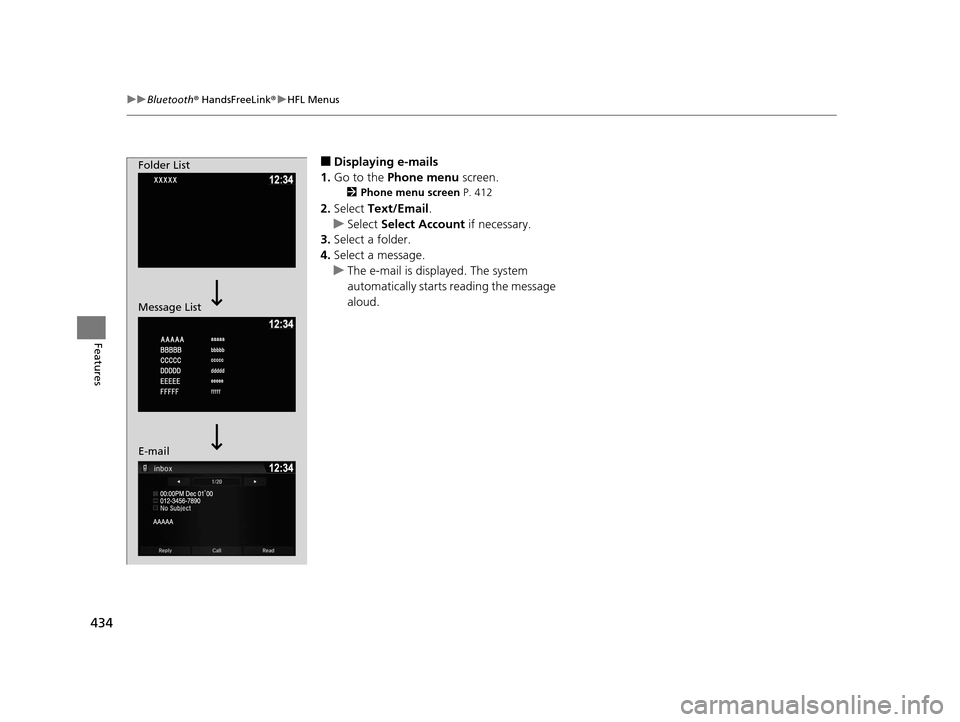
■Displaying e-mails
1. Go to the Phone menu screen.
2Phone menu screen P. 412
2.Select Text/Email .
u Select Select Account if necessary.
3. Select a folder.
4. Select a message.
u The e-mail is displayed. The system
automatically starts reading the message
aloud.
Folder List
Message List
E-mail
16 PILOT-31TG76000.book 434 ページ 2015年6月15日 月曜日 午前11時30分
Page 436 of 661
Continued435
uuBluetooth ® HandsFreeLink ®u HFL Menus
Features
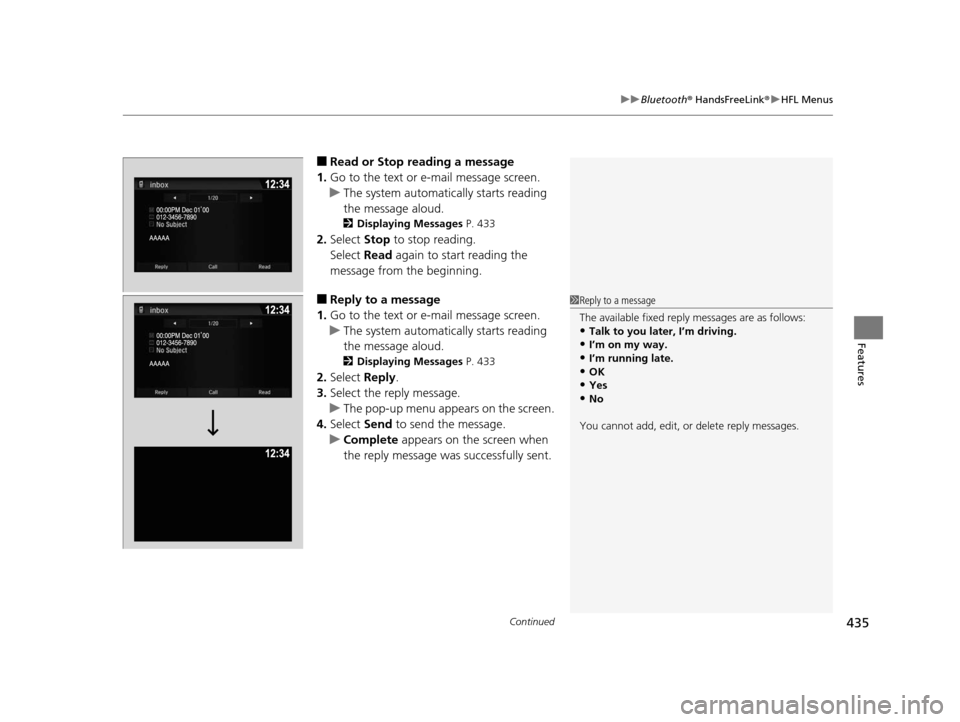
■Read or Stop reading a message
1. Go to the text or e-mail message screen.
u The system automatically starts reading
the message aloud.
2 Displaying Messages P. 433
2.Select Stop to stop reading.
Select Read again to start reading the
message from the beginning.
■Reply to a message
1. Go to the text or e-mail message screen.
u The system automatically starts reading
the message aloud.
2 Displaying Messages P. 433
2.Select Reply.
3. Select the reply message.
u The pop-up menu appears on the screen.
4. Select Send to send the message.
u Complete appears on the screen when
the reply message was successfully sent.
1 Reply to a message
The available fixed reply messages are as follows:
•Talk to you later, I’m driving.•I’m on my way.
•I’m running late.
•OK•Yes
•No
You cannot add, edit, or delete reply messages.
16 PILOT-31TG76000.book 435 ページ 2015年6月15日 月曜日 午前11時30分
Page 437 of 661
436
uuBluetooth ® HandsFreeLink ®u HFL Menus
Features
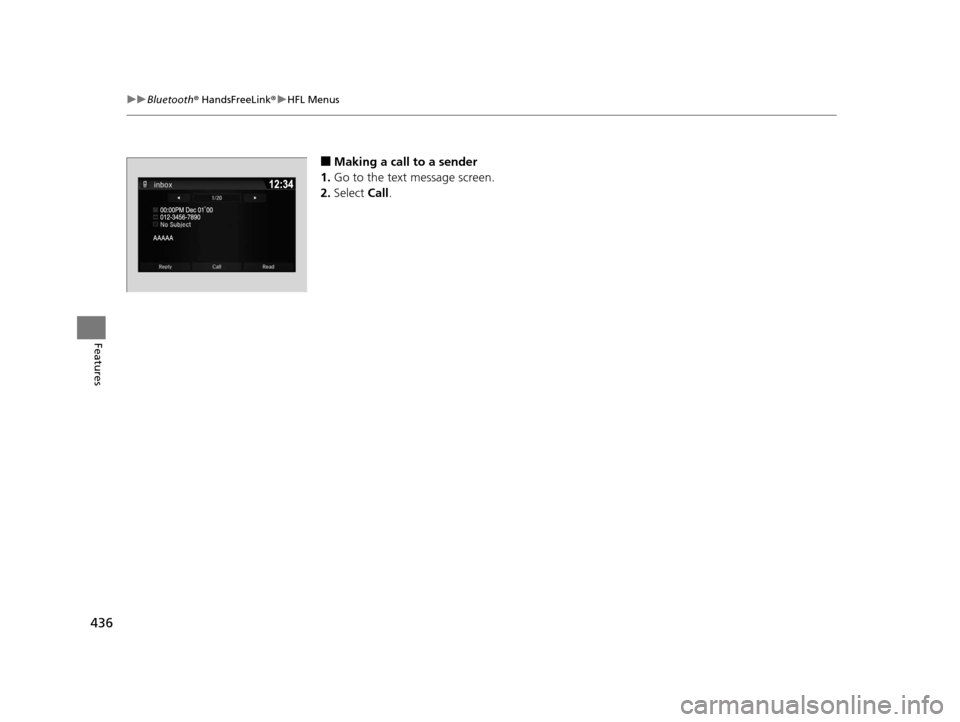
■Making a call to a sender
1. Go to the text message screen.
2. Select Call.
16 PILOT-31TG76000.book 436 ページ 2015年6月15日 月曜日 午前11時30分
Page 438 of 661
Continued437
uuBluetooth ® HandsFreeLink ®u HFL Menus
Features
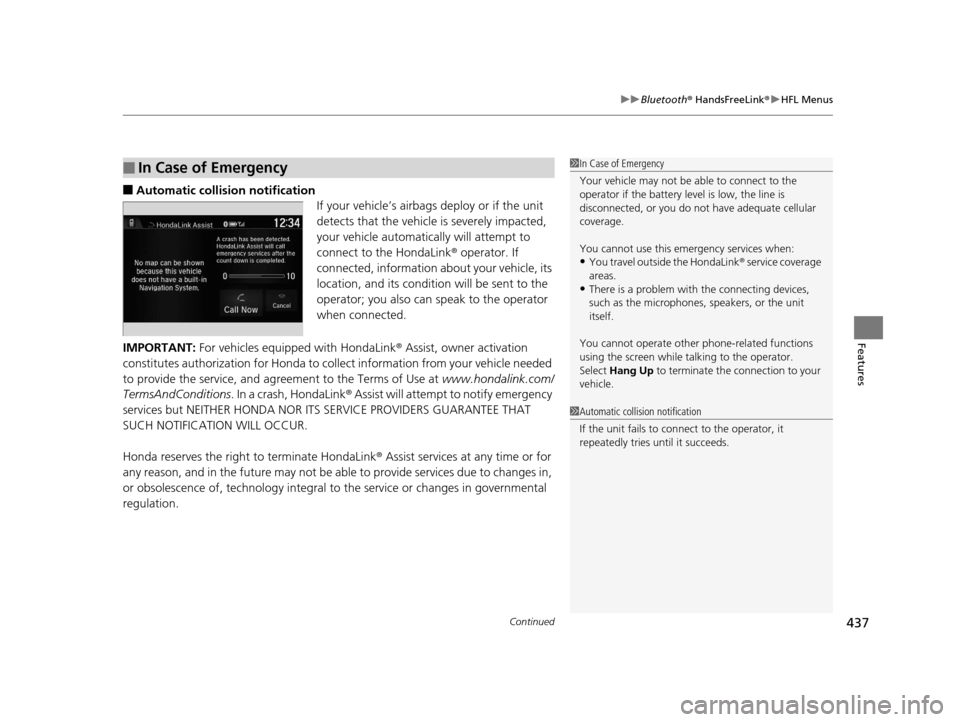
■Automatic collis ion notification
If your vehicle’s airbags deploy or if the unit
detects that the vehicle is severely impacted,
your vehicle automatically will attempt to
connect to the HondaLink ® operator. If
connected, information about your vehicle, its
location, and its condition will be sent to the
operator; you also can speak to the operator
when connected.
IMPORTANT: For vehicles equipped with HondaLink ® Assist, owner activation
constitutes authorization for Honda to collect information from your vehicle needed
to provide the service, and agreement to the Terms of Use at www.hondalink.com/
TermsAndConditions . In a crash, HondaLink ® Assist will attempt to notify emergency
services but NEITHER HONDA NOR I TS SERVICE PROVIDERS GUARANTEE THAT
SUCH NOTIFICATION WILL OCCUR.
Honda reserves the right to terminate HondaLink® Assist services at any time or for
any reason, and in the future may not be ab le to provide services due to changes in,
or obsolescence of, technology integral to the service or changes in governmental
regulation.
■In Case of Emergency1 In Case of Emergency
Your vehicle may not be able to connect to the
operator if the battery level is low, the line is
disconnected, or you do not have adequate cellular
coverage.
You cannot use this emergency services when:
•You travel outside the HondaLink ® service coverage
areas.
•There is a problem with the connecting devices,
such as the microphones, speakers, or the unit
itself.
You cannot operate othe r phone-related functions
using the screen while talking to the operator.
Select Hang Up to terminate the connection to your
vehicle.
1 Automatic collision notification
If the unit fails to connect to the operator, it
repeatedly tries until it succeeds.
16 PILOT-31TG76000.book 437 ページ 2015年6月15日 月曜日 午前11時30分
Page 439 of 661
uuBluetooth ® HandsFreeLink ®u HFL Menus
438
Features
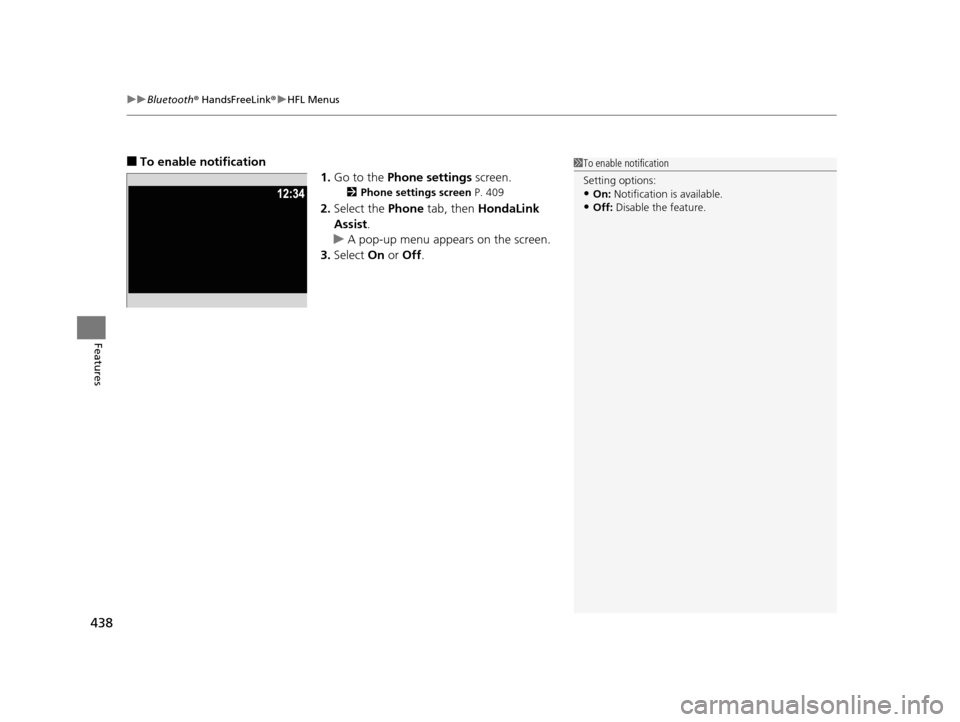
■To enable notification
1.Go to the Phone settings screen.
2Phone settings screen P. 409
2.Select the Phone tab, then HondaLink
Assist .
u A pop-up menu appears on the screen.
3. Select On or Off .
1To enable notification
Setting options:
•On: Notification is available.
•Off: Disable the feature.
16 PILOT-31TG76000.book 438 ページ 2015年6月15日 月曜日 午前11時30分
Page 642 of 661
641
Information
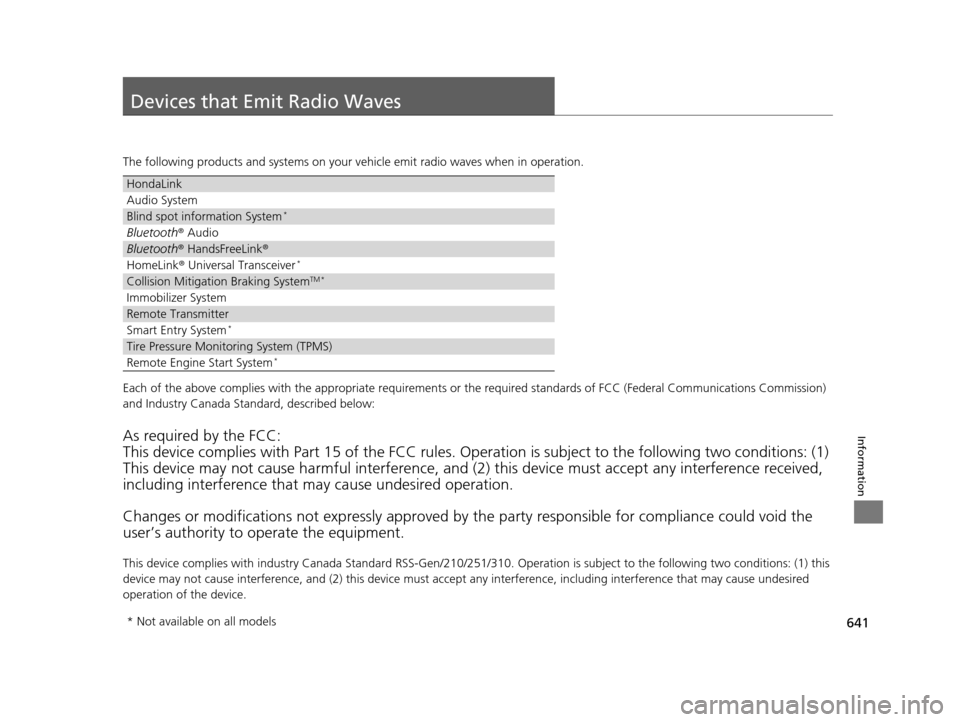
Devices that Emit Radio Waves
The following products and systems on your vehicle emit radio waves when in operation.
Each of the above complies with the appropriate requirements or the required standards of FCC (Federal Communications Commissio n)
and Industry Canada Standard, described below:
As required by the FCC:
This device complies with Part 15 of the FCC rules. Operation is subject to the following two conditions: (1)
This device may not cause harmful interference, and (2) this device must accept any interference received,
including interference that may cause undesired operation.
Changes or modifications not expres sly approved by the party responsible for compliance could void the
user’s authority to operate the equipment.
This device complies with industry Canada Standard RSS-Gen/210/ 251/310. Operation is subject to the following two conditions: (1) this
device may not cause interference, and (2) this device must ac cept any interference, including interference that may cause unde sired
operation of the device.
HondaLink
Audio System
Blind spot information System*
Bluetooth ® Audio
Bluetooth® HandsFreeLink ®
HomeLink® Universal Transceiver*
Collision Mitigati on Braking SystemTM *
Immobilizer System
Remote Transmitter
Smart Entry System*
Tire Pressure Monitoring System (TPMS)
Remote Engine Start System*
* Not available on all models
16 PILOT-31TG76000.book 641 ページ 2015年6月15日 月曜日 午前11時30分
Page 651 of 661
650
Index
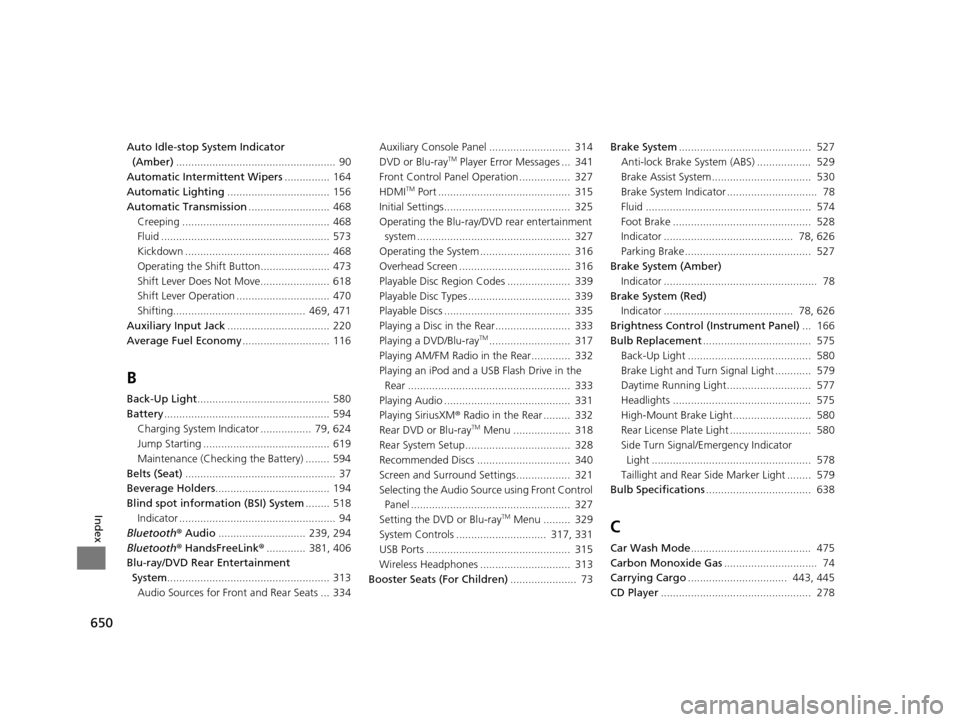
Auto Idle-stop System Indicator (Amber) ..................................................... 90
Automatic Intermittent Wipers ............... 164
Automatic Lighting .................................. 156
Automatic Transmission ........................... 468
Creeping ................................................. 468
Fluid ........................................................ 573
Kickdown ................................................ 468
Operating the Shift Button....................... 473
Shift Lever Does Not Move....................... 618
Shift Lever Operation ............................... 470
Shifting............................................ 469, 471
Auxiliary Input Jack .................................. 220
Average Fuel Economy ............................. 116
B
Back-Up Light............................................ 580
Battery ....................................................... 594
Charging System Indicator ................. 79, 624
Jump Starting .......................................... 619
Maintenance (Checking the Battery) ........ 594
Belts (Seat) .................................................. 37
Beverage Holders ...................................... 194
Blind spot information (BSI) System ........ 518
Indicator .................................................... 94
Bluetooth ® Audio ............................. 239, 294
Bluetooth ® HandsFreeLink ®............. 381, 406
Blu-ray/DVD Rear Entertainment System ...................................................... 313
Audio Sources for Front and Rear Seats ... 334 Auxiliary Console Panel ........................... 314
DVD or Blu-ray
TM Player Error Messages ... 341
Front Control Panel Operation ................. 327
HDMI
TM Port ............................................ 315
Initial Settings.......................................... 325
Operating the Blu-ray/DVD rear entertainment system ................................................... 327
Operating the System .............................. 316
Overhead Screen ..................................... 316
Playable Disc Region Codes ..................... 339
Playable Disc Types .................................. 339
Playable Discs .......................................... 335
Playing a Disc in the Rear......................... 333
Playing a DVD/Blu-ray
TM........................... 317
Playing AM/FM Radio in the Rear............. 332
Playing an iPod and a USB Flash Drive in the Rear ...................................................... 333
Playing Audio .......................................... 331
Playing SiriusXM ® Radio in the Rear ......... 332
Rear DVD or Blu-ray
TM Menu ................... 318
Rear System Setup................................... 328
Recommended Discs ............................... 340
Screen and Surround Settings.................. 321
Selecting the Audio Sour ce using Front Control
Panel ..................................................... 327
Setting the DVD or Blu-ray
TM Menu ......... 329
System Controls .............................. 317, 331
USB Ports ................................................ 315
Wireless Headphones .............................. 313
Booster Seats (For Children) ...................... 73Brake System
............................................ 527
Anti-lock Brake System (ABS) .................. 529
Brake Assist System................................. 530
Brake System Indicator .............................. 78
Fluid ....................................................... 574
Foot Brake .............................................. 528
Indicator ........................................... 78, 626
Parking Brake.......................................... 527
Brake System (Amber) Indicator ................................................... 78
Brake System (Red)
Indicator ........................................... 78, 626
Brightness Control (Instrument Panel) ... 166
Bulb Replacement .................................... 575
Back-Up Light ......................................... 580
Brake Light and Turn Signal Light ............ 579
Daytime Running Light............................ 577
Headlights .............................................. 575
High-Mount Brake Light.......................... 580
Rear License Plate Light ........................... 580
Side Turn Signal/Emergency Indicator Light ..................................................... 578
Taillight and Rear Si de Marker Light ........ 579
Bulb Specifications ................................... 638C
Car Wash Mode........................................ 475
Carbon Monoxide Gas ............................... 74
Carrying Cargo ................................. 443, 445
CD Player .................................................. 278
16 PILOT-31TG76000.book 650 ページ 2015年6月15日 月曜日 午前11時30分