economy mode HONDA PILOT 2018 Owner's Manual (in English)
[x] Cancel search | Manufacturer: HONDA, Model Year: 2018, Model line: PILOT, Model: HONDA PILOT 2018Pages: 695, PDF Size: 48.42 MB
Page 11 of 695
9
Quick Reference Guide
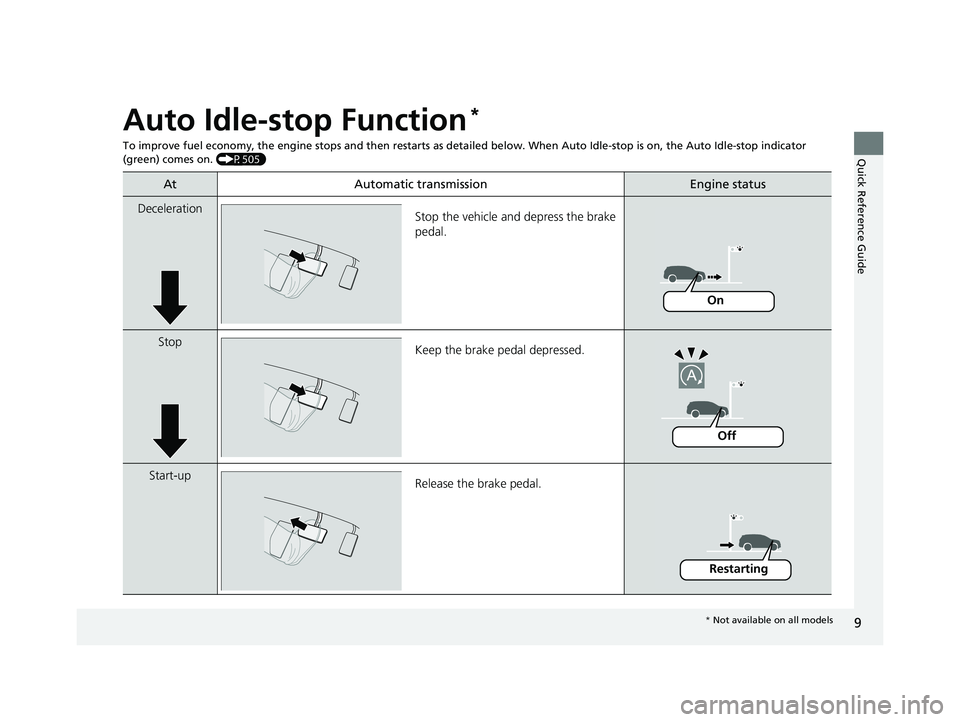
Auto Idle-stop Function*
To improve fuel economy, the engine stops and then restarts as detailed belo w. When Auto Idle-stop is on, the Auto Idle-stop indicator
(green) comes on. (P505)
At Automatic transmissionEngine status
Deceleration
Stop the vehicle and depress the brake
pedal.
StopKeep the brake pedal depressed.
Start-up Release the brake pedal.
On
Off
Restarting
* Not available on all models
18 PILOT-31TG76200.book 9 ページ 2018年3月30日 金曜日 午前11時51分
Page 12 of 695
10
Quick Reference Guide
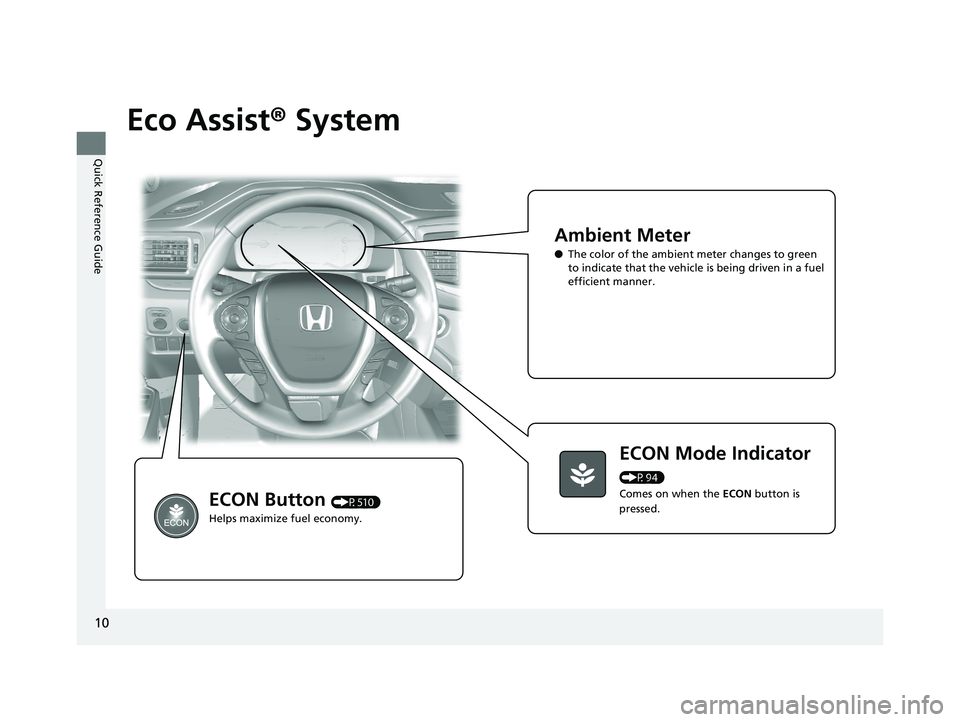
Eco Assist® System
Ambient Meter
●The color of the ambient meter changes to green
to indicate that the vehicle is being driven in a fuel
efficient manner.
ECON Mode Indicator
(P94)
Comes on when the ECON button is
pressed.
ECON Button (P510)
Helps maximize fuel economy.
18 PILOT-31TG76200.book 10 ページ 2018年3月30日 金曜日 午前11時51分
Page 116 of 695
114
uuGauges and Multi-Information Display (MID) uMID
Instrument Panel
MID
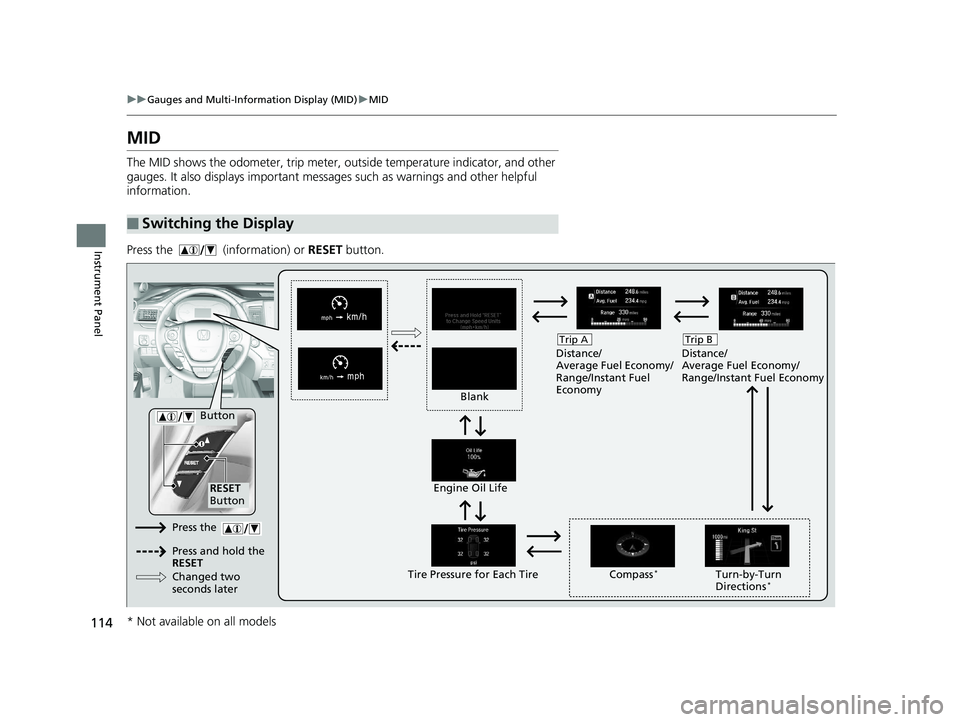
The MID shows the odometer, trip meter, ou tside temperature indicator, and other
gauges. It also displays important messages such as warnings and other helpful
information.
Press the (information) or RESET button.
■Switching the Display
Blank Distance/
Average Fuel Economy/
Range/Instant Fuel
Economy
Trip A
Tire Pressure for Each TireEngine Oil Life
Turn-by-Turn
Directions*
RESET
Button Compass
*
Button
Distance/
Average Fuel Economy/
Range/Instant Fuel Economy
Trip B
Press the
Press and hold the
RESET
Changed two
seconds later
* Not available on all models
18 PILOT-31TG76200.book 114 ページ 2018年3月30日 金曜日 午前11時51分
Page 118 of 695
uuGauges and Multi-Information Display (MID) uMID
116
Instrument Panel
Shows the outside temperature in Fahr enheit (U.S.) or Celsius (Canada).
■Adjusting the outside temperature display
Adjust the temperature reading up to ±5°F or ±3°C if the temperature reading
seems incorrect.
Shows the total number of miles (U.S.) or kilometers (Canada) driven since the last
reset. Meters A and B can be used to measure two separate trips.
■Resetting a trip meter
To reset a trip meter, display it, then press and hold the RESET button until the trip
meter is reset to 0.0.
Shows the estimated average fuel economy of each trip meter in mpg (U.S.) or l/100
km (Canada). The display is updated at set intervals. When a trip meter is reset, the
average fuel economy is also reset.
■Outside Temperature*
■Trip Meter
■Average Fuel Economy
1 Outside Temperature*
The temperature sensor is located in the front
bumper.
Road heat and exhaust fr om another vehicle can
affect the temperature reading when your vehicle
speed is less than 19 mph (30 km/h).
It may take several minutes for the display to be
updated after the temperature reading has stabilized.
Use the audio/information screen’s customized
features to correct the temperature.
2 Customized Features P. 367
1Trip Meter
Switch between trip meter A and trip meter B by
pressing the button.
1Average Fuel Economy
You can change when to reset the average fuel
economy.
2 Customized Features P. 367
* Not available on all models
18 PILOT-31TG76200.book 116 ページ 2018年3月30日 金曜日 午前11時51分
Page 119 of 695
117
uuGauges and Multi-Info rmation Display (MID)uMID
Instrument Panel
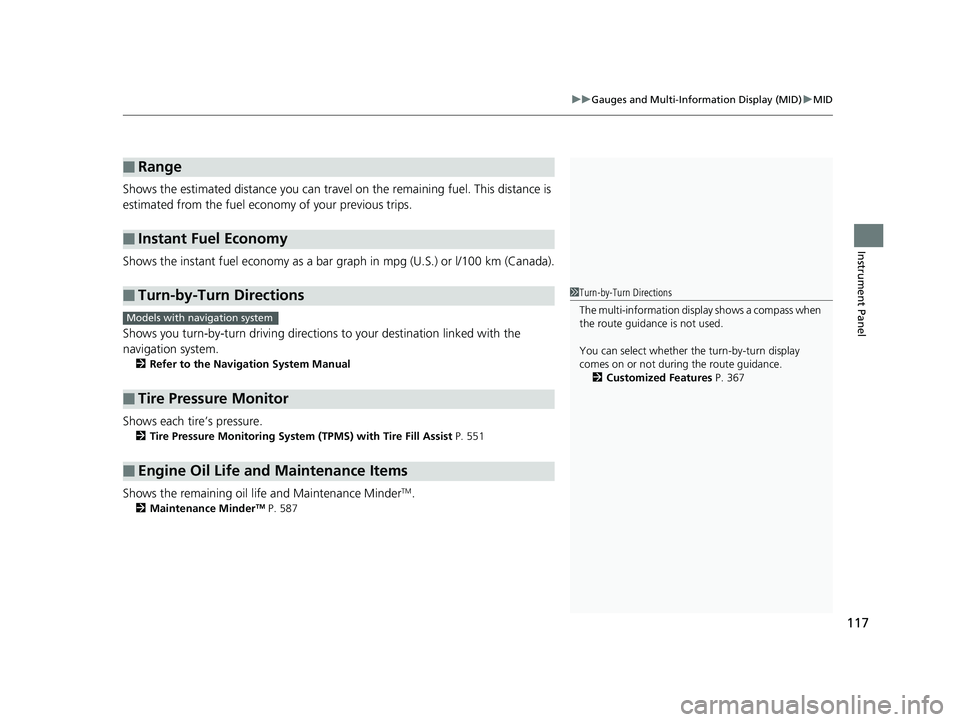
Shows the estimated distance you can travel on the remaining fuel. This distance is
estimated from the fuel economy of your previous trips.
Shows the instant fuel economy as a bar gr aph in mpg (U.S.) or l/100 km (Canada).
Shows you turn-by-turn driv ing directions to your destination linked with the
navigation system.
2 Refer to the Navigation System Manual
Shows each tire’s pressure.
2Tire Pressure Monitoring System (TPMS) with Tire Fill Assist P. 551
Shows the remaining oil life and Maintenance MinderTM.
2Maintenance MinderTM P. 587
■Range
■Instant Fuel Economy
■Turn-by-Turn Directions
■Tire Pressure Monitor
■Engine Oil Life and Maintenance Items
1Turn-by-Turn Directions
The multi-information disp lay shows a compass when
the route guidance is not used.
You can select whether the turn-by-turn display
comes on or not during the route guidance. 2 Customized Features P. 367
Models with navigation system
18 PILOT-31TG76200.book 117 ページ 2018年3月30日 金曜日 午前11時51分
Page 391 of 695
389
uuCustomized Features u
Continued
Features
*1:Default SettingSetup
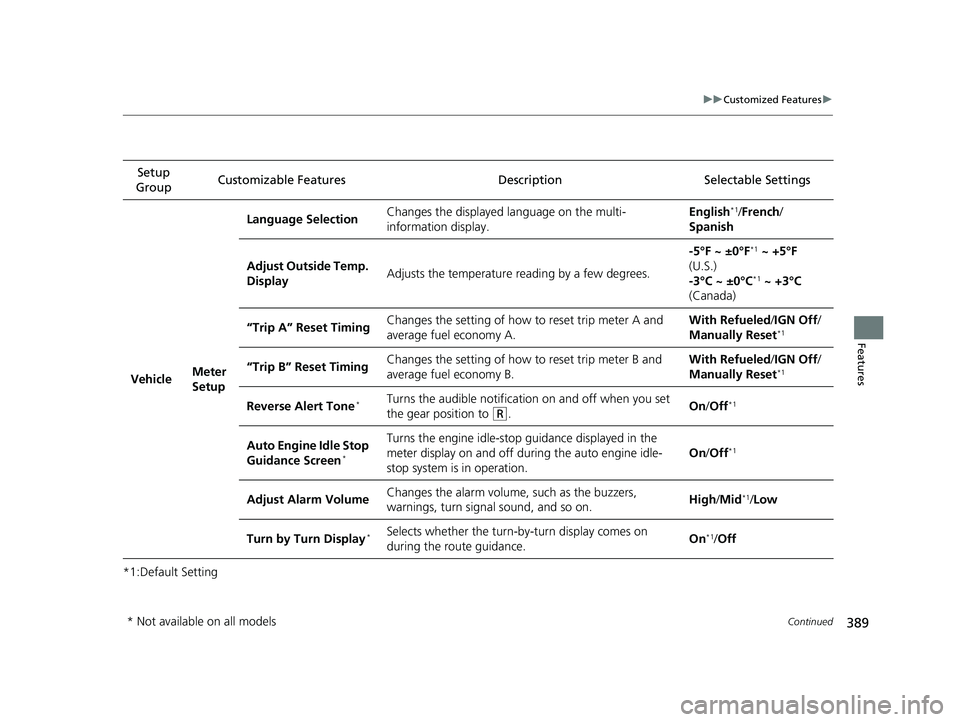
Group Customizable Features Description Selectable Settings
Vehicle Meter
SetupLanguage Selection
Changes the displayed language on the multi-
information display. English
*1/
French /
Spanish
Adjust Outside Temp.
Display Adjusts the temperature reading by a few degrees. -5°F ~ ±0°F
*1
~ +5°F
(U.S.)
-3°C ~ ±0°C
*1 ~ +3°C
(Canada)
“Trip A” Reset Timing Changes the setting of how to reset trip meter A and
average fuel economy A. With Refueled
/IGN Off /
Manually Reset
*1
“Trip B” Reset Timing Changes the setting of how to reset trip meter B and
average fuel economy B. With Refueled
/IGN Off /
Manually Reset*1
Reverse Alert Tone*Turns the audible notificati on on and off when you set
the gear position to
(R. On
/Off*1
Auto Engine Idle Stop
Guidance Screen*
Turns the engine idle-stop guidance displayed in the
meter display on and off during the auto engine idle-
stop system is in operation. On
/Off*1
Adjust Alarm Volume Changes the alarm volume,
such as the buzzers,
warnings, turn signal sound, and so on. High
/Mid*1/Low
Turn by Turn Display
*Selects whether the turn-by-turn display comes on
during the route guidance. On*1/
Off
* Not available on all models
18 PILOT-31TG76200.book 389 ページ 2018年3月30日 金曜日 午前11時51分
Page 469 of 695
467
Driving
This chapter discusses driving and refueling.
Before Driving................................... 468
Towing a Trailer ................................ 474
Off-Highway Driving Guidelines ..... 485
When Driving Starting the Engine .......................... 487
Automatic Transmission ................... 494
Shifting ............................................ 495
Auto Idle-stop
*................................ 505
Intelligent Traction Management*.... 511
Cruise Control*................................ 513
Front Sensor Camera*...................... 516
Adaptive Cruise Control (ACC)*....... 518Road Departure Mi tigation (RDM)
System*...................................... 530Lane Keeping Assist System (LKAS)*.. 535
Vehicle Stability Assist ® (VSA ®), aka Electronic
Stability Control (ESC), System ............. 543
Agile Handling Assist ....................... 545
Blind spot inform ation (BSI) System*.... 546
LaneWatchTM*.................................. 548Intelligent VTM4 (i-VTM4)*................. 550Tire Pressure Monitoring System (TPMS) with Tire Fill Assist .......................... 551
Tire Pressure Monitoring System (TPMS) -
Required Federal Explanation ......... 553
Braking Brake System ................................... 555
Anti-lock Brake System (ABS) ........... 557
Brake Assist System.......................... 558 Collision Mitigation Braking System
TM
(CMBSTM)*..................................... 559
Parking Your Vehicle
When Stopped ................................ 568
Parking Sensor System
*................... 570
Cross Traffic Monitor*..................... 574
Multi-view rear camera .................... 578
Refueling Fuel Information .............................. 579
How to Refuel ................................. 580
Fuel Economy and CO
2 Emissions
Improving Fuel Economy and Reducing
CO
2 Emissions ................................ 582
* Not available on all models
18 PILOT-31TG76200.book 467 ページ 2018年3月30日 金曜日 午前11時51分
Page 507 of 695
505
uuWhen Driving uAuto Idle-stop*
Continued
Driving
Auto Idle-stop*
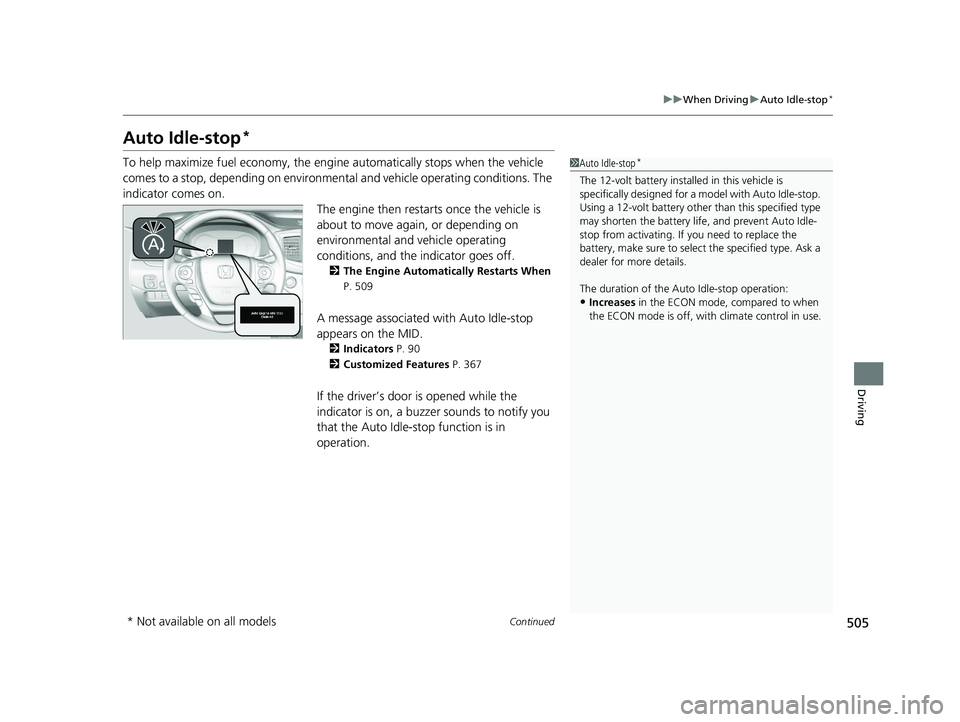
To help maximize fuel economy, the engi ne automatically stops when the vehicle
comes to a stop, depending on environmental and vehicle operating conditions. The
indicator comes on. The engine then restarts once the vehicle is
about to move again, or depending on
environmental and vehicle operating
conditions, and the indicator goes off.
2The Engine Automatically Restarts When
P. 509
A message associated with Auto Idle-stop
appears on the MID.
2 Indicators P. 90
2 Customized Features P. 367
If the driver’s door is opened while the
indicator is on, a buzzer sounds to notify you
that the Auto Idle-stop function is in
operation.
1Auto Idle-stop*
The 12-volt battery insta lled in this vehicle is
specifically designed for a m odel with Auto Idle-stop.
Using a 12-volt battery other than this specified type
may shorten the battery life , and prevent Auto Idle-
stop from activating. If you need to replace the
battery, make sure to select the specified type. Ask a
dealer for more details.
The duration of the Auto Idle-stop operation:
•Increases in the ECON mode, compared to when
the ECON mode is off, with climate control in use.
* Not available on all models
18 PILOT-31TG76200.book 505 ページ 2018年3月30日 金曜日 午前11時51分
Page 512 of 695
510
uuWhen Driving uECON Button
Driving
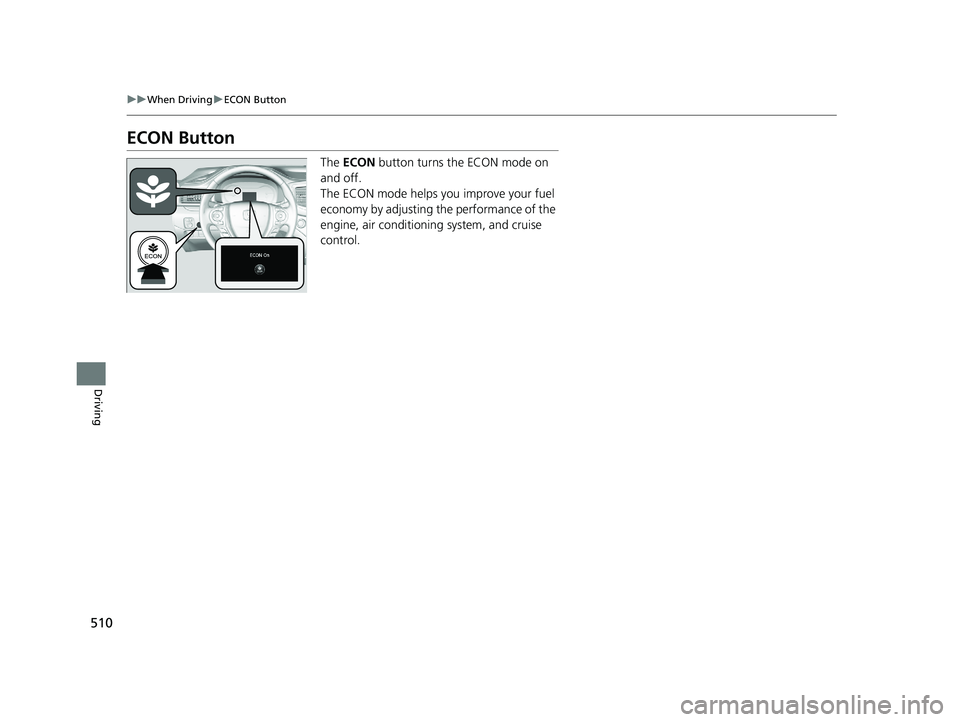
ECON Button
The ECON button turns the ECON mode on
and off.
The ECON mode helps you improve your fuel
economy by adjusting the performance of the
engine, air conditioning system, and cruise
control.
18 PILOT-31TG76200.book 510 ページ 2018年3月30日 金曜日 午前11時51分
Page 686 of 695
684
Index
Locking/Unlocking the Doors from the Outside .................................................. 124
Lockout Prevention System ...................... 130
DOT Tire Quality Grading ........................ 616
Driving ....................................................... 467
Adaptive Cruise Control (ACC) ................ 518
Automatic Transmission ........................... 494
Braking .................................................... 555
Cruise Control ......................................... 513
Off-Highway Driving Guidelines ............... 485
Shifting Gear ........................................... 497
Starting the Engine .................................. 487
Driving Position Memory System ............. 172
Dust and Pollen Filter ............................... 628
E
Eco Assist® System ....................................... 10
ECON Button ............................................. 510
ECON Mode Indicator ................................. 94
Electric Power Steering (EPS) System
Indicator ............................................ 86, 656
Electronic Stability Control (ESC) ............. 543
Emergency ................................................. 663
Emissions Testing (Readiness Codes) ....... 673
Engine Coolant ................................................... 599
Jump Starting .......................................... 649
Number ................................................... 670
Oil ........................................................... 594
Remote Engine Start ................................ 489 Starting ................................................... 487
Engine Compartment Cover .................... 593
Engine Coolant ......................................... 599
Adding to the Radiator ............................ 600
Adding to the Reserve Tank..................... 599
Overheating ............................................ 652
Temperature Gauge ................................ 113
Engine Oil ................................................. 594
Adding .................................................... 596
Checking................................................. 595
Displaying Oil Life .................................... 587
Engine Oil Life ......................................... 117
Low Oil Pressure Indicator ................. 79, 654
Recommended Engine Oil ....................... 594
ENGINE START/STOP Button .................... 155
EPS (Electric Power Steering) System ............................................... 86, 656
Exhaust Gas Hazard (Carbon Monoxide) .. 74
Exterior Care (Cleaning) ........................... 631
Exterior Mirrors ........................................ 176
F
Features.................................................... 221
Filters Dust and Pollen ....................................... 628
Oil ........................................................... 597
Flat Tire ..................................................... 637
Floor Mats ................................................. 630
Fluids
Automatic Transmission .......................... 601 Brake ...................................................... 602
Engine Coolant ....................................... 599
Windshield Washer ................................. 602
FM/AM Radio ................................... 235, 271
Fog Lights ................................................. 162
Indicator ................................................... 87
Folding Down the Second Row Seat ...... 187
Folding Down the Third Row Seat .......... 188
Foot Brake ................................................ 556
Front Airbags (SRS) .................................... 48
Front Seats ................................................ 177
Adjusting ................................................ 177
Front Sensor Camera ............................... 516
Fuel ..................................................... 24, 579
Economy................................................. 582
Gauge .................................................... 113
Instant Fuel Economy .............................. 117
Low Fuel Indicator..................................... 82
Range ..................................................... 117
Recommendation.................................... 579
Refueling ................................................ 579
Fuel Economy ........................................... 582
Fuel Fill Cap .............................................. 581
Fuel Fill Door ...................................... 24, 580
Unable to Unlock .................................... 664
Fuses ......................................................... 658
Inspecting and Changing ........................ 662
Locations ........................ 658, 659, 660, 661
18 PILOT-31TG76200.book 684 ページ 2018年3月30日 金曜日 午前11時51分