key HONDA PILOT 2018 Owner's Manual (in English)
[x] Cancel search | Manufacturer: HONDA, Model Year: 2018, Model line: PILOT, Model: HONDA PILOT 2018Pages: 695, PDF Size: 48.42 MB
Page 64 of 695
uuChild Safety uSafety of Infants and Small Children
62
Safe DrivingMost child seats are LATCH-compatible (L ower Anchors and Tethers for CHildren).
Some have a rigid-type conn ector while others have a flexible-type connector. Both
are equally easy to use. Some existing and previously owned child seats can only be
installed using the seat belt. Whichever type you choose, follow the child seat
manufacturer’s use and care instructions including recommended expiration dates
as well as the instructions in this manual. Proper installation is key to maximizing
your child’s safety.
In seating positions and vehicles not equipped with LATCH, a LATCH-compatible
child seat can be installed using the seat belt and a top tether for added security.
This is because all child seats are required to be designed so that they can be secured
with a lap belt or the lap part of a lap/sh oulder belt. In addition, the child seat
manufacturer may advise that a seat belt be used to attach a LATCH-compatible seat
once a child reaches a specified weight. Please read the child seat owner’s manual
for proper installation instructions.
■Important consideration when selecting a child seat
Make sure the child seat meets th e following three requirements:
• The child seat is the correct type and size for the child.
• The child seat is the correct type for the seating position.
• The child seat is compliant with Federal Motor Vehicle Safety Standard 213 or
Canadian Motor Vehicle Safety Standard 213.
■Selecting a Child Seat1Selecting a Child Seat
Installation of a LATCH-co mpatible child seat is
simple.
LATCH-compatible child s eats have been developed
to simplify the installati on process and reduce the
likelihood of injuries caused by incorrect installation.
18 PILOT-31TG76200.book 62 ページ 2018年3月30日 金曜日 午前11時51分
Page 89 of 695
87
uuIndicators u
Continued
Instrument Panel
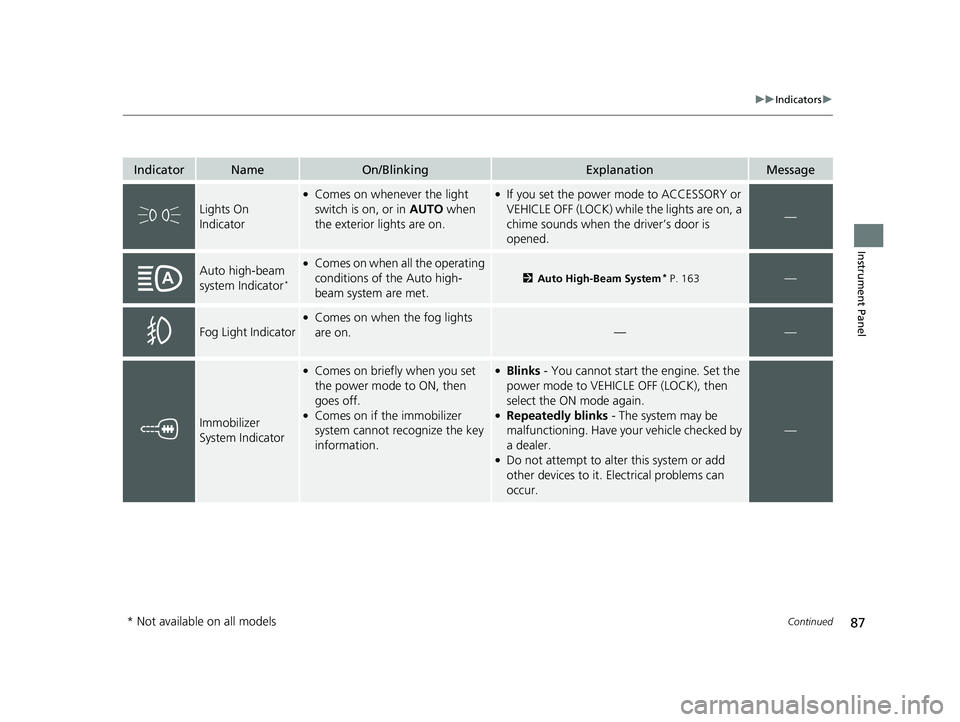
IndicatorNameOn/BlinkingExplanationMessage
Lights On
Indicator
●Comes on whenever the light
switch is on, or in AUTO when
the exterior lights are on.●If you set the power mode to ACCESSORY or
VEHICLE OFF (LOCK) while the lights are on, a
chime sounds when the driver’s door is
opened.
—
Auto high-beam
system Indicator*
●Comes on when all the operating
conditions of the Auto high-
beam system are met.
2 Auto High-Beam System* P. 163—
Fog Light Indicator
●Comes on when the fog lights
are on.
——
Immobilizer
System Indicator
●Comes on briefly when you set
the power mode to ON, then
goes off.
●Comes on if the immobilizer
system cannot recognize the key
information.
●Blinks - You cannot start the engine. Set the
power mode to VEHICL E OFF (LOCK), then
select the ON mode again.
●Repeatedly blinks - The system may be
malfunctioning. Have your vehicle checked by
a dealer.
●Do not attempt to alter this system or add
other devices to it. Electrical problems can
occur.
—
* Not available on all models
18 PILOT-31TG76200.book 87 ページ 2018年3月30日 金曜日 午前11時51分
Page 91 of 695
89
uuIndicators u
Continued
Instrument Panel
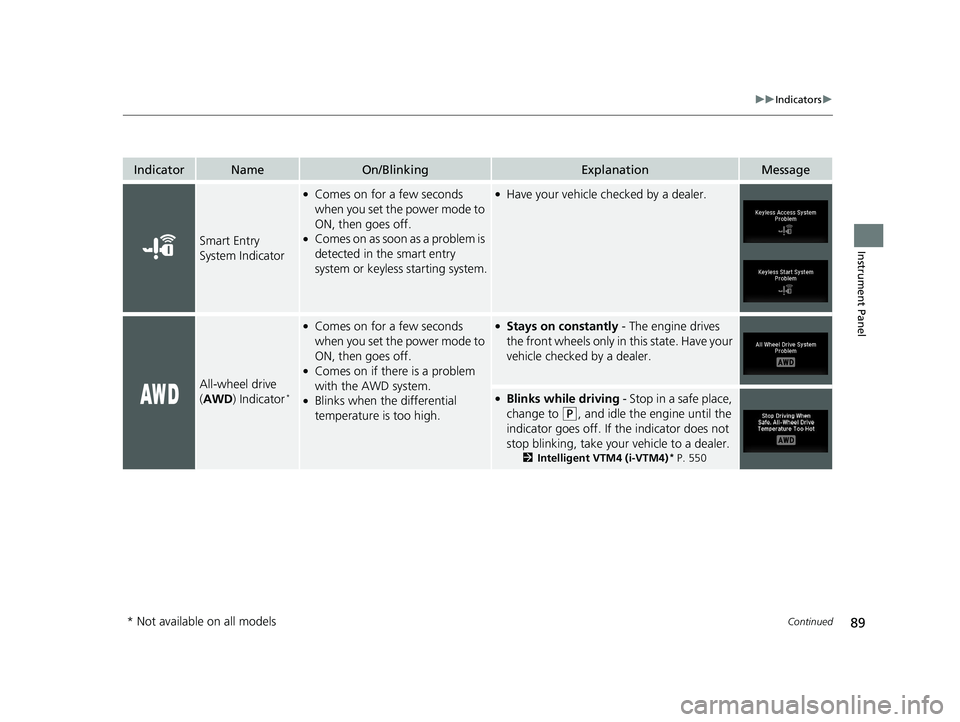
IndicatorNameOn/BlinkingExplanationMessage
Smart Entry
System Indicator
●Comes on for a few seconds
when you set the power mode to
ON, then goes off.
●Comes on as soon as a problem is
detected in the smart entry
system or keyless starting system.
●Have your vehicle checked by a dealer.
All-wheel drive
(AWD ) Indicator*
●Comes on for a few seconds
when you set the power mode to
ON, then goes off.
●Comes on if there is a problem
with the AWD system.
●Blinks when the differential
temperature is too high.
●Stays on constantly - The engine drives
the front wheels only in this state. Have your
vehicle checked by a dealer.
●Blinks while driving - Stop in a safe place,
change to
(P, and idle the engine until the
indicator goes off. If the indicator does not
stop blinking, take your vehicle to a dealer.
2 Intelligent VTM4 (i-VTM4)* P. 550
* Not available on all models
18 PILOT-31TG76200.book 89 ページ 2018年3月30日 金曜日 午前11時51分
Page 103 of 695
101
uuIndicators uMulti-Information Display (MID) Warning and Information Messages
Continued
Instrument Panel
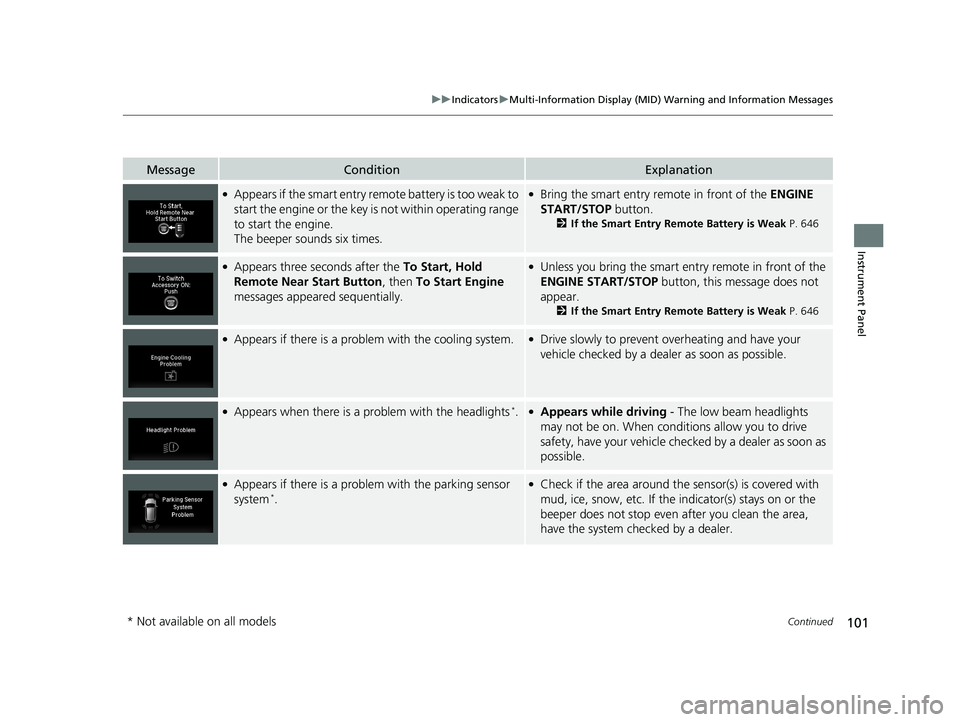
MessageConditionExplanation
●Appears if the smart entry remote battery is too weak to
start the engine or the key is not within operating range
to start the engine.
The beeper sounds six times.●Bring the smart entry remote in front of the ENGINE
START/STOP button.
2If the Smart Entry Remote Battery is Weak P. 646
●Appears three seconds after the To Start, Hold
Remote Near Start Button , then To Start Engine
messages appeared sequentially.●Unless you bring the smart entry remote in front of the
ENGINE START/STOP button, this message does not
appear.
2 If the Smart Entry Remote Battery is Weak P. 646
●Appears if there is a problem with the cooling system.●Drive slowly to prevent overheating and have your
vehicle checked by a dealer as soon as possible.
●Appears when there is a problem with the headlights*.●Appears while driving - The low beam headlights
may not be on. When conditions allow you to drive
safety, have your vehicle chec ked by a dealer as soon as
possible.
●Appears if there is a problem with the parking sensor
system*.
●Check if the area around the sensor(s) is covered with
mud, ice, snow, etc. If the indicator(s) stays on or the
beeper does not stop even after you clean the area,
have the system checked by a dealer.
* Not available on all models
18 PILOT-31TG76200.book 101 ページ 2018年3月30日 金曜日 午前11時51分
Page 121 of 695
119
Controls
This chapter explains how to operate the various controls necessary for driving.
Clock.................................................. 120
Locking and Unlocking the Doors Key Types and Functions .................. 121
Locking/Unlocking the Doors from the Outside .......................................... 124
Low Smart Entry Remote Signal Strength*... 123Locking/Unlocking the Doors from the Inside ............................................. 131
Childproof Door Locks ..................... 133
Auto Door Locking/Unlocking .......... 134
Customizing the Auto Door Locking/ Unlocking Setting ........................... 135
Opening and Closing the Tailgate ... 138
Security System Immobilizer System .......................... 146 Security System Alarm...................... 146
Opening and Closing the Windows.... 149Moonroof*.............................................. 151Panoramic Roof*............................... 152
Operating the Switches Around the Steering Wheel
ENGINE START/STOP Button............. 155
Turn Signals ..................................... 158
Light Switches.................................. 159
Fog Lights
*...................................... 162
Auto High-Beam System*................ 163
Daytime Running Lights ................... 166
Wipers and Washers ........................ 167
Brightness Control ........................... 170
Defogger/Heated Door Mirror
*........ 171 Driving Position Memory System
*.... 172
Adjusting the Steering Wheel .......... 174
Adjusting the Mirrors
Interior Rearview Mirror ................... 175
Power Door Mirrors ......................... 176
Adjusting the Seats
Adjusting the Seat Positions ............. 177
Rear Seats........................................ 186
Armrest ........................................... 189
Interior Lights/Interior Convenience ItemsInterior Lights .................................. 191
Interior Convenience Items .............. 195
Heating and Cooling
*....................... 209
Climate Control System*.................. 214
* Not available on all models
18 PILOT-31TG76200.book 119 ページ 2018年3月30日 金曜日 午前11時51分
Page 123 of 695
121Continued
Controls
Locking and Unlocking the Doors
Key Types and Functions
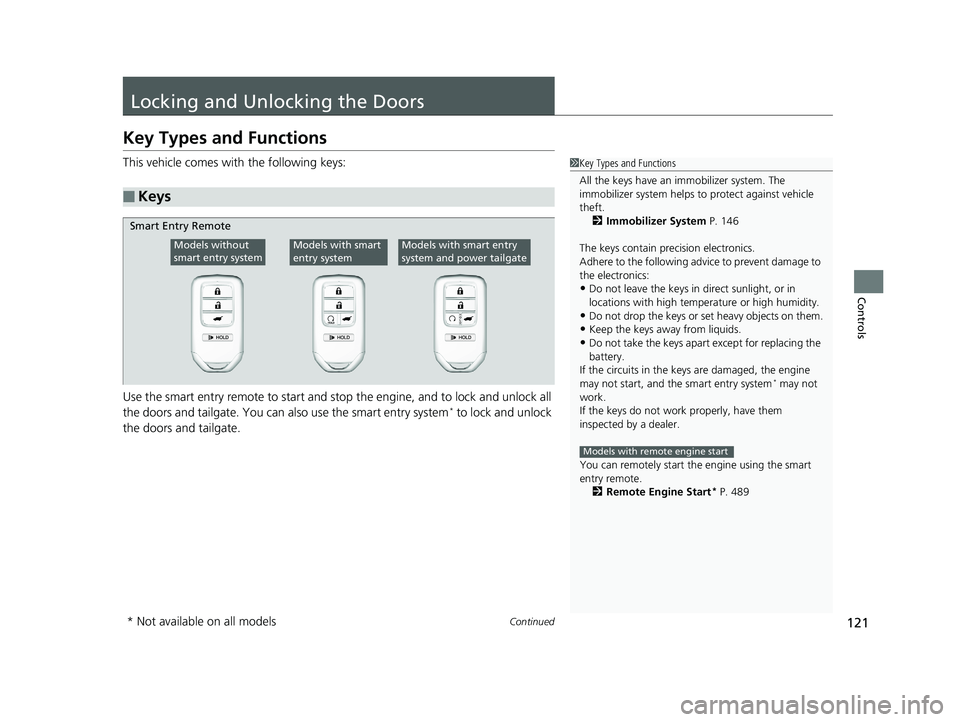
This vehicle comes with the following keys:
Use the smart entry remote to start and stop the engine, and to lock and unlock all
the doors and tailgate. You can also use the smart entry system
* to lock and unlock
the doors and tailgate.
■Keys
1 Key Types and Functions
All the keys have an immobilizer system. The
immobilizer system helps to protect against vehicle
theft. 2 Immobilizer System P. 146
The keys contain precision electronics.
Adhere to the following advi ce to prevent damage to
the electronics:
•Do not leave the keys in direct sunlight, or in
locations with high temperature or high humidity.
•Do not drop the keys or set heavy objects on them.
•Keep the keys away from liquids.
•Do not take the keys apart except for replacing the
battery.
If the circuits in the keys are damaged, the engine
may not start, and the smart entry system
* may not
work.
If the keys do not work properly, have them
inspected by a dealer.
You can remotely start th e engine using the smart
entry remote.
2 Remote Engine Start
* P. 489
Models with remote engine start
Smart Entry Remote
Models without
smart entry systemModels with smart
entry systemModels with smart entry
system and power tailgate
* Not available on all models
18 PILOT-31TG76200.book 121 ページ 2018年3月30日 金曜日 午前11時51分
Page 124 of 695
uuLocking and Unlocking the Doors uKey Types and Functions
122
Controls
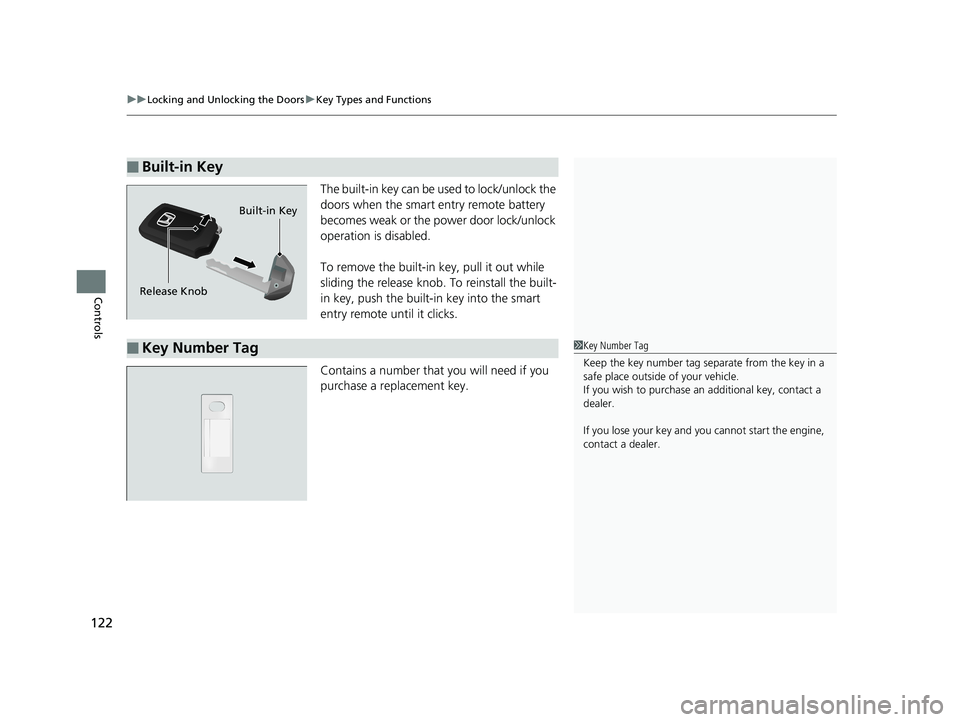
The built-in key can be us ed to lock/unlock the
doors when the smart entry remote battery
becomes weak or the power door lock/unlock
operation is disabled.
To remove the built-in key, pull it out while
sliding the release knob. To reinstall the built-
in key, push the built-in key into the smart
entry remote until it clicks.
Contains a number that you will need if you
purchase a replacement key.
■Built-in Key
Release Knob Built-in Key
■Key Number Tag1
Key Number Tag
Keep the key number tag separate from the key in a
safe place outside of your vehicle.
If you wish to purchase an additional key, contact a
dealer.
If you lose your key and you cannot start the engine,
contact a dealer.
18 PILOT-31TG76200.book 122 ページ 2018年3月30日 金曜日 午前11時51分
Page 132 of 695
uuLocking and Unlocking the Doors uLocking/Unlocking the Doors from the Outside
130
Controls
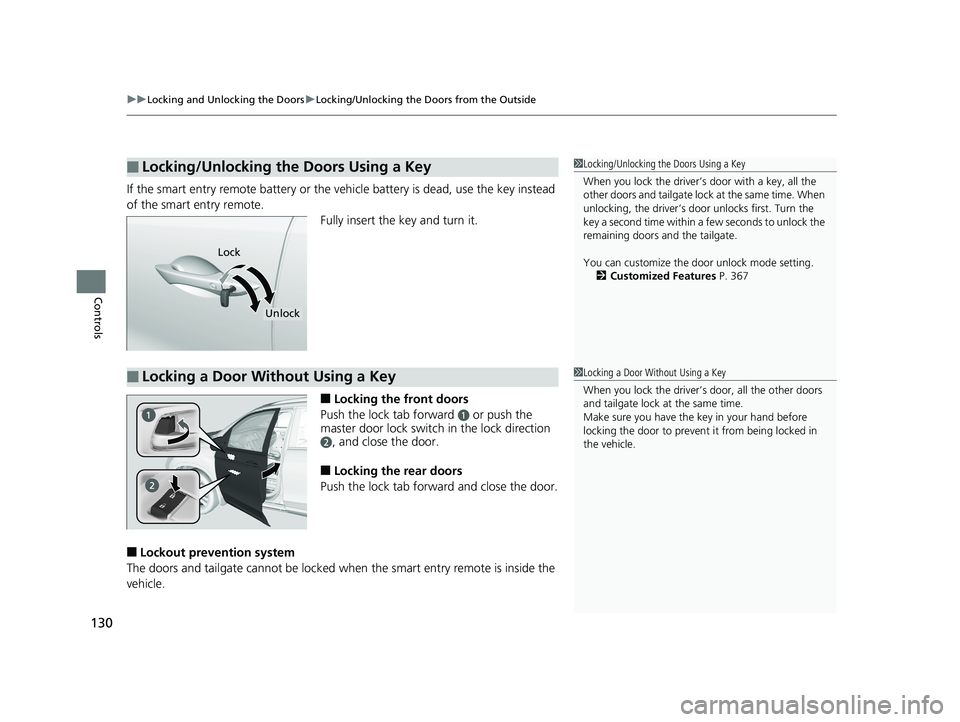
If the smart entry remote battery or the ve hicle battery is dead, use the key instead
of the smart entry remote. Fully insert the key and turn it.
■Locking the front doors
Push the lock tab forward
a or push the
master door lock switch in the lock direction
b, and close the door.
■Locking the rear doors
Push the lock tab forward and close the door.
■Lockout prevention system
The doors and tailgate cannot be locked when the smart entry remote is inside the
vehicle.
■Locking/Unlocking the Doors Using a Key1 Locking/Unlocking the Doors Using a Key
When you lock the driver’s door with a key, all the
other doors and tail gate lock at the same time. When
unlocking, the driver’s door unlocks first. Turn the
key a second time within a few seconds to unlock the
remaining doors a nd the tailgate.
You can customize the door unlock mode setting. 2 Customized Features P. 367
Lock
Unlock
■Locking a Door Without Using a Key1Locking a Door Without Using a Key
When you lock the driver’s door, all the other doors
and tailgate lock at the same time.
Make sure you have the key in your hand before
locking the door to prevent it from being locked in
the vehicle.
18 PILOT-31TG76200.book 130 ページ 2018年3月30日 金曜日 午前11時51分
Page 141 of 695
139
uuOpening and Closing the Tailgate uOpening/Closing the Tailgate Using the Tailgate Outer Handle
Continued
Controls
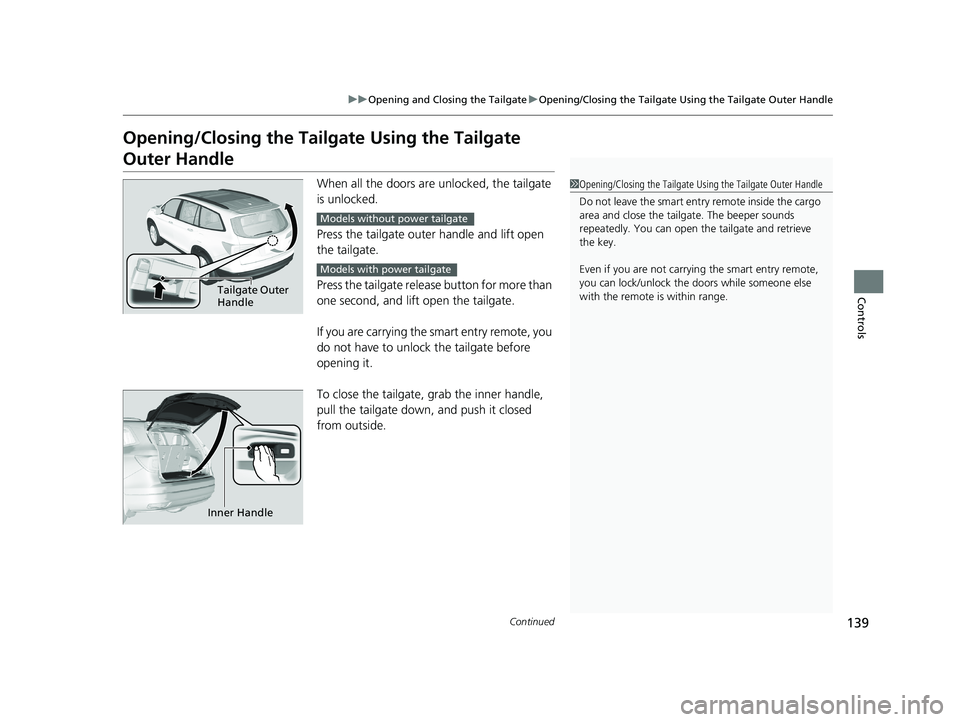
Opening/Closing the Tailgate Using the Tailgate
Outer Handle
When all the doors are unlocked, the tailgate
is unlocked.
Press the tailgate outer handle and lift open
the tailgate.
Press the tailgate release button for more than
one second, and lift open the tailgate.
If you are carrying the smart entry remote, you
do not have to unlock the tailgate before
opening it.
To close the tailgate, grab the inner handle,
pull the tailgate down, and push it closed
from outside.1 Opening/Closing the Tailgate Using the Tailgate Outer Handle
Do not leave the smart entry remote inside the cargo
area and close the tailga te. The beeper sounds
repeatedly. You can open th e tailgate and retrieve
the key.
Even if you are not carrying the smart entry remote,
you can lock/unlock the doors while someone else
with the remote is within range.
Tailgate Outer
Handle
Models without power tailgate
Models with power tailgate
Inner Handle
18 PILOT-31TG76200.book 139 ページ 2018年3月30日 金曜日 午前11時51分
Page 143 of 695
141
uuOpening and Closing the Tailgate uOpening/Closing the Power Tailgate*
Continued
Controls
Opening/Closing the Power Tailgate*
The power tailgate can be operated by pr essing the power tailgate button on the
remote transmitter or driver's door, or pressing the button on the tailgate.
■The power tailgate can be opened when:
• The tailgate is fully closed.
• The transmission is in
(P.
• Press and hold the tailgate button on the remote transmitter for about one
second when the power mode is in VEHICLE OFF (LOCK).
u If you have changed the Keyless Open Mode setting to When Unlocked ,
you need to unlock the tailgate before yo u press the tailgate button to open it.
2Customized Features P. 367
■The power tailgate ca n be closed when:
• The tailgate is fully open.
• Press and hold the tailgate button on the remote transmitter for about one
second when the power mode is in VEHICLE OFF (LOCK).
1Opening/Closing the Power Tailgate*
NOTICE
Do not push or pull on the power tailgate when it is
being automatically opened or closed.
Forcibly opening or closing the power tailgate while
in operation can deform the tailgate frame.
When operating the power tailgate, make sure there is
enough space around your vehicle. People near the
tailgate may be seriously hurt if the tailgate hits or closes on
their heads. Be especially ca utious if children are around.
The power tailgate may not open or close under the
following conditions:
•The vehicle is park ed on a steep hill.•The vehicle is swayed in a strong wind.•The tailgate or the roof is covered with snow or ice.
If you close the power tail gate when all the doors are
locked, the power tailgate locks automatically.
3WARNING
Closing a power tailgate while anyone is in
the path of the tailgate can cause serious
injury.
Make sure everyone is clear before closing
the power tailgate.
* Not available on all models
18 PILOT-31TG76200.book 141 ページ 2018年3月30日 金曜日 午前11時51分