remote control HONDA PILOT 2018 Owner's Manual (in English)
[x] Cancel search | Manufacturer: HONDA, Model Year: 2018, Model line: PILOT, Model: HONDA PILOT 2018Pages: 695, PDF Size: 48.42 MB
Page 4 of 695
Contents
This owner’s manual should be considered a permanent part of the
vehicle and should remain with the vehicle when it is sold.
This owner’s manual covers all models of your vehicle. You may find
descriptions of equipment and features that are not on your
particular model.
Images throughout this owner’s manu al (including the front cover)
represent features and equipment that are available on some, but
not all, models. Your particular mo del may not have some of these
features.
This owner’s manual is for vehicles sold in the United States and
Canada.
The information and specifications in cluded in this publication were
in effect at the time of approval for printing. Honda Motor Co., Ltd.
reserves the right, however, to discontinue or change specifications
or design at any time without notice and without incurring any
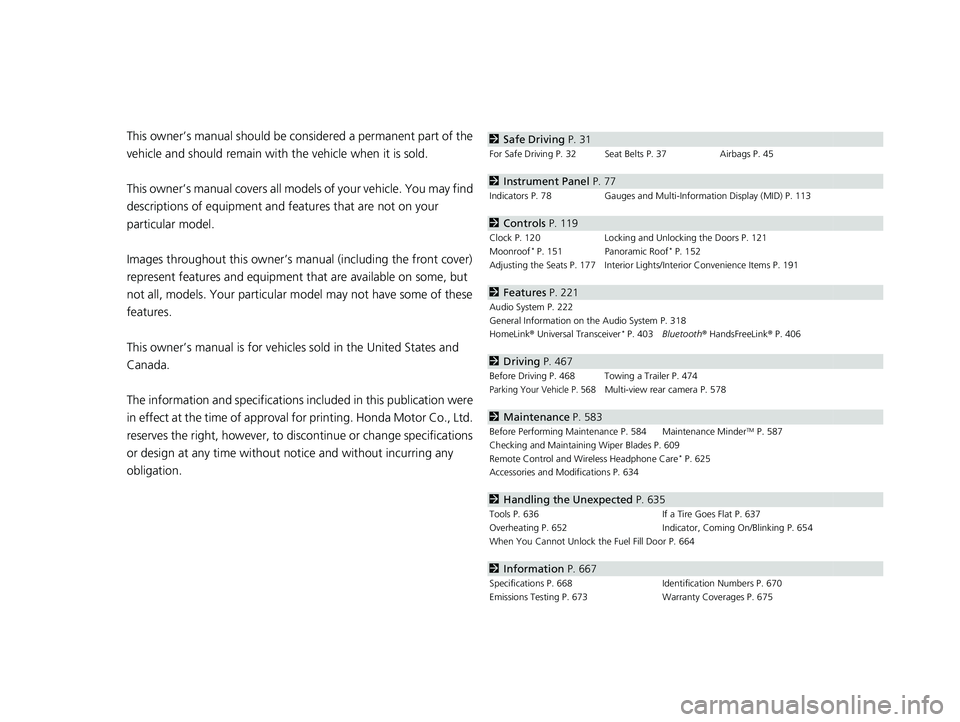
obligation.2 Safe Driving P. 31
For Safe Driving P. 32 Seat Belts P. 37 Airbags P. 45
2Instrument Panel P. 77
Indicators P. 78 Gauges and Multi-Information Display (MID) P. 113
2Controls P. 119
Clock P. 120 Locking and Unlocking the Doors P. 121
Moonroof* P. 151 Panoramic Roof* P. 152
Adjusting the Seats P. 177 Interior Ligh ts/Interior Convenience Items P. 191
2Features P. 221
Audio System P. 222
General Information on the Audio System P. 318
HomeLink ® Universal Transceiver
* P. 403 Bluetooth ® HandsFreeLink ® P. 406
2 Driving P. 467
Before Driving P. 468 Towing a Trailer P. 474
Parking Your Vehicle P. 568Multi-view rear camera P. 578
2Maintenance P. 583
Before Performing Maintenance P. 584 Maintenance MinderTM P. 587
Checking and Maintaining Wiper Blades P. 609
Remote Control and Wireless Headphone Care
* P. 625
Accessories and Modifications P. 634
2 Handling the Unexpected P. 635
Tools P. 636 If a Tire Goes Flat P. 637
Overheating P. 652 Indicator, Coming On/Blinking P. 654
When You Cannot Unlock the Fuel Fill Door P. 664
2 Information P. 667
Specifications P. 668 Identification Numbers P. 670
Emissions Testing P. 673 Warranty Coverages P. 675
18 PILOT-31TG76200.book 2 ページ 2018年3月30日 金曜日 午前11時51分
Page 5 of 695
Contents
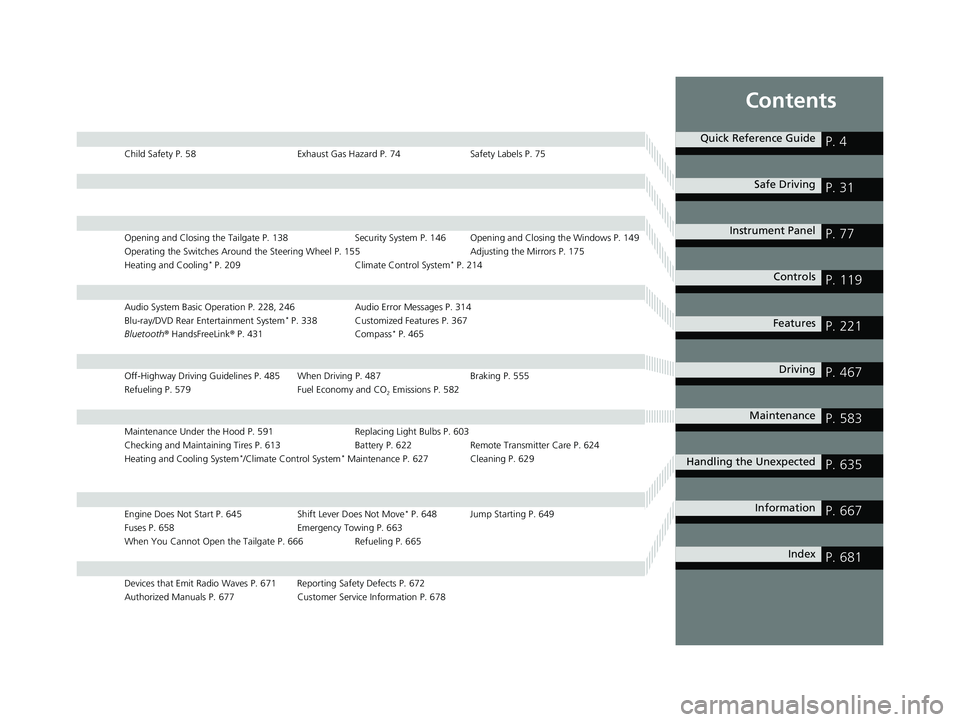
Child Safety P. 58Exhaust Gas Hazard P. 74Safety Labels P. 75
Opening and Closing the Tailgate P. 138 Security System P. 146 Opening and Closing the Windows P. 149
Operating the Switches Around the Steering Wheel P. 155 Adjusting the Mirrors P. 175
Heating and Cooling
* P. 209 Climate Control System* P. 214
Audio System Basic Operation P. 228, 246 Audio Error Messages P. 314
Blu-ray/DVD Rear Entertainment System* P. 338 Customized Features P. 367
Bluetooth ® HandsFreeLink ® P. 431 Compass* P. 465
Off-Highway Driving Guidelines P. 485 When Driving P. 487 Braking P. 555
Refueling P. 579 Fuel Economy and CO
2 Emissions P. 582
Maintenance Under the Hood P. 591 Replacing Light Bulbs P. 603
Checking and Maintaining Tires P. 613 Battery P. 622 Remote Transmitter Care P. 624
Heating and Cooling System
*/Climate Control System* Maintenance P. 627 Cleaning P. 629
Engine Does Not Start P. 645 Shift Lever Does Not Move* P. 648 Jump Starting P. 649
Fuses P. 658 Emergency Towing P. 663
When You Cannot Open the Tailgate P. 666 Refueling P. 665
Devices that Emit Radio Waves P. 671 Reporting Safety Defects P. 672
Authorized Manuals P. 677 Customer Service Information P. 678
Quick Reference GuideP. 4
Safe DrivingP. 31
Instrument PanelP. 77
ControlsP. 119
FeaturesP. 221
DrivingP. 467
MaintenanceP. 583
Handling the UnexpectedP. 635
InformationP. 667
IndexP. 681
18 PILOT-31TG76200.book 3 ページ 2018年3月30日 金曜日 午前11時51分
Page 7 of 695
5
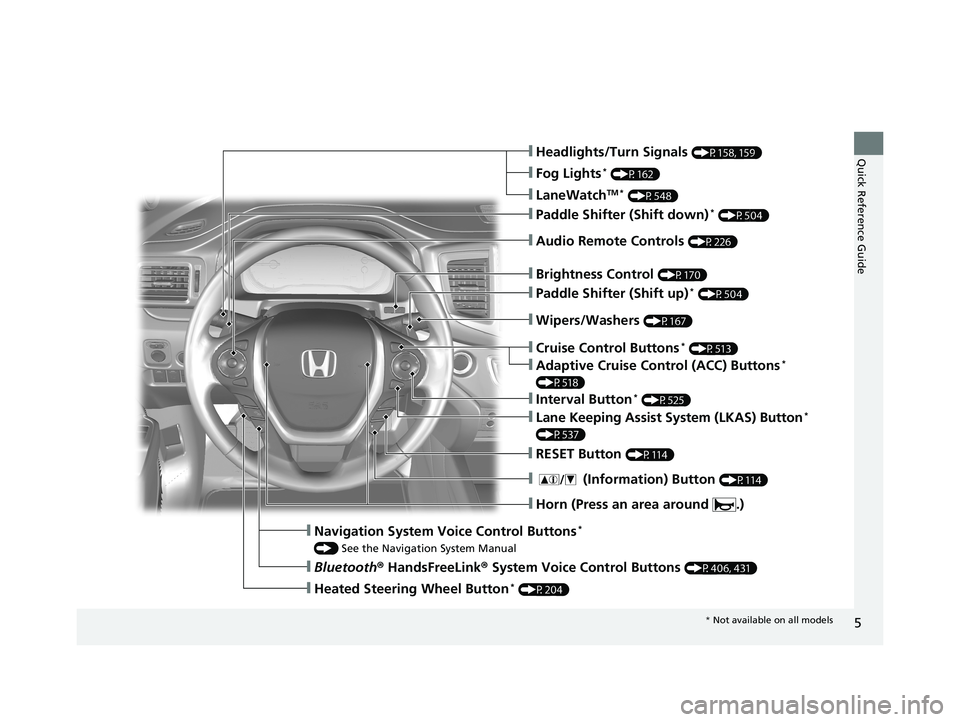
Quick Reference Guide❙Headlights/Turn Signals (P158, 159)
❙Fog Lights* (P162)
❙LaneWatchTM * (P548)
❙Paddle Shifter (Shift down)* (P504)
❙Audio Remote Controls (P226)
❙Wipers/Washers (P167)
❙Paddle Shifter (Shift up)* (P504)
❙Brightness Control (P170)
❙Cruise Control Buttons* (P513)
❙Adaptive Cruise Control (ACC) Buttons*
(P518)
❙Interval Button* (P525)
❙Lane Keeping Assist System (LKAS) Button*
(P537)
❙RESET Button (P114)
❙Horn (Press an area around .)
❙ (Information) Button (P114)
❙Navigation System Voice Control Buttons*
() See the Navigation System Manual
❙Bluetooth ® HandsFreeLink ® System Voice Control Buttons (P406, 431)
❙Heated Steering Wheel Button* (P204)
* Not available on all models
18 PILOT-31TG76200.book 5 ページ 2018年3月30日 金曜日 午前11時51分
Page 22 of 695
20
Quick Reference Guide
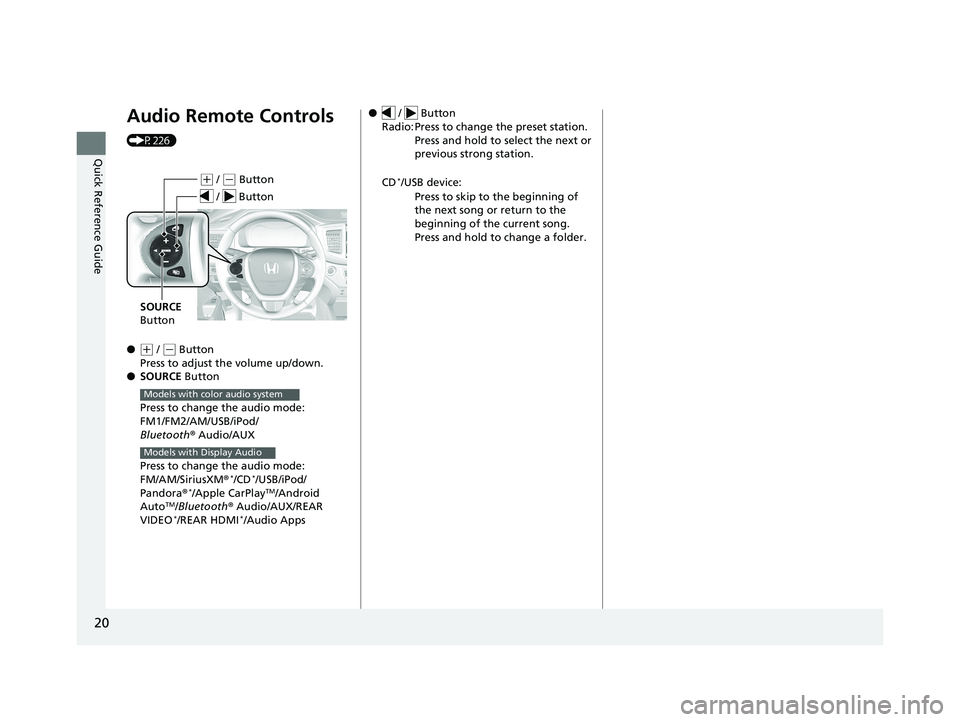
Audio Remote Controls
(P226)
●
(+ / ( - Button
Press to adjust the volume up/down.
● SOURCE Button
Press to change the audio mode:
FM1/FM2/AM/USB/iPod/
Bluetooth ® Audio/AUX
Press to change the audio mode:
FM/AM/SiriusXM ®
*/CD*/USB/iPod/
Pandora®*/Apple CarPlayTM/Android
AutoTM/Bluetooth ® Audio/AUX/REAR
VIDEO*/REAR HDMI*/Audio Apps
( + / (- Button
SOURCE
Button
/ Button
Models with color audio system
Models with Display Audio
● / Button
Radio: Press to change the preset station. Press and hold to select the next or
previous strong station.
CD
*/USB device: Press to skip to the beginning of
the next song or return to the
beginning of the current song.
Press and hold to change a folder.
18 PILOT-31TG76200.book 20 ページ 2018年3月30日 金曜日 午前11時51分
Page 121 of 695
119
Controls
This chapter explains how to operate the various controls necessary for driving.
Clock.................................................. 120
Locking and Unlocking the Doors Key Types and Functions .................. 121
Locking/Unlocking the Doors from the Outside .......................................... 124
Low Smart Entry Remote Signal Strength*... 123Locking/Unlocking the Doors from the Inside ............................................. 131
Childproof Door Locks ..................... 133
Auto Door Locking/Unlocking .......... 134
Customizing the Auto Door Locking/ Unlocking Setting ........................... 135
Opening and Closing the Tailgate ... 138
Security System Immobilizer System .......................... 146 Security System Alarm...................... 146
Opening and Closing the Windows.... 149Moonroof*.............................................. 151Panoramic Roof*............................... 152
Operating the Switches Around the Steering Wheel
ENGINE START/STOP Button............. 155
Turn Signals ..................................... 158
Light Switches.................................. 159
Fog Lights
*...................................... 162
Auto High-Beam System*................ 163
Daytime Running Lights ................... 166
Wipers and Washers ........................ 167
Brightness Control ........................... 170
Defogger/Heated Door Mirror
*........ 171 Driving Position Memory System
*.... 172
Adjusting the Steering Wheel .......... 174
Adjusting the Mirrors
Interior Rearview Mirror ................... 175
Power Door Mirrors ......................... 176
Adjusting the Seats
Adjusting the Seat Positions ............. 177
Rear Seats........................................ 186
Armrest ........................................... 189
Interior Lights/Interior Convenience ItemsInterior Lights .................................. 191
Interior Convenience Items .............. 195
Heating and Cooling
*....................... 209
Climate Control System*.................. 214
* Not available on all models
18 PILOT-31TG76200.book 119 ページ 2018年3月30日 金曜日 午前11時51分
Page 123 of 695
121Continued
Controls
Locking and Unlocking the Doors
Key Types and Functions
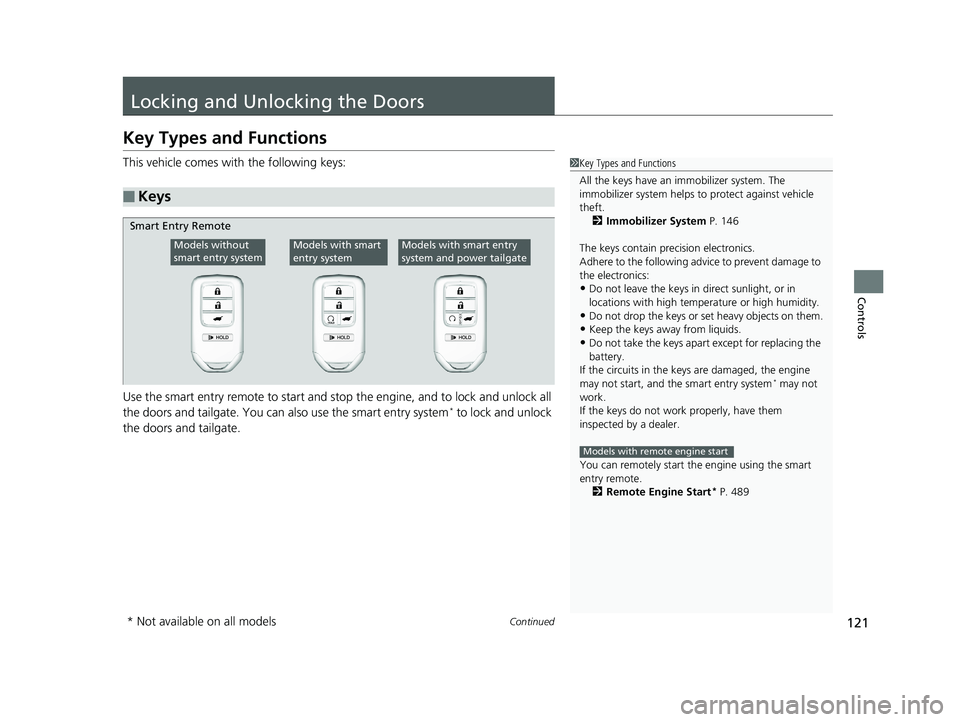
This vehicle comes with the following keys:
Use the smart entry remote to start and stop the engine, and to lock and unlock all
the doors and tailgate. You can also use the smart entry system
* to lock and unlock
the doors and tailgate.
■Keys
1 Key Types and Functions
All the keys have an immobilizer system. The
immobilizer system helps to protect against vehicle
theft. 2 Immobilizer System P. 146
The keys contain precision electronics.
Adhere to the following advi ce to prevent damage to
the electronics:
•Do not leave the keys in direct sunlight, or in
locations with high temperature or high humidity.
•Do not drop the keys or set heavy objects on them.
•Keep the keys away from liquids.
•Do not take the keys apart except for replacing the
battery.
If the circuits in the keys are damaged, the engine
may not start, and the smart entry system
* may not
work.
If the keys do not work properly, have them
inspected by a dealer.
You can remotely start th e engine using the smart
entry remote.
2 Remote Engine Start
* P. 489
Models with remote engine start
Smart Entry Remote
Models without
smart entry systemModels with smart
entry systemModels with smart entry
system and power tailgate
* Not available on all models
18 PILOT-31TG76200.book 121 ページ 2018年3月30日 金曜日 午前11時51分
Page 124 of 695
uuLocking and Unlocking the Doors uKey Types and Functions
122
Controls
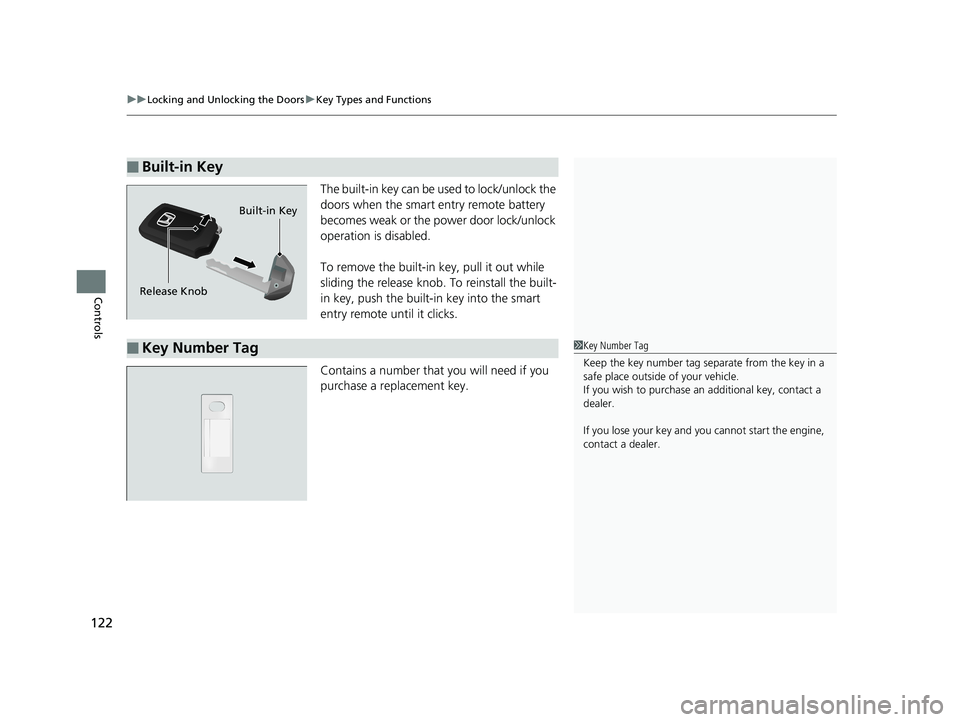
The built-in key can be us ed to lock/unlock the
doors when the smart entry remote battery
becomes weak or the power door lock/unlock
operation is disabled.
To remove the built-in key, pull it out while
sliding the release knob. To reinstall the built-
in key, push the built-in key into the smart
entry remote until it clicks.
Contains a number that you will need if you
purchase a replacement key.
■Built-in Key
Release Knob Built-in Key
■Key Number Tag1
Key Number Tag
Keep the key number tag separate from the key in a
safe place outside of your vehicle.
If you wish to purchase an additional key, contact a
dealer.
If you lose your key and you cannot start the engine,
contact a dealer.
18 PILOT-31TG76200.book 122 ページ 2018年3月30日 金曜日 午前11時51分
Page 125 of 695
123
uuLocking and Unlocking the Doors uLow Smart Entry Remote Signal Strength*
Controls
Low Smart Entry Remote Signal Strength*
The vehicle transmits radio waves to loca te the smart entry remote when locking/
unlocking the doors and tailgate, or to start the engine.
In the following cases, locking/unlocking the doors and tailgate, or starting the
engine may be inhibited or operation may be unstable:
• Strong radio waves are being transmitted by nearby equipment.
• You are carrying the smart entry remo te together with telecommunications
equipment, laptop computers, ce ll phones, or wireless devices.
• A metallic object is touching or covering the smart entry remote.
Models with smart entry system1Low Smart Entry Remote Signal Strength*
Communication between the smart entry remote and
the vehicle consumes the smart entry remote’s
battery.
The smart entry remote batte ry lasts about two years.
This changes by how often you use the remote.
The battery is consumed whenever the smart entry
remote is receivi ng strong radio wave s. Avoid placing
it near electrical appliances such as televisions and
personal computers.
* Not available on all models
18 PILOT-31TG76200.book 123 ページ 2018年3月30日 金曜日 午前11時51分
Page 126 of 695
124
uuLocking and Unlocking the Doors uLocking/Unlocking the Doors from the Outside
Controls
Locking/Unlocking the Doors from the Outside
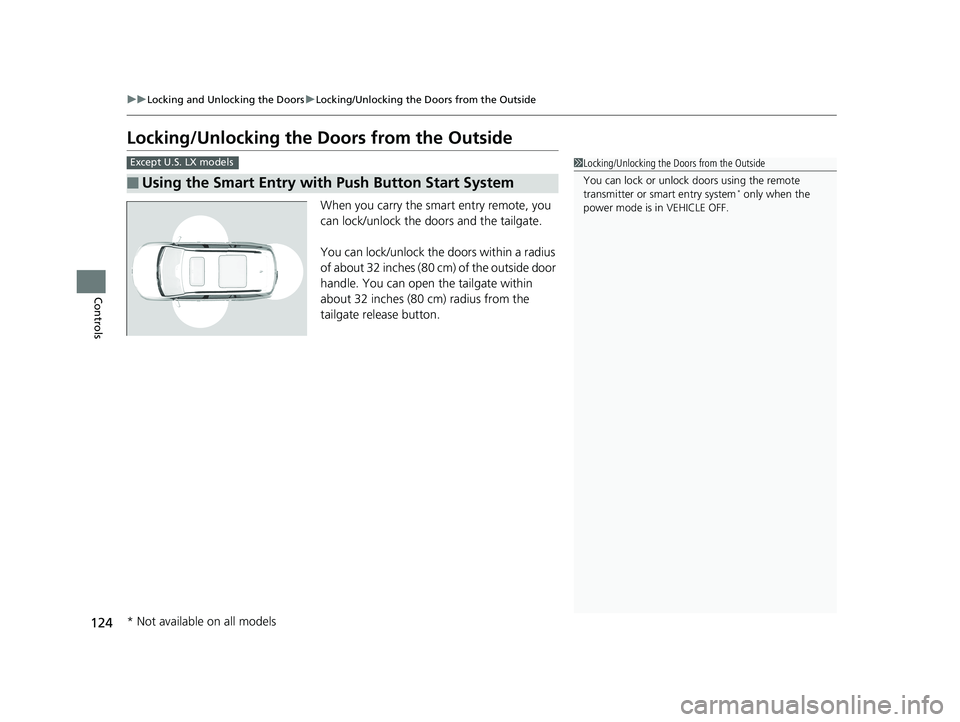
When you carry the smart entry remote, you
can lock/unlock the doors and the tailgate.
You can lock/unlock the doors within a radius
of about 32 inches (80 cm) of the outside door
handle. You can open the tailgate within
about 32 inches (80 cm) radius from the
tailgate release button.
■Using the Smart Entry with Push Button Start System
Except U.S. LX models1 Locking/Unlocking the Doors from the Outside
You can lock or unlock doors using the remote
transmitter or smart entry system
* only when the
power mode is in VEHICLE OFF.
* Not available on all models
18 PILOT-31TG76200.book 124 ページ 2018年3月30日 金曜日 午前11時51分
Page 127 of 695
Continued125
uuLocking and Unlocking the Doors uLocking/Unlocking the Doors from the Outside
Controls
■Locking the doors and tailgate
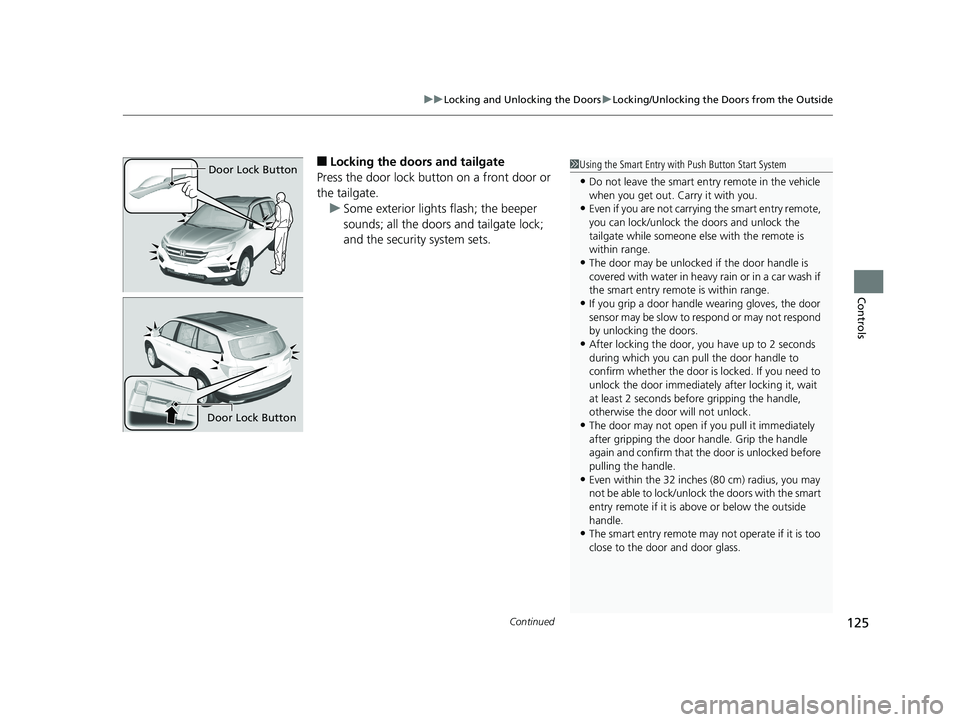
Press the door lock button on a front door or
the tailgate. u Some exterior lights flash; the beeper
sounds; all the doors and tailgate lock;
and the security system sets.1Using the Smart Entry with Push Button Start System
•Do not leave the smart entry remote in the vehicle
when you get out. Carry it with you.
•Even if you are not carrying the smart entry remote,
you can lock/unlock the doors and unlock the
tailgate while someone else with the remote is
within range.
•The door may be unlocked if the door handle is
covered with water in heavy rain or in a car wash if
the smart entry remote is within range.
•If you grip a door handle wearing gloves, the door
sensor may be slow to respond or may not respond
by unlocking the doors.
•After locking the door, you have up to 2 seconds
during which you can pull the door handle to
confirm whether the door is locked. If you need to
unlock the door immediately after locking it, wait
at least 2 seconds befo re gripping the handle,
otherwise the door will not unlock.
•The door may not open if you pull it immediately
after gripping the door handle. Grip the handle
again and confirm that th e door is unlocked before
pulling the handle.
•Even within the 32 inches (80 cm) radius, you may
not be able to lock/unlock the doors with the smart
entry remote if it is a bove or below the outside
handle.
•The smart entry remote may not operate if it is too
close to the door and door glass.
Door Lock Button
Door Lock Button
18 PILOT-31TG76200.book 125 ページ 2018年3月30日 金曜日 午前11時51分