AUTO function HONDA PILOT 2019 Owner's Manual (in English)
[x] Cancel search | Manufacturer: HONDA, Model Year: 2019, Model line: PILOT, Model: HONDA PILOT 2019Pages: 747, PDF Size: 45.81 MB
Page 3 of 747
California Perchlorate Contamination Prevention Act
The airbags, seat belt tensioners, and CR type batteries in this
vehicle may contain perchlorate materials - special handling may
apply. See www.dtsc.ca.gov/hazard ouswaste/perchlorate/
As you read this manual, you will find information that is preceded
by a symbol. This information is intended to help you avoid
damage to your vehicle, othe r property, or the environment.
Software End User License Agreement
Your vehicle comes equipped with software, which is governed by
the End User License Agreement in Owner’s Manual, and which
contains a binding arbitration clau se. Please refer to the End User
License Agreement for the terms and conditions governing your
use of the installed software, as we ll as the applications, services,
functions, and content provided through the software. Your use of
the installed software wi ll serve as your consent to the terms and
conditions of the End User License Agreement.
You may opt out within 30 days of your initial use of the Software
by sending a signed, written noti ce to HONDA at American Honda
Motor Co., Inc. Honda Automobile Customer Services Mail Stop
100-5E-8A, 1919 Torrance Blvd. Torrance, CA 90501-2746.
Privacy Notice
This vehicle may share location a nd usage information. To manage
this setting, visit www.hondalink.com/vehicle-data-choices .
A Few Words About Safety
Your safety, and the safety of others, is very important. And
operating this vehicle safely is an important responsibility.
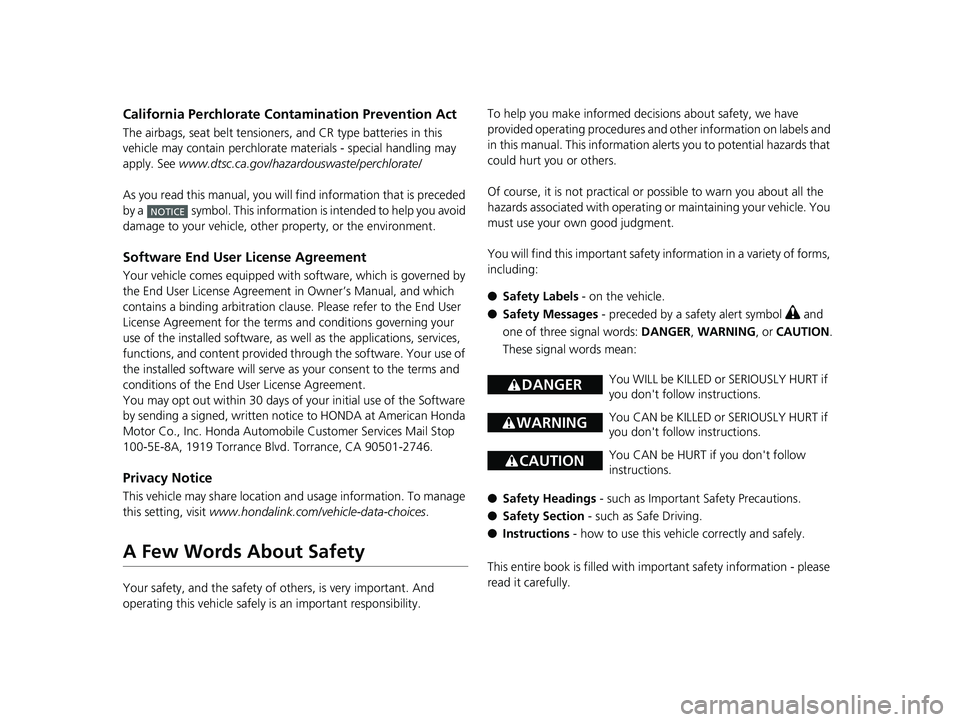
NOTICE
To help you make informed de cisions about safety, we have
provided operating procedures and other information on labels and
in this manual. This information alerts you to potential hazards that
could hurt you or others.
Of course, it is not practical or possible to warn you about all the
hazards associated with operating or maintaining your vehicle. You
must use your own good judgment.
You will find this impo rtant safety information in a variety of forms,
including:
● Safety Labels - on the vehicle.
● Safety Messages - preceded by a safety alert symbol
3 and
one of three signal words: DANGER, WARNING , or CAUTION .
These signal words mean:
● Safety Headings - such as Important Safety Precautions.
● Safety Section - such as Safe Driving.
● Instructions - how to use this vehi cle correctly and safely.
This entire book is filled with important safety information - please
read it carefully.
3 DANGERYou WILL be KILLED or SERIOUSLY HURT if
you don't follow instructions.
3 WARNINGYou CAN be KILLED or SERIOUSLY HURT if
you don't follow instructions.
3CAUTIONYou CAN be HURT if you don't follow
instructions.
19 PILOT HMA ELP-31TG76310.book 1 ページ 2019年3月15日 金曜日 午後6時8分
Page 11 of 747
9
Quick Reference Guide
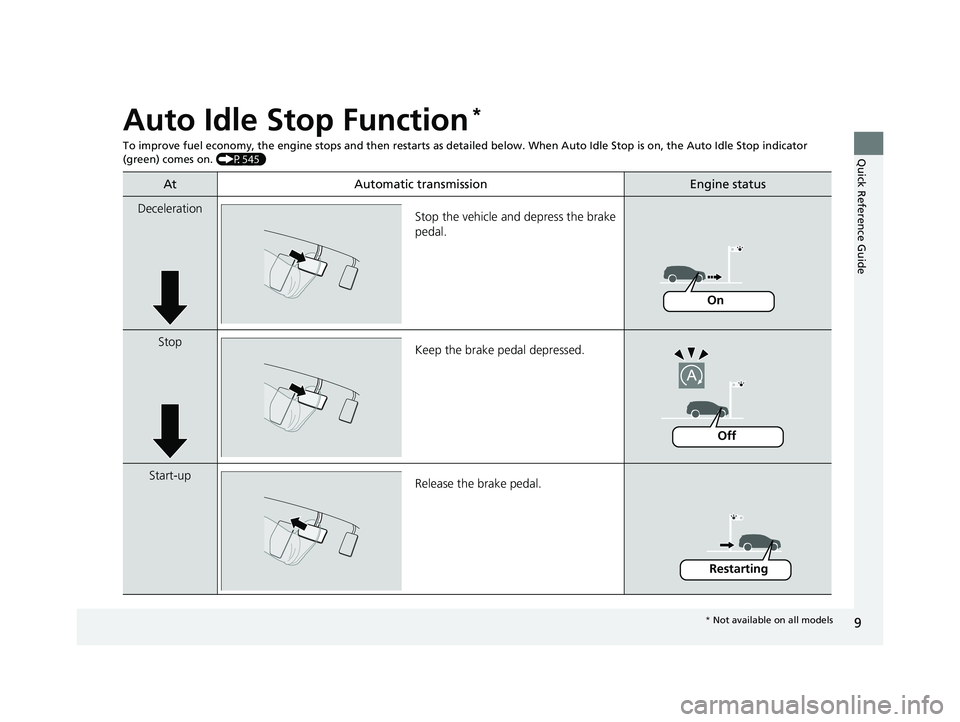
Auto Idle Stop Function*
To improve fuel economy, the engine stops and then restarts as detailed below. When Auto Idle Stop is on, the Auto Idle Stop in dicator
(green) comes on. (P545)
At Automatic transmissionEngine status
Deceleration
Stop the vehicle and depress the brake
pedal.
StopKeep the brake pedal depressed.
Start-up Release the brake pedal.
On
Off
Restarting
* Not available on all models
19 PILOT HMA ELP-31TG76310.book 9 ページ 2019年3月15日 金曜日 午後6時8分
Page 14 of 747
12
Quick Reference Guide
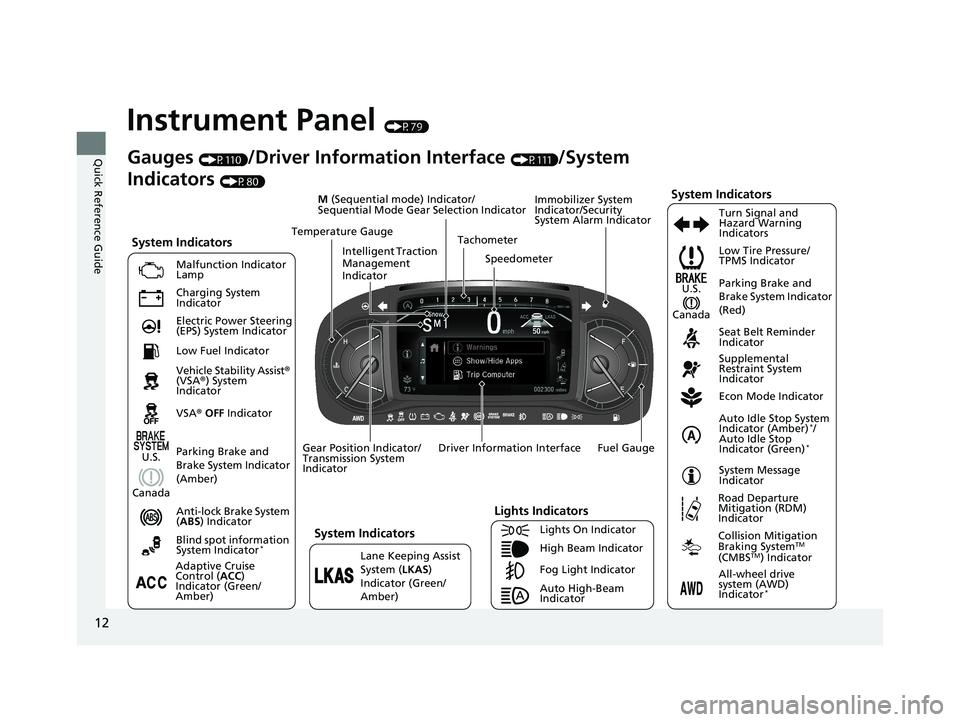
Instrument Panel (P79)
System Indicators
Malfunction Indicator
Lamp
Charging System
Indicator
Anti-lock Brake System
(ABS ) Indicator
Vehicle Stability Assist®
(VSA® ) System
Indicator
VSA ® OFF Indicator Low Tire Pressure/
TPMS Indicator
Immobilizer System
Indicator/Security
System Alarm Indicator
Lights Indicators
Lights On Indicator
High Beam Indicator
Fog Light Indicator
Lane Keeping Assist
System (
LKAS)
Indicator (Green/
Amber) Seat Belt Reminder
Indicator
System Indicators
Econ Mode Indicator
System Message
Indicator Parking Brake and
Brake System Indicator
(Red)
Supplemental
Restraint System
Indicator
Driver Information Interface Tachometer
M
(Sequential mode) Indicator/
Sequential Mode Gear Selection Indicator
Speedometer
Fuel Gauge
Gear Position Indicator/
Transmission System
Indicator Auto Idle Stop System
Indicator (Amber)
*/
Auto Idle Stop
Indicator (Green)
*
Gauges (P110)/Driver Information Interface (P111)/System
Indicators
(P80)
Adaptive Cruise
Control ( ACC)
Indicator (Green/
Amber) Turn Signal and
Hazard Warning
Indicators
Electric Power Steering
(EPS) System Indicator
Blind spot information
System Indicator
*
Temperature Gauge
Parking Brake and
Brake System Indicator
(Amber)U.S.
Canada
System Indicators
U.S.
Canada
Low Fuel Indicator
Auto High-Beam
Indicator
Road Departure
Mitigation (RDM)
Indicator
Collision Mitigation
Braking SystemTM
(CMBSTM) Indicator
All-wheel drive
system (AWD)
Indicator
*
Intelligent Traction
Management
Indicator
19 PILOT HMA ELP-31TG76310.book 12 ページ 2019年3月15日 金曜日 午後6時8分
Page 27 of 747
25
Quick Reference Guide
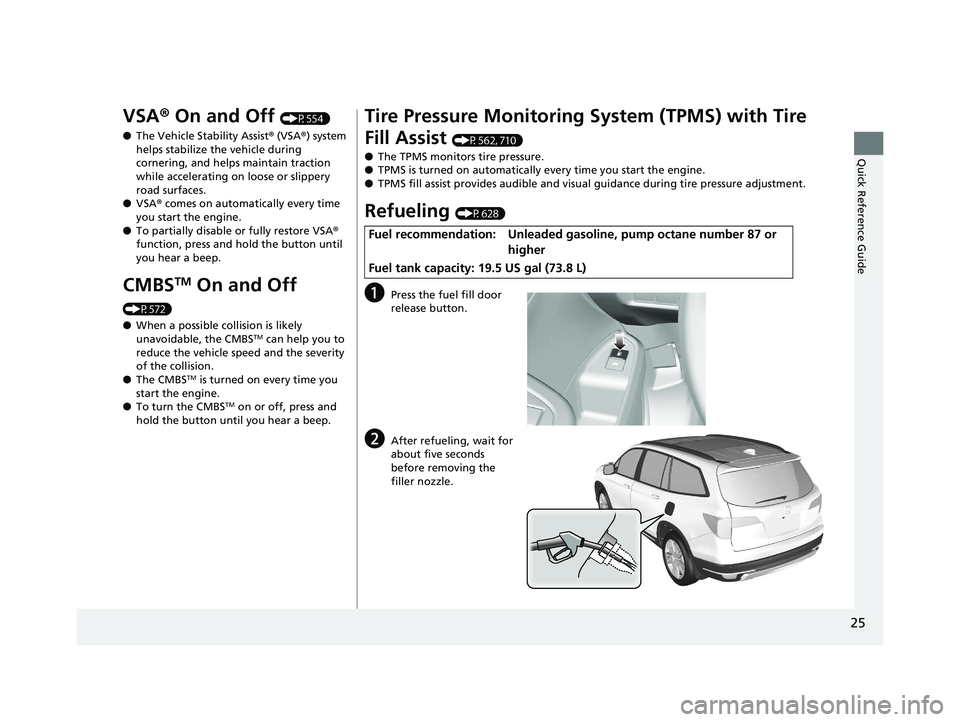
VSA® On and Off (P554)
● The Vehicle Stability Assist ® (VSA® ) system
helps stabilize the vehicle during
cornering, and helps maintain traction
while accelerating on loose or slippery
road surfaces.
● VSA ® comes on automatically every time
you start the engine.
● To partially disable or fully restore VSA ®
function, press and ho ld the button until
you hear a beep.
CMBSTM On and Off
(P572)
● When a possible collision is likely
unavoidable, the CMBS
TM can help you to
reduce the vehicle speed and the severity
of the collision.
● The CMBS
TM is turned on every time you
start the engine.
● To turn the CMBS
TM on or off, press and
hold the button until you hear a beep.
Tire Pressure Monitoring System (TPMS) with Tire
Fill Assist
(P562, 710)
● The TPMS monitors tire pressure.
● TPMS is turned on automatically every time you start the engine.
● TPMS fill assist provides audible and visual guidance during tire pressure adjustment.
Refueling (P628)
aPress the fuel fill door
release button.
bAfter refueling, wait for
about five seconds
before removing the
filler nozzle.
Fuel recommendation: Unleaded gasoline, pump octane number 87 or
higher
Fuel tank capacity: 19.5 US gal (73.8 L)
19 PILOT HMA ELP-31TG76310.book 25 ページ 2019年3月15日 金曜日 午後6時8分
Page 32 of 747
30
Quick Reference Guide
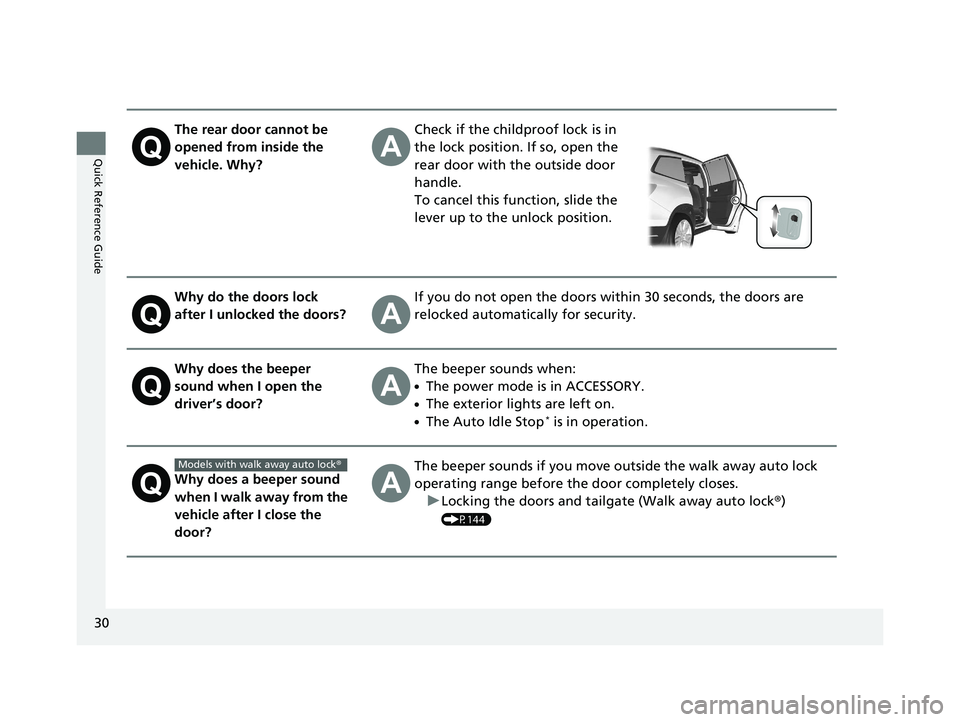
The rear door cannot be
opened from inside the
vehicle. Why?Check if the childproof lock is in
the lock position. If so, open the
rear door with the outside door
handle.
To cancel this function, slide the
lever up to the unlock position.
Why do the doors lock
after I unlocked the doors?If you do not open the doors within 30 seconds, the doors are
relocked automatically for security.
Why does the beeper
sound when I open the
driver’s door?The beeper sounds when:
●The power mode is in ACCESSORY.
●The exterior lights are left on.
●The Auto Idle Stop* is in operation.
Why does a beeper sound
when I walk away from the
vehicle after I close the
door?The beeper sounds if you move outside the walk away auto lock
operating range before the door completely closes.u Locking the doors and tailgate (Walk away auto lock ®)
(P144)
Models with walk away auto lock ®
19 PILOT HMA ELP-31TG76310.book 30 ページ 2019年3月15日 金曜日 午後6時8分
Page 103 of 747
101
uuIndicators uDriver Information Interface Wa rning and Information Messages
Continued
Instrument Panel
MessageConditionExplanation
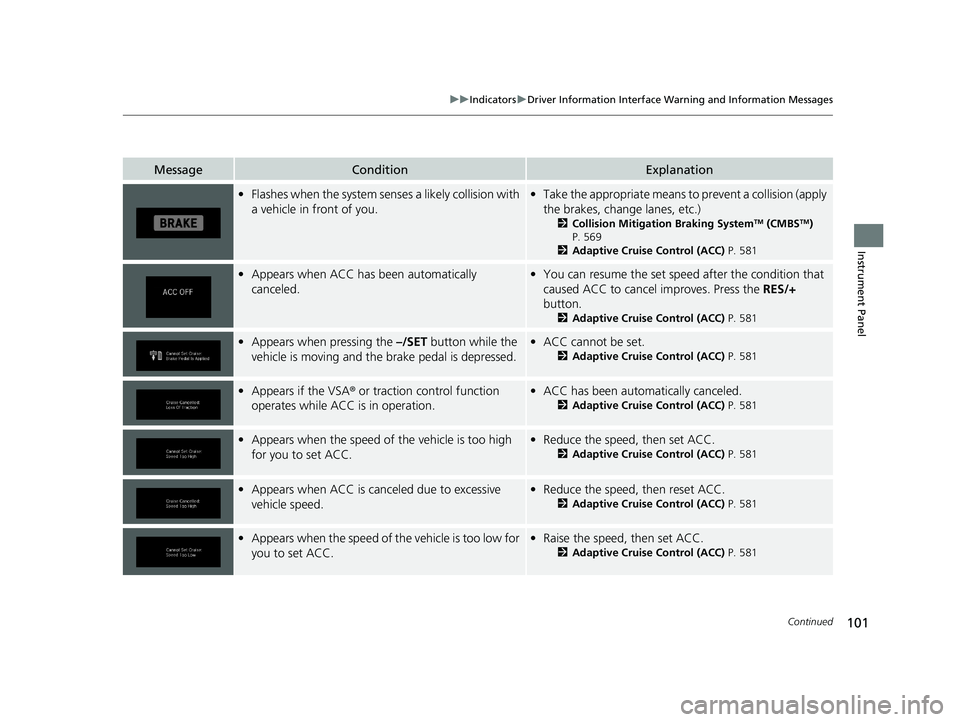
•Flashes when the system sens es a likely collision with
a vehicle in front of you.• Take the appropriate means to prevent a collision (apply
the brakes, change lanes, etc.)
2 Collision Mitigation Braking SystemTM (CMBSTM)
P. 569
2 Adaptive Cruise Control (ACC) P. 581
•Appears when ACC has been automatically
canceled.•You can resume the set speed after the condition that
caused ACC to cancel improves. Press the RES/+
button.
2 Adaptive Cruise Control (ACC) P. 581
•Appears when pressing the –/SET button while the
vehicle is moving and th e brake pedal is depressed.•ACC cannot be set.
2 Adaptive Cruise Control (ACC) P. 581
•Appears if the VSA ® or traction control function
operates while ACC is in operation.• ACC has been automatically canceled.
2 Adaptive Cruise Control (ACC) P. 581
•Appears when the speed of the vehicle is too high
for you to set ACC.• Reduce the speed, then set ACC.
2 Adaptive Cruise Control (ACC) P. 581
•Appears when ACC is canc eled due to excessive
vehicle speed.• Reduce the speed, then reset ACC.
2 Adaptive Cruise Control (ACC) P. 581
•Appears when the speed of the vehicle is too low for
you to set ACC.• Raise the speed, then set ACC.
2 Adaptive Cruise Control (ACC) P. 581
19 PILOT HMA ELP-31TG76310.book 101 ページ 2019年3月15日 金曜日 午後6時8分
Page 132 of 747
130
uuGauges and Displays uDriver Information Interface
Instrument Panel
*1:Default SettingSetup Group Customizable Features
Description Selectable settings
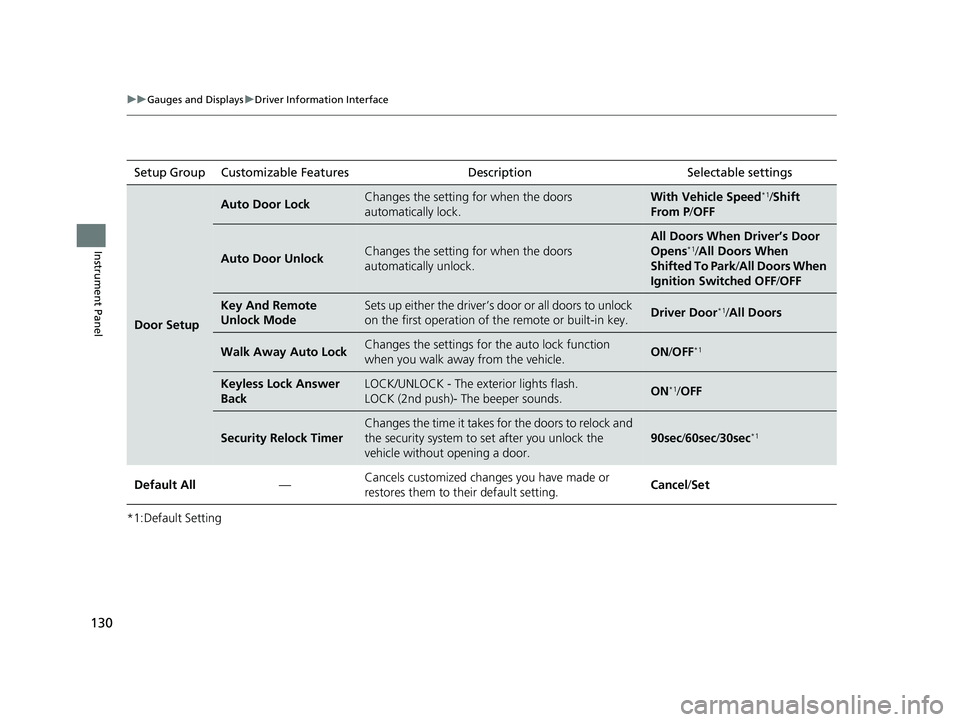
Door Setup
Auto Door LockChanges the setting for when the doors
automatically lock.With Vehicle Speed*1/Shift
From P /OFF
Auto Door UnlockChanges the setting for when the doors
automatically unlock.
All Doors When Driver’s Door
Opens*1/All Doors When
Shifted To Park /All Doors When
Ignition Switched OFF /OFF
Key And Remote
Unlock ModeSets up either the driver’s do or or all doors to unlock
on the first operation of the remote or built-in key.Driver Door*1/All Doors
Walk Away Auto LockChanges the settings for the auto lock function
when you walk away from the vehicle.ON /OFF*1
Keyless Lock Answer
BackLOCK/UNLOCK - The exterior lights flash.
LOCK (2nd push)- The beeper sounds.ON*1/OFF
Security Relock Timer
Changes the time it takes for the doors to relock and
the security system to set after you unlock the
vehicle without opening a door.
90sec /60sec/ 30sec*1
Default All —Cancels customized changes you have made or
restores them to their default setting. Cancel
/Set
19 PILOT HMA ELP-31TG76310.book 130 ページ 2019年3月15日 金曜日 午後6時8分
Page 137 of 747
135
Controls
This chapter explains how to operate the various controls necessary for driving.
Clock.................................................. 136
Locking and Unlocking the Doors
Key Types and Functions .................. 139
Low Smart Entry Remote Signal Strength*.................................... 141Locking/Unlocking the Doors from the
Outside .......................................... 142
Locking/Unlocking the Doors from the Inside ............................................. 149
Childproof Door Locks ..................... 151
Auto Door Locking/Unlocking .......... 152
Opening and Closing the Tailgate ... 153
Security System Immobilizer System .......................... 163
Security System Alarm ...................... 163
Opening and Closing the Windows .... 166Moonroof*........................................ 169
Panoramic Roof*............................... 170
Operating the Switches Around the Steering Wheel
ENGINE START/STOP Button............. 171
Turn Signals ..................................... 174
Light Switches.................................. 175
Fog Lights
*...................................... 178
Auto High-Beam .............................. 179
Daytime Running Lights ................... 182
Wipers and Washers ........................ 183
Rear Defogger/Heat ed Door Mirror
*
Button ........................................... 186
Brightness Control ........................... 188 Driving Position Memory System
*.... 189
Adjusting the Steering Wheel .......... 191
Adjusting the Mirrors
Interior Rearview Mirror ................... 192
Power Door Mirrors ......................... 193
Adjusting the Seats
Front Seats ...................................... 194
Rear Seats........................................ 204
Armrest ........................................... 207
Interior Lights/Interior Convenience ItemsInterior Lights .................................. 209
Interior Convenience Items .............. 213
Heating and Cooling
*....................... 230
Climate Control System*.................. 235
* Not available on all models
19 PILOT HMA ELP-31TG76310.book 135 ページ 2019年3月15日 金曜日 午後6時8分
Page 146 of 747
uuLocking and Unlocking the Doors uLocking/Unlocking the Doors from the Outside
144
Controls
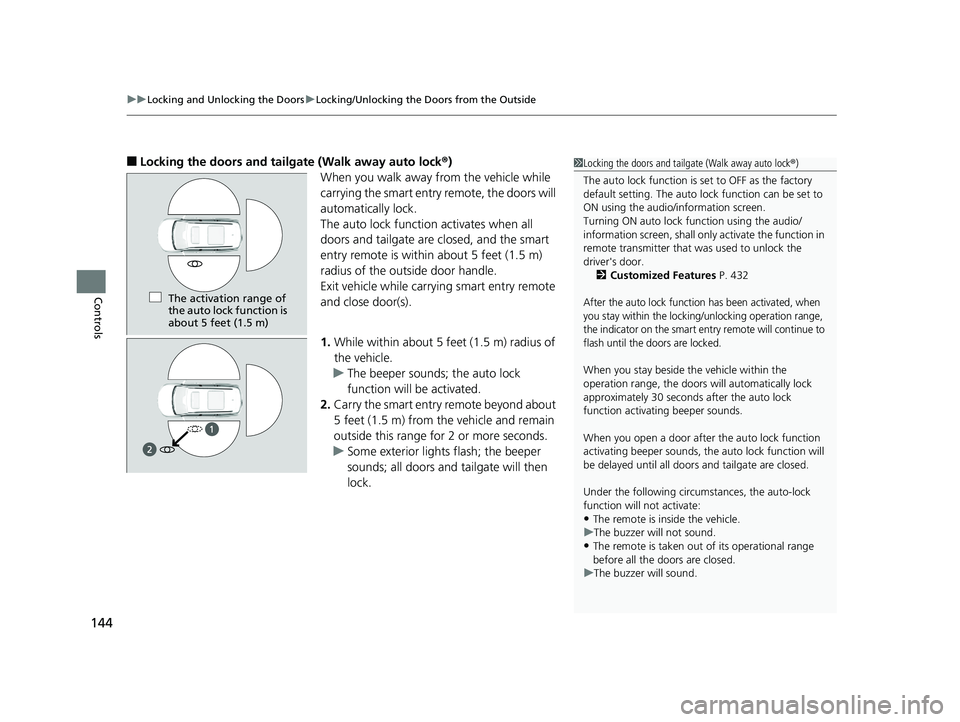
■Locking the doors and tailgate (Walk away auto lock ®)
When you walk away from the vehicle while
carrying the smart entry remote, the doors will
automatically lock.
The auto lock function activates when all
doors and tailgate are closed, and the smart
entry remote is within about 5 feet (1.5 m)
radius of the outside door handle.
Exit vehicle while carrying smart entry remote
and close door(s).
1. While within about 5 feet (1.5 m) radius of
the vehicle.
u The beeper sounds; the auto lock
function will be activated.
2. Carry the smart entry remote beyond about
5 feet (1.5 m) from the vehicle and remain
outside this range fo r 2 or more seconds.
u Some exterior lights flash; the beeper
sounds; all doors and tailgate will then
lock.1Locking the doors and tailg ate (Walk away auto lock®)
The auto lock function is set to OFF as the factory
default setting. The auto lo ck function can be set to
ON using the audio/information screen.
Turning ON auto lock function using the audio/
information screen, shall only activate the function in
remote transmitter that was used to unlock the
driver's door. 2 Customized Features P. 432
After the auto lock function has been activated, when
you stay within the locking/unlocking operation range,
the indicator on the smart en try remote will continue to
flash until the doors are locked.
When you stay beside the vehicle within the
operation range, the doors wi ll automatically lock
approximately 30 seconds after the auto lock
function activating beeper sounds.
When you open a door after the auto lock function
activating beeper sounds, the auto lock function will
be delayed until all doors and tailgate are closed.
Under the following circumstances, the auto-lock
function will not activate:
•The remote is inside the vehicle.
u The buzzer will not sound.
•The remote is taken out of its operational range
before all the doors are closed.
u The buzzer will sound.
The activation range of
the auto lock function is
about 5 feet (1.5 m)
19 PILOT HMA ELP-31TG76310.book 144 ページ 2019年3月15日 金曜日 午後6時8分
Page 147 of 747
Continued145
uuLocking and Unlocking the Doors uLocking/Unlocking the Doors from the Outside
Controls
To temporarily deactivate the function:
1. Set the power mode to OFF.
2. Open the driv er's door.
3. Using the master door lock switch, operate
the lock as follows:
Lock Unlock Lock Unlock.
u The beeper sounds and the function is
deactivated.
To restore the function:
• Set the power mode to ON.
• Lock the vehicle withou t using the auto lock
function.
• With the smart entry remote on you, move
out of the auto lock function operation
range.
• Open any door.1Locking the doors and tailg ate (Walk away auto lock®)
If equipped, the user mu st wait until the power
tailgate fully closes before the auto lock function will
be activated.
The auto lock function does not operate when any of
the following conditions are met.
•The smart entry remote is inside the vehicle.
•A door or the hood is not closed.•The power mode is set to any mode other than
OFF.
•The smart entry remote is not located within a
radius of about 5 feet (1 .5 m) from the vehicle
when you get out of the vehicle and close the
doors.
Auto lock function operation stop beeper
After the auto lock function has been activated, the
auto lock operation stop beeper sounds for
approximately two seconds in the following cases.
•The smart entry remote is put inside the vehicle
through a window.
•You are located too close to the vehicle.
•The smart entry remote is put inside the tailgate.
If the warning beeper sounds, check that you are
carrying the smart entry remote. Then, open/close a
door and confirm the auto lock activation beeper
sounds once.
Models with power tailgate
19 PILOT HMA ELP-31TG76310.book 145 ページ 2019年3月15日 金曜日 午後6時8分