headlights HONDA PILOT 2021 (in English) User Guide
[x] Cancel search | Manufacturer: HONDA, Model Year: 2021, Model line: PILOT, Model: HONDA PILOT 2021Pages: 739, PDF Size: 44.86 MB
Page 182 of 739
uuOperating the Switches Around the Steering Wheel uAuto High-Beam
180
Controls
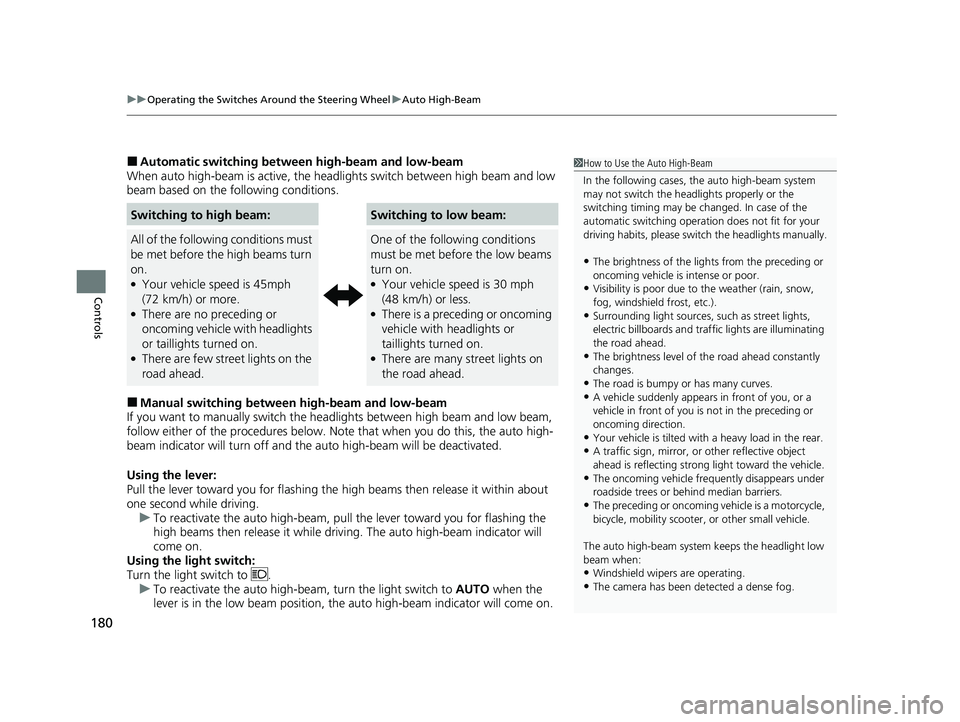
■Automatic switching between high-beam and low-beam
When auto high-beam is ac tive, the headlights switch between high beam and low
beam based on the following conditions.
■Manual switching between high-beam and low-beam
If you want to manually switch the headlights between high beam and low beam,
follow either of the proced ures below. Note that when you do this, the auto high-
beam indicator will turn off and the auto high-beam will be deactivated.
Using the lever:
Pull the lever toward you fo r flashing the high beams then release it within about
one second while driving. u To reactivate the auto high-beam, pull the lever toward you for flashing the
high beams then release it while driving. The auto high-beam indicator will
come on.
Using the light switch:
Turn the light switch to . u To reactivate the auto high-be am, turn the light switch to AUTO when the
lever is in the low beam position, the auto high-beam indicator will come on.
Switching to high beam:Switching to low beam:
All of the following conditions must
be met before the high beams turn
on.
●Your vehicle speed is 45mph
(72 km/h) or more.
●There are no preceding or
oncoming vehicle with headlights
or taillights turned on.
●There are few street lights on the
road ahead.
One of the following conditions
must be met before the low beams
turn on.
●Your vehicle speed is 30 mph
(48 km/h) or less.
●There is a preceding or oncoming
vehicle with headlights or
taillights turned on.
●There are many street lights on
the road ahead.
1 How to Use the Auto High-Beam
In the following cases, th e auto high-beam system
may not switch the head lights properly or the
switching timing may be ch anged. In case of the
automatic switching operati on does not fit for your
driving habits, please swit ch the headlights manually.
•The brightness of the lights from the preceding or
oncoming vehicle is intense or poor.
•Visibility is poor due to the weather (rain, snow,
fog, windshield frost, etc.).
•Surrounding light sources, such as street lights,
electric billboards and traf fic lights are illuminating
the road ahead.
•The brightness level of th e road ahead constantly
changes.
•The road is bumpy or has many curves.•A vehicle suddenly appears in front of you, or a
vehicle in front of you is not in the preceding or
oncoming direction.
•Your vehicle is tilted with a heavy load in the rear.•A traffic sign, mirror, or other reflective object
ahead is reflecting strong light toward the vehicle.
•The oncoming vehicle freq uently disappears under
roadside trees or be hind median barriers.
•The preceding or oncoming vehicle is a motorcycle,
bicycle, mobility scooter, or other small vehicle.
The auto high-beam system keeps the headlight low
beam when:
•Windshield wipers are operating.
•The camera has been detected a dense fog.
21 PILOT-31TG76500.book 180 ページ 2020年3月18日 水曜日 午後4時38分
Page 194 of 739
192
Controls
Adjusting the Mirrors
Interior Rearview Mirror
Adjust the angle of the rearview mirror when you are sitting in the correct driving
position.
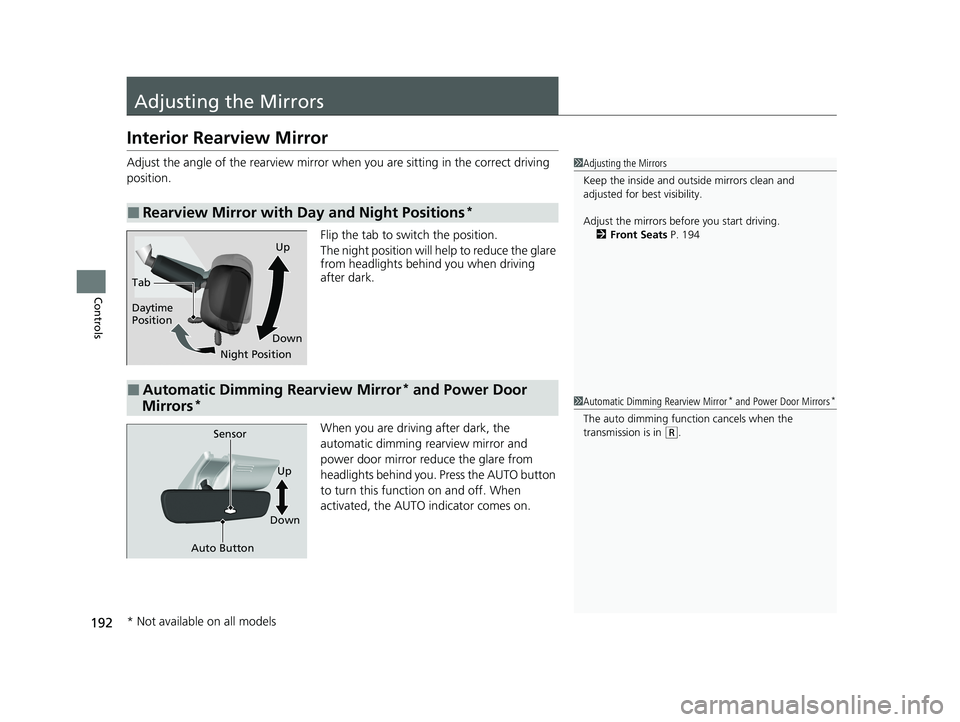
Flip the tab to switch the position.
The night position will help to reduce the glare
from headlights behind you when driving
after dark.
When you are driving after dark, the
automatic dimming rearview mirror and
power door mirror reduce the glare from
headlights behind you. Press the AUTO button
to turn this function on and off. When
activated, the AUTO indicator comes on.
■Rearview Mirror with Day and Night Positions*
1 Adjusting the Mirrors
Keep the inside and out side mirrors clean and
adjusted for best visibility.
Adjust the mirrors before you start driving. 2 Front Seats P. 194
Tab
Daytime
Position
Night PositionUp
Down
■Automatic Dimming Rearview Mirror* and Power Door
Mirrors*1 Automatic Dimming Rearview Mirror* and Power Door Mirrors*
The auto dimming function cancels when the
transmission is in
(R.Sensor
Auto Button
Up
Down
* Not available on all models
21 PILOT-31TG76500.book 192 ページ 2020年3月18日 水曜日 午後4時38分
Page 447 of 739
445
uuCustomized Features u
Continued
Features
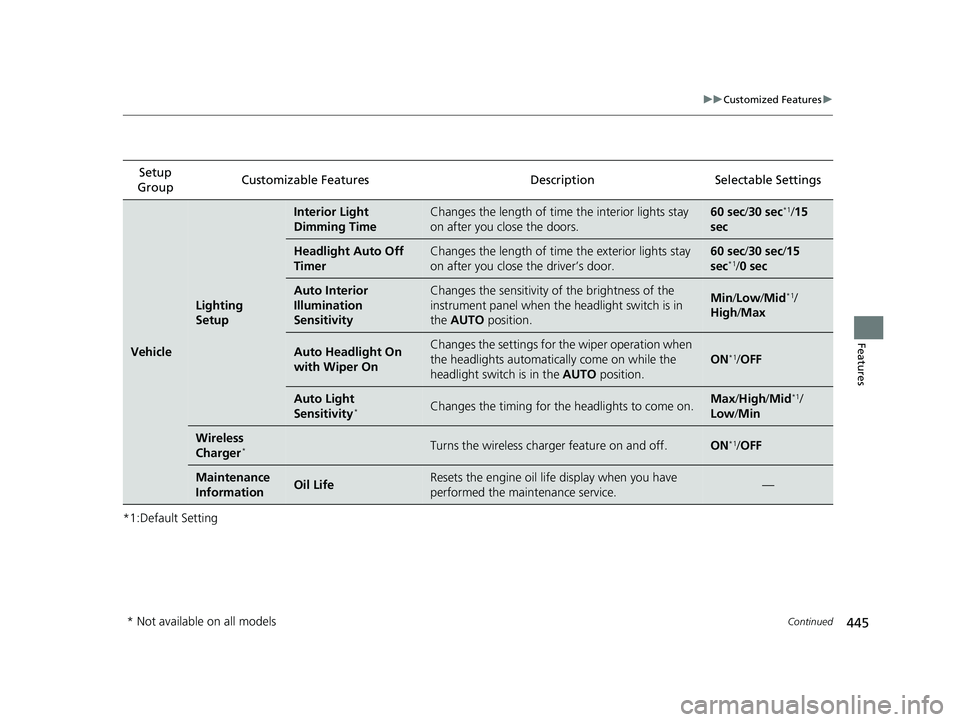
*1:Default SettingSetup
Group Customizable Features Description Selectable Settings
Vehicle
Lighting
Setup
Interior Light
Dimming TimeChanges the length of time
the interior lights stay
on after you close the doors.60 sec/ 30 sec*1/15
sec
Headlight Auto Off
TimerChanges the length of time the exterior lights stay
on after you close the driver’s door.60 sec/ 30 sec/15
sec*1/ 0 sec
Auto Interior
Illumination
SensitivityChanges the sensitivity of the brightness of the
instrument panel when the headlight switch is in
the AUTO position.Min/Low /Mid*1/
High /Max
Auto Headlight On
with Wiper OnChanges the settings for the wiper operation when
the headlights automatically come on while the
headlight switch is in the AUTO position.
ON*1/OFF
Auto Light
Sensitivity*Changes the timing for the headlights to come on.Max /High /Mid*1/
Low /Min
Wireless
Charger*Turns the wireless charger feature on and off.ON*1/ OFF
Maintenance
InformationOil LifeResets the engine oil life display when you have
performed the maintenance service.—
* Not available on all models
21 PILOT-31TG76500.book 445 ページ 2020年3月18日 水曜日 午後4時38分
Page 604 of 739
602
uuHonda Sensing ®u Road Departure Mitigation (RDM) System
Driving
■Roadway conditions
• Driving on a snowy or wet roadway (obs cured lane marking, vehicle tracks,
reflected lights, road spray, high contrast).
• Driving on a road with temporary lane markings.
• Faint, multiple, or varied lane markings are visible on the roadway due to road
repairs or old lane markings.
• The roadway has merging, split, or crossing lines (e.g., such as at an intersection
or crosswalk).
• The lane markings are extremely narrow, wide, or changing.
• The vehicle in front of you is driving near the lane lines.
• The road is hilly or the vehicle is approaching the crest of a hill.
• Driving on rough or unpaved roads, or over bumpy surfaces.
• When objects on the road (curb, guard rail, pylons, etc.) are recognized as white
lines (or yellow lines).
• Driving on roads with double lines.
■Vehicle conditions
• Headlight lenses are dirty or the headlights are not properly adjusted.
• The outside of the windshield is streake d or blocked by dirt, mud, leaves, wet
snow, etc.
• The inside of the windshield is fogged.
• The camera temperature gets too high.
• An abnormal tire or wheel condition (wrong sized, varied size or construction,
improperly inflated, comp act spare tire, etc.).
• The vehicle is tilted due to a heav y load or suspension modifications.
• When tire chains are installed.
• The vehicle is towing a trailer.
21 PILOT-31TG76500.book 602 ページ 2020年3月18日 水曜日 午後4時38分
Page 651 of 739
649Continued
Maintenance
Replacing Light Bulbs
Headlight Bulbs
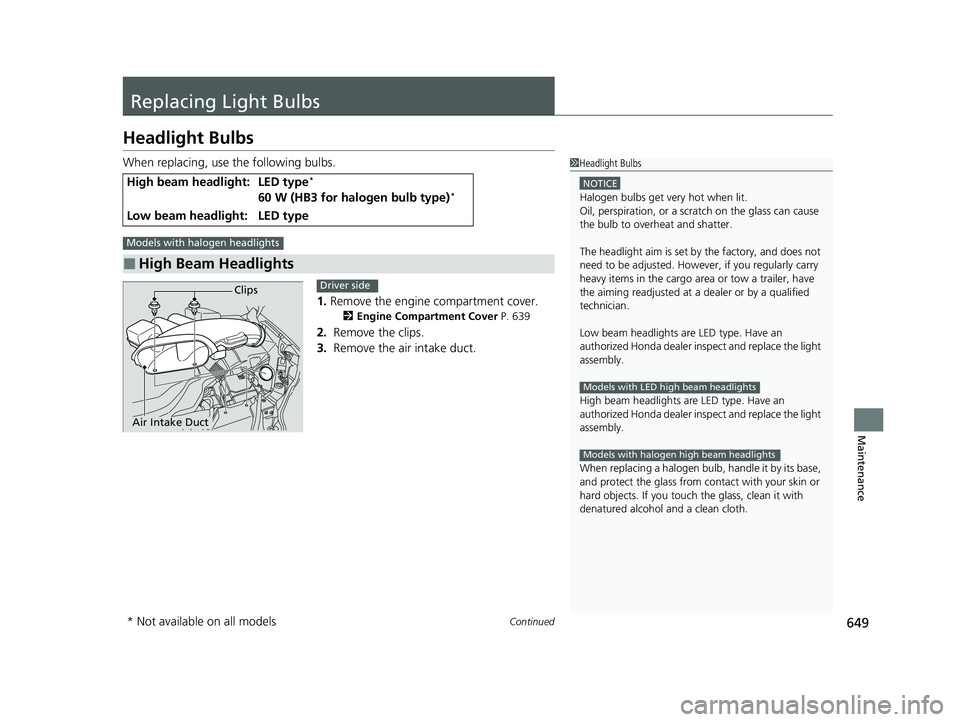
When replacing, use the following bulbs.1.Remove the engine compartment cover.
2 Engine Compartment Cover P. 639
2. Remove the clips.
3. Remove the air intake duct.
High beam headlight:LED type*
60 W (HB3 for halogen bulb type)*
Low beam headlight:LED type
■High Beam Headlights
1Headlight Bulbs
NOTICE
Halogen bulbs get very hot when lit.
Oil, perspiration, or a scratch on the glass can cause
the bulb to overhe at and shatter.
The headlight aim is set by the factory, and does not
need to be adjusted. Howeve r, if you regularly carry
heavy items in the cargo area or tow a trailer, have
the aiming readjusted at a dealer or by a qualified
technician.
Low beam headlights are LED type. Have an
authorized Honda d ealer inspect and replace the light
assembly.
High beam headlights ar e LED type. Have an
authorized Honda d ealer inspect and replace the light
assembly.
When replacing a halogen bu lb, handle it by its base,
and protect the glass from c ontact with your skin or
hard objects. If you touch the glass, clean it with
denatured alcohol and a clean cloth.
Models with LED high beam headlights
Models with halogen high beam headlights
Models with halogen headlights
Clips
Air Intake Duct
Driver side
* Not available on all models
21 PILOT-31TG76500.book 649 ページ 2020年3月18日 水曜日 午後4時38分
Page 669 of 739
667
Maintenance
Battery
Checking the Battery
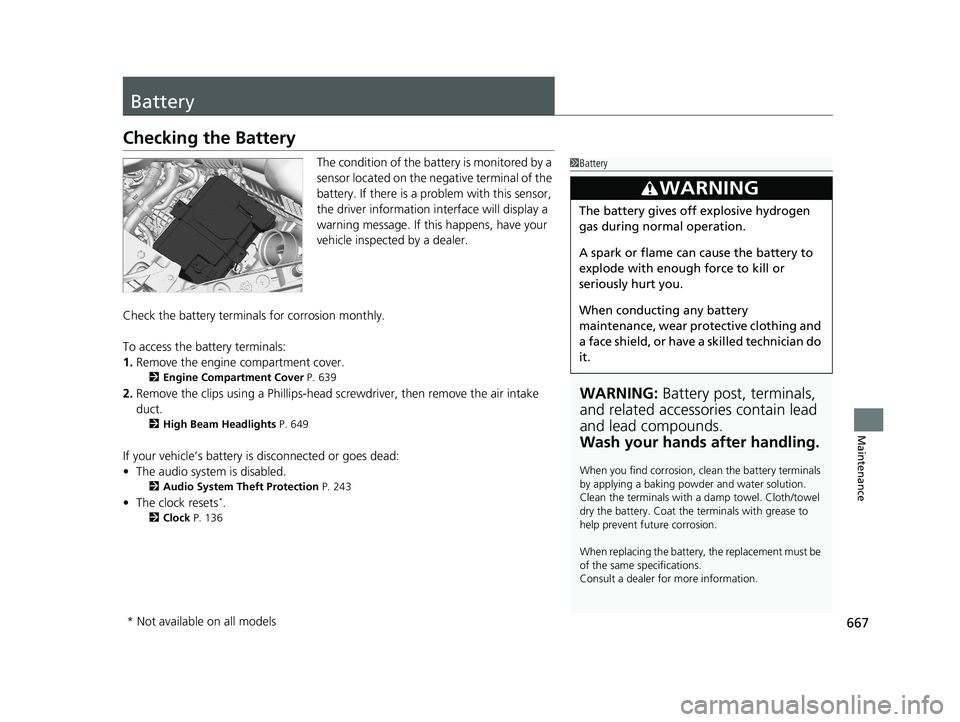
The condition of the battery is monitored by a
sensor located on the negative terminal of the
battery. If there is a problem with this sensor,
the driver information interface will display a
warning message. If this happens, have your
vehicle inspected by a dealer.
Check the battery termina ls for corrosion monthly.
To access the battery terminals:
1. Remove the engine compartment cover.
2 Engine Compartment Cover P. 639
2.Remove the clips using a Ph illips-head screwdriver, then remove the air intake
duct.
2 High Beam Headlights P. 649
If your vehicle’s battery is disconnected or goes dead:
•The audio system is disabled.
2 Audio System Theft Protection P. 243
•The clock resets*.
2 Clock P. 136
1Battery
WARNING: Battery post, terminals,
and related accessories contain lead
and lead compounds.
Wash your hands after handling.
When you find corrosion, cl ean the battery terminals
by applying a baking powder and water solution.
Clean the terminals with a damp towel. Cloth/towel
dry the battery. Coat the terminals with grease to
help prevent future corrosion.
When replacing the battery, the replacement must be
of the same specifications.
Consult a dealer for more information.
3WARNING
The battery gives off explosive hydrogen
gas during normal operation.
A spark or flame can cause the battery to
explode with enough force to kill or
seriously hurt you.
When conducting any battery
maintenance, wear prot ective clothing and
a face shield, or have a skilled technician do
it.
* Not available on all models
21 PILOT-31TG76500.book 667 ページ 2020年3月18日 水曜日 午後4時38分
Page 709 of 739
707
uuFuses uInspecting and Changing Fuses
Handling the Unexpected
Inspecting and Changing Fuses
1. Set the power mode to VEHICLE OFF
(LOCK). Turn headlights and all accessories
off.
2. Remove the fuse box cover.
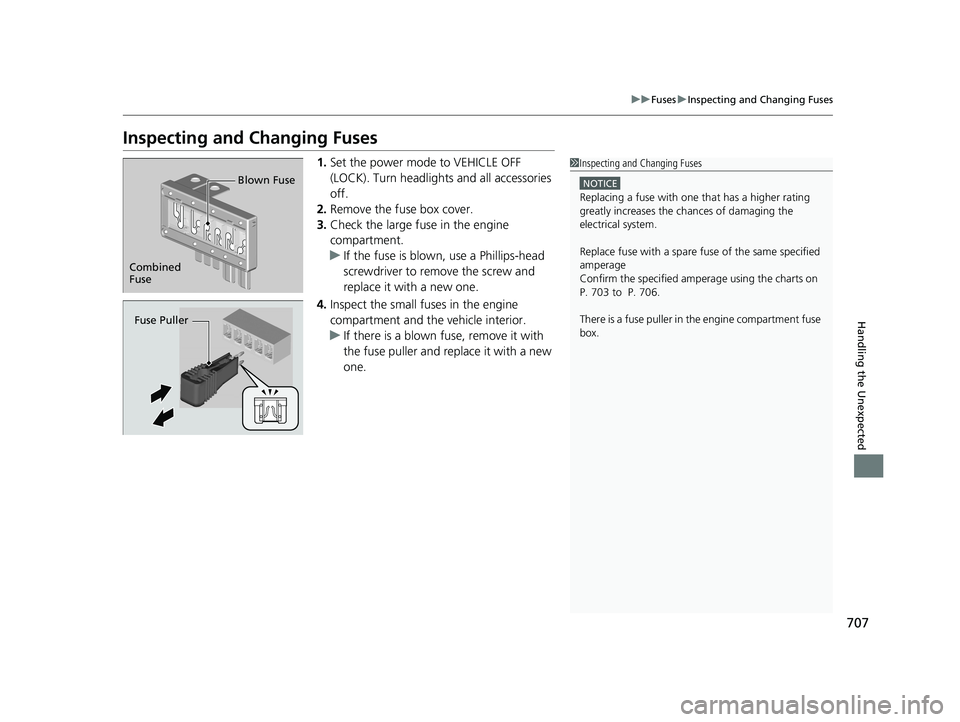
3. Check the large fuse in the engine
compartment.
u If the fuse is blown, use a Phillips-head
screwdriver to remove the screw and
replace it with a new one.
4. Inspect the small fu ses in the engine
compartment and the vehicle interior.
u If there is a blown fuse, remove it with
the fuse puller and replace it with a new
one.1Inspecting and Changing Fuses
NOTICE
Replacing a fuse with on e that has a higher rating
greatly increases the chances of damaging the
electrical system.
Replace fuse with a spare fuse of the same specified
amperage
Confirm the specified amperage using the charts on
P. 703 to P. 706.
There is a fuse puller in the engine compartment fuse
box.
Combined
Fuse Blown Fuse
Fuse Puller
21 PILOT-31TG76500.book 707 ページ 2020年3月18日 水曜日 午後4時38分
Page 716 of 739
714
Information
Specifications
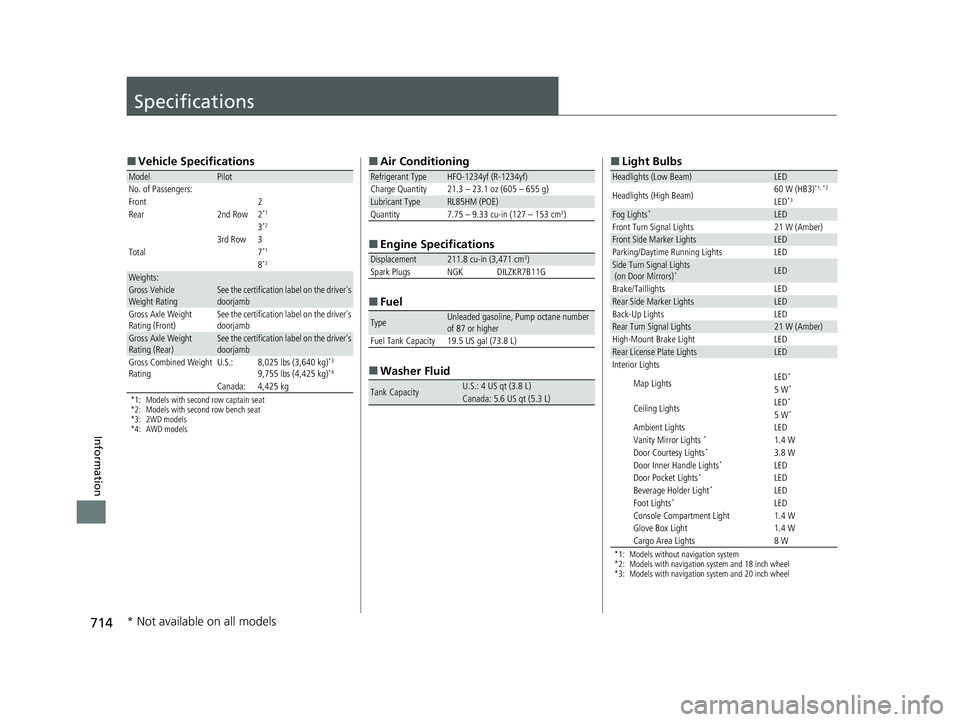
■Vehicle Specifications
*1: Models with second row captain seat
*2: Models with second row bench seat
*3: 2WD models
*4: AWD models
ModelPilot
No. of Passengers:
Front 2
Rear 2nd Row 2
*1
3*2
3rd Row 3
Total7*1
8*2
Weights:Gross Vehicle
Weight RatingSee the certification label on the driver's
doorjamb
Gross Axle Weight
Rating (Front)See the certification label on the driver's
doorjamb
Gross Axle Weight
Rating (Rear)See the certification label on the driver's
doorjamb
Gross Combined Weight
RatingU.S.:8,025 lbs (3,640 kg)*3
9,755 lbs (4,425 kg)*4
Canada:4,425 kg
■ Air Conditioning
■ Engine Specifications
■ Fuel
■ Washer Fluid
Refrigerant TypeHFO-1234yf (R-1234yf)
Charge Quantity 21.3 – 23.1 oz (605 – 655 g)
Lubricant TypeRL85HM (POE)Quantity7.75 – 9.33 cu-in (127 – 153 cm3)
Displacement211.8 cu-in (3,471 cm3)
Spark Plugs NGK DILZKR7B11G
TypeUnleaded gasoline, Pump octane number
of 87 or higher
Fuel Tank Capacity 19.5 US gal (73.8 L)
Tank CapacityU.S.: 4 US qt (3.8 L)Canada: 5.6 US qt (5.3 L)
■ Light Bulbs
*1: Models without navigation system
*2: Models with navigation system and 18 inch wheel
*3: Models with navigation system and 20 inch wheel
Headlights (Low Beam)LED
Headlights (High Beam)60 W (HB3)*1, *2
LED*3
Fog Lights*LEDFront Turn Signal Lights21 W (Amber)Front Side Marker LightsLEDParking/Daytime Running LightsLEDSide Turn Signal Lights
(on Door Mirrors)*LED
Brake/TaillightsLEDRear Side Marker LightsLEDBack-Up LightsLEDRear Turn Signal Lights21 W (Amber)High-Mount Brake LightLEDRear License Plate LightsLEDInterior Lights
Map LightsLED*
5 W*
Ceiling LightsLED*
5 W*
Ambient LightsLEDVanity Mirror Lights *1.4 WDoor Courtesy Lights*3.8 WDoor Inner Handle Lights*LEDDoor Pocket Lights*LEDBeverage Holder Light*LEDFoot Lights*LEDConsole Compartment Light1.4 WGlove Box Light1.4 WCargo Area Lights8 W
* Not available on all models
21 PILOT-31TG76500.book 714 ページ 2020年3月18日 水曜日 午後4時38分
Page 730 of 739
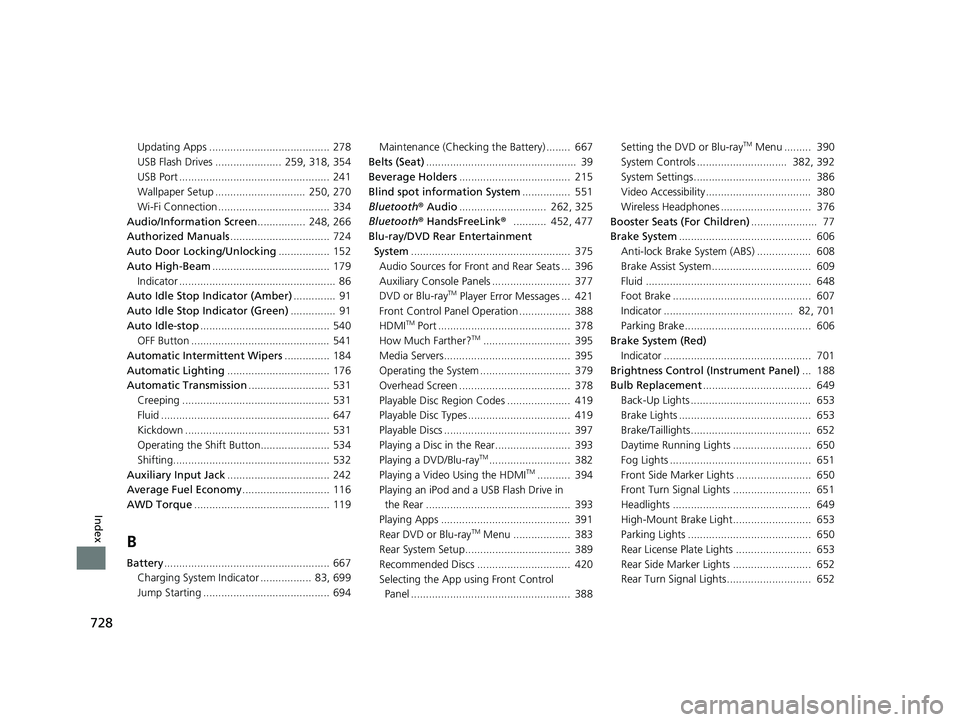
728
Index
Updating Apps ........................................ 278
USB Flash Drives ...................... 259, 318, 354
USB Port .................................................. 241
Wallpaper Setup .............................. 250, 270
Wi-Fi Connection ..................................... 334
Audio/Information Screen ................ 248, 266
Authorized Manuals ................................. 724
Auto Door Locking/Unlocking ................. 152
Auto High-Beam ....................................... 179
Indicator .................................................... 86
Auto Idle Stop Indicator (Amber) .............. 91
Auto Idle Stop Indicator (Green) ............... 91
Auto Idle-stop ........................................... 540
OFF Button .............................................. 541
Automatic Intermittent Wipers ............... 184
Automatic Lighting .................................. 176
Automatic Transmission ........................... 531
Creeping ................................................. 531
Fluid ........................................................ 647
Kickdown ................................................ 531
Operating the Shift Button....................... 534
Shifting.................................................... 532
Auxiliary Input Jack .................................. 242
Average Fuel Economy ............................. 116
AWD Torque ............................................. 119
B
Battery....................................................... 667
Charging System Indicator ................. 83, 699
Jump Starting .......................................... 694 Maintenance (Checking the Battery) ........ 667
Belts (Seat) .................................................. 39
Beverage Holders ..................................... 215
Blind spot information System ................ 551
Bluetooth® Audio............................. 262, 325
Bluetooth® HandsFreeLink ®........... 452, 477
Blu-ray/DVD Rear Entertainment System ..................................................... 375
Audio Sources for Front and Rear Seats ... 396
Auxiliary Console Panels .......................... 377
DVD or Blu-ray
TM Player Error Messages ... 421
Front Control Panel Operation ................. 388
HDMI
TM Port ............................................ 378
How Much Farther?TM............................. 395
Media Servers.......................................... 395
Operating the System .............................. 379
Overhead Screen ..................................... 378
Playable Disc Region Codes ..................... 419
Playable Disc Types .................................. 419
Playable Discs .......................................... 397
Playing a Disc in the Rear......................... 393
Playing a DVD/Blu-ray
TM........................... 382
Playing a Video Using the HDMITM........... 394
Playing an iPod and a USB Flash Drive in the Rear ................................................ 393
Playing Apps ........................................... 391
Rear DVD or Blu-ray
TM Menu ................... 383
Rear System Setup................................... 389
Recommended Discs ............................... 420
Selecting the App us ing Front Control
Panel ..................................................... 388 Setting the DVD or Blu-ray
TM Menu ......... 390
System Controls .............................. 382, 392
System Settings....................................... 386
Video Accessibility ................................... 380
Wireless Headphones .............................. 376
Booster Seats (For Children) ...................... 77
Brake System ............................................ 606
Anti-lock Brake System (ABS) .................. 608
Brake Assist System................................. 609
Fluid ....................................................... 648
Foot Brake .............................................. 607
Indicator ........................................... 82, 701
Parking Brake.......................................... 606
Brake System (Red)
Indicator ................................................. 701
Brightness Control (Instrument Panel) ... 188
Bulb Replacement .................................... 649
Back-Up Lights ........................................ 653
Brake Lights ............................................ 653
Brake/Taillights........................................ 652
Daytime Running Lights .......................... 650
Fog Lights ............................................... 651
Front Side Marker Lights ......................... 650
Front Turn Signal Lights .......................... 651
Headlights .............................................. 649
High-Mount Brake Light.......................... 653
Parking Lights ......................................... 650
Rear License Plate Lights ......................... 653
Rear Side Marker Lights .......................... 652
Rear Turn Signal Lights............................ 652
21 PILOT-31TG76500.book 728 ページ 2020年3月18日 水曜日 午後4時38分
Page 731 of 739
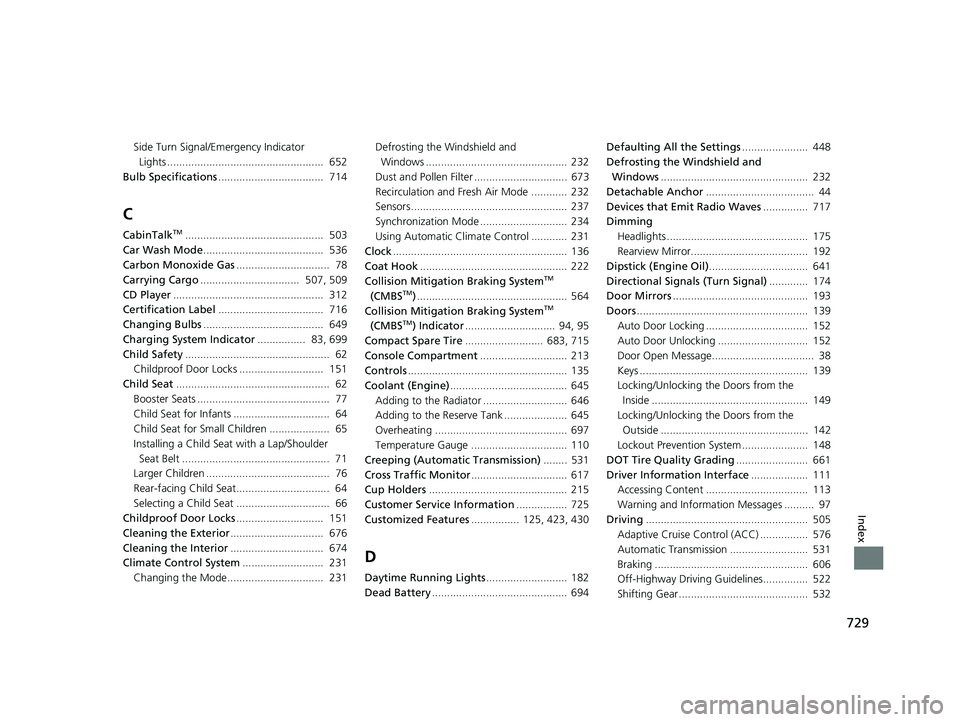
729
Index
Side Turn Signal/Emergency Indicator Lights .................................................... 652
Bulb Specifications ................................... 714
C
CabinTalkTM.............................................. 503
Car Wash Mode ........................................ 536
Carbon Monoxide Gas ............................... 78
Carrying Cargo ................................. 507, 509
CD Player .................................................. 312
Certification Label ................................... 716
Changing Bulbs ........................................ 649
Charging System Indicator ................ 83, 699
Child Safety ................................................ 62
Childproof Door Locks ............................ 151
Child Seat ................................................... 62
Booster Seats ............................................ 77
Child Seat for Infants ................................ 64
Child Seat for Small Children .................... 65
Installing a Child Seat with a Lap/Shoulder
Seat Belt ................................................. 71
Larger Children ......................................... 76
Rear-facing Child Seat............................... 64
Selecting a Child Seat ............................... 66
Childproof Door Locks ............................. 151
Cleaning the Exterior ............................... 676
Cleaning the Interior ............................... 674
Climate Control System ........................... 231
Changing the Mode................................ 231 Defrosting the Windshield and
Windows ............................................... 232
Dust and Pollen Filter ............................... 673
Recirculation and Fresh Air Mode ............ 232
Sensors .................................................... 237
Synchronization Mode ............................. 234
Using Automatic Climate Control ............ 231
Clock .......................................................... 136
Coat Hook ................................................. 222
Collision Mitigation Braking System
TM
(CMBSTM) .................................................. 564
Collision Mitigation Braking SystemTM
(CMBSTM) Indicator .............................. 94, 95
Compact Spare Tire .......................... 683, 715
Console Compartment ............................. 213
Controls ..................................................... 135
Coolant (Engine) ....................................... 645
Adding to the Radiator ............................ 646
Adding to the Reserve Tank ..................... 645
Overheating ............................................ 697
Temperature Gauge ................................ 110
Creeping (Automatic Transmission) ........ 531
Cross Traffic Monitor ................................ 617
Cup Holders .............................................. 215
Customer Service Information ................. 725
Customized Features ................ 125, 423, 430
D
Daytime Running Lights ........................... 182
Dead Battery ............................................. 694 Defaulting All the Settings
...................... 448
Defrosting the Windshield and
Windows ................................................. 232
Detachable Anchor .................................... 44
Devices that Emit Radio Waves ............... 717
Dimming Headlights ............................................... 175
Rearview Mirror....................................... 192
Dipstick (Engine Oil) ................................. 641
Directional Signals (Turn Signal) ............. 174
Door Mirrors ............................................. 193
Doors ......................................................... 139
Auto Door Locking .................................. 152
Auto Door Unlocking .............................. 152
Door Open Message.................................. 38
Keys ........................................................ 139
Locking/Unlocking the Doors from the
Inside .................................................... 149
Locking/Unlocking the Doors from the
Outside ................................................. 142
Lockout Prevention System ...................... 148
DOT Tire Quality Grading ........................ 661
Driver Information Interface ................... 111
Accessing Content .................................. 113
Warning and Information Messages .......... 97
Driving ...................................................... 505
Adaptive Cruise Control (ACC) ................ 576
Automatic Transmission .......................... 531
Braking ................................................... 606
Off-Highway Driving Guidelines............... 522
Shifting Gear ........................................... 532
21 PILOT-31TG76500.book 729 ページ 2020年3月18日 水曜日 午後4時38分