warning lights HONDA PILOT 2023 User Guide
[x] Cancel search | Manufacturer: HONDA, Model Year: 2023, Model line: PILOT, Model: HONDA PILOT 2023Pages: 814, PDF Size: 29.02 MB
Page 591 of 814
590
uuHonda Sensing ®u Adaptive Cruise Control (ACC) with Low Speed Follow
Driving
Adaptive Cruise Control (A CC) with Low Speed Follow
Helps maintain a constant vehicle speed a nd a set following-interval behind a vehicle
detected ahead of yours and, if the detect ed vehicle comes to a stop, can decelerate
and stop your vehicle, without you having to keep your foot on the brake or the
accelerator.
When ACC with Low Speed Follow slows y our vehicle by applying the brakes, your
vehicle’s brake lights will illuminate.1 Adaptive Cruise Control (ACC) with Low Speed Follow
3WARNING
Improper use of ACC with Low Speed
Follow can lead to a crash.
Use ACC with Low Speed Follow only when
driving on expressways and in good road
and weather conditions.
3WARNING
ACC with Low Speed Follow has limited
braking capability and may not stop your
vehicle in time to avoid a collision with a
vehicle that quickly stops in front of you.
Always be prepared to apply the brake
pedal if the conditions require.
When to use
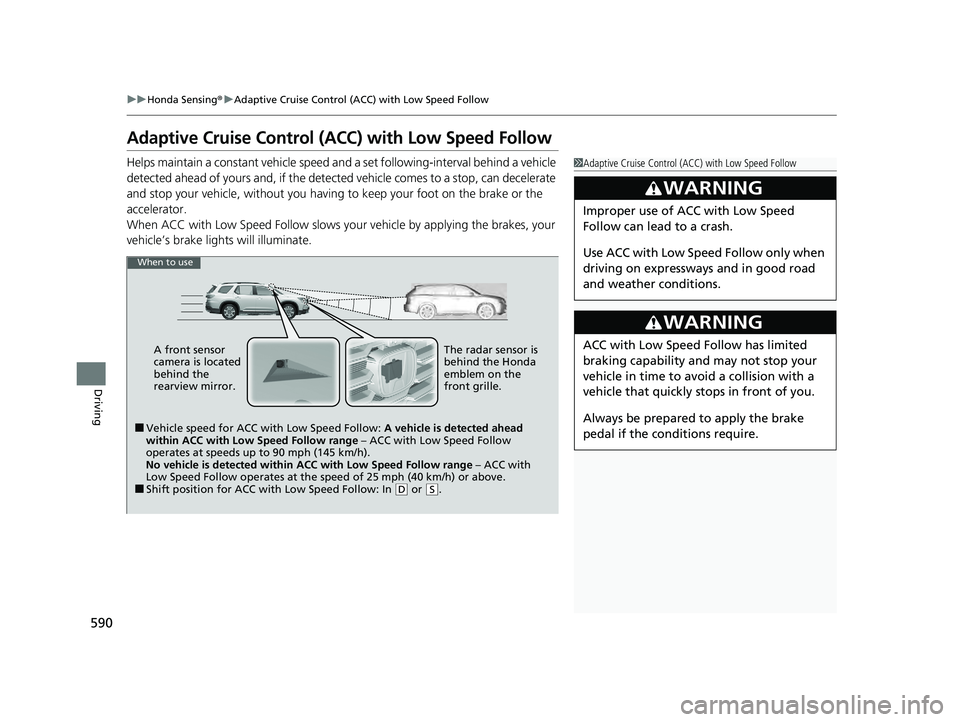
■Vehicle speed for ACC wi th Low Speed Follow: A vehicle is detected ahead
within ACC with Low Speed Follow range – ACC with Low Speed Follow
operates at speeds up to 90 mph (145 km/h).
No vehicle is detected within ACC with Low Speed Follow range – ACC with
Low Speed Follow operates at the speed of 25 mph (40 km/h) or above.
■Shift position for ACC with Low Speed Follow: In ( D or (S.
A front sensor
camera is located
behind the
rearview mirror.
The radar sensor is
behind the Honda
emblem on the
front grille.
23 PILOT-31T906000_03.book 590 ページ 2022年10月31日 月曜日 午前10時26分
Page 595 of 814
uuHonda Sensing ®u Adaptive Cruise Control (ACC) with Low Speed Follow
594
Driving
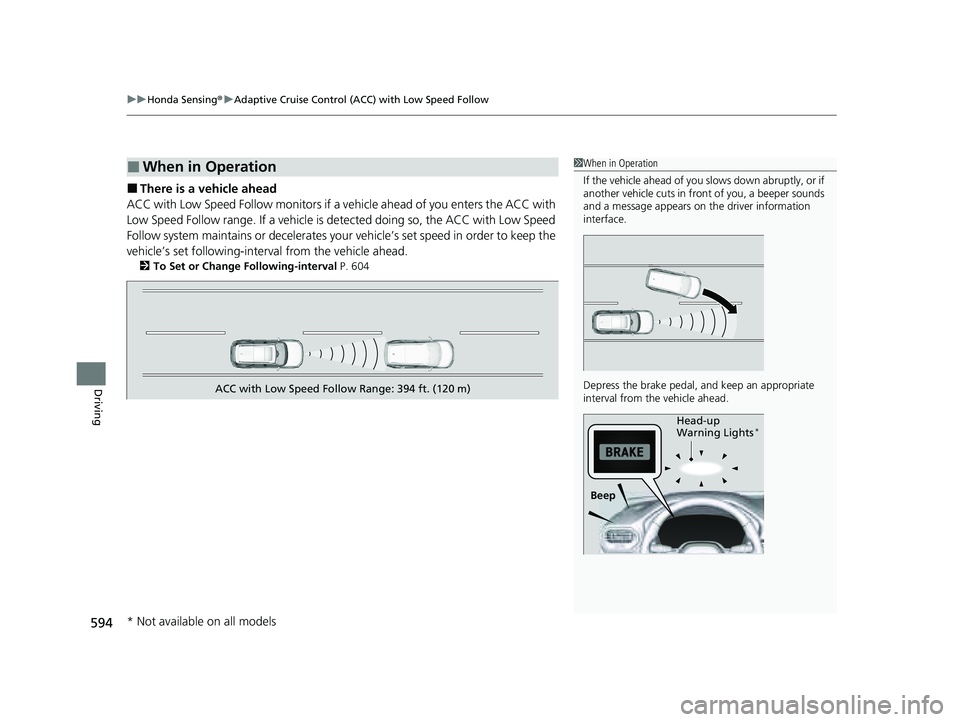
■There is a vehicle ahead
ACC with Low Speed Follow monitors if a ve hicle ahead of you enters the ACC with
Low Speed Follow range. If a vehicle is detected doing so, the ACC with Low Speed
Follow system maintains or decelerates your vehicle’s set speed in order to keep the
vehicle’s set followi ng-interval from the vehicle ahead.
2To Set or Change Following-interval P. 604
■When in Operation1When in Operation
If the vehicle ahead of you slows down abruptly, or if
another vehicle cuts in front of you, a beeper sounds
and a message appears on the driver information
interface.
Depress the brake pedal, and keep an appropriate
interval from the vehicle ahead.
Beep Head-up
Warning Lights
*
ACC with Low Speed Follow Range: 394 ft. (120 m)
* Not available on all models
23 PILOT-31T906000_03.book 594 ページ 2022年10月31日 月曜日 午前10時26分
Page 600 of 814
Continued599
uuHonda Sensing ®u Adaptive Cruise Control (ACC) with Low Speed Follow
Driving
The system may automatically shut off u nder certain conditions. Some examples of
these conditions are listed below. Othe r conditions may reduce some of the ACC
with Low Speed Follow functions.
2 Front Sensor Camera P. 648
2 Radar Sensor P. 650
■Environmental conditions
• Driving in bad weather (rain, fog, snow, etc.).
■Roadway conditions
• Driving on a snowy or wet roadway (obs cured lane marking, vehicle tracks,
reflected lights, road spray, high contrast).
■Vehicle conditions
• The outside of the windshield is blocked by dirt, mud, leaves, wet snow, etc.
• An abnormal tire or wheel condition (inco rrect sizes, varied sizes or construction,
improperly inflated, compact spare tire
*, etc.).
• The camera temperature gets too high.
• The electric parking brake is applied.
• The front grille is dirty.
• The vehicle is tilted due to a heavy load or suspension modifications.
• When tire chains are installed.
• The vehicle is towing a trailer.
■ACC with Low Speed Follow Conditions and Limitations1ACC with Low Speed Follow Conditions and Limitations
Always keep the radar sensor cover clean.
Never use chemical solvents or polishing powder for
cleaning the sensor cover. Clean it with water or a
mild detergent.
Do not put a sticker on the radar sensor cover or
replace the radar sensor cover.
If you need the radar sensor to be repaired, or
removed, or the radar se nsor cover is strongly
impacted, turn off the system by pressing the
button and take your vehicle to a dealer.
Have your vehicle checked by a dealer if you find any
unusual behavior of the system (e.g., the warning
message appears too frequently).
* Not available on all models
23 PILOT-31T906000_03.book 599 ページ 2022年10月31日 月曜日 午前10時26分
Page 657 of 814
uuBraking uBrake System
656
Driving
Keeps the brake applied after releasing the brake pedal until the accelerator pedal is
pressed. You can use this system while the vehicle is temporarily stopped, like at
traffic lights and in heavy traffic.
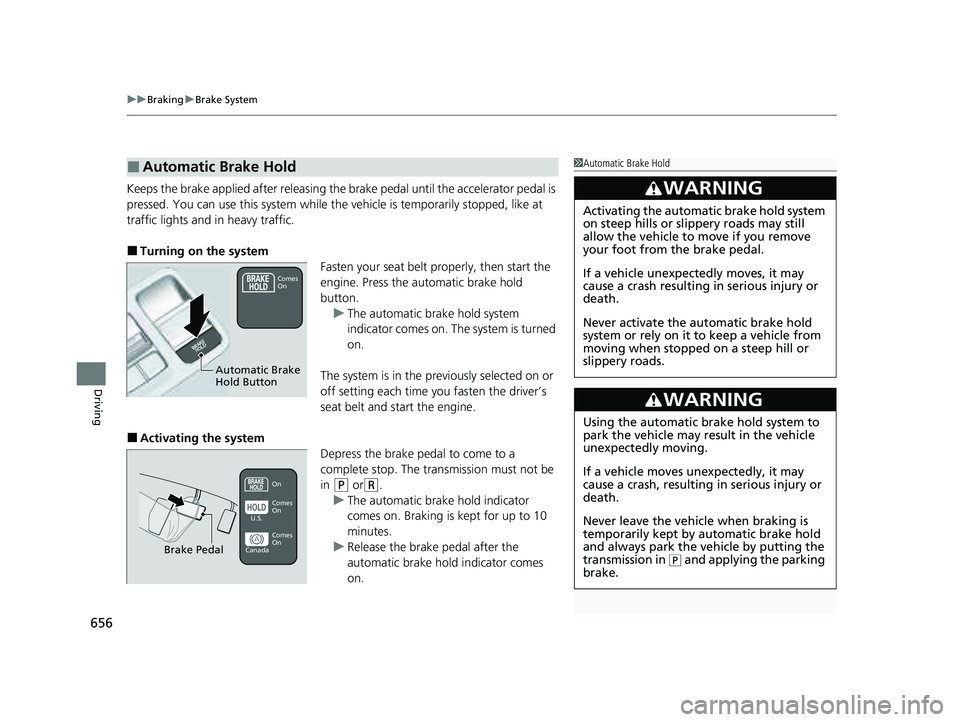
■Turning on the system
Fasten your seat belt properly, then start the
engine. Press the automatic brake hold
button.u The automatic brake hold system
indicator comes on. The system is turned
on.
The system is in the previously selected on or
off setting each time you fasten the driver’s
seat belt and start the engine.
■Activating the system Depress the brake pedal to come to a
complete stop. The transmission must not be
in
(P or(R.
u The automatic brake hold indicator
comes on. Braking is kept for up to 10
minutes.
u Release the brake pedal after the
automatic brake hold indicator comes
on.
■Automatic Brake Hold1Automatic Brake Hold
3WARNING
Activating the automatic brake hold system
on steep hills or slippery roads may still
allow the vehicle to move if you remove
your foot from the brake pedal.
If a vehicle unexpectedly moves, it may
cause a crash resulting in serious injury or
death.
Never activate the automatic brake hold
system or rely on it to keep a vehicle from
moving when stopped on a steep hill or
slippery roads.
3WARNING
Using the automatic brake hold system to
park the vehicle may result in the vehicle
unexpectedly moving.
If a vehicle moves unexpectedly, it may
cause a crash, resulting in serious injury or
death.
Never leave the vehicle when braking is
temporarily kept by automatic brake hold
and always park the vehicle by putting the
transmission in
( P and applying the parking
brake.
Comes
On
Automatic Brake
Hold Button
On
Brake Pedal
Comes
On Comes
On
U.S.
Canada
23 PILOT-31T906000_03.book 656 ページ 2022年10月31日 月曜日 午前10時26分
Page 752 of 814
751Continued
Handling the Unexpected
If a Tire Goes Flat
Changing a Flat Tire
If a tire goes flat while driving, grasp the steering wheel firmly and brake gradually
to reduce speed. Then, stop in a safe plac e. Replace the flat tire with a compact
spare tire
*/full-size spare tire*. Go to a dealer as soon as possible to have the full-
size tire repaired or replaced.
1. Park the vehicle on a firm, level, non-slippery surface and apply the parking brake.
2. Put the transmission into
(P.
3. Turn on the hazard warning lights an d set the power mode to VEHICLE OFF
(LOCK).
1 Changing a Flat Tire
Follow compact spare
* precautions:
Periodically check the tire pressure of the compact
spare. It should be set to the specified pressure.
Specified Pressure: 60 psi (420 kPa, 4.2 kgf/cm
2)
When driving with the compact spare tire, keep the
vehicle speed under 50 mph (80 km/h). Replace with
a full-size tire as soon as possible.
The compact spare tire and wheel in your vehicle are
specifically for this model. Do not use them with
another vehicle. Do not us e another type of compact
spare tire or wheel with your vehicle.
Do not mount tire chains on a compact spare tire.
If a chain-mounted front tire goes flat, remove one of
the full-size rear tires and replace it with the compact
spare tire. Remove the flat front tire and replace it
with the full-size tire that was removed from the rear.
Mount the tire chains on the front tire.
* Not available on all models
23 PILOT-31T906000_03.book 751 ページ 2022年10月31日 月曜日 午前10時26分
Page 768 of 814
767Continued
Handling the Unexpected
If the Battery Is Dead
Jump Starting Procedure
Turn off the power to electric devices, such as audio and lights. Turn off the engine,
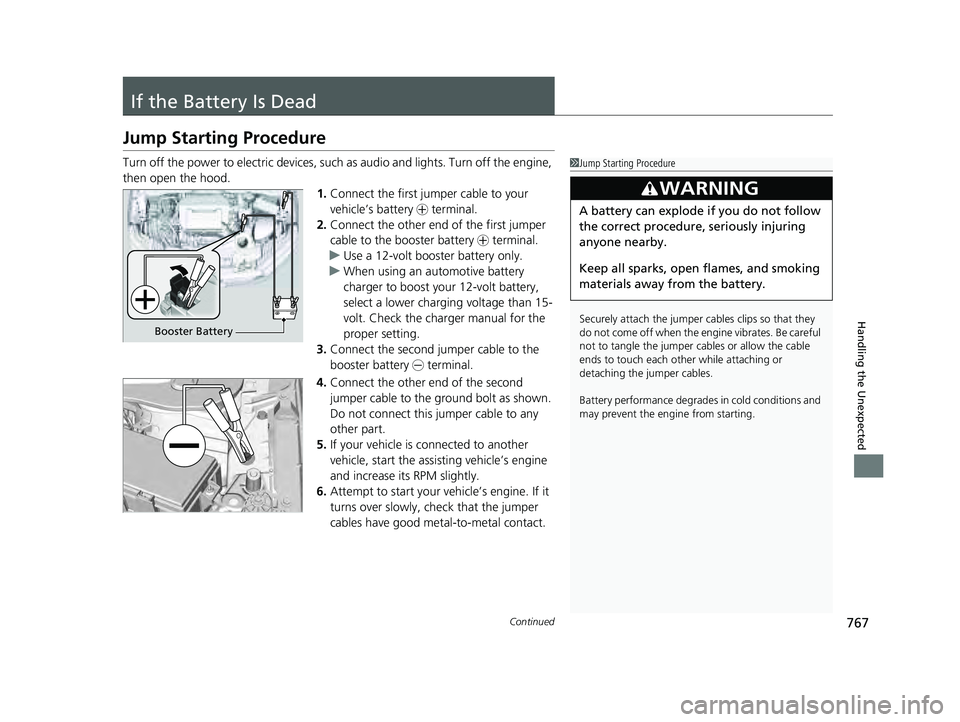
then open the hood. 1.Connect the first jumper cable to your
vehicle’s battery + terminal.
2. Connect the other end of the first jumper
cable to the booster battery + terminal.
u Use a 12-volt booster battery only.
u When using an automotive battery
charger to boost your 12-volt battery,
select a lower charging voltage than 15-
volt. Check the charger manual for the
proper setting.
3. Connect the second jumper cable to the
booster battery - terminal.
4. Connect the other end of the second
jumper cable to the ground bolt as shown.
Do not connect this jumper cable to any
other part.
5. If your vehicle is connected to another
vehicle, start the assisting vehicle’s engine
and increase its RPM slightly.
6. Attempt to start your ve hicle’s engine. If it
turns over slowly, check that the jumper
cables have good metal-to-metal contact.1 Jump Starting Procedure
Securely attach the jumper cables clips so that they
do not come off when the e ngine vibrates. Be careful
not to tangle the jumper cables or allow the cable
ends to touch each other while attaching or
detaching the jumper cables.
Battery performance degrades in cold conditions and
may prevent the engi ne from starting.
3WARNING
A battery can explode if you do not follow
the correct procedure, seriously injuring
anyone nearby.
Keep all sparks, open flames, and smoking
materials away from the battery.
Booster Battery
23 PILOT-31T906000_03.book 767 ページ 2022年10月31日 月曜日 午前10時26分
Page 770 of 814
769Continued
Handling the Unexpected
Overheating
How to Handle Overheating
Overheating symptoms are as follows:
•The temperature gauge is at the mark or the engine suddenly loses power.
• Engine temperature too hot. Do no t drive. Allow engine to cool. message
appears on the driver information interface.
• Steam or spray comes out of the engine compartment.
■First thing to do
1. Immediately park the vehicle in a safe place.
2. Turn off all accessories and turn on the hazard warning lights.
u No steam or spray present: Keep the engine running and open the hood.
u Steam or spray is present: Turn off the engine and wait until it subsides.
Then, open the hood.
1 How to Handle Overheating
NOTICE
Continuing to drive with the temperature gauge at
the mark may damage the engine.
NOTICE
Continuing to drive with the Engine temperature
too hot. Do not drive. Allow engine to cool.
message on the driver information interface may
damage the engine.
3WARNING
Steam and spray from an overheated
engine can seri ously scald you.
Do not open the hood if steam is coming
out.
Models with B-type meter
H
All models
Models with B-type meter
H
All models
23 PILOT-31T906000_03.book 769 ページ 2022年10月31日 月曜日 午前10時26分
Page 772 of 814
771
Handling the Unexpected
Indicator Coming On/Blinking
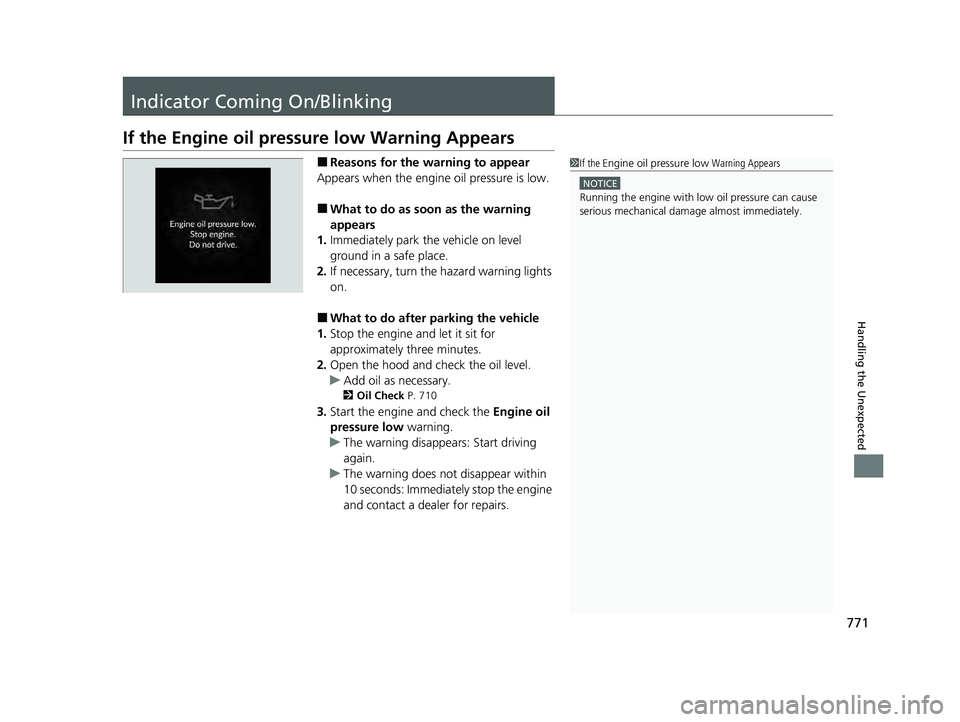
If the Engine oil pressure low Warning Appears
■Reasons for the warning to appear
Appears when the engine oil pressure is low.
■What to do as soon as the warning
appears
1. Immediately park the vehicle on level
ground in a safe place.
2. If necessary, turn the hazard warning lights
on.
■What to do after parking the vehicle
1. Stop the engine and let it sit for
approximately three minutes.
2. Open the hood and ch eck the oil level.
u Add oil as necessary.
2 Oil Check P. 710
3.Start the engine and check the Engine oil
pressure low warning.
u The warning disappears: Start driving
again.
u The warning does not disappear within
10 seconds: Immediately stop the engine
and contact a dealer for repairs.
1If the Engine oil pressure low Warning Appears
NOTICE
Running the engine with low oil pressure can cause
serious mechanical damage almost immediately.
23 PILOT-31T906000_03.book 771 ページ 2022年10月31日 月曜日 午前10時26分
Page 807 of 814
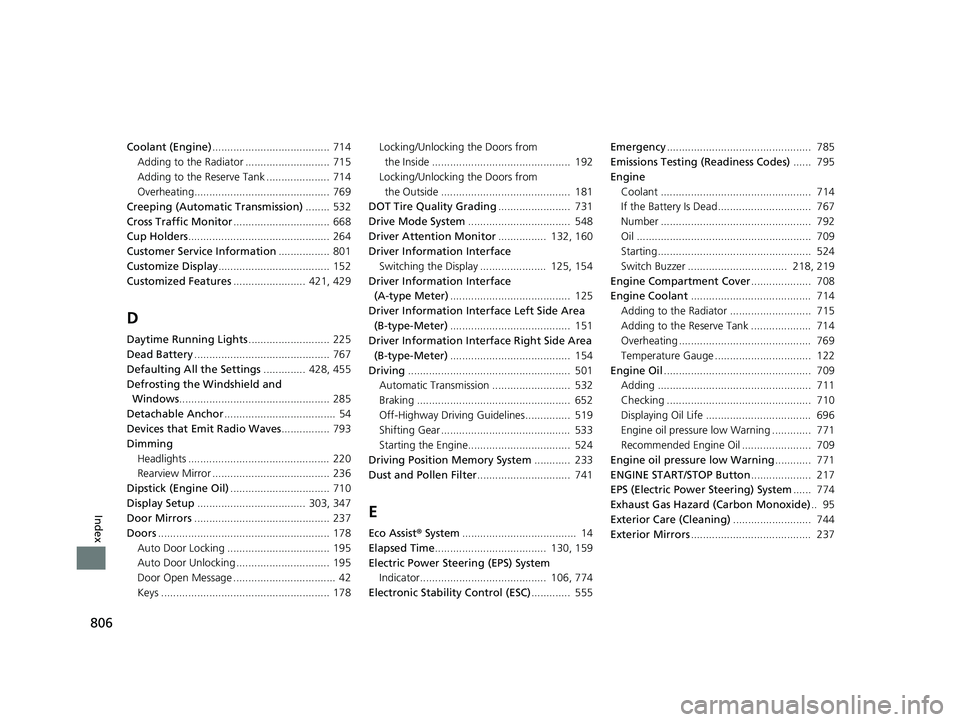
806
Index
Coolant (Engine)....................................... 714
Adding to the Radiator ............................ 715
Adding to the Reserve Tank ..................... 714
Overheating............................................. 769
Creeping (Automatic Transmission) ........ 532
Cross Traffic Monitor ................................ 668
Cup Holders ............................................... 264
Customer Service Information ................. 801
Customize Display ..................................... 152
Customized Features ........................ 421, 429
D
Daytime Running Lights ........................... 225
Dead Battery ............................................. 767
Defaulting All the Settings .............. 428, 455
Defrosting the Windshield and Windows .................................................. 285
Detachable Anchor ..................................... 54
Devices that Emit Radio Waves ................ 793
Dimming
Headlights ............................................... 220
Rearview Mirror ....................................... 236
Dipstick (Engine Oil) ................................. 710
Display Setup .................................... 303, 347
Door Mirrors ............................................. 237
Doors ......................................................... 178
Auto Door Locking .................................. 195
Auto Door Unlocking ............................... 195
Door Open Message .................................. 42
Keys ........................................................ 178 Locking/Unlocking the Doors from
the Inside .............................................. 192
Locking/Unlocking the Doors from the Outside ........................................... 181
DOT Tire Quality Grading ........................ 731
Drive Mode System .................................. 548
Driver Attention Monitor ................ 132, 160
Driver Information Interface
Switching the Display ...................... 125, 154
Driver Information Interface (A-type Meter) ........................................ 125
Driver Information Interface Left Side Area (B-type-Meter) ........................................ 151
Driver Information Interface Right Side Area
(B-type-Meter) ........................................ 154
Driving ...................................................... 501
Automatic Transmission .......................... 532
Braking ................................................... 652
Off-Highway Driving Guidelines............... 519
Shifting Gear ........................................... 533
Starting the Engine.................................. 524
Driving Position Memory System ............ 233
Dust and Pollen Filter ............................... 741
E
Eco Assist® System ...................................... 14
Elapsed Time ..................................... 130, 159
Electric Power Steering (EPS) System Indicator.......................................... 106, 774
Electronic Stability Control (ESC) ............. 555Emergency
................................................ 785
Emissions Testing (Readiness Codes) ...... 795
Engine Coolant .................................................. 714
If the Battery Is Dead............................... 767
Number .................................................. 792
Oil .......................................................... 709
Starting................................................... 524
Switch Buzzer ................................. 218, 219
Engine Compartment Cover .................... 708
Engine Coolant ........................................ 714
Adding to the Radiator ........................... 715
Adding to the Reserve Tank .................... 714
Overheating ............................................ 769
Temperature Gauge ................................ 122
Engine Oil ................................................. 709
Adding ................................................... 711
Checking ................................................ 710
Displaying Oil Life ................................... 696
Engine oil pressure low Warning ............. 771
Recommended Engine Oil ....................... 709
Engine oil pressure low Warning ............ 771
ENGINE START/STOP Button .................... 217
EPS (Electric Power Steering) System ...... 774
Exhaust Gas Hazard (Carbon Monoxide) .. 95
Exterior Care (Cleaning) .......................... 744
Exterior Mirrors ........................................ 237
23 PILOT-31T906000_03.book 806 ページ 2022年10月31日 月曜日 午前10時26分
Page 808 of 814
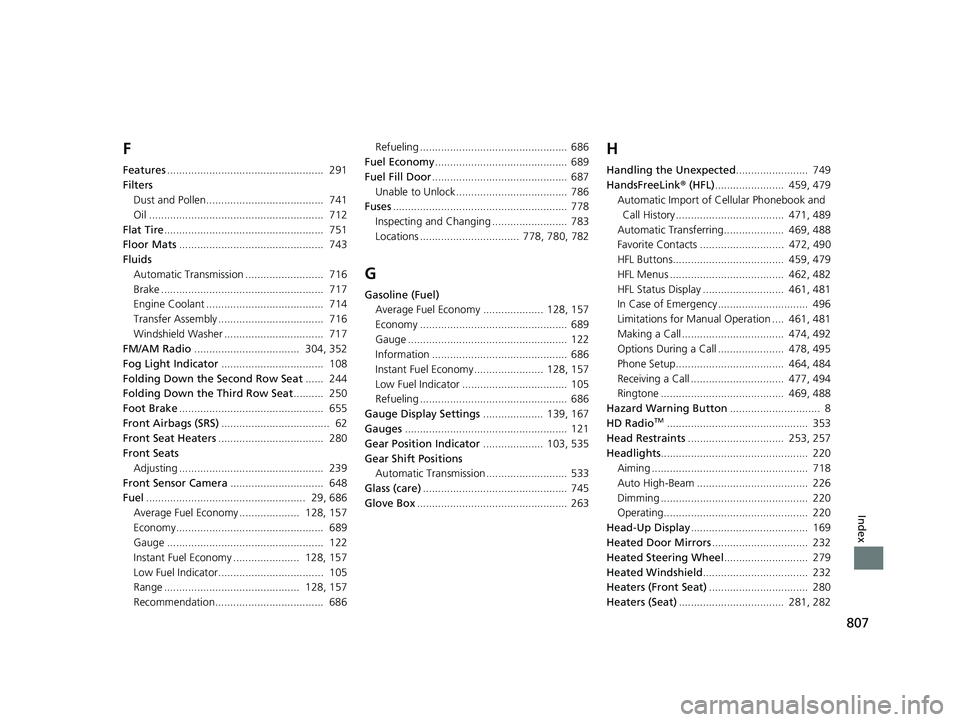
807
Index
F
Features.................................................... 291
Filters Dust and Pollen....................................... 741
Oil .......................................................... 712
Flat Tire ..................................................... 751
Floor Mats ................................................ 743
Fluids
Automatic Transmission .......................... 716
Brake ...................................................... 717
Engine Coolant ....................................... 714
Transfer Assembly ................................... 716
Windshield Washer ................................. 717
FM/AM Radio ................................... 304, 352
Fog Light Indicator .................................. 108
Folding Down the Second Row Seat ...... 244
Folding Down the Third Row Seat .......... 250
Foot Brake ................................................ 655
Front Airbags (SRS) .................................... 62
Front Seat Heaters ................................... 280
Front Seats Adjusting ................................................ 239
Front Sensor Camera ............................... 648
Fuel ..................................................... 29, 686
Average Fuel Economy .................... 128, 157
Economy................................................. 689
Gauge .................................................... 122
Instant Fuel Economy ...................... 128, 157
Low Fuel Indicator................................... 105
Range ............................................. 128, 157
Recommendation.................................... 686 Refueling ................................................. 686
Fuel Economy ............................................ 689
Fuel Fill Door ............................................. 687
Unable to Unlock ..................................... 786
Fuses .......................................................... 778
Inspecting and Changing ......................... 783
Locations ................................. 778, 780, 782
G
Gasoline (Fuel) Average Fuel Economy .................... 128, 157
Economy ................................................. 689
Gauge ..................................................... 122
Information ............................................. 686
Instant Fuel Economy ....................... 128, 157
Low Fuel Indicator ................................... 105
Refueling ................................................. 686
Gauge Display Settings .................... 139, 167
Gauges ...................................................... 121
Gear Position Indicator .................... 103, 535
Gear Shift Positions Automatic Transmission ........................... 533
Glass (care) ................................................ 745
Glove Box .................................................. 263
H
Handling the Unexpected ........................ 749
HandsFreeLink ® (HFL) ....................... 459, 479
Automatic Import of Ce llular Phonebook and
Call History .................................... 471, 489
Automatic Transferring.................... 469, 488
Favorite Contacts ............................ 472, 490
HFL Buttons..................................... 459, 479
HFL Menus ...................................... 462, 482
HFL Status Display ........................... 461, 481
In Case of Emergency .............................. 496
Limitations for Manual Operation .... 461, 481
Making a Call .................................. 474, 492
Options During a Call ...................... 478, 495
Phone Setup.................................... 464, 484
Receiving a Call ............................... 477, 494
Ringtone ......................................... 469, 488
Hazard Warning Button .............................. 8
HD Radio
TM............................................... 353
Head Restraints ................................ 253, 257
Headlights ................................................. 220
Aiming .................................................... 718
Auto High-Beam ..................................... 226
Dimming ................................................. 220
Operating................................................ 220
Head-Up Display ....................................... 169
Heated Door Mirrors ................................ 232
Heated Steering Wheel ............................ 279
Heated Windshield ................................... 232
Heaters (Front Seat) ................................. 280
Heaters (Seat) ................................... 281, 282
23 PILOT-31T906000_03.book 807 ページ 2022年10月31日 月曜日 午前10時26分