remote control HONDA PILOT 2023 Owner's Guide
[x] Cancel search | Manufacturer: HONDA, Model Year: 2023, Model line: PILOT, Model: HONDA PILOT 2023Pages: 814, PDF Size: 29.02 MB
Page 215 of 814
uuPanoramic Roof*uOpening/Closing the Panoramic Roof
214
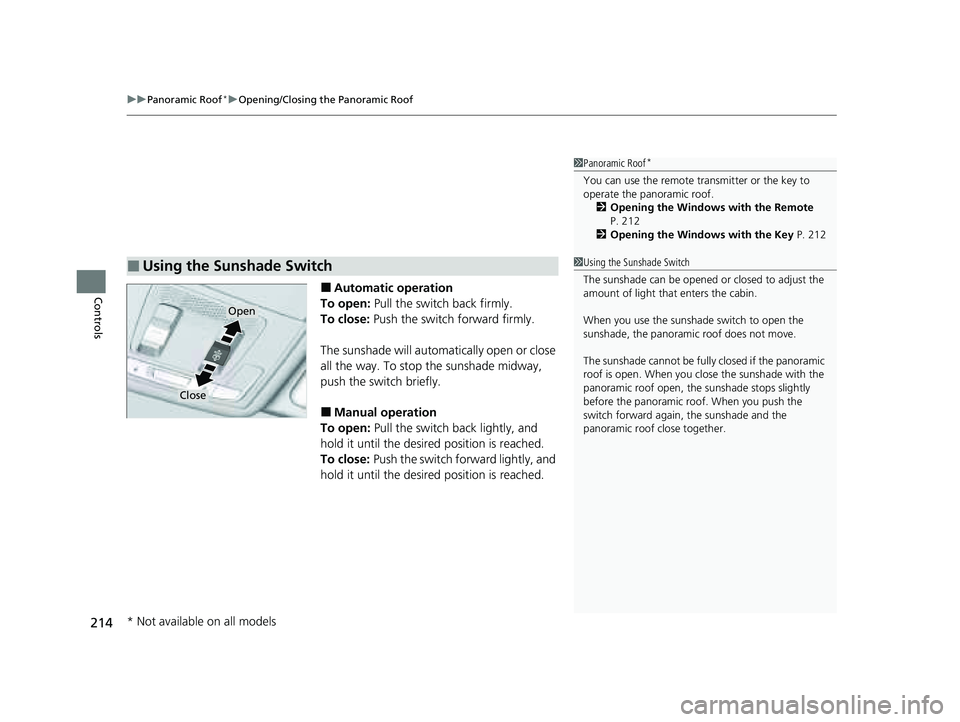
Controls■Automatic operation
To open: Pull the switch back firmly.
To close: Push the switch forward firmly.
The sunshade will automatically open or close
all the way. To stop the sunshade midway,
push the switch briefly.
■Manual operation
To open: Pull the switch back lightly, and
hold it until the desired position is reached.
To close: Push the switch forward lightly, and
hold it until the desired position is reached.
■Using the Sunshade Switch
1 Panoramic Roof*
You can use the remote transmitter or the key to
operate the panoramic roof.
2 Opening the Windows with the Remote
P. 212
2 Opening the Windows with the Key P. 212
Open
Close
1Using the Sunshade Switch
The sunshade can be opened or closed to adjust the
amount of light that enters the cabin.
When you use the sunshade switch to open the
sunshade, the panoramic roof does not move.
The sunshade cannot be full y closed if the panoramic
roof is open. When you close the sunshade with the
panoramic roof open, the sunshade stops slightly
before the panoramic roof. When you push the
switch forward again, the sunshade and the
panoramic roof close together.
* Not available on all models
23 PILOT-31T906000_03.book 214 ページ 2022年10月31日 月曜日 午前10時26分
Page 218 of 814
217Continued
Controls
Operating the Switches Around the Steering Wheel
ENGINE START/STOP Button
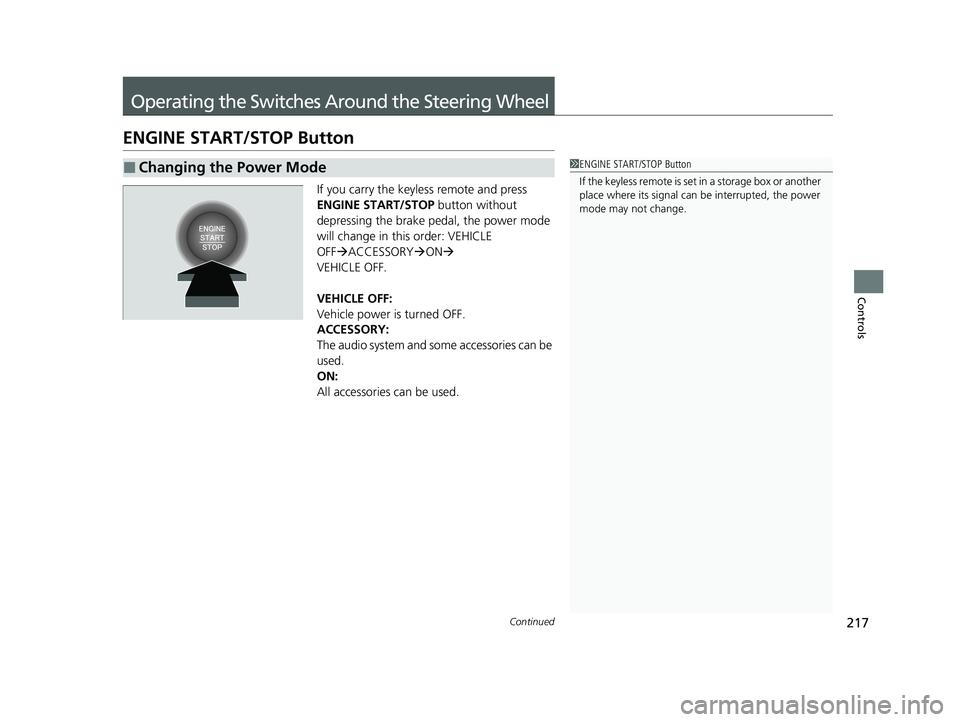
If you carry the keyless remote and press
ENGINE START/STOP button without
depressing the brake pedal, the power mode
will change in this order: VEHICLE
OFF ACCESSORY ON
VEHICLE OFF.
VEHICLE OFF:
Vehicle power is turned OFF.
ACCESSORY:
The audio system and some accessories can be
used.
ON:
All accessories can be used.
■Changing the Power Mode1 ENGINE START/STOP Button
If the keyless remote is set in a storage box or another
place where its signal can be interrupted, the power
mode may not change.
23 PILOT-31T906000_03.book 217 ページ 2022年10月31日 月曜日 午前10時26分
Page 220 of 814
219
uuOperating the Switches Around the Steering Wheel uENGINE START/STOP Button
Controls
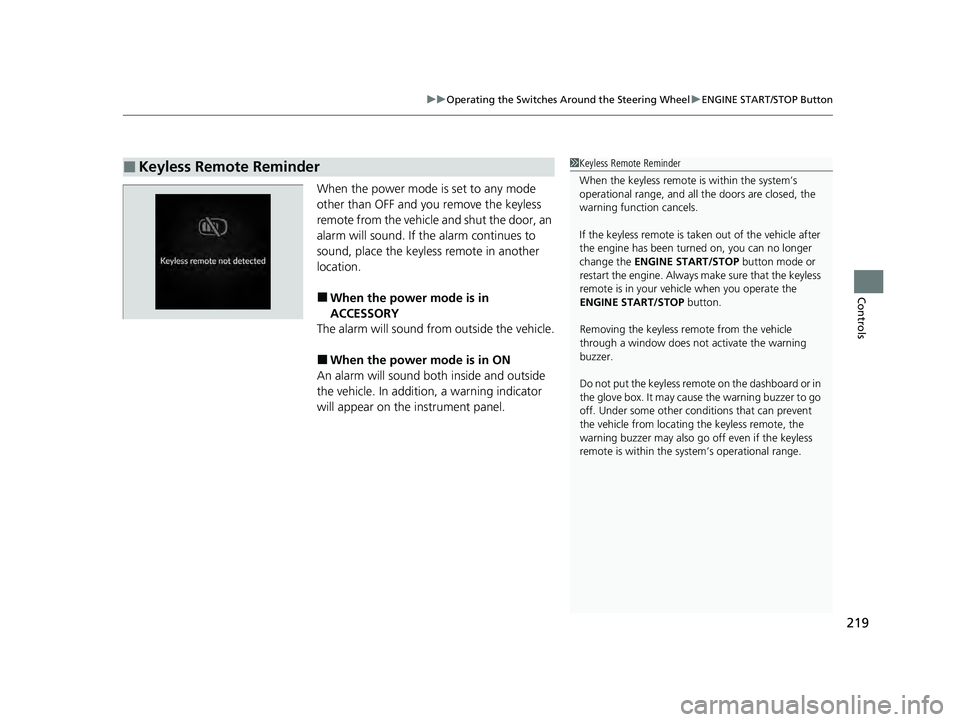
When the power mode is set to any mode
other than OFF and yo u remove the keyless
remote from the vehicle and shut the door, an
alarm will sound. If the alarm continues to
sound, place the keyless remote in another
location.
■When the power mode is in
ACCESSORY
The alarm will sound from outside the vehicle.
■When the power mode is in ON
An alarm will sound both inside and outside
the vehicle. In additi on, a warning indicator
will appear on the instrument panel.
■Keyless Remote Reminder1 Keyless Remote Reminder
When the keyless remote is within the system’s
operational range, and all the doors are closed, the
warning function cancels.
If the keyless remote is taken out of the vehicle after
the engine has been turned on, you can no longer
change the ENGINE START/STOP button mode or
restart the engine. Always make sure that the keyless
remote is in your vehi cle when you operate the
ENGINE START/STOP button.
Removing the keyless remote from the vehicle
through a window does not activate the warning
buzzer.
Do not put the keyless remo te on the dashboard or in
the glove box. It may cause the warning buzzer to go
off. Under some other cond itions that can prevent
the vehicle from locating the keyless remote, the
warning buzzer may also go off even if the keyless
remote is within the system’s operational range.
23 PILOT-31T906000_03.book 219 ページ 2022年10月31日 月曜日 午前10時26分
Page 224 of 814
Continued223
uuOperating the Switches Around the Steering Wheel uLights
Controls
The headlights automatically come on when th e wipers are used several times within
a certain number of intervals with the headlight switch in AUTO.
The headlights automatically go off a few mi nutes later if the wipers are stopped.
The headlights, all other exterior lights, and the instrument panel lights turn off 15
seconds after you set the power mode to VEHICLE OFF, take the remote with you,
and close the driver’s door.
If you set the power mode to VEHICLE OFF with the headlight switch on, but do not
open the door, the lights turn off after 10 minu tes (3 minutes, if the switch is in the
AUTO position).
The lights turn on again when you unlock or open the driver’s door. If you unlock
the door, but do not open it within 15 seconds, the lights go off. If you open the
driver’s door, you will hear a reminder chime alerting you that the lights are on.
■Headlight Integration with Wipers
■Automatic Lighting Off Feature
1 Headlight Integration with Wipers
This feature activates while the headlights are off in
AUTO .
The instrument panel br ightness does not change
when the headlights come on.
At dark ambient light leve ls, the automatic lighting
control feature turns on the headlights, regardless of
the number of wiper sweeps.
You can turn the headlight integration with wipers
function on and off.
2 Settings
* P. 140
2 How to Customize the Vehicle Settings
P. 444
Models with 7-in. Color Touchscreen
Models with 9-in. Color Touchscreen
1 Automatic Lighting Off Feature
You can change the headlight auto off timer setting.
2 Settings
* P. 140
2 How to Customize the Vehicle Settings
P. 444
Models with 7-in. Color Touchscreen
Models with 9-in. Color Touchscreen
* Not available on all models
23 PILOT-31T906000_03.book 223 ページ 2022年10月31日 月曜日 午前10時26分
Page 234 of 814
233
uuOperating the Switches Around the Steering Wheel uDriving Position Memory System*
Continued
Controls
Driving Position Memory System*
You can store two driver’s seat positions (except for power lumbar) and outside
mirrors position with the driv ing position memory system.
When you unlock and open the driver’s door with a keyless remote, the seat and
outside mirrors automatically adjust to one of the preset positions.
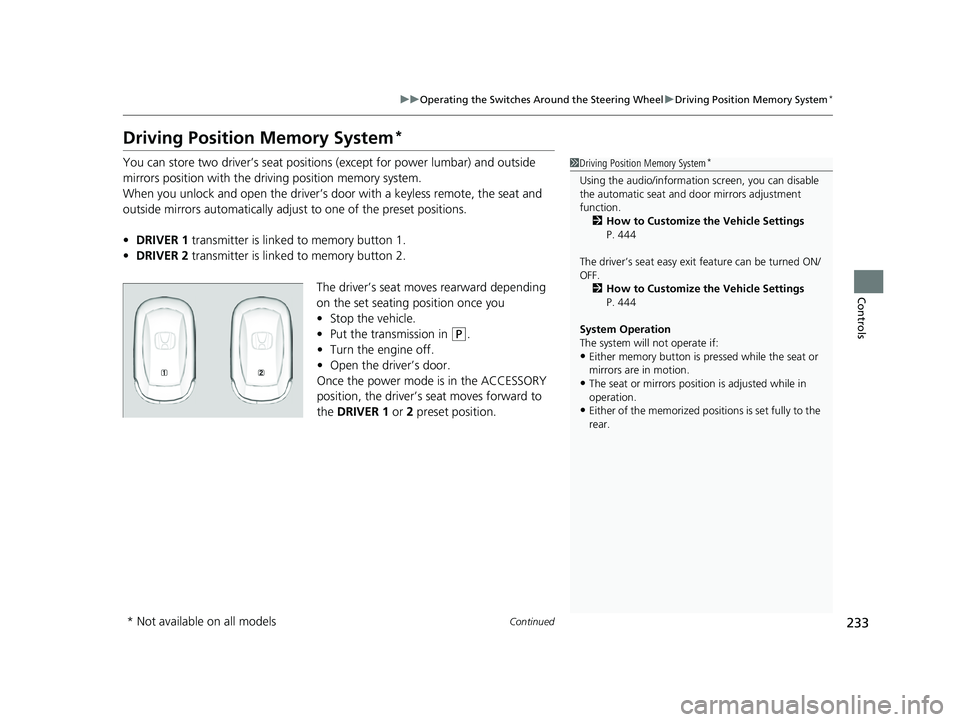
• DRIVER 1 transmitter is linked to memory button 1.
• DRIVER 2 transmitter is linked to memory button 2.
The driver’s seat moves rearward depending
on the set seating position once you
•Stop the vehicle.
• Put the transmission in
(P.
• Turn the engine off.
• Open the driv er’s door.
Once the power mode is in the ACCESSORY
position, the driver’s seat moves forward to
the DRIVER 1 or 2 preset position.
1 Driving Position Memory System*
Using the audio/informati on screen, you can disable
the automatic seat and d oor mirrors adjustment
function. 2 How to Customize the Vehicle Settings
P. 444
The driver’s seat easy exit feature can be turned ON/
OFF. 2 How to Customize the Vehicle Settings
P. 444
System Operation
The system will not operate if:
•Either memory button is pressed while the seat or
mirrors are in motion.
•The seat or mirrors positi on is adjusted while in
operation.
•Either of the memorized positions is set fully to the
rear.
* Not available on all models
23 PILOT-31T906000_03.book 233 ページ 2022年10月31日 月曜日 午前10時26分
Page 239 of 814
uuMirrors uPower Door Mirrors
238
Controls
■Folding in the door mirrors
Press the lock button on the remote transmi tter, or touch the door lock sensor on
any door. u The mirrors start folding in automatically.
■Folding out the door mirrors
Unlock the driver’s door using the key, press the unlock button on the remote
transmitter, or grab the door handle on any door.
u The mirrors start folding out automatically.
■Automatic Folding Door Mirror Function*1Automatic Folding Door Mirror Function*
If you use the fold button to fold the door mirrors,
the auto folding door mirror function will not work.
You can turn the automa tic folding door mirror
function on and off.
2 How to Customize the Vehicle Settings
P. 444
Door mirrors will not fold automatically when locking
from inside the vehicle usi ng the lock tab or master
door lock switch.
* Not available on all models
23 PILOT-31T906000_03.book 238 ページ 2022年10月31日 月曜日 午前10時26分
Page 285 of 814
uuClimate Control System uUsing Automatic Climate Control
284
Controls
■Switching between the recirc ulation and fresh air modes
Press the (recirculation) button and switch the mode depending on
environmental conditions.
Recirculation mode (indicator on): Recirculates air from the vehicle’s interior through
the system.
Fresh air mode (indicator off): Maintains outside ventilation.1Using Automatic Climate Control
When you unlock the doors with your remote, the
driver’s ID (DRIVER 1 or DRIVER 2) is detected, and
the climate control settings are turned to the
respective mode automatically when you set the
power mode to ON.
23 PILOT-31T906000_03.book 284 ページ 2022年10月31日 月曜日 午前10時26分
Page 292 of 814
291
Features
This chapter describes how to operate technology features.
Audio SystemAbout Your Audio System ................ 292
USB Ports ......................................... 293
Audio System Theft Protection ......... 295
Audio Remote Controls .................... 296
Audio System Basic Operation ........ 301
Adjusting the Sound ........................ 302
Display Setup ................................... 303
Playing AM/FM Radio ....................... 304
Playing an iPod ................................ 306
Playing a USB Flash Drive ................. 309
Playing Bluetooth ® Audio ................. 312
Siri Eyes Free .................................... 316
Models with 7-in. Color Touchscreen
Smartphone Voice Recognition ........ 317
Apple CarPlay .................................. 318
Android Auto
TM................................ 322
Audio System Basic Operation ........ 326
Start Up ........................................... 327
Audio/Information Screen ................ 328
System Updates ............................... 340
Adjusting the Sound ........................ 346
Display Setup ................................... 347
Voice Control Operation .................. 349
Playing AM/FM Radio ....................... 352
Playing SiriusXM ® Radio ................... 356
Playing an iPod ................................ 367
Playing a USB Flash Drive ................. 370Models with 9-in. Color Touchscreen
Playing Bluetooth ® Audio ................ 373
HondaLink ®..................................... 376
Smart Shortcuts ............................... 380
Wi-Fi Connection ............................. 383
AT&T Hotspot
*................................ 384
Apple CarPlay .................................. 385
Android Auto
TM............................... 392
Audio Error Messages ...................... 398
General Information on the Audio System.. 400Customized Features................ 421, 429
HomeLink ® Universal Transceiver*.. 456
Bluetooth® HandsFreeLink® ..... 459, 479
Refuel Recommend .......................... 498
CabinTalk ®
*....................................... 499
* Not available on all models
23 PILOT-31T906000_03.book 291 ページ 2022年10月31日 月曜日 午前10時26分
Page 293 of 814
292
Features
Audio System
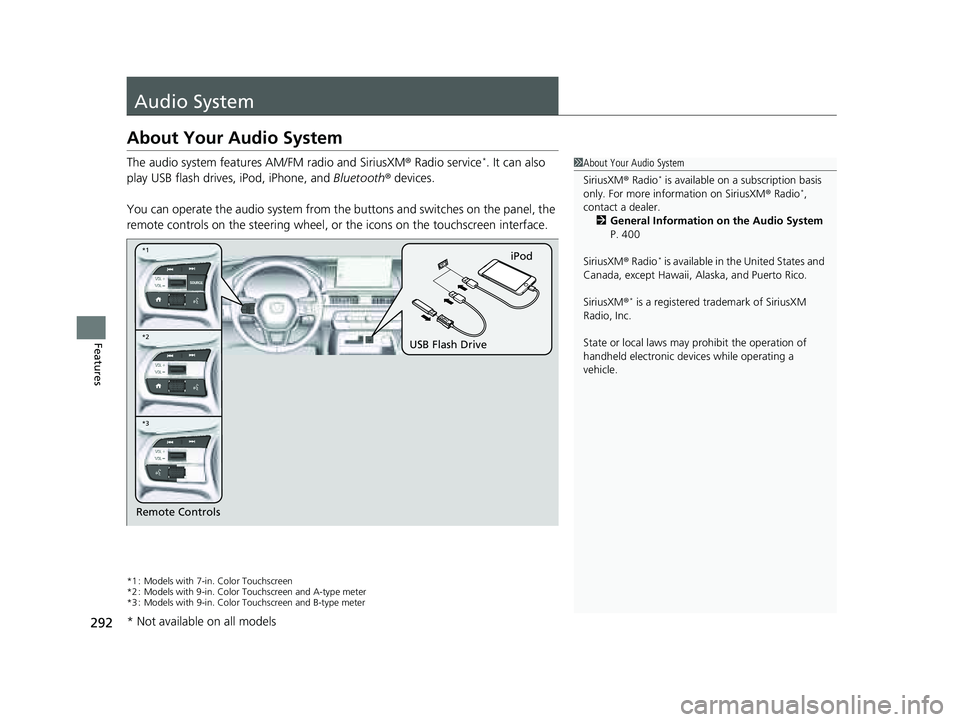
About Your Audio System
The audio system features AM/FM radio and SiriusXM® Radio service*. It can also
play USB flash drives, iPod, iPhone, and Bluetooth® devices.
You can operate the audio system from the buttons and switches on the panel, the
remote controls on the steering wheel, or the icons on the touchscreen interface.
*1 : Models with 7-in. Color Touchscreen
*2 : Models with 9-in. Color Touchscreen and A-type meter
*3 : Models with 9-in. Color Touchscreen and B-type meter
1 About Your Audio System
SiriusXM ® Radio
* is available on a subscription basis
only. For more information on SiriusXM ® Radio*,
contact a dealer.
2 General Information on the Audio System
P. 400
SiriusXM ® Radio
* is available in the United States and
Canada, except Ha waii, Alaska, and Puerto Rico.
SiriusXM ®
* is a registered tra demark of SiriusXM
Radio, Inc.
State or local laws may pr ohibit the operation of
handheld electronic devices while operating a
vehicle.
Remote Controls iPod
USB Flash Drive
*2 *1
*3
* Not available on all models
23 PILOT-31T906000_03.book 292 ページ 2022年10月31日 月曜日 午前10時26分
Page 297 of 814
296
uuAudio System uAudio Remote Controls
Features
Audio Remote Controls
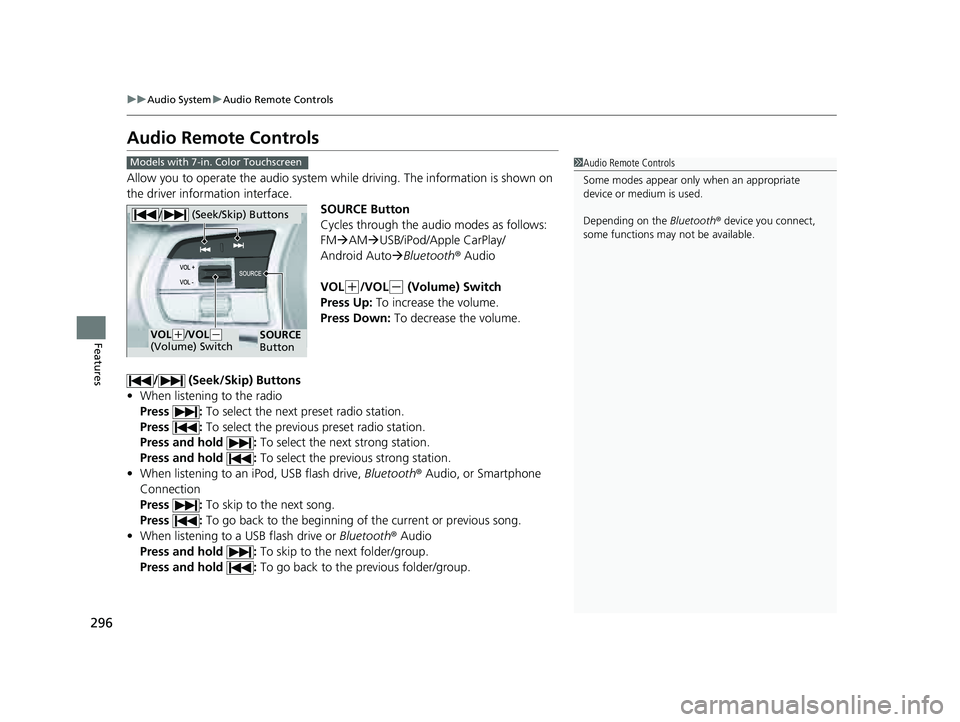
Allow you to operate the audio system wh ile driving. The information is shown on
the driver information interface.
SOURCE Button
Cycles through the audio modes as follows:
FMAM USB/iPod/Apple CarPlay/
Android Auto Bluetooth ® Audio
VOL
(+/VOL(- (Volume) Switch
Press Up: To increase the volume.
Press Down: To decrease the volume.
/ (Seek/Skip) Buttons
• When listening to the radio
Press : To select the next preset radio station.
Press : To select the previous preset radio station.
Press and hold : To select the next strong station.
Press and hold : To select the previous strong station.
• When listening to an iPod, USB flash drive, Bluetooth® Audio, or Smartphone
Connection
Press : To skip to the next song.
Press : To go back to the beginning of the current or previous song.
• When listening to a USB flash drive or Bluetooth® Audio
Press and hold : To skip to the next folder/group.
Press and hold : To go back to the previous folder/group.
1Audio Remote Controls
Some modes appear only when an appropriate
device or medium is used.
Depending on the Bluetooth® device you connect,
some functions may not be available.Models with 7-in. Color Touchscreen
/ (Seek/Skip) Buttons
SOURCE
ButtonVOL( +/VOL(-
(Volume) Switch
23 PILOT-31T906000_03.book 296 ページ 2022年10月31日 月曜日 午前10時26分