light HONDA PRELUDE 1992 Owner's Manual
[x] Cancel search | Manufacturer: HONDA, Model Year: 1992, Model line: PRELUDE, Model: HONDA PRELUDE 1992Pages: 225, PDF Size: 2.1 MB
Page 48 of 225
Keys and Locks
Ignition Switch
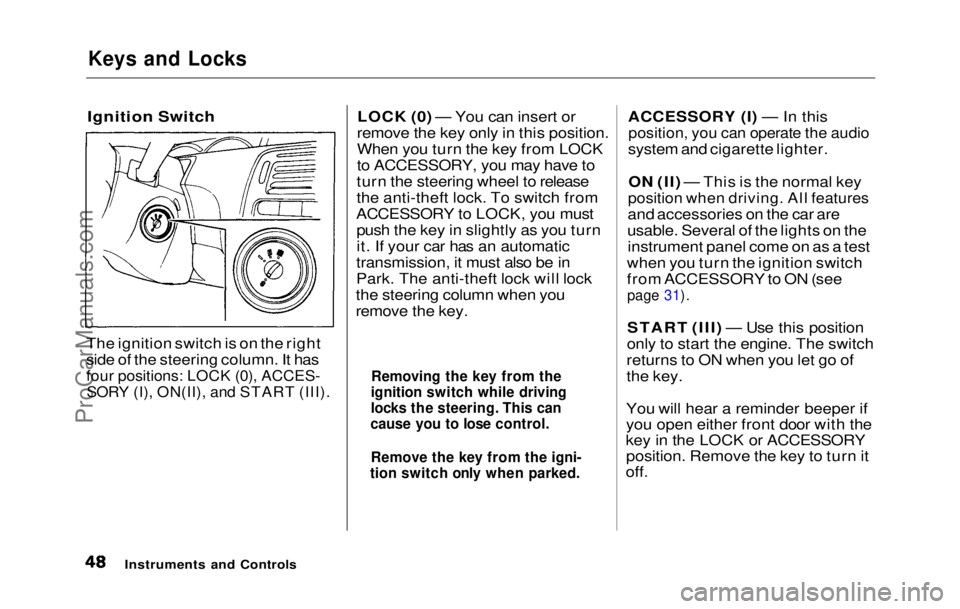
The ignition switch is on the right
side of the steering column. It has
four positions: LOCK (0), ACCES-
SORY (I), ON(II), and START (III).
LOCK (0) — You can insert or
remove the key only in this position.
When you turn the key from LOCK
to ACCESSORY, you may have to
turn the steering wheel to release
the anti-theft lock. To switch from
ACCESSORY to LOCK, you must push the key in slightly as you turn
it. If your car has an automatic
transmission, it must also be in
Park. The anti-theft lock will lock
the steering column when you
remove the key. ACCESSORY (I) — In this
position, you can operate the audio
system and cigarette lighter.
ON (II) — This is the normal key
position when driving. All features
and accessories on the car are
usable. Several of the lights on the instrument panel come on as a test
when you turn the ignition switch
from ACCESSORY to ON (see
page 31).
START (III) — Use this position
only to start the engine. The switch
returns to ON when you let go of
the key.
You will hear a reminder beeper if
you open either front door with the
key in the LOCK or ACCESSORY position. Remove the key to turn it
off.
Instruments and Controls
Removing the key from the
ignition switch while driving
locks the steering. This can
cause you to lose control.
Remove the key from the igni-
tion switch only when parked.ProCarManuals.comMain Menu Table of Contents s t
Page 54 of 225
Seat Adjustments, Seat Heaters
Seat-back Angle Memory
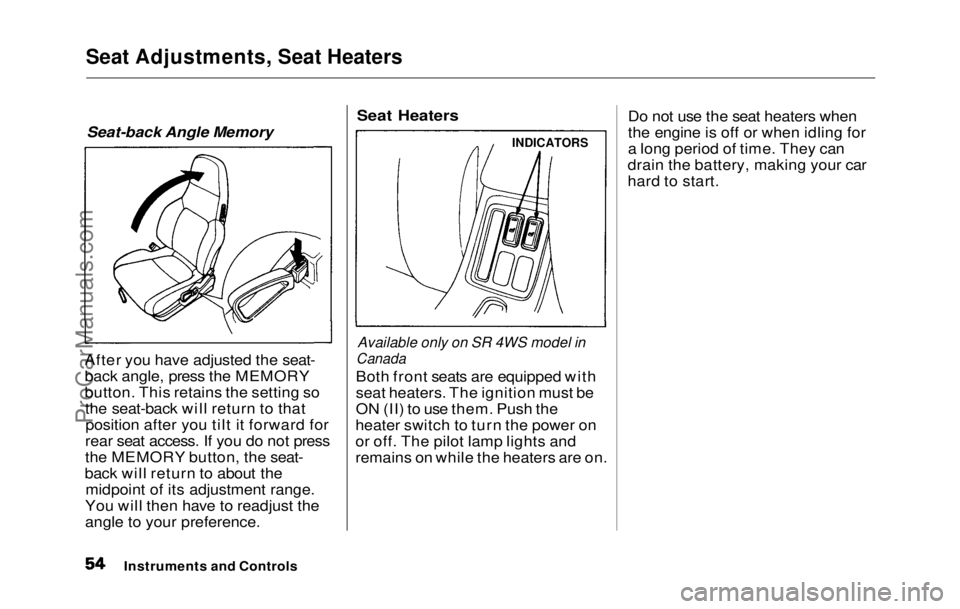
After you have adjusted the seat-
back angle, press the MEMORY
button. This retains the setting so the seat-back will return to thatposition after you tilt it forward for
rear seat access. If you do not press
the MEMORY button, the seat-
back will return to about the midpoint of its adjustment range.
You will then have to readjust the
angle to your preference.
Seat Heaters
Available only on SR 4WS model in
Canada
Both fron
t
seats are equipped with
seat heaters. The ignition must be
ON (II) to use them. Push the
heater switch to turn the power on
or off. The pilot lamp lights and
remains on while the heaters are on. Do not use the seat heaters when
the engine is off or when idling for
a long period of time. They can
drain the battery, making your car
hard to start.
Instruments and Controls
INDICATORSProCarManuals.comMain Menu Table of Contents s t
Page 56 of 225
Hazard Warning, Rear Window Defogger
Hazard Warning
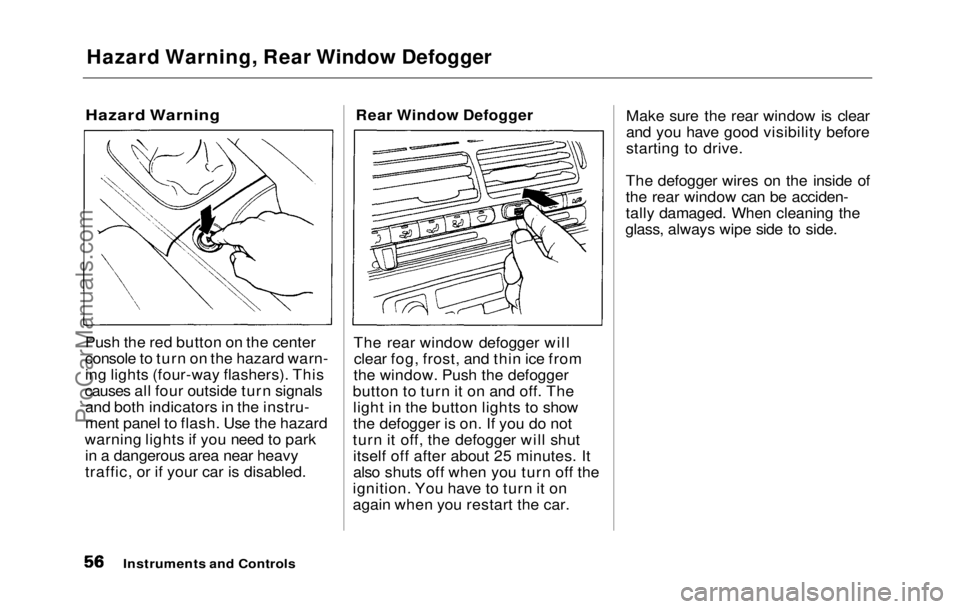
Push the red button on the center
console to turn on the hazard warn-
ing lights (four-way flashers). This
causes all four outside turn signals and both indicators in the instru-
ment panel to flash. Use the hazard
warning lights if you need to park in a dangerous area near heavy
traffic, or if your car is disabled. Rear Window Defogger
The rear window defogger will clear fog, frost, and thin ice from
the window. Push the defogger
button to turn it on and off. The light in the button lights to show
the defogger is on. If you do not
turn it off, the defogger will shut itself off after about 25 minutes. It
also shuts off when you turn off the
ignition. You have to turn it on
again when you restart the car. Make sure the rear window is clear
and you have good visibility before
starting to drive.
The defogger wires on the inside of
the rear window can be acciden-
tally damaged. When cleaning the
glass, always wipe side to side.
Instruments and ControlsProCarManuals.comMain Menu Table of Contents s t
Page 57 of 225
Power Windows
Your car's windows are electri-
cally-powered. Turn the ignition
switch to ON (II) to raise or lower
any window.Each door has a switch that
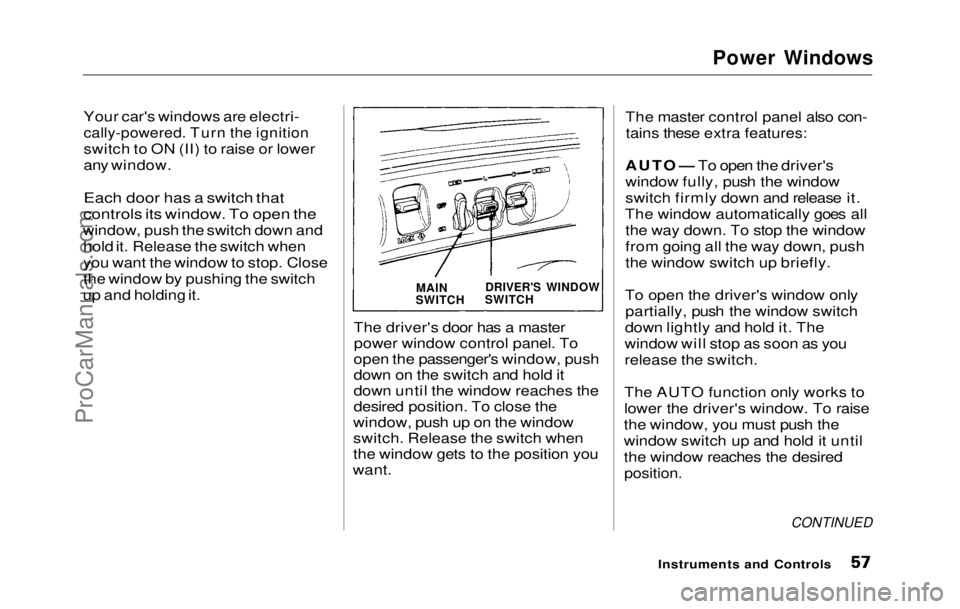
controls its window. To open the
window, push the switch down and hold it. Release the switch when
you want the window to stop. Close
the window by pushing the switch
up and holding it.
The driver's
door has a master
power window control panel. To
open the passenger's window, push
down on the switch and hold it
down until the window reaches the
desired position. To close the
window, push up on the window
switch. Release the switch when
the window gets to the position you
want. The master control panel also con-
tains these extra features:
AUTO — To open the driver's
window fully, push the window
switch firmly down and release it.
The window automatically goes all the way down. To stop the window
from going all the way down, push
the window switch up briefly.
To open the driver's window only partially, push the window switch
down lightly and hold it. The
window will stop as soon as you
release the switch.
The AUTO function only works to
lower the driver's window. To raise
the window, you must push the
window switch up and hold it until
the window reaches the desired
position.
CONTINUED
Instruments and Controls
DRIVER'S WINDOW
SWITCH
MAIN
SWITCHProCarManuals.comMain Menu Table of Contents s t
Page 59 of 225
Sunroof, Mirrors
The sunroof has a key-off delay.
You can still open and close the sunroof for up to ten minutes after
you turn off the ignition. The key- off delay cancels as soon as you
open either
front door. You must
then turn the ignition ON (II) for
the sunroof to operate.
If you try to open the sunroof in
below-freezing temperatures, or
when it is covered with snow or ice,
you can damage the sunroof panel
or motor.
Mirrors
Keep the inside and outside mirrors
clean and adjusted for best visibili-
ty. Be sure to adjust the mirrors
before you start driving.
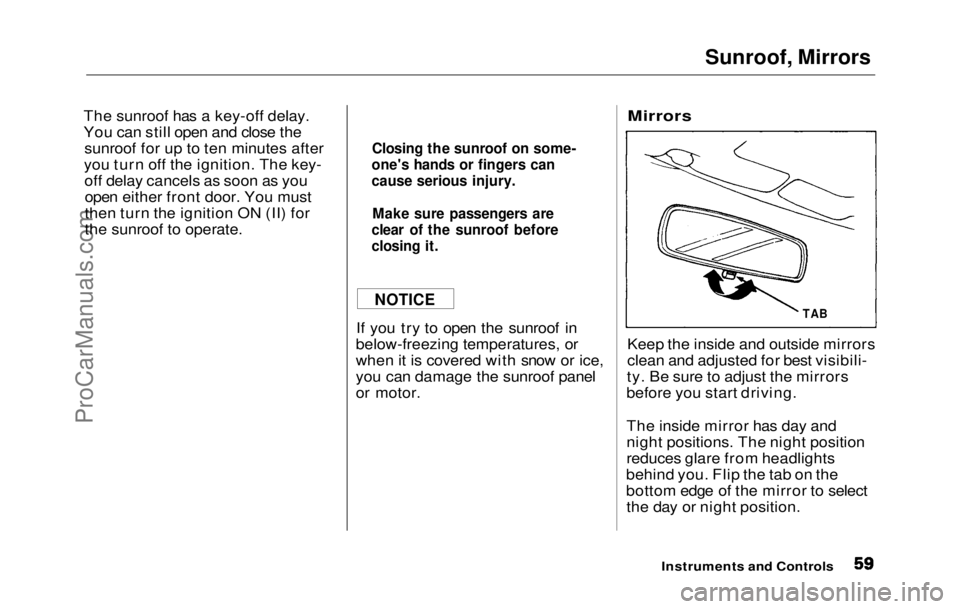
The inside mirror has day and
night positions. The night position
reduces glare from headlights
behind you. Flip the tab on the
bottom edge of the mirror to select the day or night position.
Instruments and Controls
Closing the sunroof on some-
one's hands or fingers can
cause serious injury.
Make sure passengers are
clear of the sunroof before
closing it.
NOTICE
TABProCarManuals.comMain Menu Table of Contents s t
Page 61 of 225
Mirrors, Parking Brake
Available on all Canadian models
The outside mirrors are heated to
remove fog and frost. Press the
mirror defroster button to turn on
the heaters. The light in the button
comes on as a reminder. Press the
button again to turn the heaters off.
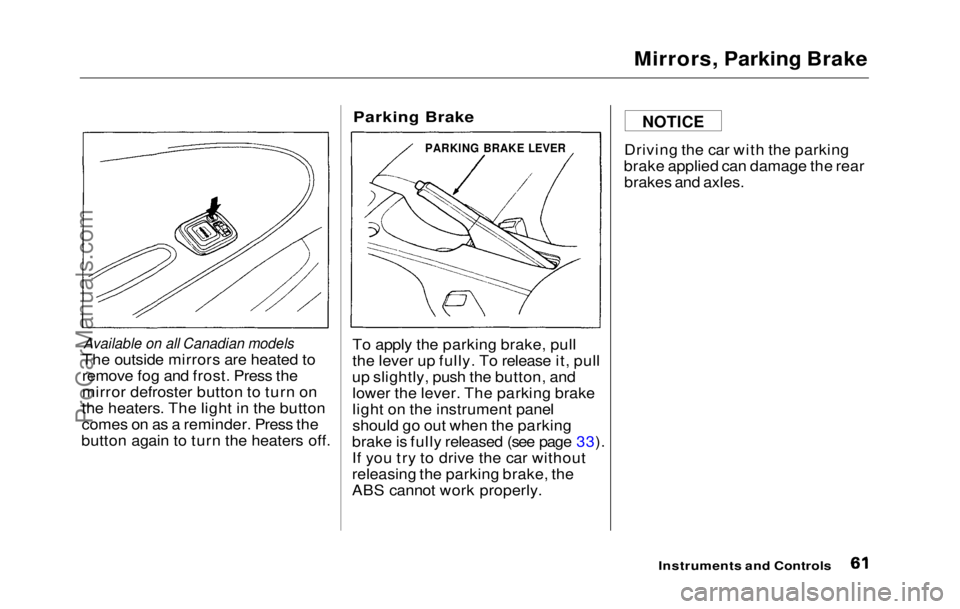
Parking Brake
To apply the parking brake, pull
the lever up fully. To release it, pull
up slightly, push the button, and lower the lever. The parking brake
light on the instrument panel
should go out when the parking
brake is fully released (see page 33).
If you try to drive the car without
releasing the parking brake, the
ABS cannot work properly. Driving the car with the parking
brake applied can damage the rear brakes and axles.
Instruments and Controls
NOTICE
PARKING BRAKE LEVERProCarManuals.comMain Menu Table of Contents s t
Page 65 of 225
Cigarette Lighter, Ashtray
Cigarette Lighter
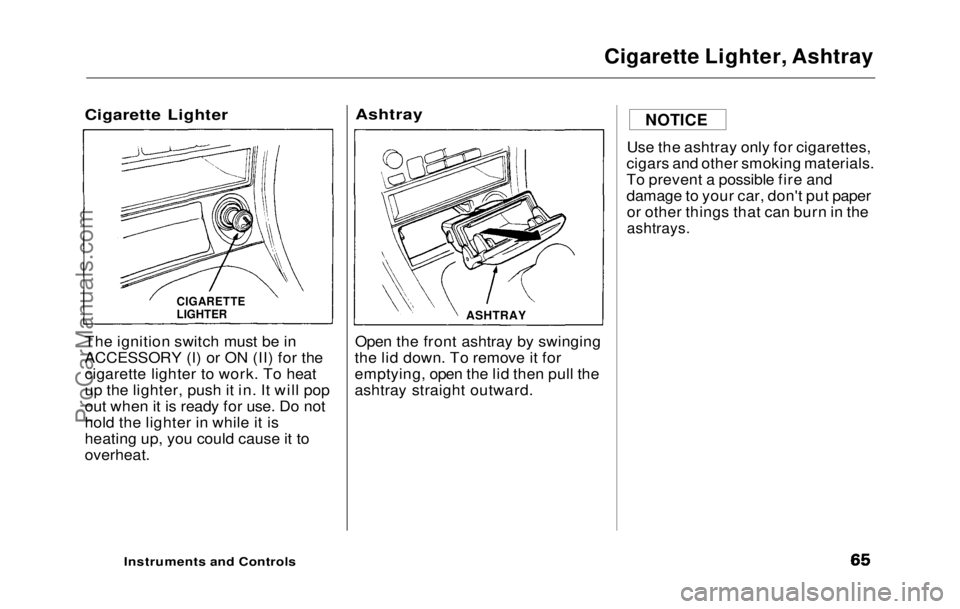
The ignition switch must be in
ACCESSORY (I) or ON (II) for the
cigarette lighter to work. To heat
up the lighter, push it in. It will pop
out when it is ready for use. Do not
hold the lighter in while it is
heating up, you could cause it to
overheat.
Ashtray
Open the front ashtray by swinging
the lid down. To remove it for
emptying, open the lid then pull the
ashtray straight outward. Use the ashtray only for cigarettes,
cigars and other smoking materials.
To prevent a possible fire and
damage to your car, don't put paper or other things that can burn in the
ashtrays.
Instruments and Controls
NOTICE
ASHTRAY
CIGARETTE
LIGHTERProCarManuals.comMain Menu Table of Contents s t
Page 66 of 225
Interior Lights
Ceiling Light
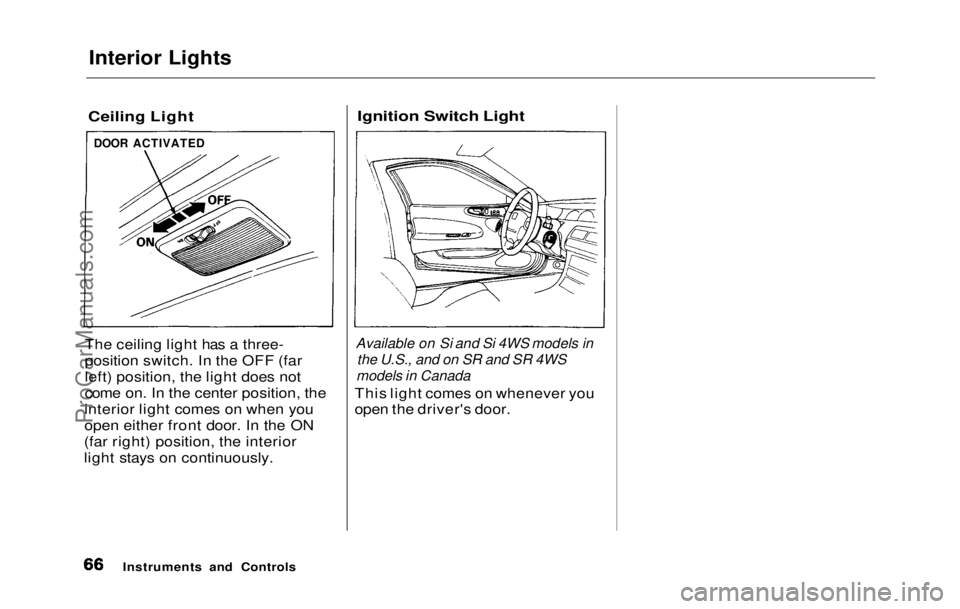
The ceiling light has a three-
position switch. In the OFF (far
left) position, the light does not
come on. In the center position, the
interior light comes on when you
open either front door. In the ON
(far right) position, the interior
light stays on continuously.
Ignition Switch Light
Available on Si and Si 4WS models in
the U.S., and
on
SR and
SR
4
WS
models in Canada
This ligh t
comes on whenever you
open the driver's door.
Instruments and Controls
DOOR ACTIVATEDProCarManuals.comMain Menu Table of Contents s t
Page 70 of 225
Heating and Cooling
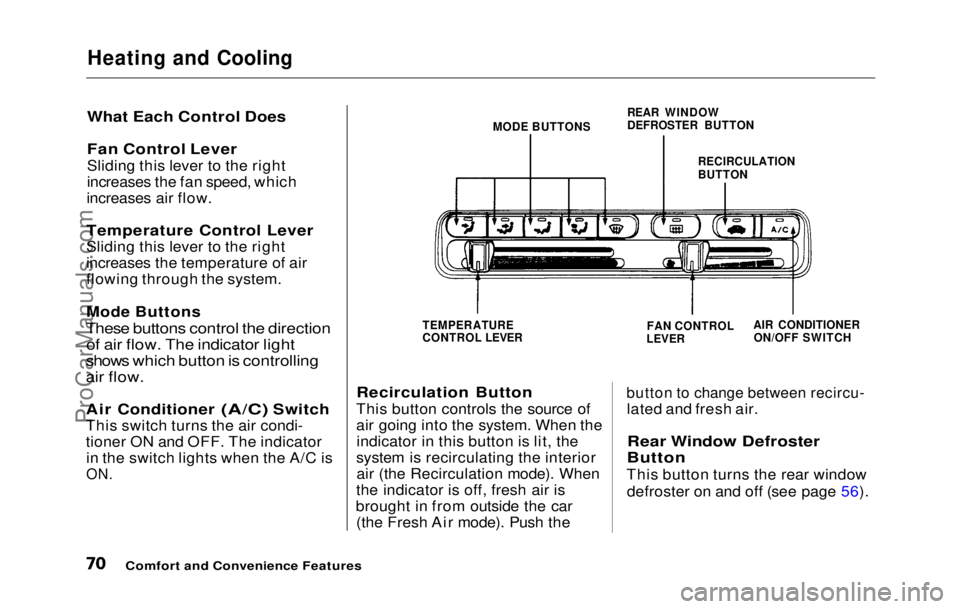
What Each Control Does
Fan Control Lever
Sliding this lever to the right
increases the fan speed, which
increases air flow.
Temperature Control Lever
Sliding this lever to the right
increases the temperature of air
flowing through the system.
Mode Buttons
These buttons control the direction of air flow. The indicator light
shows which button is controlling
air flow.
Air Conditioner (A/C) Switch
This switc h
turns the air condi-
tioner ON and OFF. The indicator in the switch lights when the A/C is
ON. MODE BUTTONS
REAR WINDOW
DEFROSTER BUTTON
RECIRCULATION
BUTTON
TEMPERATURE
CONTROL LEVER
Recirculation Button
This button controls the source of
air going into the system. When the indicator in this button is lit, the
system is recirculating the interior air (the Recirculation mode). When
the indicator is off, fresh air is
brought in from outside the car (the Fresh Air mode). Push the
FAN CONTROL
LEVER AIR CONDITIONER
ON/OFF SWITCH
button to change between recircu-
lated and fresh air.
Rear Window Defroster
Button
This button turns the rear window defroster on and off (see page 56).
Comfort and Convenience FeaturesProCarManuals.comMain Menu Table of Contents s t
Page 76 of 225
Audio System (S)
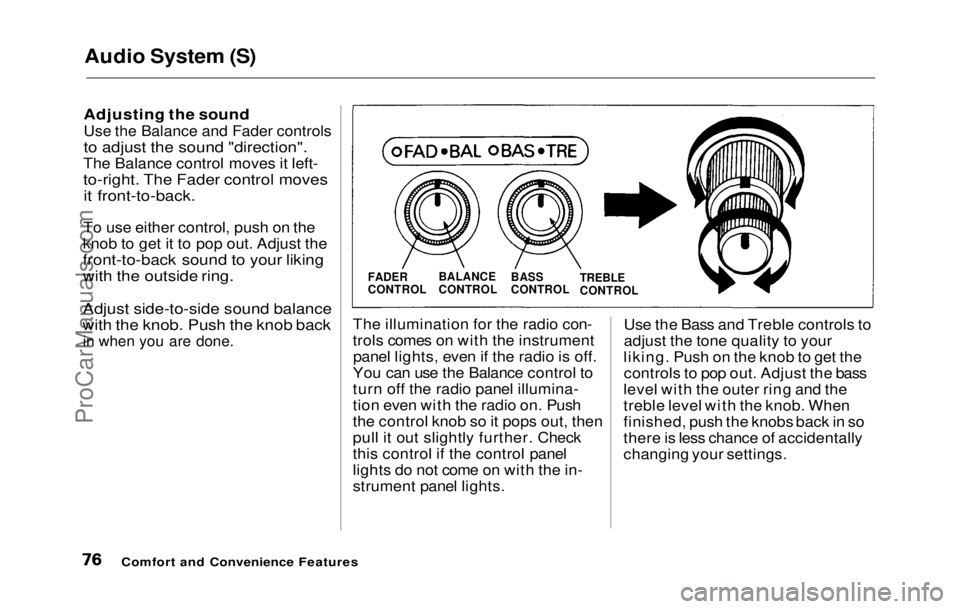
Adjusting the soundUse the Balance and Fader controls
to adjust the sound "direction".
The Balance control moves it left-
to-right. The Fader control moves it front-to-back.
To use either control, push on the
knob to get it to pop out. Adjust the
front-to-back sound to your liking
with the outside ring.
Adjust side-to-side sound balance
with the knob. Push the knob back
in when you are done.
The illuminatio n
for the radio con-
trols comes on with the instrument panel lights, even if the radio is off.
You can use the Balance control to
turn off the radio panel illumina-
tion even with the radio on. Push
the control knob so it pops out, then
pull it out slightly further. Check
this control if the control panel
lights do not come on with the in-
strument panel lights. Use the Bass and Treble controls to
adjust the tone quality to your
liking. Push on the knob to get the controls to pop out. Adjust the bass
level with the outer ring and the
treble level with the knob. When
finished, push the knobs back in so
there is less chance of accidentally
changing your settings.
Comfort and Convenience Features
FADER
CONTROL
BALANCE
CONTROL
BASS
CONTROL
TREBLE
CONTROLProCarManuals.comMain Menu Table of Contents s t