instrument panel HONDA RIDGELINE 2012 1.G Owner's Manual
[x] Cancel search | Manufacturer: HONDA, Model Year: 2012, Model line: RIDGELINE, Model: HONDA RIDGELINE 2012 1.GPages: 429, PDF Size: 7.72 MB
Page 143 of 429
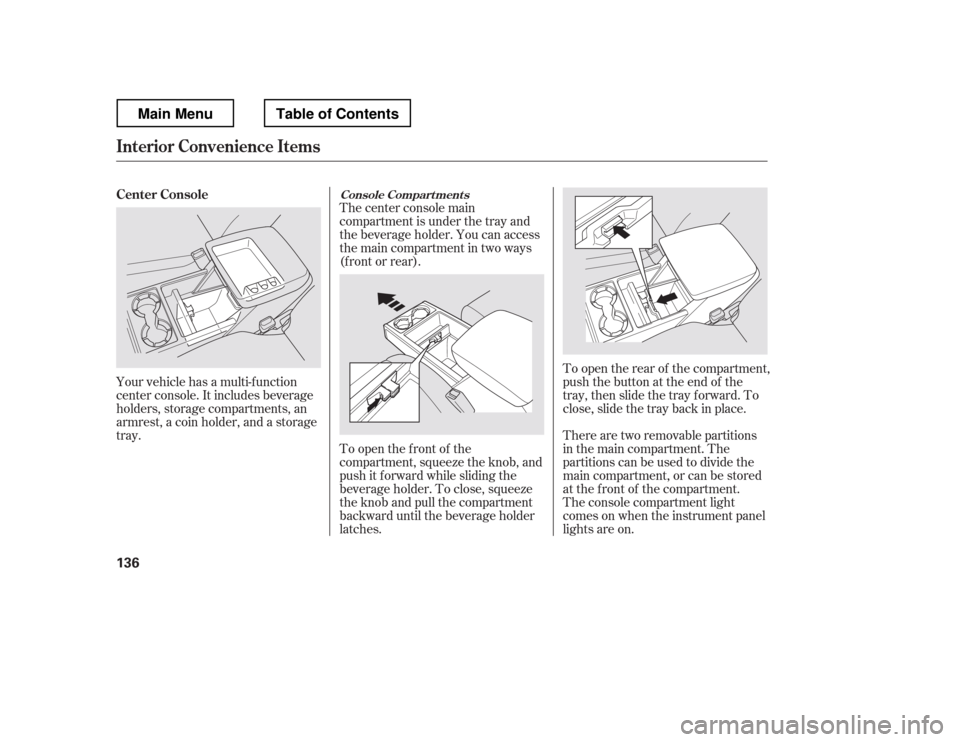
Your vehicle has a multi-f unction
center console. It includes beverage
holders, storage compartments, an
armrest, a coin holder, and a storage
tray.Thecenterconsolemain
compartment is under the tray and
the beverage holder. You can access
the main compartment in two ways
(f ront or rear).
To open the f ront of the
compartment, squeeze the knob, and
push it f orward while sliding the
beverage holder. To close, squeeze
the knob and pull the compartment
backward until the beverage holder
latches.
To open the rear of the compartment,
push the button at the end of the
tray, then slide the tray forward. To
close, slide the tray back in place.
The console compartment light
comesonwhentheinstrumentpanel
lights are on.
There are two removable partitions
in the main compartment. The
partitions can be used to divide the
main compartment, or can be stored
at the f ront of the compartment.
Center Console
Console Compart ment s
Interior Convenience Items
136
Main MenuTable of Contents
Page 151 of 429
If you turn the ignition switch to
ACCESSORY (I) or LOCK (0)
without turning of f the bed lights,
the lights and the indicator will
remain on, then go of f af ter 20
minutes (see page ).
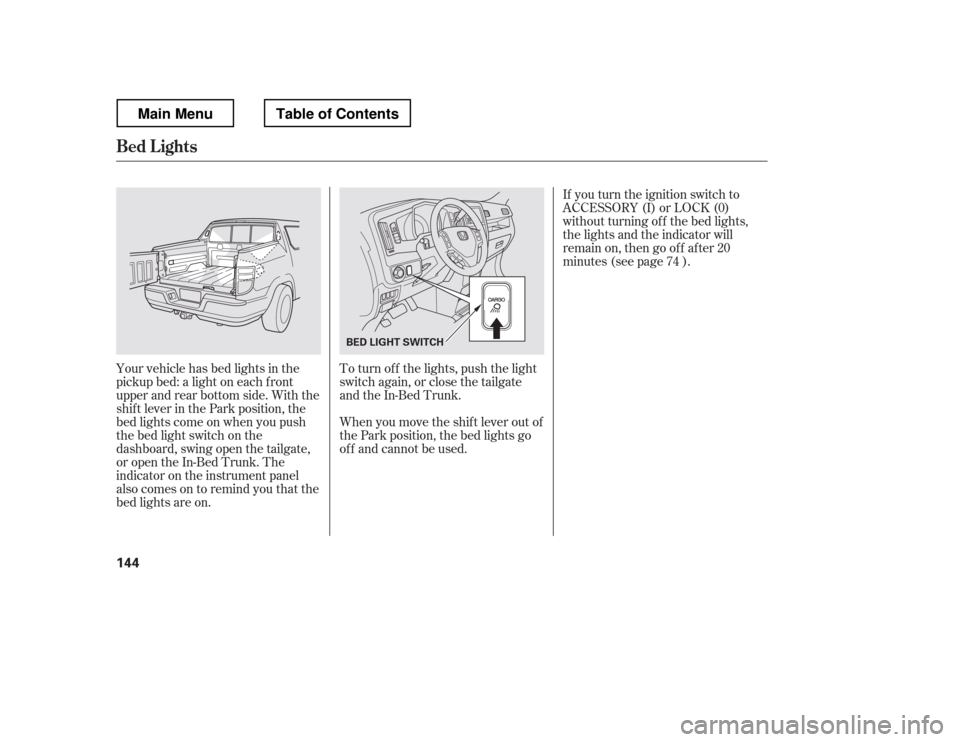
Your vehicle has bed lights in the
pickup bed: a light on each f ront
upper and rear bottom side. With the
shif t lever in the Park position, the
bed lights come on when you push
the bed light switch on the
dashboard, swing open the tailgate,
or open the In-Bed Trunk. The
indicator on the instrument panel
alsocomesontoremindyouthatthe
bed lights are on. To turn of f the lights, push the light
switch again, or close the tailgate
and the In-Bed Trunk.
When you move the shif t lever out of
the Park position, the bed lights go
of f and cannot be used. 74
Bed L ights
144
BED LIGHT SWITCH
Main MenuTable of Contents
Page 216 of 429
The security system does not set if
the hood, In-Bed Trunk, or any door
is not f ully closed. If the system will
not set, check the door and tailgate
open monitor and In-Bed Trunk open
indicator on the instrument panel
(see pages and ) to see if the
doors and In-Bed Trunk are f ully
closed. Since it is not part of the
monitor display, manually check thehood.Use the remote transmitter
to quickly check that the hood,
In-Bed Trunk, and all doors are
closed. Push the lock button twice
within f ive seconds. There should be
an audible conf irmation beep.
Do not attempt to alter this system
or add other devices to it.
11 75
Security System
Features
209
NOTE:
Main MenuTable of Contents
Page 217 of 429
Cruise control allows you to maintain
asetspeedabove25mph(40km/h)
without keeping your f oot on the
accelerator pedal. It should be used
f or cruising on straight, open
highways. It is not recommended f or
city driving, winding roads, slippery
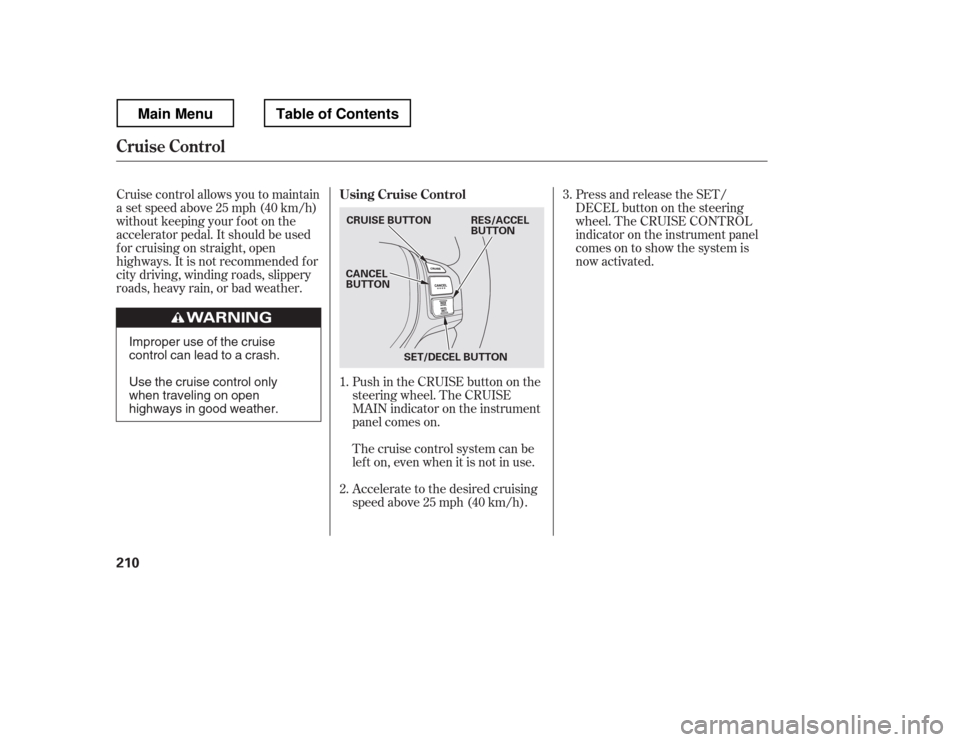
roads, heavy rain, or bad weather.Push in the CRUISE button on the
steering wheel. The CRUISE
MAIN indicator on the instrument
panel comes on.Press and release the SET/
DECELbuttononthesteering
wheel. The CRUISE CONTROL
indicator on the instrument panel
comes on to show the system is
now activated.
Accelerate to the desired cruising
speedabove25mph(40km/h).
Thecruisecontrolsystemcanbe
lefton,evenwhenitisnotinuse.
1. 2. 3.
Using Cruise Control
Cruise Control
210
CRUISE BUTTON
CANCEL
BUTTON
SET/DECEL BUTTON RES/ACCEL
BUTTON
Improper use of the cruise
control can lead to a crash.
Use the cruise control only
when traveling on open
highways in good weather.
Main MenuTable of Contents
Page 218 of 429
You can increase the set cruising
speed in any of these ways:You can decrease the set cruising
speed in any of these ways:
Press and hold the RES/ACCEL
button. When you reach the
desired cruising speed, release the
button.
Push on the accelerator pedal.
Accelerate to the desired cruising
speed, then press the SET/
DECEL button.
Cruise control may not hold the set
speed when you are going up and
down hills. If your vehicle speed
increases going down a hill, use the
brakes to slow down. This will cancel
thecruisecontrol.Toresumetheset
speed, press the RES/ACCEL button.
The CRUISE CONTROL indicator
on the instrument panel will come
back on.
To increase the speed in very
small amounts, tap the RES/
ACCEL button. Each time you do
this, your vehicle will speed up
about 1 mph (1.6 km/h). If you need to decrease your
speed quickly, use the brakes as you
normally would.
Tap the brake pedal lightly with
your f oot. The CRUISE
CONTROL indicator on the
instrument panel will go out.
When the vehicle slows to the
desired speed, press the SET/
DECEL button.
Press and hold the SET/DECEL
button. Release the button when
you reach the desired speed.
To slow down in very small
amounts, tap the SET/DECEL
button. Each time you do this,
your vehicle will slow down about
1 mph (1.6 km/h).
CONT INUED
Changing the Set Speed
Cruise Control
Features
211
NOTE:
Main MenuTable of Contents
Page 278 of 429
Youshoulddothefollowingchecks
and adjustments bef ore you drive
your vehicle.Make sure all windows, mirrors,
and outside lights are clean and
unobstructed. Remove f rost, snow,
or ice.
Check that the hood is f ully closed.
Check that the tailgate is f ully
closed when it is not used as an
extended pickup bed.
Visually check the tires. If a tire
looks low, use a gauge to check its
pressure.
Check that any items you may be
carrying are stored properly or
f astened down securely. Check the adjustment of the
inside and outside mirrors (see
page ).
Check the steering wheel
adjustment (see page ).
Make sure the doors and In-Bed
Trunk are securely closed and
locked.
Fasten your seat belt. Check that
your passengers have f astened
their seat belts (see page ).
Check the seat adjustment (see
pages and ). When you start the engine, check
the gauges and indicators in the
instrument panel, and the
messages on the inf ormation
display or multi-inf ormation
display (depending on the model)(
s e e pag es,,, an d
).
1. 2. 3. 4.5. 6. 8.
7. 9.
10. 11.
121 133
99
16
61 76 77
119 89
Preparing to Drive
Driving
271
Main MenuTable of Contents
Page 280 of 429
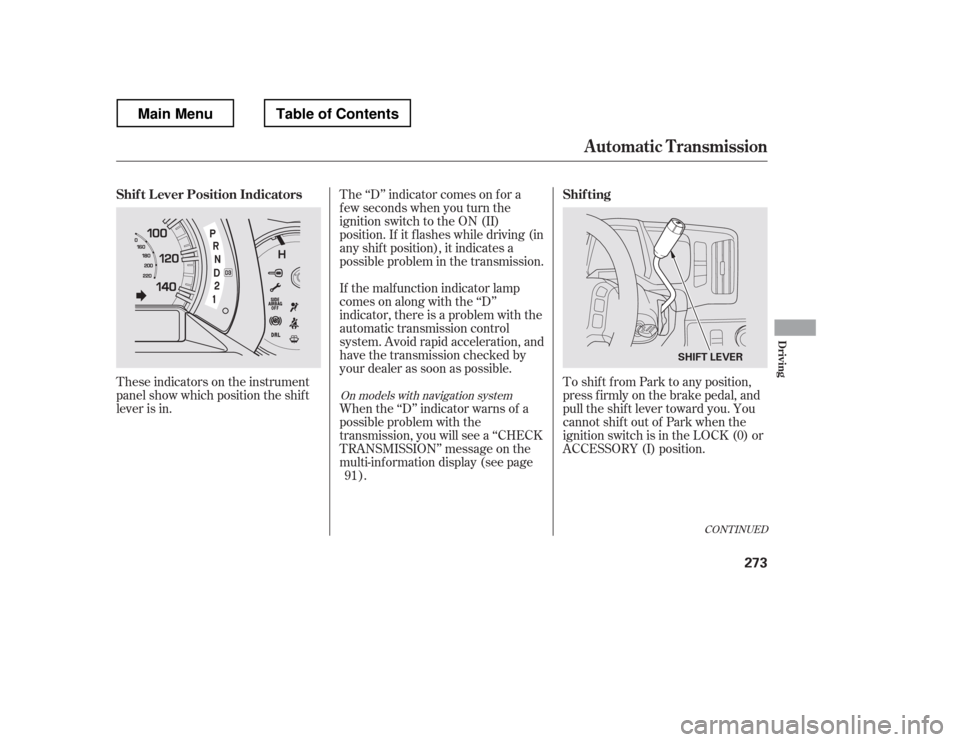
These indicators on the instrument
panel show which position the shif t
lever is in.The ‘‘D
Page 285 of 429
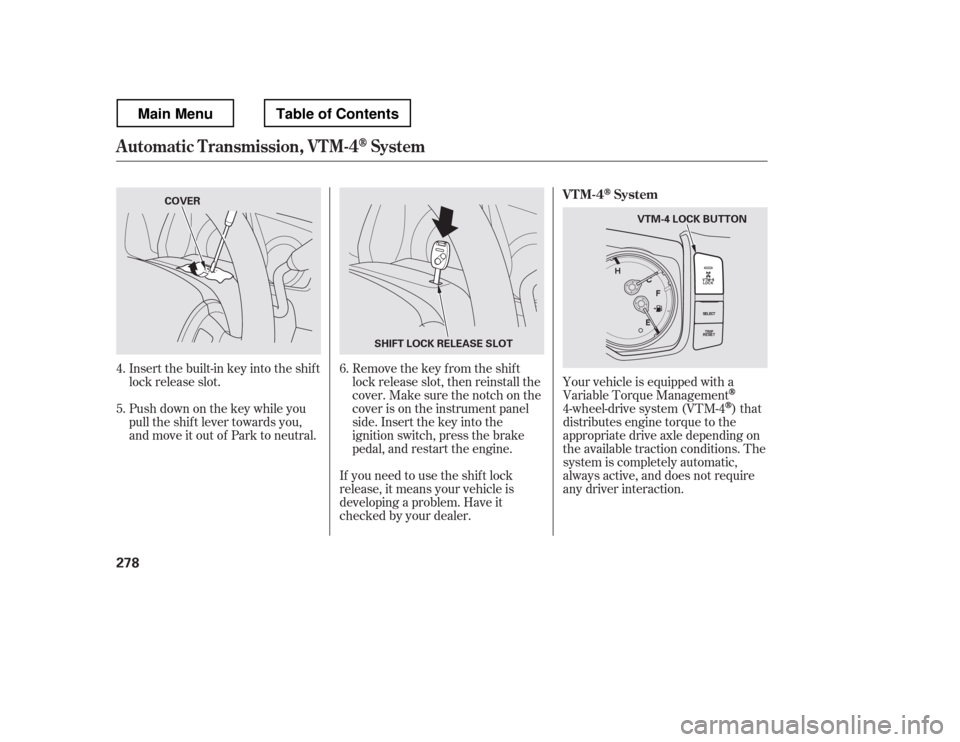
Insert the built-in key into the shift
lock release slot.
Push down on the key while you
pull the shif t lever towards you,
and move it out of Park to neutral.Remove the key from the shift
lock release slot, then reinstall the
cover. Make sure the notch on the
cover is on the instrument panel
side. Insert the key into the
ignition switch, press the brake
pedal, and restart the engine.Your vehicle is equipped with a
Variable Torque Management
4-wheel-drive system (VTM-4)that
distributes engine torque to the
appropriate drive axle depending on
the available traction conditions. The
system is completely automatic,
always active, and does not require
any driver interaction.
If you need to use the shif t lock
release, it means your vehicle is
developing a problem. Have it
checked by your dealer.
6.
4. 5.
Automatic Transmission, VTM-4System
VTM-4System
278
SHIFT LOCK RELEASE SLOT
COVER
VTM-4 LOCK BUTTON
Main MenuTable of Contents
Page 292 of 429
CONT INUED
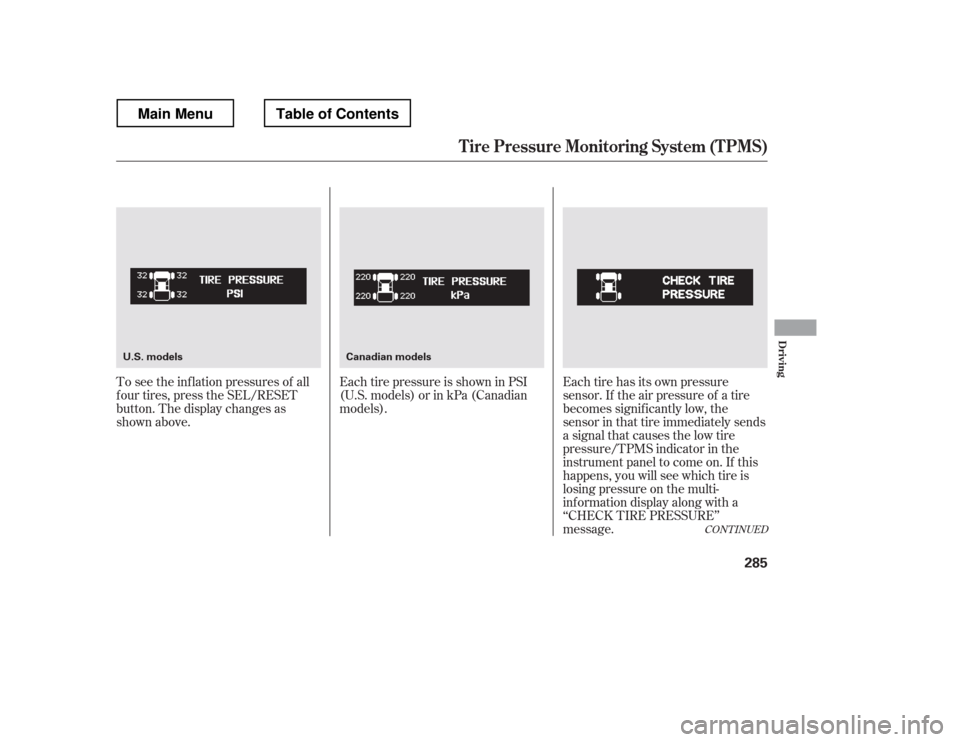
To see the inf lation pressures of all
f our tires, press the SEL/RESET
button. The display changes as
shown above.Each tire pressure is shown in PSI
(U.S. models) or in kPa (Canadian
models).
Each tire has its own pressure
sensor. If the air pressure of a tire
becomes signif icantly low, the
sensor in that tire immediately sends
a signal that causes the low tire
pressure/TPMS indicator in the
instrument panel to come on. If this
happens, you will see which tire is
losing pressure on the multi-
inf ormation display along with a
‘‘CHECK TIRE PRESSURE
Page 324 of 429
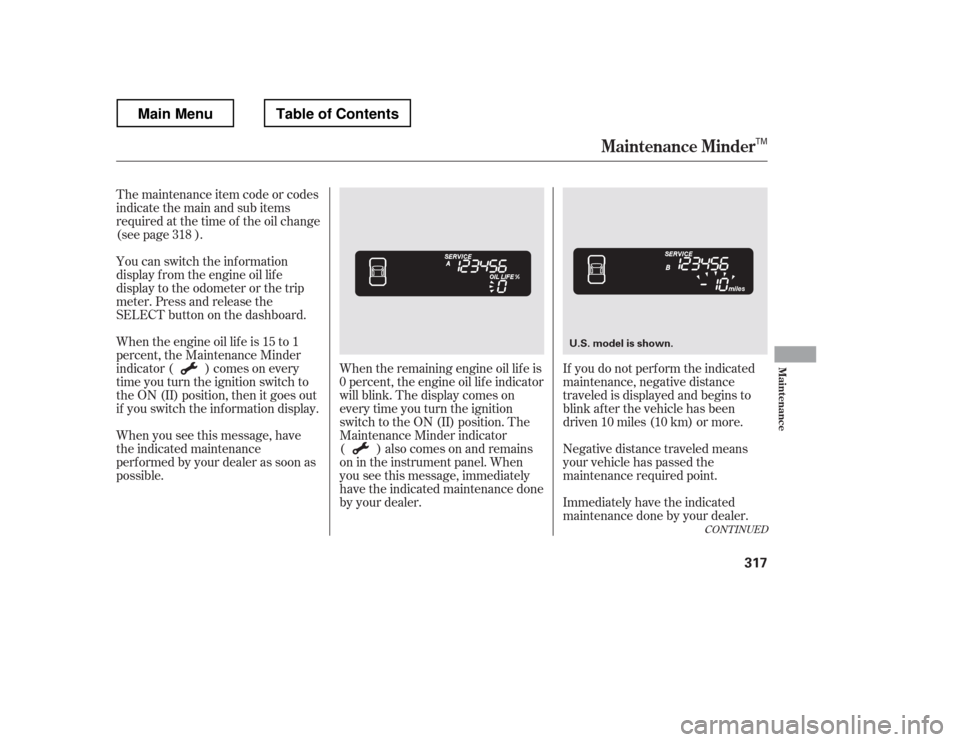
The maintenance item code or codes
indicate the main and sub items
required at the time of the oil change
(see page ).When the remaining engine oil lif e is
0 percent, the engine oil lif e indicator
will blink. The display comes on
everytimeyouturntheignition
switch to the ON (II) position. The
Maintenance Minder indicator
( ) also comes on and remains
on in the instrument panel. When
you see this message, immediately
have the indicated maintenance done
by your dealer. If you do not perf orm the indicated
maintenance, negative distance
traveled is displayed and begins to
blink af ter the vehicle has been
driven 10 miles (10 km) or more.
Negative distance traveled means
your vehicle has passed the
maintenance required point.
Immediately have the indicated
maintenance done by your dealer.
You can switch the information
display f rom the engine oil lif e
display to the odometer or the trip
meter. Press and release the
SELECT button on the dashboard.
Whentheengineoillifeis15to1
percent, the Maintenance Minder
indicator ( ) comes on every
time you turn the ignition switch to
the ON (II) position, then it goes out
if you switch the inf ormation display.
When you see this message, have
the indicated maintenance
perf ormed by your dealer as soon as
possible.
318
CONT INUED
Maintenance Minder
Maint enance
317
U.S. model is shown.
TM
Main MenuTable of Contents