light HONDA RIDGELINE 2017 2.G User Guide
[x] Cancel search | Manufacturer: HONDA, Model Year: 2017, Model line: RIDGELINE, Model: HONDA RIDGELINE 2017 2.GPages: 606, PDF Size: 13.21 MB
Page 26 of 606
25
Quick Reference Guide
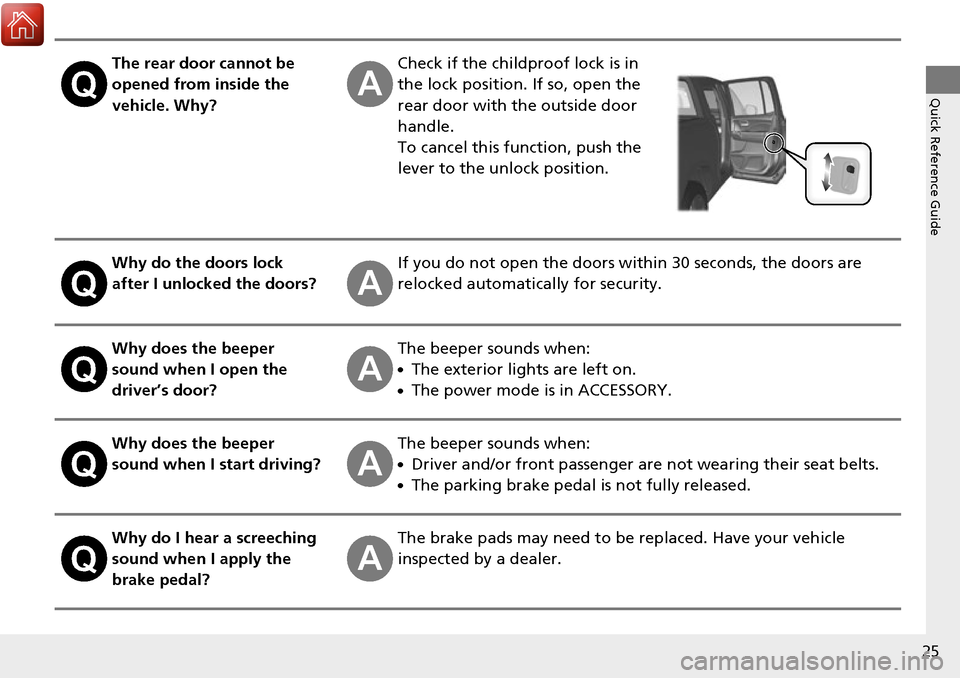
The rear door cannot be
opened from inside the
vehicle. Why?Check if the childproof lock is in
the lock position. If so, open the
rear door with the outside door
handle.
To cancel this function, push the
lever to the unlock position.
Why do the doors lock
after I unlocked the doors?If you do not open the doors within 30 seconds, the doors are
relocked automatically for security.
Why does the beeper
sound when I open the
driver’s door?The beeper sounds when:
●The exterior lights are left on.
●The power mode is in ACCESSORY.
Why does the beeper
sound when I start driving?The beeper sounds when:
●Driver and/or front passenger are not wearing their seat belts.
●The parking brake pedal is not fully released.
Why do I hear a screeching
sound when I apply the
brake pedal?The brake pads may need to be replaced. Have your vehicle
inspected by a dealer.
Page 77 of 606
76
uuIndicators u
Instrument Panel
IndicatorNameOn/BlinkingExplanationMessage
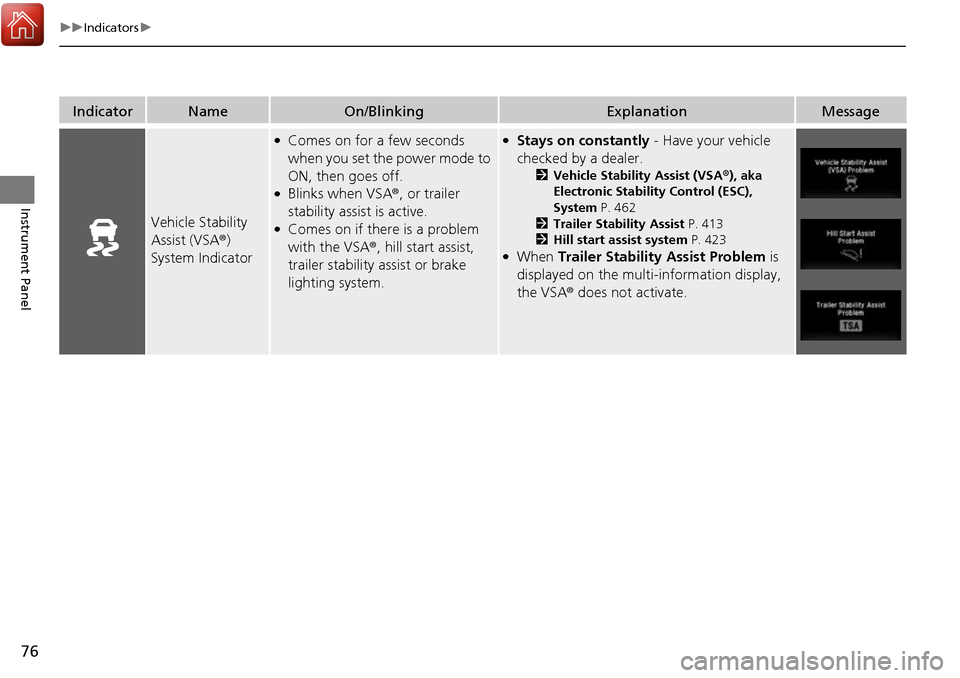
Vehicle Stability
Assist (VSA ®)
System Indicator
●Comes on for a few seconds
when you set the power mode to
ON, then goes off.
●Blinks when VSA ®, or trailer
stability assist is active.
●Comes on if there is a problem
with the VSA ®, hill start assist,
trailer stability assist or brake
lighting system.
●Stays on constantly - Have your vehicle
checked by a dealer.
2 Vehicle Stability Assist (VSA ®), aka
Electronic Stability Control (ESC),
System P. 462
2 Trailer Stability Assist P. 413
2 Hill start assist system P. 423
●When Trailer Stability Assist Problem is
displayed on the multi-information display,
the VSA ® does not activate.
Page 79 of 606
78
uuIndicators u
Instrument Panel
IndicatorNameOn/BlinkingExplanationMessage
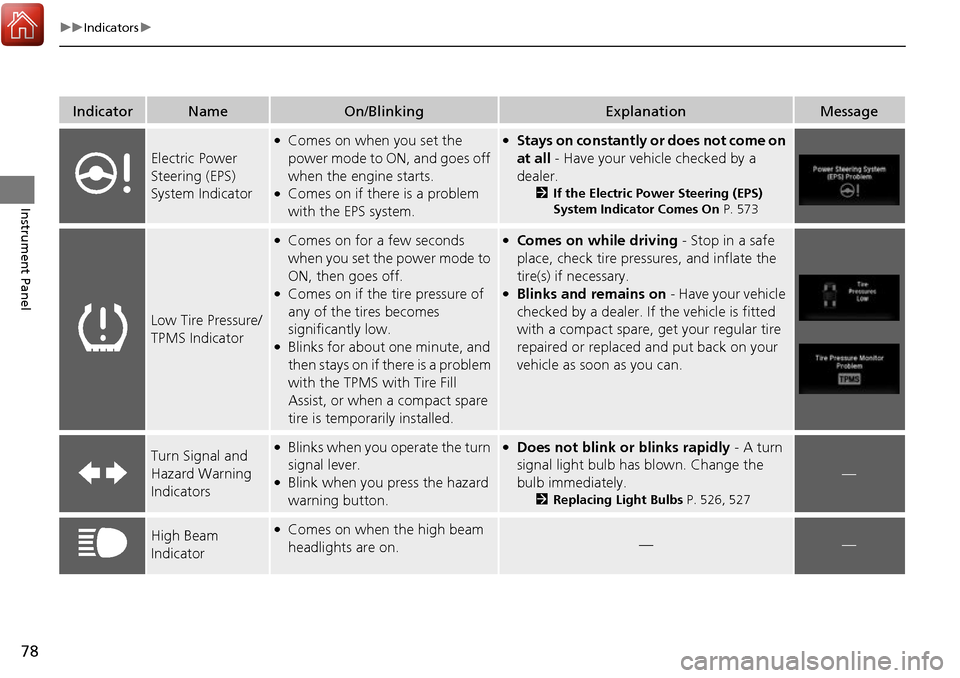
Electric Power
Steering (EPS)
System Indicator
●Comes on when you set the
power mode to ON, and goes off
when the engine starts.
●Comes on if there is a problem
with the EPS system.
●Stays on constantly or does not come on
at all - Have your vehicle checked by a
dealer.
2If the Electric Power Steering (EPS)
System Indicator Comes On P. 573
Low Tire Pressure/
TPMS Indicator
●Comes on for a few seconds
when you set the power mode to
ON, then goes off.
●Comes on if the tire pressure of
any of the tires becomes
significantly low.
●Blinks for about one minute, and
then stays on if there is a problem
with the TPMS with Tire Fill
Assist, or when a compact spare
tire is temporarily installed.
●Comes on while driving - Stop in a safe
place, check tire pres sures, and inflate the
tire(s) if necessary.
●Blinks and remains on - Have your vehicle
checked by a dealer. If the vehicle is fitted
with a compact spare, get your regular tire
repaired or replaced and put back on your
vehicle as soon as you can.
Turn Signal and
Hazard Warning
Indicators●Blinks when you operate the turn
signal lever.
●Blink when you press the hazard
warning button.
●Does not blink or blinks rapidly - A turn
signal light bulb has blown. Change the
bulb immediately.
2 Replacing Light Bulbs P. 526, 527
—
High Beam
Indicator●Comes on when the high beam
headlights are on.——
Page 80 of 606
79
uuIndicators u
Continued
Instrument Panel
IndicatorNameOn/BlinkingExplanationMessage
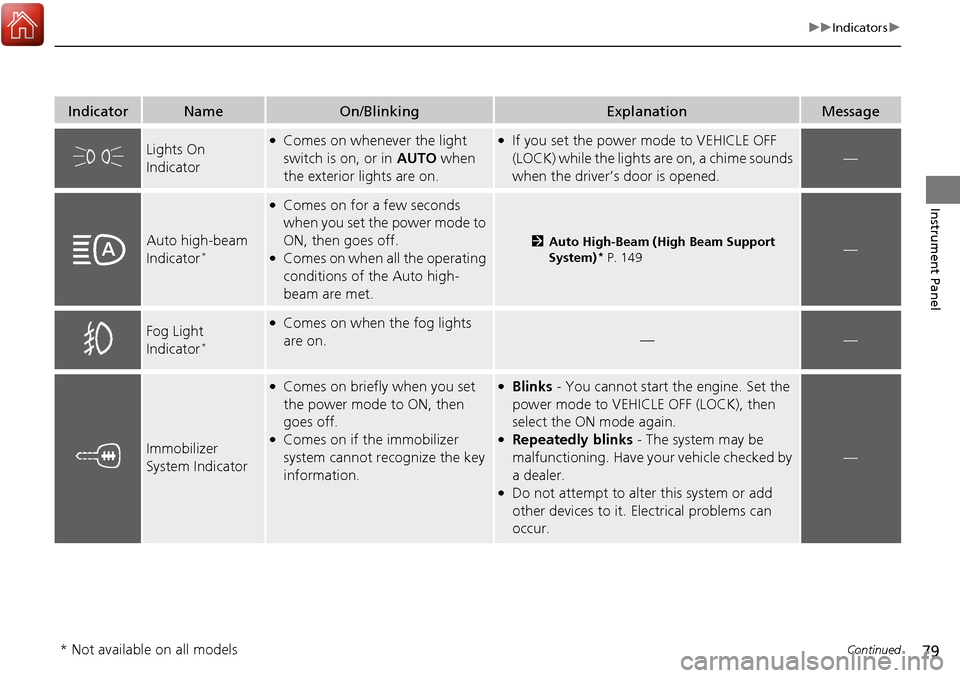
Lights On
Indicator●Comes on whenever the light
switch is on, or in AUTO when
the exterior lights are on.●If you set the power mode to VEHICLE OFF
(LOCK) while the lights are on, a chime sounds
when the driver’s door is opened.
—
Auto high-beam
Indicator*
●Comes on for a few seconds
when you set the power mode to
ON, then goes off.
●Comes on when all the operating
conditions of the Auto high-
beam are met.
2Auto High-Beam (High Beam Support
System)* P. 149—
Fog Light
Indicator*
●Comes on when the fog lights
are on.
——
Immobilizer
System Indicator
●Comes on briefly when you set
the power mode to ON, then
goes off.
●Comes on if the immobilizer
system cannot recognize the key
information.
●Blinks - You cannot start the engine. Set the
power mode to VEHICL E OFF (LOCK), then
select the ON mode again.
●Repeatedly blinks - The system may be
malfunctioning. Have your vehicle checked by
a dealer.
●Do not attempt to alter this system or add
other devices to it. Electrical problems can
occur.
—
* Not available on all models
Page 89 of 606
88
uuIndicators u
Instrument Panel
IndicatorNameOn/BlinkingExplanationMessage
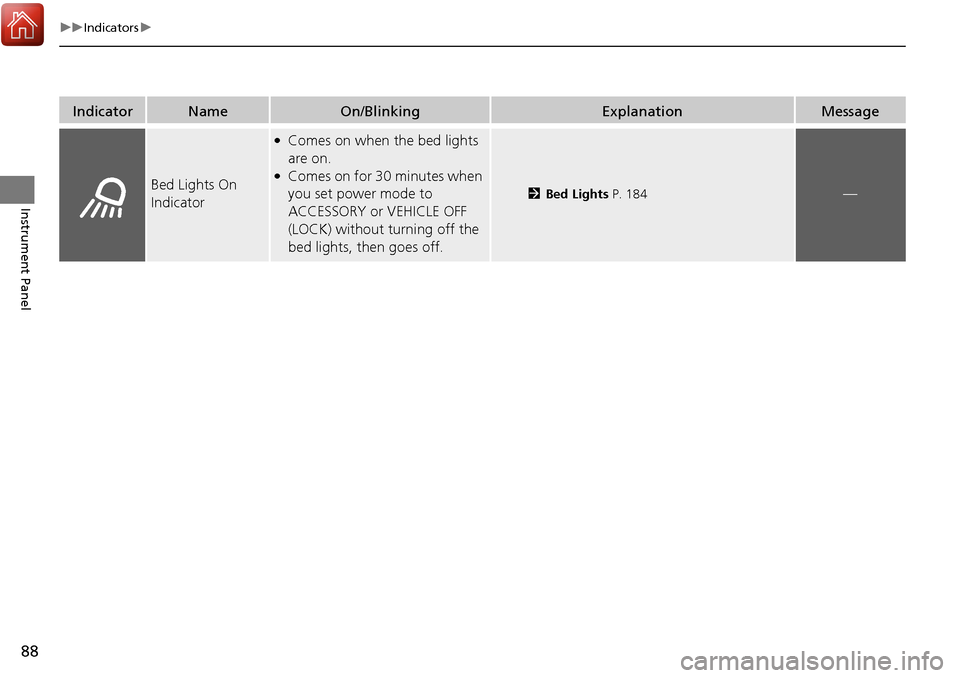
Bed Lights On
Indicator
●Comes on when the bed lights
are on.
●Comes on for 30 minutes when
you set power mode to
ACCESSORY or VEHICLE OFF
(LOCK) without turning off the
bed lights, then goes off.
2Bed Lights P. 184—
Page 95 of 606
94
uuIndicators uMulti-Information Display Warn ing and Information Messages
Instrument Panel
MessageConditionExplanation
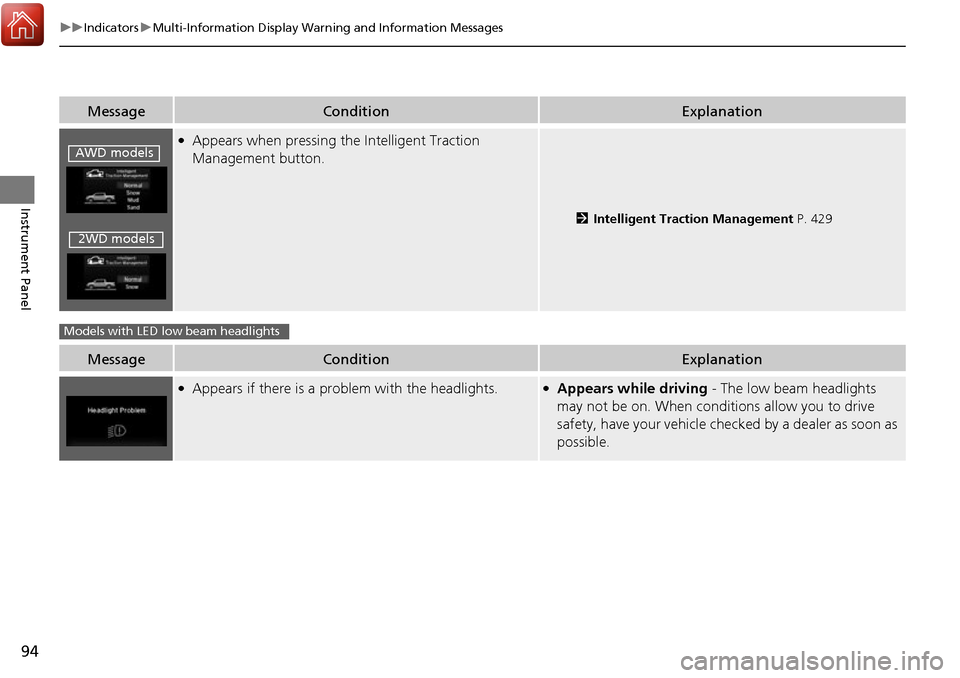
●Appears when pressing the Intelligent Traction
Management button.
2Intelligent Traction Management P. 429
MessageConditionExplanation
●Appears if there is a problem with the headlights.●Appears while driving - The low beam headlights
may not be on. When conditions allow you to drive
safety, have your vehicle chec ked by a dealer as soon as
possible.
AWD models
2WD models
Models with LED low beam headlights
Page 101 of 606
100
uuIndicators uMulti-Information Display Warn ing and Information Messages
Instrument Panel
MessageConditionExplanation
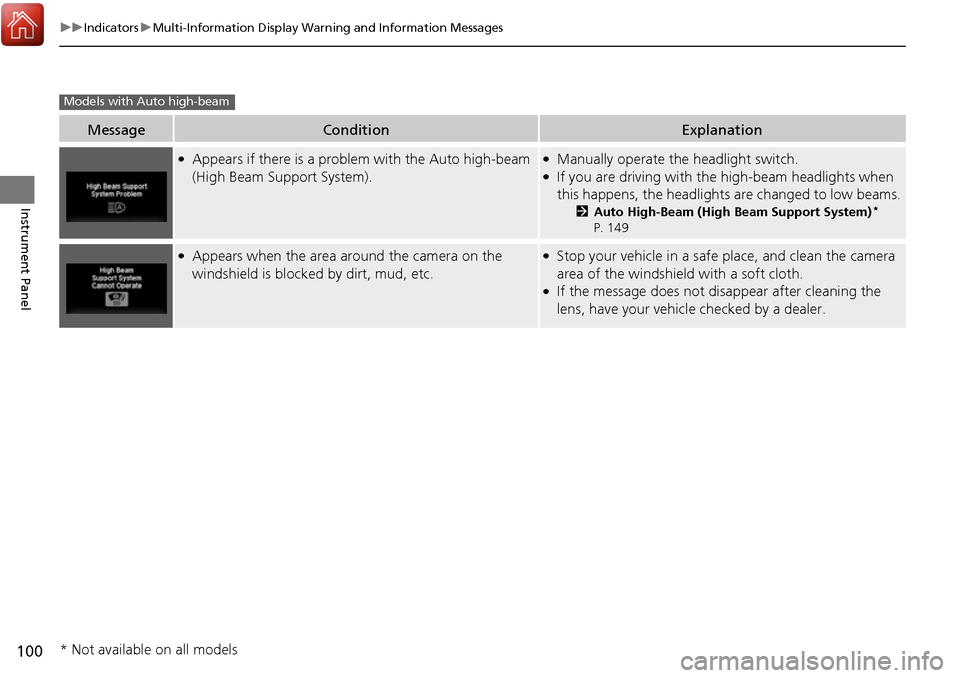
●Appears if there is a problem with the Auto high-beam
(High Beam Support System).●Manually operate the headlight switch.●If you are driving with the high-beam headlights when
this happens, the headlight s are changed to low beams.
2Auto High-Beam (High Beam Support System)*
P. 149
●Appears when the area around the camera on the
windshield is blocked by dirt, mud, etc.●Stop your vehicle in a safe place, and clean the camera
area of the windshield with a soft cloth.
●If the message does not disappear after cleaning the
lens, have your vehicl e checked by a dealer.
Models with Auto high-beam
* Not available on all models
Page 108 of 606
107
Controls
This chapter explains how to operate the various controls necessary for driving.
Clock.................................................. 108
Locking and Unlocking the Doors Key Types and Functions .................. 109
Low Smart Entry Remote Signal Strength... 111
Locking/Unlocking the Doors from the Outside .......................................... 112
Locking/Unlocking the Doors from the
Inside ............................................. 119
Childproof Door Locks ..................... 121
Auto Door Locking/Unlocking .......... 122
Opening and Closing the Tailgate ... 126
Opening and Closing the Trunk ....... 128
Security System
Immobilizer System .......................... 131
Security System Alarm ...................... 131
Opening and Closing the Windows .... 134
Opening and Closing the Moonroof*... 138Operating the Switches Around the Steering Wheel ENGINE START/STOP Button............. 140
Turn Signals ..................................... 143
Light Switches.................................. 144
Fog Lights
*...................................... 147
Daytime Running Lights ................... 148
Auto High-Beam (H igh Beam Support
System)
*........................................ 149
Wipers and Washers ........................ 152
Rear Defogger/Heat ed Door Mirror
*
Button ........................................... 154 Heated Windshield Button ............... 154
Brightness Control ........................... 155
Driving Position Memory System
*.... 156
Adjusting the Steering Wheel .......... 158
Adjusting the Mirrors Interior Rearview Mirror ................... 159
Power Door Mirrors ......................... 160
Adjusting the Seats .......................... 161
Interior Lights/Convenience Items
Interior Lights .................................. 169
Interior Convenience Items .............. 171
In-Bed Convenience Items................ 182
Climate Control System
*.................. 186
Heating and Cooling System*......... 193
Canadian models
* Not available on all models
Page 110 of 606
109Continued
Controls
Locking and Unlocking the Doors
Key Types and Functions
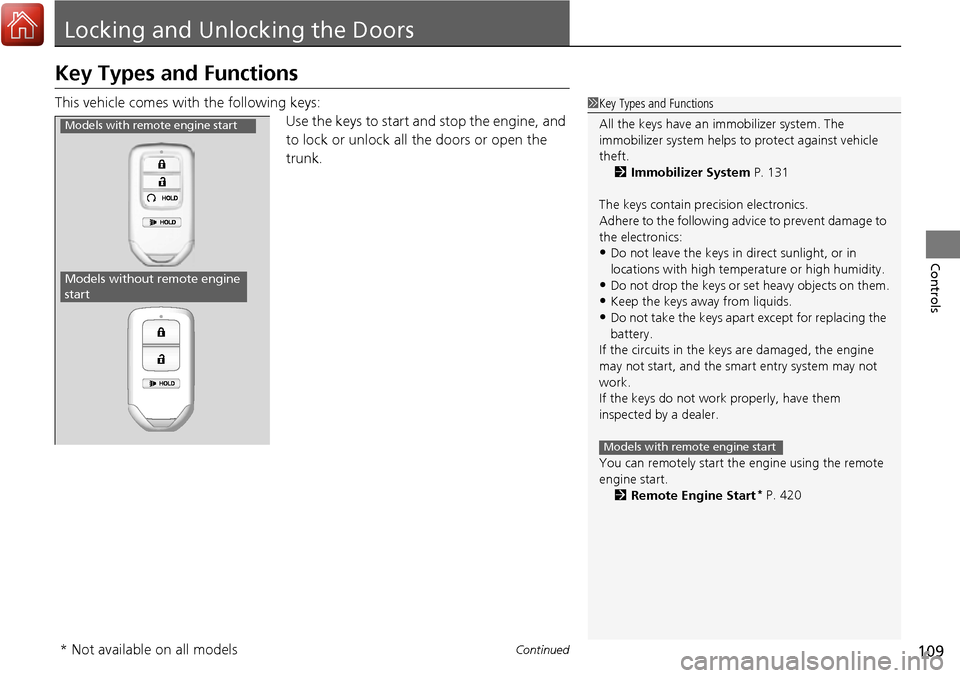
This vehicle comes with the following keys:
Use the keys to start and stop the engine, and
to lock or unlock all the doors or open the
trunk.1Key Types and Functions
All the keys have an immobilizer system. The
immobilizer system helps to protect against vehicle
theft. 2 Immobilizer System P. 131
The keys contain precision electronics.
Adhere to the following advi ce to prevent damage to
the electronics:
•Do not leave the keys in direct sunlight, or in
locations with high temperature or high humidity.
•Do not drop the keys or set heavy objects on them.
•Keep the keys away from liquids.
•Do not take the keys apart except for replacing the
battery.
If the circuits in the keys are damaged, the engine
may not start, and the smart entry system may not
work.
If the keys do not work properly, have them
inspected by a dealer.
You can remotely start the engine using the remote
engine start.
2 Remote Engine Start
* P. 420
Models with remote engine start
Models with remote engine start
Models without remote engine
start
* Not available on all models
Page 113 of 606
112
uuLocking and Unlocking the Doors uLocking/Unlocking the Doors from the Outside
Controls
Locking/Unlocking the Doors from the Outside
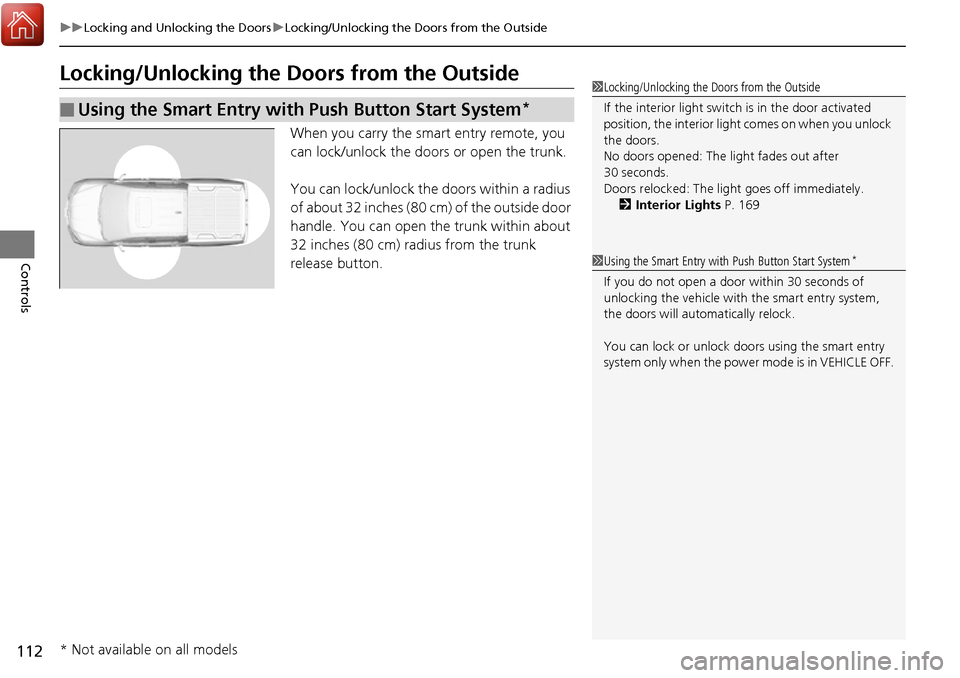
When you carry the smart entry remote, you
can lock/unlock the doors or open the trunk.
You can lock/unlock the doors within a radius
of about 32 inches (80 cm) of the outside door
handle. You can open the trunk within about
32 inches (80 cm) radius from the trunk
release button.
■Using the Smart Entry with Push Button Start System*
1 Locking/Unlocking the Doors from the Outside
If the interior light switch is in the door activated
position, the interior light comes on when you unlock
the doors.
No doors opened: The li ght fades out after
30 seconds.
Doors relocked: The light goes off immediately.
2 Interior Lights P. 169
1Using the Smart Entry with Push Button Start System*
If you do not open a door within 30 seconds of
unlocking the vehicle with the smart entry system,
the doors will auto matically relock.
You can lock or unlock doors using the smart entry
system only when the power mode is in VEHICLE OFF.
* Not available on all models