engine HONDA RIDGELINE 2019 (in English) User Guide
[x] Cancel search | Manufacturer: HONDA, Model Year: 2019, Model line: RIDGELINE, Model: HONDA RIDGELINE 2019Pages: 624, PDF Size: 34.98 MB
Page 33 of 624
31
uuFor Safe Driving uImportant Safety Precautions
Safe Driving
■Pay appropriate attention to the task of driving safely
Engaging in cell phone conversation or other activities that keep you from paying
close attention to the road, other vehicles , and pedestrians could lead to a crash.
Remember, situations can change quickly, and only you can decide when it is safe to
divert some attention away from driving.
■Control your speed
Excessive speed is a major factor in crash injuries and deaths. Generally, the higher
the speed, the greater the risk, but serious injuries can also occur at lower speeds.
Never drive faster than is safe for current conditions, regardless of the maximum
speed posted.
■Keep your vehicle in safe condition
Having a tire blowout or a mechanical failure can be extremely hazardous.
To reduce the possibility of such problems, check your tire pressures and condition
frequently, and perform all re gularly scheduled maintenance.
■Never let passengers ride in the pickup bed or inside a truck cap (shell).
They could be killed or injured in a cras h, or become ill or even die from carbon
monoxide poisoning if engine exhaust enters the cap.
■Do not leave children unattended in the vehicle
Children left unattended in the vehicle may be injured if they activate one or more
of the vehicle controls. They may also cause the vehicle to move, resulting in a crash
in which the children and/or another pers on(s) can be injured or killed. Also,
depending on the ambient temperature, th e temperature of the interior may reach
extreme levels, which can re sult in injury or death.
Even if the climate control system is on, never leave children in the vehicle
unattended as the climate control system can shut off at any time.
Page 72 of 624
70
Safe Driving
Exhaust Gas Hazard
Carbon Monoxide Gas
The engine exhaust from this vehicle contains carbon monoxide, a colorless,
odorless, and highly toxic gas. As long as you properly maintain your vehicle, carbon
monoxide gas will not get into the interior.
■Have the exhaust system in spected for leaks whenever
• The exhaust system is m aking an unusual noise.
• The exhaust system may have been damaged.
• The vehicle is raised for an oil change.
1Carbon Monoxide Gas
An enclosed area such as a garage can quickly fill up
with carbon monoxide gas.
Do not run the engine with the garage door closed.
Even when the garage door is open, drive out of the
garage immediately afte r starting the engine.
3WARNING
Carbon monoxide gas is toxic.
Breathing it can cause unconsciousness and
even kill you.
Avoid any enclosed areas or activities that
expose you to carbon monoxide.
Page 77 of 624
75
uuIndicators u
Continued
Instrument Panel
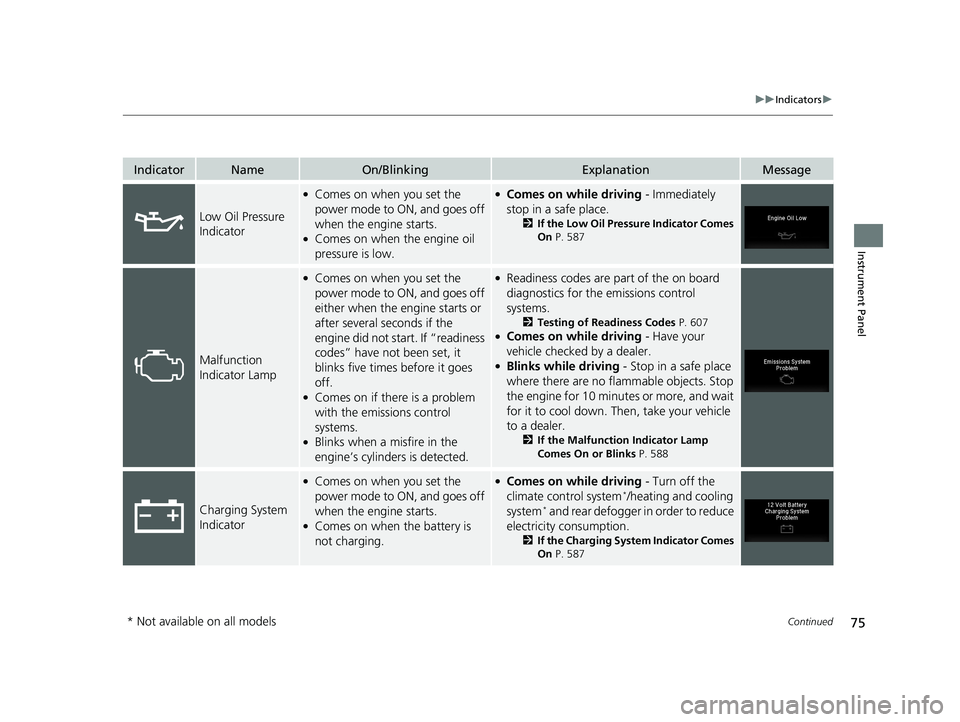
IndicatorNameOn/BlinkingExplanationMessage
Low Oil Pressure
Indicator
●Comes on when you set the
power mode to ON, and goes off
when the engine starts.
●Comes on when the engine oil
pressure is low.
●Comes on while driving - Immediately
stop in a safe place.
2 If the Low Oil Pressure Indicator Comes
On P. 587
Malfunction
Indicator Lamp
●Comes on when you set the
power mode to ON, and goes off
either when the engine starts or
after several seconds if the
engine did not start. If “readiness
codes” have not been set, it
blinks five times before it goes
off.
●Comes on if there is a problem
with the emissions control
systems.
●Blinks when a misfire in the
engine’s cylinders is detected.
●Readiness codes are part of the on board
diagnostics for the emissions control
systems.
2 Testing of Readiness Codes P. 607●Comes on while driving - Have your
vehicle checked by a dealer.
●Blinks while driving - Stop in a safe place
where there are no flammable objects. Stop
the engine for 10 minutes or more, and wait
for it to cool down. Then, take your vehicle
to a dealer.
2 If the Malfunction Indicator Lamp
Comes On or Blinks P. 588
Charging System
Indicator
●Comes on when you set the
power mode to ON, and goes off
when the engine starts.
●Comes on when the battery is
not charging.
●Comes on while driving - Turn off the
climate control system*/heating and cooling
system* and rear defogger in order to reduce
electricity consumption.
2 If the Charging System Indicator Comes
On P. 587
* Not available on all models
Page 82 of 624
80
uuIndicators u
Instrument Panel
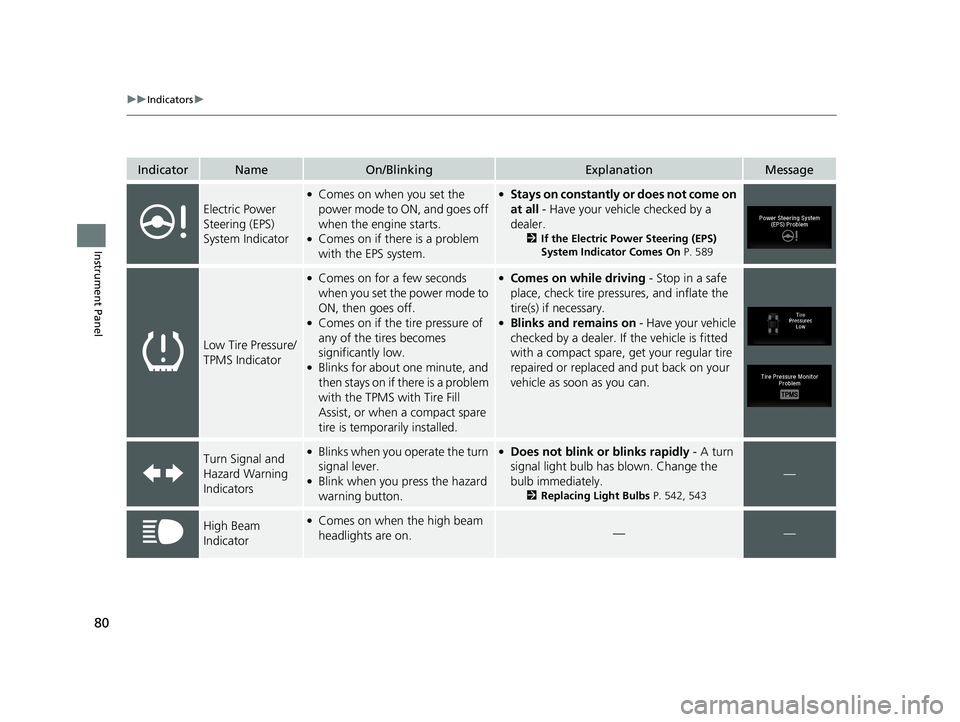
IndicatorNameOn/BlinkingExplanationMessage
Electric Power
Steering (EPS)
System Indicator
●Comes on when you set the
power mode to ON, and goes off
when the engine starts.
●Comes on if there is a problem
with the EPS system.
●Stays on constantly or does not come on
at all - Have your vehicle checked by a
dealer.
2If the Electric Power Steering (EPS)
System Indicator Comes On P. 589
Low Tire Pressure/
TPMS Indicator
●Comes on for a few seconds
when you set the power mode to
ON, then goes off.
●Comes on if the tire pressure of
any of the tires becomes
significantly low.
●Blinks for about one minute, and
then stays on if there is a problem
with the TPMS with Tire Fill
Assist, or when a compact spare
tire is temporarily installed.
●Comes on while driving - Stop in a safe
place, check tire pres sures, and inflate the
tire(s) if necessary.
●Blinks and remains on - Have your vehicle
checked by a dealer. If the vehicle is fitted
with a compact spare, get your regular tire
repaired or replaced and put back on your
vehicle as soon as you can.
Turn Signal and
Hazard Warning
Indicators●Blinks when you operate the turn
signal lever.
●Blink when you press the hazard
warning button.
●Does not blink or blinks rapidly - A turn
signal light bulb has blown. Change the
bulb immediately.
2 Replacing Light Bulbs P. 542, 543
—
High Beam
Indicator●Comes on when the high beam
headlights are on.——
Page 83 of 624
81
uuIndicators u
Continued
Instrument Panel
IndicatorNameOn/BlinkingExplanationMessage
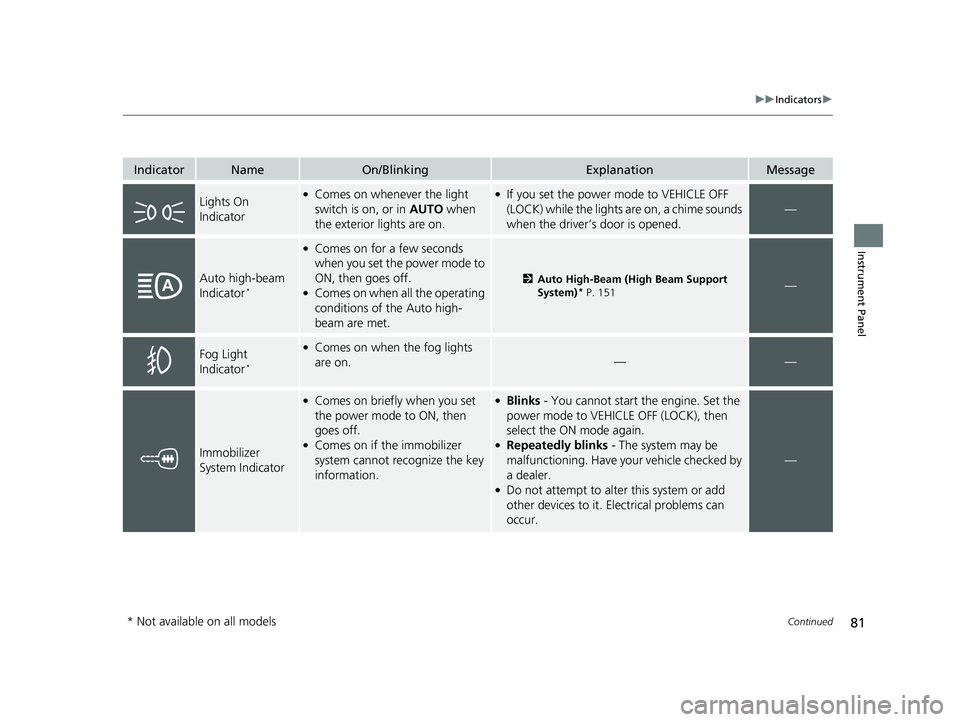
Lights On
Indicator●Comes on whenever the light
switch is on, or in AUTO when
the exterior lights are on.●If you set the power mode to VEHICLE OFF
(LOCK) while the lights are on, a chime sounds
when the driver’s door is opened.
—
Auto high-beam
Indicator*
●Comes on for a few seconds
when you set the power mode to
ON, then goes off.
●Comes on when all the operating
conditions of the Auto high-
beam are met.
2 Auto High-Beam (High Beam Support
System)* P. 151—
Fog Light
Indicator*
●Comes on when the fog lights
are on.
——
Immobilizer
System Indicator
●Comes on briefly when you set
the power mode to ON, then
goes off.
●Comes on if the immobilizer
system cannot recognize the key
information.
●Blinks - You cannot start the engine. Set the
power mode to VEHICL E OFF (LOCK), then
select the ON mode again.
●Repeatedly blinks - The system may be
malfunctioning. Have your vehicle checked by
a dealer.
●Do not attempt to alter this system or add
other devices to it. Electrical problems can
occur.
—
* Not available on all models
Page 85 of 624
83
uuIndicators u
Continued
Instrument Panel
IndicatorNameOn/BlinkingExplanationMessage
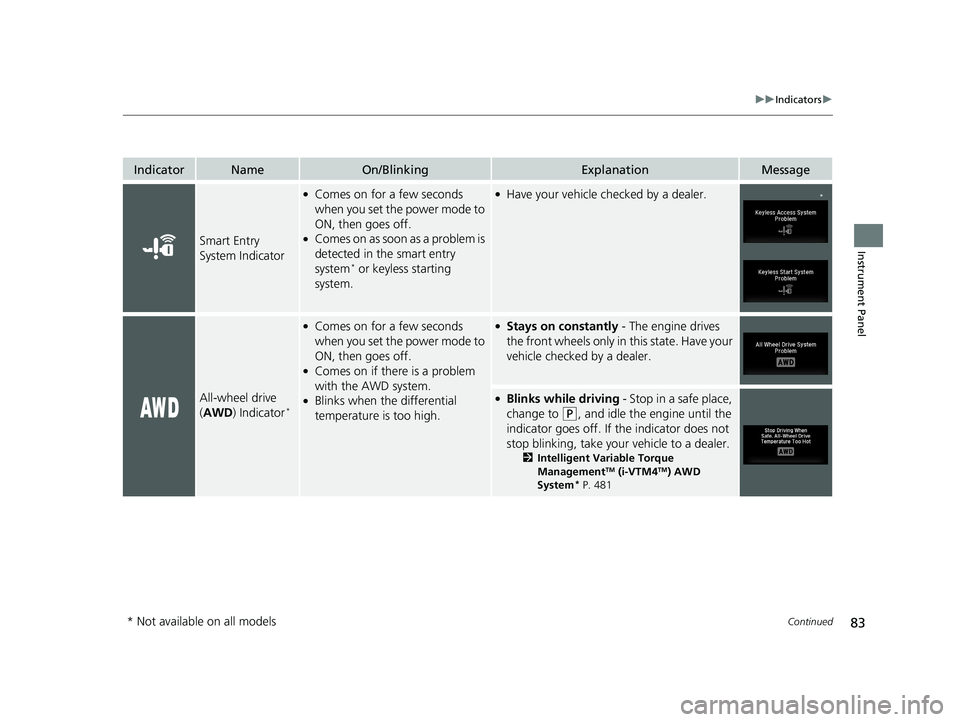
Smart Entry
System Indicator
●Comes on for a few seconds
when you set the power mode to
ON, then goes off.
●Comes on as soon as a problem is
detected in the smart entry
system
* or keyless starting
system.
●Have your vehicle checked by a dealer.
All-wheel drive
( AWD ) Indicator*
●Comes on for a few seconds
when you set the power mode to
ON, then goes off.
●Comes on if there is a problem
with the AWD system.
●Blinks when the differential
temperature is too high.
●Stays on constantly - The engine drives
the front wheels only in this state. Have your
vehicle checked by a dealer.
●Blinks while driving - Stop in a safe place,
change to
(P, and idle the engine until the
indicator goes off. If the indicator does not
stop blinking, take your vehicle to a dealer.
2 Intelligent Variable Torque
ManagementTM (i-VTM4TM) AWD
System* P. 481
*
* Not available on all models
Page 94 of 624
92
uuIndicators uMulti-Information Display Warn ing and Information Messages
Instrument Panel
MessageConditionExplanation
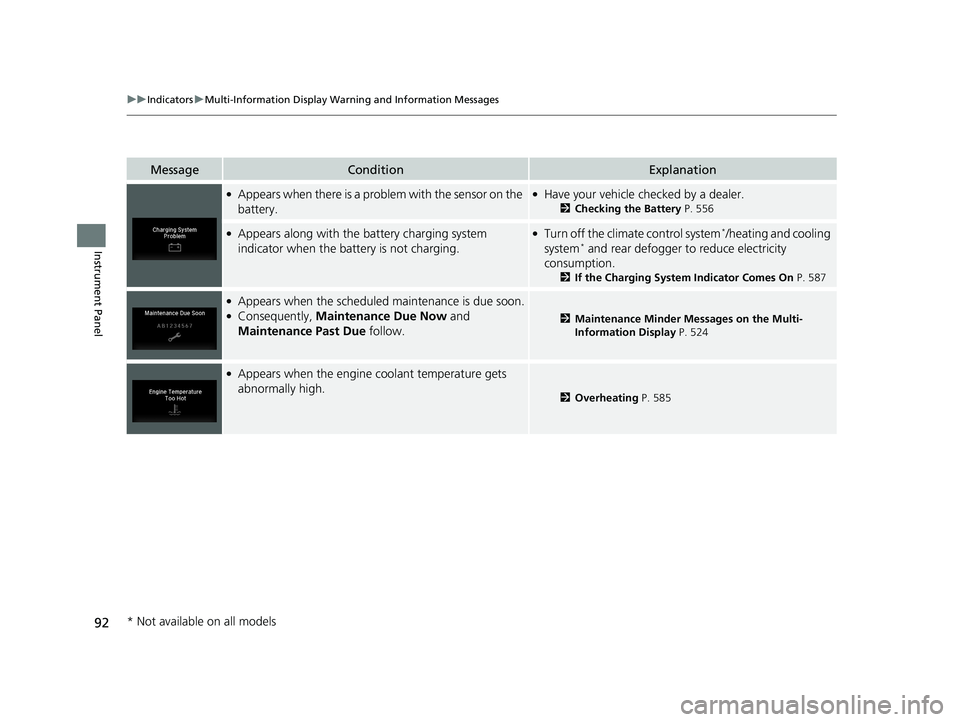
●Appears when there is a problem with the sensor on the
battery.●Have your vehicle checked by a dealer.
2Checking the Battery P. 556
●Appears along with the battery charging system
indicator when the battery is not charging.●Turn off the climate control system*/heating and cooling
system* and rear defogger to reduce electricity
consumption.
2 If the Charging System Indicator Comes On P. 587
●Appears when the scheduled maintenance is due soon.●Consequently, Maintenance Due Now and
Maintenance Past Due follow.2Maintenance Minder Messages on the Multi-
Information Display P. 524
●Appears when the engine coolant temperature gets
abnormally high.
2Overheating P. 585
* Not available on all models
Page 95 of 624
93
uuIndicators uMulti-Information Display Warning and Information Messages
Continued
Instrument Panel
MessageConditionExplanation
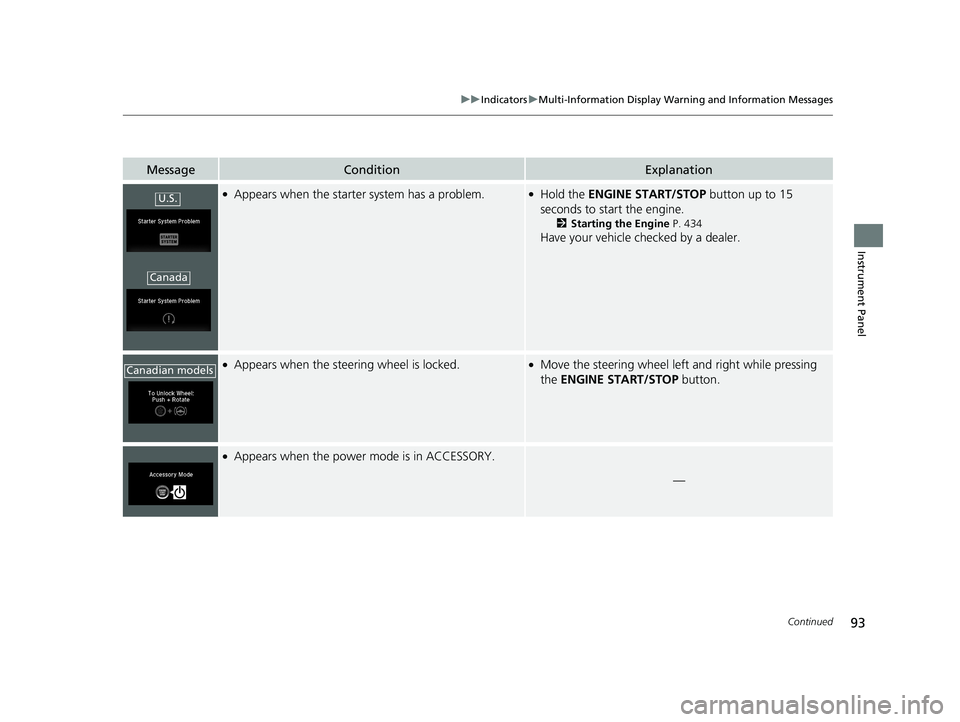
●Appears when the starter system has a problem.●Hold the ENGINE START/STOP button up to 15
seconds to start the engine.
2 Starting the Engine P. 434
Have your vehicle checked by a dealer.
●Appears when the steering wheel is locked.●Move the steering wheel left and right while pressing
the ENGINE START/STOP button.
●Appears when the power mode is in ACCESSORY.
—
U.S.
Canada
Canadian models
Page 96 of 624
94
uuIndicators uMulti-Information Display Warn ing and Information Messages
Instrument Panel
MessageConditionExplanation
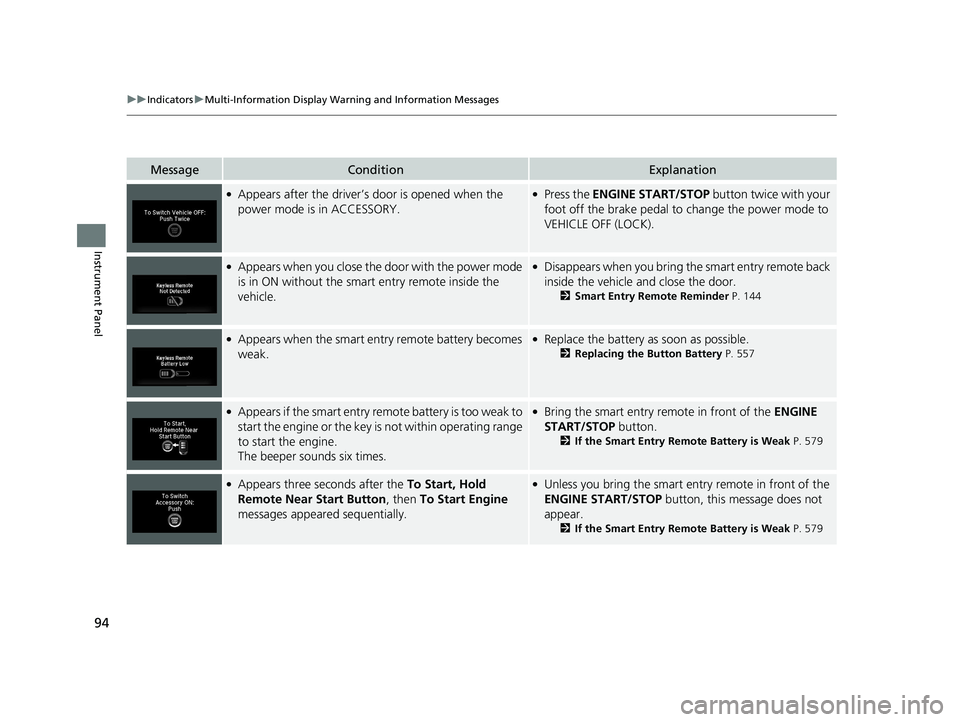
●Appears after the driver’s door is opened when the
power mode is in ACCESSORY.●Press the ENGINE START/STOP button twice with your
foot off the brake pedal to change the power mode to
VEHICLE OFF (LOCK).
●Appears when you close the door with the power mode
is in ON without the smart entry remote inside the
vehicle.●Disappears when you bring the smart entry remote back
inside the vehicle and close the door.
2 Smart Entry Remote Reminder P. 144
●Appears when the smart entry remote battery becomes
weak.●Replace the battery as soon as possible.
2Replacing the Button Battery P. 557
●Appears if the smart entry remote battery is too weak to
start the engine or the key is not within operating range
to start the engine.
The beeper sounds six times.●Bring the smart entry remote in front of the ENGINE
START/STOP button.
2 If the Smart Entry Remote Battery is Weak P. 579
●Appears three seconds after the To Start, Hold
Remote Near Start Button , then To Start Engine
messages appeared sequentially.●Unless you bring the smart en try remote in front of the
ENGINE START/STOP button, this message does not
appear.
2 If the Smart Entry Remote Battery is Weak P. 579
Page 97 of 624
95
uuIndicators uMulti-Information Display Warning and Information Messages
Continued
Instrument Panel
MessageConditionExplanation
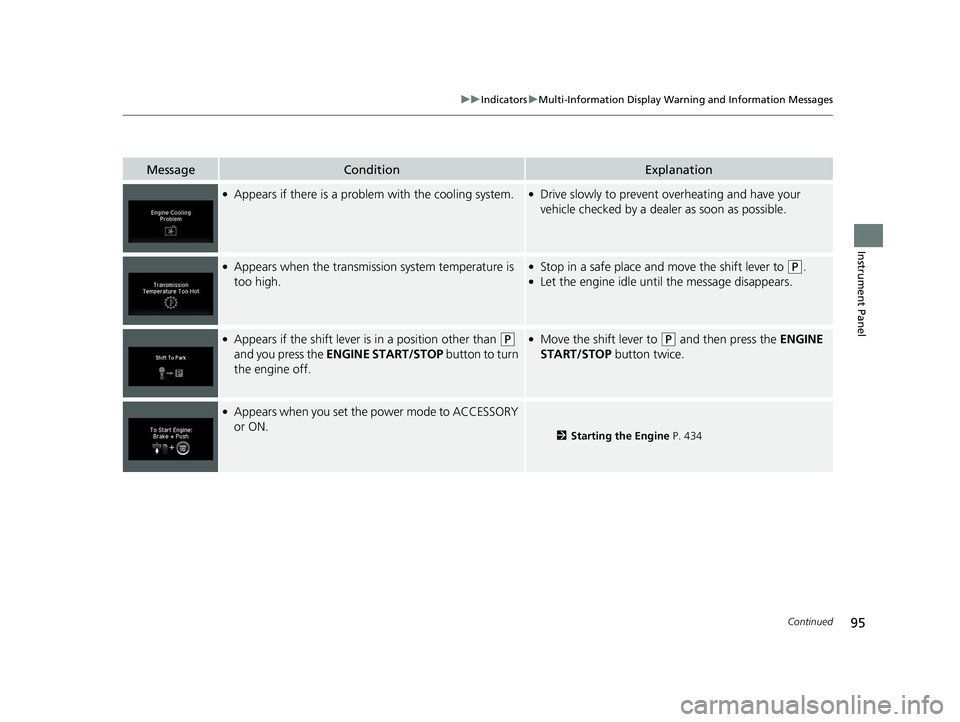
●Appears if there is a problem with the cooling system.●Drive slowly to prevent overheating and have your
vehicle checked by a dealer as soon as possible.
●Appears when the transmission system temperature is
too high.●Stop in a safe place and move the shift lever to (P.●Let the engine idle until the message disappears.
●Appears if the shift lever is in a position other than (P
and you press the ENGINE START/STOP button to turn
the engine off. ●Move the shift lever to (P and then press the ENGINE
START/STOP button twice.
●Appears when you set the power mode to ACCESSORY
or ON.
2Starting the Engine P. 434