bluetooth HONDA RIDGELINE 2019 (in English) Service Manual
[x] Cancel search | Manufacturer: HONDA, Model Year: 2019, Model line: RIDGELINE, Model: HONDA RIDGELINE 2019Pages: 624, PDF Size: 34.98 MB
Page 363 of 624
361
uuBluetooth ® HandsFreeLink ®u HFL Menus
Continued
Features
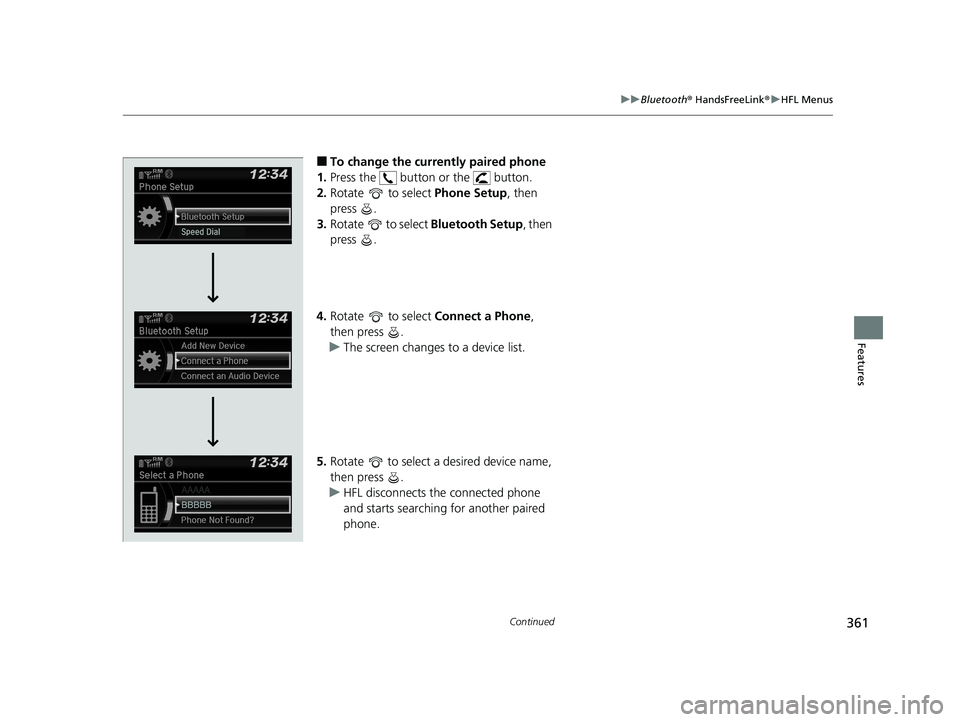
■To change the currently paired phone
1. Press the button or the button.
2. Rotate to select Phone Setup, then
press .
3. Rotate to select Bluetooth Setup, then
press .
4. Rotate to select Connect a Phone,
then press .
u The screen changes to a device list.
5. Rotate to select a desired device name,
then press .
u HFL disconnects the connected phone
and starts searching for another paired
phone.
Page 364 of 624
362
uuBluetooth ® HandsFreeLink ®u HFL Menus
Features
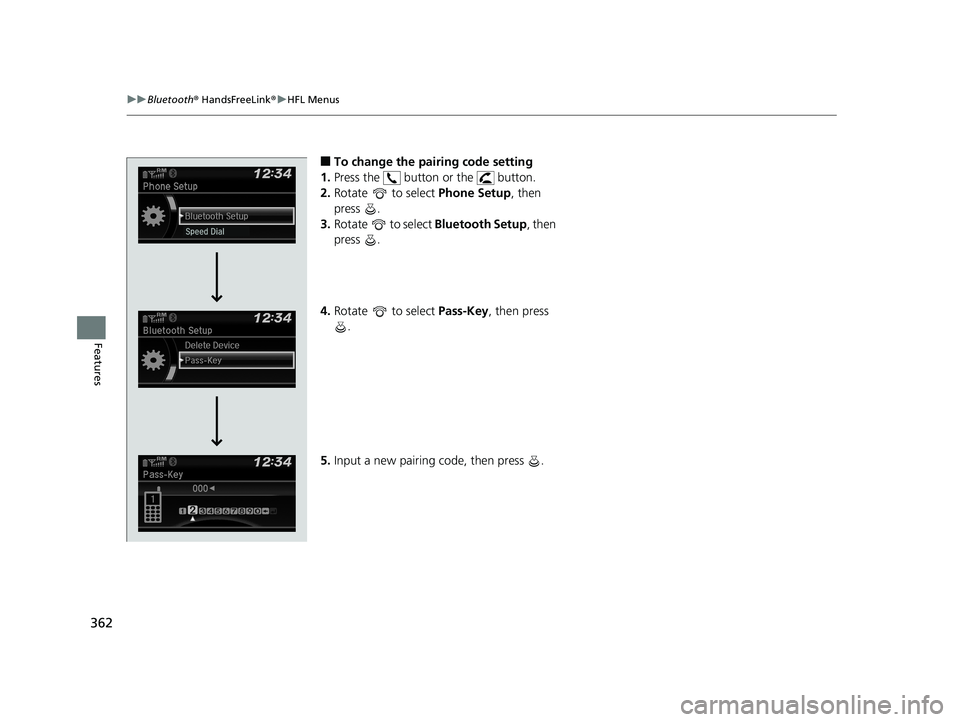
■To change the pairing code setting
1. Press the button or the button.
2. Rotate to select Phone Setup, then
press .
3. Rotate to select Bluetooth Setup, then
press .
4. Rotate to select Pass-Key, then press
.
5. Input a new pairing code, then press .
Page 365 of 624
363
uuBluetooth ® HandsFreeLink ®u HFL Menus
Continued
Features
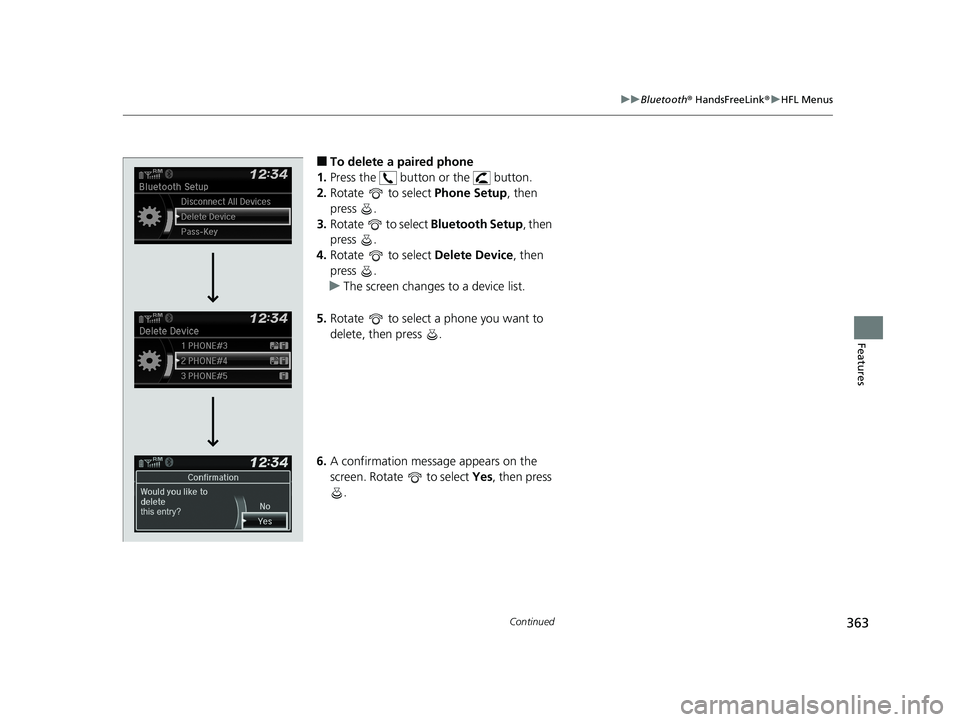
■To delete a paired phone
1. Press the button or the button.
2. Rotate to select Phone Setup, then
press .
3. Rotate to select Bluetooth Setup, then
press .
4. Rotate to select Delete Device, then
press .
u The screen changes to a device list.
5. Rotate to select a phone you want to
delete, then press .
6. A confirmation message appears on the
screen. Rotate to select Yes, then press
.
Page 366 of 624
uuBluetooth ® HandsFreeLink ®u HFL Menus
364
Features
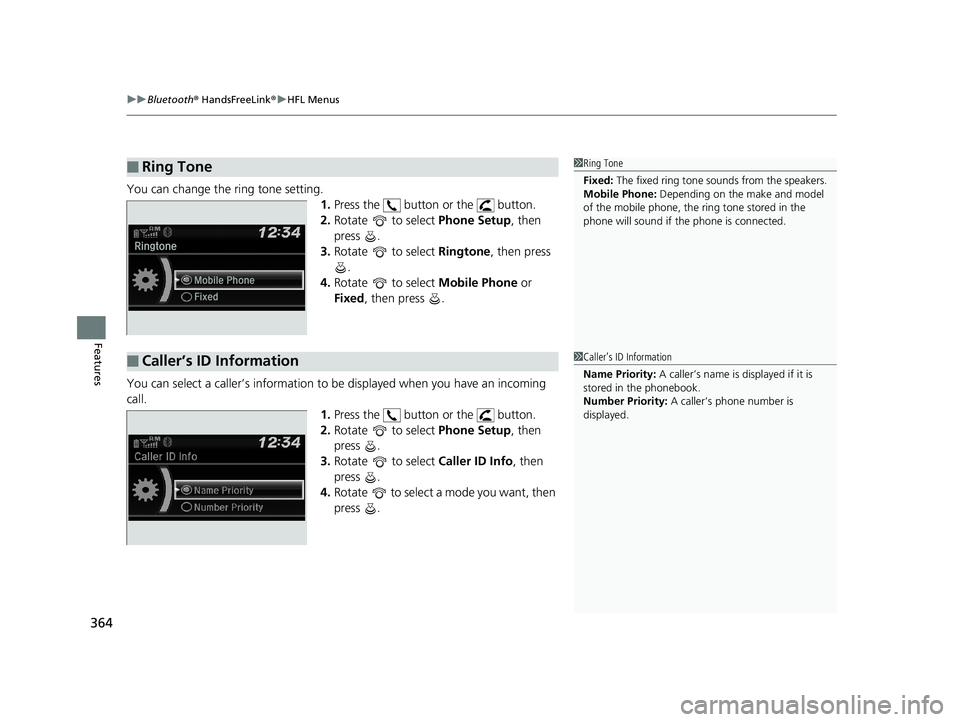
You can change the ring tone setting.
1.Press the button or the button.
2. Rotate to select Phone Setup, then
press .
3. Rotate to select Ringtone, then press
.
4. Rotate to select Mobile Phone or
Fixed , then press .
You can select a caller’s information to be displayed when you have an incoming
call.
1.Press the button or the button.
2. Rotate to select Phone Setup, then
press .
3. Rotate to select Caller ID Info, then
press .
4. Rotate to select a mode you want, then
press .
■Ring Tone1Ring Tone
Fixed: The fixed ring tone sounds from the speakers.
Mobile Phone: Depending on the make and model
of the mobile phone, the ring tone stored in the
phone will sound if the phone is connected.
■Caller’s ID Information1 Caller’s ID Information
Name Priority: A caller’s name is displayed if it is
stored in the phonebook.
Number Priority: A caller’s phone number is
displayed.
Page 367 of 624
365
uuBluetooth ® HandsFreeLink ®u HFL Menus
Continued
Features
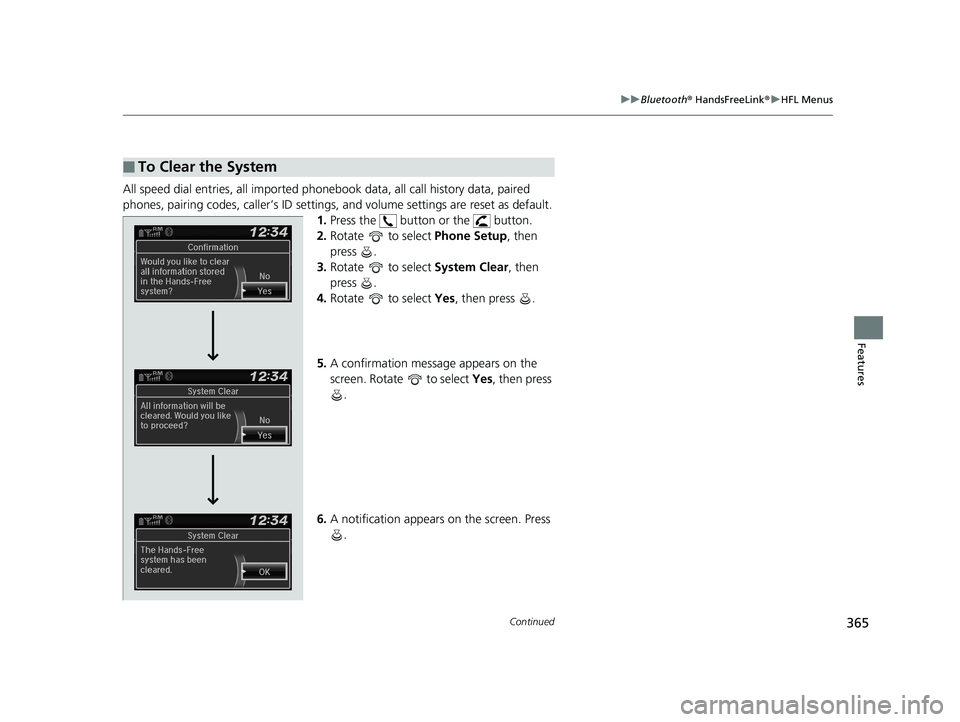
All speed dial entries, all imported phone book data, all call history data, paired
phones, pairing codes, caller’s ID settings , and volume settings are reset as default.
1. Press the button or the button.
2. Rotate to select Phone Setup, then
press .
3. Rotate to select System Clear, then
press .
4. Rotate to select Yes, then press .
5. A confirmation message appears on the
screen. Rotate to select Yes, then press
.
6. A notification appears on the screen. Press
.
■To Clear the System
Page 368 of 624
uuBluetooth ® HandsFreeLink ®u HFL Menus
366
Features
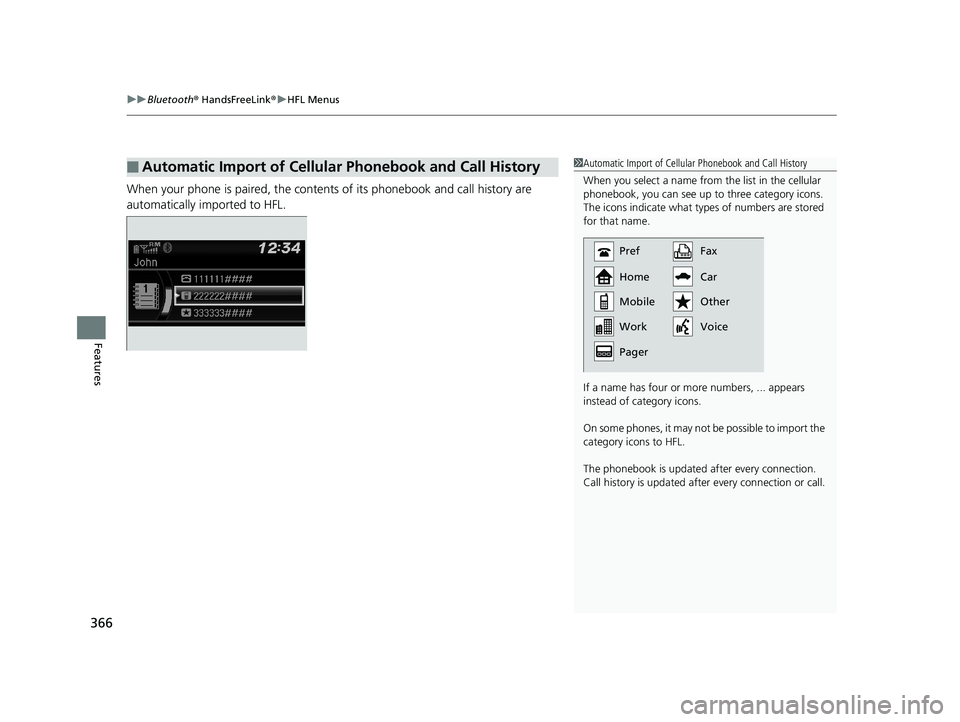
When your phone is paired, the contents of its phonebook and call history are
automatically imported to HFL.
■Automatic Import of Cellular Phonebook and Call History1Automatic Import of Cellular Phonebook and Call History
When you select a name from the list in the cellular
phonebook, you can see up to three category icons.
The icons indicate what types of numbers are stored
for that name.
If a name has four or more numbers, ... appears
instead of category icons.
On some phones, it may not be possible to import the
category icons to HFL.
The phonebook is updated af ter every connection.
Call history is updated after every connection or call.
Pref
Home
Mobile
Pager WorkFax
Car
Voice Other
Page 369 of 624
Continued367
uuBluetooth ® HandsFreeLink ®u HFL Menus
Features
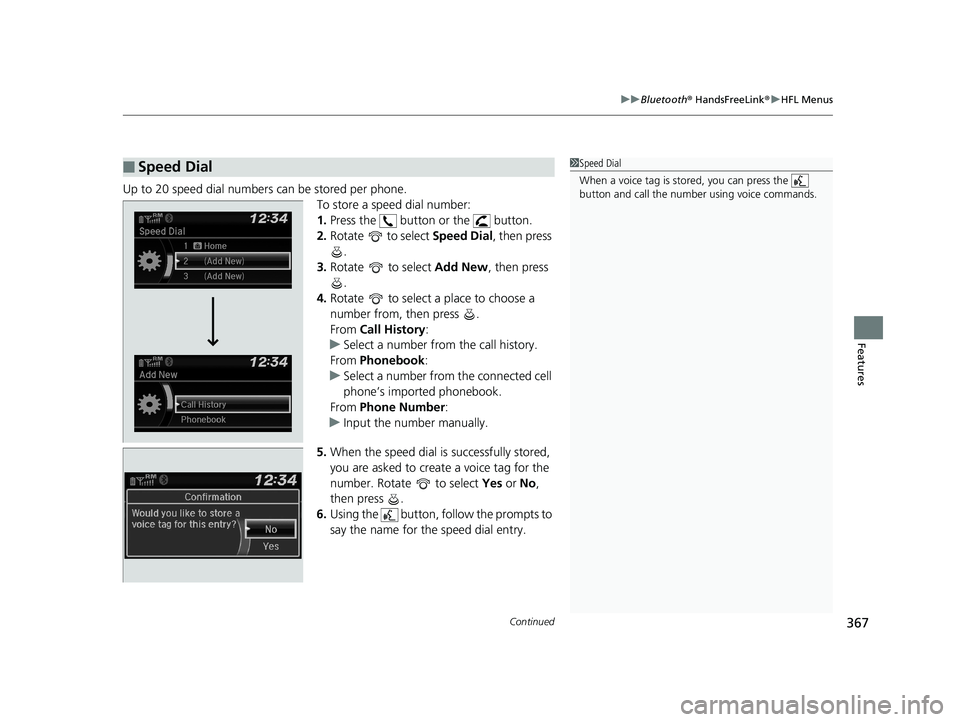
Up to 20 speed dial numbers can be stored per phone.
To store a speed dial number:
1.Press the button or the button.
2. Rotate to select Speed Dial, then press
.
3. Rotate to select Add New, then press
.
4. Rotate to select a place to choose a
number from, then press .
From Call History :
u Select a number from the call history.
From Phonebook:
u Select a number from the connected cell
phone’s imported phonebook.
From Phone Number :
u Input the number manually.
5. When the speed dial is successfully stored,
you are asked to create a voice tag for the
number. Rotate to select Yes or No,
then press .
6. Using the button, follow the prompts to
say the name for the speed dial entry.
■Speed Dial1Speed Dial
When a voice tag is stored, you can press the
button and call the numbe r using voice commands.
Page 370 of 624
368
uuBluetooth ® HandsFreeLink ®u HFL Menus
Features
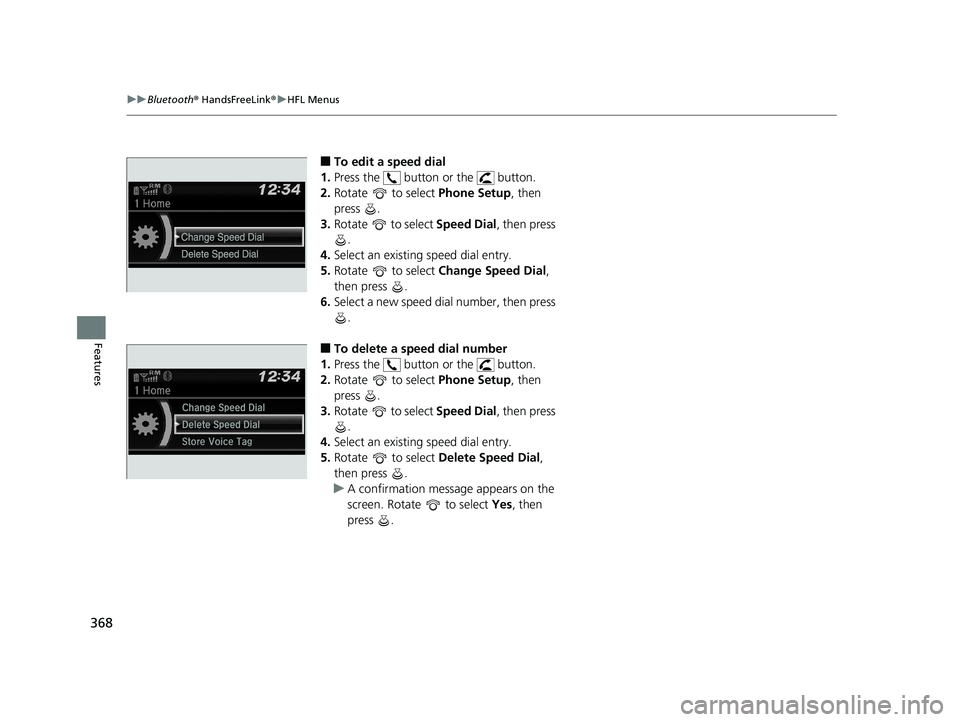
■To edit a speed dial
1. Press the button or the button.
2. Rotate to select Phone Setup, then
press .
3. Rotate to select Speed Dial, then press
.
4. Select an existing speed dial entry.
5. Rotate to select Change Speed Dial ,
then press .
6. Select a new speed dial number, then press
.
■To delete a speed dial number
1. Press the button or the button.
2. Rotate to select Phone Setup, then
press .
3. Rotate to select Speed Dial, then press
.
4. Select an existing speed dial entry.
5. Rotate to select Delete Speed Dial,
then press .
u A confirmation message appears on the
screen. Rotate to select Yes, then
press .
Change Speed Dial
Delete Speed Dial
Store Voice Tag
Page 371 of 624
Continued369
uuBluetooth ® HandsFreeLink ®u HFL Menus
Features
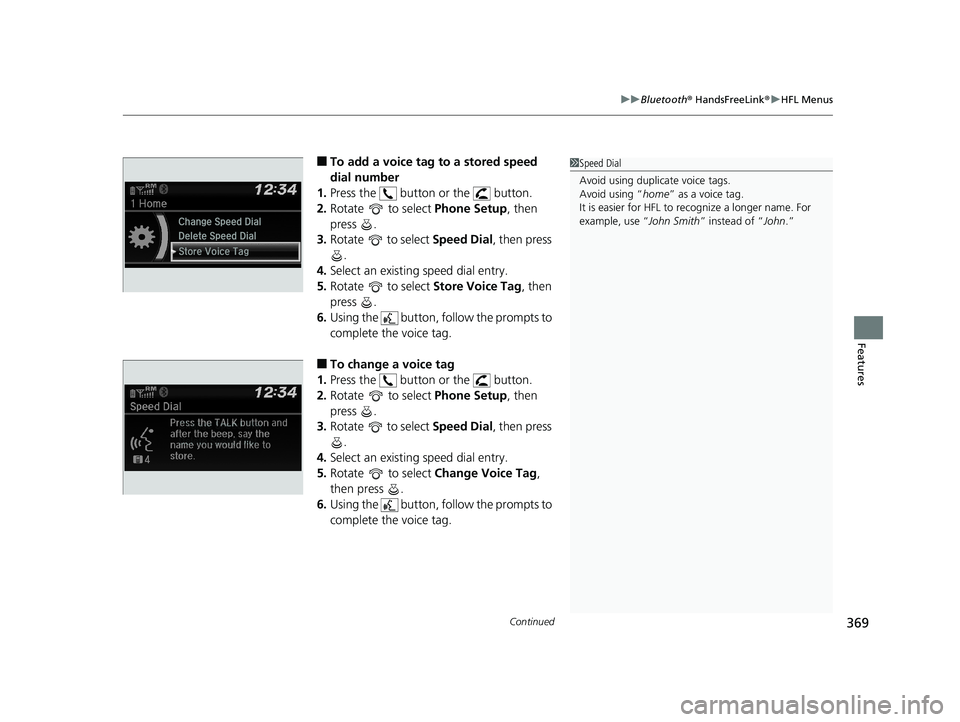
■To add a voice tag to a stored speed
dial number
1. Press the button or the button.
2. Rotate to select Phone Setup, then
press .
3. Rotate to select Speed Dial, then press
.
4. Select an existing speed dial entry.
5. Rotate to select Store Voice Tag, then
press .
6. Using the button, follow the prompts to
complete the voice tag.
■To change a voice tag
1. Press the button or the button.
2. Rotate to select Phone Setup, then
press .
3. Rotate to select Speed Dial, then press
.
4. Select an existing speed dial entry.
5. Rotate to select Change Voice Tag,
then press .
6. Using the button, follow the prompts to
complete the voice tag.
1Speed Dial
Avoid using duplicate voice tags.
Avoid using “home ” as a voice tag.
It is easier for HFL to re cognize a longer name. For
example, use “ John Smith” instead of “ John.”
Change Speed Dial
Delete Speed Dial
Store Voice Tag
Change Speed Dial
Delete Speed DialChaChaChaChaChangengengeee SpSpSpSppeedeedeedeeeeDiDi DiDiDialalalalal
DelDelDelDelDeleteeteeteeteete SpSpSpSppeedeedeedeedee Di Di DiDialalalalal
Page 372 of 624
370
uuBluetooth ® HandsFreeLink ®u HFL Menus
Features
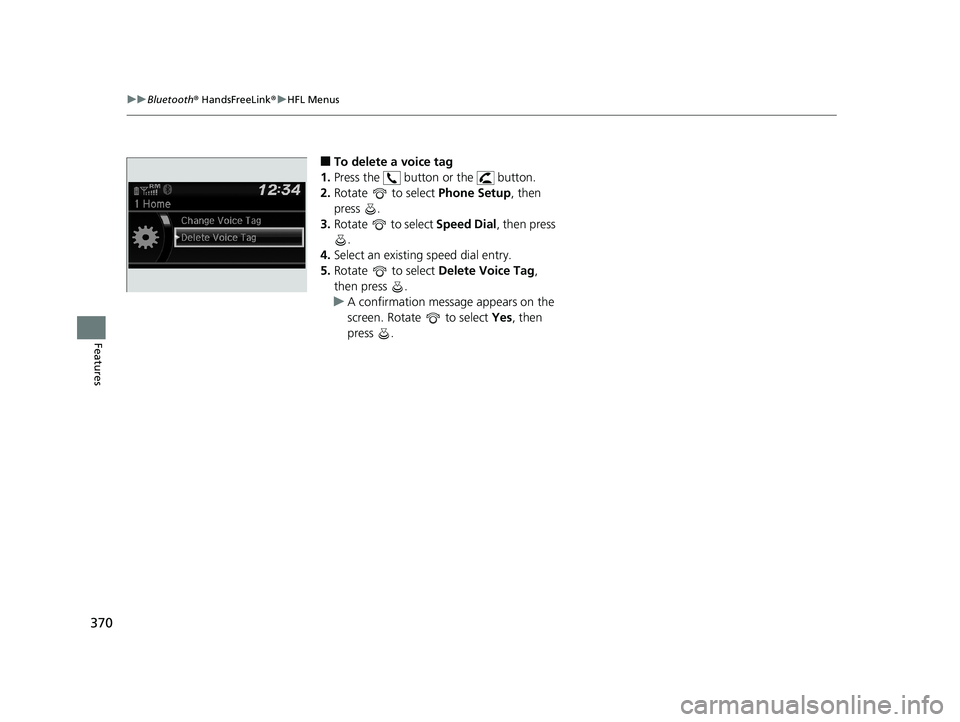
■To delete a voice tag
1. Press the button or the button.
2. Rotate to select Phone Setup, then
press .
3. Rotate to select Speed Dial, then press
.
4. Select an existing speed dial entry.
5. Rotate to select Delete Voice Tag,
then press .
u A confirmation message appears on the
screen. Rotate to select Yes, then
press .