ECO mode HONDA RIDGELINE 2022 Owner's Manual
[x] Cancel search | Manufacturer: HONDA, Model Year: 2022, Model line: RIDGELINE, Model: HONDA RIDGELINE 2022Pages: 598, PDF Size: 12.42 MB
Page 91 of 598
89
uuIndicators u
Continued
Instrument Panel
IndicatorNameOn/BlinkingExplanationMessage
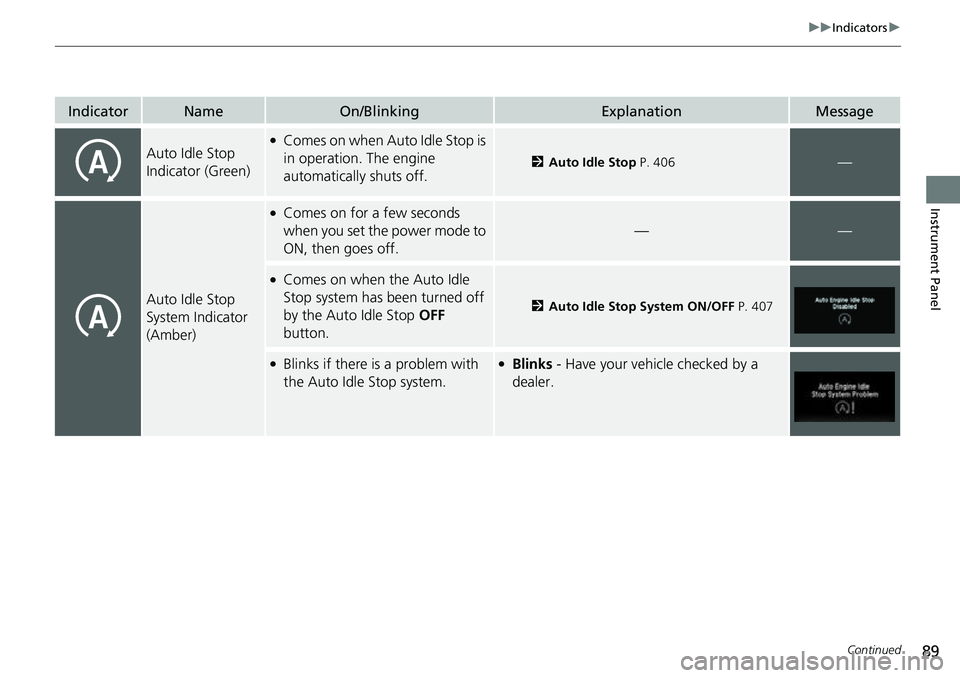
Auto Idle Stop
Indicator (Green)●Comes on when Auto Idle Stop is
in operation. The engine
automatically shuts off.
2Auto Idle Stop P. 406—
Auto Idle Stop
System Indicator
(Amber)
●Comes on for a few seconds
when you set the power mode to
ON, then goes off.
——
●Comes on when the Auto Idle
Stop system has been turned off
by the Auto Idle Stop OFF
button.
2 Auto Idle Stop System ON/OFF P. 407
●Blinks if there is a problem with
the Auto Idle Stop system.●Blinks - Have your vehicle checked by a
dealer.
Page 92 of 598
90
uuIndicators u
Instrument Panel
IndicatorNameOn/BlinkingExplanationMessage
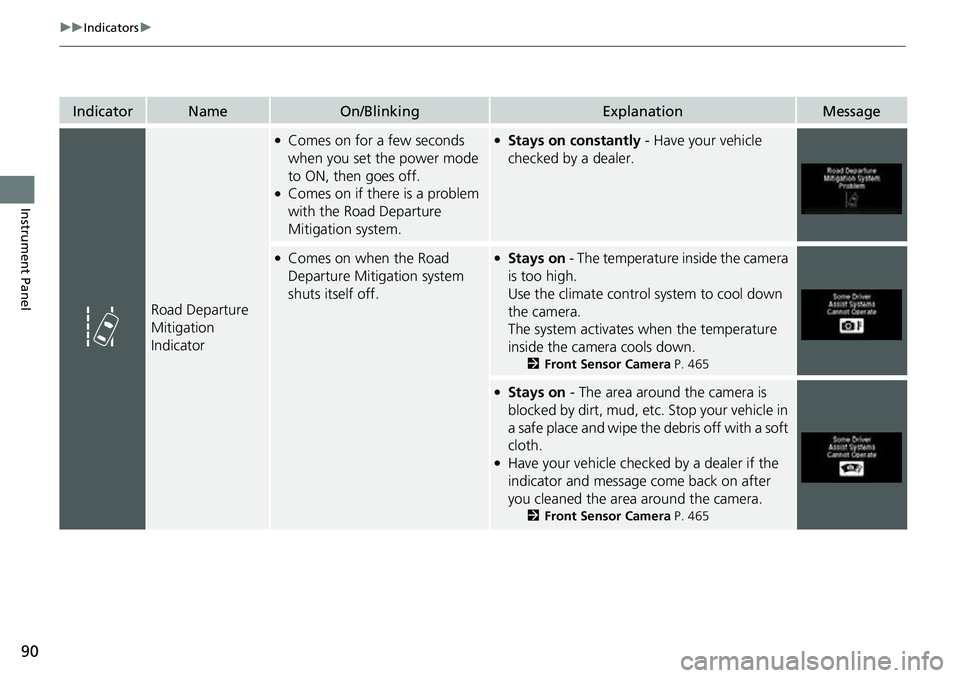
Road Departure
Mitigation
Indicator
●Comes on for a few seconds
when you set the power mode
to ON, then goes off.
●Comes on if there is a problem
with the Road Departure
Mitigation system.
●Stays on constantly - Have your vehicle
checked by a dealer.
●Comes on when the Road
Departure Mitigation system
shuts itself off.●Stays on - The temperature inside the camera
is too high.
Use the climate control system to cool down
the camera.
The system activates when the temperature
inside the camera cools down.
2 Front Sensor Camera P. 465
●Stays on - The area around the camera is
blocked by dirt, mud, etc. Stop your vehicle in
a safe place and wipe the debris off with a soft
cloth.
●Have your vehicle checked by a dealer if the
indicator and message come back on after
you cleaned the area around the camera.
2 Front Sensor Camera P. 465
Page 93 of 598
91
uuIndicators u
Continued
Instrument Panel
IndicatorNameOn/BlinkingExplanationMessage
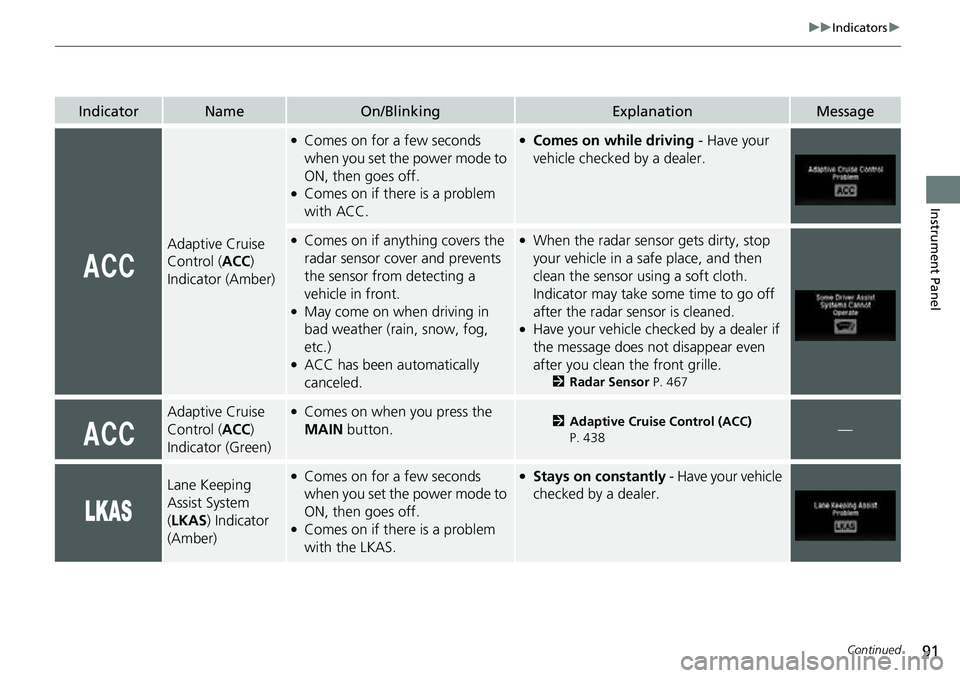
Adaptive Cruise
Control (ACC)
Indicator (Amber)
●Comes on for a few seconds
when you set the power mode to
ON, then goes off.
●Comes on if there is a problem
with ACC.
●Comes on while driving - Have your
vehicle checked by a dealer.
●Comes on if anything covers the
radar sensor cover and prevents
the sensor from detecting a
vehicle in front.
●May come on when driving in
bad weather (rai n, snow, fog,
etc.)
●ACC has been automatically
canceled.
●When the radar sensor gets dirty, stop
your vehicle in a safe place, and then
clean the sensor using a soft cloth.
Indicator may take some time to go off
after the radar sensor is cleaned.
●Have your vehicle checked by a dealer if
the message does not disappear even
after you clean the front grille.
2 Radar Sensor P. 467
Adaptive Cruise
Control (ACC)
Indicator (Green)●Comes on when you press the
MAIN button.2Adaptive Cruise Control (ACC)
P. 438—
Lane Keeping
Assist System
( LKAS ) Indicator
(Amber)●Comes on for a few seconds
when you set the power mode to
ON, then goes off.
●Comes on if there is a problem
with the LKAS.
●Stays on constantly - Have your vehicle
checked by a dealer.
Page 94 of 598
92
uuIndicators u
Instrument Panel
IndicatorNameOn/BlinkingExplanationMessage
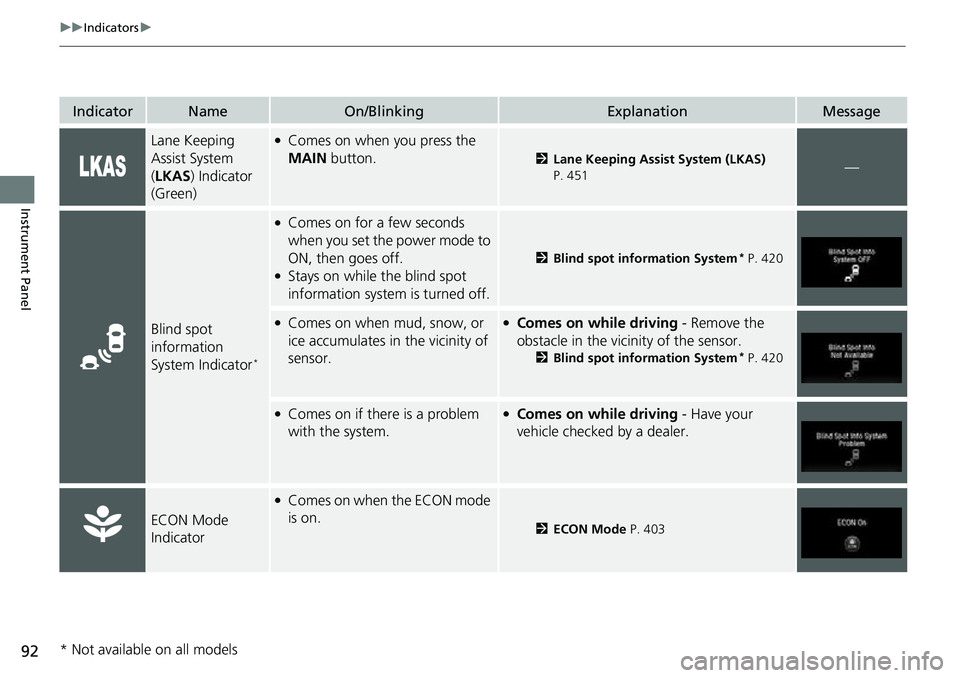
Lane Keeping
Assist System
(LKAS ) Indicator
(Green)●Comes on when you press the
MAIN button.
2Lane Keeping Assist System (LKAS)
P. 451—
Blind spot
information
System Indicator
*
●Comes on for a few seconds
when you set the power mode to
ON, then goes off.
●Stays on while the blind spot
information system is turned off.
2 Blind spot information System* P. 420
●Comes on when mud, snow, or
ice accumulates in the vicinity of
sensor.●Comes on while driving - Remove the
obstacle in the vicinity of the sensor.
2 Blind spot information System* P. 420
●Comes on if there is a problem
with the system.●Comes on while driving - Have your
vehicle checked by a dealer.
ECON Mode
Indicator
●Comes on when the ECON mode
is on.
2 ECON Mode P. 403
* Not available on all models
Page 95 of 598
93
uuIndicators u
Continued
Instrument Panel
IndicatorNameOn/BlinkingExplanationMessage
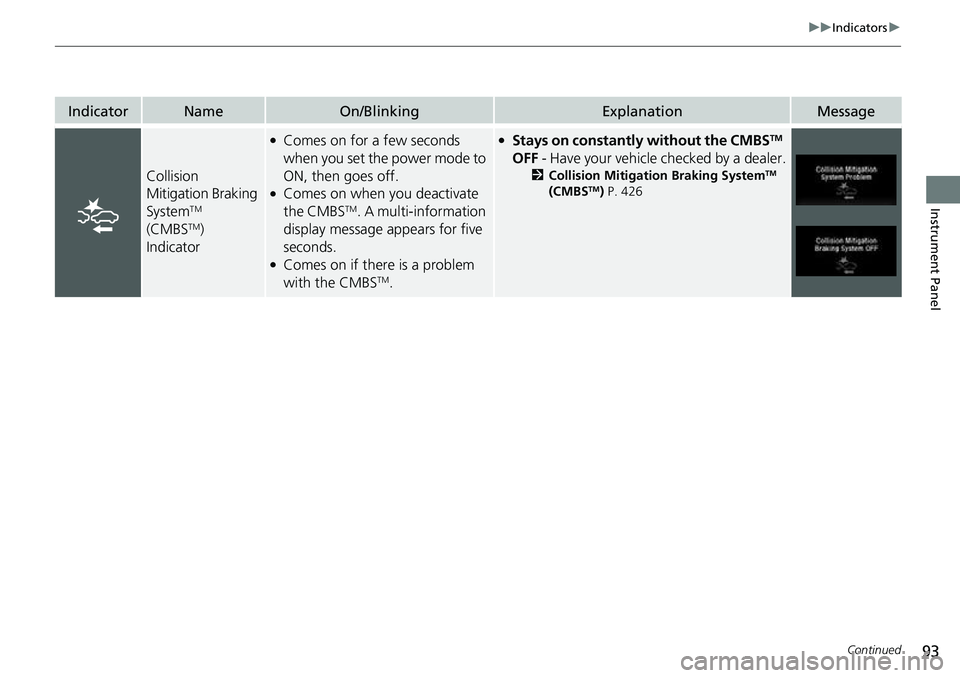
Collision
Mitigation Braking
System
TM
(CMBSTM)
Indicator
●Comes on for a few seconds
when you set the power mode to
ON, then goes off.
●Comes on when you deactivate
the CMBSTM. A multi-information
display message appears for five
seconds.
●Comes on if there is a problem
with the CMBSTM.
●Stays on constantly without the CMBSTM
OFF - Have your vehicle checked by a dealer.
2Collision Mitigation Braking SystemTM
(CMBSTM) P. 426
Page 99 of 598
97
uuIndicators uMulti-Information Display Warning and Information Messages
Continued
Instrument Panel
MessageConditionExplanation
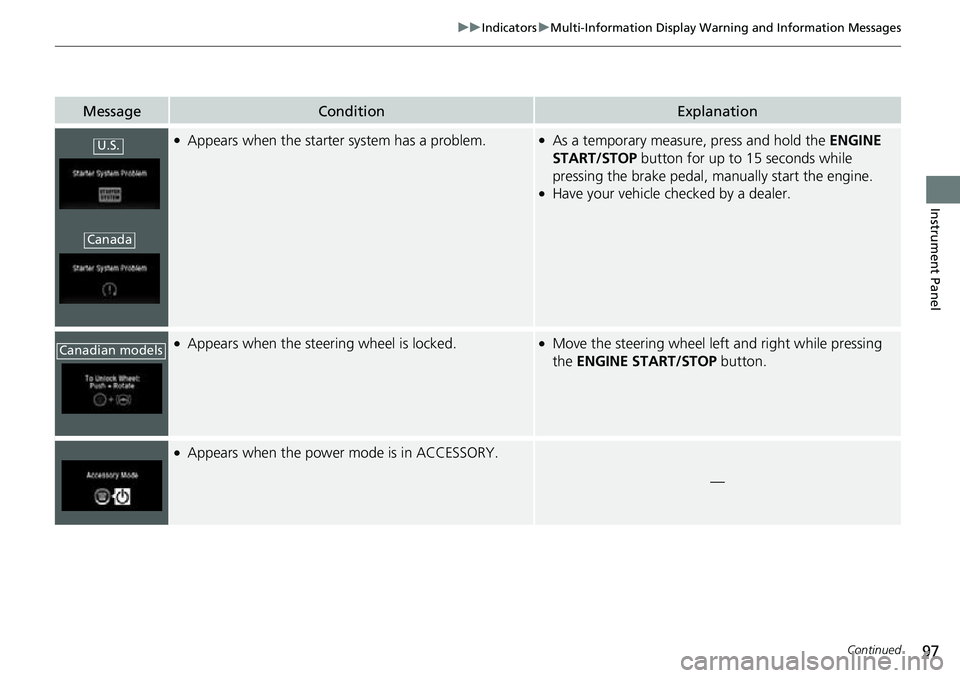
●Appears when the starter system has a problem.●As a temporary measure, press and hold the ENGINE
START/STOP button for up to 15 seconds while
pressing the brake pedal, ma nually start the engine.
●Have your vehicle checked by a dealer.
●Appears when the steering wheel is locked.●Move the steering wheel left and right while pressing
the ENGINE START/STOP button.
●Appears when the power mode is in ACCESSORY.
—
U.S.
Canada
Canadian models
Page 100 of 598
98
uuIndicators uMulti-Information Display Warn ing and Information Messages
Instrument Panel
MessageConditionExplanation
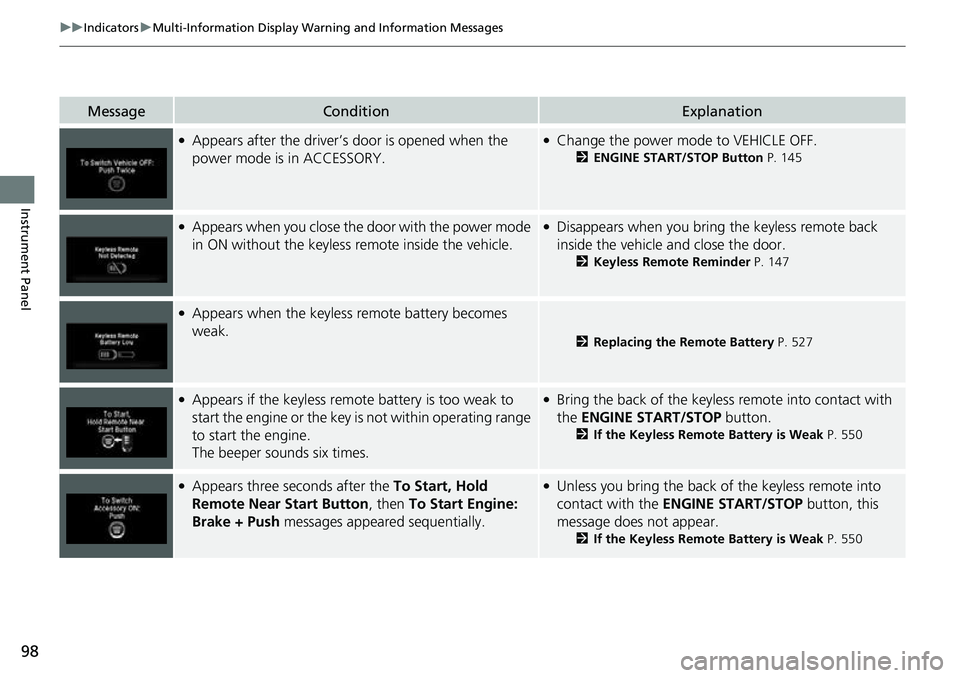
●Appears after the driver’s door is opened when the
power mode is in ACCESSORY.●Change the power mode to VEHICLE OFF.
2 ENGINE START/STOP Button P. 145
●Appears when you close the door with the power mode
in ON without the keyless remote inside the vehicle.●Disappears when you bring the keyless remote back
inside the vehicle and close the door.
2Keyless Remote Reminder P. 147
●Appears when the keyless remote battery becomes
weak.
2Replacing the Remote Battery P. 527
●Appears if the keyless remote battery is too weak to
start the engine or the key is not within operating range
to start the engine.
The beeper sounds six times.●Bring the back of the keyless remote into contact with
the ENGINE START/STOP button.
2If the Keyless Remote Battery is Weak P. 550
●Appears three seconds after the To Start, Hold
Remote Near Start Button, then To Start Engine:
Brake + Push messages appeared sequentially.●Unless you bring the back of the keyless remote into
contact with the ENGINE START/STOP button, this
message does not appear.
2 If the Keyless Remote Battery is Weak P. 550
Page 101 of 598
99
uuIndicators uMulti-Information Display Warning and Information Messages
Continued
Instrument Panel
MessageConditionExplanation
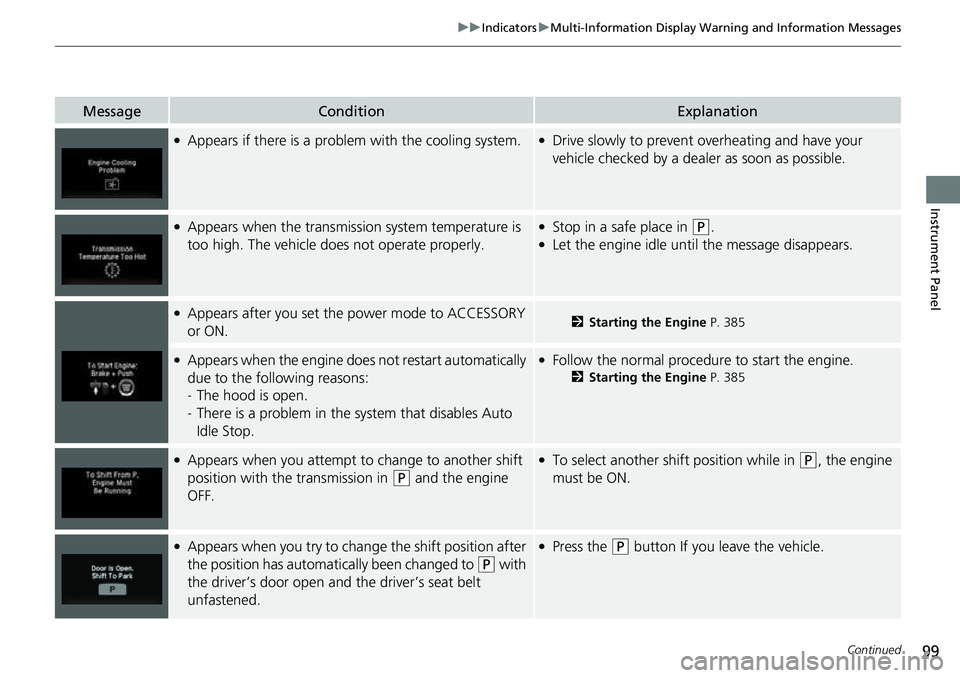
●Appears if there is a problem with the cooling system.●Drive slowly to prevent overheating and have your
vehicle checked by a deal er as soon as possible.
●Appears when the transmission system temperature is
too high. The vehicle does not operate properly.●Stop in a safe place in (P.●Let the engine idle until the message disappears.
●Appears after you set the power mode to ACCESSORY
or ON.2Starting the Engine P. 385
●Appears when the engine does not restart automatically
due to the following reasons:
-The hood is open.
- There is a problem in the sy stem that disables Auto
Idle Stop.●Follow the normal procedure to start the engine.
2 Starting the Engine P. 385
●Appears when you attempt to change to another shift
position with the transmission in
(P and the engine
OFF.
●To select another shift position while in (P, the engine
must be ON.
●Appears when you try to chan ge the shift position after
the position has automatically been changed to
( P with
the driver’s door open and the driver’s seat belt
unfastened.
●Press the (P button If you leave the vehicle.
Page 102 of 598
100
uuIndicators uMulti-Information Display Warn ing and Information Messages
Instrument Panel
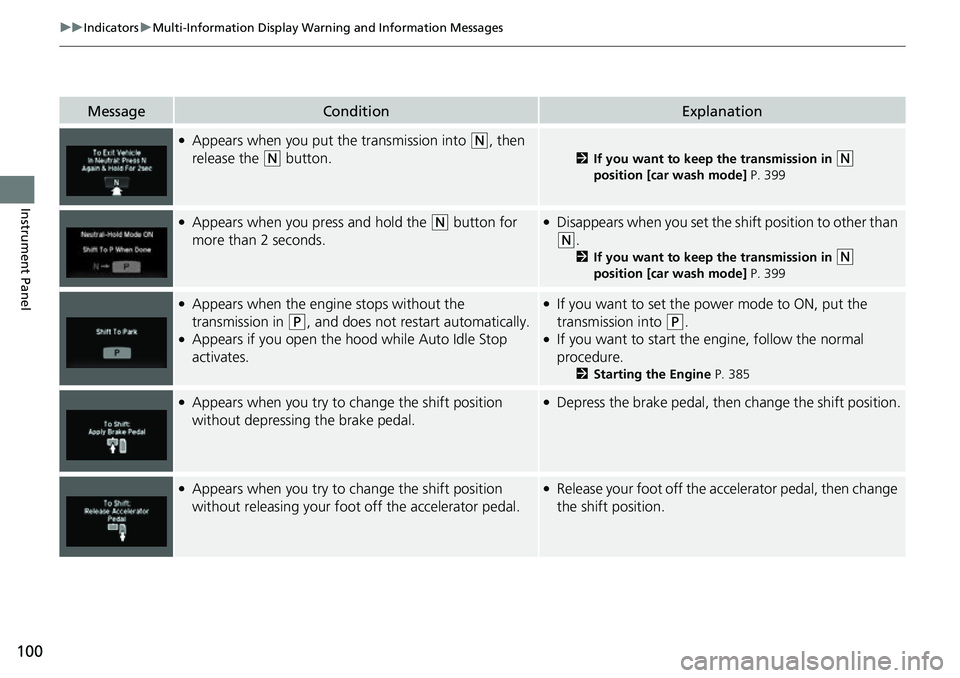
MessageConditionExplanation
●Appears when you put the transmission into (N, then
release the
(N button.2 If you want to keep the transmission in (N
position [car wash mode] P. 399
●Appears when you press and hold the (N button for
more than 2 seconds.●Disappears when you set the sh ift position to other than
(N.
2If you want to keep the transmission in (N
position [car wash mode] P. 399
●Appears when the engine stops without the
transmission in
(P, and does not restart automatically.●Appears if you open the hood while Auto Idle Stop
activates.
●If you want to set the power mode to ON, put the
transmission into
(P.●If you want to start the engine, follow the normal
procedure.
2 Starting the Engine P. 385
●Appears when you try to change the shift position
without depressing the brake pedal.●Depress the brake pedal, then change the shift position.
●Appears when you try to change the shift position
without releasing your foot off the accelerator pedal.●Release your foot off the accelerator pedal, then change
the shift position.
Page 103 of 598
101
uuIndicators uMulti-Information Display Warning and Information Messages
Continued
Instrument Panel
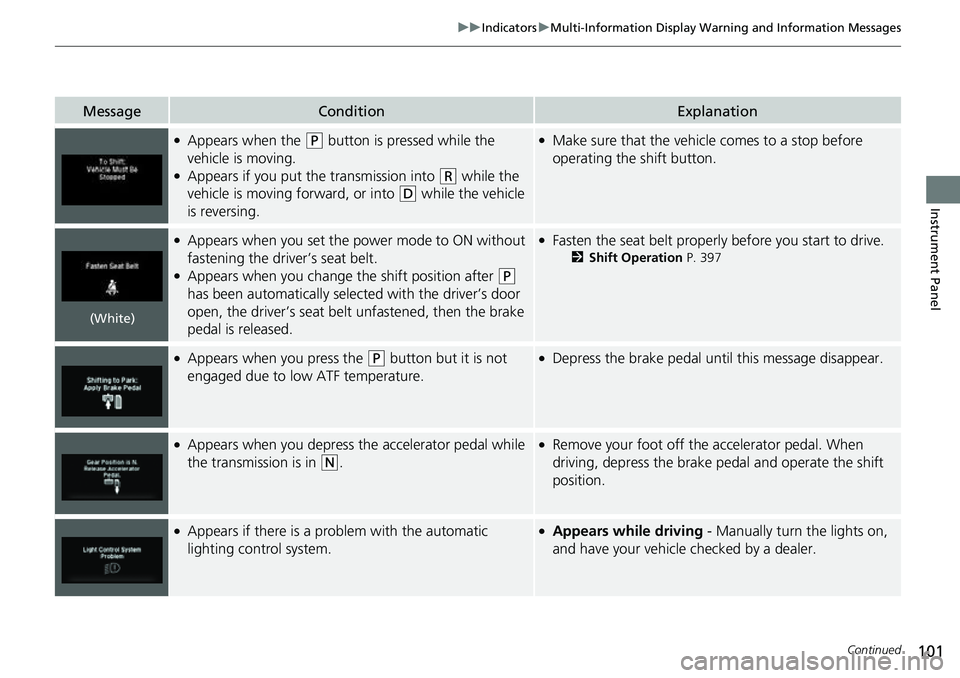
MessageConditionExplanation
●Appears when the (P button is pressed while the
vehicle is moving.
●Appears if you put the transmission into (R while the
vehicle is moving forward, or into
(D while the vehicle
is reversing.
●Make sure that the vehicle comes to a stop before
operating the shift button.
●Appears when you set the power mode to ON without
fastening the driver’s seat belt.
●Appears when you change the shift position after (P
has been automatically selected with the driver’s door
open, the driver’s seat belt unfastened, then the brake
pedal is released.
●Fasten the seat belt properly before you start to drive.
2 Shift Operation P. 397
●Appears when you press the (P button but it is not
engaged due to low ATF temperature.●Depress the brake pedal until this message disappear.
●Appears when you depress the accelerator pedal while
the transmission is in
(N.
●Remove your foot off the accelerator pedal. When
driving, depress the brake pedal and operate the shift
position.
●Appears if there is a problem with the automatic
lighting control system.●Appears while driving - Manually turn the lights on,
and have your vehicle checked by a dealer.
(White)