ad blue HONDA RIDGELINE 2022 Workshop Manual
[x] Cancel search | Manufacturer: HONDA, Model Year: 2022, Model line: RIDGELINE, Model: HONDA RIDGELINE 2022Pages: 598, PDF Size: 12.42 MB
Page 356 of 598
uuBluetooth ® HandsFreeLink ®u HFL Menus
354
Features
HFL can display newly received text or e-mail messages as well as the last 20
messages received on a linked cell phone. Eac h received message can be read aloud
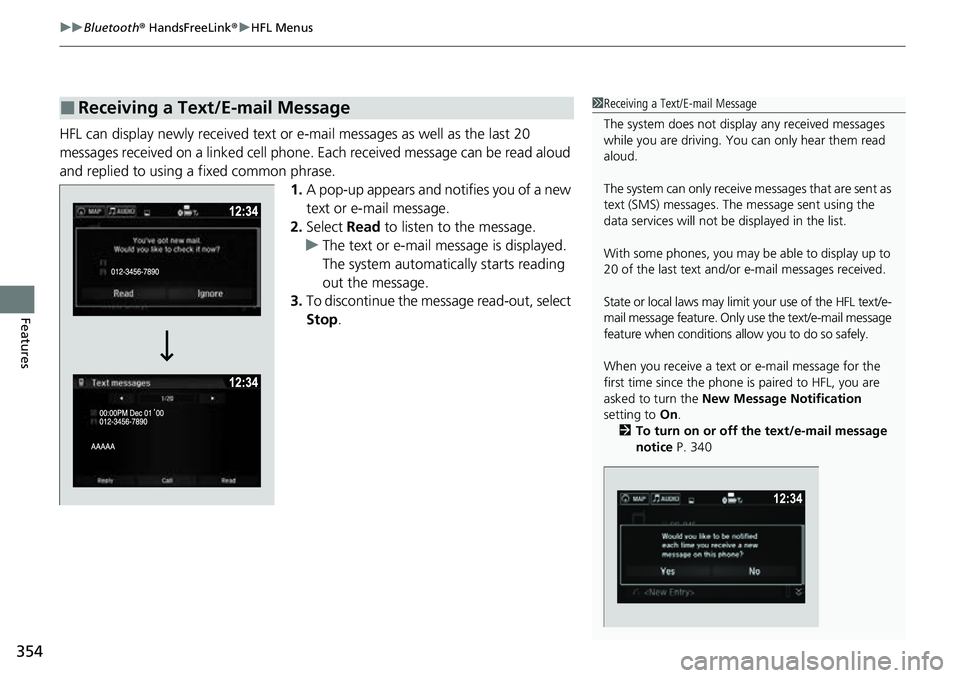
and replied to using a fixed common phrase. 1.A pop-up appears and notifies you of a new
text or e-mail message.
2. Select Read to listen to the message.
u The text or e-mail message is displayed.
The system automatically starts reading
out the message.
3. To discontinue the mess age read-out, select
Stop .
■Receiving a Text/E-mail Message1Receiving a Text/E-mail Message
The system does not display any received messages
while you are driving. You can only hear them read
aloud.
The system can only receive messages that are sent as
text (SMS) messages. The message sent using the
data services will not be displayed in the list.
With some phones, you may be able to display up to
20 of the last text and/or e-mail messages received.
State or local laws may limit your use of the HFL text/e-
mail message feature. Only use the text/e-mail message
feature when conditions a llow you to do so safely.
When you receive a text or e-mail message for the
first time since the phone is paired to HFL, you are
asked to turn the New Message Notification
setting to On.
2 To turn on or off the text/e-mail message
notice P. 340
Page 357 of 598
Continued355
uuBluetooth ® HandsFreeLink ®u HFL Menus
Features
If a paired phone has text or e-mail messa ge accounts, you can select one of them
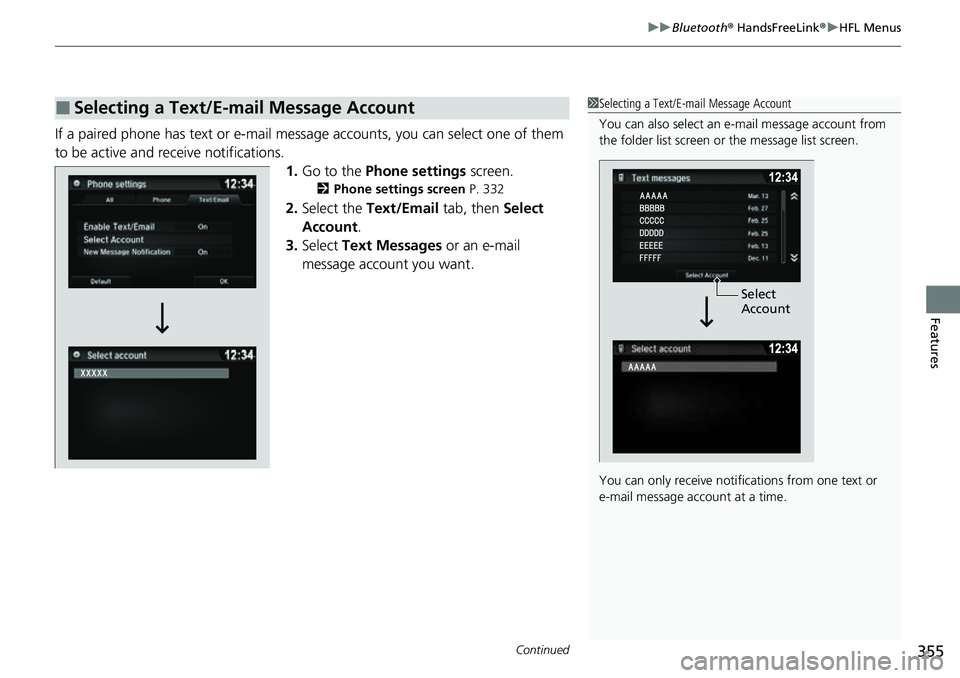
to be active and receive notifications. 1.Go to the Phone settings screen.
2Phone settings screen P. 332
2.Select the Text/Email tab, then Select
Account .
3. Select Text Messages or an e-mail
message account you want.
■Selecting a Text/E-mail Message Account1 Selecting a Text/E-mail Message Account
You can also select an e- mail message account from
the folder list screen or the message list screen.
You can only receive notific ations from one text or
e-mail message account at a time.
Select
Account
Page 358 of 598
uuBluetooth ® HandsFreeLink ®u HFL Menus
356
Features
■Displaying text messages
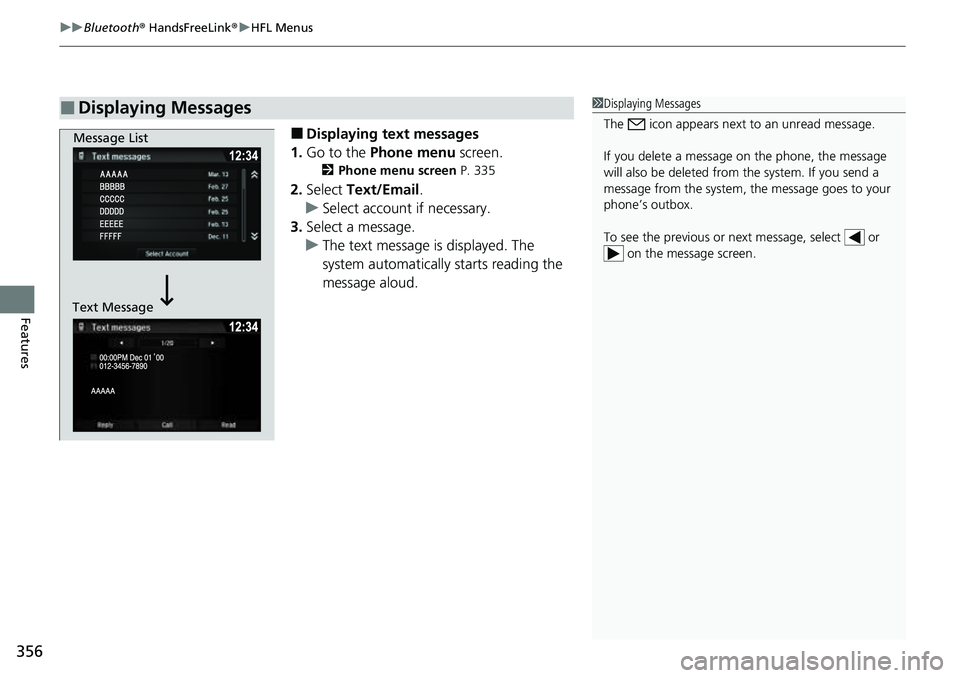
1. Go to the Phone menu screen.
2Phone menu screen P. 335
2.Select Text/Email .
u Select account if necessary.
3. Select a message.
u The text message is displayed. The
system automatically starts reading the
message aloud.
■Displaying Messages1Displaying Messages
The icon appears next to an unread message.
If you delete a message on the phone, the message
will also be dele ted from the system. If you send a
message from the system, the message goes to your
phone’s outbox.
To see the previous or ne xt message, select or
on the message screen.
Message List
Text Message
Page 359 of 598
357
uuBluetooth ® HandsFreeLink ®u HFL Menus
Continued
Features
■Displaying e-mail messages
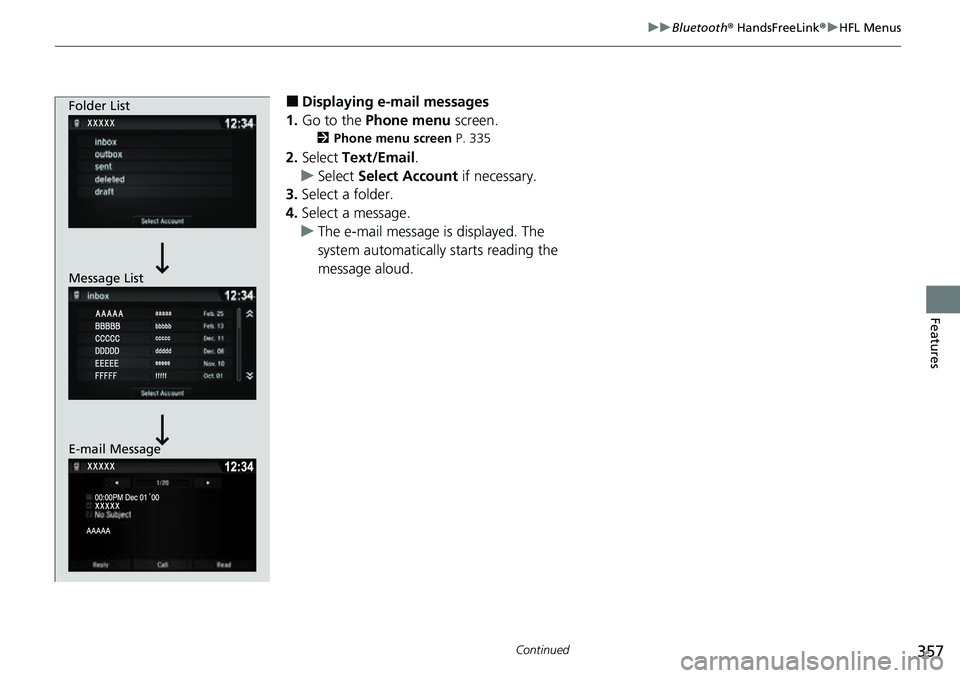
1. Go to the Phone menu screen.
2Phone menu screen P. 335
2.Select Text/Email .
u Select Select Account if necessary.
3. Select a folder.
4. Select a message.
u The e-mail message is displayed. The
system automatically starts reading the
message aloud.
Folder List
Message List
E-mail Message
Page 360 of 598
uuBluetooth ® HandsFreeLink ®u HFL Menus
358
Features
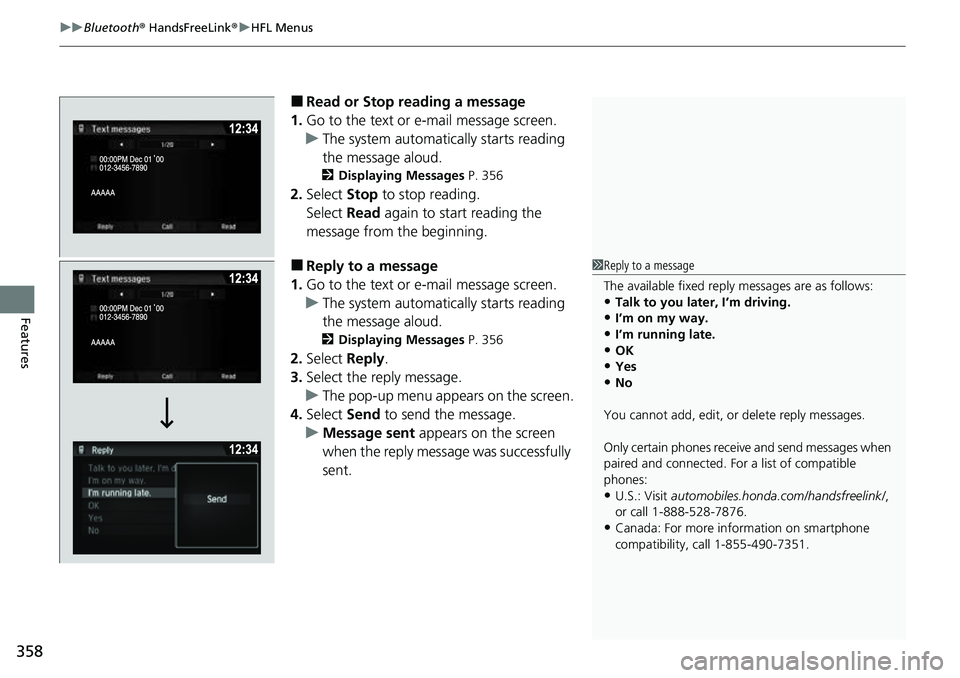
■Read or Stop reading a message
1. Go to the text or e-mail message screen.
u The system automatically starts reading
the message aloud.
2 Displaying Messages P. 356
2.Select Stop to stop reading.
Select Read again to start reading the
message from the beginning.
■Reply to a message
1. Go to the text or e-mail message screen.
u The system automatically starts reading
the message aloud.
2 Displaying Messages P. 356
2.Select Reply.
3. Select the reply message.
u The pop-up menu appears on the screen.
4. Select Send to send the message.
u Message sent appears on the screen
when the reply messag e was successfully
sent.
1 Reply to a message
The available fixed reply messages are as follows:
•Talk to you later, I’m driving.
•I’m on my way.
•I’m running late.•OK
•Yes
•No
You cannot add, edit, or delete reply messages.
Only certain phones receive and send messages when
paired and connected. For a list of compatible
phones:
•U.S.: Visit automobiles.honda.com/handsfreelink/ ,
or call 1-888-528-7876.
•Canada: For more info rmation on smartphone
compatibility, call 1-855-490-7351.
Page 361 of 598
359
uuBluetooth ® HandsFreeLink ®u HFL Menus
Continued
Features
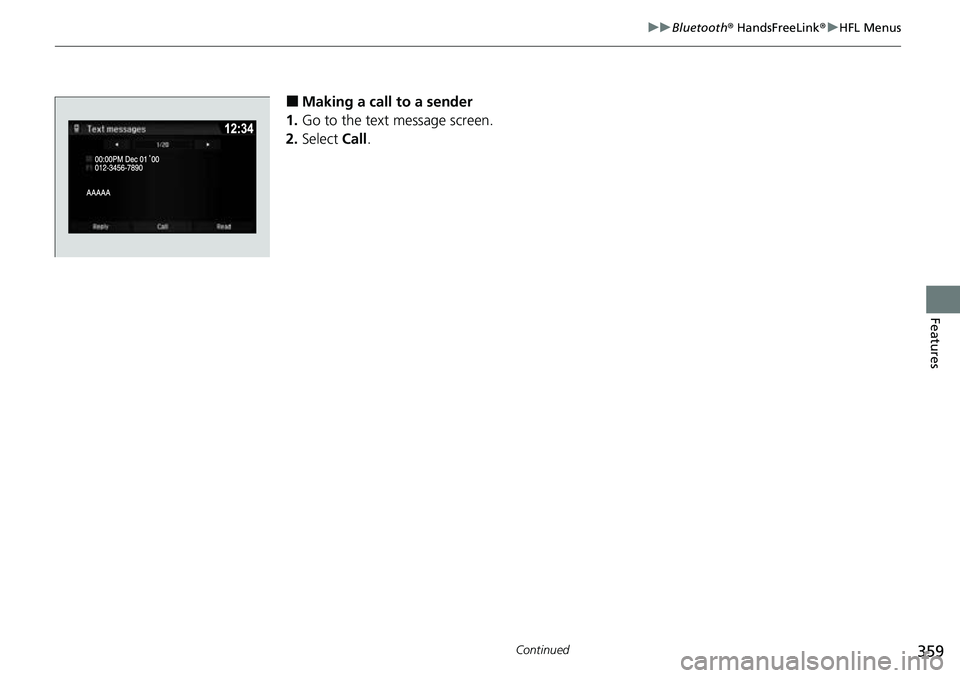
■Making a call to a sender
1. Go to the text message screen.
2. Select Call.
Page 362 of 598
uuBluetooth ® HandsFreeLink ®u HFL Menus
360
Features
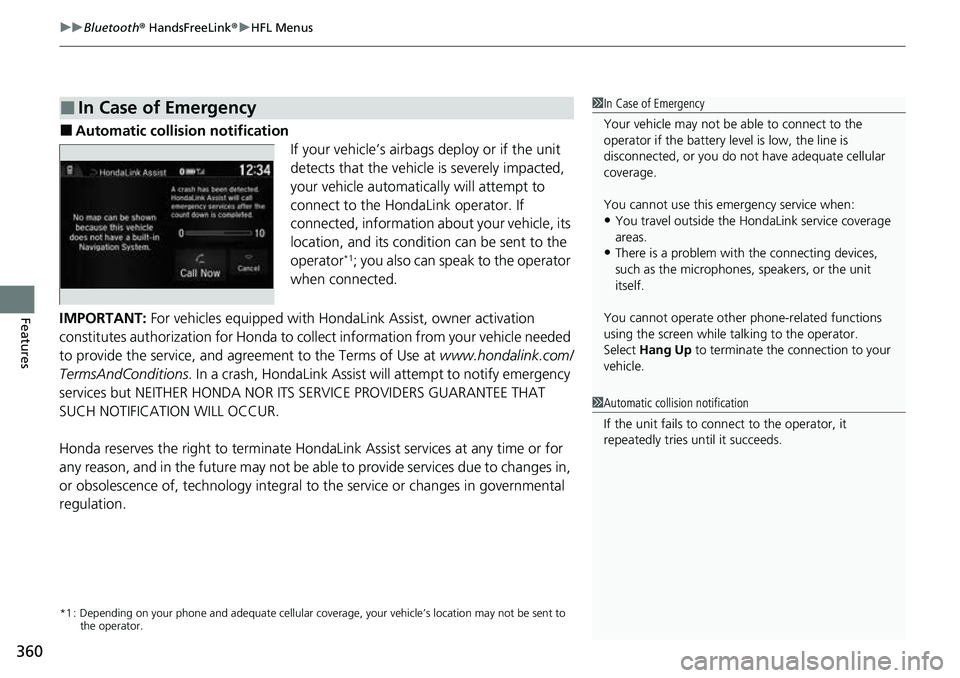
■Automatic collision notification
If your vehicle’s airbags deploy or if the unit
detects that the vehicle is severely impacted,
your vehicle automatically will attempt to
connect to the HondaLink operator. If
connected, information about your vehicle, its
location, and its condition can be sent to the
operator
*1; you also can speak to the operator
when connected.
IMPORTANT: For vehicles equipped with Ho ndaLink Assist, owner activation
constitutes authorization for Honda to co llect information from your vehicle needed
to provide the service, and agr eement to the Terms of Use at www.hondalink.com/
TermsAndConditions . In a crash, HondaLink Assist w ill attempt to notify emergency
services but NEITHER HONDA NOR ITS SERVICE PROVIDERS GUARANTEE THAT
SUCH NOTIFICATION WILL OCCUR.
Honda reserves the right to terminate HondaLink Assist services at any time or for
any reason, and in the future may not be ab le to provide services due to changes in,
or obsolescence of, technology integral to the service or changes in governmental
regulation.
*1 : Depending on your phone and ad equate cellular coverage, your vehicle’s location may not be sent to
the operator.
■In Case of Emergency1 In Case of Emergency
Your vehicle may not be able to connect to the
operator if the battery level is low, the line is
disconnected, or you do not have adequate cellular
coverage.
You cannot use this emergency service when:
•You travel outside the HondaLink service coverage
areas.
•There is a problem with the connecting devices,
such as the microphones, speakers, or the unit
itself.
You cannot operate othe r phone-related functions
using the screen while talking to the operator.
Select Hang Up to terminate the connection to your
vehicle.
1 Automatic collision notification
If the unit fails to connect to the operator, it
repeatedly tries until it succeeds.
Page 363 of 598
361
uuBluetooth ® HandsFreeLink ®u HFL Menus
Features
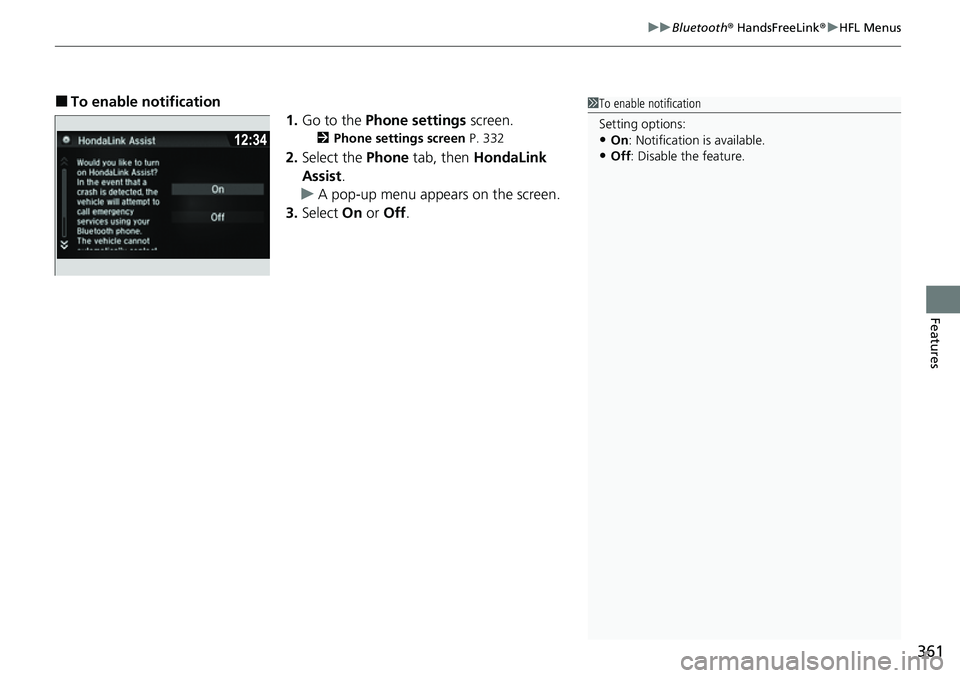
■To enable notification
1.Go to the Phone settings screen.
2Phone settings screen P. 332
2.Select the Phone tab, then HondaLink
Assist .
u A pop-up menu appears on the screen.
3. Select On or Off .
1To enable notification
Setting options:
•On : Notification is available.
•Off : Disable the feature.
Page 379 of 598
377
uuTowing a Trailer uTowing Preparation
Continued
Driving
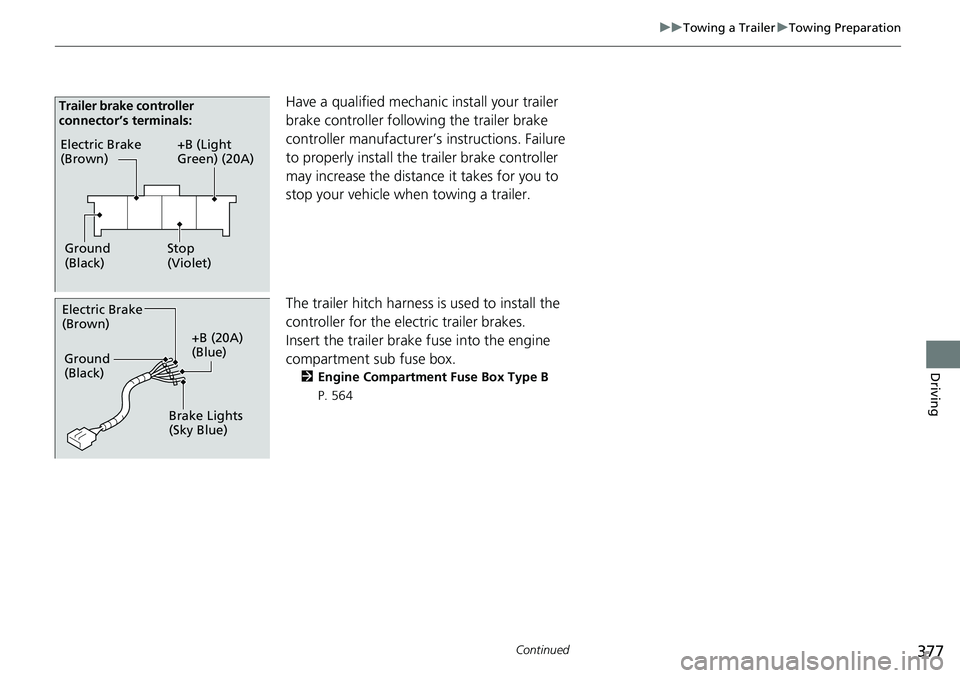
Have a qualified mechanic install your trailer
brake controller following the trailer brake
controller manufacturer’s instructions. Failure
to properly install the trailer brake controller
may increase the distance it takes for you to
stop your vehicle when towing a trailer.
The trailer hitch harness is used to install the
controller for the electric trailer brakes.
Insert the trailer brake fuse into the engine
compartment sub fuse box.
2 Engine Compartment Fuse Box Type B
P. 564
Electric Brake
(Brown)
Ground
(Black) +B (Light
Green) (20A)
Stop
(Violet)
Trailer brake controller
connector’s terminals:
Electric Brake
(Brown)
+B (20A)
(Blue)
Ground
(Black)
Brake Lights
(Sky Blue)
Page 380 of 598
uuTowing a Trailer uTowing Preparation
378
Driving
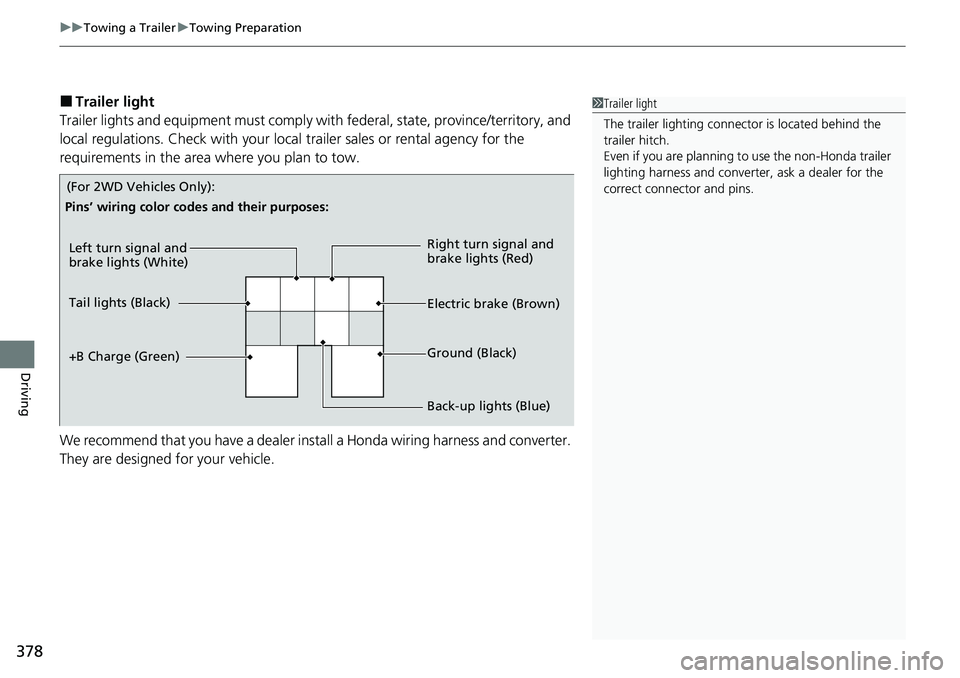
■Trailer light
Trailer lights and equipment must comply with federal, state, province/territory, and
local regulations. Check with your local trailer sales or rental agency for the
requirements in the area where you plan to tow.
We recommend that you have a dealer install a Honda wiring harness and converter.
They are designed for your vehicle.1 Trailer light
The trailer lighting connect or is located behind the
trailer hitch.
Even if you are planning to use the non-Honda trailer
lighting harness and converte r, ask a dealer for the
correct connector and pins.
Left turn signal and
brake lights (White)
Electric brake (Brown) Right turn signal and
brake lights (Red)
Back-up lights (Blue) Ground (Black)
Tail lights (Black)
+B Charge (Green)
Pins’ wiring color codes and their purposes:
(For 2WD Vehicles Only):