warning light HONDA RIDGELINE 2023 User Guide
[x] Cancel search | Manufacturer: HONDA, Model Year: 2023, Model line: RIDGELINE, Model: HONDA RIDGELINE 2023Pages: 598, PDF Size: 12.34 MB
Page 454 of 598
uuHonda Sensing ®u Lane Keeping Assist System (LKAS)
452
Driving
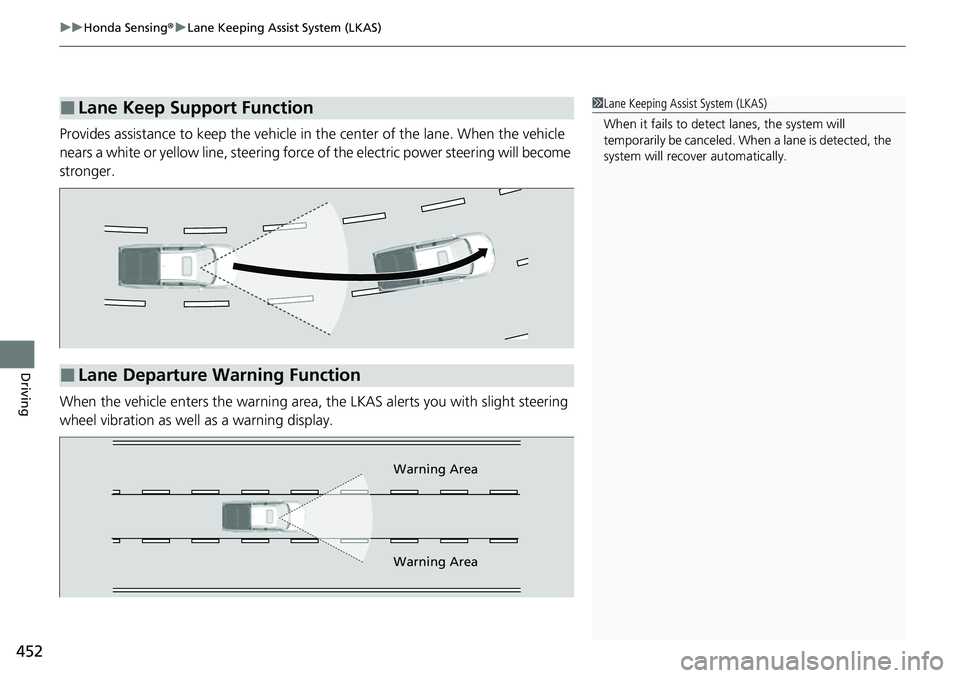
Provides assistance to keep the vehicle in the center of the lane. When the vehicle
nears a white or yellow line, steering force of the electric power steering will become
stronger.
When the vehicle enters the warning area, the LKAS alerts you with slight steering
wheel vibration as well as a warning display.
■Lane Keep Support Function1 Lane Keeping Assist System (LKAS)
When it fails to detect lanes, the system will
temporarily be canceled. When a lane is detected, the
system will recover automatically.
■Lane Departure Warning Function
Warning Area
Warning Area
Page 527 of 598
525
Maintenance
Battery
Checking the Battery
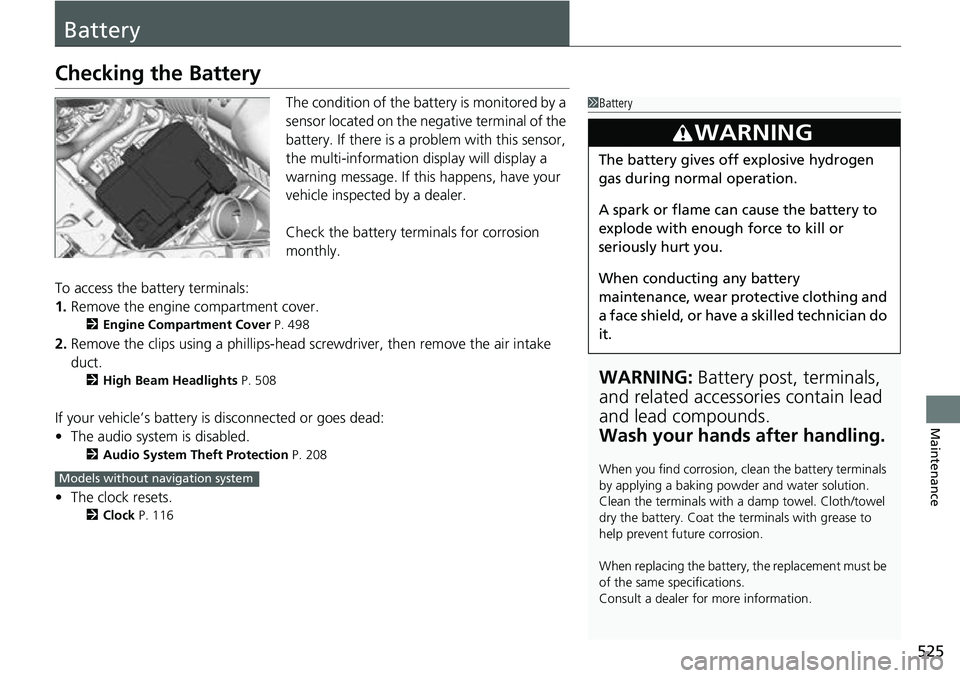
The condition of the battery is monitored by a
sensor located on the negative terminal of the
battery. If there is a problem with this sensor,
the multi-information display will display a
warning message. If this happens, have your
vehicle inspected by a dealer.
Check the battery termi nals for corrosion
monthly.
To access the battery terminals:
1. Remove the engine compartment cover.
2 Engine Compartment Cover P. 498
2.Remove the clips using a phillips-head scre wdriver, then remove the air intake
duct.
2 High Beam Headlights P. 508
If your vehicle’s battery is disconnected or goes dead:
•The audio system is disabled.
2 Audio System Theft Protection P. 208
•The clock resets.
2 Clock P. 116
1Battery
WARNING: Battery post, terminals,
and related accessories contain lead
and lead compounds.
Wash your hands after handling.
When you find corrosion, cl ean the battery terminals
by applying a baking powder and water solution.
Clean the terminals with a damp towel. Cloth/towel
dry the battery. Coat the terminals with grease to
help prevent future corrosion.
When replacing the battery, the replacement must be
of the same specifications.
Consult a dealer for more information.
3WARNING
The battery gives off explosive hydrogen
gas during normal operation.
A spark or flame can cause the battery to
explode with enough force to kill or
seriously hurt you.
When conducting any battery
maintenance, wear prot ective clothing and
a face shield, or have a skilled technician do
it.
Models without navigation system
Page 541 of 598
539Continued
Handling the Unexpected
If a Tire Goes Flat
Changing a Flat Tire
If a tire goes flat while driving, grasp the steering wheel firmly, and brake gradually
to reduce speed. Then, stop in a safe plac e. Replace the flat tire with a compact
spare tire. Go to a dealer as soon as possib le to have the full-size tire repaired or
replaced.
1. Park the vehicle on a firm, level, non-slippery surface and apply the parking brake.
2. Put the transmission into
(P.
3. Turn on the hazard warning lights an d set the power mode to VEHICLE OFF.
1Changing a Flat Tire
Follow compact spare precautions:
Periodically check the tire pressure of the compact
spare. It should be set to the specified pressure.
Specified Pressure: 60 psi (420 kPa, 4.2 kgf/cm
2)
When driving with the compact spare tire, keep the
vehicle speed under 50 mph (80 km/h). Replace with
a full-size tire as soon as possible.
The compact spare tire and wheel in your vehicle are
specifically for this model. Do not use them with
another vehicle. Do not us e another type of compact
spare tire or wheel with your vehicle.
Do not mount tire chains on a compact spare tire.
If a chain-mounted front tire goes flat, remove one of
the full-size rear tires and replace it with the compact
spare tire. Remove the flat front tire and replace it
with the full-size tire that was removed from the rear.
Mount the tire chains on the front tire.
Do not use a puncture-repairi ng agent on a flat tire,
as it can damage the tire pressure sensor.
Page 554 of 598
552
Handling the Unexpected
If the Battery Is Dead
Turn off the power to electric devices, such as audio and lights. Turn off the engine,
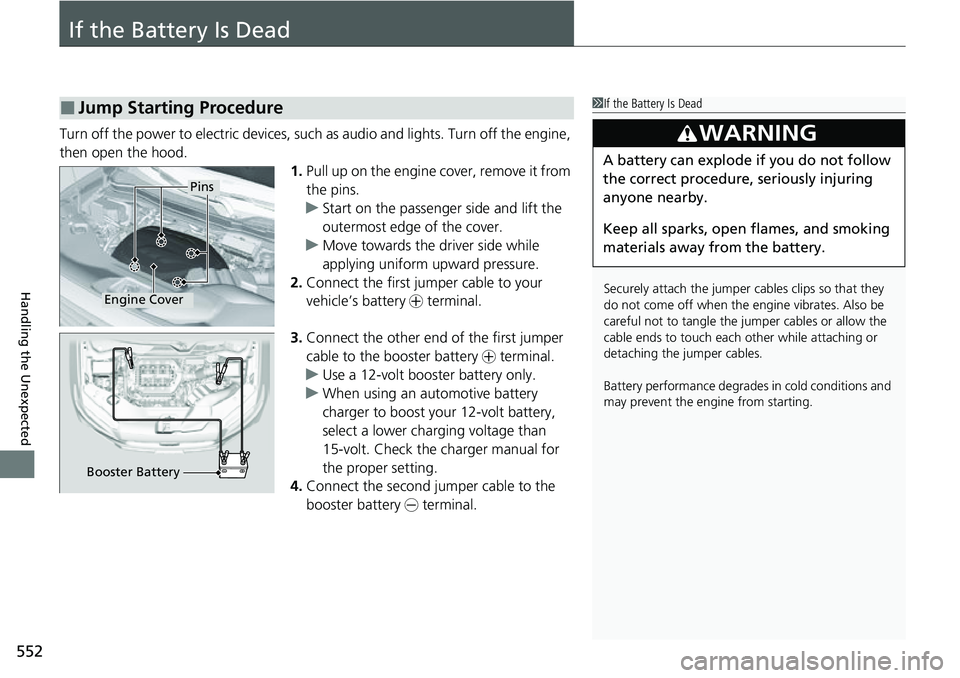
then open the hood. 1.Pull up on the engine cover, remove it from
the pins.
u Start on the passenger side and lift the
outermost edge of the cover.
u Move towards the driver side while
applying uniform upward pressure.
2. Connect the first jump er cable to your
vehicle’s battery + terminal.
3. Connect the other end of the first jumper
cable to the booster battery + terminal.
u Use a 12-volt booster battery only.
u When using an automotive battery
charger to boost your 12-volt battery,
select a lower charging voltage than
15-volt. Check the charger manual for
the proper setting.
4. Connect the second jumper cable to the
booster battery - terminal.
■Jump Starting Procedure1If the Battery Is Dead
Securely attach the jumper cables clips so that they
do not come off when the e ngine vibrates. Also be
careful not to tangle the ju mper cables or allow the
cable ends to touch each other while attaching or
detaching the jumper cables.
Battery performance degrades in cold conditions and
may prevent the engi ne from starting.
3WARNING
A battery can explode if you do not follow
the correct procedure, seriously injuring
anyone nearby.
Keep all sparks, open flames, and smoking
materials away from the battery.
Pins
Engine Cover
Booster Battery
Page 557 of 598
555Continued
Handling the Unexpected
Overheating
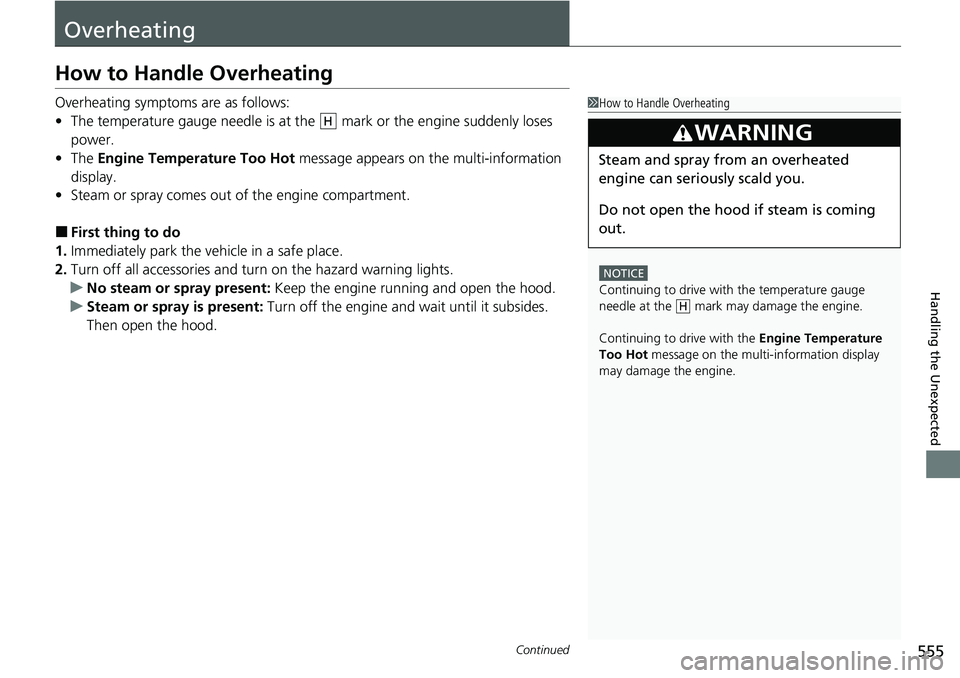
How to Handle Overheating
Overheating symptoms are as follows:
•The temperature gauge needle is at the mark or the engine suddenly loses
power.
• The Engine Temperature Too Hot message appears on the multi-information
display.
• Steam or spray comes out of the engine compartment.
■First thing to do
1. Immediately park the vehicle in a safe place.
2. Turn off all accessories and turn on the hazard warning lights.
u No steam or spray present: Keep the engine running and open the hood.
u Steam or spray is present: Turn off the engine and wait until it subsides.
Then open the hood.
1 How to Handle Overheating
NOTICE
Continuing to drive with the temperature gauge
needle at the mark may damage the engine.
Continuing to drive with the Engine Temperature
Too Hot message on the multi- information display
may damage the engine.
3WARNING
Steam and spray from an overheated
engine can seri ously scald you.
Do not open the hood if steam is coming
out.
H
H
Page 559 of 598
557
Handling the Unexpected
Indicator, Coming On/Blinking
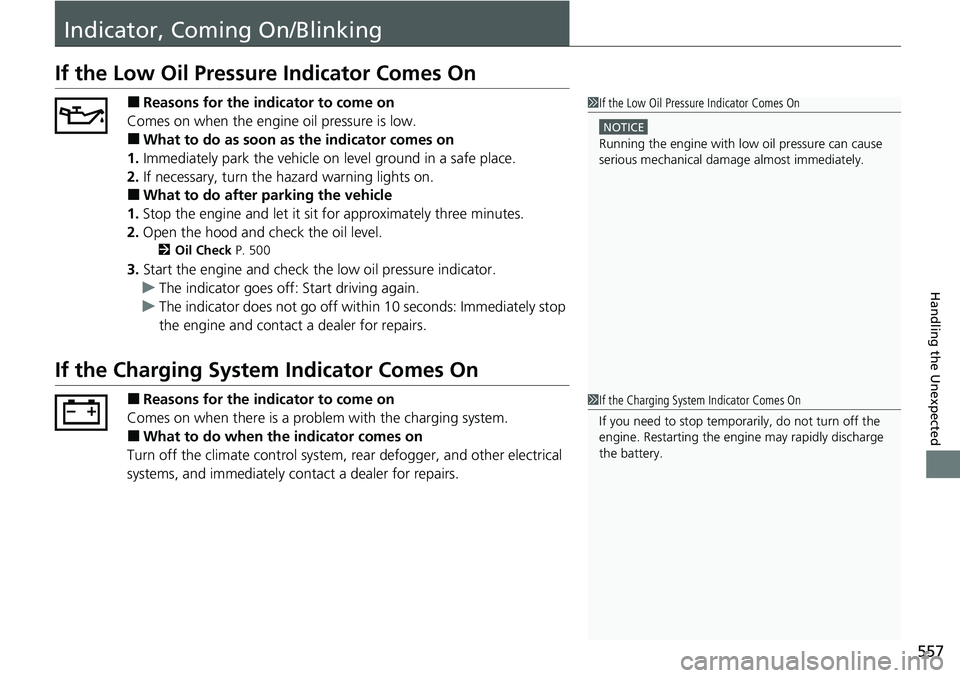
If the Low Oil Pressure Indicator Comes On
■Reasons for the indicator to come on
Comes on when the engine oil pressure is low.
■What to do as soon as the indicator comes on
1. Immediately park the vehicle on level ground in a safe place.
2. If necessary, turn the hazard warning lights on.
■What to do after parking the vehicle
1. Stop the engine and let it sit for approximately three minutes.
2. Open the hood and check the oil level.
2 Oil Check P. 500
3.Start the engine and check th e low oil pressure indicator.
u The indicator goes off: Start driving again.
u The indicator does not go off within 10 seconds: Immediately stop
the engine and contact a dealer for repairs.
If the Charging System Indicator Comes On
■Reasons for the indicator to come on
Comes on when there is a prob lem with the charging system.
■What to do when the indicator comes on
Turn off the climate control system, rear defogger, and other electrical
systems, and immediately co ntact a dealer for repairs.
1If the Low Oil Pressure Indicator Comes On
NOTICE
Running the engine with low oil pressure can cause
serious mechanical damage almost immediately.
1If the Charging System Indicator Comes On
If you need to stop temporarily, do not turn off the
engine. Restarting the engi ne may rapidly discharge
the battery.
Page 563 of 598
561
uuIndicator, Coming On/Blinking uIf the Transmission System Indicator Blinks along with the Warning Message
Handling the Unexpected
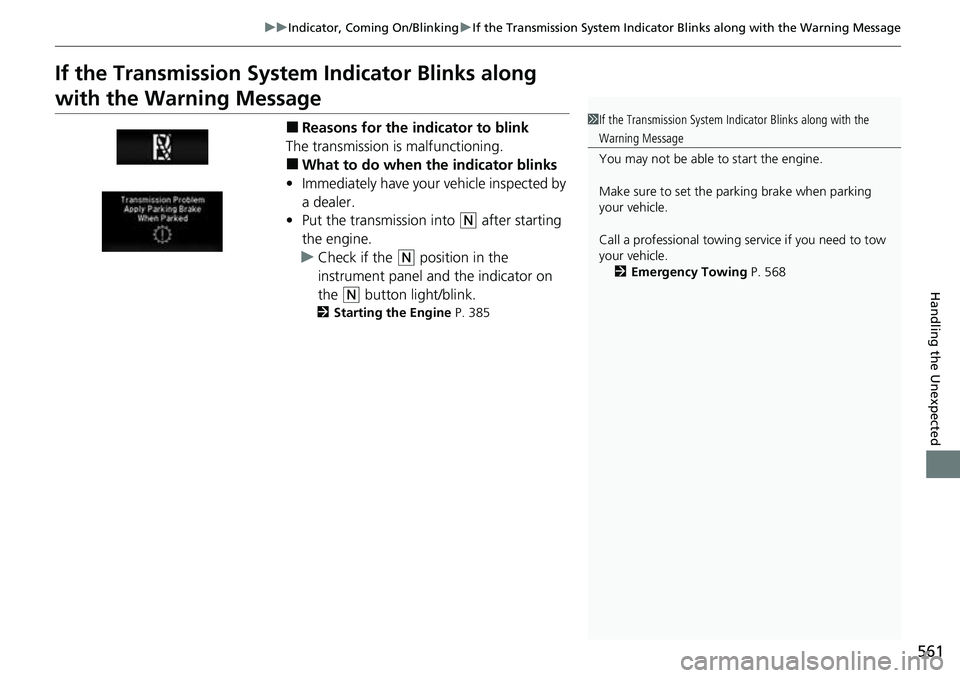
If the Transmission System Indicator Blinks along
with the Warning Message
■Reasons for the indicator to blink
The transmission is malfunctioning.
■What to do when the indicator blinks
• Immediately have your vehicle inspected by
a dealer.
• Put the transmission into
(N after starting
the engine.
u Check if the
(N position in the
instrument panel and the indicator on
the
(N button light/blink.
2 Starting the Engine P. 385
1If the Transmission System In dicator Blinks along with the
Warning Message
You may not be able to start the engine.
Make sure to set the pa rking brake when parking
your vehicle.
Call a professional towing service if you need to tow
your vehicle.
2 Emergency Towing P. 568
Page 592 of 598

590
Index
Engine Coolant ........................................ 504
Windshield Washer .................................. 507
FM/AM Radio ............................................ 236
Fog Lights .................................................. 152
Indicator .................................................... 86
Folding Up the Rear Seat ......................... 169
Foot Brake ................................................. 469
Front Airbags (SRS) ..................................... 47
Front Seats ................................................ 166
Adjusting ................................................. 166
Front Sensor Camera ................................ 465
Fuel ...................................................... 23, 483
Economy ................................................. 486
Gauge ..................................................... 110
Instant Fuel Economy ............................... 114
Low Fuel Indicator ..................................... 82
Range ...................................................... 114
Recommendation .................................... 483
Refueling ................................................. 483
Fuel Economy and CO
2 Emissions ............ 486
Fuel Fill Door ....................................... 23, 484
Unable to Unlock ..................................... 569
Fuses .......................................................... 562
Inspecting and Changing ......................... 567
Locations ......................... 562, 564, 565, 566
G
Gasoline (Fuel) Economy ................................................. 486
Gauge ..................................................... 110 Information ............................................. 483
Instant Fuel Economy .............................. 114
Low Fuel Indicator ..................................... 82
Refueling................................................. 483
Gauges ...................................................... 110
Glass (care) ................................................ 533
Glove Box .................................................. 177
H
Halogen Bulbs .......................................... 508
Handling the Unexpected ........................ 537
HandsFreeLink ® (HFL) ............................... 330
Automatic Import of Ce llular Phonebook and
Call History ............................................ 343
Displaying Messages................................ 357
HFL Buttons............................................. 330
HFL Menus .............................................. 333
HFL Status Display ................................... 332
In Case of Emergency .............................. 361
Limitations for Manual Operation ............ 332
Making a Call .......................................... 351
Options During a Call .............................. 354
Phone Setup............................................ 338
Phonebook Phonetic Modification ........... 347
Receiving a Call ....................................... 354
Receiving a Text/E-mail Message.............. 355
Ring Tone................................................ 342
Selecting a Text/E-mail Message Account ................................................ 356
Speed Dial ............................................... 344 To Set Up Text Message/E-mail
Options ................................................. 341
Hazard Warning Button .............................. 6
Hazard Warning Indicator ......................... 85
HD Radio
TM............................................... 238
Head Restraints ................................ 171, 172
Headlights ................................................ 149
Aiming.................................................... 508
Auto High-Beam System ......................... 154
Automatic Operation .............................. 150
Dimming......................................... 149, 153
Operating ............................................... 149
Heated Door Mirrors ............................... 159
Heated Steering Wheel ........................... 187
Heated Windshield Button ...................... 159
Heater (Steering Wheel) .......................... 187
Heaters (Seat) ........................... 188, 189, 190
HFL (HandsFreeLink ®) .............................. 330
High Beam Indicator .................................. 85
Hill Start Assist System ............................. 391
HomeLink ® Universal Transceiver ........... 324
Honda App License Agreement .............. 283
Honda Sensing ®................................ 24, 423
HondaLink ®............................................ 261
I
Identification Numbers ............................ 576
Engine and Transmission ......................... 576
Vehicle Identification............................... 576
Page 593 of 598
591
Index
Illumination Control................................ 160
Button .................................................... 160
Immobilizer System .................................. 136
Indicator ................................................... 86
In-Bed Box ................................................ 191
Indicators .................................................... 78
Adaptive Cruise Control (ACC).................. 91
All-wheel drive (AWD)............................... 88
Anti-lock Brake System (ABS) .................... 82
Auto High-Beam ....................................... 86
Auto Idle Stop........................................... 89
Auto Idle Stop System ............................... 89
Bed Lights On ........................................... 95
Blind spot information System........... 92, 421
Brake System (Amber) ............................... 78
Charging System............................... 79, 557
Collision Mitigati on Braking System
TM
(CMBSTM) .......................................... 93, 94
ECON Mode ............................................. 92
Electric Power Steering (EPS) System ............................................ 85, 559
Fog Lights ................................................. 86
High Beam ................................................ 85
Immobilizer System ................................... 86
Intelligent Traction Management .............. 95
Keyless Access System............................... 88
Lane Keeping Assist System (LKAS) ....................................... 91, 92, 453
Lights On .................................................. 86
Low Fuel ................................................... 82
Low Oil Pressure ............................... 79, 557 Low Tire Pressure/TPMS ..................... 85, 560
M (sequential mode)/Se
quential Mode Gear
Selection.................................................. 80
Malfunction Indicator Lamp ............... 79, 558
Parking Brake and Brake System
(Red)................................................ 78, 559
Road Departure Mitigation ........................ 90
Seat Belt Reminder .............................. 38, 81
Security System Alarm ............................... 87
Shift Position ............................................. 80
Supplemental Restraint System ............ 55, 82
System Message ........................................ 87
Transmission System .................... 80, 81, 561
Turn Signal and Haza rd Warning ............... 85
Vehicle Stability Assist
TM (VSA ®) OFF ......... 413
Vehicle Stability AssistTM (VSA ®)
System............................................. 83, 412
Information ............................................... 573
Information Button .................................. 111
Instant Fuel Economy ............................... 114
Instrument Panel ........................................ 77
Brightness Control ................................... 160
Intelligent Traction Management System ..................................................... 404
Indicator .................................................... 95
Intelligent Variable Torque Management (i-VTM4
TM) AWD System ......................... 415
Interior Lights ........................................... 175
Interior Rearview Mirror .......................... 164
iPhone ....................................................... 282
iPod ................................................... 247, 282
J
Jack (Wheel Nut Wrench) ........................ 543
Jump Starting ........................................... 552
K
Key............................................................ 117
Lockout Prevention.................................. 126
Number Tag ............................................ 118
Rear Door Won’t Open............................ 129
Remote Transmitter ................................. 125
Key Number Tag ....................................... 118
Keyless Access System .............................. 120
Keyless Access System Indicators ............... 88
Keyless Lockout Prevention ..................... 126
Kickdown (Automatic Transmission) ....... 394
L
Lane Keeping Assist System (LKAS)......... 451
Indicator.............................................. 91, 92
LATCH (Child Seats) .............................. 64, 69
Lights ................................................. 149, 508
Auto High Beam...................................... 154
Automatic ............................................... 150
Bed ......................................................... 193
Bulb Replacement ................................... 508
Daytime Running Lights........................... 153
Fog Lights ............................................... 152
High Beam Indicator .................................. 85
Interior .................................................... 175