wheel HONDA RIDGELINE 2023 Workshop Manual
[x] Cancel search | Manufacturer: HONDA, Model Year: 2023, Model line: RIDGELINE, Model: HONDA RIDGELINE 2023Pages: 598, PDF Size: 12.34 MB
Page 386 of 598
384
uuOff-Highway Driving Guidelines uAvoiding Trouble
Driving
Avoiding Trouble
• Check Out Your Vehicle before you leave the pavement and make sure that all
scheduled maintenance has been comple ted. Pay special attention to the
condition of the tires, an d check the tire pressures.
• Remember the route you choose presents limits (too steep or bumpy), you have
limits (driving skill and comfort), and your ve hicle has limits (traction, stability, and
power). Failing to recognize these limits will likely put you and your passengers in
a hazardous situation.
• Accelerating and Braking should be done slowly and gradually. Trying to start
or stop too fast can cause a loss of traction and you could lose control.
• Avoiding Obstacles and Debris in the road reduces the likelihood of a rollover
or damage to your suspension or other components.
• Driving on Slopes increases your risk of a rollover, particularly if you attempt to
drive across a slope that is too steep. Going straight up or down a slope is usually
the safest. If you can’t clearly see all cond itions or obstacles on a slope, walk it
before you drive it. If there is any doubt whether you can safely pass, don’t try it.
Find another route. If you get stuck when climbing, do not try to turn around.
Back down slowly following the same route you took up the hill.
• Crossing a Stream - Avoid driving through deep water. If you encounter water
in your route (a small stream or large pu ddle, for example), evaluate it carefully
before going ahead. Make sure it is shallow, flowing slowly, and has firm ground
underneath. If you are not sure of the depth or the ground, turn around and find
another route. Driving through deep water can also damage your vehicle. The
water can get into the transmission and differential, diluting the lubricant and
causing an eventual failure. It can also wash the grease out of the wheel bearings.
• If You Get Stuck, carefully go in the direction that you think will get you
unstuck. Do not spin the tires as this will only make things worse and could
damage the transmission. If you are unable to free yourself, your vehicle will need
to be towed. Front and rear tow hooks are provided for this purpose.
Page 392 of 598
uuWhen Driving uStarting the Engine
390
Driving
1Remote Engine Start
While the engine is running, the vehicle will
automatically preconditi on inside the vehicle.
When it is warm outside:
•The climate control system is activated in
recirculation mode.
•The seat ventilation* is activated.
When it is cold outside:
•The defroster is activated at a moderately warm
temperature.
•The rear defogger and door mirror heaters* are
activated.
•The seat heaters* and heated steering wheel* are
activated. 2Heated Steering Wheel
* P. 187
2 Front Seat Heaters* P. 188
2 Front Seat Heaters / Ventilators* P. 189
2 Rear Seat Heaters* P. 190
* Not available on all models
Page 394 of 598
392
uuWhen Driving uPrecautions While Driving
Driving
Precautions While Driving
Utility vehicles have a significantly higher rollover rate than other types of vehicles.
To prevent rollovers or loss of control:
• Take corners at slower speeds than yo u would with a passenger vehicle.
• Avoid sharp turns and abrupt maneuvers whenever possible.
• Do not modify your vehicle in any way that you would raise the center of gravity.
• Do not carry heavy cargo on the roof.
Never carry more than 165 lbs (75 kg) of cargo on the roof rack (Honda accessory).
Avoid driving in deep water and on flooded roads. This can damage the engine or
driveline, or cause electrical component failure.
If there is a strong impact with something under the vehicle, stop in a safe location.
Check the underside of the vehicle for damage or any fluid leaks.
■Driving Guidelines for Your Utility Vehicle
■In Rain
■Other Precautions
1 Precautions While Driving
NOTICE
Do not select a shift button while pressing the
accelerator pedal. You could damage the
transmission.
NOTICE
If you repeatedly turn the steering wheel at an
extremely low speed, or hold the steering wheel in
the full left or right position for a while, the electric
power steering (EPS) system heats up. The system
goes into a protective mode, and limits its
performance. The steering wheel becomes harder
and harder to operate. Once the system cools down,
the EPS system is restor ed. Repeated operation under
these conditions can eventually damage the system.
If the power mode is set to ACCESSORY while
driving, the engine will shut down and all steering
and brake power assist functi ons will stop, making it
difficult to control the vehicle.
Do not select
( N while driving as you will lose engine
braking (and accelera tion) performance.
During the first 600 miles (1,000 km) of operation,
avoid sudden acceleration or full throttle operation so
as not to damage the engine or powertrain.
Avoid hard braking for the first 200 miles (300 km)
after purchasing your new vehicle or replacing the
brake pads or rotors, to allow for proper break-in.
Page 403 of 598
401
uuWhen Driving uShifting
Continued
Driving
Use the paddle shifters to change betwee n 1st and 9th gears without removing your
hands from the steering wheel. The transmission will switch to the sequential mode.
■When the transmi ssion is in (D:
The vehicle will go into th e sequential mode momentarily, and the sequential mode
gear selection indicator will come on.
Once you start traveling at a constant speed , the sequential mode will automatically
switch off, and the sequential mode gear selection indicator will go off.
Hold the
(+ paddle shifter for two seconds or push button to return to normal
drive.
■When the transmi ssion is in (S:
The vehicle will go into th e sequential mode, and the M (sequential mode) indicator
and sequential mode gear selection indicator will come on.
If the vehicle speed increases and the engi ne speed reaches near the tachometer’s
red zone, the transmission automatically shifts up to the next gear.
You can cancel this mode by holding the
(+ paddle shifter for two seconds or push
button. When the sequenti al mode is canceled, the M (sequential mode)
indicator and sequential mode gear selection indicator go off.
■Sequential Mode
D/S
D/S
Page 411 of 598
409
uuWhen Driving uAuto Idle Stop
Continued
Driving
■Auto Idle Stop may not activate when:
• The vehicle is stopped by braking suddenly.
• The steering wheel is operated.
• The fan speed is high.
• Altitude is high.
• The climate control system is in use, an d there is a significant difference between
the set temperature and the actual interior temperature.
• The climate control system is in use, and humidity in the interior is high.
Page 412 of 598
uuWhen Driving uAuto Idle Stop
410
Driving
The brake pedal is released.
■The engine restarts even if the brake pedal is depressed when:
• The Auto Idle Stop OFF button is pressed.
• The steering wheel is operated.
• The transmission is put into
(R or (S, or when it is set from (N to (D.
u If you put the transmission into
(P after the Auto Idle Stop activates, the Auto
Idle Stop continues to operate. In this case, the engine restarts when you
depress the brake pedal.
• The pressure on the brake pedal is redu ced and the vehicle starts moving while
stopped on an incline.
• The pressure on the brake pedal is repeated ly applied and released slightly during
a stop.
• The battery charge becomes low.
• The accelerator pedal is depressed.
• The driver’s seat belt is unlatched.
• is ON (indicator on).
• The climate control system is in us e, and the difference between the set
temperature and actual interior temperature becomes significant.
• The climate control system is bein g used to dehumidify the interior.
• The Intelligent Traction Management is set to Snow, Mud
*, or Sand*.
• The AC power outlet is used.
■The Engine Automatically Restarts When:1The Engine Automatically Restarts When:
If you are using an electroni c device during Auto Idle
Stop, the device may tempor arily be turned off when
the engine restarts.
Models with AC Power Outlet
* Not available on all models
Page 415 of 598
413
uuWhen Driving uVehicle Stability AssistTM (VSA ®), aka Electronic Stability Control (ESC), System
Driving
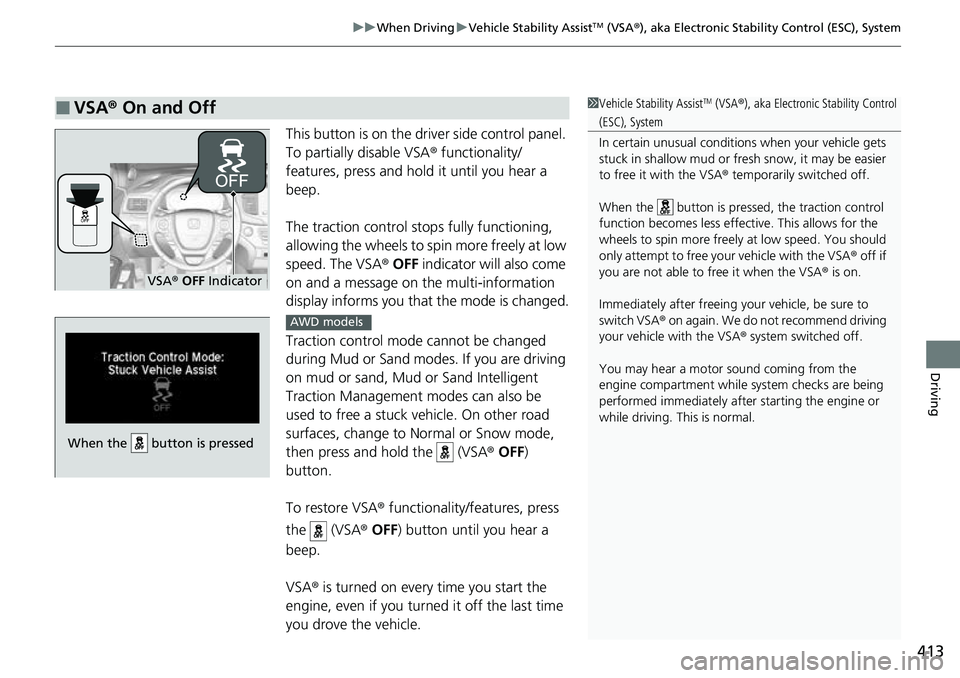
This button is on the driver side control panel.
To partially disable VSA ® functionality/
features, press and hold it until you hear a
beep.
The traction control stop s fully functioning,
allowing the wheels to spin more freely at low
speed. The VSA ® OFF indicator will also come
on and a message on the multi-information
display informs you that the mode is changed.
Traction control mode cannot be changed
during Mud or Sand modes. If you are driving
on mud or sand, Mud or Sand Intelligent
Traction Management modes can also be
used to free a stuck ve hicle. On other road
surfaces, change to Normal or Snow mode,
then press and hold the (VSA ® OFF )
button.
To restore VSA ® functionality/features, press
the (VSA ® OFF ) button until you hear a
beep.
VSA ® is turned on every time you start the
engine, even if you turned it off the last time
you drove the vehicle.
■VSA ® On and Off1 Vehicle Stability AssistTM (VSA® ), aka Electronic Stability Control
(ESC), System
In certain unusual conditions when your vehicle gets
stuck in shallow mud or fr esh snow, it may be easier
to free it with the VSA ® temporarily switched off.
When the button is pressed, the traction control
function becomes less effective. This allows for the
wheels to spin more freely at low speed. You should
only attempt to free your vehicle with the VSA ® off if
you are not able to free it when the VSA ® is on.
Immediately after freeing your vehicle, be sure to
switch VSA ® on again. We do not recommend driving
your vehicle with the VSA ® system switched off.
You may hear a motor sound coming from the
engine compartment while system checks are being
performed immediately after starting the engine or
while driving. This is normal.
VSA ® OFF Indicator
When the button is pressed
AWD models
Page 416 of 598
414
uuWhen Driving uAgile Handling Assist
Driving
Agile Handling Assist
Lightly brakes each of the front and rear wheels, as needed, when you turn the
steering wheel, and helps support the vehicle’s stability and performance during
cornering.1 Agile Handling Assist
The agile handling assist ca nnot enhance stability in
all driving situations. You still need to drive and
corner at speeds appropriate for the conditions and
always leave a sufficient margin of safety.
When the VSA ® system indicator comes on and stays
on while driving, the agil e handling assist does not
activate.
You may hear a sound coming from the engine
compartment while the agile handling assist is
activated. This is normal.
Page 417 of 598
415
uuWhen Driving uIntelligent Variable Torque Management (i-VTM4TM) AWD System*
Driving
Intelligent Variable Torque Management (i-VTM4TM)
AWD System*
The Intelligent Variable To rque Management (i-VTM4TM) AWD System is a full time
all wheel drive system that automatically controls and transfers varying amount of
engine torque to all wheels independently according to the driving conditions.
You still need to exercise the same care when accelerating, steering, and braking
that you would in a two wheel drive vehicle.
Avoid continuously driving on slippery surfaces where a wheel is likely to spin out,
and do not drive if the All-wheel drive ( AWD) Indicator starts blinking. Driving
continuously under such conditions can damage the system’s torque distribution
unit.
If the All-wheel drive (AWD ) Indicator blinks while driving, it indicates the
differential temperature is too high. If this happens, pull to the side of the road
when it is safe, shift to park, and idle the engine until the indicator goes out. If the
indicator does not go out, take your vehi cle to a dealer to have it checked.1Intelligent Variable Torq ue Management (i-VTM4TM) AWD
System*
NOTICE
Do not continuously spin the front tires of your
vehicle. Continuously spinning the front tires can
cause transmission or re ar differential damage.
The Intelligent Variable Torque Management (i-
VTM4
TM) AWD System may not function properly if
tire type and size are mixed. Make sure to use the
same size and type of tire , and the air pressures as
specified. 2 Tire and Wheel Replacement P. 522
* Not available on all models
Page 418 of 598
416
uuWhen Driving uTire Pressure Monitoring System (TPMS) with Tire Fill Assist
Driving
Tire Pressure Monitoring System (TPMS) with Tire
Fill Assist
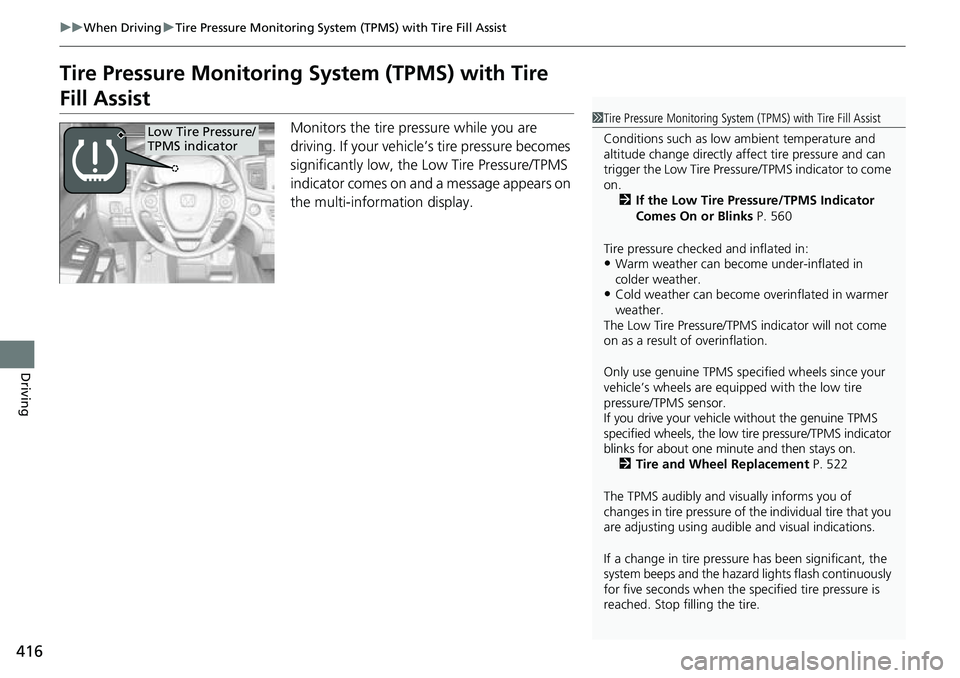
Monitors the tire pressure while you are
driving. If your vehicle’s tire pressure becomes
significantly low, the Low Tire Pressure/TPMS
indicator comes on and a message appears on
the multi-information display.1 Tire Pressure Monitoring System (TPMS) with Tire Fill Assist
Conditions such as low ambient temperature and
altitude change directly affect tire pressure and can
trigger the Low Tire Pressure/TPMS indicator to come
on. 2 If the Low Tire Pressure/TPMS Indicator
Comes On or Blinks P. 560
Tire pressure checked and inflated in:
•Warm weather can beco me under-inflated in
colder weather.
•Cold weather can become overinflated in warmer
weather.
The Low Tire Pressure/TPMS indicator will not come
on as a result of overinflation.
Only use genuine TPMS specified wheels since your
vehicle’s wheels are equipped with the low tire
pressure/TPMS sensor.
If you drive your vehicle without the genuine TPMS
specified wheels, the low ti re pressure/TPMS indicator
blinks for about one minute and then stays on. 2 Tire and Wheel Replacement P. 522
The TPMS audibly and visually informs you of
changes in tire pressure of the individual tire that you
are adjusting using audibl e and visual indications.
If a change in tire pressure has been significant, the
system beeps and the hazard lights flash continuously
for five seconds when the specified tire pressure is
reached. Stop filling the tire.
Low Tire Pressure/
TPMS indicator