honda link HONDA RIDGELINE 2023 Owners Manual
[x] Cancel search | Manufacturer: HONDA, Model Year: 2023, Model line: RIDGELINE, Model: HONDA RIDGELINE 2023Pages: 598, PDF Size: 12.34 MB
Page 4 of 598
Software End User License Agreement
Your vehicle comes equipped with software, which is governed by
the End User License Agreement in Owner’s Manual, and which
contains a binding arbitration clau se. Please refer to the End User
License Agreement for the terms and conditions governing your
use of the installed software, as well as the applications, services,
functions, and content provided through the software. Your use of
the installed software will serve as your consent to the terms and
conditions of the End User License Agreement.
You may opt out within 30 days of your initial use of the Software
by sending a signed, written notice to HONDA at American Honda
Motor Co., Inc., Honda Automobile Customer Service, Mail Stop
CHI-5, 1919 Torrance Blvd., Torrance, CA 90501-2746.
Privacy Notice
This vehicle may share location and usage information. To manage
this setting, visit www.hondalink.com/vehicle-data-choices .
To learn more about how we collect and use Personal
Information, please read our Privacy Policy, accessible
at www.honda.com .
Page 6 of 598
Contents
This owner’s manual should be considered a permanent part of the
vehicle and should remain with the vehicle when it is sold.
The Navigation Manual is available online at owners.honda.com
(U.S.) or honda.ca (Canada). If you are the first registered owner
of your vehicle, you may request a complimentary printed
copy of the Navigation Manual within the first six months of
vehicle purchase. To request a copy, visit owners.honda.com. In
Canada, please request a copy from your Honda dealer.
This owner’s manual covers all models of your vehicle. You may find
descriptions of equipment and features that are not on your
particular model.
Images throughout this owner’s ma nual (including the front cover)
represent features and equipment that are available on some, but
not all, models. Your particular mo del may not have some of these
features.
This owner’s manual is for vehicles sold in the United States and
Canada.
The information and specifications in cluded in this publication were
in effect at the time of approval for printing. Honda Motor Co., Ltd.
reserves the right, however, to discontinue or change specifications
or design at any time without notice and without incurring any
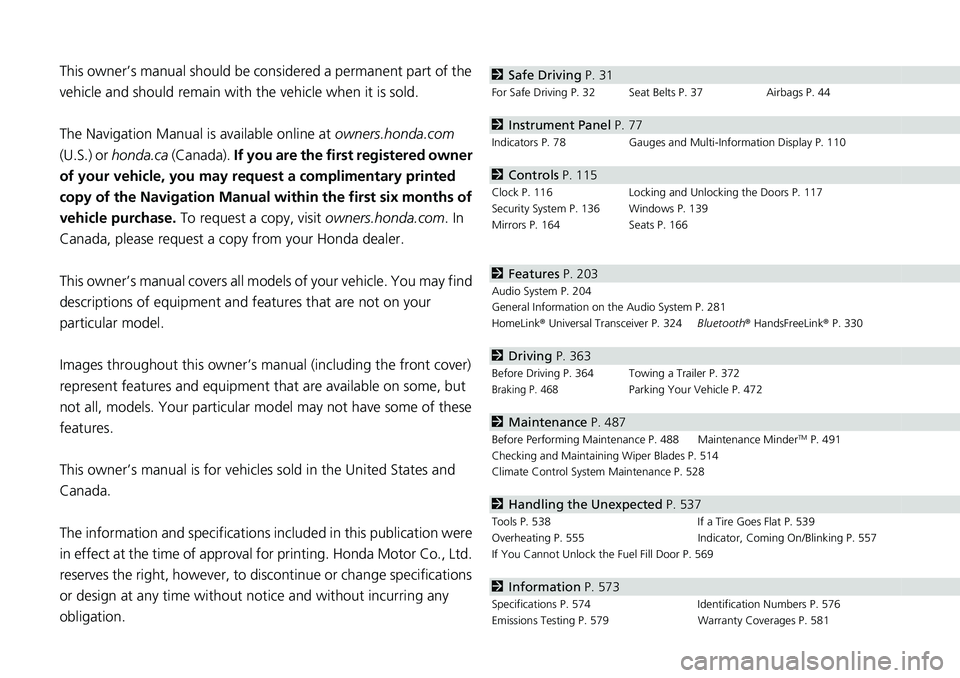
obligation.2 Safe Driving P. 31
For Safe Driving P. 32 Seat Belts P. 37 Airbags P. 44
2Instrument Panel P. 77
Indicators P. 78 Gauges and Multi-Information Display P. 110
2Controls P. 115
Clock P. 116 Locking and Unlocking the Doors P. 117
Security System P. 136 Windows P. 139
Mirrors P. 164 Seats P. 166
2Features P. 203
Audio System P. 204
General Information on the Audio System P. 281
HomeLink ® Universal Transceiver P. 324 Bluetooth® HandsFreeLink ® P. 330
2 Driving P. 363
Before Driving P. 364 Towing a Trailer P. 372
Braking P. 468Parking Your Vehicle P. 472
2Maintenance P. 487
Before Performing Maintenance P. 488 Maintenance MinderTM P. 491
Checking and Maintaining Wiper Blades P. 514
Climate Control System Maintenance P. 528
2Handling the Unexpected P. 537
Tools P. 538 If a Tire Goes Flat P. 539
Overheating P. 555 Indicator, Coming On/Blinking P. 557
If You Cannot Unlock the Fuel Fill Door P. 569
2 Information P. 573
Specifications P. 574 Identification Numbers P. 576
Emissions Testing P. 579 Warranty Coverages P. 581
Page 205 of 598
203
Features
This chapter describes how to operate technology features.
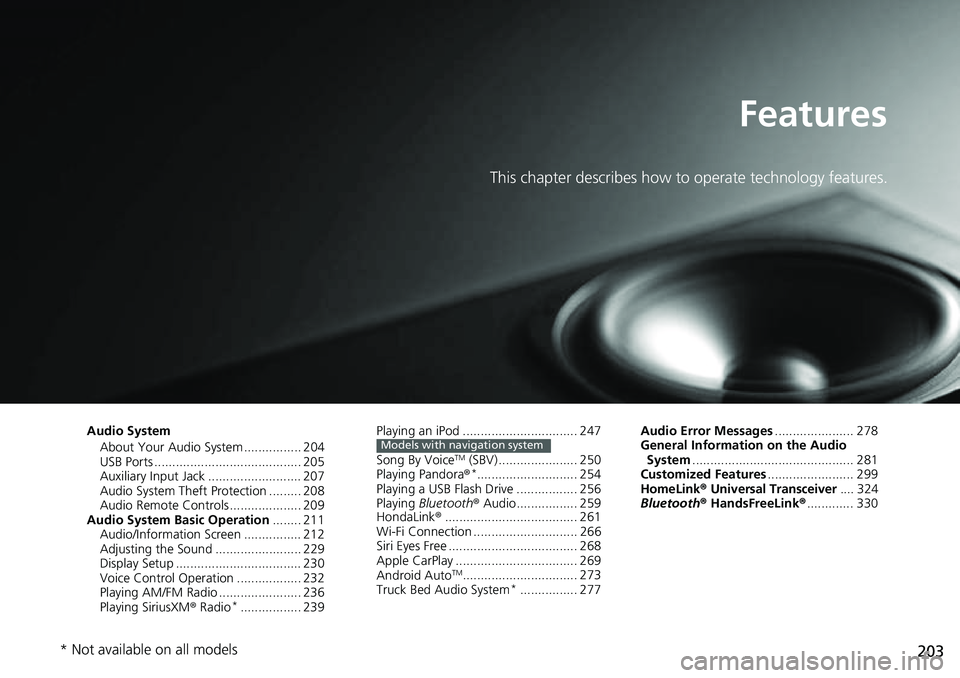
Audio SystemAbout Your Audio System ................ 204
USB Ports ......................................... 205
Auxiliary Input Jack .......................... 207
Audio System Theft Protection ......... 208
Audio Remote Controls .................... 209
Audio System Basic Operation ........ 211
Audio/Information Screen ................ 212
Adjusting the Sound ........................ 229
Display Setup ................................... 230
Voice Control Operation .................. 232
Playing AM/FM Radio ....................... 236
Playing SiriusXM ® Radio
*................. 239 Playing an iPod ................................ 247
Song By Voice
TM (SBV) ...................... 250
Playing Pandora ®*............................ 254
Playing a USB Flash Drive ................. 256
Playing Bluetooth ® Audio................. 259
HondaLink ®..................................... 261
Wi-Fi Connection ............................. 266
Siri Eyes Free .................................... 268
Apple CarPlay .................................. 269
Android Auto
TM................................ 273
Truck Bed Audio System*................ 277
Models with navigation systemAudio Error Messages ...................... 278
General Information on the Audio System ............................................. 281
Customized Features ........................ 299
HomeLink ® Universal Transceiver .... 324
Bluetooth® HandsFreeLink® ............. 330
* Not available on all models
Page 217 of 598
215
uuAudio System Basic Operation uAudio/Information Screen
Continued
Features
■HondaLink
Displays the HondaLink ® screen.
2HondaLink ® P. 261
■Apple CarPlay/Android Auto
Displays the Apple CarPlay or Android Auto screen.
2Apple CarPlay P. 269
2 Android AutoTM P. 273
■Truck Bed Audio*
Displays the Truck Bed Audio System screen.
2Truck Bed Audio System* P. 277
* Not available on all models
Page 226 of 598
uuAudio System Basic Operation uAudio/Information Screen
224
Features
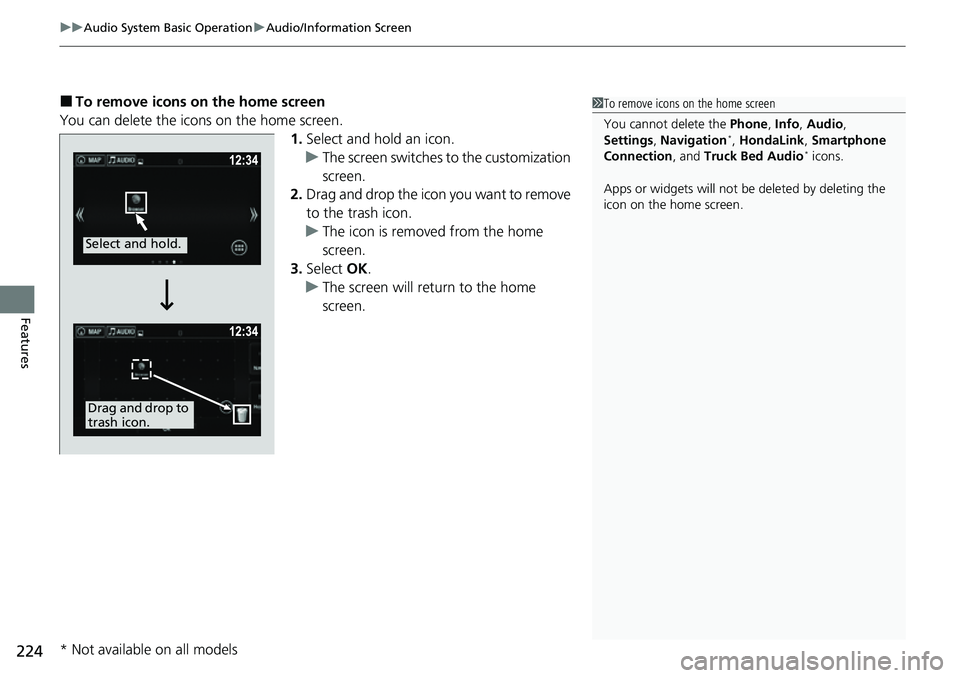
■To remove icons on the home screen
You can delete the icons on the home screen. 1.Select and hold an icon.
u The screen switches to the customization
screen.
2. Drag and drop the icon you want to remove
to the trash icon.
u The icon is removed from the home
screen.
3. Select OK.
u The screen will return to the home
screen.1To remove icons on the home screen
You cannot delete the Phone, Info, Audio ,
Settings , Navigation
*, HondaLink , Smartphone
Connection , and Truck Bed Audio* icons.
Apps or widgets will not be deleted by deleting the
icon on the home screen.
Select and hold.
Drag and drop to
trash icon.
* Not available on all models
Page 228 of 598
uuAudio System Basic Operation uAudio/Information Screen
226
Features
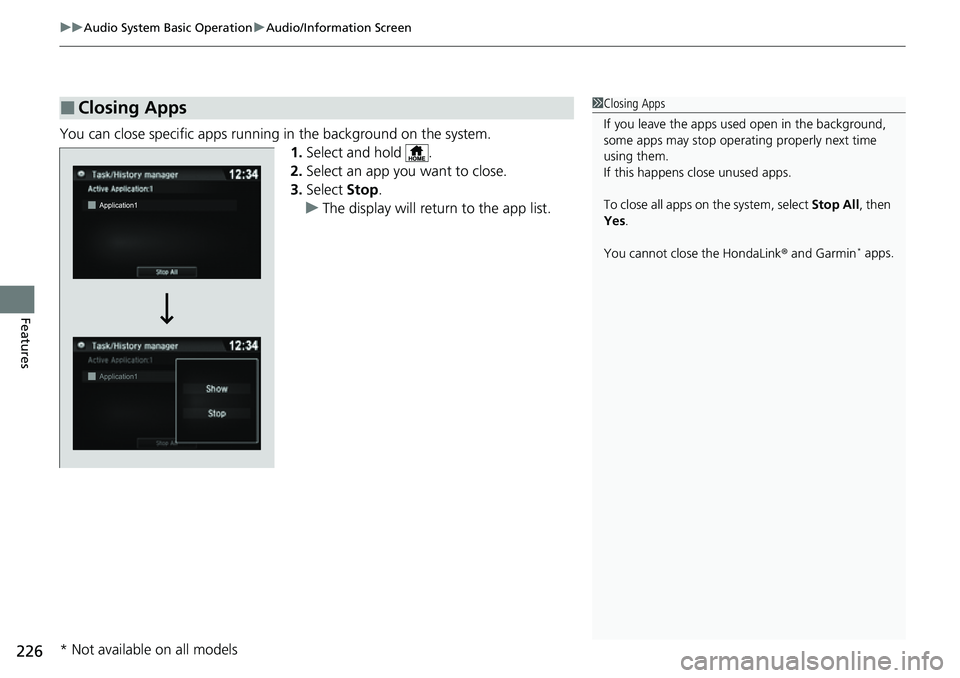
You can close specific apps running in the background on the system.
1.Select and hold .
2. Select an app you want to close.
3. Select Stop.
u The display will return to the app list.
■Closing Apps1Closing Apps
If you leave the apps used open in the background,
some apps may stop operati ng properly next time
using them.
If this happens close unused apps.
To close all apps on the system, select Stop All, then
Yes .
You cannot close the HondaLink ® and Garmin
* apps.
* Not available on all models
Page 229 of 598
Continued227
uuAudio System Basic Operation uAudio/Information Screen
Features
Some of the audio system’s apps can be updated wirelessly when connected via Wi-
Fi, or Bluetooth ® in conjunction with the HondaLink ® app installed on a compatible
iOS or Android device. If an update is available, the audio system beeps and a
notification is displayed at the top of the screen with the respective app’s update
icon.
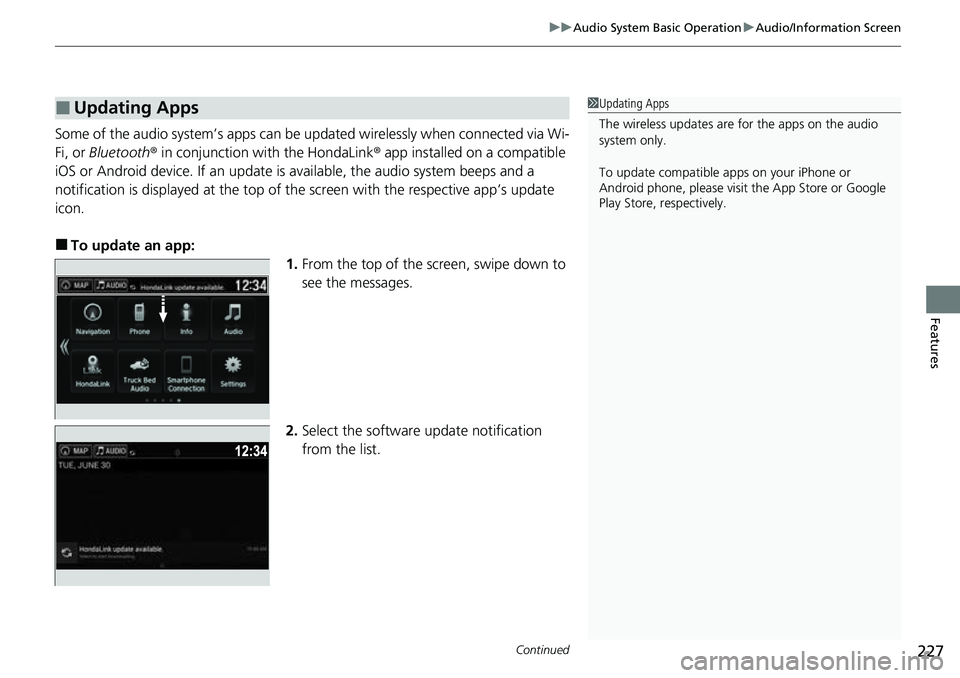
■To update an app: 1.From the top of the screen, swipe down to
see the messages.
2. Select the software update notification
from the list.
■Updating Apps1Updating Apps
The wireless updates are for the apps on the audio
system only.
To update compatible a pps on your iPhone or
Android phone, please visit the App Store or Google
Play Store, respectively.
Page 256 of 598
254
uuAudio System Basic Operation uPlaying Pandora ®*
Features
Playing Pandora ®*
Your audio system allows you to listen to music from the Pandora ® app on a
compatible smartphone.
This function is available when the phone is paired and connected to the vehicle’s
Bluetooth ® HandsFreeLink ® (HFL) system, or with an iPhone, you can connect using
your USB cable to the USB port.
2 Phone Setup P. 338
2 USB Ports P. 205
1Playing Pandora ®*
Pandora®, the Pandora logo, and the Pandora trade
dress are trademarks or registered trademarks of
Pandora Media, Inc., used with permission. Pandora
is only available in certai n countries. Visit the Pandora
website for more information.
To find out if your phone is compatible with this
feature, visit automobiles.honda.com/handsfreelink/ ,
or call 1-888-528-7876.
To use this service in your vehicle, the Pandora ® app
must first be installed on your phone. Visit
www.pandora.com for more information.
Pandora ® is free, personalized radio that plays music
and comedy you’ll love. Just start with the name of
one of your favorite arti sts, songs, comedians or
composers and Pandora ® will create a custom station
that plays similar tracks. Pandora ® also features
hundreds of genre stations ranging from Dubstep to
Smooth Jazz to Power Workout.
If you cannot operate Pandora ® through the audio
system, it may be streaming through Bluetooth®
Audio. Make sure Pandora ® mode on your audio
system is selected.
If your phone is connecte d to Android Auto, Pandora
will be availa ble only through the Android Auto
interface. Visit the Android Auto website to check
compatibility.
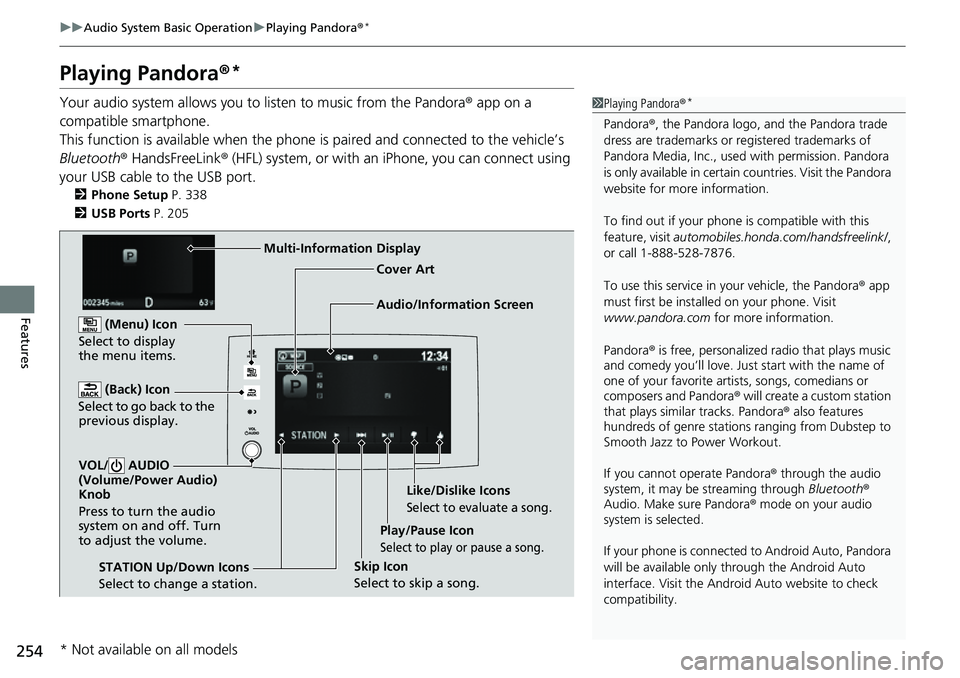
Audio/Information Screen Cover Art
(Back) Icon
Select t
o go back to the
previous display.
VOL/ AUDIO
(Volume/Power Audio)
Knob
Press to turn the audio
system on and off. Turn
to adjust the volume.
(Menu) Icon
Select to display
the menu items.
Play/Pause Icon
Select to play or pause a song.
STATION Up/Down Icons
Select to change a station. Skip Icon
Select to skip a song.Like/Dislike Icons
Select to evaluate a song.
Multi-Information Display
* Not available on all models
Page 261 of 598
259
uuAudio System Basic Operation uPlaying Bluetooth ® Audio
Continued
Features
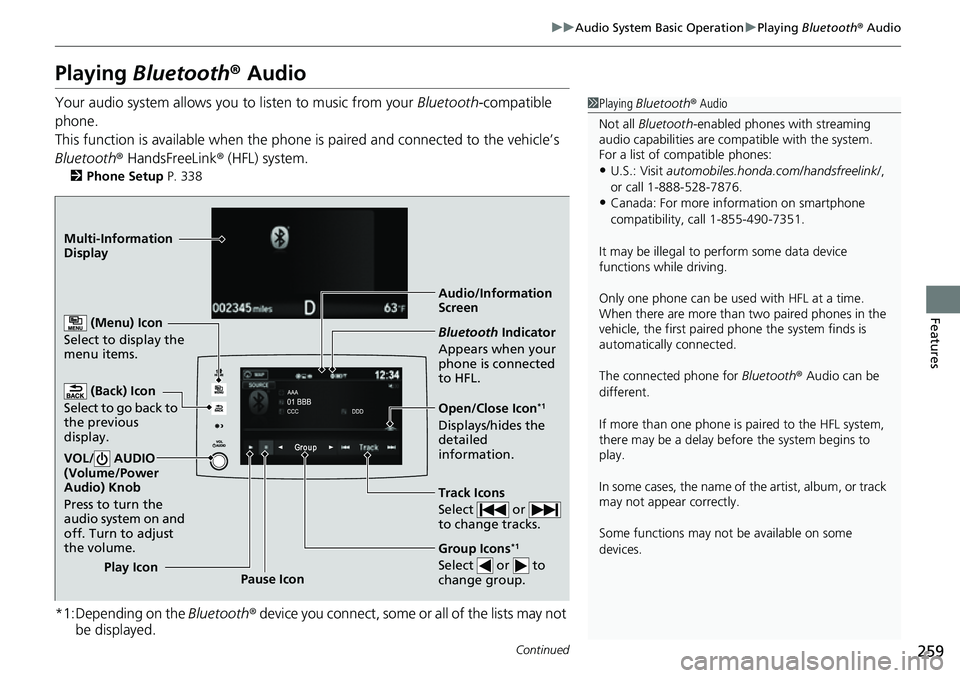
Playing Bluetooth ® Audio
Your audio system allows you to listen to music from your Bluetooth-compatible
phone.
This function is available when the phone is paired and connected to the vehicle’s
Bluetooth ® HandsFreeLink ® (HFL) system.
2Phone Setup P. 338
*1:Depending on the Bluetooth® device you connect, some or all of the lists may not
be displayed.
1 Playing Bluetooth ® Audio
Not all Bluetooth -enabled phones with streaming
audio capabilities are compatible with the system.
For a list of compatible phones:
•U.S.: Visit automobiles.honda.com/handsfreelink/ ,
or call 1-888-528-7876.
•Canada: For more info rmation on smartphone
compatibility, call 1-855-490-7351.
It may be illegal to perform some data device
functions while driving.
Only one phone can be used with HFL at a time.
When there are more than two paired phones in the
vehicle, the first paired phone the system finds is
automatically connected.
The connected phone for Bluetooth® Audio can be
different.
If more than one phone is paired to the HFL system,
there may be a delay before the system begins to
play.
In some cases, the name of the artist, album, or track
may not appear correctly.
Some functions may not be available on some
devices.
Audio/Information
Screen
(Back) Icon
Select to
go back to
the previous
display.
VOL/ AUDIO
(Volume/Power
Audio) Knob
Press to turn the
audio system on and
off. Turn to adjust
the volume.
(Menu) Icon
Select to display the
menu items.
Group Icons*1
Select or to
change group.Pause Icon
Play Icon
Bluetooth
Indicator
Appears when your
phone is connected
to HFL.
Track Icons
Select or
to change tracks.
Open/Close Icon*1
Displays/hides the
detailed
information.
Multi-Information
Dis
p
lay
Page 263 of 598
261
uuAudio System Basic Operation uHondaLink ®
Continued
Features
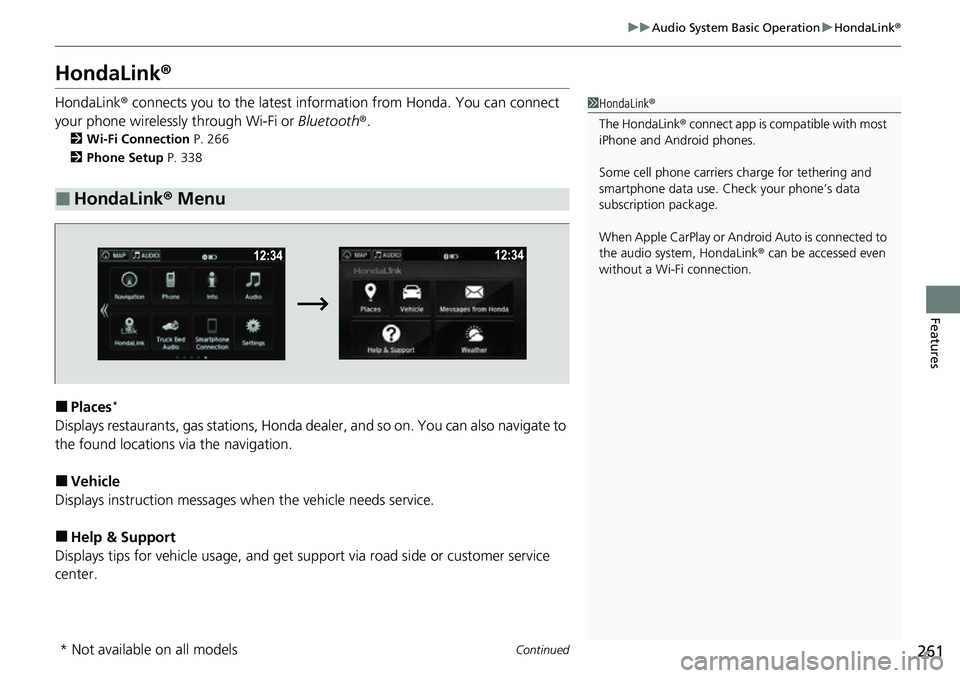
HondaLink ®
HondaLink® connects you to the latest info rmation from Honda. You can connect
your phone wirelessly through Wi-Fi or Bluetooth®.
2Wi-Fi Connection P. 266
2 Phone Setup P. 338
■Places*
Displays restaurants, gas stations, Honda dealer, and so on. You can also navigate to
the found locations via the navigation.
■Vehicle
Displays instruction messages when the vehicle needs service.
■Help & Support
Displays tips for vehicle us age, and get support via road side or customer service
center.
■HondaLink® Menu
1HondaLink ®
The HondaLink® connect app is compatible with most
iPhone and Android phones.
Some cell phone carriers charge for tethering and
smartphone data use. Check your phone’s data
subscription package.
When Apple CarPlay or Andr oid Auto is connected to
the audio system, HondaLink® can be accessed even
without a Wi-Fi connection.
* Not available on all models