service HUMMER H2 2004 Owner's Guide
[x] Cancel search | Manufacturer: HUMMER, Model Year: 2004, Model line: H2, Model: HUMMER H2 2004Pages: 472, PDF Size: 5.01 MB
Page 220 of 472
CD Messages
CHECK CD:If this message appears on the display, it
could be for one of the following reasons:
It is very hot. When the temperature returns to
normal, the CD should play.
You are driving on a very rough road. When the
road becomes smooth, the CD should play.
The CD is dirty, scratched, wet, or upside down.
The air is very humid. If so, wait about an hour and
try again.
There may have been a problem while burning
the CD.
The label may be caught in the CD player.
If the CD is not playing correctly, for any other reason,
try a known good CD.
If any error occurs repeatedly or if an error cannot be
corrected, contact your dealer. If your radio displays an
error message, write it down and provide it to your
dealer when reporting the problem.
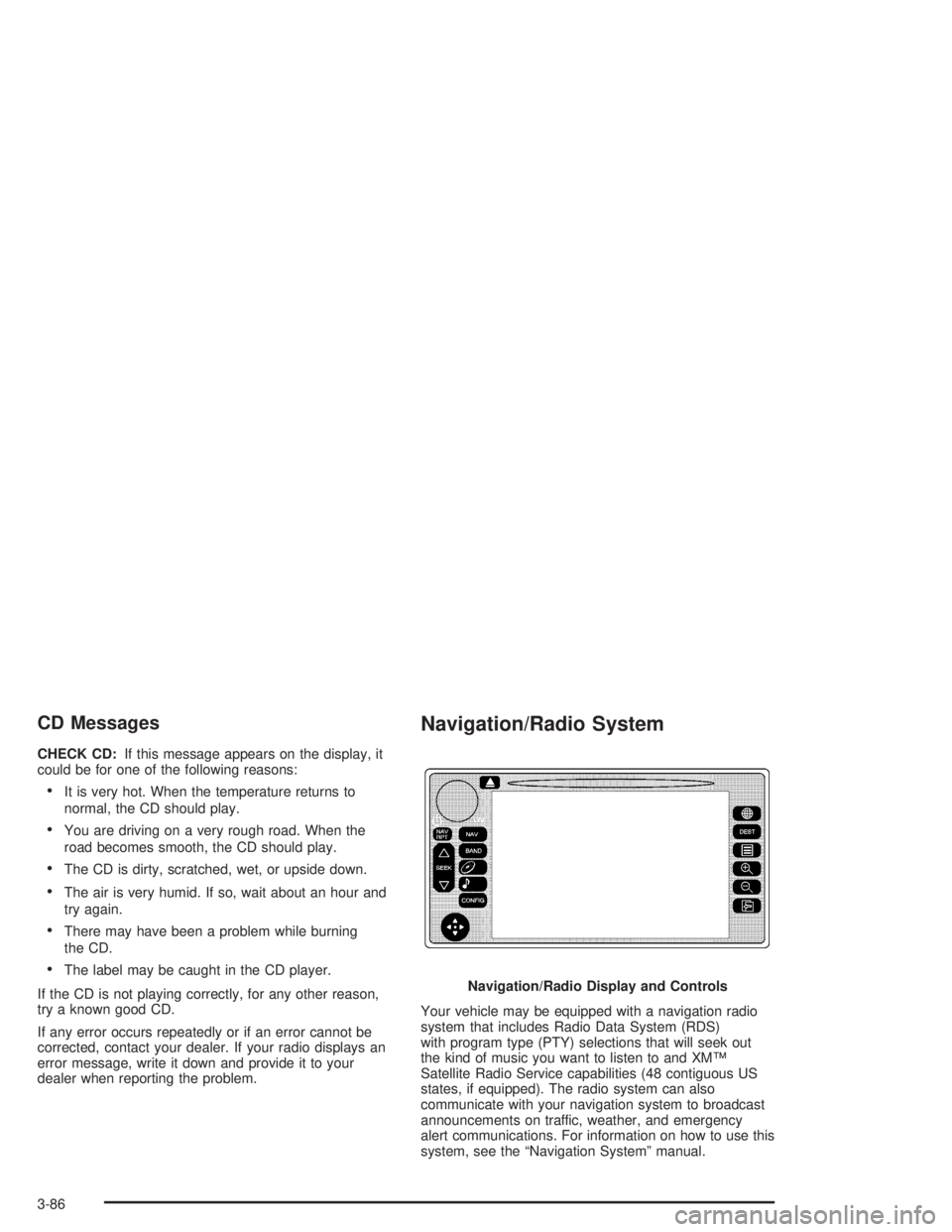
Navigation/Radio System
Your vehicle may be equipped with a navigation radio
system that includes Radio Data System (RDS)
with program type (PTY) selections that will seek out
the kind of music you want to listen to and XM™
Satellite Radio Service capabilities (48 contiguous US
states, if equipped). The radio system can also
communicate with your navigation system to broadcast
announcements on traffic, weather, and emergency
alert communications. For information on how to use this
system, see the “Navigation System” manual.Navigation/Radio Display and Controls
3-86
Page 225 of 472

When cleaning the cassette tape player with the
recommended non-abrasive cleaning cassette, it is
possible that the cassette may eject, because the cut
tape detection feature on your radio may recognize it as
a broken tape, in error. To prevent the cleaning
cassette from being ejected, use the following steps:
1. Turn the ignition on.
2. Turn the radio off.
3. Press and hold the TAPE DISC button for ve
seconds. READY will appear on the display and
the cassette symbol will ash for ve seconds.
4. Insert the scrubbing action cleaning cassette.
5. Eject the cleaning cassette after the manufacturer’s
recommended cleaning time.
When the cleaning cassette has been ejected, the cut
tape detection feature is active again.You may also choose a non-scrubbing action, wet-type
cleaner which uses a cassette with a fabric belt to
clean the tape head. This type of cleaning cassette will
not eject on its own. A non-scrubbing action cleaner
may not clean as thoroughly as the scrubbing type
cleaner. The use of a non-scrubbing action, dry-type
cleaning cassette is not recommended.
After you clean the player, press and hold the eject
button for ve seconds to reset the CLEAN indicator.
The radio will display --- or CLEANED to show the
indicator was reset.
Cassettes are subject to wear and the sound quality
may degrade over time. Always make sure the cassette
tape is in good condition before you have your tape
player serviced.
3-91
Page 236 of 472
Another feature of this system is the Traction Control 2
(TC2) mode. TC2 should be selected for improved
traction and system performance when the vehicle is on
loose surfaces such as deep sand or mud.
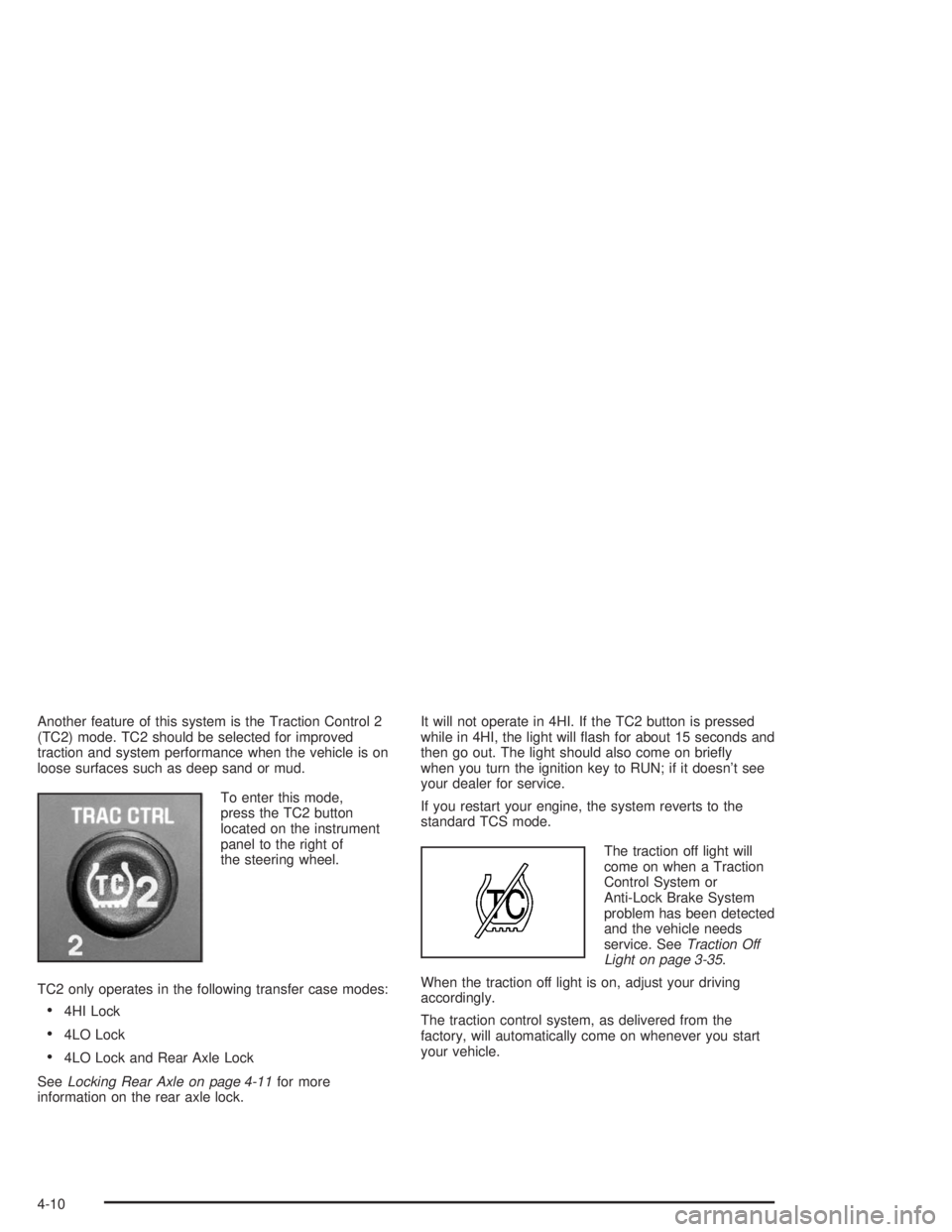
To enter this mode,
press the TC2 button
located on the instrument
panel to the right of
the steering wheel.
TC2 only operates in the following transfer case modes:
4HI Lock
4LO Lock
4LO Lock and Rear Axle Lock
SeeLocking Rear Axle on page 4-11for more
information on the rear axle lock.It will not operate in 4HI. If the TC2 button is pressed
while in 4HI, the light will ash for about 15 seconds and
then go out. The light should also come on briey
when you turn the ignition key to RUN; if it doesn’t see
your dealer for service.
If you restart your engine, the system reverts to the
standard TCS mode.
The traction off light will
come on when a Traction
Control System or
Anti-Lock Brake System
problem has been detected
and the vehicle needs
service. SeeTraction Off
Light on page 3-35.
When the traction off light is on, adjust your driving
accordingly.
The traction control system, as delivered from the
factory, will automatically come on whenever you start
your vehicle.
4-10
Page 243 of 472
Off-Road Driving
This off-road guide is meant to provide advice for when
you drive your vehicle off paved roads. Also, see
Braking on page 4-6.
Off-road driving can be great fun. But it does have
some denite hazards. The greatest of these is
the terrain itself.
“Off-roading” means you have left the great North
American road system behind. Traffic lanes are not
marked. Curves are not banked. There are no
road signs. Surfaces can be slippery, rough, uphill or
downhill. In short, you have gone right back to nature.
Off-road driving involves some new skills. And that
is why it is very important that you read this guide. You
will nd many driving tips and suggestions. These
will help make your off-road driving safer and more
enjoyable.
Before You Go Off-Roading
There are some things to do before you go out. For
example, be sure to have all necessary maintenance
and service work done. Check to make sure all
underbody shields are properly attached. Make sure any
equipment you may need (rst aid kit, cell phone,
ashlight, etc.) is securely stored in the vehicle. Be sure
you read all the information about your four-wheel-drive
vehicle in this manual. Is there enough fuel? Is the
spare tire fully inated? Are the uid levels up where
they should be? What are the local laws that apply
to off-roading where you will be driving? If you do not
know, you should check with law enforcement people in
the area. Will you be on someone’s private land? If
so, be sure to get the necessary permission.
4-17
Page 267 of 472

After Off-Road Driving
Remove any brush or debris that has collected on the
underbody, chassis or under the hood. These
accumulations can be a re hazard.
After operation in mud or sand, have the brake linings
cleaned and checked. These substances can cause
glazing and uneven braking. Check the engine and oil
coolers for mud accumulation. Thoroughly and carefully
clean these devices to allow proper cooling. Check
the body structure, steering, suspension, wheels, tires
and exhaust system for damage. Also, check the
fuel lines and cooling system for any leakage.
Your vehicle will require more frequent service due to
off-road use. Refer to the Maintenance Schedule
for additional information.
Driving at Night
Night driving is more dangerous than day driving.
One reason is that some drivers are likely to be
impaired — by alcohol or drugs, with night vision
problems, or by fatigue.
4-41
Page 274 of 472

Once you are moving on the freeway, make certain you
allow a reasonable following distance. Expect to
move slightly slower at night.
When you want to leave the freeway, move to the
proper lane well in advance. If you miss your exit, do
not, under any circumstances, stop and back up. Drive
on to the next exit.
The exit ramp can be curved, sometimes quite sharply.
The exit speed is usually posted.
Reduce your speed according to your speedometer, not
to your sense of motion. After driving for any distance
at higher speeds, you may tend to think you are
going slower than you actually are.Before Leaving on a Long Trip
Make sure you are ready. Try to be well rested. If you
must start when you are not fresh — such as after
a day’s work — do not plan to make too many miles that
rst part of the journey. Wear comfortable clothing
and shoes you can easily drive in.
Is your vehicle ready for a long trip? If you keep it
serviced and maintained, it is ready to go. If it needs
service, have it done before starting out. Of course,
you will nd experienced and able service experts in
GM dealerships all across North America. They will be
ready and willing to help if you need it.
4-48
Page 275 of 472
Here are some things you can check before a trip:
Windshield Washer Fluid:Is the reservoir full? Are
all windows clean inside and outside?
Wiper Blades:Are they in good shape?
Fuel, Engine Oil, Other Fluids:Have you checked
all levels?
Lamps:Are they all working? Are the lenses clean?
Tires:They are vitally important to a safe,
trouble-free trip. Is the tread good enough for
long-distance driving? Are the tires all inated to the
recommended pressure?
Weather Forecasts:What is the weather outlook
along your route? Should you delay your trip a
short time to avoid a major storm system?
Maps:Do you have up-to-date maps?
Highway Hypnosis
Is there actually such a condition as “highway
hypnosis”? Or is it just plain falling asleep at the wheel?
Call it highway hypnosis, lack of awareness, or
whatever.
There is something about an easy stretch of road with
the same scenery, along with the hum of the tires on the
road, the drone of the engine, and the rush of the
wind against the vehicle that can make you sleepy. Do
not let it happen to you! If it does, your vehicle can
leave the road inless than a second,and you could
crash and be injured.
What can you do about highway hypnosis? First, be
aware that it can happen.
Then here are some tips:
Make sure your vehicle is well ventilated, with a
comfortably cool interior.
Keep your eyes moving. Scan the road ahead and
to the sides. Check your mirrors and your
instruments frequently.
If you get sleepy, pull off the road into a rest,
service or parking area and take a nap, get some
exercise, or both. For safety, treat drowsiness
on the highway as an emergency.
4-49
Page 291 of 472
Towing
Towing Your Vehicle
Consult your dealer or a professional towing service if
you need to have your disabled vehicle towed. See
Roadside Assistance Program on page 7-5.
If you want to tow your vehicle behind another vehicle
for recreational purposes (such as behind a motorhome),
see “Recreational Vehicle Towing” following.
Recreational Vehicle Towing
Recreational vehicle towing means towing your vehicle
behind another vehicle – such as behind a motorhome.
The two most common types of recreational vehicle
towing are known as “dinghy towing” (towing your
vehicle with all four wheels on the ground) and “dolly
towing” (towing your vehicle with two wheels on
the ground and two wheels up on a device known
as a “dolly”).
With the proper preparation and equipment, many
vehicles can be towed in these ways. See “Dinghy
Towing” and “Dolly Towing,” following.Here are some important things to consider before you
do recreational vehicle towing:
What’s the towing capacity of the towing vehicle?
Be sure you read the tow vehicle manufacturer’s
recommendations.
How far will you tow? Some vehicles have
restrictions on how far and how long they can tow.
Do you have the proper towing equipment?
See your dealer or trailering professional for
additional advice and equipment recommendations.
Is your vehicle ready to be towed? Just as you
would prepare your vehicle for a long trip, you’ll
want to make sure your vehicle is prepared to be
towed. SeeBefore Leaving on a Long Trip on
page 4-48.
4-65
Page 300 of 472

Electronically Controlled Air
Suspension System
The electronically controlled air suspension, if equipped,
keeps the rear of your vehicle level as you load and
unload it. The system includes a compressor, two height
sensor and two air springs supporting the vehicle.
The engine must be running for the system to operate
and level the vehicle after loading or unloading. The
system will suspend leveling if any of the doors and/or
the liftgate are open. Once the doors are closed,
system leveling will continue.
You may hear the compressor running when you load
your vehicle, and periodically as the system adjusts
the vehicle to the standard ride height. You may
also hear the release of air similar to a hissing sound
during suspension operation. This is normal.
Load leveling will not function normally with the inator
hose attached to the inator outlet. Remove the
inater hose from the outlet when it is not in use. See
Accessory Inator on page 5-76.
Overload and Overheat Protection
Overload protection is designed to protect the air
suspension system and is an indication to the driver that
the vehicle is overloaded.
If the rear suspension remains at a low height, the rear
axle load has exceeded GAWR (Gross Axle Weight
Rating). When the overload protection mode is activated,
the compressor operates for about 30 seconds to one
minute without raising the vehicle depending on the
amount of overload. This will continue each time
the ignition is turned on until the rear axle load is
reduced below GAWR.
If the total rear GAWR (Gross Axle Weight Rating) is
reached, the suspension may be slightly less than level.
This is normal and does not mean there is a problem
with the air suspension.
If the system overheats, it will shut down and stop all
leveling functions until the system cools down.
During this time the SERVICE AIR SUSPENSION
message will appear in the DIC. SeeDriver Information
Center (DIC) on page 3-44for more information.
4-74
Page 310 of 472
When You Are Ready to Leave After
Parking on a Hill
1. Apply your regular brakes and hold the pedal down
while you:
start your engine,
shift into a gear, and
release the parking brake.
2. Let up on the brake pedal.
3. Drive slowly until the trailer is clear of the chocks.
4. Stop and have someone pick up and store the
chocks.
Maintenance When Trailer Towing
Your vehicle will need service more often when you’re
pulling a trailer. See the Maintenance Schedule for more
on this. Things that are especially important in trailer
operation are automatic transmission uid (don’t overll),
engine oil, axle lubricant, belts, cooling system and
brake system. Each of these is covered in this manual,
and the Index will help you nd them quickly. If
you’re trailering, it’s a good idea to review these sections
before you start your trip.
Check periodically to see that all hitch nuts and bolts
are tight.
Trailer Wiring Harness
Heavy-Duty Trailer Wiring Package
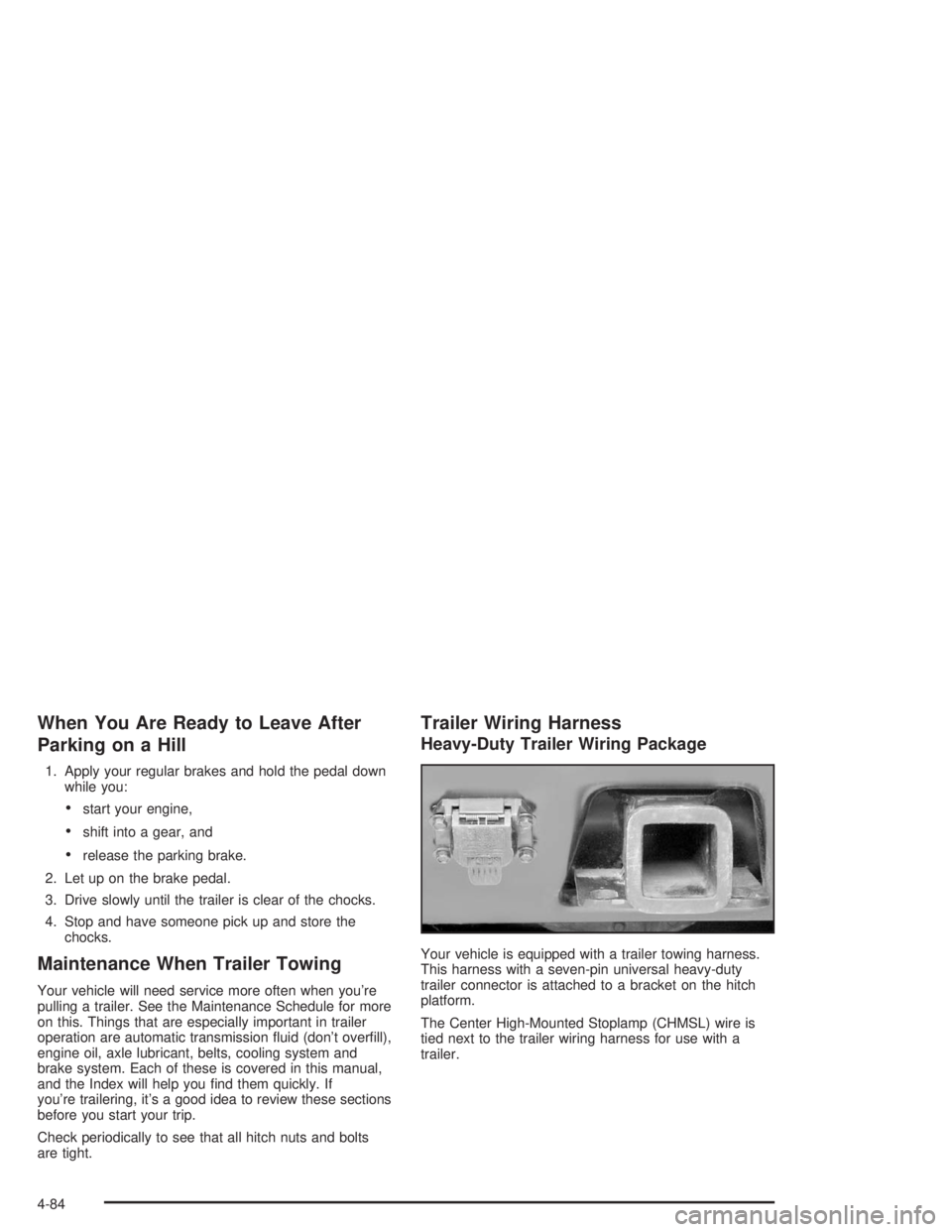
Your vehicle is equipped with a trailer towing harness.
This harness with a seven-pin universal heavy-duty
trailer connector is attached to a bracket on the hitch
platform.
The Center High-Mounted Stoplamp (CHMSL) wire is
tied next to the trailer wiring harness for use with a
trailer.
4-84