lock HUMMER H2 2004 Manual PDF
[x] Cancel search | Manufacturer: HUMMER, Model Year: 2004, Model line: H2, Model: HUMMER H2 2004Pages: 472, PDF Size: 5.01 MB
Page 227 of 472
Your Driving, the Road, and Your Vehicle..........4-2
Defensive Driving...........................................4-2
Drunken Driving.............................................4-3
Control of a Vehicle........................................4-6
Braking.........................................................4-6
Traction Control System (TCS).........................4-9
Locking Rear Axle........................................4-11
Steering......................................................4-12
Off-Road Recovery.......................................4-14
Passing.......................................................4-14
Loss of Control.............................................4-16
Off-Road Driving...........................................4-17
Driving at Night............................................4-41
Driving in Rain and on Wet Roads..................4-43
City Driving..................................................4-46
Freeway Driving...........................................4-47Before Leaving on a Long Trip.......................4-48
Highway Hypnosis........................................4-49
Hill and Mountain Roads................................4-50
Winter Driving..............................................4-52
If You Are Stuck: In Sand, Mud, Ice or Snow . . .4-56
Towing..........................................................4-65
Towing Your Vehicle.....................................4-65
Recreational Vehicle Towing...........................4-65
Loading Your Vehicle....................................4-67
Selectable Extended Rear Ride Height.............4-73
Electronically Controlled Air Suspension
System....................................................4-74
Trailer Recommendations...............................4-75
Towing a Trailer...........................................4-75
Section 4 Driving Your Vehicle
4-1
Page 233 of 472

Avoid needless heavy braking. Some people drive
in spurts — heavy acceleration followed by heavy
braking — rather than keeping pace with traffic. This is
a mistake. Your brakes may not have time to cool
between hard stops. Your brakes will wear out much
faster if you do a lot of heavy braking. If you keep pace
with the traffic and allow realistic following distances,
you will eliminate a lot of unnecessary braking.
That means better braking and longer brake life.
If your engine ever stops while you are driving, brake
normally but do not pump your brakes. If you do,
the pedal may get harder to push down. If your engine
stops, you will still have some power brake assist.
But you will use it when you brake. Once the power
assist is used up, it may take longer to stop and
the brake pedal will be harder to push.Anti-lock Brake System (ABS)
Your vehicle has anti-lock brakes. ABS is an advanced
electronic braking system that will help prevent a
braking skid.
When you start your engine and begin to drive away,
your anti-lock brake system will check itself. You
may hear a momentary motor or clicking noise while
this test is going on. This is normal.
If there is a problem with
the anti-lock brake system,
this warning light will
stay on. SeeAnti-Lock
Brake System Warning
Light on page 3-34.
4-7
Page 234 of 472

Let us say the road is wet and you are driving safely.
Suddenly, an animal jumps out in front of you. You slam
on the brakes and continue braking. Here is what
happens with ABS:
A computer senses that wheels are slowing down. If
one of the wheels is about to stop rolling, the computer
will separately work the brakes at each front wheel
and at both rear wheels.The anti-lock system can change the brake pressure
faster than any driver could. The computer is
programmed to make the most of available tire and road
conditions. This can help you steer around the obstacle
while braking hard.
As you brake, your computer keeps receiving updates
on wheel speed and controls braking pressure
accordingly.
4-8
Page 235 of 472
Remember: Anti-lock does not change the time you
need to get your foot up to the brake pedal or always
decrease stopping distance. If you get too close to
the vehicle in front of you, you will not have time to apply
your brakes if that vehicle suddenly slows or stops.
Always leave enough room up ahead to stop, even
though you have anti-lock brakes.
Using Anti-Lock
Do not pump the brakes. Just hold the brake pedal
down rmly and let anti-lock work for you. You may feel
the brakes vibrate, or you may notice some noise,
but this is normal.
Braking in Emergencies
With anti-lock, you can steer and brake at the same
time. In many emergencies, steering can help you more
than even the very best braking.
Traction Control System (TCS)
Your vehicle has a Traction Control System (TCS) that
limits wheel spin. This is especially useful in slippery
road conditions. The system operates only if it senses
that any of the wheels are spinning or beginning to lose
traction. When this happens, the system applies the
brakes to limit wheel spin.
The Traction Control System may operate on dry roads
under some conditions. When this happens, you
may notice a reduction in acceleration or a pumping
sound. This is normal and doesn’t mean there’s a
problem with your vehicle. Examples of these conditions
include hard acceleration in a turn, an abrupt upshift
or downshift of the transmission or driving on
rough roads.
If your vehicle is in cruise control when the TCS begins
to limit wheel spin, the cruise control will automatically
disengage. When road conditions allow you to safely
use it again, you may re-engage the cruise control. See
“Cruise Control” underTurn Signal/Multifunction
Lever on page 3-6.
4-9
Page 236 of 472
Another feature of this system is the Traction Control 2
(TC2) mode. TC2 should be selected for improved
traction and system performance when the vehicle is on
loose surfaces such as deep sand or mud.
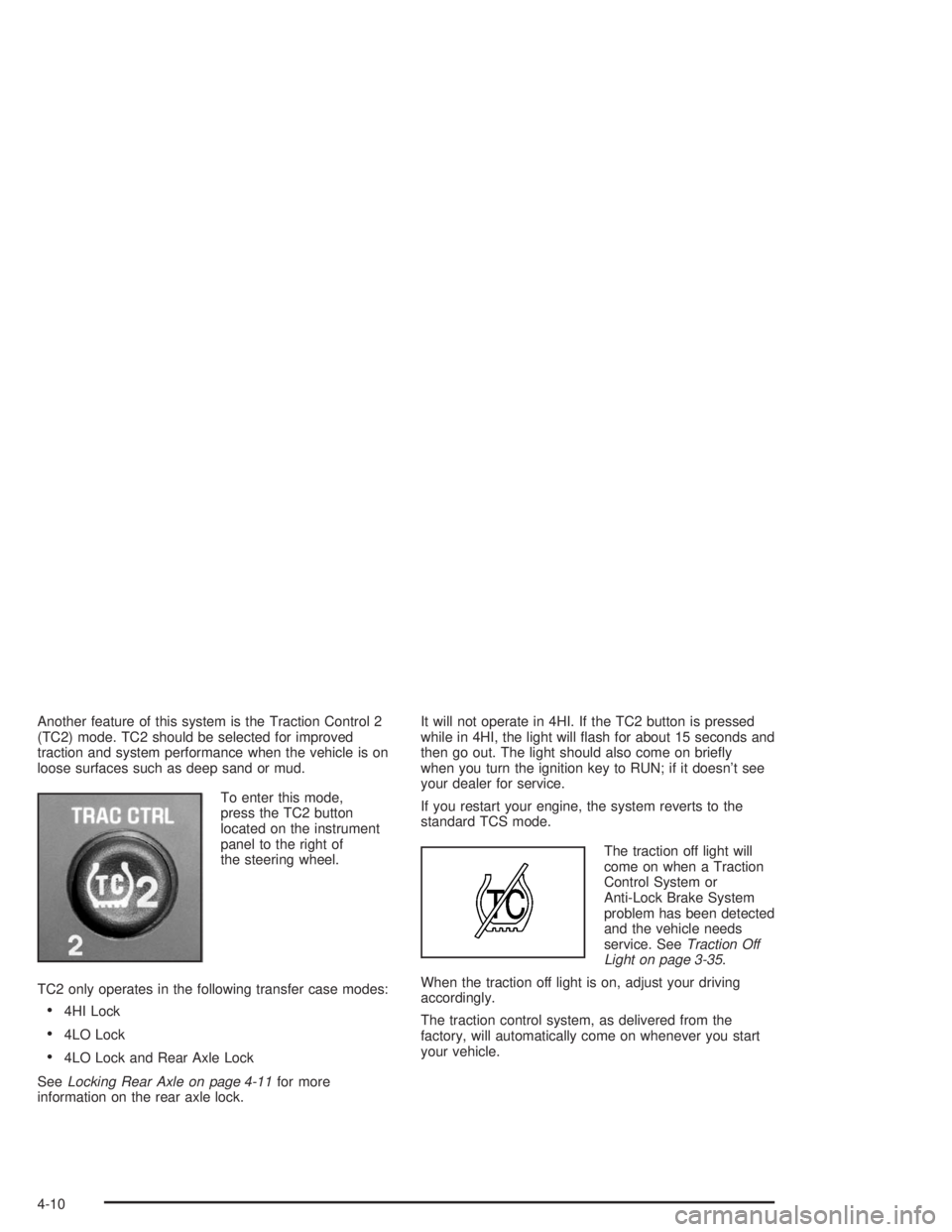
To enter this mode,
press the TC2 button
located on the instrument
panel to the right of
the steering wheel.
TC2 only operates in the following transfer case modes:
4HI Lock
4LO Lock
4LO Lock and Rear Axle Lock
SeeLocking Rear Axle on page 4-11for more
information on the rear axle lock.It will not operate in 4HI. If the TC2 button is pressed
while in 4HI, the light will ash for about 15 seconds and
then go out. The light should also come on briey
when you turn the ignition key to RUN; if it doesn’t see
your dealer for service.
If you restart your engine, the system reverts to the
standard TCS mode.
The traction off light will
come on when a Traction
Control System or
Anti-Lock Brake System
problem has been detected
and the vehicle needs
service. SeeTraction Off
Light on page 3-35.
When the traction off light is on, adjust your driving
accordingly.
The traction control system, as delivered from the
factory, will automatically come on whenever you start
your vehicle.
4-10
Page 237 of 472

Locking Rear Axle
The locking rear axle can give your vehicle additional
traction from the rear wheels when traveling in off-road
situations such as mud, snow, sand, steep hills and
uneven terrain.
The button used to turn
this feature on or off is
located above the transfer
case buttons to the
right of the steering wheel.
To lock the rear axle, do the following:
1. Place the transfer case in the 4LO Lock mode. This
is the only mode which will allow the rear axle to
lock. SeeAll-Wheel Drive on page 2-25for
more information regarding the transfer case and
4LO Lock mode.
2. Press the button with the vehicle stopped or moving
less than 2 mph (3 km/h).You must wait for the light in the button to stop ashing
and remain illuminated before the rear axle is locked.
Notice:If you try to lock the rear axle while
your vehicle is stuck and the tires are spinning, you
could damage your vehicle’s drivetrain. The
repairs would not be covered by your warranty.
Always lock the rear axle before attempting
situations and/or navigating terrain which could
possibly cause the vehicle to become stuck.
The locking rear axle will be disengaged when the
vehicle’s speed is greater than 20 mph (32 km/h), if the
vehicle’s battery is low and/or the transfer case is
shifted out of 4LO Lock mode.
Notice:If you lock the rear axle while driving on
pavement, you could damage your vehicle’s
drivetrain. The repairs would not be covered by
your warranty. Do not use the locking rear axle on
pavement. If you need four-wheel drive when
traveling on pavement, use only 4HI.
4-11
Page 239 of 472

Steering in Emergencies
There are times when steering can be more effective
than braking. For example, you come over a hill and nd
a truck stopped in your lane, or a car suddenly pulls
out from nowhere, or a child darts out from between
parked cars and stops right in front of you. You
can avoid these problems by braking — if you can stop
in time. But sometimes you can not; there is not
room. That is the time for evasive action — steering
around the problem.
Your vehicle can perform very well in emergencies like
these. First apply your brakes. SeeBraking on
page 4-6. It is better to remove as much speed as you
can from a possible collision. Then steer around the
problem, to the left or right depending on the space
available.An emergency like this requires close attention and a
quick decision. If you are holding the steering wheel at
the recommended 9 and 3 o’clock positions, you
can turn it a full 180 degrees very quickly without
removing either hand. But you have to act fast, steer
quickly, and just as quickly straighten the wheel
once you have avoided the object.
The fact that such emergency situations are always
possible is a good reason to practice defensive driving
at all times and wear safety belts properly.
4-13
Page 242 of 472

Loss of Control
Let us review what driving experts say about what
happens when the three control systems (brakes,
steering and acceleration) do not have enough friction
where the tires meet the road to do what the driver
has asked.
In any emergency, do not give up. Keep trying to
steer and constantly seek an escape route or area of
less danger.
Skidding
In a skid, a driver can lose control of the vehicle.
Defensive drivers avoid most skids by taking reasonable
care suited to existing conditions, and by not
“overdriving” those conditions. But skids are always
possible.
The three types of skids correspond to your vehicle’s
three control systems. In the braking skid, your wheels
are not rolling. In the steering or cornering skid, too
much speed or steering in a curve causes tires to slip
and lose cornering force. And in the acceleration
skid, too much throttle causes the driving wheels
to spin.
A cornering skid is best handled by easing your foot off
the accelerator pedal.If your vehicle starts to slide, ease your foot off the
accelerator pedal and quickly steer the way you want
the vehicle to go. If you start steering quickly enough,
your vehicle may straighten out. Always be ready
for a second skid if it occurs.
Of course, traction is reduced when water, snow, ice,
gravel or other material is on the road. For safety,
you will want to slow down and adjust your driving to
these conditions. It is important to slow down on slippery
surfaces because stopping distance will be longer and
vehicle control more limited.
While driving on a surface with reduced traction, try
your best to avoid sudden steering, acceleration
or braking (including engine braking by shifting to a
lower gear). Any sudden changes could cause the tires
to slide. You may not realize the surface is slippery
until your vehicle is skidding. Learn to recognize warning
clues — such as enough water, ice or packed snow
on the road to make a “mirrored surface” — and slow
down when you have any doubt.
Remember: Any anti-lock brake system (ABS) helps
avoid only the braking skid.
4-16
Page 246 of 472

5. Hand-tighten the knob by turning it clockwise until it
is seated against the rocker panel protector bracket
and then tighten it to 10 lb ft (13.5Y) with a
wrench as shown.6. Once the knob is
torqued, install the
cotter pin through the
hole (see arrow) in
the end of the knob’s
threaded shaft.
This will help prevent the knob from coming completely
loose and falling out.
4-20
Page 247 of 472

Tubular Assist Steps
The driver’s side of the vehicle is shown with the body
removed for clarity. To remove a step:
1. Remove the nuts and bolts attaching the step to the
vehicle.
2. Remove the step from the vehicle.To install a step:
1. Before installing the bolts:
Remove all traces of the original adhesive patch.
Clean the threads of the bolts with denatured
alcohol or equivalent and allow threads to dry.
Apply Threadlocker (GM Part No. 12345382, in
Canada 10953489) or equivalent.
2. Install the assist step to the vehicle. You may need
someone to assist you in the installation.
3. Install the nuts and bolts for the two inner brackets
rst, but do not tighten them.
4. Using a level, make sure the step is level in
relationship to the vehicle. Then, tighten the
inner bracket nuts and bolts.
5. Install the other nuts and bolts. Tighten all nuts and
bolts to 39 lb ft (50Y).
4-21