engine oil HUMMER H2 2005 Owners Manual
[x] Cancel search | Manufacturer: HUMMER, Model Year: 2005, Model line: H2, Model: HUMMER H2 2005Pages: 468, PDF Size: 3.21 MB
Page 104 of 468
To Use the Engine Coolant Heater
1. Turn off the engine.
2. Locate the electrical cord near the front recovery
loop on the driver’s side of the vehicle.
3. Plug it into a normal, grounded 110-volt AC outlet.
{CAUTION:
Plugging the cord into an ungrounded outlet
could cause an electrical shock. Also, the
wrong kind of extension cord could overheat
and cause a re. You could be seriously
injured. Plug the cord into a properly grounded
three-prong 110-volt AC outlet. If the cord will
not reach, use a heavy-duty three-prong
extension cord rated for at least 15 amps.
4. Before starting the engine, be sure to unplug and
store the cord as it was before to keep it away
from moving engine parts. If you do not, it could be
damaged.How long should you keep the coolant heater plugged
in? The answer depends on the outside temperature, the
kind of oil you have, and some other things. Instead
of trying to list everything here, we ask that you contact
your dealer in the area where you will be parking
your vehicle. The dealer can give you the best advice
for that particular area.
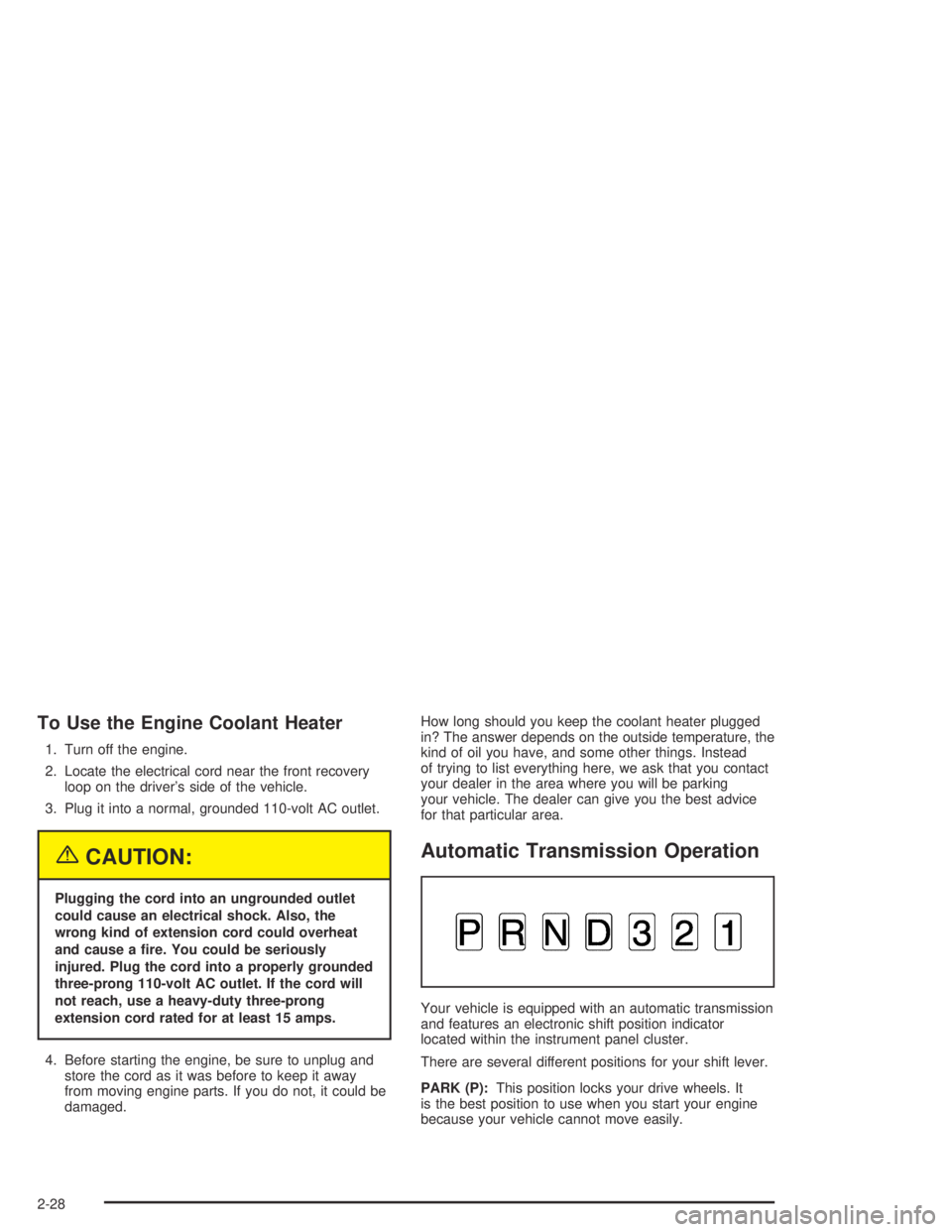
Automatic Transmission Operation
Your vehicle is equipped with an automatic transmission
and features an electronic shift position indicator
located within the instrument panel cluster.
There are several different positions for your shift lever.
PARK (P):This position locks your drive wheels. It
is the best position to use when you start your engine
because your vehicle cannot move easily.
2-28
Page 141 of 468
Instrument Panel Overview...............................3-4
Hazard Warning Flashers................................3-6
Other Warning Devices...................................3-6
Horn.............................................................3-6
Tilt Wheel.....................................................3-6
Turn Signal/Multifunction Lever.........................3-7
Turn and Lane-Change Signals........................3-7
Headlamp High/Low-Beam Changer..................3-8
Flash-to-Pass.................................................3-8
Windshield Wipers..........................................3-9
Windshield Washer.........................................3-9
Cruise Control..............................................3-10
Exterior Lamps.............................................3-13
Headlamps on Reminder................................3-14
Daytime Running Lamps................................3-14
Automatic Headlamp System..........................3-15
Off-Road Lamps...........................................3-16
Instrument Panel Brightness...........................3-16
Dome Lamps...............................................3-17
Entry/Exit Lighting.........................................3-17
Reading Lamps............................................3-17
Battery Run-Down Protection..........................3-17
Accessory Power Outlets...............................3-18
Ashtrays and Cigarette Lighter.........................3-18Climate Controls............................................3-19
Dual Automatic Climate Control System...........3-19
Outlet Adjustment.........................................3-25
Climate Controls Personalization.....................3-25
Warning Lights, Gages, and Indicators............3-26
Instrument Panel Cluster................................3-27
Speedometer and Odometer...........................3-28
Tachometer.................................................3-28
Safety Belt Reminder Light.............................3-28
Airbag Readiness Light..................................3-29
Airbag Off Light............................................3-30
Charging System Light..................................3-31
Voltmeter Gage............................................3-32
Brake System Warning Light..........................3-32
Anti-Lock Brake System Warning Light.............3-34
Traction Off Light..........................................3-34
Engine Coolant Temperature Gage..................3-35
Transmission Temperature Gage.....................3-35
Malfunction Indicator Lamp.............................3-37
Oil Pressure Gage........................................3-40
Security Light...............................................3-41
Cruise Control Light......................................3-41
Highbeam On Light.......................................3-41
Tow/Haul Mode Light....................................3-42
Section 3 Instrument Panel
3-1
Page 180 of 468

Oil Pressure Gage
The oil pressure gage shows the engine oil pressure in
psi (pounds per square inch) when the engine is
running. Canadian vehicles indicate pressure in kPa
(kilopascals).
Oil pressure may vary with engine speed, outside
temperature and oil viscosity, but readings above the
low pressure zone indicate the normal operating range.
A reading in the low pressure zone may be caused
by a dangerously low oil level or some other problem
causing low oil pressure. Check your oil as soon
as possible. SeeEngine Oil on page 5-13.
{CAUTION:
Do not keep driving if the oil pressure is low. If
you do, your engine can become so hot that it
catches re. You or others could be burned.
Check your oil as soon as possible and have
your vehicle serviced.
Notice:Lack of proper engine oil maintenance may
damage the engine. The repairs would not be
covered by your warranty. Always follow the
maintenance schedule in this manual for changing
engine oil. United States
Canada
3-40
Page 183 of 468
Here are some situations you may experience with your
fuel gage. None of these indicate a problem with the
fuel gage.
At the gas station, the fuel pump shuts off before
the gage reads full.
It takes a little more or less fuel to ll up than the
fuel gage indicated. For example, the gage may
have indicated the tank was half full, but it actually
took a little more or less than half the tank’s
capacity to ll the tank.
The gage goes back to empty when you turn off the
ignition.
Low Fuel Warning Light
The light next to the fuel gage will come on briey when
you are starting the engine.
This light comes on when the fuel tank is low on fuel.
To turn it off, add fuel to the fuel tank. SeeFuel on
page 5-5.
Driver Information Center (DIC)
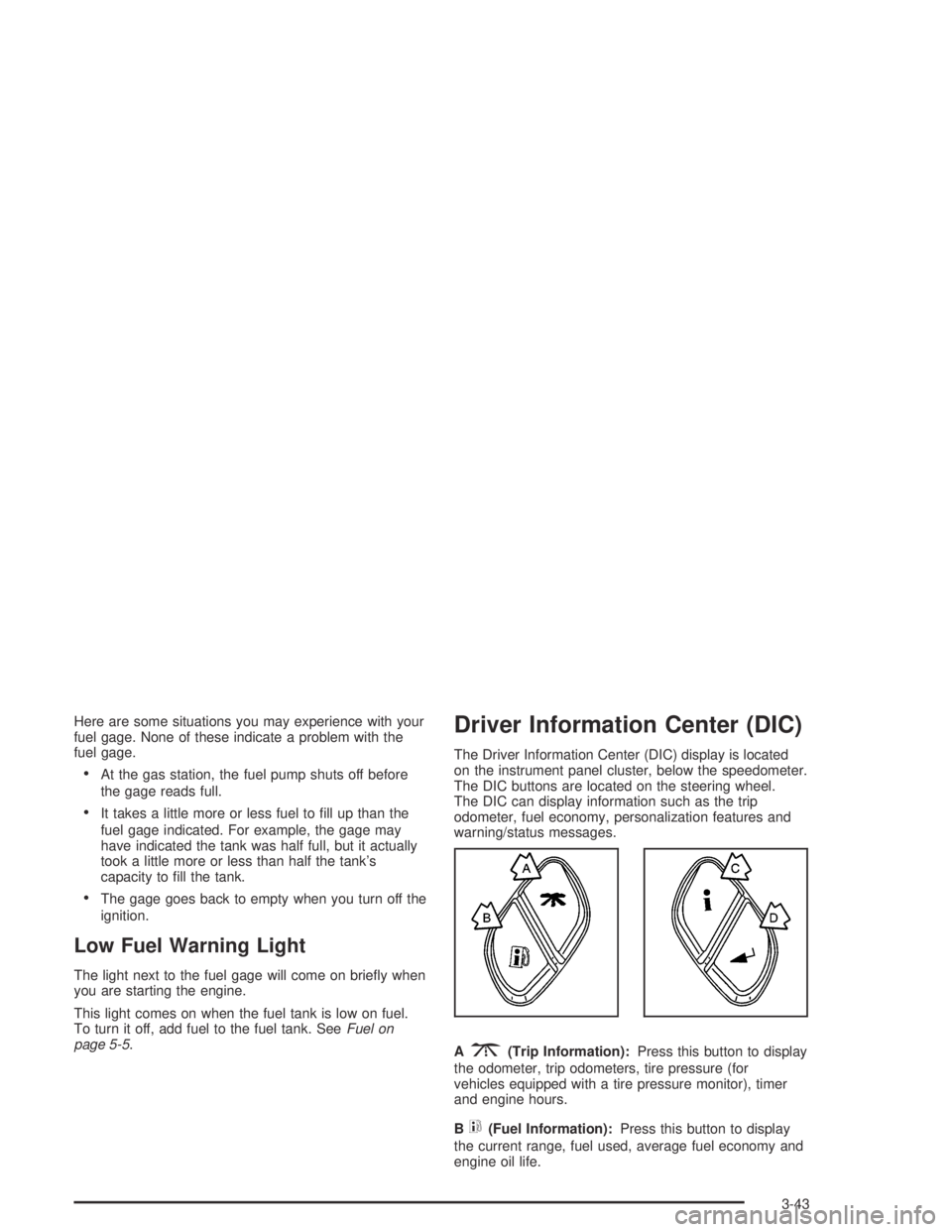
The Driver Information Center (DIC) display is located
on the instrument panel cluster, below the speedometer.
The DIC buttons are located on the steering wheel.
The DIC can display information such as the trip
odometer, fuel economy, personalization features and
warning/status messages.
A
3(Trip Information):Press this button to display
the odometer, trip odometers, tire pressure (for
vehicles equipped with a tire pressure monitor), timer
and engine hours.
B
t(Fuel Information):Press this button to display
the current range, fuel used, average fuel economy and
engine oil life.
3-43
Page 184 of 468
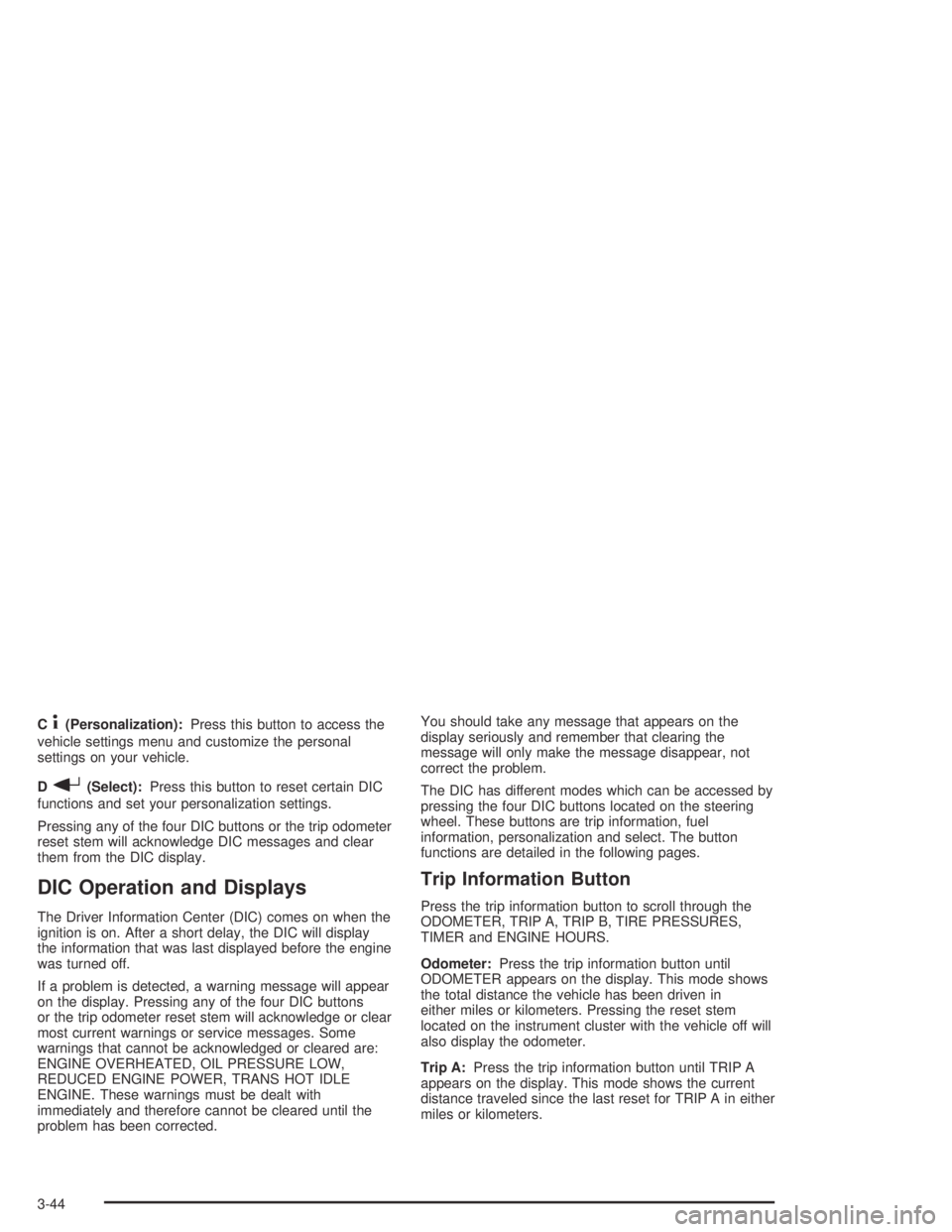
C4(Personalization):Press this button to access the
vehicle settings menu and customize the personal
settings on your vehicle.
D
r(Select):Press this button to reset certain DIC
functions and set your personalization settings.
Pressing any of the four DIC buttons or the trip odometer
reset stem will acknowledge DIC messages and clear
them from the DIC display.
DIC Operation and Displays
The Driver Information Center (DIC) comes on when the
ignition is on. After a short delay, the DIC will display
the information that was last displayed before the engine
was turned off.
If a problem is detected, a warning message will appear
on the display. Pressing any of the four DIC buttons
or the trip odometer reset stem will acknowledge or clear
most current warnings or service messages. Some
warnings that cannot be acknowledged or cleared are:
ENGINE OVERHEATED, OIL PRESSURE LOW,
REDUCED ENGINE POWER, TRANS HOT IDLE
ENGINE. These warnings must be dealt with
immediately and therefore cannot be cleared until the
problem has been corrected.You should take any message that appears on the
display seriously and remember that clearing the
message will only make the message disappear, not
correct the problem.
The DIC has different modes which can be accessed by
pressing the four DIC buttons located on the steering
wheel. These buttons are trip information, fuel
information, personalization and select. The button
functions are detailed in the following pages.
Trip Information Button
Press the trip information button to scroll through the
ODOMETER, TRIP A, TRIP B, TIRE PRESSURES,
TIMER and ENGINE HOURS.
Odometer:Press the trip information button until
ODOMETER appears on the display. This mode shows
the total distance the vehicle has been driven in
either miles or kilometers. Pressing the reset stem
located on the instrument cluster with the vehicle off will
also display the odometer.
Trip A:Press the trip information button until TRIP A
appears on the display. This mode shows the current
distance traveled since the last reset for TRIP A in either
miles or kilometers.
3-44
Page 186 of 468
Fuel Information Button
Press the fuel information button to scroll through the
range, fuel used, average fuel economy and the Engine
Oil Life System.
Fuel Range:Press the fuel information button until
RANGE appears on the display. This mode shows the
remaining distance you can drive without refueling. It is
based on fuel economy and the fuel remaining in the
tank. The display will show LOW if the fuel level is low.
The fuel economy data used to determine fuel range is an
average of recent driving conditions. As your driving
conditions change, this data is gradually updated. Fuel
range cannot be reset.
Fuel Used:Press the fuel information button until
FUEL USED appears on the display. This mode shows
the number of gallons or liters of fuel used since the
last reset of this menu item. To reset the fuel used
information, press and hold the select button for one
second while FUEL USED is displayed.
Average Fuel Economy:Press the fuel information
button until AVG ECON appears on the display.
This mode shows how many miles per gallon (MPG) or
liters per 100 kilometers (L/100 km) your vehicle is
getting based on current and past driving conditions.Press and hold the select button for one second while
AVG ECON is displayed to reset the average fuel
economy. Average fuel economy will then be calculated
starting from that point. If the average fuel economy is not
reset, it will be continually updated each time you drive.
Engine Oil Life System:Press the fuel information
button until ENGINE OIL LIFE appears on the display.
The Engine Oil Life System shows an estimate of
the oil’s remaining useful life. It will show 100% when
the system is reset after an oil change. It will alert you to
change your oil on a schedule consistent with your
driving conditions.
Always reset the engine oil life after an oil change. To
reset the Engine Oil Life System, use the fuel button
to reach the ENGINE OIL LIFE screen and then press
and hold the select button for ve seconds while
ENGINE OIL LIFE is displayed. OIL LIFE RESET will
appear on the display for 10 seconds to let you know the
system is reset. SeeEngine Oil Life System on
page 5-16for more information.
In addition to the Engine Oil Life System monitoring the
oil life, additional maintenance is recommended in
the Maintenance Schedule in this manual. SeeEngine
Oil on page 5-13andScheduled Maintenance on
page 6-4.
3-46
Page 187 of 468
Personalization Button
Press the personalization button to access the VEHICLE
SETTINGS menu and customize the personalization
settings to your vehicle. SeeDIC Vehicle Personalization
on page 3-54for more information.
Select Button
Press the select button to reset certain DIC functions
and set your personalization settings. For example, this
button will reset the trip odometers and scroll through
the languages you can select the DIC to display
information in.
DIC Warnings and Messages
Warning messages are displayed on the Driver
Information Center (DIC) to notify the driver that the
status of the vehicle has changed and that some action
may be needed by the driver to correct the condition.
If there is more than one message that needs to
be displayed they will appear one after another. Some
messages may not require immediate action, but
you should press any of the four DIC buttons located on
the steering wheel or the trip odometer reset stem
located on the instrument panel cluster to acknowledge
that you received the messages and clear them from
the display. Some messages cannot be cleared from the
display because they are more urgent. These messagesrequire action before they can be removed from the DIC
display. You should take any messages that appear
on the display seriously and remember that clearing the
messages will only make the messages disappear,
not correct the problem. The following are the possible
messages that can be displayed and some information
about them.
BATTERY NOT CHARGING
If the battery is not charging during operation, this
message will appear on the DIC. Driving with this
problem could drain your battery. Have the electrical
system checked as soon as possible. Pressing any of
the four DIC buttons or the trip odometer reset stem will
clear the message from the DIC display.
CHANGE ENGINE OIL
This message is displayed when the engine oil needs to
be changed. See “Engine Oil Life System” underDIC
Operation and Displays on page 3-44andEngine
Oil Life System on page 5-16for information on how to
reset the message. This message will clear itself
after 10 seconds until the next ignition cycle.
3-47
Page 188 of 468
CHARGING SYSTEM FAILURE
On some vehicles, if there is a problem with the
generator and battery charging system, this message
will appear on the DIC, a chime will sound and the
charging system light on the instrument panel cluster
will come on. SeeCharging System Light on page 3-31
for more information. Driving with this problem could
drain your battery. Turn off all unnecessary accessories.
Stop and turn off the vehicle as soon as it is safe to
do so. Have the electrical system checked by your
GM dealer immediately.
CHECK OIL LEVEL
If the oil level in the vehicle is low, this message will
appear on the DIC. Check the oil level and correct it as
necessary. You may need to let the vehicle cool or
warm up and cycle the ignition to be sure this message
will clear. Once the problem is corrected, pressing
any of the four DIC buttons or the trip odometer reset
stem will clear this message from the DIC display. This
message will clear itself after 10 seconds until the
next ignition cycle.
CHECK WASHER FLUID
If the washer uid level is low, this message will appear
on the DIC. Adding washer uid will clear the message.
Pressing any of the four DIC buttons or the trip
odometer reset stem will clear it from the DIC display.
This message will clear itself after 10 seconds until
the next ignition cycle.
DRIVER DOOR AJAR
If the driver’s door is not fully closed and the vehicle is in
a drive gear, this message will appear on the display and
you will hear a chime. Stop and turn off the vehicle, check
the door for obstacles, and close the door again. Check to
see if the message still appears on the DIC. Pressing any
of the four DIC buttons or the trip odometer reset stem
will clear the message from the DIC display.
ENGINE COOLANT HOT
If the cooling system temperature gets hot, this message
will appear in the DIC. Stop the vehicle and let the
engine idle in PARK (P) to allow the coolant to reach a
safe temperature. This message will clear when the
coolant temperature drops to a safe operating
temperature. Pressing any of the four DIC buttons or
the trip odometer reset stem will clear the message from
the DIC display.
3-48
Page 189 of 468
ENGINE OVERHEATED
If the engine cooling system reaches unsafe
temperatures for operation, this message will appear in
the DIC and you will hear a chime. Stop and turn off
the vehicle as soon as it is safe to do so to avoid severe
damage. This message will clear when the engine
has cooled to a safe operating temperature.
FUEL LEVEL LOW
If the fuel level is low, this message will appear on the
DIC and you will hear a chime. Refuel as soon as
possible. Pressing any of the four DIC buttons or the
trip odometer reset stem will clear the message from the
DIC display. It will also clear itself after 10 seconds.
The low fuel light near the fuel gage will still remain on
in either case.
KEYFOB X BATTERY LOW
If a remote keyless entry transmitter battery is low, this
message will appear on the DIC. The battery needs
to be replaced in the transmitter. See “Battery
Replacement” underRemote Keyless Entry System
Operation on page 2-5. Pressing any of the four
DIC buttons or the trip odometer reset stem will clear
the message from the DIC display.
LEFT REAR DOOR AJAR
If the driver’s side rear door is not fully closed and the
vehicle is in a drive gear, this message will appear
on the display and you will hear a chime. Stop and turn
off the vehicle, check the door for obstacles, and
close the door again. Check to see if the message still
appears on the DIC. Pressing any of the four DIC
buttons or the trip odometer reset stem will clear the
message from the DIC display.
LOW COOLANT LEVEL
If your vehicle has a low coolant sensor and the engine
coolant level is low, this message will appear on the
DIC. Adding coolant will clear the message. This
message will clear itself after 10 seconds until the next
ignition cycle.
OIL LIFE RESET
This message will appear on the display for about
10 seconds after resetting the change engine oil
message.
3-49
Page 190 of 468
OIL PRESSURE LOW
If low oil pressure levels occur, this message will be
displayed on the DIC and a chime will sound. Stop the
vehicle as soon as safely possible and do not operate
it until the cause of the low oil pressure has been
corrected. Check your oil as soon as possible and have
your vehicle serviced by your GM dealer.
PASSENGER DOOR AJAR
If the passenger’s door is not fully closed and the
vehicle is in a drive gear, this message will appear on
the display and you will hear a chime. Stop and turn off
the vehicle, check the door for obstacles, and close
the door again. Check to see if the message still
appears on the DIC. Pressing any of the four DIC
buttons or the trip odometer reset stem will clear the
message from the DIC display.
REAR ACCESS OPEN
On the SUV, if the liftgate is open while the ignition is in
RUN, this message will appear on the DIC and you will
hear a chime. Turn off the vehicle and check the liftgate.
Restart the vehicle and check for the message on the DIC
display. Pressing any of the four DIC buttons or the trip
odometer reset stem will clear the message from the DIC
display.On the SUT, if the midgate is open or one or both of the
midgate latches are not fully closed, this message will
appear on the DIC. Turn off the vehicle and check that
the midgate and the latches are closed. Restart the
vehicle and check for the message on the DIC display.
Pressing any of the four DIC buttons or the trip odometer
reset stem will clear the message from the DIC display.
REDUCED ENGINE POWER
This message is displayed when the cooling system
temperature gets too hot and the engine further enters
the engine coolant protection mode.
SeeEngine Overheating on page 5-26for further
information.
You may also see this message when the vehicle
determines a problem with the electronic throttle control.
See your GM dealer for service.
REPLACE LIFTGATE FUSE
This message will be displayed if the liftgate lock
malfunctions and/or the liftgate fuse blows. For more
information on fuses, seeInstrument Panel Fuse Block
on page 5-103andUnderhood Fuse Block on
page 5-107.
If the message returns after replacing the fuse, see your
GM dealer for service.
3-50