instrument cluster HUMMER H2 2007 User Guide
[x] Cancel search | Manufacturer: HUMMER, Model Year: 2007, Model line: H2, Model: HUMMER H2 2007Pages: 570, PDF Size: 3.34 MB
Page 206 of 570
Speedometer and Odometer
Your speedometer lets you see your speed in
both miles per hour (mph) and kilometers
per hour (km/h).
Your vehicle’s odometer works together with the
driver information center. You can set a Trip A and
Trip B odometer. See “Trip Information” under
DIC Operation and Displays on page 222.
The odometer mileage can be checked without the
vehicle running. Simply press the trip stem on
the instrument panel cluster.
If your vehicle ever needs a new odometer
installed, the new one will be set to the correct
mileage total of the old odometer.
Trip Odometer
The trip odometer can tell you how far your
vehicle has been driven since you last set the trip
odometer to zero.
Press the reset button, located on the instrument
panel cluster next to the trip odometer display,
to toggle between the trip odometer and the
regular odometer. Holding the reset button for
approximately one second while the trip odometer
is displayed will reset it.To display the odometer reading with the ignition
off, press the reset button.
Tachometer
Your tachometer displays the engine speed in
revolutions per minute (rpm).
Safety Belt Reminder Light
When the key is turned to RUN or START, a chime
will be provided for several seconds to remind
people to buckle their safety belts. The driver safety
belt light will also be provided and stay on for
several seconds, then it will ash for several more.
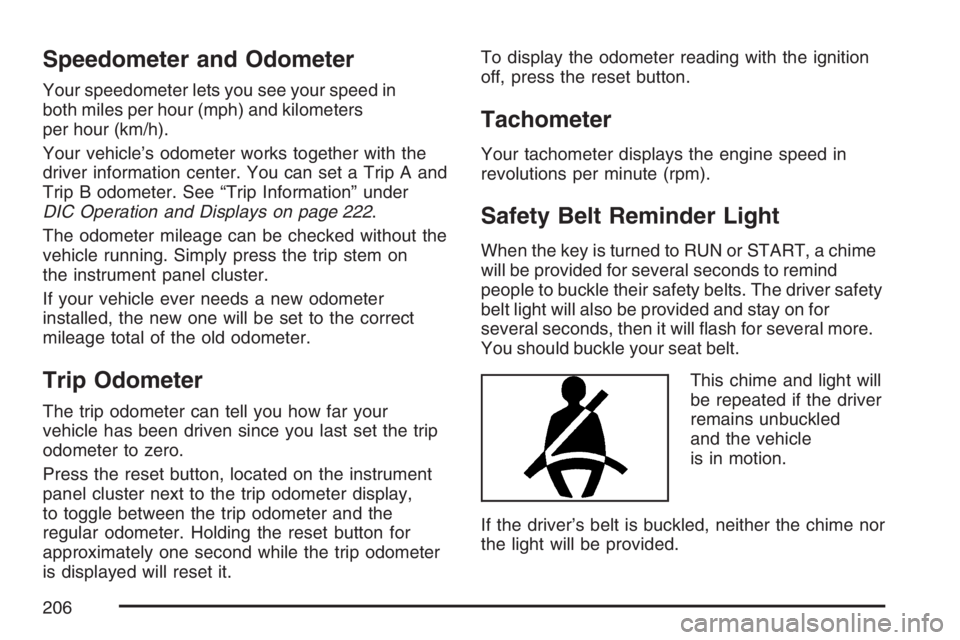
You should buckle your seat belt.
This chime and light will
be repeated if the driver
remains unbuckled
and the vehicle
is in motion.
If the driver’s belt is buckled, neither the chime nor
the light will be provided.
206
Page 222 of 570
Driver Information Center (DIC)
The Driver Information Center (DIC) display is
located on the instrument panel cluster, below the
speedometer. The DIC buttons are located on
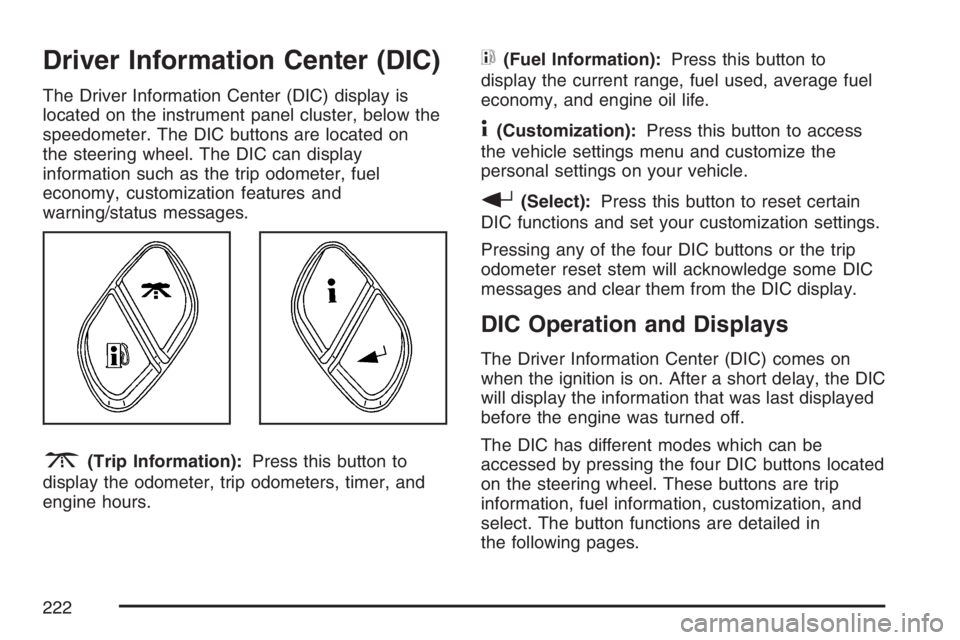
the steering wheel. The DIC can display
information such as the trip odometer, fuel
economy, customization features and
warning/status messages.
3(Trip Information):Press this button to
display the odometer, trip odometers, timer, and
engine hours.
t(Fuel Information):Press this button to
display the current range, fuel used, average fuel
economy, and engine oil life.
4(Customization):Press this button to access
the vehicle settings menu and customize the
personal settings on your vehicle.
r(Select):Press this button to reset certain
DIC functions and set your customization settings.
Pressing any of the four DIC buttons or the trip
odometer reset stem will acknowledge some DIC
messages and clear them from the DIC display.
DIC Operation and Displays
The Driver Information Center (DIC) comes on
when the ignition is on. After a short delay, the DIC
will display the information that was last displayed
before the engine was turned off.
The DIC has different modes which can be
accessed by pressing the four DIC buttons located
on the steering wheel. These buttons are trip
information, fuel information, customization, and
select. The button functions are detailed in
the following pages.
222
Page 223 of 570
Trip Information Button
3
(Trip Information):Press the trip
information button to scroll through the
ODOMETER, TRIP A, TRIP B, TIMER, and
ENGINE HOURS.
Odometer:Press the trip information button until
ODOMETER appears on the display. This mode
shows the total distance the vehicle has been
driven in either miles or kilometers. Pressing the
reset stem located on the instrument cluster with
the vehicle off will also display the odometer.
Trip A:Press the trip information button until
TRIP A appears on the display. This mode shows
the current distance traveled since the last
reset for TRIP A in either miles or kilometers.
Trip B:Press the trip information button
until TRIP B appears on the display. This mode
shows the current distance traveled since the last
reset for TRIP B in either miles or kilometers.
To reset TRIP A or TRIP B information, press and
hold the select button for one second while in
one of the trip modes. This will reset the
information for TRIP A or TRIP B.You can also reset TRIP A or TRIP B while they
are displayed by pressing the reset stem on
the cluster. If you press and hold the reset stem or
the select button for four seconds, the display
will show the distance traveled since the last
ignition cycle for TRIP A or TRIP B.
SeeTrip Odometer on page 206for more
information.
Timer:The DIC can be used as a timer. Press the
select button while TIMER is displayed to start the
timer. The display will show the amount of time that
has passed since the timer was last reset, not
including time the ignition is off. Time will continue
to be counted as long as the ignition is on, even if
another display is being shown on the DIC. The
timer will record up to 99 hours, 59 minutes and
59 seconds (99:59:59) after which the display will
roll back to zero.
To stop the counting of time, press the select button
briey while TIMER is displayed.
To reset the timer to zero, press and hold the select
button while TIMER is displayed.
223
Page 224 of 570
Engine Hours:Press the trip information button
until ENGINE HOURS appears on the display.
This mode shows the total number of hours
the engine has run. Pressing and holding the reset
stem located on the instrument cluster for about
four seconds will also display the engine hour
information after the odometer is displayed when
the vehicle is off.
Fuel Information Button
t
(Fuel Information):Press the fuel information
button to scroll through the range, fuel used,
average fuel economy, and the engine oil
life system.
Fuel Range:Press the fuel information button
until RANGE appears on the display. This
mode shows the remaining distance you can drive
without refueling. It is based on fuel economy
and the fuel remaining in the fuel tank. The display
will show LOW if the fuel level is low.The fuel economy data used to determine fuel
range is an average of recent driving conditions.
As your driving conditions change, this data is
gradually updated. Fuel range cannot be reset.
Fuel Used:Press the fuel information button until
FUEL USED appears on the display. This mode
shows the number of gallons or liters of fuel used
since the last reset of this menu item. To reset
the fuel used information, press and hold the select
button for one second while FUEL USED is
displayed.
Average Fuel Economy:Press the fuel
information button until AVG ECON appears on
the display. This mode shows how many miles per
gallon (MPG) or liters per 100 kilometers
(L/100 km) your vehicle is getting based on
current and past driving conditions.
Press and hold the select button for one second
while AVG ECON is displayed to reset the average
fuel economy. Average fuel economy will then
be calculated starting from that point. If the
average fuel economy is not reset, it will be
continually updated each time you drive.
224
Page 226 of 570
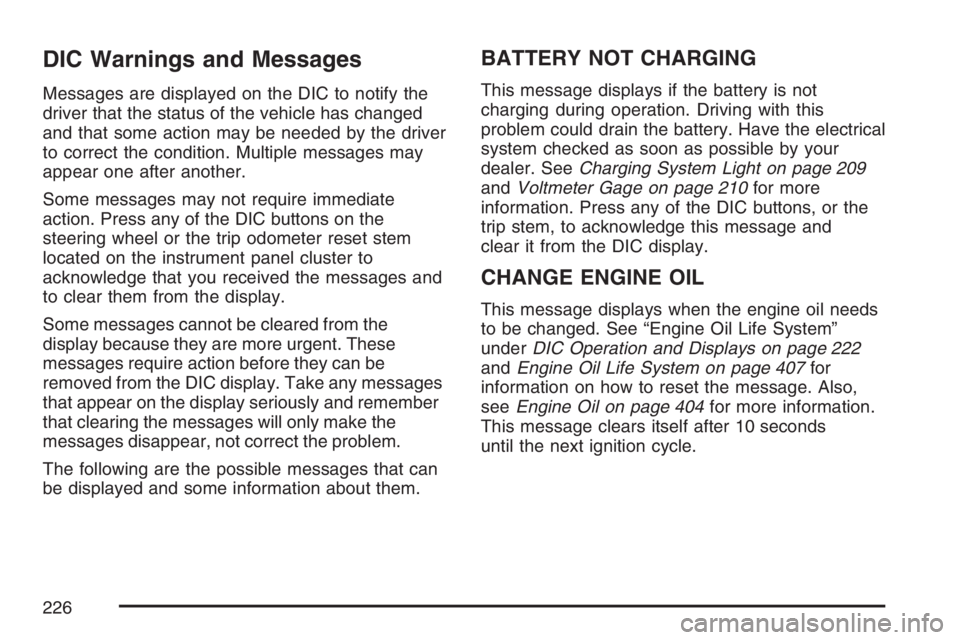
DIC Warnings and Messages
Messages are displayed on the DIC to notify the
driver that the status of the vehicle has changed
and that some action may be needed by the driver
to correct the condition. Multiple messages may
appear one after another.
Some messages may not require immediate
action. Press any of the DIC buttons on the
steering wheel or the trip odometer reset stem
located on the instrument panel cluster to
acknowledge that you received the messages and
to clear them from the display.
Some messages cannot be cleared from the
display because they are more urgent. These
messages require action before they can be
removed from the DIC display. Take any messages
that appear on the display seriously and remember
that clearing the messages will only make the
messages disappear, not correct the problem.
The following are the possible messages that can
be displayed and some information about them.
BATTERY NOT CHARGING
This message displays if the battery is not
charging during operation. Driving with this
problem could drain the battery. Have the electrical
system checked as soon as possible by your
dealer. SeeCharging System Light on page 209
andVoltmeter Gage on page 210for more
information. Press any of the DIC buttons, or the
trip stem, to acknowledge this message and
clear it from the DIC display.
CHANGE ENGINE OIL
This message displays when the engine oil needs
to be changed. See “Engine Oil Life System”
underDIC Operation and Displays on page 222
andEngine Oil Life System on page 407for
information on how to reset the message. Also,
seeEngine Oil on page 404for more information.
This message clears itself after 10 seconds
until the next ignition cycle.
226
Page 227 of 570

CHARGING SYSTEM FAILURE
On some vehicles, this message displays, a chime
sounds, and the charging system light on the
instrument panel cluster comes on if there
is a problem with the generator and battery
charging system. SeeCharging System Light on
page 209andVoltmeter Gage on page 210
for more information. Driving with this problem
could drain the battery. Turn off all unnecessary
accessories. Stop and turn off the vehicle as soon
as it is safe to do so. Have the electrical system
checked by your dealer immediately.
CHECK OIL LEVEL
This message displays if the oil level in the vehicle
is low. Check the oil level and correct it as
necessary. You may need to let the vehicle cool
or warm up and cycle the ignition to make sure this
message clears. Once the problem is corrected,
press any of the DIC buttons, or the trip stem,
to acknowledge this message and clear it from the
DIC display. This message clears itself after
10 seconds until the next ignition cycle.
CHECK WASHER FLUID
This message displays if the windshield washer
uid level is low. Adding windshield washer uid to
the windshield washer uid reservoir clears the
message. SeeWindshield Washer Fluid on
page 426for more information. Press any of the
DIC buttons, or the trip stem, to acknowledge
this message and clear it from the DIC display.
This message clears itself after 10 seconds
until the next ignition cycle.
DRIVER DOOR AJAR
This message displays and a chime sounds if the
driver’s door is not fully closed and the vehicle
is in a drive gear. Stop and turn off the vehicle,
check the door for obstructions, and close the door
again. Check to see if the message still appears
on the DIC. Press any of the DIC buttons, or
the trip stem, to acknowledge this message and
clear it from the DIC display.
227
Page 232 of 570
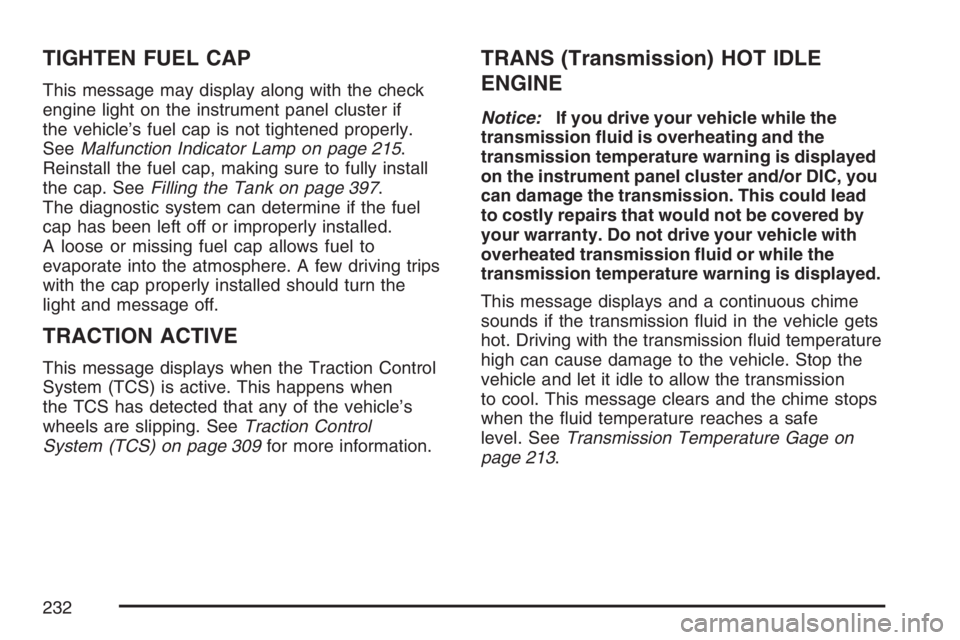
TIGHTEN FUEL CAP
This message may display along with the check
engine light on the instrument panel cluster if
the vehicle’s fuel cap is not tightened properly.
SeeMalfunction Indicator Lamp on page 215.
Reinstall the fuel cap, making sure to fully install
the cap. SeeFilling the Tank on page 397.
The diagnostic system can determine if the fuel
cap has been left off or improperly installed.
A loose or missing fuel cap allows fuel to
evaporate into the atmosphere. A few driving trips
with the cap properly installed should turn the
light and message off.
TRACTION ACTIVE
This message displays when the Traction Control
System (TCS) is active. This happens when
the TCS has detected that any of the vehicle’s
wheels are slipping. SeeTraction Control
System (TCS) on page 309for more information.
TRANS (Transmission) HOT IDLE
ENGINE
Notice:If you drive your vehicle while the
transmission uid is overheating and the
transmission temperature warning is displayed
on the instrument panel cluster and/or DIC, you
can damage the transmission. This could lead
to costly repairs that would not be covered by
your warranty. Do not drive your vehicle with
overheated transmission uid or while the
transmission temperature warning is displayed.
This message displays and a continuous chime
sounds if the transmission uid in the vehicle gets
hot. Driving with the transmission uid temperature
high can cause damage to the vehicle. Stop the
vehicle and let it idle to allow the transmission
to cool. This message clears and the chime stops
when the uid temperature reaches a safe
level. SeeTransmission Temperature Gage on
page 213.
232
Page 233 of 570
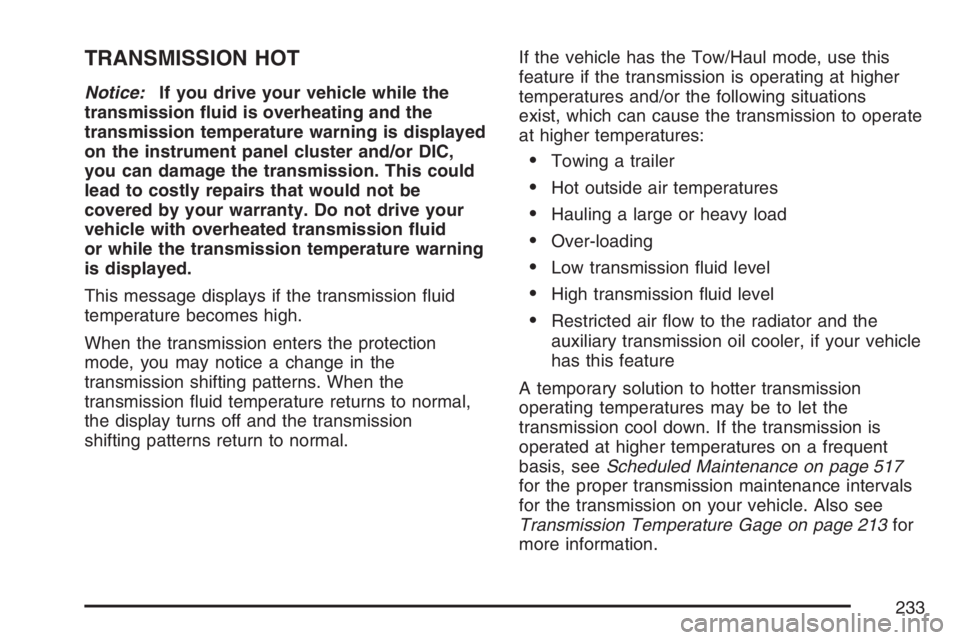
TRANSMISSION HOT
Notice:If you drive your vehicle while the
transmission uid is overheating and the
transmission temperature warning is displayed
on the instrument panel cluster and/or DIC,
you can damage the transmission. This could
lead to costly repairs that would not be
covered by your warranty. Do not drive your
vehicle with overheated transmission uid
or while the transmission temperature warning
is displayed.
This message displays if the transmission uid
temperature becomes high.
When the transmission enters the protection
mode, you may notice a change in the
transmission shifting patterns. When the
transmission uid temperature returns to normal,
the display turns off and the transmission
shifting patterns return to normal.If the vehicle has the Tow/Haul mode, use this
feature if the transmission is operating at higher
temperatures and/or the following situations
exist, which can cause the transmission to operate
at higher temperatures:
Towing a trailer
Hot outside air temperatures
Hauling a large or heavy load
Over-loading
Low transmission uid level
High transmission uid level
Restricted air ow to the radiator and the
auxiliary transmission oil cooler, if your vehicle
has this feature
A temporary solution to hotter transmission
operating temperatures may be to let the
transmission cool down. If the transmission is
operated at higher temperatures on a frequent
basis, seeScheduled Maintenance on page 517
for the proper transmission maintenance intervals
for the transmission on your vehicle. Also see
Transmission Temperature Gage on page 213for
more information.
233
Page 510 of 570

Fuses Usage
PARK LP Parking Lamps Relay
STRTR Starter Relay
INTPARK Roof Marker Lamps
STOP LP Stoplamps
TBC BATTTruck Body Controller
Battery Feed
SEO B2 Off-Road Lamps
4WS Not Used
AUX PWRInstrument Panel Outlets,
Rear Cargo Area Power
Outlets, Console
PCM 1 Powertrain Control Module
ETC/ECMElectronic Throttle Control,
Electronic Brake Controller
IGN EInstrument Panel Cluster,
Air Conditioning Relay, Turn
Signal/Hazard Switch, Starter
Relay, Electronic Brake
Controller TC2 Mode Switch
RTDElectronic Brake Controller
Battery FeedFuses Usage
TRL B/U Backup Lamps Trailer Wiring
F/PMP Fuel Pump (Relay)
B/U LPBack-up Lamps, Automatic
Transmission Shift Lock
Control System
RR DEFOG Rear Window Defogger
HDLP-HI Headlamp High Beam Relay
PRIME Not Used
AIRBAGSupplemental Inatable
Restraint System
FRT PARKFront Parking Lamps,
Sidemarker Lamps
DRLDaytime Running Lamps
(Relay)
SEO IGN Rear Defog Relay
TBC IGN1 Truck Body Controller Ignition
HI HDLP-LTDriver’s Side High Beam
Headlamp
LH HID Not Used
DRL Daytime Running Lamps
510
Page 511 of 570
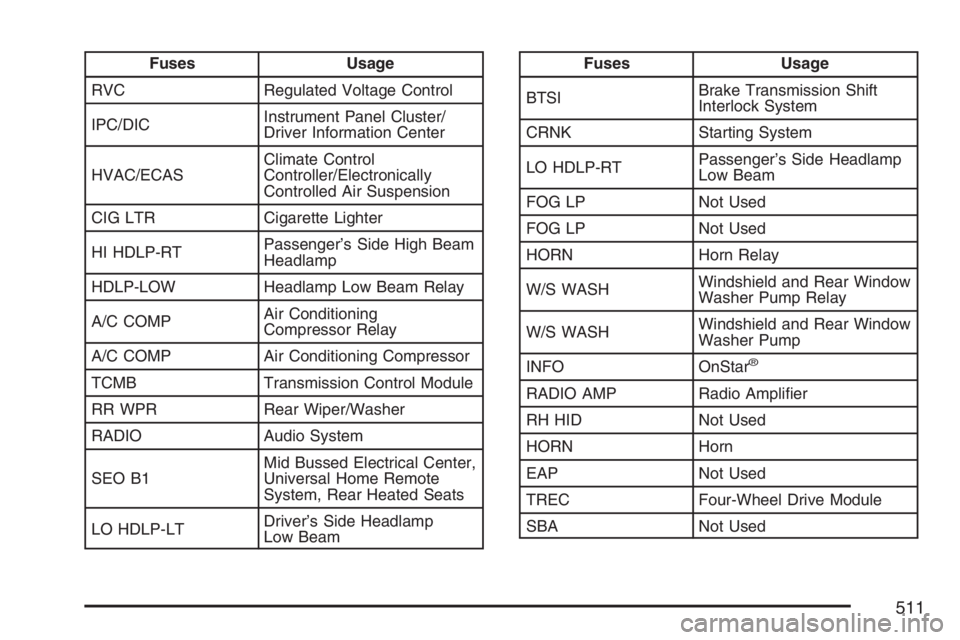
Fuses Usage
RVC Regulated Voltage Control
IPC/DICInstrument Panel Cluster/
Driver Information Center
HVAC/ECASClimate Control
Controller/Electronically
Controlled Air Suspension
CIG LTR Cigarette Lighter
HI HDLP-RTPassenger’s Side High Beam
Headlamp
HDLP-LOW Headlamp Low Beam Relay
A/C COMPAir Conditioning
Compressor Relay
A/C COMP Air Conditioning Compressor
TCMB Transmission Control Module
RR WPR Rear Wiper/Washer
RADIO Audio System
SEO B1Mid Bussed Electrical Center,
Universal Home Remote
System, Rear Heated Seats
LO HDLP-LTDriver’s Side Headlamp
Low BeamFuses Usage
BTSIBrake Transmission Shift
Interlock System
CRNK Starting System
LO HDLP-RTPassenger’s Side Headlamp
Low Beam
FOG LP Not Used
FOG LP Not Used
HORN Horn Relay
W/S WASHWindshield and Rear Window
Washer Pump Relay
W/S WASHWindshield and Rear Window
Washer Pump
INFO OnStar
®
RADIO AMP Radio Amplier
RH HID Not Used
HORN Horn
EAP Not Used
TREC Four-Wheel Drive Module
SBA Not Used
511