instrument panel HUMMER H2 2007 Service Manual
[x] Cancel search | Manufacturer: HUMMER, Model Year: 2007, Model line: H2, Model: HUMMER H2 2007Pages: 570, PDF Size: 3.34 MB
Page 206 of 570
Speedometer and Odometer
Your speedometer lets you see your speed in
both miles per hour (mph) and kilometers
per hour (km/h).
Your vehicle’s odometer works together with the
driver information center. You can set a Trip A and
Trip B odometer. See “Trip Information” under
DIC Operation and Displays on page 222.
The odometer mileage can be checked without the
vehicle running. Simply press the trip stem on
the instrument panel cluster.
If your vehicle ever needs a new odometer
installed, the new one will be set to the correct
mileage total of the old odometer.
Trip Odometer
The trip odometer can tell you how far your
vehicle has been driven since you last set the trip
odometer to zero.
Press the reset button, located on the instrument
panel cluster next to the trip odometer display,
to toggle between the trip odometer and the
regular odometer. Holding the reset button for
approximately one second while the trip odometer
is displayed will reset it.To display the odometer reading with the ignition
off, press the reset button.
Tachometer
Your tachometer displays the engine speed in
revolutions per minute (rpm).
Safety Belt Reminder Light
When the key is turned to RUN or START, a chime
will be provided for several seconds to remind
people to buckle their safety belts. The driver safety
belt light will also be provided and stay on for
several seconds, then it will ash for several more.
You should buckle your seat belt.
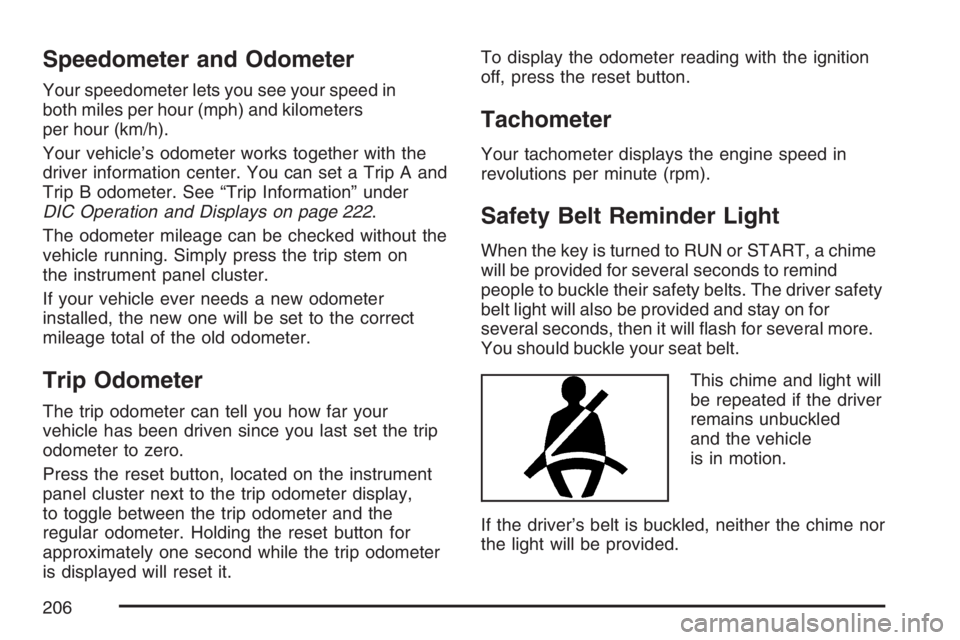
This chime and light will
be repeated if the driver
remains unbuckled
and the vehicle
is in motion.
If the driver’s belt is buckled, neither the chime nor
the light will be provided.
206
Page 207 of 570

Airbag Readiness Light
There is an airbag readiness light on the
instrument panel, which shows the airbag symbol.
The system checks the airbag’s electrical
system for malfunctions. The light tells you if there
is an electrical problem. The system check
includes the airbag sensors, the airbag modules,
the wiring and the crash sensing and diagnostic
module. For more information on the airbag
system, seeAirbag System on page 77.
This light will come on
when you start your
vehicle, and it will ash
for a few seconds.
Then the light should go
out. This means the
system is ready.
If the airbag readiness light stays on after you
start the vehicle or comes on when you are driving,
your airbag system may not work properly.
Have your vehicle serviced right away.{CAUTION:
If the airbag readiness light stays on after
you start your vehicle, it means the airbag
system may not be working properly. The
airbags in your vehicle may not inate in
a crash, or they could even inate without
a crash. To help avoid injury to yourself
or others, have your vehicle serviced right
away if the airbag readiness light stays on
after you start your vehicle.
The airbag readiness light should ash for a few
seconds when you turn the ignition key to RUN.
If the light doesn’t come on then, have it xed so it
will be ready to warn you if there is a problem.
207
Page 222 of 570
Driver Information Center (DIC)
The Driver Information Center (DIC) display is
located on the instrument panel cluster, below the
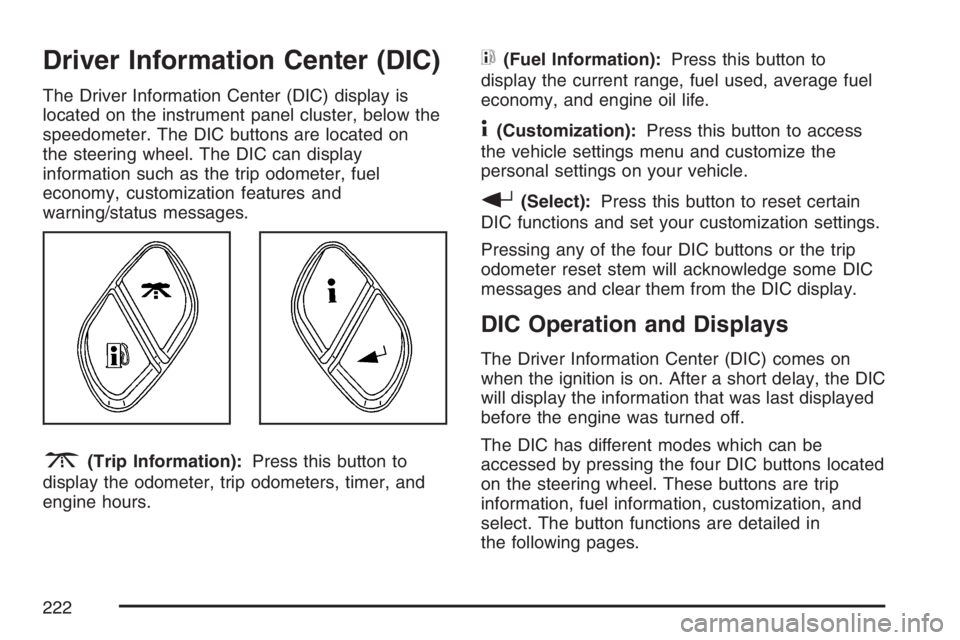
speedometer. The DIC buttons are located on
the steering wheel. The DIC can display
information such as the trip odometer, fuel
economy, customization features and
warning/status messages.
3(Trip Information):Press this button to
display the odometer, trip odometers, timer, and
engine hours.
t(Fuel Information):Press this button to
display the current range, fuel used, average fuel
economy, and engine oil life.
4(Customization):Press this button to access
the vehicle settings menu and customize the
personal settings on your vehicle.
r(Select):Press this button to reset certain
DIC functions and set your customization settings.
Pressing any of the four DIC buttons or the trip
odometer reset stem will acknowledge some DIC
messages and clear them from the DIC display.
DIC Operation and Displays
The Driver Information Center (DIC) comes on
when the ignition is on. After a short delay, the DIC
will display the information that was last displayed
before the engine was turned off.
The DIC has different modes which can be
accessed by pressing the four DIC buttons located
on the steering wheel. These buttons are trip
information, fuel information, customization, and
select. The button functions are detailed in
the following pages.
222
Page 226 of 570
DIC Warnings and Messages
Messages are displayed on the DIC to notify the
driver that the status of the vehicle has changed
and that some action may be needed by the driver
to correct the condition. Multiple messages may
appear one after another.
Some messages may not require immediate
action. Press any of the DIC buttons on the
steering wheel or the trip odometer reset stem
located on the instrument panel cluster to
acknowledge that you received the messages and
to clear them from the display.
Some messages cannot be cleared from the
display because they are more urgent. These
messages require action before they can be
removed from the DIC display. Take any messages
that appear on the display seriously and remember
that clearing the messages will only make the
messages disappear, not correct the problem.
The following are the possible messages that can
be displayed and some information about them.
BATTERY NOT CHARGING
This message displays if the battery is not
charging during operation. Driving with this
problem could drain the battery. Have the electrical
system checked as soon as possible by your
dealer. SeeCharging System Light on page 209
andVoltmeter Gage on page 210for more
information. Press any of the DIC buttons, or the
trip stem, to acknowledge this message and
clear it from the DIC display.
CHANGE ENGINE OIL
This message displays when the engine oil needs
to be changed. See “Engine Oil Life System”
underDIC Operation and Displays on page 222
andEngine Oil Life System on page 407for
information on how to reset the message. Also,
seeEngine Oil on page 404for more information.
This message clears itself after 10 seconds
until the next ignition cycle.
226
Page 227 of 570

CHARGING SYSTEM FAILURE
On some vehicles, this message displays, a chime
sounds, and the charging system light on the
instrument panel cluster comes on if there
is a problem with the generator and battery
charging system. SeeCharging System Light on
page 209andVoltmeter Gage on page 210
for more information. Driving with this problem
could drain the battery. Turn off all unnecessary
accessories. Stop and turn off the vehicle as soon
as it is safe to do so. Have the electrical system
checked by your dealer immediately.
CHECK OIL LEVEL
This message displays if the oil level in the vehicle
is low. Check the oil level and correct it as
necessary. You may need to let the vehicle cool
or warm up and cycle the ignition to make sure this
message clears. Once the problem is corrected,
press any of the DIC buttons, or the trip stem,
to acknowledge this message and clear it from the
DIC display. This message clears itself after
10 seconds until the next ignition cycle.
CHECK WASHER FLUID
This message displays if the windshield washer
uid level is low. Adding windshield washer uid to
the windshield washer uid reservoir clears the
message. SeeWindshield Washer Fluid on
page 426for more information. Press any of the
DIC buttons, or the trip stem, to acknowledge
this message and clear it from the DIC display.
This message clears itself after 10 seconds
until the next ignition cycle.
DRIVER DOOR AJAR
This message displays and a chime sounds if the
driver’s door is not fully closed and the vehicle
is in a drive gear. Stop and turn off the vehicle,
check the door for obstructions, and close the door
again. Check to see if the message still appears
on the DIC. Press any of the DIC buttons, or
the trip stem, to acknowledge this message and
clear it from the DIC display.
227
Page 230 of 570
REDUCED ENGINE POWER
This message displays when the cooling system
temperature gets too hot and the engine further
enters the engine coolant protection mode.
SeeEngine Overheating on page 418for further
information.
This message may also display when the vehicle
determines that there is a problem with the
electronic throttle control. See your dealer
for service.
This message also displays when the vehicle’s
engine power is reduced. Reduced engine power
can affect the vehicle’s ability to accelerate.
If this message is on, but there is no reduction in
performance, proceed to your destination. The
performance may be reduced the next time the
vehicle is driven. The vehicle may be driven at a
reduced speed while this message is on, but
acceleration and speed may be reduced. Anytime
this message stays on, the vehicle should be taken
to your dealer for service as soon as possible.
REPLACE LIFTGATE FUSE (SUV)
This message displays if the liftgate lock
malfunctions and/or the liftgate fuse blows. For
more information on fuses, seeInstrument Panel
Fuse Block on page 504andUnderhood Fuse
Block on page 507.
If the message returns after replacing the fuse,
see your dealer for service.
RIGHT REAR DOOR AJAR
This message displays and a chime sounds if the
passenger’s side rear door is not fully closed
and the vehicle is in a drive gear. Stop and turn
off the vehicle, check the door for obstructions, and
close the door again. Check to see if the
message still appears on the DIC. Press any of
the DIC buttons, or the trip stem, to acknowledge
this message and clear it from the DIC display.
230
Page 232 of 570
TIGHTEN FUEL CAP
This message may display along with the check
engine light on the instrument panel cluster if
the vehicle’s fuel cap is not tightened properly.
SeeMalfunction Indicator Lamp on page 215.
Reinstall the fuel cap, making sure to fully install
the cap. SeeFilling the Tank on page 397.
The diagnostic system can determine if the fuel
cap has been left off or improperly installed.
A loose or missing fuel cap allows fuel to
evaporate into the atmosphere. A few driving trips
with the cap properly installed should turn the
light and message off.
TRACTION ACTIVE
This message displays when the Traction Control
System (TCS) is active. This happens when
the TCS has detected that any of the vehicle’s
wheels are slipping. SeeTraction Control
System (TCS) on page 309for more information.
TRANS (Transmission) HOT IDLE
ENGINE
Notice:If you drive your vehicle while the
transmission uid is overheating and the
transmission temperature warning is displayed
on the instrument panel cluster and/or DIC, you
can damage the transmission. This could lead
to costly repairs that would not be covered by
your warranty. Do not drive your vehicle with
overheated transmission uid or while the
transmission temperature warning is displayed.
This message displays and a continuous chime
sounds if the transmission uid in the vehicle gets
hot. Driving with the transmission uid temperature
high can cause damage to the vehicle. Stop the
vehicle and let it idle to allow the transmission
to cool. This message clears and the chime stops
when the uid temperature reaches a safe
level. SeeTransmission Temperature Gage on
page 213.
232
Page 233 of 570
TRANSMISSION HOT
Notice:If you drive your vehicle while the
transmission uid is overheating and the
transmission temperature warning is displayed
on the instrument panel cluster and/or DIC,
you can damage the transmission. This could
lead to costly repairs that would not be
covered by your warranty. Do not drive your
vehicle with overheated transmission uid
or while the transmission temperature warning
is displayed.
This message displays if the transmission uid
temperature becomes high.
When the transmission enters the protection
mode, you may notice a change in the
transmission shifting patterns. When the
transmission uid temperature returns to normal,
the display turns off and the transmission
shifting patterns return to normal.If the vehicle has the Tow/Haul mode, use this
feature if the transmission is operating at higher
temperatures and/or the following situations
exist, which can cause the transmission to operate
at higher temperatures:
Towing a trailer
Hot outside air temperatures
Hauling a large or heavy load
Over-loading
Low transmission uid level
High transmission uid level
Restricted air ow to the radiator and the
auxiliary transmission oil cooler, if your vehicle
has this feature
A temporary solution to hotter transmission
operating temperatures may be to let the
transmission cool down. If the transmission is
operated at higher temperatures on a frequent
basis, seeScheduled Maintenance on page 517
for the proper transmission maintenance intervals
for the transmission on your vehicle. Also see
Transmission Temperature Gage on page 213for
more information.
233
Page 310 of 570

Another feature of this system is the Traction
Control 2 (TC2) mode. TC2 should be selected for
improved traction and system performance
when the vehicle is on loose surfaces such as
deep sand or mud.
To enter this mode,
press the TC2 button
located on the
instrument panel to the
right of the steering
wheel.
TC2 only operates in the following transfer case
modes:
Four-Wheel-High Lock
Four-Wheel-Low Lock
Four-Wheel-Low Lock and Rear Axle Lock
SeeLocking Rear Axle on page 311for more
information on the rear axle lock.It will not operate in Four-Wheel-High. If the
TC2 button is pressed while in Four-Wheel High,
the light will ash for about 15 seconds and
then go out. The light should also come on briey
when you turn the ignition key to RUN; if it
doesn’t see your dealer for service.
If you restart your engine, the system reverts to
the standard TCS mode.
The traction off light will
come on when a
Traction Control System
or Anti-Lock Brake
System problem has
been detected and the
vehicle needs service.
SeeTraction Off Light on page 212.
When the traction off light is on, adjust your
driving accordingly.
The traction control system, as delivered from the
factory, will automatically come on whenever
you start your vehicle.
Adding non-GM accessories can affect your
vehicle’s performance. SeeAccessories and
Modications on page 392for more information.
310
Page 371 of 570
Selectable Extended Rear Ride
Height
If your vehicle has this feature it comes as part
of the electronically controlled air suspension
system.
The selectable rear ride height allows you to raise
the rear of the vehicle about 2 inches (5 cm)
over the normal ride height. This can be helpful
when driving off-road where you may need
more ground clearance to clear an obstacle.
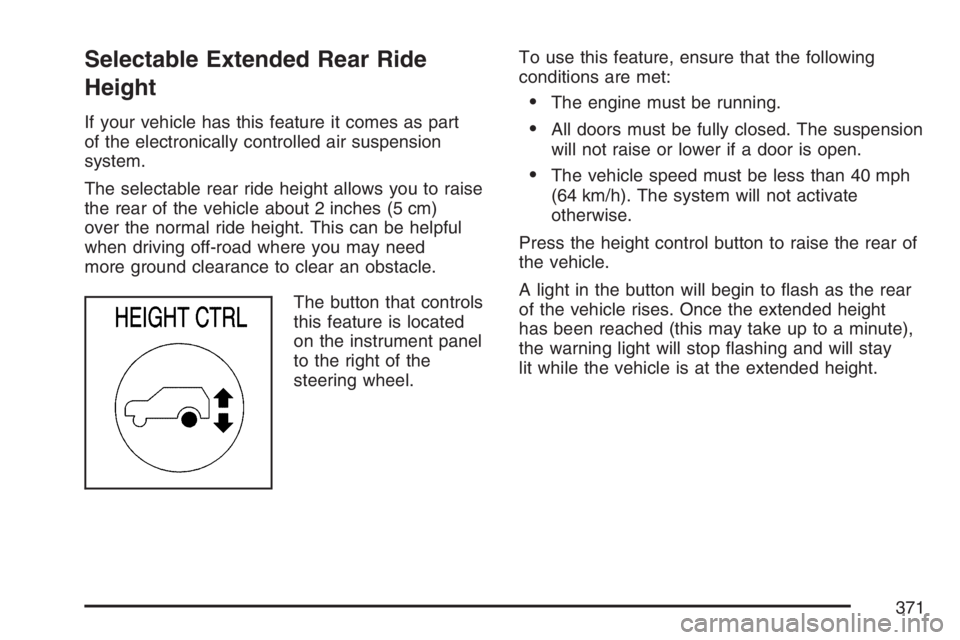
The button that controls
this feature is located
on the instrument panel
to the right of the
steering wheel.To use this feature, ensure that the following
conditions are met:
The engine must be running.
All doors must be fully closed. The suspension
will not raise or lower if a door is open.
The vehicle speed must be less than 40 mph
(64 km/h). The system will not activate
otherwise.
Press the height control button to raise the rear of
the vehicle.
A light in the button will begin to ash as the rear
of the vehicle rises. Once the extended height
has been reached (this may take up to a minute),
the warning light will stop ashing and will stay
lit while the vehicle is at the extended height.
371