engine oil HUMMER H2 2007 Owners Manual
[x] Cancel search | Manufacturer: HUMMER, Model Year: 2007, Model line: H2, Model: HUMMER H2 2007Pages: 570, PDF Size: 3.34 MB
Page 121 of 570

Key In the Ignition
Never leave your vehicle with the keys inside, as it
is an easy target for joy riders or thieves. If you
leave the key in the ignition and park your vehicle,
a chime will sound, when you open the driver’s
door. Always remember to remove your key from
the ignition and take it with you. This will lock
your ignition and transmission. Also, always
remember to lock the doors.
The battery could be drained if you leave the key
in the ignition while your vehicle is parked.
You may not be able to start your vehicle after it
has been parked for an extended period of time.
Retained Accessory Power (RAP)
The Retained Accessory Power (RAP) feature will
allow certain features on your vehicle to continue to
work for up to 10 minutes after the ignition key is
turned to LOCK or until one of the doors is opened.
Starting the Engine
Place the transmission in the proper gear.
Move your shift lever to PARK (P) or
NEUTRAL (N). Your engine will not start in
any other position – this is a safety feature.
To restart when you are already moving, use
NEUTRAL (N) only.
Notice:Do not try to shift to PARK (P) if your
vehicle is moving. If you do, you could
damage the transmission. Shift to PARK (P)
only when your vehicle is stopped.
Starting Procedure
1. With your foot off the accelerator pedal, turn
the ignition key to START. When the engine
starts, let go of the key. The idle speed will go
down as your engine gets warm. Do not
race the engine immediately after starting it.
Operate the engine and transmission gently to
allow the oil to warm up and lubricate all
moving parts.
121
Page 122 of 570

Your vehicle has a Computer-Controlled
Cranking System. This feature assists in
starting the engine and protects components. If
the ignition key is turned to the START position,
and then released when the engine begins
cranking, the engine will continue cranking for a
few seconds or until the vehicle starts. If the
engine does not start and the key is held in
START for many seconds, cranking will be
stopped after 15 seconds to prevent cranking
motor damage. To prevent gear damage, this
system also prevents cranking if the engine is
already running. Engine cranking can be
stopped by turning the ignition switch to the
ACCESSORY or LOCK position.
Notice:Cranking the engine for long periods
of time, by returning the key to the START
position immediately after cranking has ended,
can overheat and damage the cranking
motor, and drain the battery. Wait at least
15 seconds between each try, to allow
the cranking motor to cool down.2. If the engine does not start after 5-10 seconds,
especially in very cold weather (below 0°F
or−18°C), it could be ooded with too much
gasoline. Try pushing the accelerator
pedal all the way to the oor and holding it
there as you hold the key in START for up to
a maximum of 15 seconds. Wait at least
15 seconds between each try, to allow the
cranking motor to cool down. When the engine
starts, let go of the key and accelerator. If
the vehicle starts briey but then stops again,
do the same thing. This clears the extra
gasoline from the engine. Do not race the
engine immediately after starting it. Operate
the engine and transmission gently until the oil
warms up and lubricates all moving parts.
Notice:Your engine is designed to work with
the electronics in your vehicle. If you add
electrical parts or accessories, you could
change the way the engine operates. Before
adding electrical equipment, check with
your dealer. If you do not, your engine might
not perform properly. Any resulting damage
would not be covered by your vehicle’s
warranty.
122
Page 123 of 570
Engine Coolant Heater
Your vehicle may be equipped with an engine
coolant heater.
In very cold weather, 0°F (−18°C) or colder, the
engine coolant heater can help. You will get easier
starting and better fuel economy during engine
warm-up.
Usually, the coolant heater should be plugged in a
minimum of four hours prior to starting your
vehicle. At temperatures above 32°F (0°C), use of
the coolant heater is not required. Your vehicle
may also have an internal thermostat in the
plug end of the cord. This will prevent operation of
the engine coolant heater when the temperature
is at or above 0°F (-18°C) as noted on the cord.
To Use the Engine Coolant Heater
1. Turn off the engine.
2. Locate the electrical cord near the front
recovery loop on the driver’s side of the
vehicle.
3. Plug it into a normal, grounded 110-volt AC
outlet.
{CAUTION:
Plugging the cord into an ungrounded
outlet could cause an electrical shock.
Also, the wrong kind of extension cord
could overheat and cause a re. You
could be seriously injured. Plug the cord
into a properly grounded three-prong
110-volt AC outlet. If the cord will not
reach, use a heavy-duty three-prong
extension cord rated for at least 15 amps.
4. Before starting the engine, be sure to unplug
and store the cord as it was before to keep it
away from moving engine parts. If you do
not, it could be damaged.
How long should you keep the coolant heater
plugged in? The answer depends on the outside
temperature, the kind of oil you have, and
some other things. Instead of trying to list
everything here, we ask that you contact your
dealer in the area where you will be parking your
vehicle. The dealer can give you the best
advice for that particular area.
123
Page 172 of 570
Traction Off Light...................................... 212
Engine Coolant Temperature Gage............ 213
Transmission Temperature Gage............... 213
Malfunction Indicator Lamp........................ 215
Oil Pressure Gage..................................... 218
Security Light............................................ 219
Cruise Control Light.................................. 220
Highbeam On Light................................... 220
Tow/Haul Mode Light................................ 220
Fuel Gage................................................. 221
Low Fuel Warning Light............................ 221
Driver Information Center (DIC).................. 222
DIC Operation and Displays...................... 222
DIC Warnings and Messages.................... 226
DIC Vehicle Customization........................ 234Audio System(s)......................................... 241
Setting the Time........................................ 243
Radio with Cassette and CD..................... 243
Radio with Six-Disc CD............................. 256
XM Radio Messages................................. 269
Navigation/Radio System........................... 271
Rear Seat Entertainment System............... 271
Rear Seat Audio (RSA)............................. 294
Theft-Deterrent Feature............................. 295
Audio Steering Wheel Controls.................. 296
Radio Reception........................................ 297
Care of the Cassette Tape Player............. 297
Care of Your CDs and DVDs.................... 299
Care of the CD and DVD Player............... 300
Fixed Mast Antenna.................................. 300
XM™ Satellite Radio Antenna System....... 300
Chime Level Adjustment............................ 300
Section 3 Instrument Panel
172
Page 218 of 570
Emissions Inspection and Maintenance
Programs
Some state/provincial and local governments have
or may begin programs to inspect the emission
control equipment on your vehicle. Failure to pass
this inspection could prevent you from getting a
vehicle registration.
Here are some things you need to know to help
your vehicle pass an inspection:
Your vehicle will not pass this inspection if the
check engine light is on or not working properly.
Your vehicle will not pass this inspection if
the OBD (on-board diagnostic) system determines
that critical emission control systems have not
been completely diagnosed by the system.
The vehicle would be considered not ready for
inspection. This can happen if you have recently
replaced your battery or if your battery has
run down. The diagnostic system is designed to
evaluate critical emission control systems
during normal driving. This may take several days
of routine driving. If you have done this and
your vehicle still does not pass the inspection for
lack of OBD system readiness, your dealer
can prepare the vehicle for inspection.
Oil Pressure Gage
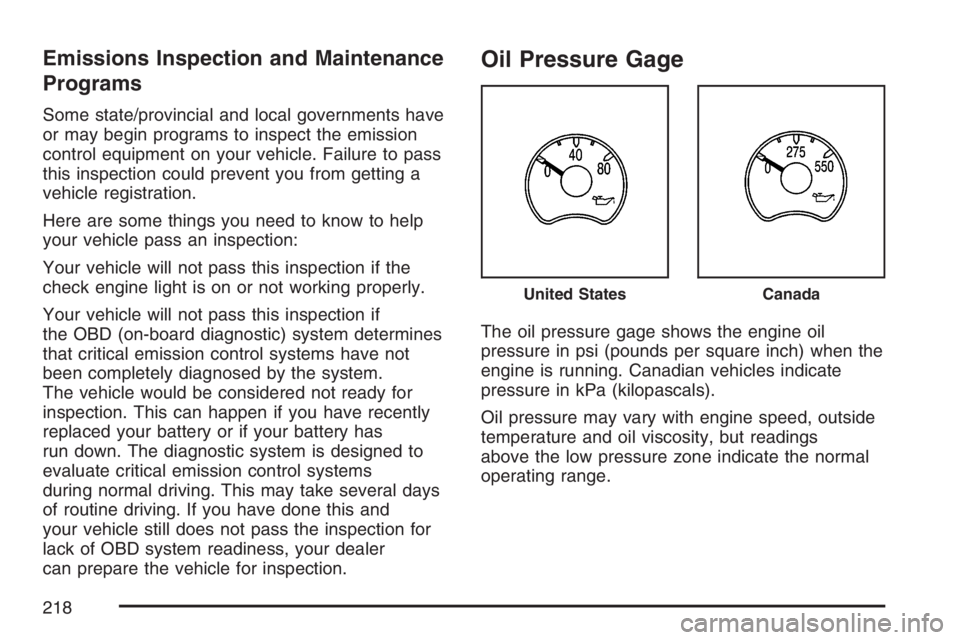
The oil pressure gage shows the engine oil
pressure in psi (pounds per square inch) when the
engine is running. Canadian vehicles indicate
pressure in kPa (kilopascals).
Oil pressure may vary with engine speed, outside
temperature and oil viscosity, but readings
above the low pressure zone indicate the normal
operating range.
United StatesCanada
218
Page 219 of 570
A reading in the low pressure zone may be
caused by a dangerously low oil level or some
other problem causing low oil pressure. Check
your oil as soon as possible. SeeEngine Oil on
page 404.
{CAUTION:
Do not keep driving if the oil pressure is
low. If you do, your engine can become so
hot that it catches re. You or others could
be burned. Check your oil as soon as
possible and have your vehicle serviced.
Notice:Lack of proper engine oil maintenance
may damage the engine. The repairs would
not be covered by your warranty. Always follow
the maintenance schedule in this manual for
changing engine oil.
Security Light
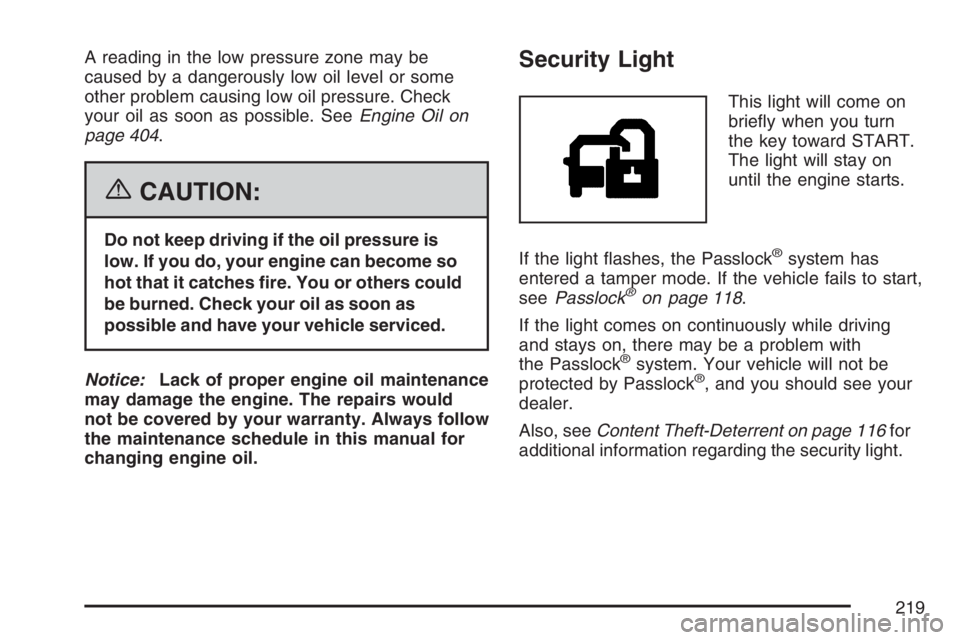
This light will come on
briey when you turn
the key toward START.
The light will stay on
until the engine starts.
If the light ashes, the Passlock
®system has
entered a tamper mode. If the vehicle fails to start,
seePasslock
®on page 118.
If the light comes on continuously while driving
and stays on, there may be a problem with
the Passlock
®system. Your vehicle will not be
protected by Passlock®, and you should see your
dealer.
Also, seeContent Theft-Deterrent on page 116for
additional information regarding the security light.
219
Page 222 of 570
Driver Information Center (DIC)
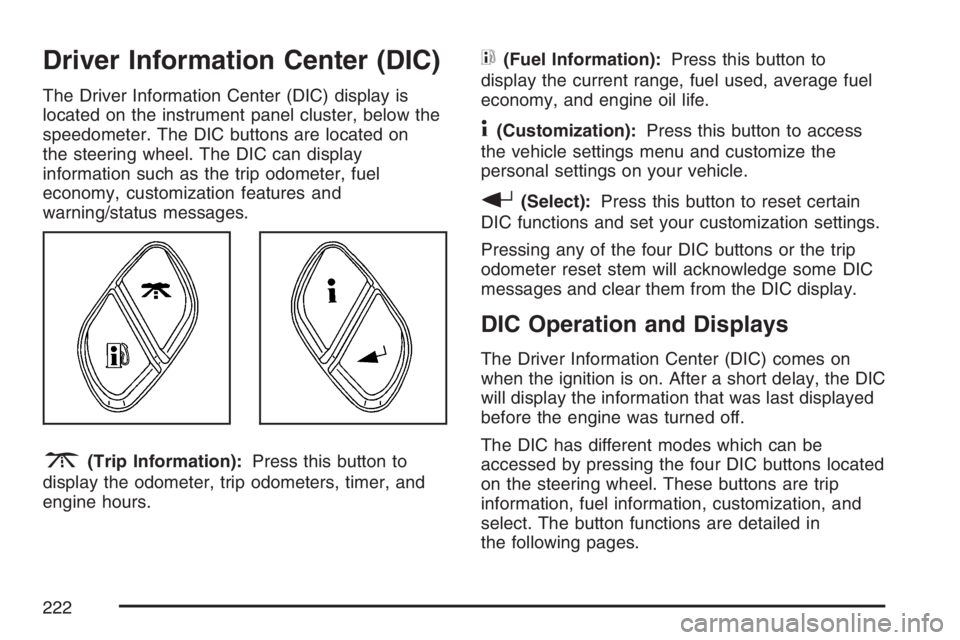
The Driver Information Center (DIC) display is
located on the instrument panel cluster, below the
speedometer. The DIC buttons are located on
the steering wheel. The DIC can display
information such as the trip odometer, fuel
economy, customization features and
warning/status messages.
3(Trip Information):Press this button to
display the odometer, trip odometers, timer, and
engine hours.
t(Fuel Information):Press this button to
display the current range, fuel used, average fuel
economy, and engine oil life.
4(Customization):Press this button to access
the vehicle settings menu and customize the
personal settings on your vehicle.
r(Select):Press this button to reset certain
DIC functions and set your customization settings.
Pressing any of the four DIC buttons or the trip
odometer reset stem will acknowledge some DIC
messages and clear them from the DIC display.
DIC Operation and Displays
The Driver Information Center (DIC) comes on
when the ignition is on. After a short delay, the DIC
will display the information that was last displayed
before the engine was turned off.
The DIC has different modes which can be
accessed by pressing the four DIC buttons located
on the steering wheel. These buttons are trip
information, fuel information, customization, and
select. The button functions are detailed in
the following pages.
222
Page 224 of 570
Engine Hours:Press the trip information button
until ENGINE HOURS appears on the display.
This mode shows the total number of hours
the engine has run. Pressing and holding the reset
stem located on the instrument cluster for about
four seconds will also display the engine hour
information after the odometer is displayed when
the vehicle is off.
Fuel Information Button
t
(Fuel Information):Press the fuel information
button to scroll through the range, fuel used,
average fuel economy, and the engine oil
life system.
Fuel Range:Press the fuel information button
until RANGE appears on the display. This
mode shows the remaining distance you can drive
without refueling. It is based on fuel economy
and the fuel remaining in the fuel tank. The display
will show LOW if the fuel level is low.The fuel economy data used to determine fuel
range is an average of recent driving conditions.
As your driving conditions change, this data is
gradually updated. Fuel range cannot be reset.
Fuel Used:Press the fuel information button until
FUEL USED appears on the display. This mode
shows the number of gallons or liters of fuel used
since the last reset of this menu item. To reset
the fuel used information, press and hold the select
button for one second while FUEL USED is
displayed.
Average Fuel Economy:Press the fuel
information button until AVG ECON appears on
the display. This mode shows how many miles per
gallon (MPG) or liters per 100 kilometers
(L/100 km) your vehicle is getting based on
current and past driving conditions.
Press and hold the select button for one second
while AVG ECON is displayed to reset the average
fuel economy. Average fuel economy will then
be calculated starting from that point. If the
average fuel economy is not reset, it will be
continually updated each time you drive.
224
Page 225 of 570
Engine Oil Life System:Press the fuel
information button until ENGINE OIL LIFE appears
on the display. The engine oil life system shows
an estimate of the oil’s remaining useful life. It will
show 100% when the system is reset after an
oil change. It will alert you to change your oil on a
schedule consistent with your driving conditions.
Always reset the engine oil life system after an oil
change. To reset the engine oil life system, see
Engine Oil Life System on page 407.
In addition to the engine oil life system monitoring
the oil life, additional maintenance is recommended
in the Maintenance Schedule in this manual. See
Engine Oil on page 404andScheduled
Maintenance on page 517.Customization Button
4
(Customization):Press the customization
button to access the VEHICLE SETTINGS menu
and customize the settings to your vehicle.
SeeDIC Vehicle Customization on page 234for
more information.
Select Button
r
(Select):Press the select button to reset
certain DIC functions and set your customization
settings. For example, this button will reset
the trip odometers and enables you to scroll
through and select the language in which the DIC
information will appear.
225
Page 226 of 570
DIC Warnings and Messages
Messages are displayed on the DIC to notify the
driver that the status of the vehicle has changed
and that some action may be needed by the driver
to correct the condition. Multiple messages may
appear one after another.
Some messages may not require immediate
action. Press any of the DIC buttons on the
steering wheel or the trip odometer reset stem
located on the instrument panel cluster to
acknowledge that you received the messages and
to clear them from the display.
Some messages cannot be cleared from the
display because they are more urgent. These
messages require action before they can be
removed from the DIC display. Take any messages
that appear on the display seriously and remember
that clearing the messages will only make the
messages disappear, not correct the problem.
The following are the possible messages that can
be displayed and some information about them.
BATTERY NOT CHARGING
This message displays if the battery is not
charging during operation. Driving with this
problem could drain the battery. Have the electrical
system checked as soon as possible by your
dealer. SeeCharging System Light on page 209
andVoltmeter Gage on page 210for more
information. Press any of the DIC buttons, or the
trip stem, to acknowledge this message and
clear it from the DIC display.
CHANGE ENGINE OIL
This message displays when the engine oil needs
to be changed. See “Engine Oil Life System”
underDIC Operation and Displays on page 222
andEngine Oil Life System on page 407for
information on how to reset the message. Also,
seeEngine Oil on page 404for more information.
This message clears itself after 10 seconds
until the next ignition cycle.
226