Shift HUMMER H2 2008 Owner's Manual
[x] Cancel search | Manufacturer: HUMMER, Model Year: 2008, Model line: H2, Model: HUMMER H2 2008Pages: 504, PDF Size: 7.12 MB
Page 155 of 504
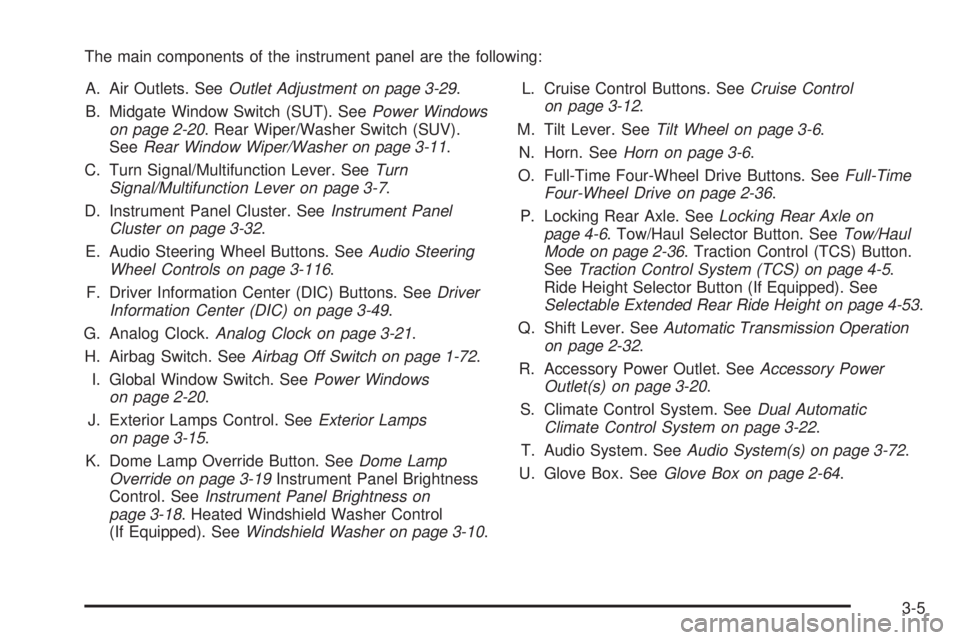
The main components of the instrument panel are the following:
A. Air Outlets. SeeOutlet Adjustment on page 3-29.
B. Midgate Window Switch (SUT). SeePower Windows
on page 2-20. Rear Wiper/Washer Switch (SUV).
SeeRear Window Wiper/Washer on page 3-11.
C. Turn Signal/Multifunction Lever. SeeTurn
Signal/Multifunction Lever on page 3-7.
D. Instrument Panel Cluster. SeeInstrument Panel
Cluster on page 3-32.
E. Audio Steering Wheel Buttons. SeeAudio Steering
Wheel Controls on page 3-116.
F. Driver Information Center (DIC) Buttons. SeeDriver
Information Center (DIC) on page 3-49.
G. Analog Clock.Analog Clock on page 3-21.
H. Airbag Switch. SeeAirbag Off Switch on page 1-72.
I. Global Window Switch. SeePower Windows
on page 2-20.
J. Exterior Lamps Control. SeeExterior Lamps
on page 3-15.
K. Dome Lamp Override Button. SeeDome Lamp
Override on page 3-19Instrument Panel Brightness
Control. SeeInstrument Panel Brightness on
page 3-18. Heated Windshield Washer Control
(If Equipped). SeeWindshield Washer on page 3-10.L. Cruise Control Buttons. SeeCruise Control
on page 3-12.
M. Tilt Lever. SeeTilt Wheel on page 3-6.
N. Horn. SeeHorn on page 3-6.
O. Full-Time Four-Wheel Drive Buttons. SeeFull-Time
Four-Wheel Drive on page 2-36.
P. Locking Rear Axle. SeeLocking Rear Axle on
page 4-6. Tow/Haul Selector Button. SeeTow/Haul
Mode on page 2-36. Traction Control (TCS) Button.
SeeTraction Control System (TCS) on page 4-5.
Ride Height Selector Button (If Equipped). See
Selectable Extended Rear Ride Height on page 4-53.
Q. Shift Lever. SeeAutomatic Transmission Operation
on page 2-32.
R. Accessory Power Outlet. SeeAccessory Power
Outlet(s) on page 3-20.
S. Climate Control System. SeeDual Automatic
Climate Control System on page 3-22.
T. Audio System. SeeAudio System(s) on page 3-72.
U. Glove Box. SeeGlove Box on page 2-64.
3-5
Page 165 of 504
Using Cruise Control on Hills
How well your cruise control will work on hills depends
upon the vehicle’s speed, load, and the steepness
of the hills. When going up steep hills, you might
have to step on the accelerator pedal to maintain the
vehicle’s speed. When going downhill, you might have
to brake or shift to a lower gear to keep the vehicle’s
speed down. When the brakes are applied the cruise
control turns off. Many drivers nd this to be too much
trouble and do not use cruise control on steep hills.
Ending Cruise Control
There are three ways to end cruise control:
Step lightly on the brake pedal.
Press the[button on the steering wheel.
Press theTbutton on the steering wheel.
Erasing Speed Memory
The cruise control set speed memory is erased when
the cruise control or the ignition is turned off.
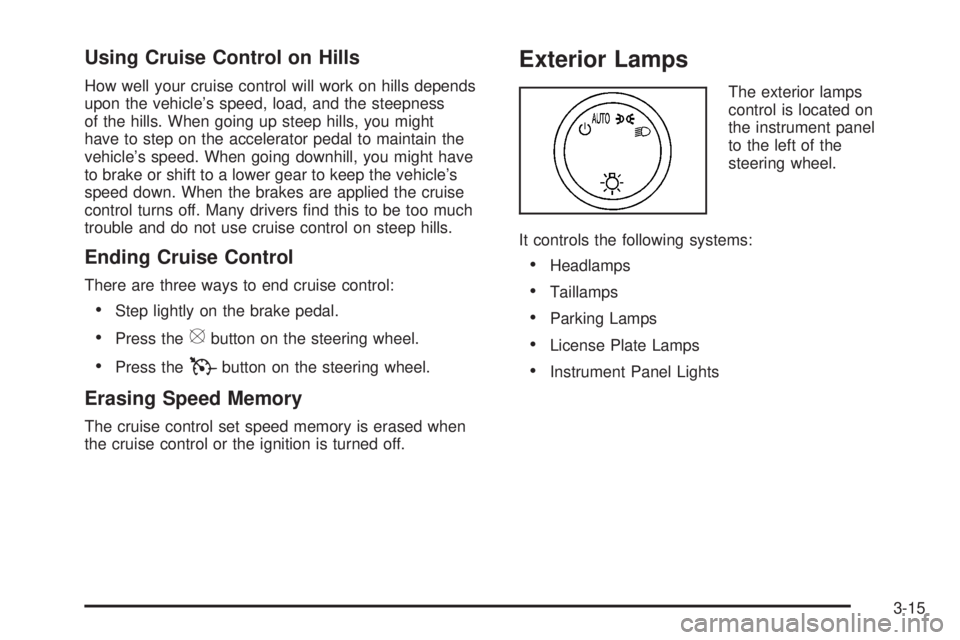
Exterior Lamps
The exterior lamps
control is located on
the instrument panel
to the left of the
steering wheel.
It controls the following systems:
Headlamps
Taillamps
Parking Lamps
License Plate Lamps
Instrument Panel Lights
3-15
Page 166 of 504
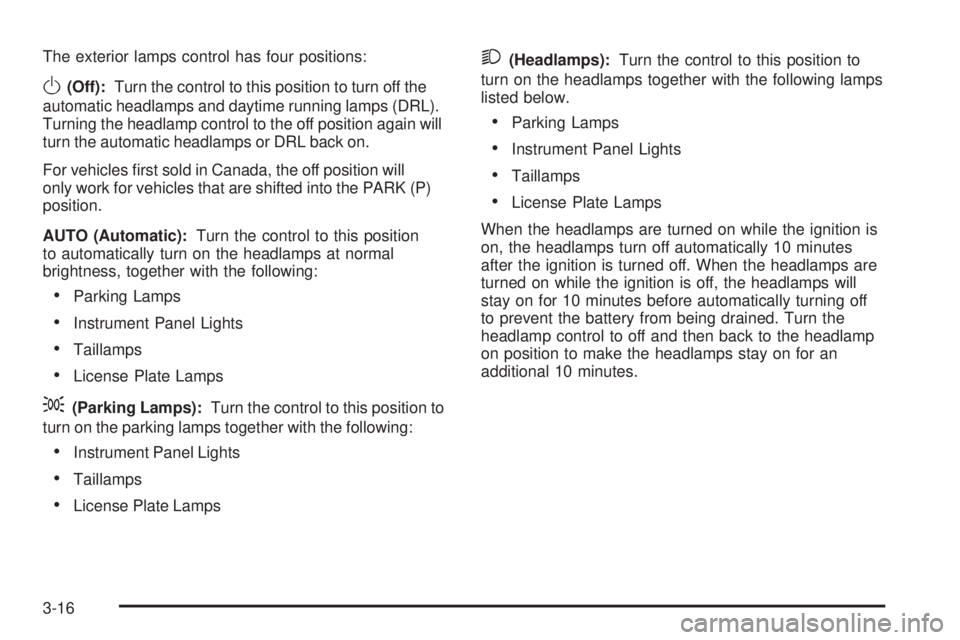
The exterior lamps control has four positions:
O(Off):Turn the control to this position to turn off the
automatic headlamps and daytime running lamps (DRL).
Turning the headlamp control to the off position again will
turn the automatic headlamps or DRL back on.
For vehicles rst sold in Canada, the off position will
only work for vehicles that are shifted into the PARK (P)
position.
AUTO (Automatic):Turn the control to this position
to automatically turn on the headlamps at normal
brightness, together with the following:
Parking Lamps
Instrument Panel Lights
Taillamps
License Plate Lamps
;(Parking Lamps):Turn the control to this position to
turn on the parking lamps together with the following:
Instrument Panel Lights
Taillamps
License Plate Lamps
2(Headlamps):Turn the control to this position to
turn on the headlamps together with the following lamps
listed below.
Parking Lamps
Instrument Panel Lights
Taillamps
License Plate Lamps
When the headlamps are turned on while the ignition is
on, the headlamps turn off automatically 10 minutes
after the ignition is turned off. When the headlamps are
turned on while the ignition is off, the headlamps will
stay on for 10 minutes before automatically turning off
to prevent the battery from being drained. Turn the
headlamp control to off and then back to the headlamp
on position to make the headlamps stay on for an
additional 10 minutes.
3-16
Page 211 of 504

SERVICE THEFT DETERRENT SYSTEM
This message displays when there is a problem with
the theft-deterrent system. The vehicle may or may
not restart so you may want to take the vehicle to
your dealer/retailer before turning off the engine.
SeePASS-Key
®III+ Operation on page 2-26for
more information.
SERVICE TIRE MONITOR SYSTEM
This message displays if a part on the Tire Pressure
Monitor System (TPMS) is not working properly.
The tire pressure light also ashes and then remains
on during the same ignition cycle. SeeTire Pressure
Light on page 3-41. Several conditions may cause
this message to appear. SeeTire Pressure Monitor
Operation on page 5-64for more information.
If the warning comes on and stays on, there may
be a problem with the TPMS. See your dealer/retailer.
SERVICE TRACTION CONTROL
This message displays when there is a problem with
the Traction Control System (TCS). When this message
displays, the system will not limit wheel spin. Adjust
your driving accordingly. See your dealer/retailer
for service. SeeTraction Control System (TCS)
on page 4-5andStabiliTrak
®System on page 4-7
for more information.
STABILITRAK OFF
This message displays when you turn off StabiliTrak®,
or when the stability control has been automatically
disabled. To limit wheel spin and realize the full benets
of the stability enhancement system, you should
normally leave StabiliTrak
®on. However, you should
turn StabiliTrak®off if your vehicle gets stuck in
sand, mud, ice, or snow and you want to rock your
vehicle to attempt to free it, or if you are driving
in extreme off-road conditions and require more wheel
spin. SeeIf Your Vehicle is Stuck in Sand, Mud,
Ice, or Snow on page 4-39. To turn the StabiliTrak
®
system on or off, seeStabiliTrak®System on page 4-7.
There are several conditions that can cause this
message to appear.
The message displays if an engine or vehicle
related problem has been detected and the
vehicle needs service. See your dealer/retailer.
The message also displays if the vehicle is
shifted into 4LO.
The message turns off as soon as the conditions
that caused the message to be displayed are
no longer present.
3-61
Page 215 of 504

AUTO DOOR LOCK
This feature allows you to select when the vehicle’s
doors will automatically lock. SeeProgrammable
Automatic Door Locks on page 2-11for more
information.
Press the customization button until AUTO DOOR LOCK
appears on the DIC display. Press the set/reset button
once to access the settings for this feature. Then press
the customization button to scroll through the following
settings:
SHIFT OUT OF PARK (default):The doors will
automatically lock when the vehicle is shifted out of
PARK (P).
AT VEHICLE SPEED:The doors will automatically lock
when the vehicle speed is above 8 mph (13 km/h) for
three seconds.
NO CHANGE:No change will be made to this feature.
The current setting will remain.
To select a setting, press the set/reset button while the
desired setting is displayed on the DIC.
AUTO DOOR UNLOCK
This feature allows you to select whether or not to
turn off the automatic door unlocking feature. It also
allows you to select which doors and when the doors
will automatically unlock. SeeProgrammable Automatic
Door Locks on page 2-11for more information.
Press the customization button until AUTO DOOR
UNLOCK appears on the DIC display. Press the
set/reset button once to access the settings for this
feature. Then press the customization button to scroll
through the following settings:
OFF:None of the doors will automatically unlock.
DRIVER AT KEY OUT:Only the driver’s door will
unlock when the key is taken out of the ignition.
DRIVER IN PARK:Only the driver’s door will unlock
when the vehicle is shifted into PARK (P).
ALL AT KEY OUT:All of the doors will unlock when
the key is taken out of the ignition.
ALL IN PARK (default):All of the doors will unlock
when the vehicle is shifted into PARK (P).
NO CHANGE:No change will be made to this feature.
The current setting will remain.
To select a setting, press the set/reset button while the
desired setting is displayed on the DIC.
3-65
Page 219 of 504

PARK TILT MIRRORS
If your vehicle has this feature, it allows you to select
whether or not the outside mirror(s) will automatically tilt
down when the vehicle is shifted into REVERSE (R).
SeeOutside Automatic Dimming Mirror on page 2-49
for more information.
Press the customization button until PARK TILT
MIRRORS appears on the DIC display. Press the
set/reset button once to access the settings for this
feature. Then press the customization button to scroll
through the following settings:
OFF (default):Neither outside mirror will be tilted down
when the vehicle is shifted into REVERSE (R).
DRIVER MIRROR:The driver’s outside mirror will be
tilted down when the vehicle is shifted into REVERSE (R).
PASSENGER MIRROR:The passenger’s outside
mirror will be tilted down when the vehicle is shifted
into REVERSE (R).
BOTH MIRRORS:The driver’s and passenger’s outside
mirrors will be tilted down when the vehicle is shifted
into REVERSE (R).
NO CHANGE:No change will be made to this feature.
The current setting will remain.
To select a setting, press the set/reset button while the
desired setting is displayed on the DIC.
EASY EXIT SEAT
If your vehicle has this feature, it allows you to select
your preference for the automatic easy exit seat feature.
SeeMemory Seat and Mirrors on page 1-4for more
information.
Press the customization button until EASY EXIT SEAT
appears on the DIC display. Press the set/reset button
once to access the settings for this feature. Then press
the customization button to scroll through the following
settings:
OFF (default):No automatic seat exit recall will occur.
ON:The driver’s seat will move back when the key
is removed from the ignition.
The automatic easy exit seat movement will only occur
one time after the key is removed from the ignition.
If the automatic movement has already occurred, and
you put the key back in the ignition and remove it again,
the seat will stay in the original exit position, unless a
memory recall took place prior to removing the key
again.
NO CHANGE:No change will be made to this feature.
The current setting will remain.
To select a setting, press the set/reset button while the
desired setting is displayed on the DIC.
3-69
Page 273 of 504
Remember: ABS does not change the time you need to
get your foot up to the brake pedal or always decrease
stopping distance. If you get too close to the vehicle
in front of you, you will not have time to apply the brakes
if that vehicle suddenly slows or stops. Always leave
enough room up ahead to stop, even though you
have ABS.
Using ABS
Do not pump the brakes. Just hold the brake pedal down
rmly and let antilock work for you. You might feel the
brakes vibrate or notice some noise, but this is normal.
Braking in Emergencies
With ABS, you can steer and brake at the same time.
In many emergencies, steering can help you more than
even the very best braking.
Traction Control System (TCS)
Your vehicle has a Traction Control System (TCS) that
limits wheel spin. This is especially useful in slippery
road conditions. The system operates only if it senses
that any of the wheels are spinning or beginning to lose
traction. When this happens, the system applies the
brakes to limit wheel spin and also reduces engine
power. You may feel or hear the system working, but
this is normal.TCS may operate on dry roads under some conditions.
When this happens, you may notice a reduction in
acceleration or a pumping sound. This is normal and
does not mean there’s a problem with your vehicle.
Examples of these conditions include hard acceleration
in a turn, an abrupt upshift or downshift of the
transmission or driving on rough roads.
If your vehicle is in cruise control when the TCS begins
to limit wheel spin, the cruise control will automatically
disengage. When road conditions allow you to safely
use it again, you may re-engage the cruise control.
SeeCruise Control on page 3-12.
If your vehicle has a Driver information Center (DIC),
a SERVICE TRACTION CONTROL message will appear
when a Traction Control System or Antilock Brake
System problem has been detected and the vehicle
needs service. SeeDIC Warnings and Messages
on page 3-56.
When this message is on, the system will not limit
wheel spin. Adjust your driving accordingly.
The traction control system automatically comes on
whenever you start your vehicle. To limit wheel
spin, especially in slippery road conditions, you should
always leave the system on. But you can turn the
traction control system off if you ever need to.
4-5
Page 275 of 504
You must wait for the light in the button to stop ashing
and remain illuminated before the rear axle is locked.
Notice:If you try to lock the rear axle while your
vehicle is stuck and the tires are spinning, you could
damage your vehicle’s drivetrain. The repairs
would not be covered by your warranty. Always lock
the rear axle before attempting situations and/or
navigating terrain which could possibly cause
the vehicle to become stuck.
The locking rear axle will be disengaged when the
vehicle’s speed is greater than 40 mph (64 km/h), if the
vehicle’s battery is low and/or the transfer case is
shifted out of Four-Wheel-Low-Lock mode.
Notice:If you lock the rear axle while driving
on pavement, you could damage your vehicle’s
drivetrain. The repairs would not be covered by
your warranty. Do not use the locking rear axle
on pavement.
StabiliTrak®System
Your vehicle has the StabiliTrak®system which
combines Antilock brake, traction and stability control
systems and helps the driver maintain directional control
of the vehicle in most driving conditions.When you rst start your vehicle and begin to drive
away, the system performs several diagnostic checks to
ensure there are no problems. You may hear or feel
the system working. This is normal and does not mean
there is a problem with your vehicle. The system
should initialize before the vehicle reaches 20 mph
(32 km/h). In some cases, it may take approximately
two miles of driving before the system initializes.
If the system fails to turn on or activate, the StabiliTrak
®
light along with one of the following messages will be
displayed on the Driver Information Center (DIC):
TRACTION CONTROL OFF, SERVICE TRACTION
CONTROL, STABILITRAK OFF, SERVICE
STABILITRAK. If these DIC messages appear, make
sure the StabiliTrak
®system has not been turned
off using the StabiliTrak®on/off button. If this clears
the message(s), your vehicle does not need servicing.
If this does not clear the message(s), then turn the
vehicle off, wait 15 seconds, and then turn it back on
again to reset the system. If any of these messages still
appear on the Driver Information Center (DIC), your
vehicle should be taken in for service. For more
information on the DIC messages, seeDriver
Information Center (DIC) on page 3-49.
4-7
Page 277 of 504
Traction Control Operation
The traction control system is part of the StabiliTrak®
system. Traction control limits wheel spin by reducing
engine power to the wheels (engine speed management)
and by applying brakes to each individual wheel
(brake-traction control) as necessary.
The traction control system is enabled automatically
when you start your vehicle. It will activate and the
StabiliTrak
®light will ash if it senses that any of the
wheels are spinning or beginning to lose traction while
driving. If you turn off traction control, only the
brake-traction control portion of traction control will
work. The engine speed management will be disabled.
In this mode, engine power is not reduced automatically
and the driven wheels can spin more freely. This can
cause the brake-traction control to activate constantly.
Notice:If you allow the wheel(s) of one axle to spin
excessively while the StabiliTrak
®, ABS and brake
warning lights and the SERVICE STABILITRAK
message are displayed, you could damage the
transfer case. The repairs would not be covered by
your warranty. Reduce engine power and do not
spin the wheel(s) excessively while these lights and
this message are displayed.The traction control system may activate on dry or
rough roads or under conditions such as heavy
acceleration while turning or abrupt upshifts/downshifts
of the transmission. When this happens, you may notice
a reduction in acceleration, or may hear a noise or
vibration. This is normal.
If your vehicle is in cruise control when the system
activates, the StabiliTrak
®light will ash and the cruise
control will automatically disengage. When road
conditions allow you to use cruise again, you may
re-engage the cruise control. SeeCruise Control on
page 3-12.
StabiliTrak
®may also turn off automatically if it
determines that a problem exists with the system.
If the problem does not clear itself after restarting the
vehicle, you should see your dealer/retailer for service.
Steering
Power Steering
If you lose power steering assist because the engine
stops or the system is not functioning, you can steer but
it will take much more effort.
4-9
Page 281 of 504
While driving on a surface with reduced traction,
try your best to avoid sudden steering, acceleration,
or braking, including reducing vehicle speed by shifting
to a lower gear. Any sudden changes could cause
the tires to slide. You might not realize the surface
is slippery until your vehicle is skidding. Learn to
recognize warning clues — such as enough water,
ice, or packed snow on the road to make a mirrored
surface — and slow down when you have any doubt.
Remember: Any Antilock Brake System (ABS) helps
avoid only the braking skid.
Off-Road Driving
This off-road guide is meant to provide advice for when
you drive your vehicle off paved roads. Also, see
Braking on page 4-3.
The airbag system is designed to work properly under a
wide range of conditions, including off-road usage.
Observe safe driving speeds, especially on rough
terrain. As always, wear your safety belt.
Off-road driving can be great fun. But it does have
some denite hazards. The greatest of these is
the terrain itself.“Off-roading” means you have left the great North
American road system behind. Traffic lanes are not
marked. Curves are not banked. There are no
road signs. Surfaces can be slippery, rough, uphill or
downhill. In short, you have gone right back to nature.
Off-road driving involves some new skills. And that
is why it is very important that you read this guide.
You will nd many driving tips and suggestions. These
will help make your off-road driving safer and more
enjoyable.
Before You Go Off-Roading
There are some things to do before you go out. For
example, be sure to have all necessary maintenance
and service work done. Check to make sure all
underbody shields are properly attached. Remove any
removable side steps. SeeAssist Steps on page 4-32.
Make sure any equipment you may need — rst aid
kit, cell phone, ashlight, etc. — is securely stored in the
vehicle. Be sure you read all the information about
your four-wheel-drive vehicle in this manual. Is there
enough fuel? Is the spare tire fully inated? Are the uid
levels up where they should be? What are the local
laws that apply to off-roading where you will be driving?
If you do not know, you should check with law
enforcement people in the area. Will you be on
someone’s private land? If so, be sure to get the
necessary permission.
4-13