radio controls HUMMER H2 2009 Owners Manual
[x] Cancel search | Manufacturer: HUMMER, Model Year: 2009, Model line: H2, Model: HUMMER H2 2009Pages: 524, PDF Size: 3.1 MB
Page 158 of 524
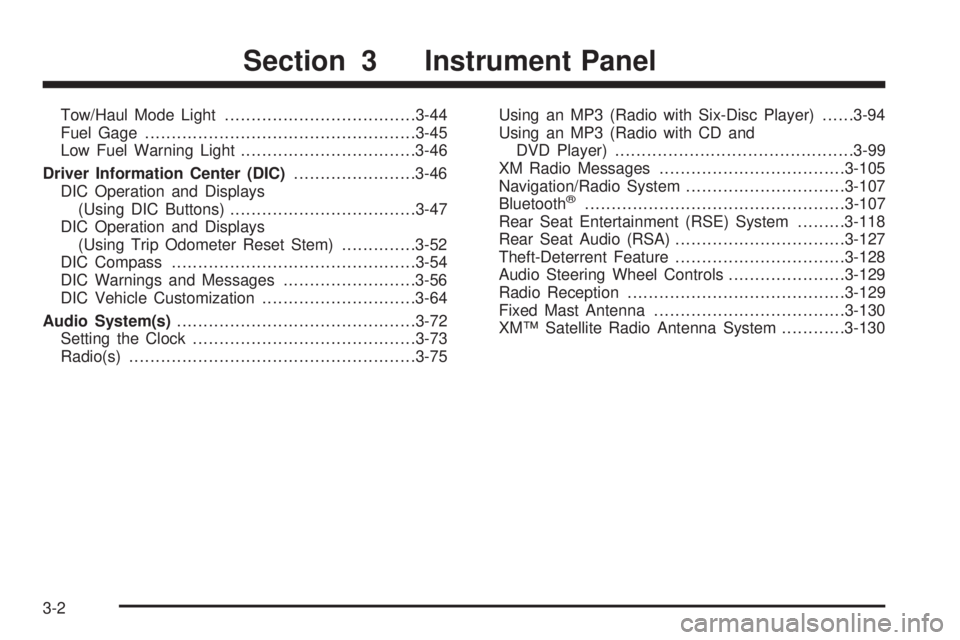
Tow/Haul Mode Light....................................3-44
Fuel Gage...................................................3-45
Low Fuel Warning Light.................................3-46
Driver Information Center (DIC).......................3-46
DIC Operation and Displays
(Using DIC Buttons)...................................3-47
DIC Operation and Displays
(Using Trip Odometer Reset Stem)..............3-52
DIC Compass..............................................3-54
DIC Warnings and Messages.........................3-56
DIC Vehicle Customization.............................3-64
Audio System(s).............................................3-72
Setting the Clock..........................................3-73
Radio(s)......................................................3-75Using an MP3 (Radio with Six-Disc Player)......3-94
Using an MP3 (Radio with CD and
DVD Player).............................................3-99
XM Radio Messages...................................3-105
Navigation/Radio System..............................3-107
Bluetooth
®.................................................3-107
Rear Seat Entertainment (RSE) System.........3-118
Rear Seat Audio (RSA)................................3-127
Theft-Deterrent Feature................................3-128
Audio Steering Wheel Controls......................3-129
Radio Reception.........................................3-129
Fixed Mast Antenna....................................3-130
XM™ Satellite Radio Antenna System............3-130
Section 3 Instrument Panel
3-2
Page 173 of 524
Automatic Headlamp System
When it is dark enough outside and the headlamp
switch is in AUTO, the automatic headlamp system will
turn on the headlamps at the normal brightness along
with other lamps such as the taillamps, sidemarker,
parking lamps, roof marker lamps, and the instrument
panel lights. The radio lights will also be dim.
To turn off the automatic headlamp system, turn the
exterior lamps switch to the off position and then release.
For vehicles rst sold in Canada, the transmission must
be in the P (Park) position, before the automatic
headlamp system can be turned off.
The vehicle has a light sensor located on the top of
the instrument panel. Do not cover this sensor or
the system will come on whenever the ignition is on.
The system may also turn on the headlamps when
driving through a parking garage, heavy overcast
weather, or a tunnel. This is normal.
There is a delay in the transition between the
daytime and nighttime operation of the Daytime Running
Lamps (DRL) and the automatic headlamp systems so
that driving under bridges or bright overhead street lights
does not affect the system. The DRL and automatic
headlamp system will only be affected when the light
sensor sees a change in lighting lasting longer than
the delay.If the vehicle is started in a dark garage, the automatic
headlamp system will come on immediately. Once the
vehicle leaves the garage, it takes approximately
one minute for the automatic headlamp system to
change to DRL if it is light outside. During that delay, the
instrument panel cluster may not be as bright as usual.
Make sure the instrument panel brightness control is in
the full bright position. SeeInstrument Panel Brightness
on page 3-17.
Instrument Panel Brightness
D(Instrument Panel Brightness):This feature
controls the brightness of the instrument panel lights
and is located next to the exterior lamp control.
Push the knob to extend out and then it can be turned.
Turn the knob clockwise or counterclockwise to
brighten or dim the instrument panel lights. Turning
the knob to the farthest clockwise position turns on
the dome lamps.
3-17
Page 229 of 524
This system provides access to many audio and non
audio listings.
To minimize taking your eyes off the road while driving,
do the following while the vehicle is parked:
Become familiar with the operation and controls of
the audio system.
Set up the tone, speaker adjustments, and preset
radio stations.
For more information, seeDefensive Driving on
page 4-2.
Notice:Contact your dealer/retailer before adding
any equipment.
Adding audio or communication equipment could
interfere with the operation of the vehicle’s engine,
radio, or other systems, and could damage them.
Follow federal rules covering mobile radio and
telephone equipment.
The vehicle has Retained Accessory Power (RAP).
With RAP, the audio system can be played even after
the ignition is turned off. SeeRetained Accessory
Power (RAP) on page 2-29for more information.
Setting the Clock
MP3 Radio with a Single CD and DVD
Player
If the vehicle has a radio with a single CD and DVD
player, it has a
Hbutton for setting the time and date.
To set the time and date:
1. Press the
Hbutton and the HR, MIN, MM, DD,
YYYY (hour, minute, month, day, and year)
displays.
2. Press the pushbutton located under any one of the
labels to change. Every time the pushbutton is
pressed again, the time or the date if selected,
increases by one.
Another way to increase the time or date,
is to press the right
¨SEEK arrow or
the
\FWD (forward) button.
3. To decrease, press the left
©SEEK arrow or
the
sREV (reverse) button, or turn thefknob,
located on the upper right side of the radio, to adjust
the selected setting.
3-73
Page 235 of 524
Storing a Radio Station as a Favorite
Drivers are encouraged to set up their radio station
favorites while the vehicle is parked. Tune to favorite
stations using the presets, favorites button, and
steering wheel controls, if the vehicle has this feature.
SeeDefensive Driving on page 4-2.
FAV (Favorites):A maximum of 36 stations can be
programmed as favorites using the six pushbuttons
positioned below the radio station frequency labels and
by using the radio favorites page button (FAV button).
Press the FAV button to go through up to six pages
of favorites, each having six favorite stations available
per page. Each page of favorites can contain any
combination of AM, FM, or XM (if equipped) stations.
The balance/fade and tone settings that were previously
adjusted, are stored with the favorite stations.
To store a station as a favorite, perform the following
steps:
1. Tune to the desired radio station.
2. Press the FAV button to display the page where the
station is to be stored.3. Press and hold one of the six pushbuttons until a
beep sounds. When that pushbutton is pressed
and released, the station that was set, returns.
4. Repeat the steps for each pushbutton radio station
to store as a favorite.
The number of favorites pages can be setup using
the MENU button. To setup the number of favorites
pages, perform the following steps:
1. Press the MENU button to display the radio
setup menu.
2. Press the pushbutton located below the FAV 1-6
label.
3. Select the desired number of favorites pages
by pressing the pushbutton located below the
displayed page numbers.
4. Press the FAV button, or let the menu time out,
to return to the original main radio screen showing
the radio station frequency labels and to begin
the process of programming favorites for the chosen
amount of numbered pages.
3-79
Page 236 of 524
Setting the Tone
(Bass/Midrange/Treble)
BASS/MID/TREB (Bass, Midrange, or Treble):To
adjust bass, midrange, or treble, press the
fknob until
the tone control labels display. Continue pressing to
highlight the desired label, or press the pushbutton
positioned under the desired label. Turn the
fknob
clockwise or counterclockwise to adjust the highlighted
setting, or adjust the highlighted setting by pressing either
SEEK arrow,
\FWD (forward), orsREV (reverse)
button until the desired levels are obtained. If a station’s
frequency is weak or if there is static, decrease the treble.
To quickly adjust bass, midrange, or treble to the middle
position, press the pushbutton positioned under the
BASS, MID, or TREB label for more than two seconds.
A beep sounds and the level adjusts to the middle
position.
To quickly adjust all tone and speaker controls to
the middle position, press the
fknob for more than
two seconds.EQ (Equalization) (Radio with Six-Disc CD Player):
Press this button to choose bass and treble equalization
settings designed for different types of music. Selecting
MANUAL or changing bass or treble, returns the EQ
to the manual bass and treble settings.
EQ (Equalization) (Radio with CD and DVD):Press
to change Digital Signal Processing (DSP) settings
(Bose
®sound systems only). DSP settings provide
a choice of different listening experiences.
The following DSP settings are available:
Normal— Select this setting to adjust the audio for
normal mode. This provides the best sound quality
for all seating positions.
Driver— Select this setting to adjust the audio for
the driver to receive the best possible sound quality.
Rear— Select this setting to adjust the audio for the
rear seat passengers to receive the best possible
sound quality.
Surround (Centerpoint®)— Select this setting to
enable Bose Centerpoint®. Centerpoint®signal
processing circuitry produces a surround sound
listening experience from a CD or XM stereo digital
audio source. Centerpoint
®delivers ve independent
audio channels from conventional two channel stereo
recordings. (Not available for AM, FM.)
3-80
Page 237 of 524
Adjusting the Speakers (Balance/Fade)
BAL/FADE (Balance/Fade):To adjust balance or fade,
press the
fknob until the speaker control labels display.
Continue pressing to highlight the desired label, or press
the pushbutton positioned under the desired label. Turn
the
fknob clockwise or counterclockwise to adjust the
highlighted setting, or press either SEEK arrow,
\FWD,
or
sREV button until the desired levels are obtained.
To quickly adjust balance or fade to the middle position,
press the pushbutton positioned under the BAL or FADE
label for more than two seconds. A beep sounds and the
level adjusts to the middle position.
To quickly adjust all speaker and tone controls to
the middle position, press the
fknob for more than
two seconds.
Finding a Category (CAT) Station
CAT (Category):The CAT button is used to nd XM
stations when the radio is in the XM mode. To nd
XM channels within a desired category, perform
the following:
1. Press the BAND button until the XM frequency
displays. Press the CAT button to display the
category labels. Continue pressing the CAT button
until the desired category name displays.
Radios with CD and DVD can also navigate the
category list by pressing the
sREV button or
the
\FWD button.
2. Press either of the two buttons below the desired
category label to immediately tune to the rst XM
station associated with that category.
3. Turn the
fknob, press the buttons below the right
or left arrows displayed, or press either SEEK arrow
to go to the previous or to the next XM station
within the selected category.
4. To exit the category search mode, press the FAV
button or BAND button to display the favorites again.
3-81
Page 246 of 524
SEEK¨(Next Track/Chapter):Press the right SEEK
arrow to go to the next track or chapter. This button
might not work when the DVD is playing the copyright
information or the previews.
sREV (Reverse):Press this button to quickly reverse
the CD or DVD at ve times the normal speed. The radio
displays the elapsed time while in fast reverse. To stop
fast reversing, press this button again. This button might
not work when the DVD is playing the copyright
information or the previews.
\FWD (Fast Forward):Press this button to fast
forward the CD or DVD. The radio displays the elapsed
time and fast forwards ve times the normal speed.
To stop fast forwarding, press this button again. This
button might not work when the DVD is playing the
copyright information or the previews.
Z(Eject):Press this button to eject a CD or DVD.
If a CD or DVD is ejected, but not removed, the
player automatically pulls it back in after 15 seconds.
If loading and reading of a CD cannot be completed,
because of an unknown format, etc., and the disc fails
to eject, press and hold this button for more than
ve seconds to force the disc to eject.
DVD-V (Video) Display Buttons
Once a DVD-V is inserted, the radio display menu
shows several tag options for DVD playing. Press the
pushbuttons located under any desired tag option during
DVD playback. See the tag options listed after, for
more information.
The rear seat passenger can navigate the DVD-V
menus and controls through the remote control.
See “Remote Control”, underRear Seat Entertainment
(RSE) System on page 3-118for more information.
The Video Screen automatically turns on when the
DVD-V is inserted into the DVD slot.
r/j(Play/Pause):Press either the play or pause
icon displayed on the radio system, to toggle between
pausing or restarting playback of a DVD. If the forward
arrow is showing on display, the system is in pause
mode. If the pause icon is showing on display, the system
is in playback mode. If the DVD screen is off, press the
play button to turn the screen on.
Some DVDs begin playing after the previews have
nished, although there could be a delay of up to
30 seconds. If the DVD does not begin playing the movie
automatically, press the pushbutton located under the
play/pause symbol tag displayed on the radio. If the DVD
still does not play, refer to the on-screen instructions,
if available.
3-90
Page 247 of 524
c(Stop):Press this button to stop playing, rewinding,
or fast forwarding a DVD.
r(Enter):Press this button to select the choices
that are highlighted in any menu.
y(Menu):Press this button to access the DVD menu.
The DVD menu is different on every DVD. Use the
pushbuttons located under the navigation arrows to
navigate the cursor through the DVD menu. After making
a selection press this button. This button only operates
when using a DVD.
Nav (Navigate):Press this button to display directional
arrows for navigating through the menus.
q(Return):Press this button to exit the current
active menu and return to the previous menu. This
button operates only when a DVD is playing and a
menu is active.
DVD-A (Audio) Display Buttons
Once a DVD-A is inserted, radio display menu
shows several tag options for DVD playing. Press the
pushbuttons located under any desired tag option during
DVD playback. See the tag options listed after, for more
information.The rear seat operator can navigate the DVD-A menus
and controls through the remote control. See “Remote
Control”, underRear Seat Entertainment (RSE) System
on page 3-118for more information. The Video Screen
does not automatically power on when the DVD-A is
inserted into the DVD slot. It must be manually turned
on by the rear seat occupant through the remote control
power button.
r/j(Play/Pause):Press either the play or pause
icon displayed on the radio system, to toggle between
pausing or restarting playback of a DVD. If the forward
arrow is showing on the display, the system is in pause
mode. If the pause icon is showing on the display, the
system is in playback mode.
qGroupr:Press this button to cycle through
musical groupings on the DVD-A disc.
Nav (Navigate):Press this button to display directional
arrows for navigating through the menus.
e(Audio Stream):Press this button to cycle through
audio stream formats located on the DVD-A disc.
The video screen shows the audio stream changing.
3-91
Page 263 of 524

Navigation/Radio System
For vehicles with a navigation radio system, see the
separate Navigation System manual.
Bluetooth®
Vehicles with a Bluetooth system can use a Bluetooth
capable cell phone with a Hands Free Prole to make and
receive phone calls. The system can be used while the
key is in ON/RUN or ACC/ACCESSORY position. The
range of the Bluetooth system can be up to 30 ft. (9.1 m).
Not all phones support all functions, and not all phones
are guaranteed to work with the in-vehicle Bluetooth
system. See gm.com/bluetooth for more information
on compatible phones.
Voice Recognition
The Bluetooth system uses voice recognition to interpret
voice commands to dial phone numbers and name tags.
Noise:Keep interior noise levels to a minimum.
The system may not recognize voice commands if
there is too much background noise.
When to Speak:A short tone sounds after the system
responds indicating when it is waiting for a voice
command. Wait until the tone and then speak.
How to Speak:Speak clearly in a calm and natural
voice.
Audio System
When using the in-vehicle Bluetooth system, sound
comes through the vehicle’s front audio system speakers
and overrides the audio system. Use the audio system
volume knob, during a call, to change the volume level.
The adjusted volume level remains in memory for later
calls. To prevent missed calls, a minimum volume level
is used if the volume is turned down too low.
Bluetooth Controls
Use the buttons located on the steering wheel to
operate the in-vehicle Bluetooth system. SeeAudio
Steering Wheel Controls on page 3-129for more
information.
bg(Push To Talk):Press to answer incoming calls,
to conrm system information, and to start speech
recognition.
cx(Phone On Hook):Press to end a call, reject a
call, or to cancel an operation.
3-107
Page 283 of 524
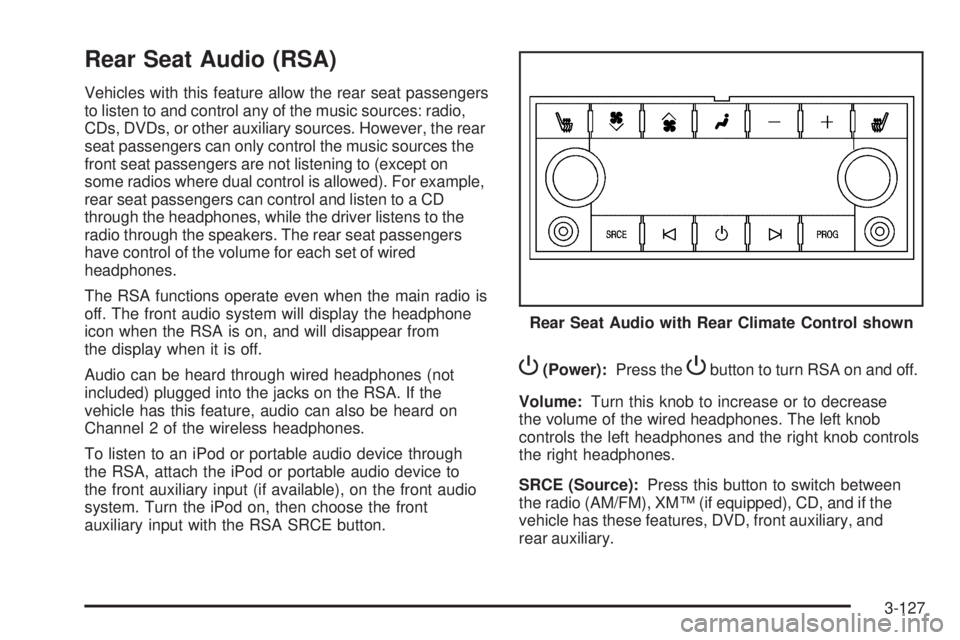
Rear Seat Audio (RSA)
Vehicles with this feature allow the rear seat passengers
to listen to and control any of the music sources: radio,
CDs, DVDs, or other auxiliary sources. However, the rear
seat passengers can only control the music sources the
front seat passengers are not listening to (except on
some radios where dual control is allowed). For example,
rear seat passengers can control and listen to a CD
through the headphones, while the driver listens to the
radio through the speakers. The rear seat passengers
have control of the volume for each set of wired
headphones.
The RSA functions operate even when the main radio is
off. The front audio system will display the headphone
icon when the RSA is on, and will disappear from
the display when it is off.
Audio can be heard through wired headphones (not
included) plugged into the jacks on the RSA. If the
vehicle has this feature, audio can also be heard on
Channel 2 of the wireless headphones.
To listen to an iPod or portable audio device through
the RSA, attach the iPod or portable audio device to
the front auxiliary input (if available), on the front audio
system. Turn the iPod on, then choose the front
auxiliary input with the RSA SRCE button.
P(Power):Press thePbutton to turn RSA on and off.
Volume:Turn this knob to increase or to decrease
the volume of the wired headphones. The left knob
controls the left headphones and the right knob controls
the right headphones.
SRCE (Source):Press this button to switch between
the radio (AM/FM), XM™ (if equipped), CD, and if the
vehicle has these features, DVD, front auxiliary, and
rear auxiliary.Rear Seat Audio with Rear Climate Control shown
3-127