page 3 HUMMER H3 2006 Owner's Guide
[x] Cancel search | Manufacturer: HUMMER, Model Year: 2006, Model line: H3, Model: HUMMER H3 2006Pages: 410, PDF Size: 2.61 MB
Page 86 of 410
Passlock®
Your vehicle is equipped with the Passlock®
theft-deterrent system.
Passlock
®is a passive theft-deterrent system. Passlock®
enables fuel if the ignition lock cylinder is turned with
a valid key. If an incorrect key is used or the ignition lock
cylinder is tampered with, the fuel system is disabled
and the vehicle will not start.
During normal operation, the security light will turn off
approximately ve seconds after the engine is started.
SeeSecurity Light on page 3-39.
If the engine stalls and the security light ashes, wait
about 10 minutes until the light stops ashing before
trying to restart the engine. Remember to release
the key from START as soon as the engine starts.
If the engine does not start after three tries, the vehicle
needs service.
If the engine is running and the security light comes on,
you will be able to restart the engine if you turn the
engine off. However, your Passlock
®system is
not working properly and must be serviced by your
dealer. Your vehicle is not protected by Passlock
®at this
time. See your GM dealer for service.
In an emergency, call the GM Roadside Assistance
Center. SeeRoadside Assistance Program on page 7-6.
Starting and Operating
Your Vehicle
New Vehicle Break-In
Notice:Your vehicle does not need an elaborate
break-in. But it will perform better in the long run if
you follow these guidelines:
Keep your speed at 55 mph (88 km/h) or less for
the rst 500 miles (805 km).
Do not drive at any one constant speed, fast or
slow, for the rst 500 miles (805 km). Do not
make full-throttle starts. Avoid downshifting to
brake, or slow, the vehicle.
Avoid making hard stops for the rst 200 miles
(322 km) or so. During this time your new brake
linings are not yet broken in. Hard stops with new
linings can mean premature wear and earlier
replacement. Follow this breaking-in guideline
every time you get new brake linings.
Do not tow a trailer during break-in. SeeTowing a
Trailer on page 4-59for the trailer towing
capabilities of your vehicle and more
information.
Following break-in, engine speed and load can be
gradually increased.
2-14
Page 91 of 410
There are several different positions for your shift lever.
PARK (P):This position locks your rear wheels. It is
the best position to use when you start the engine
because your vehicle cannot move easily.
{CAUTION:
It is dangerous to get out of your vehicle if the
shift lever is not fully in PARK (P) with the
parking brake rmly set. Your vehicle can roll.
Do not leave your vehicle when the engine is
running unless you have to. If you have left
the engine running, the vehicle can move
suddenly. You or others could be injured. To
be sure your vehicle will not move, even when
you are on fairly level ground, always set your
parking brake and move the shift lever to
PARK (P). SeeShifting Into Park (P) (Automatic
Transmission) on page 2-28. If you are pulling
a trailer, seeTowing a Trailer on page 4-59.Make sure the shift lever is fully in PARK (P) before
starting the engine. Your vehicle has an automatic
transmission shift lock control system. You have to fully
apply your regular brakes before you can shift from
PARK (P) when the ignition key is in ON. If you cannot
shift out of PARK (P), ease pressure on the shift
lever by pushing the shift lever all the way into PARK (P)
as you maintain brake application. Then move the
shift lever into the gear you want. SeeShifting Out of
Park (P) (Automatic Transmission) on page 2-30
REVERSE (R):Use this gear to back up.
Notice:Shifting to REVERSE (R) while your vehicle
is moving forward could damage the transmission.
The repairs would not be covered by your warranty.
Shift to REVERSE (R) only after your vehicle is
stopped.
To rock your vehicle back and forth to get out of snow,
ice, or sand without damaging your transmission,
seeIf Your Vehicle is Stuck in Sand, Mud, Ice or Snow
on page 4-50
.
2-19
Page 94 of 410
Up-Shift Light
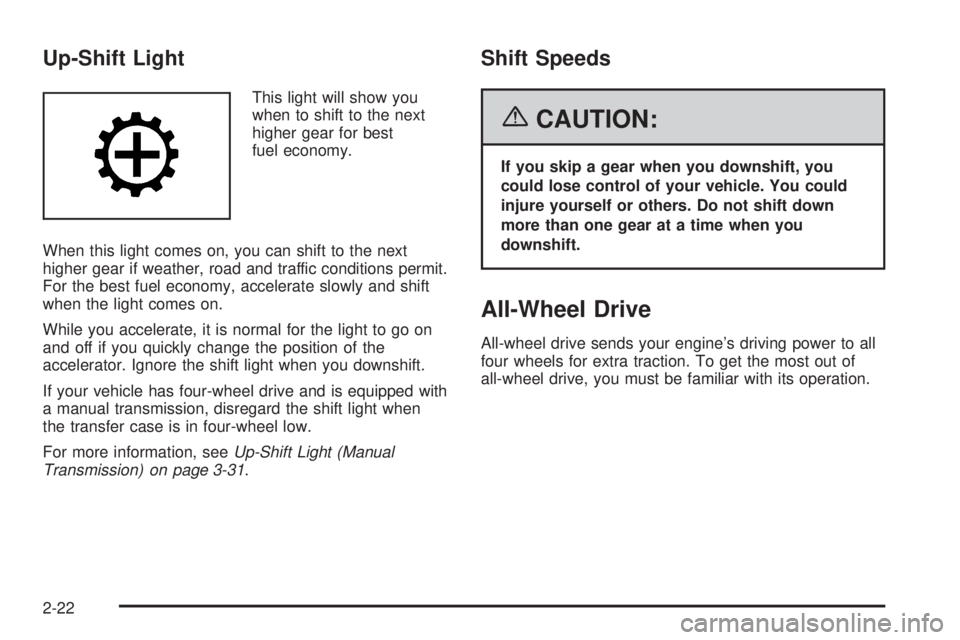
This light will show you
when to shift to the next
higher gear for best
fuel economy.
When this light comes on, you can shift to the next
higher gear if weather, road and traffic conditions permit.
For the best fuel economy, accelerate slowly and shift
when the light comes on.
While you accelerate, it is normal for the light to go on
and off if you quickly change the position of the
accelerator. Ignore the shift light when you downshift.
If your vehicle has four-wheel drive and is equipped with
a manual transmission, disregard the shift light when
the transfer case is in four-wheel low.
For more information, seeUp-Shift Light (Manual
Transmission) on page 3-31.
Shift Speeds
{CAUTION:
If you skip a gear when you downshift, you
could lose control of your vehicle. You could
injure yourself or others. Do not shift down
more than one gear at a time when you
downshift.
All-Wheel Drive
All-wheel drive sends your engine’s driving power to all
four wheels for extra traction. To get the most out of
all-wheel drive, you must be familiar with its operation.
2-22
Page 95 of 410
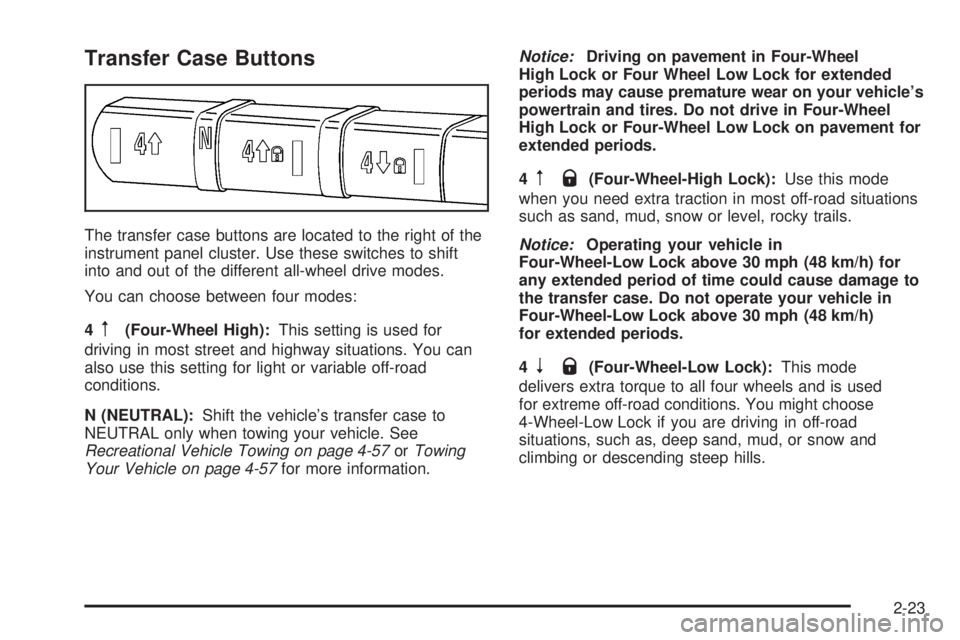
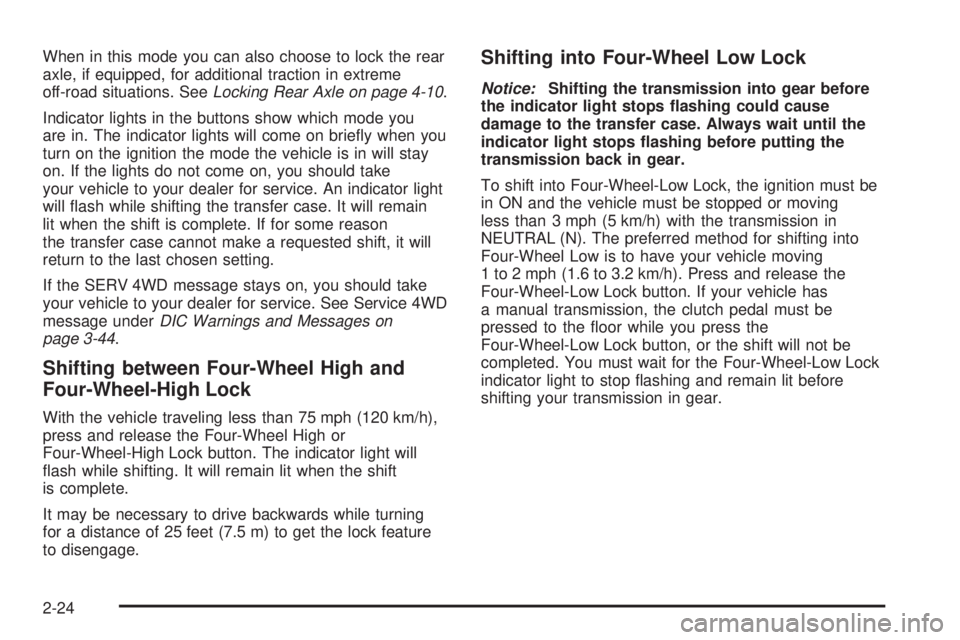
Transfer Case Buttons
The transfer case buttons are located to the right of the
instrument panel cluster. Use these switches to shift
into and out of the different all-wheel drive modes.
You can choose between four modes:
4
m(Four-Wheel High):This setting is used for
driving in most street and highway situations. You can
also use this setting for light or variable off-road
conditions.
N (NEUTRAL):Shift the vehicle’s transfer case to
NEUTRAL only when towing your vehicle. See
Recreational Vehicle Towing on page 4-57orTowing
Your Vehicle on page 4-57for more information.Notice:Driving on pavement in Four-Wheel
High Lock or Four Wheel Low Lock for extended
periods may cause premature wear on your vehicle’s
powertrain and tires. Do not drive in Four-Wheel
High Lock or Four-Wheel Low Lock on pavement for
extended periods.
4
mQ(Four-Wheel-High Lock):Use this mode
when you need extra traction in most off-road situations
such as sand, mud, snow or level, rocky trails.
Notice:Operating your vehicle in
Four-Wheel-Low Lock above 30 mph (48 km/h) for
any extended period of time could cause damage to
the transfer case. Do not operate your vehicle in
Four-Wheel-Low Lock above 30 mph (48 km/h)
for extended periods.
4
nQ(Four-Wheel-Low Lock):This mode
delivers extra torque to all four wheels and is used
for extreme off-road conditions. You might choose
4-Wheel-Low Lock if you are driving in off-road
situations, such as, deep sand, mud, or snow and
climbing or descending steep hills.
2-23
Page 96 of 410
When in this mode you can also choose to lock the rear
axle, if equipped, for additional traction in extreme
off-road situations. SeeLocking Rear Axle on page 4-10.
Indicator lights in the buttons show which mode you
are in. The indicator lights will come on briey when you
turn on the ignition the mode the vehicle is in will stay
on. If the lights do not come on, you should take
your vehicle to your dealer for service. An indicator light
will ash while shifting the transfer case. It will remain
lit when the shift is complete. If for some reason
the transfer case cannot make a requested shift, it will
return to the last chosen setting.
If the SERV 4WD message stays on, you should take
your vehicle to your dealer for service. See Service 4WD
message underDIC Warnings and Messages on
page 3-44.
Shifting between Four-Wheel High and
Four-Wheel-High Lock
With the vehicle traveling less than 75 mph (120 km/h),
press and release the Four-Wheel High or
Four-Wheel-High Lock button. The indicator light will
ash while shifting. It will remain lit when the shift
is complete.
It may be necessary to drive backwards while turning
for a distance of 25 feet (7.5 m) to get the lock feature
to disengage.
Shifting into Four-Wheel Low Lock
Notice:Shifting the transmission into gear before
the indicator light stops ashing could cause
damage to the transfer case. Always wait until the
indicator light stops ashing before putting the
transmission back in gear.
To shift into Four-Wheel-Low Lock, the ignition must be
in ON and the vehicle must be stopped or moving
less than 3 mph (5 km/h) with the transmission in
NEUTRAL (N). The preferred method for shifting into
Four-Wheel Low is to have your vehicle moving
1 to 2 mph (1.6 to 3.2 km/h). Press and release the
Four-Wheel-Low Lock button. If your vehicle has
a manual transmission, the clutch pedal must be
pressed to the oor while you press the
Four-Wheel-Low Lock button, or the shift will not be
completed. You must wait for the Four-Wheel-Low Lock
indicator light to stop ashing and remain lit before
shifting your transmission in gear.
2-24
Page 99 of 410
Shifting Out of NEUTRAL
To shift out of NEUTRAL:
1. Set the parking brake and apply the regular
brake pedal.
2. Shift the transmission to NEUTRAL (N) for an
automatic transmission, or press the clutch pedal for
vehicles equipped with a manual transmission.
Then turn the ignition to ON with the engine off.
3. Press the button for the desired transfer case shift
position (Four-Wheel High, Four-Wheel-High Lock
or Four-Wheel-Low Lock).
After the transfer case has shifted out of NEUTRAL
the light will go out.
4. Release the parking brake.
Notice:Shifting the transmission into gear before
the indicator light stops ashing could cause
damage to the transfer case. Always wait until the
indicator light stops ashing before putting the
transmission back in gear.
5. You may start the engine and shift the transmission
to the desired position.
Parking Brake
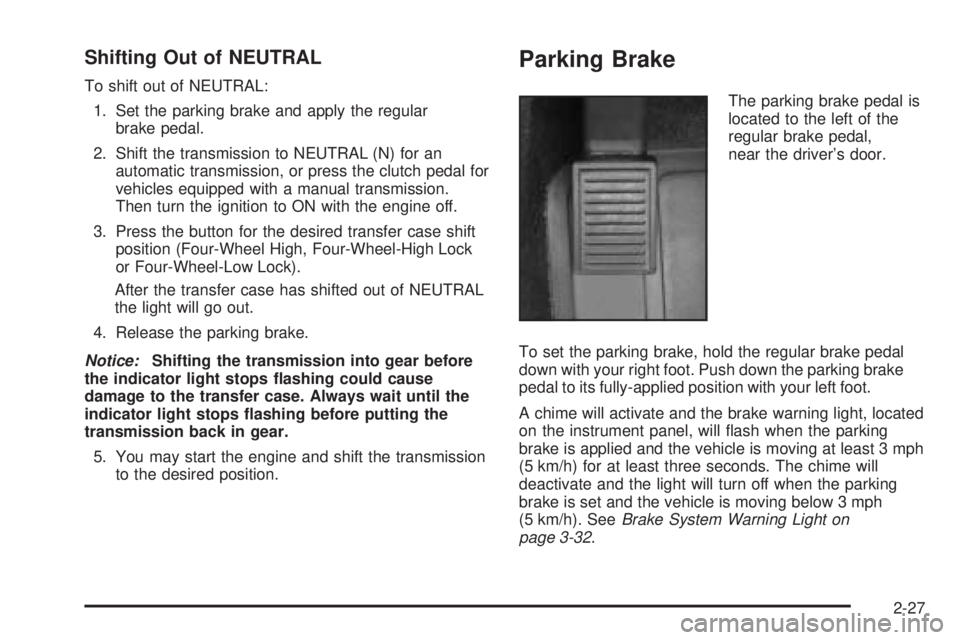
The parking brake pedal is
located to the left of the
regular brake pedal,
near the driver’s door.
To set the parking brake, hold the regular brake pedal
down with your right foot. Push down the parking brake
pedal to its fully-applied position with your left foot.
A chime will activate and the brake warning light, located
on the instrument panel, will ash when the parking
brake is applied and the vehicle is moving at least 3 mph
(5 km/h) for at least three seconds. The chime will
deactivate and the light will turn off when the parking
brake is set and the vehicle is moving below 3 mph
(5 km/h). SeeBrake System Warning Light on
page 3-32.
2-27
Page 100 of 410
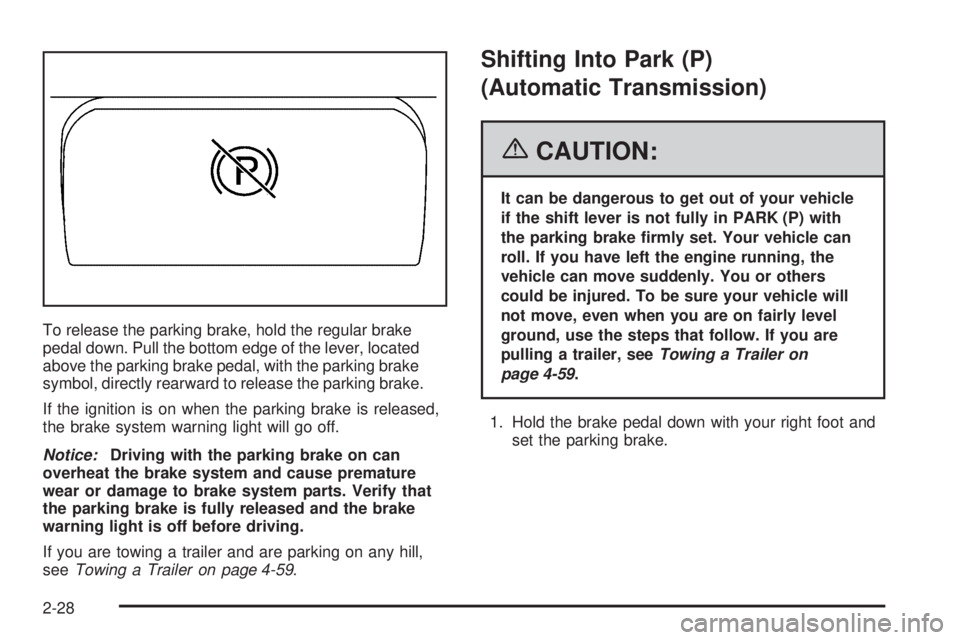
To release the parking brake, hold the regular brake
pedal down. Pull the bottom edge of the lever, located
above the parking brake pedal, with the parking brake
symbol, directly rearward to release the parking brake.
If the ignition is on when the parking brake is released,
the brake system warning light will go off.
Notice:Driving with the parking brake on can
overheat the brake system and cause premature
wear or damage to brake system parts. Verify that
the parking brake is fully released and the brake
warning light is off before driving.
If you are towing a trailer and are parking on any hill,
seeTowing a Trailer on page 4-59.
Shifting Into Park (P)
(Automatic Transmission)
{CAUTION:
It can be dangerous to get out of your vehicle
if the shift lever is not fully in PARK (P) with
the parking brake rmly set. Your vehicle can
roll. If you have left the engine running, the
vehicle can move suddenly. You or others
could be injured. To be sure your vehicle will
not move, even when you are on fairly level
ground, use the steps that follow. If you are
pulling a trailer, seeTowing a Trailer on
page 4-59.
1. Hold the brake pedal down with your right foot and
set the parking brake.
2-28
Page 102 of 410
Torque Lock (Automatic Transmission)
If you are parking on a hill and you do not shift your
transmission into PARK (P) properly, the weight of the
vehicle may put too much force on the parking pawl
in the transmission. You may nd it difficult to pull the
shift lever out of PARK (P). This is called “torque
lock.” To prevent torque lock, set the parking brake and
then shift into PARK (P) properly before you leave
the driver’s seat. To nd out how, seeShifting Into
Park (P) (Automatic Transmission) on page 2-28.
When you are ready to drive, move the shift lever out of
PARK (P) before you release the parking brake.
If torque lock does occur, you may need to have another
vehicle push yours a little uphill to take some of the
pressure from the parking pawl in the transmission, so
you can pull the shift lever out of PARK (P).
Shifting Out of Park (P)
(Automatic Transmission)
Your vehicle has an automatic transmission shift lock
control system. You have to apply your regular
brake before you can shift from PARK (P) when the
ignition is in ON. SeeAutomatic Transmission Operation
on page 2-18.
If you cannot shift out of PARK (P), ease pressure on
the shift lever and push the shift lever all the way
into PARK (P) as you maintain brake application. Then
move the shift lever into the gear you wish. Press
the shift lever button before moving the shift lever.
Parking Your Vehicle
(Manual Transmission)
Your vehicle has a manual transmission. Before you get
out of your vehicle, move the shift lever into
REVERSE (R), and rmly apply the parking brake. Once
the shift lever has been placed into REVERSE (R)
with the clutch pedal pressed in, turn the ignition key to
LOCK, remove the key and release the clutch.
If you are parking on a hill, or if your vehicle is pulling a
trailer, seeTowing a Trailer on page 4-59.
2-30
Page 104 of 410
Running the Engine While Parked
It is better not to park with the engine running. But if you
ever have to, here are some things to know.
{CAUTION:
Idling the engine with the climate control
system off could allow dangerous exhaust into
your vehicle. See the earlier caution under
Engine Exhaust on page 2-31.
Also, idling in a closed-in place can let deadly
carbon monoxide (CO) into your vehicle even if
the climate control fan is at the highest setting.
One place this can happen is a garage.
Exhaust — with CO — can come in easily.
NEVER park in a garage with the engine
running.
Another closed-in place can be a blizzard. See
Winter Driving on page 4-45.
{CAUTION:
It can be dangerous to get out of your vehicle
if the automatic transmission shift lever is not
fully in PARK (P) with the parking brake rmly
set. Your vehicle can roll. Do not leave your
vehicle when the engine is running unless you
have to. If you have left the engine running,
the vehicle can move suddenly. You or others
could be injured. To be sure your vehicle will
not move, even when it is on fairly level
ground, always set the parking brake and
move the automatic transmission shift lever to
PARK (P), or the manual transmission shift
lever to NEUTRAL.
Follow the proper steps to be sure your vehicle will not
move. SeeShifting Into Park (P) (Automatic
Transmission) on page 2-28andParking Your Vehicle
(Manual Transmission) on page 2-30.
If you are pulling a trailer with your vehicle, seeTowing
a Trailer on page 4-59.
2-32
Page 111 of 410
Universal Home Remote System
Operation
Do not use the Universal Home Remote with any
garage door opener that does not have the “stop and
reverse” feature. This includes any garage door opener
model manufactured before April 1, 1982. If you
have a newer garage door opener with rolling codes,
please be sure to follow Steps 6 through 8 to complete
the programming of your Universal Home Remote
Transmitter.
Read the instructions completely before attempting to
program the Universal Home Remote. Because of
the steps involved, it may be helpful to have another
person available to assist you in the programming steps.
Keep the original hand-held transmitter for use in
other vehicles as well as for future Universal Home
Remote programming. It is also recommended that upon
the sale of the vehicle, the programmed Universal
Home Remote buttons should be erased for security
purposes. See “Erasing Universal Home Remote
Buttons” later in this section or, for assistance, see
Customer Assistance Offices on page 7-4.Be sure that people and objects are clear of the garage
door or gate operator you are programming. When
programming a garage door, it is advised to park outside
of the garage.
It is recommended that a new battery be installed in
your hand-held transmitter for quicker and more
accurate transmission of the radio-frequency signal.
Programming Universal Home Remote
Your vehicle’s engine should be turned off while
programming Universal Home Remote. Follow these
steps to program up to three channels:
1. Press and hold down the two outside Universal
Home Remote buttons, releasing only when the
Universal Home Remote indicator light begins
to ash, after 20 seconds. Do not hold down the
buttons for longer than 30 seconds and do not
repeat this step to program a second and/or third
hand-held transmitter to the remaining two Universal
Home Remote buttons.
2. Position the end of your hand-held transmitter
about 1 to 3 inches (3 to 8 cm) away from the
Universal Home Remote buttons while keeping the
indicator light in view.
2-39