lock HUMMER H3 2006 Workshop Manual
[x] Cancel search | Manufacturer: HUMMER, Model Year: 2006, Model line: H3, Model: HUMMER H3 2006Pages: 410, PDF Size: 2.61 MB
Page 137 of 410
Dome Lamp Override
E(Dome Lamp Override):You can use the dome
override button, located below the exterior lamps control,
to set the dome and footwell lamps to come on
automatically when a door is opened, or to remain off.
To turn the lamps off, press the button into the in
position. With the button in this position, the dome lamps
will remain off when the doors are open. To return the
lamps to automatic operation, press the button again
and return it to the out position. With the button in this
position, the dome lamps will come on when you
open a door.
Exit Lighting
With exit lighting, the interior lamps will come on when
you remove the key from the ignition. The lamps will not
come on if the dome override button is pressed in.
Reading Lamps
Your vehicle has reading lamps, press the button
located next to the lamp to turn them on or off.
These lamps will not come on with the dome lamps.
Battery Run-Down Protection
This feature shuts off the dome lamp if it is left on for
more than 20 minutes when the ignition is in LOCK. This
will help prevent your battery from running down.
Accessory Power Outlet(s)
Your vehicle has accessory power outlets.
With accessory power outlets you can plug in auxiliary
electrical equipment such as a cellular telephone or
CB radio.
Your vehicle has two accessory power outlets located on
the lower part of the instrument panel below the climate
control system and there may be one located in the rear
cargo area. A small cap must be pulled down to access
an accessory power outlet. When not using an outlet, be
sure to cover it with the protective cap.
Notice:Leaving electrical equipment on for
extended periods will drain the battery. Always turn
off electrical equipment when not in use and do
not plug in equipment that exceeds the maximum
amperage rating.
3-19
Page 139 of 410
Climate Controls
Climate Control System
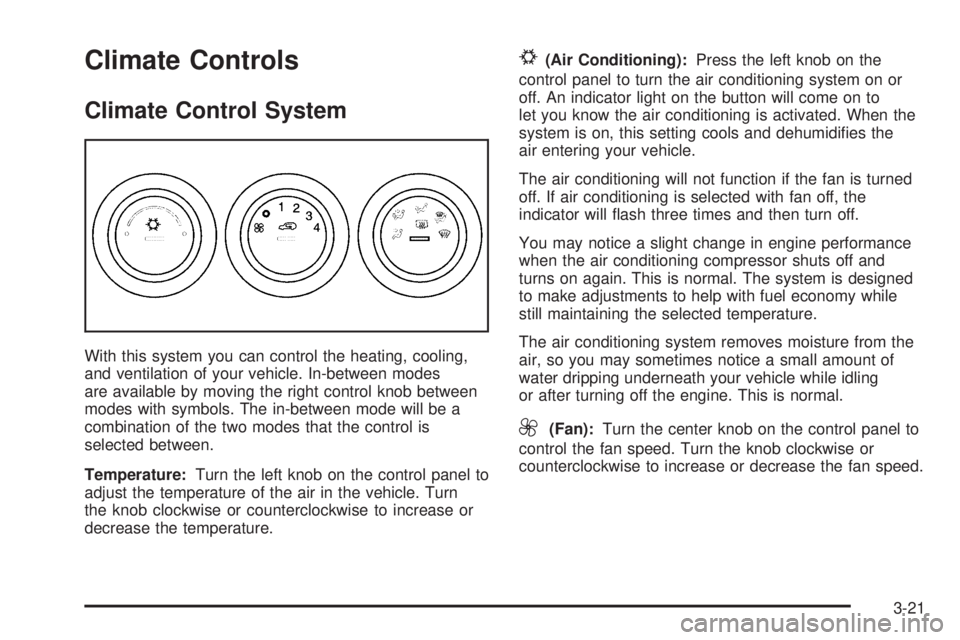
With this system you can control the heating, cooling,
and ventilation of your vehicle. In-between modes
are available by moving the right control knob between
modes with symbols. The in-between mode will be a
combination of the two modes that the control is
selected between.
Temperature:Turn the left knob on the control panel to
adjust the temperature of the air in the vehicle. Turn
the knob clockwise or counterclockwise to increase or
decrease the temperature.
#(Air Conditioning):Press the left knob on the
control panel to turn the air conditioning system on or
off. An indicator light on the button will come on to
let you know the air conditioning is activated. When the
system is on, this setting cools and dehumidies the
air entering your vehicle.
The air conditioning will not function if the fan is turned
off. If air conditioning is selected with fan off, the
indicator will ash three times and then turn off.
You may notice a slight change in engine performance
when the air conditioning compressor shuts off and
turns on again. This is normal. The system is designed
to make adjustments to help with fuel economy while
still maintaining the selected temperature.
The air conditioning system removes moisture from the
air, so you may sometimes notice a small amount of
water dripping underneath your vehicle while idling
or after turning off the engine. This is normal.
9(Fan):Turn the center knob on the control panel to
control the fan speed. Turn the knob clockwise or
counterclockwise to increase or decrease the fan speed.
3-21
Page 141 of 410
0(Defrost):Turn the right knob on the control panel
to this mode to direct most of the air to the windshield,
and the side window outlets. When you select this mode,
the system runs the air conditioning system unless
the outside temperature is near or below freezing.
Recirculation is not available in this mode.
Do not drive the vehicle until all the windows are clear.
Rear Window Defogger
The rear window defogger uses a warming grid to
remove fog or frost from the rear window when the key
is in the ignition and turned to ON.
=(Rear Defogger):Press the right knob on the
control panel to turn the rear window defogger on or off.
First press of this button will activate the rear window
defogger for 15 minutes and each subsequent activation
lasts 7 and one-half minutes.
Notice:Do not use anything sharp on the inside of
the rear window. If you do, you could cut or
damage the warming grid, and the repairs would not
be covered by your warranty. Do not attach a
temporary vehicle license, tape, a decal or anything
similar to the defogger grid.
Outlet Adjustment
Use the air outlets located in the center and on the side
of your instrument panel to direct the airow.
Your vehicle has air outlets that allow you to adjust the
direction and amount of airow inside the vehicle.
Move the louvers up or down to change the direction of
the airow. Use the thumbwheel under the outlets to
change the direction of the airow from left to right.
Operation Tips
Enable recirculation mode for maximum air
conditioning performance.
Clear away any ice, snow or leaves from the air
inlets at the base of the windshield that may
block the ow of air into your vehicle.
Use of non-GM approved hood deectors may
adversely affect the performance of the system.
Keep the path under the front seats clear of objects
to help circulate the air inside of your vehicle more
effectively.
3-23
Page 151 of 410
Anti-Lock Brake System
Warning Light
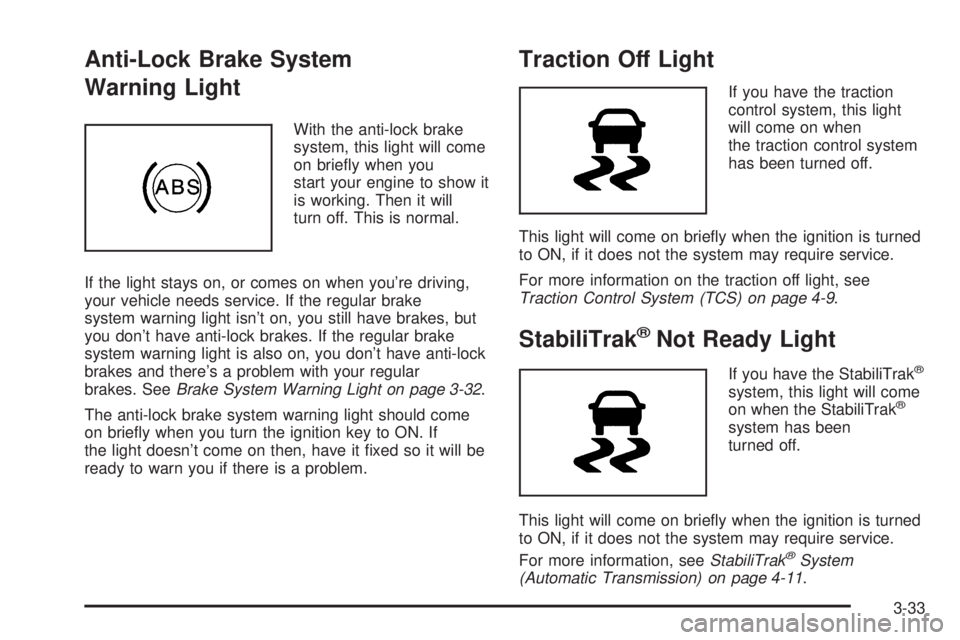
With the anti-lock brake
system, this light will come
on briey when you
start your engine to show it
is working. Then it will
turn off. This is normal.
If the light stays on, or comes on when you’re driving,
your vehicle needs service. If the regular brake
system warning light isn’t on, you still have brakes, but
you don’t have anti-lock brakes. If the regular brake
system warning light is also on, you don’t have anti-lock
brakes and there’s a problem with your regular
brakes. SeeBrake System Warning Light on page 3-32.
The anti-lock brake system warning light should come
on briey when you turn the ignition key to ON. If
the light doesn’t come on then, have it xed so it will be
ready to warn you if there is a problem.
Traction Off Light
If you have the traction
control system, this light
will come on when
the traction control system
has been turned off.
This light will come on briey when the ignition is turned
to ON, if it does not the system may require service.
For more information on the traction off light, see
Traction Control System (TCS) on page 4-9.
StabiliTrak®Not Ready Light
If you have the StabiliTrak®
system, this light will come
on when the StabiliTrak®
system has been
turned off.
This light will come on briey when the ignition is turned
to ON, if it does not the system may require service.
For more information, seeStabiliTrak
®System
(Automatic Transmission) on page 4-11.
3-33
Page 157 of 410
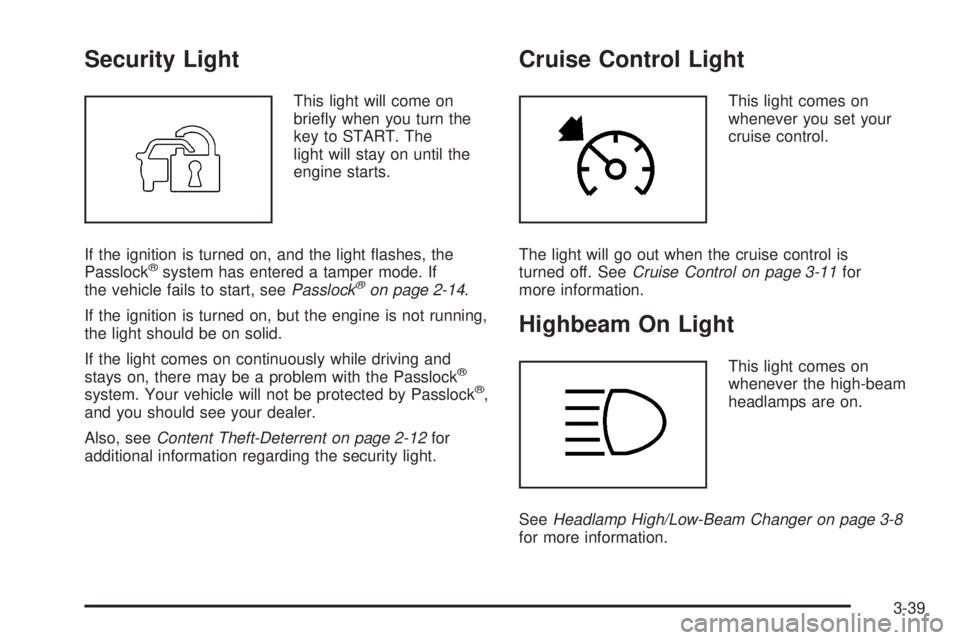
Security Light
This light will come on
briey when you turn the
key to START. The
light will stay on until the
engine starts.
If the ignition is turned on, and the light ashes, the
Passlock
®system has entered a tamper mode. If
the vehicle fails to start, seePasslock®on page 2-14.
If the ignition is turned on, but the engine is not running,
the light should be on solid.
If the light comes on continuously while driving and
stays on, there may be a problem with the Passlock
®
system. Your vehicle will not be protected by Passlock®,
and you should see your dealer.
Also, seeContent Theft-Deterrent on page 2-12for
additional information regarding the security light.
Cruise Control Light
This light comes on
whenever you set your
cruise control.
The light will go out when the cruise control is
turned off. SeeCruise Control on page 3-11for
more information.
Highbeam On Light
This light comes on
whenever the high-beam
headlamps are on.
SeeHeadlamp High/Low-Beam Changer on page 3-8
for more information.
3-39
Page 160 of 410
Engine Oil Life System
Press the reset stem until OIL LIFE RESET
appears — alternating between OIL LIFE and
RESET —on the DIC display. The engine oil life
system calculates an estimate of the oil’s remaining
useful life. The CHANGE OIL message will alert you to
change your oil on a schedule consistent with your
driving conditions. Always reset the OIL LIFE message
after an oil change. To reset the message, see
Engine Oil Life System on page 5-16.
In addition to the engine oil life system monitoring the
oil life, additional maintenance is recommended in
the Maintenance Schedule in this manual. SeeEngine
Oil on page 5-13andScheduled Maintenance on
page 6-4for more information.
Language
This feature allows you to choose the language in which
the DIC display will show information.
To set your choice for this feature, perform the
following steps:
1. With the engine off, turn the key to ON.
2. Press and release the reset stem until the language
is shown on the DIC display.3. To view the next available language, press and
hold the reset stem for approximately two seconds.
Release the reset stem and press and hold
again to view each language. You can choose from
English (default), Spanish, or French.
4. Once the desired language is shown on the
DIC display, briey press the reset stem to set
your choice.
Automatic Door Locks
This feature allows you to program your door locks to a
preferred setting.
To set your choice for this feature, perform the
following steps:
1. With the engine off, turn the key to LOCK. Do not
remove the key from the ignition.
2. Press and hold the power door lock button for
approximately three seconds until the DIC
display shows the current door lock mode.
3. To view the next available mode, press and hold
the reset stem for approximately two seconds.
Release the reset stem and press and hold again to
view each mode.
4. Once the desired mode is shown on the DIC
display, briey press the reset stem to set your
choice. The DIC display will then clear.
3-42
Page 161 of 410
The following are the available modes:
Lock 1 (default):On vehicles with an automatic
transmission, this mode locks all of the doors when the
vehicle is shifted out of PARK (P) and unlocks all of
the doors when the vehicle is shifted into PARK (P).
On vehicles with a manual transmission, this mode locks
all of the doors when the vehicle speed is greater
than 15 mph (24 km/h) and unlocks all of the doors
when the key is removed from the ignition.
Lock 2:On vehicles with an automatic transmission,
this mode locks all of the doors when the vehicle
is shifted out of PARK (P) and unlocks the driver’s door
when the vehicle is shifted into PARK (P).
On vehicles with a manual transmission, this mode
locks all of the doors when the vehicle speed is greater
than 15 mph (24 km/h) and unlocks the driver’s door
when the key is removed from the ignition.
Lock 3:On vehicles with an automatic transmission,
this mode locks all of the doors when the vehicle
is shifted out of PARK (P). The doors will not
automatically unlock.
On vehicles with a manual transmission, this mode
locks all of the doors when the vehicle speed is
greater than 15 mph (24 km/h). The doors will not
automatically unlock.Remote Keyless Entry Feedback
This feature allows you to program your remote keyless
entry feedback to a preferred setting.
To set your choice for this feature, perform the
following steps:
1. With the engine off, turn the key to LOCK. Do not
remove the key from the ignition.
2. Press and hold the lock and unlock buttons on the
remote keyless entry transmitter at the same time.
Hold both buttons until the DIC display shows
the current remote keyless entry feedback mode.
3. To view the next available mode, press and hold
the reset stem for approximately two seconds.
Release the reset stem and press and hold again to
view each mode.
4. Once the desired mode is shown on the DIC
display, briey press the reset stem to set your
choice. The DIC display will then clear.
3-43
Page 162 of 410
The following are the available modes:
RFA 1 (default):This mode ashes the parking lamps
when you press the lock or unlock buttons on the
remote keyless entry transmitter.
RFA 2:This mode ashes the parking lamps and
sounds the horn when you press the lock button on the
remote keyless entry transmitter. This mode also
ashes the parking lamps when you press the unlock
button on the remote keyless entry transmitter.
RFA 3:This mode ashes the parking lamps and
sounds the horn when you press the lock or unlock
buttons on the remote keyless entry transmitter.
RFA 4:This mode disables remote keyless entry
feedback. There will be no feedback when you press
the lock or unlock buttons on the remote keyless
entry transmitter.DIC Warnings and Messages
Warning messages are displayed on the Driver
Information Center (DIC) to notify the driver that the
status of the vehicle has changed and that some action
may be needed by the driver to correct the condition.
More than one message may appear at one time. They
will appear one after the other. The messages are
displayed for four seconds each. Some messages may
not require immediate action but you should press
and release the trip odometer reset stem to
acknowledge that you received the message and clear it
from the display. Each message must be acknowledged
individually. Some messages cannot be cleared from
the display because they are more urgent. These
messages require action before they can be removed
from the DIC display. The following are the possible
messages that can be displayed and some information
about them.
AC (Air Conditioning) OFF
This message will be displayed when the engine coolant
temperature is too high and the air conditioning in
your vehicle needs to be turned off. SeeEngine
Overheating on page 5-27andClimate Control System
on page 3-21for more information. This message
will be displayed along with the ENG HOT message.
3-44
Page 163 of 410
ABS (Anti-Lock Brake System) FAULT
This message will be displayed if there is a problem
with the anti-lock brake system. Check the anti-lock
brake system as soon as possible and have your vehicle
serviced by your GM dealer. SeeBrakes on page 5-36
andAnti-Lock Brake System Warning Light on
page 3-33for more information. Press and release the
reset stem to acknowledge the message and clear
it from the DIC display.
BATTERY
This message will be displayed when there is a problem
with the battery. SeeBattery on page 5-39andBattery
Warning Light on page 3-31for more information.
BRAKES
This message will be displayed if there is a problem
with the brakes. Check the brakes as soon as possible
and have your vehicle serviced by your GM dealer.
SeeBrakes on page 5-36andBrake System Warning
Light on page 3-32for more information. Press and
release the reset stem to acknowledge the message and
clear it from the DIC display.
CHANGE OIL
This message will be displayed when the oil needs to
be changed. Check the oil in your vehicle as soon
as possible and have your vehicle serviced by your
GM dealer. SeeEngine Oil on page 5-13andScheduled
Maintenance on page 6-4for more information. Press
and release the reset stem to acknowledge the message
and clear it from the display.
DOORS
This message will be displayed when one or more
of the doors is ajar. You should check all the doors
on your vehicle to make sure they are closed. The
message will clear from the display after all of the
doors are closed.
ENG (Engine) HOT
This message will be displayed when the engine coolant
temperature is hot. Check the engine coolant
temperature gage. SeeEngine Coolant Temperature
Gage on page 3-34. You should have your vehicle
serviced by your GM dealer as soon as possible if you
suspect the engine is overheating. SeeEngine
Overheating on page 5-27for more information.
3-45
Page 171 of 410
Finding a Category (CAT) Station
To select and nd a desired category perform the
following:
1. Press the CAT button to activate program
type select mode. A category will appear on
the display.
2. Press the CAT button to select a category.
3. Once the desired category is displayed, press either
SEEK arrow to select and to take you to the
categories rst station.
4. To go to another station within that category and
the category is displayed, press the CAT button
once. If the category is not displayed, press the CAT
button twice to display the category and then to
go to another station.
5. Press CAT to exit program type select mode.
If CAT times out and is no longer on the display,
go back to Step 1.
If the radio cannot nd the desired program type, NONE
will appear on the display and the radio will return to
the last station you were listening to.BAND (Alternate Frequency):Alternate frequency
allows the radio to switch to a stronger station with the
same category. To turn alternate frequency on,
press and hold BAND for two seconds. AF ON will
appear on the display. The radio may switch to stations
with a stronger frequency.
To turn alternate frequency off, press and hold BAND
again for two seconds. AF OFF will appear on the
display. The radio will not switch to other stations.
This function does not apply for XM™ Satellite
Radio Service.
Radio Messages
CAL ERR (Calibration Error):The audio system has
been calibrated for your vehicle from the factory. If
CAL ERR appears on the display it means that the radio
has not been congured properly for your vehicle and
it must be returned to your GM dealer for service.
LOC (Locked):This message is displayed when the
THEFTLOCK
®system has locked up. Take your vehicle
to your GM dealer for service.
If any error occurs repeatedly or if an error cannot be
corrected, contact your GM dealer.
3-53