instrument cluster HUMMER H3 2008 User Guide
[x] Cancel search | Manufacturer: HUMMER, Model Year: 2008, Model line: H3, Model: HUMMER H3 2008Pages: 416, PDF Size: 5.66 MB
Page 152 of 416
If you start your vehicle in a dark garage, the automatic
headlamp system will come on immediately. Once
you leave the garage, it will take about one minute for
the automatic headlamp system to change to DRL if it is
light outside. During that delay, the instrument panel
cluster may not be as bright as usual. Make sure
the instrument panel brightness control is in the full
bright position. SeeInstrument Panel Brightness
on page 3-19.
Off-Road Lamps
The off-road lamps, if the vehicle has them, provide
auxiliary lighting when the vehicle is used off road.
These lamps are not intended to be used in place of
existing vehicle lighting. The lamps are not to be used
on any public street or highway and are to be covered
when not in use. Check your state and local laws before
installing or using any auxiliary lighting. In some
states it may be necessary to remove the roof lamps
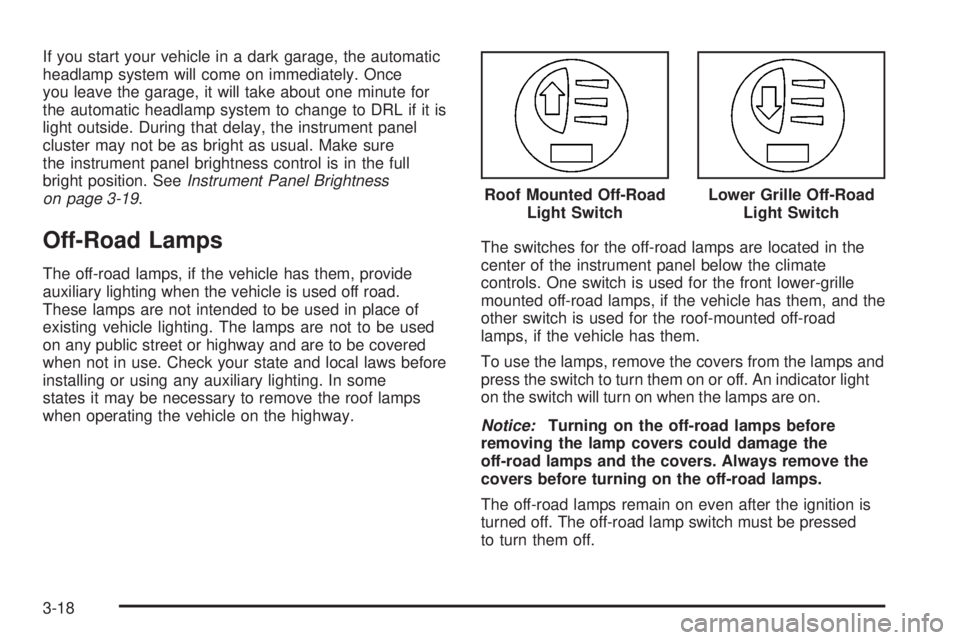
when operating the vehicle on the highway.The switches for the off-road lamps are located in the
center of the instrument panel below the climate
controls. One switch is used for the front lower-grille
mounted off-road lamps, if the vehicle has them, and the
other switch is used for the roof-mounted off-road
lamps, if the vehicle has them.
To use the lamps, remove the covers from the lamps and
press the switch to turn them on or off. An indicator light
on the switch will turn on when the lamps are on.
Notice:Turning on the off-road lamps before
removing the lamp covers could damage the
off-road lamps and the covers. Always remove the
covers before turning on the off-road lamps.
The off-road lamps remain on even after the ignition is
turned off. The off-road lamp switch must be pressed
to turn them off.Roof Mounted Off-Road
Light Switch
Lower Grille Off-Road
Light Switch
3-18
Page 153 of 416
Fog Lamps
Your vehicle has fog lamps. You can use them for
better vision in foggy or misty conditions. Your parking
lamps and/or low-beam headlamps must be on for
your fog lamps to work.
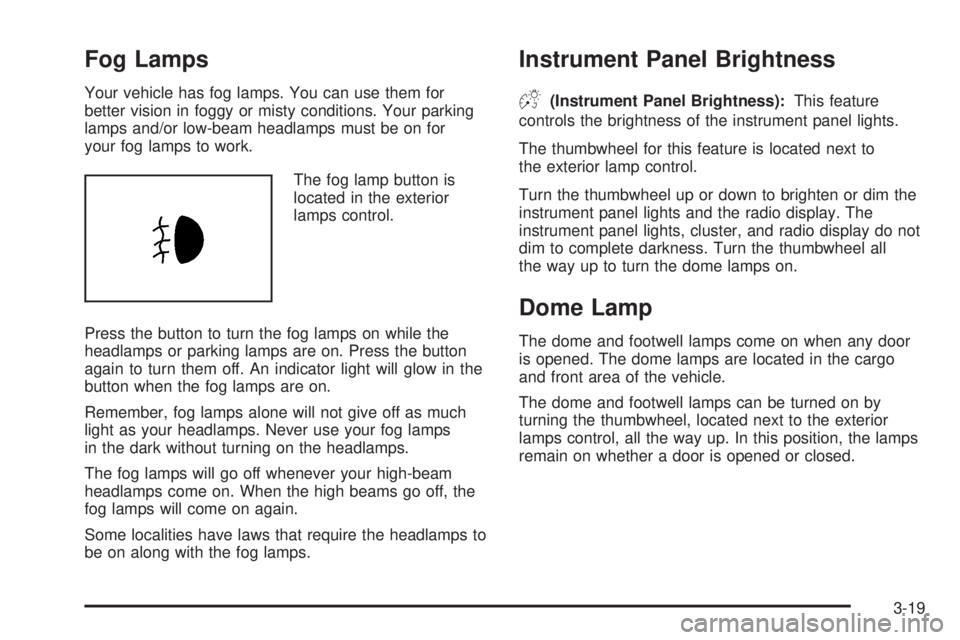
The fog lamp button is
located in the exterior
lamps control.
Press the button to turn the fog lamps on while the
headlamps or parking lamps are on. Press the button
again to turn them off. An indicator light will glow in the
button when the fog lamps are on.
Remember, fog lamps alone will not give off as much
light as your headlamps. Never use your fog lamps
in the dark without turning on the headlamps.
The fog lamps will go off whenever your high-beam
headlamps come on. When the high beams go off, the
fog lamps will come on again.
Some localities have laws that require the headlamps to
be on along with the fog lamps.
Instrument Panel Brightness
D(Instrument Panel Brightness):This feature
controls the brightness of the instrument panel lights.
The thumbwheel for this feature is located next to
the exterior lamp control.
Turn the thumbwheel up or down to brighten or dim the
instrument panel lights and the radio display. The
instrument panel lights, cluster, and radio display do not
dim to complete darkness. Turn the thumbwheel all
the way up to turn the dome lamps on.
Dome Lamp
The dome and footwell lamps come on when any door
is opened. The dome lamps are located in the cargo
and front area of the vehicle.
The dome and footwell lamps can be turned on by
turning the thumbwheel, located next to the exterior
lamps control, all the way up. In this position, the lamps
remain on whether a door is opened or closed.
3-19
Page 160 of 416

Instrument Panel Cluster
Your instrument panel cluster is designed to let you know at a glance how your vehicle is running. You will know how
fast you are going, about how much fuel you have used, and many other things you will need to know to drive
safely and economically.
United States 3.7L L5 Automatic Transmission version shown, 5.3L V8, Canada and Manual
Transmission similar
3-26
Page 163 of 416
Airbag Readiness Light
There is an airbag readiness light on the instrument
panel cluster, which shows the airbag symbol. The
system checks the airbag’s electrical system for
malfunctions. The light tells you if there is an electrical
problem. The system check includes the airbag
sensor, the pretensioners, the airbag modules, the
wiring and the crash sensing and diagnostic module.
For more information on the airbag system, seeAirbag
System on page 1-54.
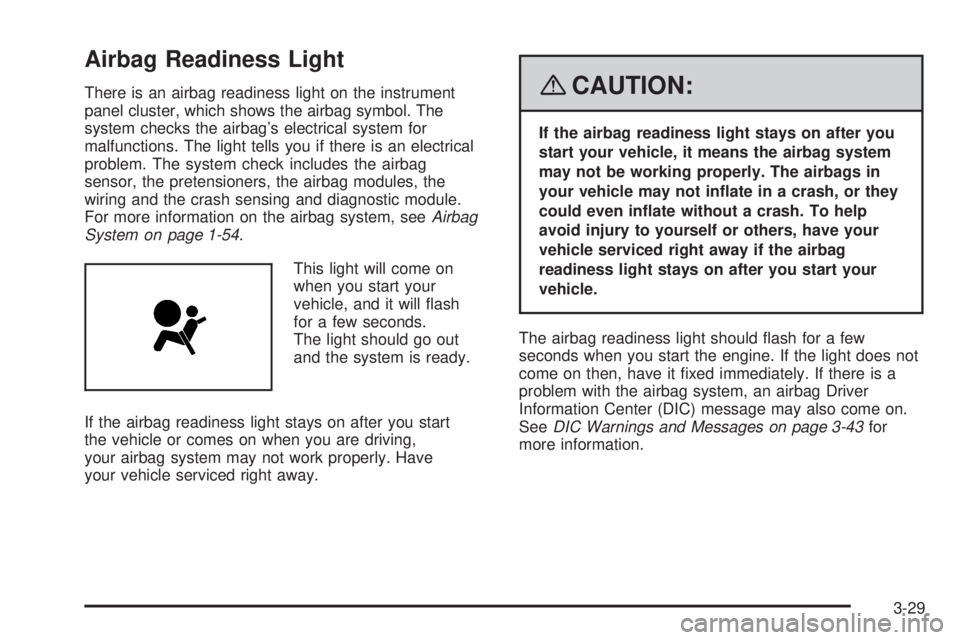
This light will come on
when you start your
vehicle, and it will ash
for a few seconds.
The light should go out
and the system is ready.
If the airbag readiness light stays on after you start
the vehicle or comes on when you are driving,
your airbag system may not work properly. Have
your vehicle serviced right away.{CAUTION:
If the airbag readiness light stays on after you
start your vehicle, it means the airbag system
may not be working properly. The airbags in
your vehicle may not inate in a crash, or they
could even inate without a crash. To help
avoid injury to yourself or others, have your
vehicle serviced right away if the airbag
readiness light stays on after you start your
vehicle.
The airbag readiness light should ash for a few
seconds when you start the engine. If the light does not
come on then, have it xed immediately. If there is a
problem with the airbag system, an airbag Driver
Information Center (DIC) message may also come on.
SeeDIC Warnings and Messages on page 3-43for
more information.
3-29
Page 165 of 416
{CAUTION:
Even though the passenger sensing system is
designed to turn off the right front passenger’s
frontal airbag if the system detects a
rear-facing child restraint, no system is
fail-safe, and no one can guarantee that an
airbag will not deploy under some unusual
circumstance, even though it is turned off.
We recommend that rear-facing child restraints
be secured in the rear seat, even if the airbag
is off.
If the word OFF or the off symbol is lit on the airbag
status indicator, it means that the passenger sensing
system has turned off the right front passenger’s frontal
airbag. SeePassenger Sensing System on page 1-62
for more on this, including important safety information.If, after several seconds, both status indicator lights
remain on, or if there are no lights at all, there may be a
problem with the lights or the passenger sensing
system. See your dealer/retailer for service.
{CAUTION:
If the airbag readiness light in the instrument
panel cluster ever comes on and stays on, it
means that something may be wrong with the
airbag system. If this ever happens, have the
vehicle serviced promptly, because an
adult-size person sitting in the right front
passenger’s seat may not have the protection
of the airbag(s). SeeAirbag Readiness Light
on page 3-29for more on this, including
important safety information.
3-31
Page 174 of 416
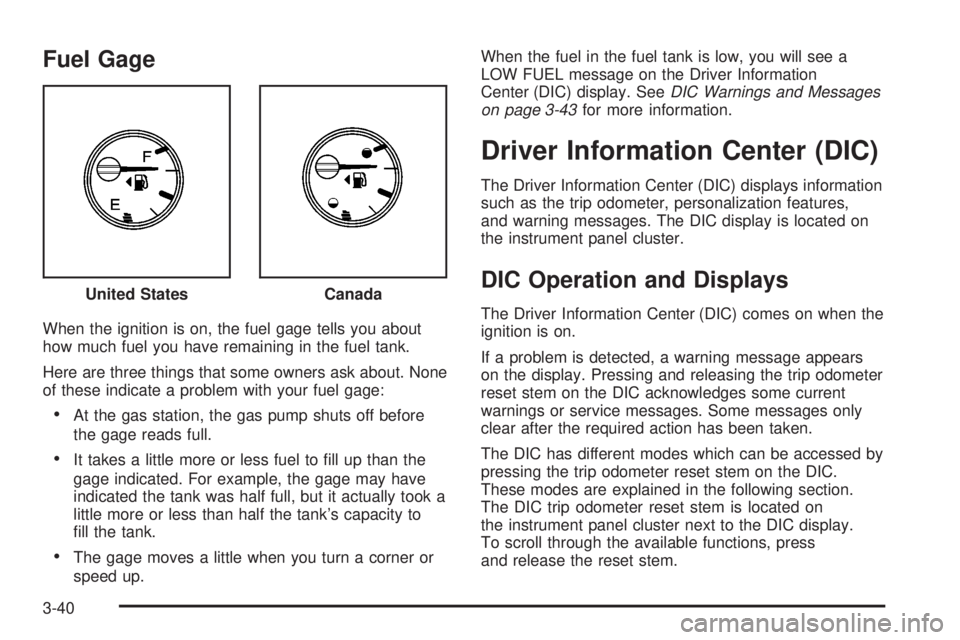
Fuel Gage
When the ignition is on, the fuel gage tells you about
how much fuel you have remaining in the fuel tank.
Here are three things that some owners ask about. None
of these indicate a problem with your fuel gage:
At the gas station, the gas pump shuts off before
the gage reads full.
It takes a little more or less fuel to ll up than the
gage indicated. For example, the gage may have
indicated the tank was half full, but it actually took a
little more or less than half the tank’s capacity to
ll the tank.
The gage moves a little when you turn a corner or
speed up.When the fuel in the fuel tank is low, you will see a
LOW FUEL message on the Driver Information
Center (DIC) display. SeeDIC Warnings and Messages
on page 3-43for more information.
Driver Information Center (DIC)
The Driver Information Center (DIC) displays information
such as the trip odometer, personalization features,
and warning messages. The DIC display is located on
the instrument panel cluster.
DIC Operation and Displays
The Driver Information Center (DIC) comes on when the
ignition is on.
If a problem is detected, a warning message appears
on the display. Pressing and releasing the trip odometer
reset stem on the DIC acknowledges some current
warnings or service messages. Some messages only
clear after the required action has been taken.
The DIC has different modes which can be accessed by
pressing the trip odometer reset stem on the DIC.
These modes are explained in the following section.
The DIC trip odometer reset stem is located on
the instrument panel cluster next to the DIC display.
To scroll through the available functions, press
and release the reset stem. United States
Canada
3-40
Page 179 of 416
FLUID
This message displays if the brake uid is low. Check
the brake uid as soon as possible and have your
vehicle serviced by your dealer/retailer. SeeBrakes on
page 5-38for more information. Press and release
the reset stem to acknowledge the message and clear it
from the display.
FUEL CAP
This message displays if the vehicle’s fuel cap is either
off or loose. Pull over as soon as possible and check
to see if the fuel cap is secure. You may also see
the check engine light on the instrument panel cluster.
If the check engine light does come on when the
fuel cap was loose, it may take a few driving trips before
the light turns off. SeeMalfunction Indicator Lamp on
page 3-36for more information if the light still remains
on. Press and release the reset stem to acknowledge
the message and clear it from the display.
LOW FUEL
This message displays if the level of fuel in the vehicle
is low. Also check the fuel gage. SeeFuel Gage on
page 3-40for more information. Rell the fuel tank as
soon as possible.
LOW TIRE
This message displays if a low tire pressure is detected
in any of the vehicle’s tires. Press and release the reset
stem to acknowledge the message and clear it from the
display. The message appears at each ignition cycle until
the tires are inated to the correct ination pressure. See
Tires on page 5-54andInflation - Tire Pressure on
page 5-62for more information on tires and the correct
ination pressures.
OIL
This message displays when the oil pressure is low.
SeeOil Pressure Light on page 3-38andEngine Oil
on page 5-15for more information.
PARK BRK (Brake)
This message displays when the parking brake is set.
SeeParking Brake on page 2-32andBrake System
Warning Light on page 3-33for more information. The
message clears from the display after the parking brake
is released or by pressing and releasing the reset stem.
3-45
Page 181 of 416

SERVICE CHARG (Charge) SYS
(System)
This message displays if there is a problem with the
battery charging system. Under certain conditions, the
battery warning light may also turn on in the instrument
panel cluster. SeeCharging System Light on
page 3-32. The battery will not be charging at an
optimal rate and the vehicle will lose the ability to enter
the fuel economy mode. The vehicle is safe to drive,
however have the electrical system checked by
your dealer/retailer. Press and release the reset stem
to acknowledge the message and clear it from the
display.
SERVICE STAB (Stability) SYS
(System)
This message displays if there is a problem with the
StabiliTrak®system. Have your vehicle serviced by your
dealer/retailer. SeeStabiliTrak®System on page 4-7
for more information.
STAB (Stability) SYS (System) OFF
This message displays when the StabiliTrak®system is
turned off. SeeStabiliTrak®System on page 4-7for
more information.
TRAC (Traction) OFF
This message along with the traction off light displays
when the Traction Control System (TCS) is turned off by
pressing the TCS button. SeeTraction Off Light on
page 3-34andTraction Control System (TCS) on
page 4-5for more information.
TRACTION FAULT
This message displays if there is a problem with the
Traction Control System (TCS). Check the TCS as soon
as possible and have your vehicle serviced by your
dealer/retailer. SeeTraction Control System (TCS)
on page 4-5for more information. Press and release
the reset stem to acknowledge the message and clear it
from the display.
TURN SIGNAL
This message displays when the turn signal is on for
about 0.75 miles (1.2 km) of travel. Press and release
the reset stem to acknowledge the message and clear it
from the display.
3-47
Page 277 of 416
How to Reset the Engine Oil Life
System
The Engine Oil Life System calculates when to change
the engine oil and lter based on vehicle use. Whenever
the oil is changed, reset the system so it can calculate
when the next oil change is required. If a situation occurs
where you change the oil prior to a CHANGE OIL
message being turned on, reset the system.
To reset the Engine Oil Life system:
1. With the engine off, turn the ignition to ON/RUN.
2. Press and release the stem in the lower center
of the instrument cluster until the OIL LIFE
message is displayed.
3. Once the alternating OIL LIFE and RESET
messages appear, press and hold the stem
until several beeps sound. This conrms that the oil
life system has been reset.
4. Turn the key to LOCK/OFF.
If the CHANGE OIL message comes back on when you
start your vehicle, the engine oil life system has not
reset. Repeat the procedure. SeeDIC Warnings
and Messages on page 3-43.
What to Do with Used Oil
Used engine oil contains certain elements that can be
unhealthy for your skin and could even cause cancer.
Do not let used oil stay on your skin for very long. Clean
your skin and nails with soap and water, or a good
hand cleaner. Wash or properly dispose of clothing or
rags containing used engine oil. See the manufacturer’s
warnings about the use and disposal of oil products.
Used oil can be a threat to the environment. If you
change your own oil, be sure to drain all the oil from the
lter before disposal. Never dispose of oil by putting it
in the trash, pouring it on the ground, into sewers, or into
streams or bodies of water. Instead, recycle it by
taking it to a place that collects used oil. If you have a
problem properly disposing of used oil, ask your
dealer/retailer, a service station, or a local recycling
center for help.
5-19
Page 323 of 416
Tire Pressure Monitor Operation
The Tire Pressure Monitor System (TPMS) is designed
to warn the driver when a low tire pressure condition
exists. TPMS sensors are mounted onto each tire
and wheel assembly on your vehicle, excluding the
spare tire. The TPMS sensors monitor the air pressure
in your vehicle’s tires and transmit the tire pressure
readings to a receiver located in the vehicle.
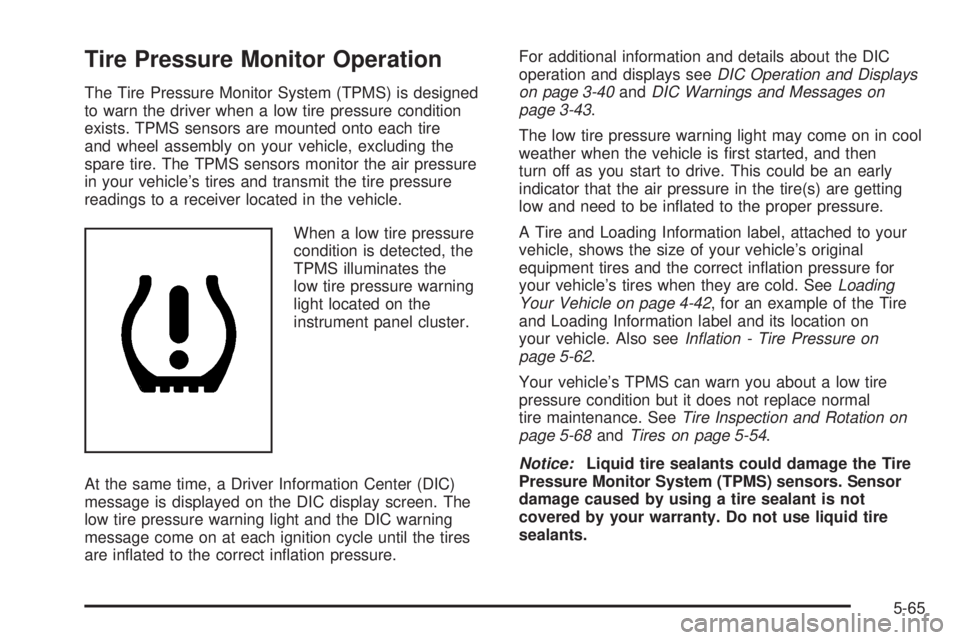
When a low tire pressure
condition is detected, the
TPMS illuminates the
low tire pressure warning
light located on the
instrument panel cluster.
At the same time, a Driver Information Center (DIC)
message is displayed on the DIC display screen. The
low tire pressure warning light and the DIC warning
message come on at each ignition cycle until the tires
are inated to the correct ination pressure.For additional information and details about the DIC
operation and displays seeDIC Operation and Displays
on page 3-40andDIC Warnings and Messages on
page 3-43.
The low tire pressure warning light may come on in cool
weather when the vehicle is rst started, and then
turn off as you start to drive. This could be an early
indicator that the air pressure in the tire(s) are getting
low and need to be inated to the proper pressure.
A Tire and Loading Information label, attached to your
vehicle, shows the size of your vehicle’s original
equipment tires and the correct ination pressure for
your vehicle’s tires when they are cold. SeeLoading
Your Vehicle on page 4-42, for an example of the Tire
and Loading Information label and its location on
your vehicle. Also seeInflation - Tire Pressure on
page 5-62.
Your vehicle’s TPMS can warn you about a low tire
pressure condition but it does not replace normal
tire maintenance. SeeTire Inspection and Rotation on
page 5-68andTires on page 5-54.
Notice:Liquid tire sealants could damage the Tire
Pressure Monitor System (TPMS) sensors. Sensor
damage caused by using a tire sealant is not
covered by your warranty. Do not use liquid tire
sealants.
5-65