instrument panel HUMMER H3 2008 User Guide
[x] Cancel search | Manufacturer: HUMMER, Model Year: 2008, Model line: H3, Model: HUMMER H3 2008Pages: 416, PDF Size: 5.66 MB
Page 93 of 416
If you have an automatic transmission, the ignition
switch cannot be turned to LOCK/OFF unless the shift
lever is in PARK (P).
If the steering wheel is locked, move it from right to
left and turn the key to ACC/ACCESSORY. If none of
this works, then your vehicle needs service.
(B) ACC/ACCESSORY:This is the position in which
you can operate your electrical accessories or items
plugged into the accessory power outlets. On automatic
transmission vehicles, this position unlocks the
ignition. On manual transmission vehicles, it unlocks the
ignition and steering wheel. Use this position if your
vehicle must be pushed or towed.
(C) ON/RUN:This is the position that the switch returns
to after you start your engine and release the switch.
The switch stays in ON when the engine is running.
But even when the engine is not running, you can use
ON/RUN to operate the electrical accessories and
to display some instrument panel cluster warning and
indicator lights. The transmission is also unlocked in
this position on automatic transmission vehicles.
The battery could be drained if you leave the key in
the ACC/ACCESSORY or ON/RUN position with
the engine off. You may not be able to start your
vehicle if the battery is allowed to drain for an
extended period of time.START (D):This is the position that starts the engine.
When the engine starts, release the key. The ignition
switch returns to ON/RUN for driving.
When the engine is not running, ACC/ACCESSORY
and ON/RUN allows you to operate the electrical
accessories, such as the radio or items plugged into
the accessory power outlets.
A warning tone will sound if you open the driver’s
door when the ignition is in ACC/ACCESSORY or
LOCK/OFF and the key is in the ignition.
Key In the Ignition
Never leave your vehicle with the keys inside, as it is an
easy target for joy riders or thieves. If you leave the
key in the ignition and park your vehicle, a chime
will sound, when you open the driver’s door. Always
remember to remove your key from the ignition and take
it with you. This will lock your ignition and transmission.
Also, always remember to lock the doors.
The battery could be drained if you leave the key in the
ignition while your vehicle is parked. You may not be
able to start your vehicle after it has been parked for an
extended period of time.
2-19
Page 102 of 416

Transfer Case Buttons
The transfer case buttons are located to the right of the
instrument panel cluster. Use these switches to shift
into and out of the different Full-Time Four-Wheel
Drive modes.
You can choose between four modes:
4
m(Four-Wheel High):This setting is used for driving
in most street and highway situations. You can also
use this setting for light or variable off-road conditions.
N (NEUTRAL):Shift the vehicle’s transfer case to
NEUTRAL only when towing your vehicle. See
Recreational Vehicle Towing on page 4-48orTowing
Your Vehicle on page 4-48for more information.Notice:Driving on pavement in Four-Wheel
High Lock or Four Wheel Low Lock for extended
periods may cause premature wear on your vehicle’s
powertrain and tires. Do not drive in Four-Wheel
High Lock or Four-Wheel Low Lock on pavement for
extended periods.
4
mQ(Four-Wheel-High Lock):Use this mode
when you need extra traction in most off-road situations
such as sand, mud, snow or level, rocky trails.
Notice:Operating your vehicle in
Four-Wheel-Low Lock above 30 mph (48 km/h) for
any extended period of time could cause damage
to the transfer case. Do not operate your vehicle
in Four-Wheel-Low Lock above 30 mph (48 km/h) for
extended periods.
4
nQ(Four-Wheel-Low Lock):This mode delivers
extra torque to all four wheels and is used for extreme
off-road conditions. You might choose 4-Wheel-Low
Lock if you are driving in off-road situations, such as,
deep sand, mud, or snow and climbing or descending
steep hills.
If the vehicle has a locking rear axle, when in this mode
you can also choose to lock the rear axle for additional
traction in extreme off-road situations. SeeLocking Rear
Axle on page 4-6.
2-28
Page 106 of 416
Parking Brake
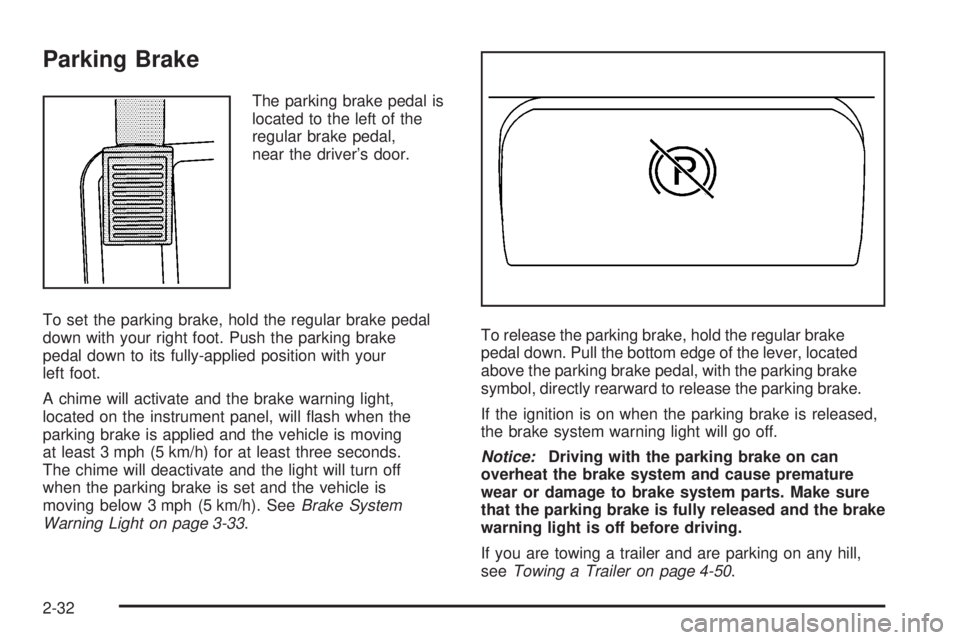
The parking brake pedal is
located to the left of the
regular brake pedal,
near the driver’s door.
To set the parking brake, hold the regular brake pedal
down with your right foot. Push the parking brake
pedal down to its fully-applied position with your
left foot.
A chime will activate and the brake warning light,
located on the instrument panel, will ash when the
parking brake is applied and the vehicle is moving
at least 3 mph (5 km/h) for at least three seconds.
The chime will deactivate and the light will turn off
when the parking brake is set and the vehicle is
moving below 3 mph (5 km/h). SeeBrake System
Warning Light on page 3-33.To release the parking brake, hold the regular brake
pedal down. Pull the bottom edge of the lever, located
above the parking brake pedal, with the parking brake
symbol, directly rearward to release the parking brake.
If the ignition is on when the parking brake is released,
the brake system warning light will go off.
Notice:Driving with the parking brake on can
overheat the brake system and cause premature
wear or damage to brake system parts. Make sure
that the parking brake is fully released and the brake
warning light is off before driving.
If you are towing a trailer and are parking on any hill,
seeTowing a Trailer on page 4-50.
2-32
Page 124 of 416
Additional OnStar Controls
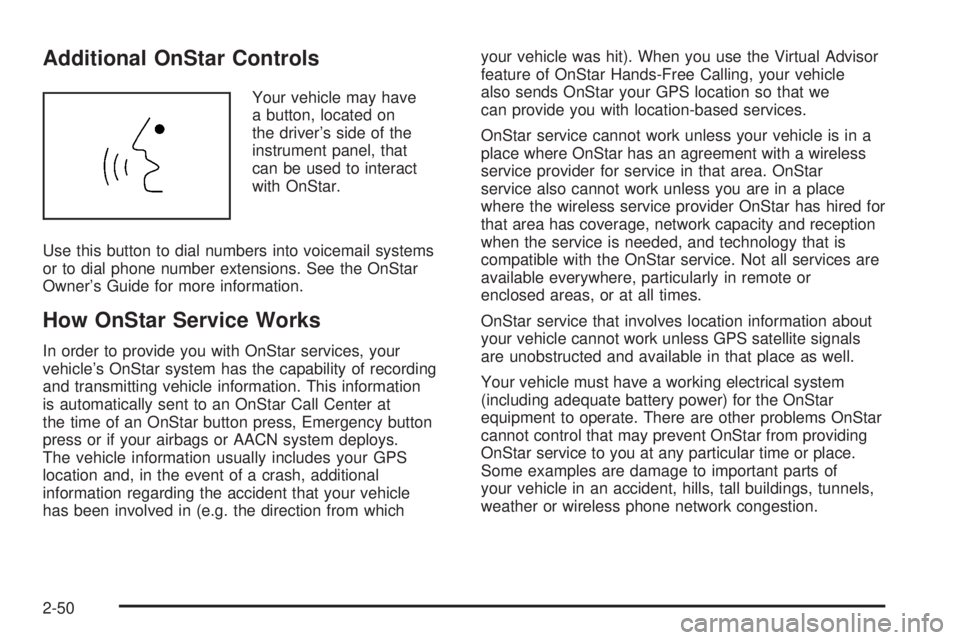
Your vehicle may have
a button, located on
the driver’s side of the
instrument panel, that
can be used to interact
with OnStar.
Use this button to dial numbers into voicemail systems
or to dial phone number extensions. See the OnStar
Owner’s Guide for more information.
How OnStar Service Works
In order to provide you with OnStar services, your
vehicle’s OnStar system has the capability of recording
and transmitting vehicle information. This information
is automatically sent to an OnStar Call Center at
the time of an OnStar button press, Emergency button
press or if your airbags or AACN system deploys.
The vehicle information usually includes your GPS
location and, in the event of a crash, additional
information regarding the accident that your vehicle
has been involved in (e.g. the direction from whichyour vehicle was hit). When you use the Virtual Advisor
feature of OnStar Hands-Free Calling, your vehicle
also sends OnStar your GPS location so that we
can provide you with location-based services.
OnStar service cannot work unless your vehicle is in a
place where OnStar has an agreement with a wireless
service provider for service in that area. OnStar
service also cannot work unless you are in a place
where the wireless service provider OnStar has hired for
that area has coverage, network capacity and reception
when the service is needed, and technology that is
compatible with the OnStar service. Not all services are
available everywhere, particularly in remote or
enclosed areas, or at all times.
OnStar service that involves location information about
your vehicle cannot work unless GPS satellite signals
are unobstructed and available in that place as well.
Your vehicle must have a working electrical system
(including adequate battery power) for the OnStar
equipment to operate. There are other problems OnStar
cannot control that may prevent OnStar from providing
OnStar service to you at any particular time or place.
Some examples are damage to important parts of
your vehicle in an accident, hills, tall buildings, tunnels,
weather or wireless phone network congestion.
2-50
Page 135 of 416
Instrument Panel Overview...............................3-4
Hazard Warning Flashers................................3-6
Other Warning Devices...................................3-6
Horn.............................................................3-6
Tilt Wheel.....................................................3-7
Turn Signal/Multifunction Lever.........................3-7
Turn and Lane-Change Signals........................3-8
Headlamp High/Low-Beam Changer..................3-9
Flash-to-Pass.................................................3-9
Windshield Wipers........................................3-10
Windshield Washer.......................................3-10
Rear Window Wiper/Washer...........................3-11
Cruise Control..............................................3-11
Exterior Lamps.............................................3-15
Headlamps on Reminder................................3-16
Daytime Running Lamps (DRL).......................3-17
Automatic Headlamp System..........................3-17
Off-Road Lamps...........................................3-18
Fog Lamps..................................................3-19
Instrument Panel Brightness...........................3-19
Dome Lamp.................................................3-19
Dome Lamp Override....................................3-20
Exit Lighting.................................................3-20
Reading Lamps............................................3-20Electric Power Management...........................3-20
Battery Run-Down Protection..........................3-20
Accessory Power Outlet(s).............................3-21
Ashtray(s) and Cigarette Lighter......................3-22
Climate Controls............................................3-22
Climate Control System.................................3-22
Outlet Adjustment.........................................3-24
Warning Lights, Gages, and Indicators............3-25
Instrument Panel Cluster................................3-26
Speedometer and Odometer..........................
.3-27
Trip Odometer..............................................3-27
Tachometer.................................................3-27
Safety Belt Reminders...................................3-28
Airbag Readiness Light..................................3-29
Passenger Airbag Status Indicator...................3-30
Charging System Light..................................3-32
Up-Shift Light...............................................3-32
Brake System Warning Light..........................3-33
Antilock Brake System Warning Light...............3-34
Traction Off Light..........................................3-34
StabiliTrak
®Not Ready Light..........................3-34
Engine Coolant Temperature Gage..................3-35
Tire Pressure Light.......................................3-35
Section 3 Instrument Panel
3-1
Page 136 of 416
Malfunction Indicator Lamp.............................3-36
Oil Pressure Light.........................................3-38
Security Light...............................................3-39
Cruise Control Light......................................3-39
Highbeam On Light.......................................3-39
Fuel Gage...................................................3-40
Driver Information Center (DIC).......................3-40
DIC Operation and Displays...........................3-40
DIC Warnings and Messages.........................3-43Audio System(s).............................................3-48
Setting the Time...........................................3-48
Radio(s)......................................................3-49
XM Radio Messages.....................................3-60
Navigation/Radio System...............................3-61
Theft-Deterrent Feature..................................3-61
Radio Reception...........................................3-61
Fixed Mast Antenna......................................3-62
XM™ Satellite Radio Antenna System.............3-62
Section 3 Instrument Panel
3-2
Page 138 of 416
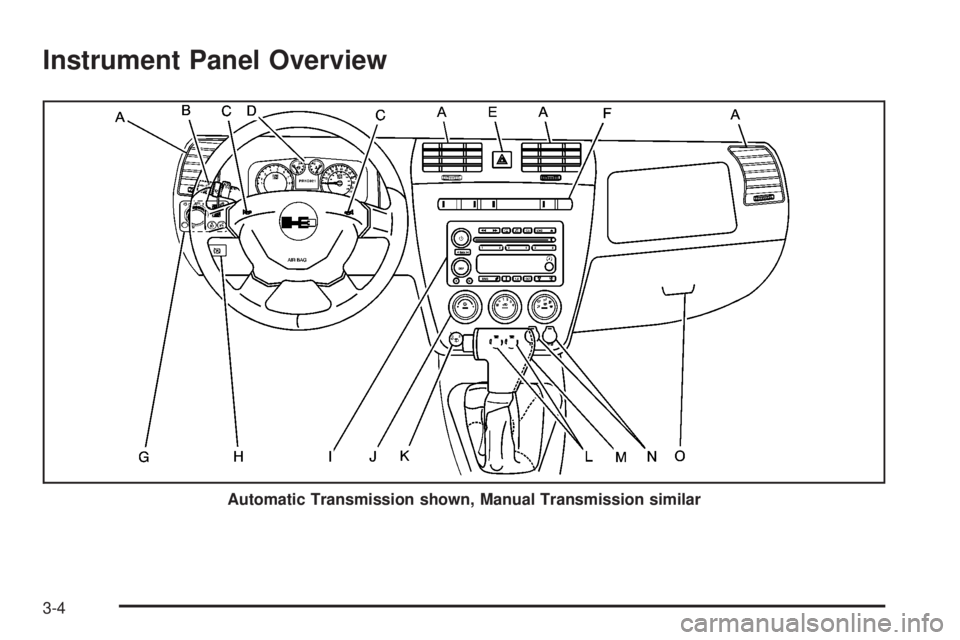
Instrument Panel Overview
Automatic Transmission shown, Manual Transmission similar
3-4
Page 139 of 416
The main components of your instrument panel are the following:
A. Air Outlets. SeeOutlet Adjustment on page 3-24.
B. Turn Signal/Multifunction Lever. SeeTurn Signal/
Multifunction Lever on page 3-7. Windshield
Washer/Wiper. SeeWindshield Wipers on page 3-10
andWindshield Washer on page 3-10. Cruise
Controls. SeeCruise Control on page 3-11.
C. Horn. SeeHorn on page 3-6.
D. Instrument Panel Cluster. SeeInstrument Panel
Cluster on page 3-26.
E. Hazard Warning Flasher Button. SeeHazard
Warning Flashers on page 3-6.
F. All-Wheel Drive, Passenger Air Bag Status Indicator,
Locking Rear Axle, and Traction Control System/
StabiliTrak
®Buttons. SeeFull-Time Four-Wheel
Drive on page 2-27,Passenger Airbag Status
Indicator on page 3-30,Locking Rear Axle on
page 4-6,Traction Control System (TCS) on
page 4-5andStabiliTrak
®System on page 4-7.
G. Exterior Lamps Control, Dome Override Button,
Instrument Panel Brightness Control, Fog Lamp
Button, and OnStar
®Button. SeeExterior Lamps on
page 3-15,Dome Lamp Override on page 3-20,
Instrument Panel Brightness on page 3-19,
Fog Lamps on page 3-19, andOnStar
®System on
page 2-48.H. Parking Brake Release. SeeParking Brake on
page 2-32.
I. Audio System. SeeAudio System(s) on page 3-48.
J. Climate Control System. SeeClimate Control
System on page 3-22.
K. Rear Washer/Wiper Control. SeeRear Window
Wiper/Washer on page 3-11.
L. Off-Road Lamps Buttons. SeeOff-Road Lamps on
page 3-18.
M. Shift Lever. SeeAutomatic Transmission Operation
on page 2-23orManual Transmission Operation
on page 2-26.
N. Accessory Power Outlets. SeeAccessory Power
Outlet(s) on page 3-21.
O. Glove Box. SeeGlove Box on page 2-56.
3-5
Page 140 of 416
Hazard Warning Flashers
The hazard warning ashers let you warn the police and
others that you have a problem. The front and rear
turn signal lamps will ash on and off.
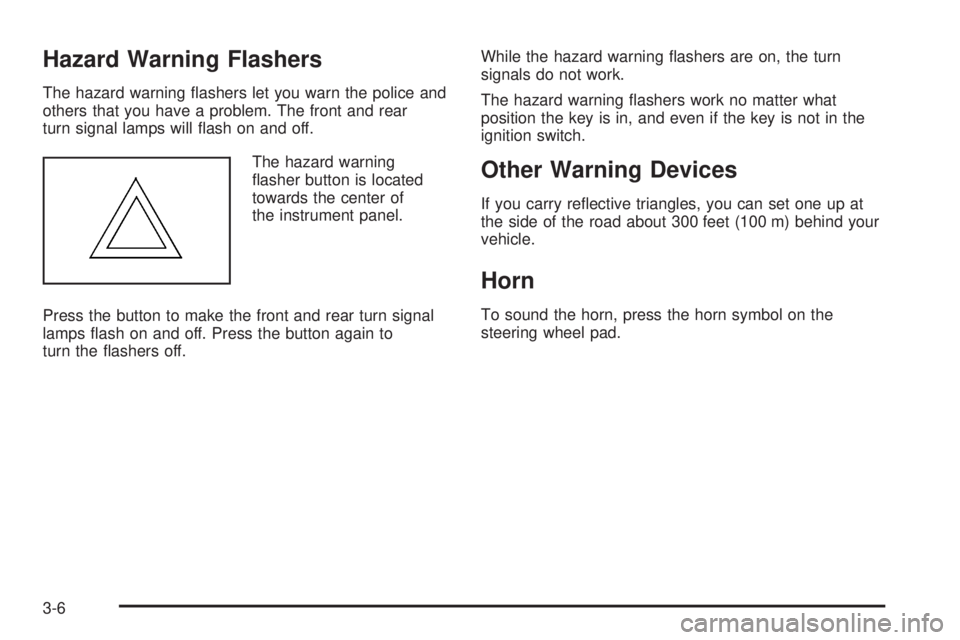
The hazard warning
asher button is located
towards the center of
the instrument panel.
Press the button to make the front and rear turn signal
lamps ash on and off. Press the button again to
turn the ashers off.While the hazard warning ashers are on, the turn
signals do not work.
The hazard warning ashers work no matter what
position the key is in, and even if the key is not in the
ignition switch.
Other Warning Devices
If you carry reective triangles, you can set one up at
the side of the road about 300 feet (100 m) behind your
vehicle.
Horn
To sound the horn, press the horn symbol on the
steering wheel pad.
3-6
Page 142 of 416
Turn and Lane-Change Signals
The turn signal has one upward (for right) and
one downward (for left) positions. These positions
allow you to signal a turn or a lane change.
To signal a turn, move the lever all the way up or down.
When the turn is nished, the lever will automatically
return to the off position.
To signal a lane change, raise or lower the lever until
the arrow starts to ash. Hold it there until the change is
completed. The lever will return by itself when released.
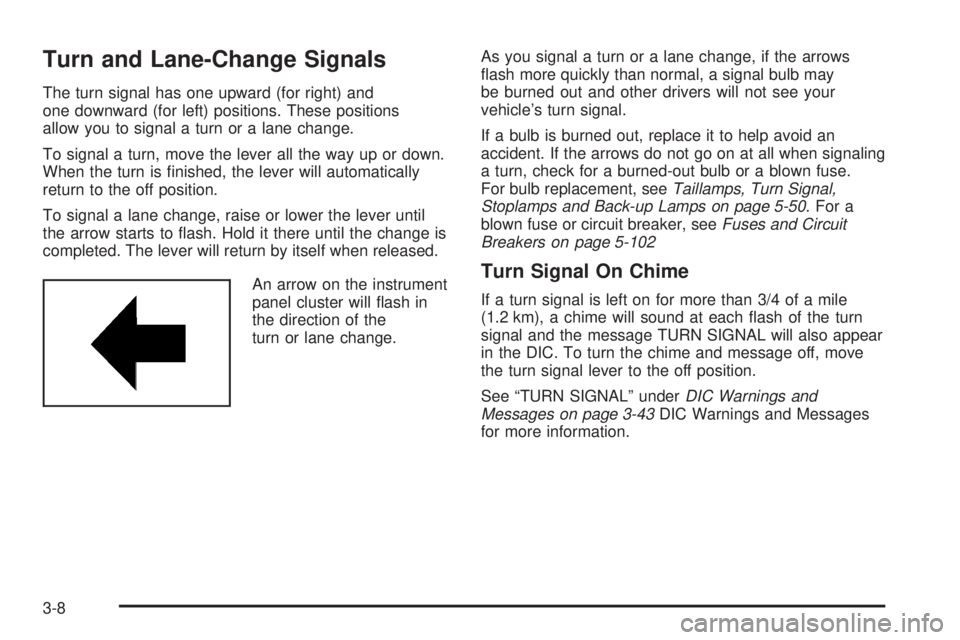
An arrow on the instrument
panel cluster will ash in
the direction of the
turn or lane change.As you signal a turn or a lane change, if the arrows
ash more quickly than normal, a signal bulb may
be burned out and other drivers will not see your
vehicle’s turn signal.
If a bulb is burned out, replace it to help avoid an
accident. If the arrows do not go on at all when signaling
a turn, check for a burned-out bulb or a blown fuse.
For bulb replacement, seeTaillamps, Turn Signal,
Stoplamps and Back-up Lamps on page 5-50. For a
blown fuse or circuit breaker, seeFuses and Circuit
Breakers on page 5-102
Turn Signal On Chime
If a turn signal is left on for more than 3/4 of a mile
(1.2 km), a chime will sound at each ash of the turn
signal and the message TURN SIGNAL will also appear
in the DIC. To turn the chime and message off, move
the turn signal lever to the off position.
See “TURN SIGNAL” underDIC Warnings and
Messages on page 3-43DIC Warnings and Messages
for more information.
3-8