ignition HUMMER H3 2008 Owner's Manual
[x] Cancel search | Manufacturer: HUMMER, Model Year: 2008, Model line: H3, Model: HUMMER H3 2008Pages: 416, PDF Size: 5.66 MB
Page 112 of 416
Mirrors
Automatic Dimming Rearview
Mirror with OnStar
®, Compass
and Temperature Display
Your vehicle may have this feature. When on, the
automatic dimming mirror dims to the proper level to
minimize glare from lights behind you after dark.
The mirror has a dual display in the upper right corner
of the mirror face that shows the compass reading
and the outside temperature.
Control buttons for the OnStar
®system are at the
bottom of the mirror. SeeOnStar®System on page 2-48
for more information about the services OnStar®
provides.
Y:This button is used as a toggle for changing
displays and as an on/off toggle during a function.
Your vehicle may also have a Rear Vision Camera.
SeeRear Vision Camera on page 2-44for more
information.
Slide-Out Video Feature Enable
Press and holdYfor three seconds to toggle the
slide-out video feature on/off. An indicator light will turn
on at the time the slide-out video is enabled. If the
slide-out video feature is on, each time the vehicle is
put into reverse, the slide-out video screen will extend.
SeeRear Vision Camera on page 2-44for more
information.
The slide-out video feature will remain in the current
on/off state each time the ignition goes through its cycle.
Slide-Out Video Cleaning
The slide-out video has to be enabled before the
cleaning process can take place.
Press and holdYfor six seconds or until the lower
indicator light turns on.
While extended for cleaning, neither the screen nor
the camera will have power.
PressYbriey or wait 30 seconds to end cleaning.
The screen will then retract.
2-38
Page 113 of 416

Automatic Dimming Mirror Operation
The automatic dimming mirror comes on each time
the ignition is turned to start. To turn the automatic
dimming feature off or back on, press and hold
Yfor
nine seconds. The indicator light on the mirror is lit
when the automatic dimming feature is on.
Temperature Display
To adjust between Fahrenheit and Celsius:
PressYfor approximately four seconds to toggle
the display from F (Fahrenheit) to C (Celsius)
to OFF.
The temperature display will remain in its current
state each time the ignition goes through its cycle.
At start up, if the vehicle has been off for less
than two and a half hours, and the last stored
temperature was less than the current termperature,
the sensor will increase 1°F every two minutes
until the correct temperature is displayed.
If the vehicle has been off more than two and a
half hours, or the last stored temperature is
greater than the current temperature, the current
temperature immediately displays.
If the temperature is 37°F (3°C) or lower, ICE will
ash on the temperature display. This display will
ash every two seconds for a period of one minute.
If an abnormal temperature reading is displayed for
an extended period of time, see your dealer/retailer.
Under certain circumstances, a delay in updating
the temperature is normal.
Compass Display
Press theYbutton, located at the bottom of the mirror,
next to the OnStar®control buttons to turn the
compass/temperature display on or off.
If CAL is not displayed, press and hold
Yfor
15 seconds, or until CAL is displayed. The compass
is now in calibration mode. For more information,
see “Compass Calibration” following.
The mirror can be calibrated in one of two ways:
Drive the vehicle in circles at less than 5 mph
(8 km/h) until the CAL is no longer displayed in
the compass window. Then continue to drive
to make sure all eight directions are available.
Drive the vehicle under normal operating conditions.
2-39
Page 118 of 416

Outside Convex Mirror
{CAUTION:
A convex mirror can make things (like other
vehicles) look farther away than they really are.
If you cut too sharply into the right lane, you
could hit a vehicle on your right. Check your
inside mirror or glance over your shoulder
before changing lanes.
The passenger side mirror is convex. A convex mirror’s
surface is curved so more can be seen from the
driver seat. It also makes things, like other vehicles,
look farther away than they really are.
Object Detection Systems
Rear Vision Camera
Your vehicle may be equipped with a rear vision camera
system. Read this entire section before using the
camera system.
The rear vision camera system is designed to help the
driver when backing up by displaying a view of the area
behind the vehicle. When the driver shifts the vehicle into
REVERSE (R), the video screen will automatically slide
out from the rear view mirror. Once the driver shifts out of
REVERSE (R), the video screen will slide back into the
rear view mirror after a delay.
The display has a guideline overlay that can help the
driver align the vehicle when backing into a parking spot.
To turn off the rear vision camera system, do the
following:
1. Place the vehicle shift lever in PARK (P).
2. Turn the ignition key to the ACCESSORY position.
3. Press the right mirror button briey; the right
green light indicator will turn off. The rear camera
vision display is now disabled.
2-44
Page 119 of 416
To turn on the rear camera vision feature again, press
the right mirror button briey. The green light indicator
will illuminate. The rear camera vision system is
now enabled and the display will slide out from the
mirror normally.
To manually slide out the rear camera screen for
cleaning, do the following:
1. Place the vehicle shift lever in PARK (P).
2. Turn the ignition key to the ACCESSORY or
RUN position.
3. Press and hold the right mirror button for
ve seconds. The display will slide out from
the mirror for 30 seconds; the right green LED
indicator will remain illuminated. The camera
screen will not be on when it slides out of
the mirror.
4. If additional time is required for cleaning,
repeat step 3.
To resume normal operation, press the right button
momentarily while the rear camera screen is out or wait
30 seconds for screen to slide back into the mirror.
For more information on the automatic dimming,
compass, and temperature features of the mirror, see
Automatic Dimming Rearview Mirror with Compass
and Temperature Display on page 2-41.
{CAUTION:
The Rear Vision Camera (RVC) system does
not replace driver vision. RVC does not:
Detect objects that are outside the
camera’s eld of view, below the bumper,
or underneath the vehicle.
Detect children, pedestrians, bicyclists,
or pets.
Do not back the vehicle by only looking at the
rear vision camera screen, or use the screen
during longer, higher speed backing maneuvers
or where there could be cross-traffic. Your
judged distances using the screen will differ
from actual distances.
So if you do not use proper care before backing
up, you could hit a vehicle, child, pedestrian,
bicyclist, or pet, resulting in vehicle damage,
injury, or death. Even though the vehicle has
the RVC system, always check carefully before
backing up by checking behind your vehicle.
2-45
Page 134 of 416
Sunroof
To operate a power sliding sunroof, the ignition must be
on, or Retained Accessory Power (RAP) must be active.
SeeRetained Accessory Power (RAP) on page 2-20.
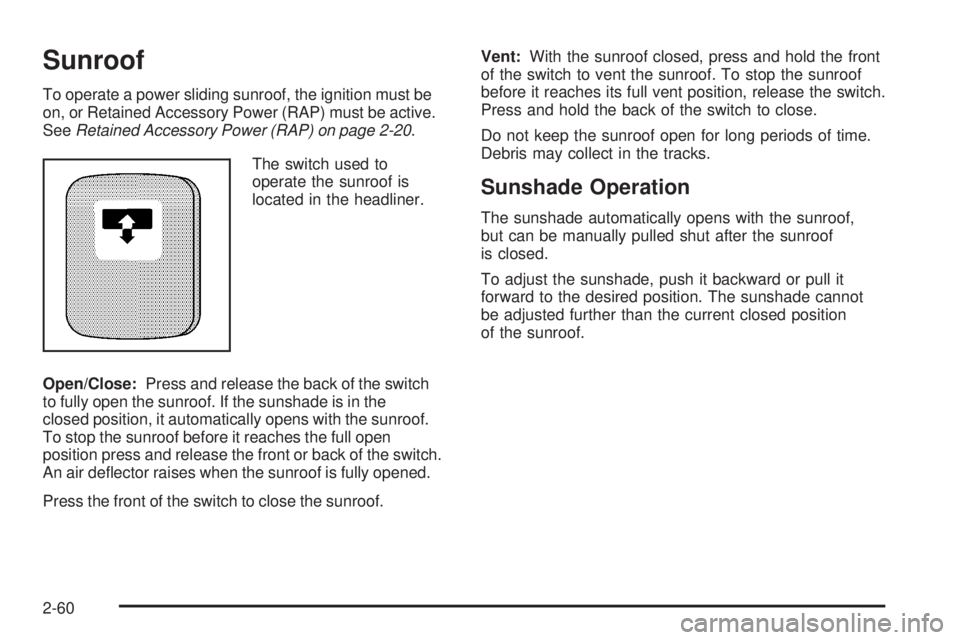
The switch used to
operate the sunroof is
located in the headliner.
Open/Close:Press and release the back of the switch
to fully open the sunroof. If the sunshade is in the
closed position, it automatically opens with the sunroof.
To stop the sunroof before it reaches the full open
position press and release the front or back of the switch.
An air deector raises when the sunroof is fully opened.
Press the front of the switch to close the sunroof.Vent:With the sunroof closed, press and hold the front
of the switch to vent the sunroof. To stop the sunroof
before it reaches its full vent position, release the switch.
Press and hold the back of the switch to close.
Do not keep the sunroof open for long periods of time.
Debris may collect in the tracks.
Sunshade Operation
The sunshade automatically opens with the sunroof,
but can be manually pulled shut after the sunroof
is closed.
To adjust the sunshade, push it backward or pull it
forward to the desired position. The sunshade cannot
be adjusted further than the current closed position
of the sunroof.
2-60
Page 140 of 416
Hazard Warning Flashers
The hazard warning ashers let you warn the police and
others that you have a problem. The front and rear
turn signal lamps will ash on and off.
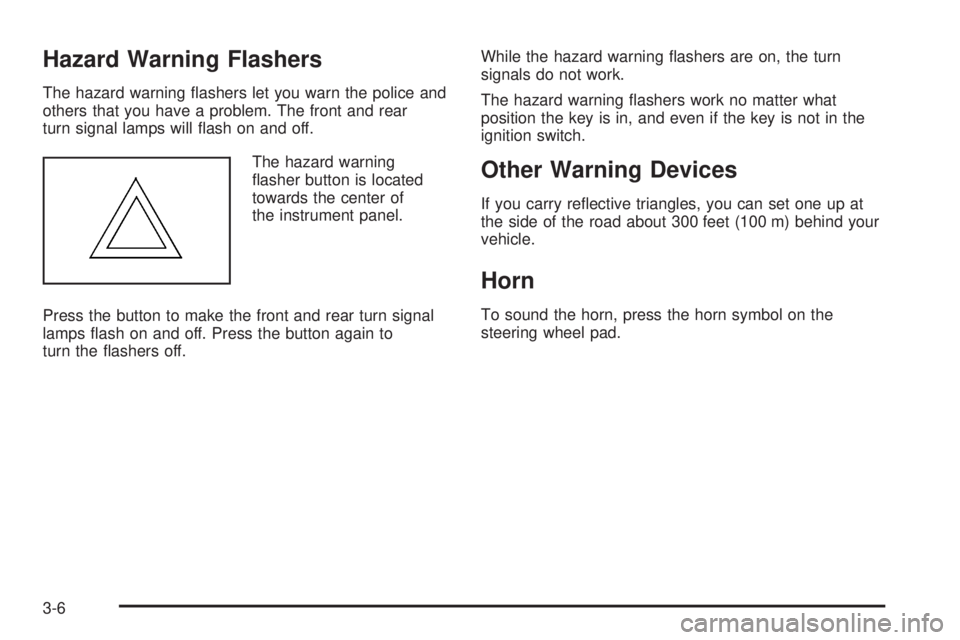
The hazard warning
asher button is located
towards the center of
the instrument panel.
Press the button to make the front and rear turn signal
lamps ash on and off. Press the button again to
turn the ashers off.While the hazard warning ashers are on, the turn
signals do not work.
The hazard warning ashers work no matter what
position the key is in, and even if the key is not in the
ignition switch.
Other Warning Devices
If you carry reective triangles, you can set one up at
the side of the road about 300 feet (100 m) behind your
vehicle.
Horn
To sound the horn, press the horn symbol on the
steering wheel pad.
3-6
Page 148 of 416
Reducing Speed While Using Cruise
Control
Press and hold the set button until you reach the
desired lower speed, then release it.
To slow down in very small amounts, briey press
the set button. Each time you do this, you will go
about 1 mph (1.6 km/h) slower.
Passing Another Vehicle While Using
Cruise Control
Use the accelerator pedal to increase your speed.
When you take your foot off the pedal, your vehicle
slows down to the cruise control speed you set earlier.
Using Cruise Control on Hills
How well your cruise control works on hills depends
upon your speed, load, and the steepness of the hills.
When going up steep hills, you might want to step on the
accelerator pedal to maintain the vehicle speed.When going downhill, you might have to brake or shift
to a lower gear to keep the vehicle speed down. Of
course, applying the brake turns off the cruise control.
Many drivers nd this to be too much trouble and do not
use cruise control on steep hills.
Ending Cruise Control
To turn off the cruise control, do one of the following:
Step lightly on the brake pedal.
Move the cruise control switch to off.
Lightly tap or press the clutch, if you have a manual
transmission.
Erasing Speed Memory
When you turn off the cruise control or the ignition, the
cruise control set speed memory is erased.
3-14
Page 150 of 416
To disable automatic lighting, do any of the following:
Turn the headlamp control from AUTO to off
and release the control. It will return back to
the AUTO position by itself.
Turn the headlamp control from AUTO to the
parking lamp or headlamp position.
SeeAutomatic Headlamp System on page 3-17for
more information.
Vehicles rst sold in Canada with an automatic
transmission cannot turn off automatic headlamps
unless the gear position is in PARK (P) and the
headlamp switch is turned to the Off position. Vehicles
rst sold in Canada with a manual transmission can
turn off the automatic headlamps with the headlamp
control; however, the parking lamps will remain on.
;(Parking Lamps):Turn the knob to this position to
turn on the parking lamps, together with the following:
Sidemarker Lamps
Taillamps
License Plate Lamps
Instrument Panel Lights
2(Headlamps):Turn the knob to this position to turn
on the headlamps, together with the previously listed
lamps and lights.
The headlamps can be switched from low to high beam
by pushing the turn signal/multifunction lever toward
the instrument panel.
Headlamps on Reminder
A headlamp reminder chime will sound if the following
conditions are met:
The driver door is open.
Parking lamps or headlamps are manually
turned on.
The key is either not in the ignition switch, or it is in
the LOCK position of the ignition switch.
The headlamp reminder cannot be turned off if the
conditions listed above are met.
In the automatic mode, the headlamps turn off once the
ignition is in ACC.
3-16
Page 151 of 416
Daytime Running Lamps (DRL)
Daytime Running Lamps (DRL) can make it easier for
others to see the front of your vehicle during the
day. DRL can be helpful in many different driving
conditions, but they can be especially helpful in the short
periods after dawn and before sunset. Fully functional
daytime running lamps are required on all vehicles
rst sold in Canada.
The DRL system will come on when the following
conditions are met:
The ignition is on.
The exterior lamps control is in AUTO.
The transmission is not in PARK (P) if you have an
automatic transmission.
The light sensor determines it is daytime.
When the DRL are on, no other lamps are on. The
instrument panel will not be lit up either. For vehicles rst
sold in Canada, if parking lamps are manually turned
on, DRL will stay on.
When it begins to get dark, the automatic headlamp
system will switch from DRL to the headlamps.
As with any vehicle, you should turn on the regular
headlamp system when you need it.
To turn off the DRL, seeExterior Lamps on page 3-15.Vehicles rst sold in Canada cannot turn off DRL unless
certain conditions are met. SeeExterior Lamps on
page 3-15.
Automatic Headlamp System
When it is dark enough outside, the automatic headlamp
system will turn on after the transmission has been
shifted from PARK (P) to DRIVE (D). The headlamps,
taillamps, sidemarker, parking lamps, roof marker lamps,
and the instrument panel lights will turn on at normal
brightness. The radio lights will become more dim when
the headlights are off compared to when the headlights
are on.
Your vehicle has a light sensor located on the top of the
instrument panel. Be sure it is not covered, or the
system will be on whenever the ignition is on.
The system may also turn on the headlamps when
driving through a parking garage, heavy overcast
weather, or a tunnel. This is normal.
There is a delay in the transition between the daytime
and nighttime operation of the Daytime Running
Lamps (DRL) and the automatic headlamp system so
that driving under bridges or bright overhead street lights
does not affect the system. The DRL and automatic
headlamp system will only be affected when the
light sensor detects a change in lighting lasting longer
than the delay.
3-17
Page 152 of 416
If you start your vehicle in a dark garage, the automatic
headlamp system will come on immediately. Once
you leave the garage, it will take about one minute for
the automatic headlamp system to change to DRL if it is
light outside. During that delay, the instrument panel
cluster may not be as bright as usual. Make sure
the instrument panel brightness control is in the full
bright position. SeeInstrument Panel Brightness
on page 3-19.
Off-Road Lamps
The off-road lamps, if the vehicle has them, provide
auxiliary lighting when the vehicle is used off road.
These lamps are not intended to be used in place of
existing vehicle lighting. The lamps are not to be used
on any public street or highway and are to be covered
when not in use. Check your state and local laws before
installing or using any auxiliary lighting. In some
states it may be necessary to remove the roof lamps
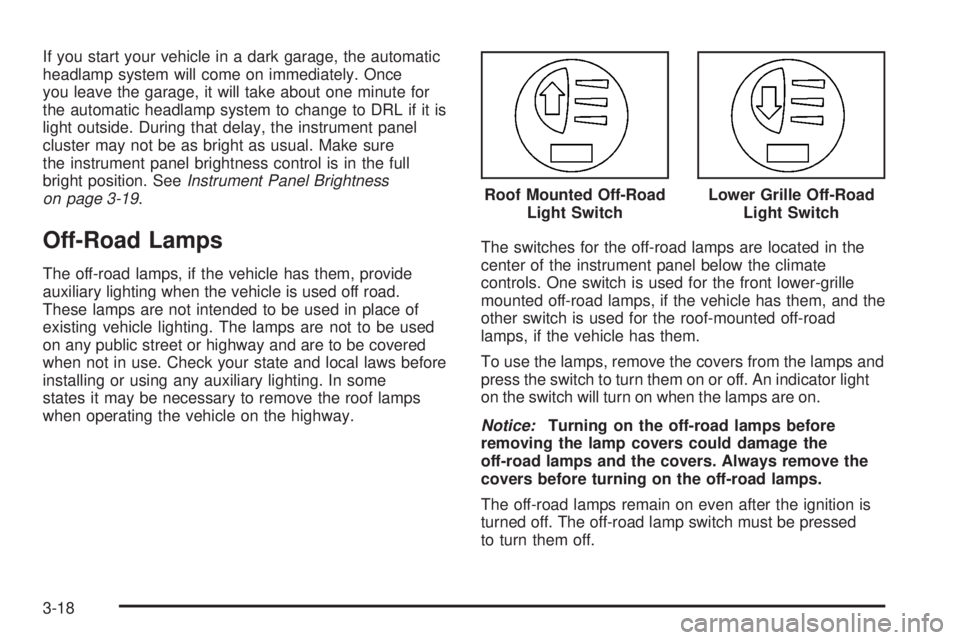
when operating the vehicle on the highway.The switches for the off-road lamps are located in the
center of the instrument panel below the climate
controls. One switch is used for the front lower-grille
mounted off-road lamps, if the vehicle has them, and the
other switch is used for the roof-mounted off-road
lamps, if the vehicle has them.
To use the lamps, remove the covers from the lamps and
press the switch to turn them on or off. An indicator light
on the switch will turn on when the lamps are on.
Notice:Turning on the off-road lamps before
removing the lamp covers could damage the
off-road lamps and the covers. Always remove the
covers before turning on the off-road lamps.
The off-road lamps remain on even after the ignition is
turned off. The off-road lamp switch must be pressed
to turn them off.Roof Mounted Off-Road
Light Switch
Lower Grille Off-Road
Light Switch
3-18