lock HUMMER H3 2008 Owner's Guide
[x] Cancel search | Manufacturer: HUMMER, Model Year: 2008, Model line: H3, Model: HUMMER H3 2008Pages: 416, PDF Size: 5.66 MB
Page 95 of 416
Starting Procedure
1. With your foot off the accelerator pedal, turn the
ignition key to START. When the engine starts,
let go of the key. The idle speed will go down as
your engine gets warm. Do not race the engine
immediately after starting it. Operate the engine and
transmission gently to allow the oil to warm up
and lubricate all moving parts.
Your vehicle has a Computer-Controlled Cranking
System. This feature assists in starting the
engine and protects components. If the ignition
key is turned to the START position, and then
released when the engine begins cranking, the
engine will continue cranking for a few seconds or
until the vehicle starts. If the engine does not
start and the key is held in START for many
seconds, cranking will be stopped after 15 seconds
to prevent cranking motor damage. To prevent
gear damage, this system also prevents cranking if
the engine is already running. Engine cranking
can be stopped by turning the ignition switch
to ACC/ACCESSORY or LOCK/OFF.
Notice:Cranking the engine for long periods of
time, by returning the key to the START position
immediately after cranking has ended, can overheat
and damage the cranking motor, and drain the
battery. Wait at least 15 seconds between each try,
to let the cranking motor cool down.2. If the engine does not start after 5-10 seconds,
especially in very cold weather (below 0°F or−18°C),
it could be ooded with too much gasoline. Try
pushing the accelerator pedal all the way to the oor
and holding it there as you hold the key in START for
up to a maximum of 15 seconds. Wait at least
15 seconds between each try, to allow the cranking
motor to cool down. When the engine starts, let go of
the key and accelerator. If the vehicle starts briey
but then stops again, do the same thing. This clears
the extra gasoline from the engine. Do not race the
engine immediately after starting it. Operate the
engine and transmission gently until the oil warms
up and lubricates all moving parts.
Notice:The engine is designed to work with the
electronics in your vehicle. If you add electrical
parts or accessories, you could change the way the
engine operates. Before adding electrical equipment,
check with your dealer/retailer. If you do not, your
engine might not perform properly. Any resulting
damage would not be covered by your vehicle’s
warranty.
2-21
Page 96 of 416
Engine Coolant Heater
The engine coolant heater, if available, can help in cold
weather conditions at or below 0°F (−18°C) for easier
starting and better fuel economy during engine warm-up.
Plug in the coolant heater at least four hours before
starting your vehicle. An internal thermostat in the
plug-end of the cord may exist which will prevent
engine coolant heater operation at temperatures
above 0° F (−18°C).
To Use the Engine Coolant Heater
1. Turn off the engine.
2. Open the hood and unwrap the electrical cord.
The cord is located in the engine compartment
behind the underhood fuse block on the driver’s
side of the vehicle.
3. Plug it into a normal, grounded 110-volt AC outlet.
{CAUTION:
Plugging the cord into an ungrounded outlet
could cause an electrical shock. Also, the
wrong kind of extension cord could overheat
and cause a re. You could be seriously
injured. Plug the cord into a properly grounded
three-prong 110-volt AC outlet. If the cord will
not reach, use a heavy-duty three-prong
extension cord rated for at least 15 amps.
4. Before starting the engine, be sure to unplug and
store the cord as it was before to keep it away
from moving engine parts. If you do not, it could be
damaged.
How long should you keep the coolant heater plugged
in? The answer depends on the outside temperature, the
kind of oil you have, and some other things. Instead
of trying to list everything here, we ask that you contact
your dealer/retailer in the area where you will be
parking your vehicle. The dealer/retailer can give you
the best advice for that particular area.
2-22
Page 97 of 416
Automatic Transmission Operation
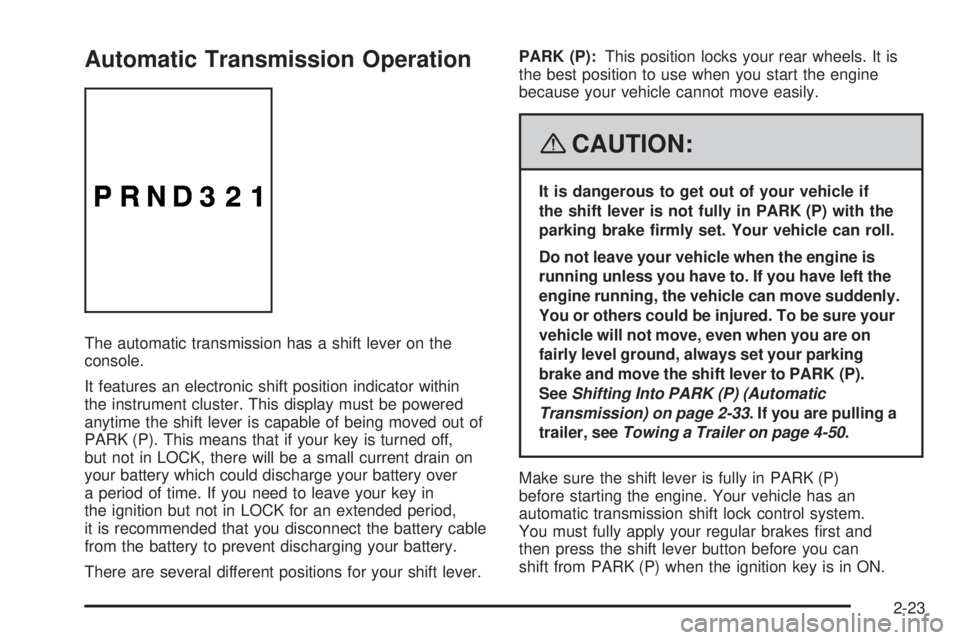
The automatic transmission has a shift lever on the
console.
It features an electronic shift position indicator within
the instrument cluster. This display must be powered
anytime the shift lever is capable of being moved out of
PARK (P). This means that if your key is turned off,
but not in LOCK, there will be a small current drain on
your battery which could discharge your battery over
a period of time. If you need to leave your key in
the ignition but not in LOCK for an extended period,
it is recommended that you disconnect the battery cable
from the battery to prevent discharging your battery.
There are several different positions for your shift lever.PARK (P):This position locks your rear wheels. It is
the best position to use when you start the engine
because your vehicle cannot move easily.
{CAUTION:
It is dangerous to get out of your vehicle if
the shift lever is not fully in PARK (P) with the
parking brake rmly set. Your vehicle can roll.
Do not leave your vehicle when the engine is
running unless you have to. If you have left the
engine running, the vehicle can move suddenly.
You or others could be injured. To be sure your
vehicle will not move, even when you are on
fairly level ground, always set your parking
brake and move the shift lever to PARK (P).
SeeShifting Into PARK (P) (Automatic
Transmission) on page 2-33. If you are pulling a
trailer, seeTowing a Trailer on page 4-50.
Make sure the shift lever is fully in PARK (P)
before starting the engine. Your vehicle has an
automatic transmission shift lock control system.
You must fully apply your regular brakes rst and
then press the shift lever button before you can
shift from PARK (P) when the ignition key is in ON.
2-23
Page 100 of 416
Manual Transmission Operation
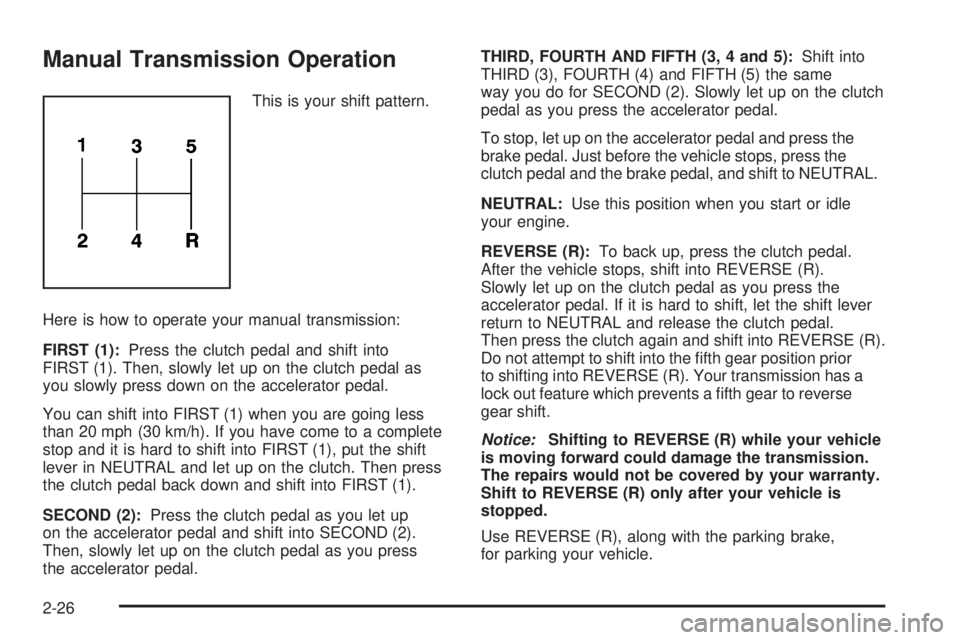
This is your shift pattern.
Here is how to operate your manual transmission:
FIRST (1):Press the clutch pedal and shift into
FIRST (1). Then, slowly let up on the clutch pedal as
you slowly press down on the accelerator pedal.
You can shift into FIRST (1) when you are going less
than 20 mph (30 km/h). If you have come to a complete
stop and it is hard to shift into FIRST (1), put the shift
lever in NEUTRAL and let up on the clutch. Then press
the clutch pedal back down and shift into FIRST (1).
SECOND (2):Press the clutch pedal as you let up
on the accelerator pedal and shift into SECOND (2).
Then, slowly let up on the clutch pedal as you press
the accelerator pedal.THIRD, FOURTH AND FIFTH (3, 4 and 5):Shift into
THIRD (3), FOURTH (4) and FIFTH (5) the same
way you do for SECOND (2). Slowly let up on the clutch
pedal as you press the accelerator pedal.
To stop, let up on the accelerator pedal and press the
brake pedal. Just before the vehicle stops, press the
clutch pedal and the brake pedal, and shift to NEUTRAL.
NEUTRAL:Use this position when you start or idle
your engine.
REVERSE (R):To back up, press the clutch pedal.
After the vehicle stops, shift into REVERSE (R).
Slowly let up on the clutch pedal as you press the
accelerator pedal. If it is hard to shift, let the shift lever
return to NEUTRAL and release the clutch pedal.
Then press the clutch again and shift into REVERSE (R).
Do not attempt to shift into the fth gear position prior
to shifting into REVERSE (R). Your transmission has a
lock out feature which prevents a fth gear to reverse
gear shift.
Notice:Shifting to REVERSE (R) while your vehicle
is moving forward could damage the transmission.
The repairs would not be covered by your warranty.
Shift to REVERSE (R) only after your vehicle is
stopped.
Use REVERSE (R), along with the parking brake,
for parking your vehicle.
2-26
Page 102 of 416

Transfer Case Buttons
The transfer case buttons are located to the right of the
instrument panel cluster. Use these switches to shift
into and out of the different Full-Time Four-Wheel
Drive modes.
You can choose between four modes:
4
m(Four-Wheel High):This setting is used for driving
in most street and highway situations. You can also
use this setting for light or variable off-road conditions.
N (NEUTRAL):Shift the vehicle’s transfer case to
NEUTRAL only when towing your vehicle. See
Recreational Vehicle Towing on page 4-48orTowing
Your Vehicle on page 4-48for more information.Notice:Driving on pavement in Four-Wheel
High Lock or Four Wheel Low Lock for extended
periods may cause premature wear on your vehicle’s
powertrain and tires. Do not drive in Four-Wheel
High Lock or Four-Wheel Low Lock on pavement for
extended periods.
4
mQ(Four-Wheel-High Lock):Use this mode
when you need extra traction in most off-road situations
such as sand, mud, snow or level, rocky trails.
Notice:Operating your vehicle in
Four-Wheel-Low Lock above 30 mph (48 km/h) for
any extended period of time could cause damage
to the transfer case. Do not operate your vehicle
in Four-Wheel-Low Lock above 30 mph (48 km/h) for
extended periods.
4
nQ(Four-Wheel-Low Lock):This mode delivers
extra torque to all four wheels and is used for extreme
off-road conditions. You might choose 4-Wheel-Low
Lock if you are driving in off-road situations, such as,
deep sand, mud, or snow and climbing or descending
steep hills.
If the vehicle has a locking rear axle, when in this mode
you can also choose to lock the rear axle for additional
traction in extreme off-road situations. SeeLocking Rear
Axle on page 4-6.
2-28
Page 103 of 416
Indicator lights in the buttons show which mode you
are in. The indicator lights will come on briey when
you turn on the ignition the mode the vehicle is in
will stay on. If the lights do not come on, you should
take your vehicle to your dealer for service. An indicator
light will ash while shifting the transfer case. It will
remain lit when the shift is complete. If for some reason
the transfer case cannot make a requested shift,
it will return to the last chosen setting.
If the SERV 4WD message on the Driver Information
Center (DIC) stays on, you should take your vehicle to
your dealer for service. See Service 4WD message
underDIC Warnings and Messages on page 3-43.
Shifting between Four-Wheel High
and Four-Wheel-High Lock
With the vehicle traveling less than 45 mph
(72 km/h), press and release the Four-Wheel High
or Four-Wheel-High Lock button. The indicator light
will ash while shifting. It will remain lit when the
shift is complete.
It may be necessary to drive backwards while turning
for a distance of 25 feet (7.5 m) to get the lock
feature to disengage.
Shifting into Four-Wheel Low Lock
Notice:Shifting the transmission into gear before
the indicator light stops ashing could cause
damage to the transfer case. Always wait until the
indicator light stops ashing before putting the
transmission back in gear.
To shift into Four-Wheel-Low Lock, the ignition must be in
ON and the vehicle must be stopped or moving less than
3 mph (5 km/h) with the transmission in NEUTRAL (N).
The preferred method for shifting into Four-Wheel Low is
to have your vehicle moving 1 to 2 mph (1.6 to 3.2 km/h).
Press and release the Four-Wheel-Low Lock button.
If your vehicle has a manual transmission, the clutch
pedal must be pressed to the oor while you press the
Four-Wheel-Low Lock button, or the shift will not be
completed. You must wait for the Four-Wheel-Low Lock
indicator light to stop ashing and remain lit before
shifting your transmission in gear.
It is normal for your vehicle to have engagement noise
and bump when shifting between Four-Wheel Low
and Four-Wheel High ranges or from NEUTRAL with
the engine running.
If the Four-Wheel-Low Lock button is pressed when
your vehicle is in gear and/or moving too fast, the
Four-Wheel-Low Lock indicator light will ash for
15 seconds and not complete the shift unless your
vehicle is moving less than 3 mph (5 km/h) and
the transmission is in NEUTRAL (N). After 15 seconds
the transfer case will return to the last chosen setting.
2-29
Page 104 of 416
Shifting Out of Four-Wheel-Low Lock
Notice:Shifting the transmission into gear before
the indicator light stops ashing could cause
damage to the transfer case. Always wait until the
indicator light stops ashing before putting the
transmission back in gear.
To shift out of Four-Wheel-Low Lock, your vehicle must
be stopped or moving less than 3 mph (5 km/h) with the
transmission in NEUTRAL (N) and the ignition in ON. The
preferred method for shifting out of Four-Wheel-Low
Lock is to have your vehicle moving 1 to 2 mph
(1.6 to 3.2 km/h). Press and release the Four-Wheel High
or Four-Wheel-High Lock button. If your vehicle has a
manual transmission, the clutch pedal must be pressed
to the oor while you press the Four-Wheel High or
Four-Wheel-High Lock button, or the shift will not be
completed. You must wait for the Four-Wheel High or
Four-Wheel-High Lock indicator light to stop ashing and
remain lit before shifting your transmission into gear.It is normal for your vehicle to have engagement noise
and bump when shifting between Four-Wheel Low
and Four-Wheel High ranges or from NEUTRAL with
the engine running.
If the Four-Wheel High or Four-Wheel-High Lock button
is pressed when your vehicle is in gear and/or moving
too fast, the Four-Wheel High or Four-Wheel-High Lock
indicator light will ash for 15 seconds but will not
complete the shift unless your vehicle is moving less than
3 mph (5 km/h) and the transmission is in NEUTRAL (N).
Shifting Into NEUTRAL
To shift the transfer case to NEUTRAL, do the following:
1. Set the parking brake.
2. Start the vehicle by turning the ignition to START.
3. Put the transmission in NEUTRAL (N). If your
vehicle has a manual transmission, press and
hold the clutch pedal down while you perform
Steps 5 through 9.
4. Shift the transfer case to Four-Wheel High.
2-30
Page 105 of 416
{CAUTION:
Shifting an all-wheel-drive vehicle’s transfer
case into NEUTRAL can cause your vehicle to
roll even if the automatic transmission is in
PARK (P) or the manual transmission is in
any gear. You or others could be injured.
Make sure the parking brake is rmly set
before you shift the transfer case to NEUTRAL.
5. Simultaneously press and hold the Four-Wheel
High and Four-Wheel-Low Lock buttons for
10 seconds. The NEUTRAL light will come on when
the transfer case shift to NEUTRAL is complete.
6. Press and hold the regular brake pedal and Shift
the transmission to REVERSE (R) for one second,
then shift the transmission for one second to
DRIVE (D) for an automatic transmission, or
FIRST (1) for vehicles have a manual transmission
and then let out the clutch. This is to ensure the
transfer case is in NEUTRAL. If not, repeat
this procedure starting at Step 3.
7. Turn the engine off, by turning the key to ACC.8. Place the transmission shift lever in PARK (P) for
an automatic transmission, or FIRST (1) for
vehicles that have a manual transmission.
9. Turn the ignition to LOCK/OFF.Shifting Out of NEUTRAL
To shift out of NEUTRAL:
1. Set the parking brake and apply the regular
brake pedal.
2. Shift the transmission to NEUTRAL (N) for an
automatic transmission, or press the clutch pedal
for vehicles that have a manual transmission.
Then turn the ignition to ON with the engine off.
3. Press the button for the desired transfer case shift
position (Four-Wheel High, Four-Wheel-High Lock
or Four-Wheel-Low Lock).
After the transfer case has shifted out of
NEUTRAL the light will go out.
4. Release the parking brake.
Notice:Shifting the transmission into gear before
the indicator light stops ashing could cause
damage to the transfer case. Always wait until the
indicator light stops ashing before putting the
transmission back in gear.
5. You may start the engine and shift the transmission
to the desired position.
2-31
Page 107 of 416

Shifting Into PARK (P)
(Automatic Transmission)
{CAUTION:
It can be dangerous to get out of your vehicle
if the shift lever is not fully in PARK (P) with
the parking brake rmly set. Your vehicle
can roll. If you have left the engine running,
the vehicle can move suddenly. You or others
could be injured. To be sure your vehicle will
not move, even when you are on fairly level
ground, use the steps that follow. If you
are pulling a trailer, seeTowing a Trailer
on page 4-50.
1. Hold the brake pedal down with your right foot
and set the parking brake.
SeeParking Brake on page 2-32for more
information.
{CAUTION:
With all-wheel drive, your vehicle will be free to
roll — even if your shift lever is in PARK (P) — if
your transfer case is in NEUTRAL. So, be sure
the transfer case is in a drive gear, four-wheel
high (4H) or four-wheel low (4L) — not in
NEUTRAL.
2. Move the shift lever into PARK (P) by pressing
the shift lever button and moving the lever as
far forward as it will go.
3. Turn the ignition key to LOCK/OFF.
4. Remove the key and take it with you. If you can
leave your vehicle with the key, your vehicle is
in PARK (P).
2-33
Page 108 of 416

Leaving Your Vehicle With the Engine
Running (Automatic Transmission)
{CAUTION:
It can be dangerous to leave your vehicle with
the engine running. Your vehicle could move
suddenly if the shift lever is not fully in
PARK (P) with the parking brake rmly set.
And, if you leave the vehicle with the engine
running, it could overheat and even catch re.
You or others could be injured. Do not leave
your vehicle with the engine running.
If you have to leave your vehicle with the engine
running, be sure your vehicle is in PARK (P) and your
parking brake is rmly set before you leave it. After
you have moved the shift lever into PARK (P), hold
the regular brake pedal down. Then, see if you
can move the shift lever away from PARK (P) without
rst pressing the shift lever button. If you can, it means
that the shift lever was not fully locked into PARK (P).
Torque Lock (Automatic Transmission)
If you are parking on a hill and you do not shift your
transmission into PARK (P) properly, the weight of the
vehicle may put too much force on the parking pawl
in the transmission. You may nd it difficult to pull the
shift lever out of PARK (P). This is called “torque
lock.” To prevent torque lock, set the parking brake
and then shift into PARK (P) properly before you leave
the driver’s seat. To nd out how, seeShifting Into
PARK (P) (Automatic Transmission) on page 2-33.
When you are ready to drive, move the shift lever out of
PARK (P) before you release the parking brake.
If torque lock does occur, you may need to have another
vehicle push yours a little uphill to take some of the
pressure from the parking pawl in the transmission,
so you can pull the shift lever out of PARK (P).
2-34