change time HUMMER H3 2009 User Guide
[x] Cancel search | Manufacturer: HUMMER, Model Year: 2009, Model line: H3, Model: HUMMER H3 2009Pages: 382, PDF Size: 1.99 MB
Page 161 of 382
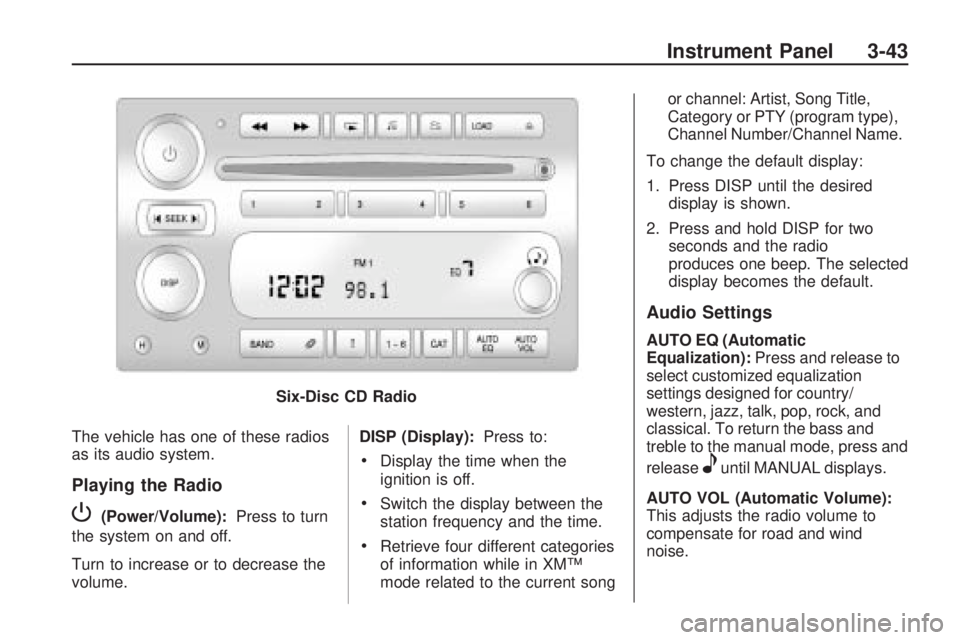
The vehicle has one of these radios
as its audio system.
Playing the Radio
P(Power/Volume):Press to turn
the system on and off.
Turn to increase or to decrease the
volume. DISP (Display):
Press to:
Display the time when the
ignition is off.
Switch the display between the
station frequency and the time.
Retrieve four different categories
of information while in XM™
mode related to the current song or channel: Artist, Song Title,
Category or PTY (program type),
Channel Number/Channel Name.
To change the default display:
1. Press DISP until the desired display is shown.
2. Press and hold DISP for two seconds and the radio
produces one beep. The selected
display becomes the default.
Audio Settings
AUTO EQ (Automatic
Equalization): Press and release to
select customized equalization
settings designed for country/
western, jazz, talk, pop, rock, and
classical. To return the bass and
treble to the manual mode, press and
release
euntil MANUAL displays.
AUTO VOL (Automatic Volume):
This adjusts the radio volume to
compensate for road and wind
noise.
Six-Disc CD Radio
Instrument Panel 3-43
Page 164 of 382
3. Tune in the desired station.
4. Press AUTO EQ to select the
equalization.
5. Press and hold one of the six
numbered pushbuttons until
the radio beeps once.
6. Repeat the steps for each
pushbutton.
Finding a Category (CAT) Station
(XM Satellite Radio Service Only)
To select an XM station by category
for the Single CD Radio:
1. Press CAT to select a
category mode.
2. Press CAT repeatedly to change
the category.
3. Press
toruto select the rst
station in the category.
4. To go to another station in the
selected category:
Press CAT once if the
category is displayed.
Press CAT twice if the
category is not displayed.5. Press CAT to exit program type
select mode. If CAT times out
and is no longer on the display,
go back to Step 1.
If the desired program type cannot
be found, NONE or NOT FOUND
displays and the radio returns to the
previous station.
To select an XM station by category
for the Six-Disc CD Radio:
1. Press CAT to select a
category mode.
2. Turn
eto select a category.
3. Press
toruto select the rst
station in the category.
4. Press
toruto go to another
station within the category if
category is displayed. If
CAT times out and is no longer
on the display, go back to
Step 1.
5. Press CAT to exit program type
select mode.If the desired program type cannot
be found, NONE or NOT FOUND
displays and the radio returns to the
previous station.
Radio Messages
CAL ERR (Calibration Error):
Displays if the radio is no longer
congured properly for the vehicle.
The vehicle must be returned to
your dealer/retailer for service.
LOC (Locked):Displays when the
THEFTLOCK
®system has locked
up. The vehicle must be returned to
your dealer/retailer for service.
If any error occurs repeatedly or
cannot be corrected, contact
your dealer/retailer.
Radio Messages for
XM™ Only
SeeXM Radio Messages on
page 3-51later in this section for
further detail.
3-46 Instrument Panel
Page 170 of 382
Not Found:There are no channels
available for the selected category.
The system is working properly.
XM Locked:The XM receiver in the
vehicle may have previously been
in another vehicle. For security
purposes, XM receivers cannot be
swapped between vehicles. If
this message is received after
having the vehicle serviced, check
with your dealer/retailer.
Radio ID:If tuned to channel 0, this
message will alternate with the XM
Radio 8 digit radio ID label. This label
is needed to activate the service.
Unknown:If this message is
received when tuned to channel 0,
there may be a receiver fault.
Consult with your dealer/retailer.
Chk XMRcvr:If this message does
not clear within a short period of
time, the receiver may have a fault.
Consult with your dealer/retailer.Navigation/Radio System
For vehicles with a navigation
radio system, see the separate
Navigation System manual.
Bluetooth®
Vehicles with a Bluetooth system
can use a Bluetooth capable
cell phone with a Hands Free Prole
to make and receive phone calls.
The system can be used while
the key is in ON/RUN or
ACC/ACCESSORY position. The
range of the Bluetooth system
can be up to 30 ft. (9.1 m). Not all
phones support all functions,
and not all phones are guaranteed
to work with the in-vehicle
Bluetooth system. See
gm.com/bluetooth for more
information on compatible phones.
Voice Recognition
The Bluetooth system uses voice
recognition to interpret voice
commands to dial phone numbers
and name tags.Noise:Keep interior noise levels to
a minimum. The system may not
recognize voice commands if there
is too much background noise.
When to Speak:A short tone
sounds after the system responds
indicating when it is waiting for
a voice command. Wait until
the tone and then speak.
How to Speak:Speak clearly in a
calm and natural voice.
Audio System
When using the in-vehicle Bluetooth
system, sound comes through
the vehicle’s front audio system
speakers and overrides the audio
system. Use the audio system
volume knob, during a call,
to change the volume level. The
adjusted volume level remains
in memory for later calls. To prevent
missed calls, a minimum volume
level is used if the volume is turned
down too low.
3-52 Instrument Panel
Page 171 of 382
Bluetooth Controls
Use thegbutton, located on the
driver side of the instrument
panel near the headlamp controls,
to operate the in-vehicle Bluetooth
system.
g(Push To Talk):Press to
answer incoming calls, to conrm
system information, and to start
speech recognition.
Pairing
A Bluetooth enabled cell phone
must be paired to the in-vehicle
Bluetooth system rst and then
connected to the vehicle before it
can be used. See the cell phone
manufacturers user guide for
Bluetooth functions before pairing
the cell phone. If a Bluetooth phone
is not connected, calls will be
made using OnStar
®Hands-Free
Calling, if available. Refer to
the OnStar owner’s guide for more
information.Pairing Information:
Up to ve cell phones can be
paired to the in-vehicle
Bluetooth system.
The pairing process is disabled
when the vehicle is moving.
The in-vehicle Bluetooth system
automatically links with the rst
available paired cell phone in the
order the phone was paired.
Only one paired cell phone can
be connected to the in-vehicle
Bluetooth system at a time.
Pairing should only need to be
completed once, unless
changes to the pairing
information have been made or
the phone is deleted.
To link to a different paired phone,
see Linking to a Different Phone
later in this section.Pairing a Phone
1. Press and release
g. The
system responds with “Ready”
followed by a tone.
2. Say “Bluetooth”. The system
responds with “Bluetooth
ready” followed by a tone.
3. Say “Pair”. The system responds
with instructions and a four digit
PIN number. The PIN number
will be used in Step 4.
4. Start the pairing process on the
cell phone that will be paired to
the vehicle. Reference the
cell phone manufacturers user
guide for information on this
process.
Locate the device named
“General Motors” in the list on
the cellular phone and follow the
instructions on the cell phone
to enter the four digit PIN number
that was provided in Step 3.
Instrument Panel 3-53
Page 180 of 382
This device complies with RSS-210
of Industry Canada. Operation is
subject to the following two
conditions:
1. This device may not cause
interference.
2. This device must accept any
interference received, including
interference that may cause
undesired operation of the
device.
Changes or modications to this
system by other than an authorized
service facility could void
authorization to use this equipment.
Theft-Deterrent Feature
THEFTLOCK®is designed to
discourage theft of the vehicle’s radio
by learning a portion of the Vehicle
Identication Number (VIN). The
radio does not operate and LOCKED
displays if the radio is stolen or
moved to a different vehicle.When the when the ignition is in the
off position, a blinking red light on
the upper left side of the radio
indicates that THEFTLOCK
®
is armed.
Radio Reception
Frequency interference and static
can occur during normal radio
reception if items such as cell phone
chargers, vehicle convenience
accessories, and external electronic
devices are plugged into the
accessory power outlet. If there is
interference or static, unplug the item
from the accessory power outlet.
AM
The range for most AM stations is
greater than for FM, especially
at night. The longer range can cause
station frequencies to interfere
with each other. For better radio
reception, most AM radio stations
boost the power levels during
the day, and then reduce these
levels during the night. Static
can also occur when things likestorms and power lines interfere
with radio reception. When this
happens, try reducing the treble on
the radio.
FM Stereo
FM signals only reach about
10 to 40 miles (16 to 65 km).
Although the radio has a built-in
electronic circuit that automatically
works to reduce interference,
some static can occur, especially
around tall buildings or hills, causing
the sound to fade in and out.
XM™ Satellite Radio Service
XM Satellite Radio Service gives
digital radio reception from
coast-to-coast in the 48 contiguous
United States, and in Canada.
Just as with FM, tall buildings or hills
can interfere with satellite radio
signals, causing the sound to fade
in and out. In addition, traveling
or standing under heavy foliage,
bridges, garages, or tunnels
may cause loss of the XM signal for
a period of time.
3-62 Instrument Panel
Page 187 of 382
Antilock Brake
System (ABS)
This vehicle has the Antilock Brake
System (ABS), an advanced
electronic braking system that will
help prevent a braking skid.
When the engine is started and the
vehicle begins to drive away,
ABS checks itself. A momentary
motor or clicking noise might
be heard while this test is going on.
This is normal.
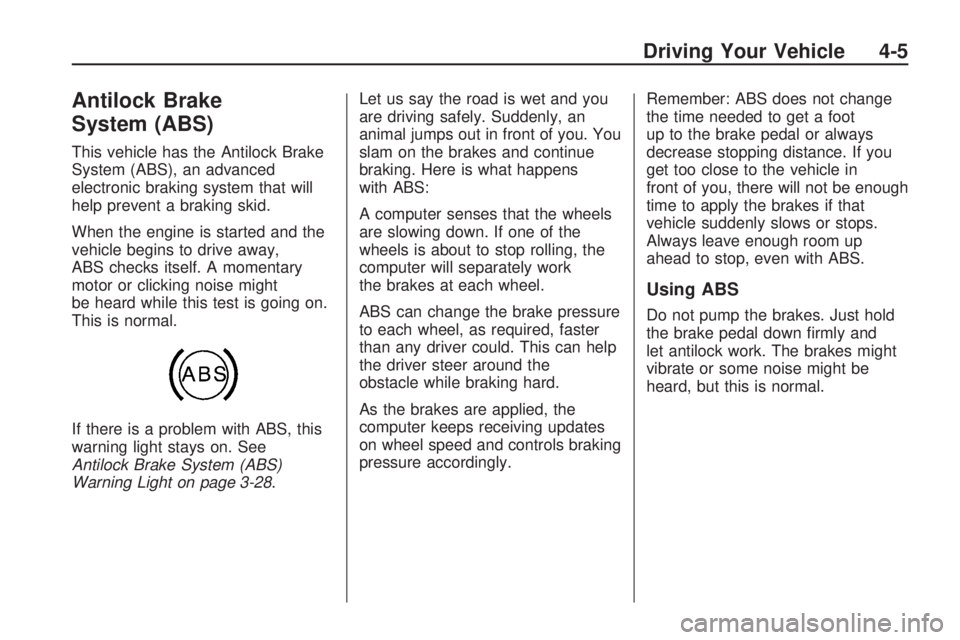
If there is a problem with ABS, this
warning light stays on. See
Antilock Brake System (ABS)
Warning Light on page 3-28.Let us say the road is wet and you
are driving safely. Suddenly, an
animal jumps out in front of you. You
slam on the brakes and continue
braking. Here is what happens
with ABS:
A computer senses that the wheels
are slowing down. If one of the
wheels is about to stop rolling, the
computer will separately work
the brakes at each wheel.
ABS can change the brake pressure
to each wheel, as required, faster
than any driver could. This can help
the driver steer around the
obstacle while braking hard.
As the brakes are applied, the
computer keeps receiving updates
on wheel speed and controls braking
pressure accordingly.Remember: ABS does not change
the time needed to get a foot
up to the brake pedal or always
decrease stopping distance. If you
get too close to the vehicle in
front of you, there will not be enough
time to apply the brakes if that
vehicle suddenly slows or stops.
Always leave enough room up
ahead to stop, even with ABS.
Using ABS
Do not pump the brakes. Just hold
the brake pedal down rmly and
let antilock work. The brakes might
vibrate or some noise might be
heard, but this is normal.
Driving Your Vehicle 4-5
Page 195 of 382
Of course, traction is reduced when
water, snow, ice, gravel, or other
material is on the road. For safety,
slow down and adjust your
driving to these conditions. It is
important to slow down on slippery
surfaces because stopping
distance will be longer and vehicle
control more limited.
While driving on a surface with
reduced traction, try your best to
avoid sudden steering, acceleration,
or braking, including reducing
vehicle speed by shifting to a lower
gear. Any sudden changes could
cause the tires to slide. You may not
realize the surface is slippery until
the vehicle is skidding. Learn to
recognize warning clues — such as
enough water, ice, or packed
snow on the road to make a
mirrored surface — and slow down
when you have any doubt.
Remember: Any Antilock Brake
System (ABS) helps avoid only the
braking skid.Off-Road Driving
The airbag system is designed to
work properly under a wide range
of conditions, including off-road
usage. Always wear your safety belt
and observe safe driving speeds,
especially on rough terrain.
Drinking and driving can be very
dangerous on any road and this is
certainly true for off-road driving.
At the very time you need special
alertness and driving skills, your
reexes, perceptions, and judgment
can be affected by even a small
amount of alcohol. You could
have a serious — or even
fatal — accident if you drink and
drive or ride with a driver who has
been drinking.Off-roading can be great fun
but has some denite hazards. The
greatest of these is the terrain
itself. When off-road driving, traffic
lanes are not marked, curves are not
banked, and there are no road
signs. Surfaces can be slippery,
rough, uphill, or downhill.
Avoid sharp turns and abrupt
maneuvers. Failure to operate the
vehicle correctly off-road could result
in loss of vehicle control or vehicle
rollover.
Off-roading involves some new
skills. That is why it is very important
that you read these driving tips
and suggestions to help make
off-road driving safer and more
enjoyable.
Driving Your Vehicle 4-13
Page 200 of 382
For mounds, washouts, loose
up-hill slopes, ditches, etc.
When wheel spin occurs as the
vehicle is moving, the driver may
notice a slight shaking or shuddering
of the vehicle. This should be
stopped as soon as possible to
prevent damage to vehicle
components. This is the indication
that a loss of traction is occurring on
this terrain. The operator should:
1. Reduce speed and apply
the brakes.
2. Assess the terrain properly and
adjust vehicle speed and gear
ranges accordingly: Four-Wheel
High position for higher speeds
and Four-Wheel-Low Lock
for more torque and lower
speeds. Transmission 1 (First)
gear is generally recommended.3. Apply slight pressure to the
brake when the shaking or
shuddering sensation is felt,
keeping the vehicle moving in a
controlled manner.
4. Be prepared to alternate between
braking and accelerating through
the adverse terrain.
Getting Familiar with Off-Road
Driving
It is a good idea to practice in an
area that is safe and close to home
before you go into the wilderness.
Off-roading requires some new
and different skills.
Tune your senses to different
kinds of signals. Your eyes need
to constantly sweep the terrain
for unexpected obstacles. Your ears
need to listen for unusual tire or
engine sounds. Use your arms,
hands, feet, and body to respond to
vibrations and vehicle bounce.Controlling the vehicle is the key to
successful off-road driving. One of
the best ways to control the
vehicle is to control the speed.
At higher speeds:
You approach things faster and
have less time to react.
There is less time to scan the
terrain for obstacles.
The vehicle has more bounce
when driving over obstacles.
More braking distance is needed,
especially on an unpaved surface.
{CAUTION
When you are driving off-road,
bouncing and quick changes in
direction can easily throw you
out of position. This could cause
you to lose control and crash.
So, whether you are driving
on or off the road, you and
your passengers should wear
safety belts.
4-18 Driving Your Vehicle
Page 224 of 382
Towing a Trailer
{CAUTION
The driver can lose control when
pulling a trailer if the correct
equipment is not used or the
vehicle is not driven properly. For
example, if the trailer is too
heavy, the brakes may not work
well — or even at all. The driver
and passengers could be
seriously injured. The vehicle may
also be damaged; the resulting
repairs would not be covered by
the vehicle warranty. Pull a trailer
only if all the steps in this section
have been followed. Ask your
dealer/retailer for advice and
information about towing a trailer
with the vehicle.Notice:Pulling a trailer
improperly can damage the
vehicle and result in costly
repairs not covered by the
vehicle warranty. To pull a trailer
correctly, follow the advice in
this section and see your
dealer/retailer for important
information about towing a trailer
with the vehicle.
To identify the trailering capacity of
the vehicle, read the information
in “Weight of the Trailer” that
appears later in this section.
Trailering is different than just
driving the vehicle by itself.
Trailering means changes in
handling, acceleration, braking,
durability and fuel economy.
Successful, safe trailering takes
correct equipment, and it has to be
used properly.The following information has many
time-tested, important trailering
tips and safety rules. Many of these
are important for your safety and
that of your passengers. So please
read this section carefully before
pulling a trailer.
Pulling A Trailer
Here are some important points:
There are many different
laws, including speed limit
restrictions, having to do with
trailering. Make sure the rig will
be legal, not only where you
live but also where you will be
driving. A good source for
this information can be state or
provincial police.
Consider using a sway control.
See “Hitches” later in this
section.
4-42 Driving Your Vehicle
Page 251 of 382
GM6094M
Use only an oil that meets
GM Standard GM6094M.
SAE 5W-30
SAE 5W-30 is best for the
vehicle. These numbers on an
oil container show its viscosity,
or thickness. Do not use
other viscosity oils such as
SAE 20W-50.
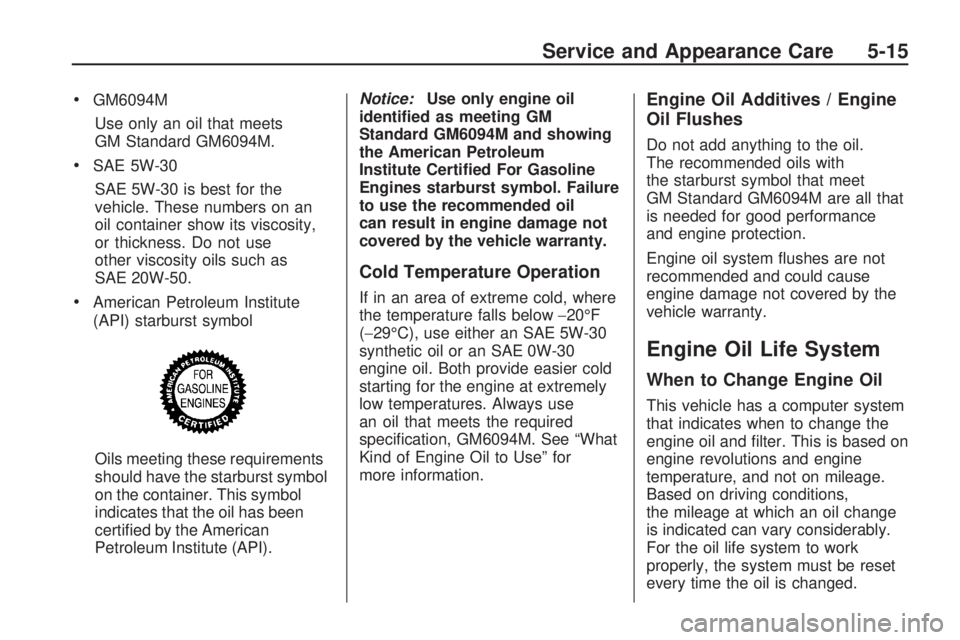
American Petroleum Institute
(API) starburst symbol
Oils meeting these requirements
should have the starburst symbol
on the container. This symbol
indicates that the oil has been
certied by the American
Petroleum Institute (API).Notice:Use only engine oil
identied as meeting GM
Standard GM6094M and showing
the American Petroleum
Institute Certied For Gasoline
Engines starburst symbol. Failure
to use the recommended oil
can result in engine damage not
covered by the vehicle warranty.
Cold Temperature Operation
If in an area of extreme cold, where
the temperature falls below−20°F
(−29°C), use either an SAE 5W-30
synthetic oil or an SAE 0W-30
engine oil. Both provide easier cold
starting for the engine at extremely
low temperatures. Always use
an oil that meets the required
specication, GM6094M. See “What
Kind of Engine Oil to Use” for
more information.
Engine Oil Additives / Engine
Oil Flushes
Do not add anything to the oil.
The recommended oils with
the starburst symbol that meet
GM Standard GM6094M are all that
is needed for good performance
and engine protection.
Engine oil system ushes are not
recommended and could cause
engine damage not covered by the
vehicle warranty.
Engine Oil Life System
When to Change Engine Oil
This vehicle has a computer system
that indicates when to change the
engine oil and lter. This is based on
engine revolutions and engine
temperature, and not on mileage.
Based on driving conditions,
the mileage at which an oil change
is indicated can vary considerably.
For the oil life system to work
properly, the system must be reset
every time the oil is changed.
Service and Appearance Care 5-15