door lock HUMMER H3 2009 User Guide
[x] Cancel search | Manufacturer: HUMMER, Model Year: 2009, Model line: H3, Model: HUMMER H3 2009Pages: 382, PDF Size: 1.99 MB
Page 76 of 382
Power Windows
{CAUTION
Leaving children in a vehicle with
the keys is dangerous for many
reasons, children or others could
be badly injured or even killed.
They could operate the power
windows or other controls or
even make the vehicle move.
The windows will function and
they could be seriously injured or
killed if caught in the path of a
closing window. Do not leave
keys in a vehicle with children.
When there are children in the
rear seat use the window lockout
button to prevent unintentional
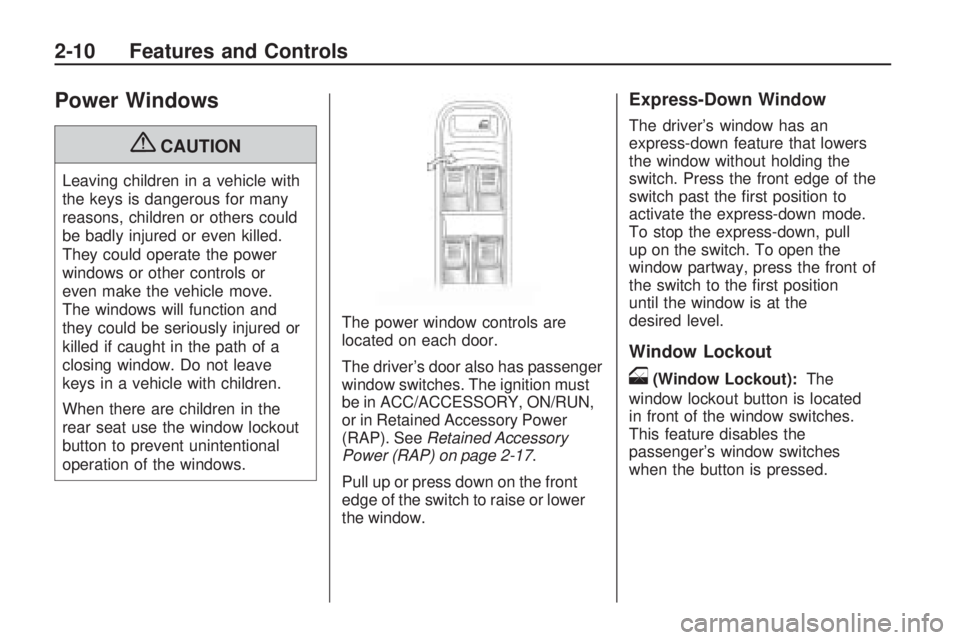
operation of the windows.The power window controls are
located on each door.
The driver’s door also has passenger
window switches. The ignition must
be in ACC/ACCESSORY, ON/RUN,
or in Retained Accessory Power
(RAP). SeeRetained Accessory
Power (RAP) on page 2-17.
Pull up or press down on the front
edge of the switch to raise or lower
the window.
Express-Down Window
The driver’s window has an
express-down feature that lowers
the window without holding the
switch. Press the front edge of the
switch past the rst position to
activate the express-down mode.
To stop the express-down, pull
up on the switch. To open the
window partway, press the front of
the switch to the rst position
until the window is at the
desired level.
Window Lockout
o(Window Lockout):The
window lockout button is located
in front of the window switches.
This feature disables the
passenger’s window switches
when the button is pressed.
2-10 Features and Controls
Page 77 of 382
Press the button again to turn the
lockout off. A red band on the
side of the button is lit when the
windows are not locked out.
Sun Visors
Pull the visor toward you, or move it
to the side to help reduce glare.
Pull out the extenders for further
coverage.
On a visor with a mirror, lift the
cover to use it.
Theft-Deterrent
Systems
Vehicle theft is big business,
especially in some cities. This
vehicle has theft-deterrent features,
however, they do not make it
impossible to steal.
Content Theft-Deterrent
This vehicle has a content
theft-deterrent alarm system.
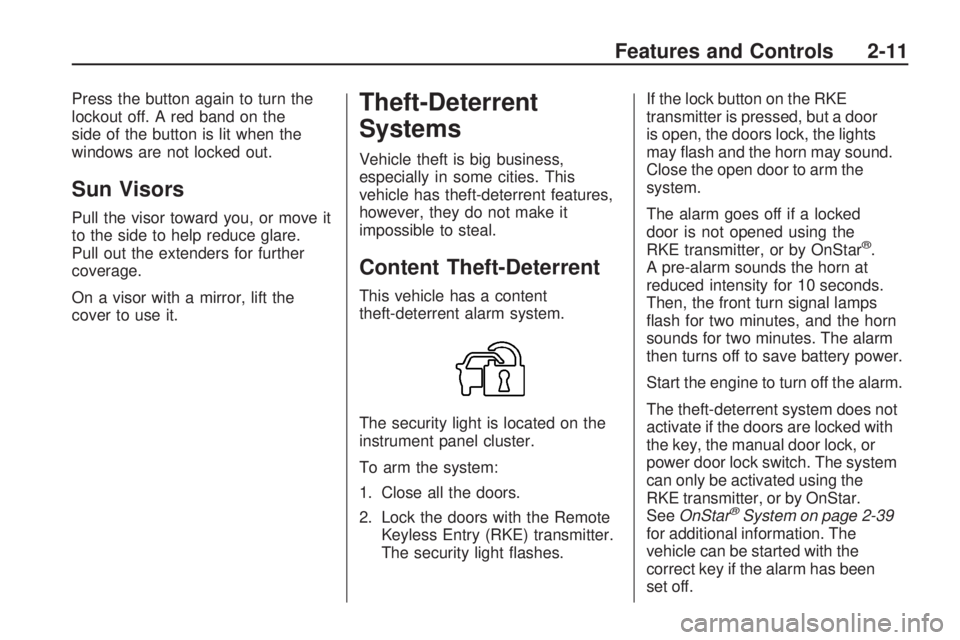
The security light is located on the
instrument panel cluster.
To arm the system:
1. Close all the doors.
2. Lock the doors with the Remote
Keyless Entry (RKE) transmitter.
The security light ashes.If the lock button on the RKE
transmitter is pressed, but a door
is open, the doors lock, the lights
may ash and the horn may sound.
Close the open door to arm the
system.
The alarm goes off if a locked
door is not opened using the
RKE transmitter, or by OnStar
®.
A pre-alarm sounds the horn at
reduced intensity for 10 seconds.
Then, the front turn signal lamps
ash for two minutes, and the horn
sounds for two minutes. The alarm
then turns off to save battery power.
Start the engine to turn off the alarm.
The theft-deterrent system does not
activate if the doors are locked with
the key, the manual door lock, or
power door lock switch. The system
can only be activated using the
RKE transmitter, or by OnStar.
SeeOnStar
®System on page 2-39
for additional information. The
vehicle can be started with the
correct key if the alarm has been
set off.
Features and Controls 2-11
Page 78 of 382
To avoid setting off the alarm by
accident:
Lock the vehicle with the manual
door lock lever, the power door
lock switch, or the key, after
the doors are closed.
Unlock the doors by pressing the
unlock button on the RKE
transmitter or by contacting
OnStar. Unlocking a door any
other way activates the alarm.
Press unlock on the RKE
transmitter, start the vehicle with
the correct key, or have OnStar
unlock the doors to turn the alarm
off. The alarm does not stop if
a door is unlocked any other way.
Testing the Alarm
To test the alarm:
1. From inside the vehicle, lock the
doors with the RKE transmitter.
2. Unlock the door with the manual
door lock and open the door.
The pre-alarm should sound
followed by the full alarm about
10 seconds later.
3. Press the unlock button on the
RKE transmitter or start the
engine to turn the alarm off.
If the alarm does not sound but the
lights ash, check to see if the
horn works. The horn fuse could be
blown. To replace the fuse, see
Fuses and Circuit Breakers
on page 5-91.
If the alarm does not sound or
the front turn signal lamps do not
ash, see your dealer/retailer
for service.
Passlock®(U.S. Only)
Passlock®is a passive
theft-deterrent system that enables
fuel if the vehicle is started with
a valid key. If an incorrect key
is used or the ignition lock cylinder
is tampered with, the fuel system
is disabled and the vehicle does
not start.
The security light turns off
approximately ve seconds after
the engine is started. SeeSecurity
Light on page 3-33.
If the engine stalls and the security
light ashes, wait about 10 minutes
until the light stops ashing
before trying to restart the engine.
Release the key from START
as soon as the engine starts.
If the engine does not start after
three tries, the vehicle needs
service.
2-12 Features and Controls
Page 83 of 382
If you leave the key in the
ACC/ACCESSORY or ON/RUN
position with the engine off,
the battery could be drained.
You may not be able to start the
vehicle if the battery is allowed
to drain for an extended period
of time.
(D) START:This is the position that
starts the engine. When the engine
starts, release the key. The ignition
switch returns to ON/RUN for driving.
A warning tone will sound when the
driver door is opened, the ignition
is in ACC/ACCESSORY or
LOCK/OFF and the key is in
the ignition.Retained Accessory
Power (RAP)
These vehicle accessories can be
used for up to 20 minutes after
the engine is turned off:
Audio System
Front Wipers
Power Windows
Sunroof (if equipped)
These features will work when
the key is in ON/RUN or
ACC/ACCESSORY. Once the key is
turned from ON/RUN to LOCK/OFF,
these features continue working
for up to 20 minutes or until a door
is opened.
Starting the Engine
Place the transmission in the
proper gear.
Automatic Transmission
Move the shift lever to P (Park) or
N (Neutral). The engine will not start
in any other position. To restart
the vehicle when it is already
moving, use N (Neutral) only.
Notice:Do not try to shift to
P (Park) if the vehicle is moving.
If you do, you could damage
the transmission. Shift to P (Park)
only when the vehicle is stopped.
Manual Transmission
The shift lever should be in
N (Neutral) and the parking brake
engaged. Hold the clutch pedal
down to the oor and start the
engine. The vehicle will not start
if the clutch pedal is not all the
way down.
Features and Controls 2-17
Page 105 of 382
When the System Does Not Seem
To Work Properly
The rear vision camera system may
not work properly or display a
clear image:
In the dark.
When the sun or the beam of
headlamps is shining directly
into the camera lens.
If ice, snow, mud, or anything else
builds up on the camera lens.
Clean the lens, rinse it with water,
and wipe it with a soft cloth.
If the back of the vehicle is in an
accident, the position and
mounting angle of the camera
may change or the camera may
be affected. Be sure to have the
camera and its position and
mounting angle checked at your
dealer/retailer.
If there are extreme temperatures
or extreme temperature changes.The rear vision camera system
display in the rearview mirror may
turn off or not appear as expected
due to a loss of video signal, or
no video signal present during the
reverse cycle. The display will
be blank and the left indicator light
will slowly ash as long as the
vehicle is in R (Reverse) or until the
condition returns to normal.
Pressing and holding
zwhen the
left indicator light is ashing will
turn off the video display along with
the left indicator light.
OnStar®System
OnStar uses several innovative
technologies and live advisors to
provide a wide range of safety,
security, information, and
convenience services. If the airbags
deploy, the system is designed to
make an automatic call to OnStar
Emergency advisors who can
request emergency services be sent
to your location. If the keys are
locked in the vehicle, call OnStar
at 1-888-4-ONSTAR to have a
signal sent to unlock the doors.
OnStar Hands-Free Calling,
including 30 trial minutes good for
60 days, is available on most
vehicles. OnStar Turn-by-Turn
Navigation service, with one trial
route, is available on most vehicles.
Press the OnStar button to have
an OnStar advisor contact Roadside
Service.
Features and Controls 2-39
Page 106 of 382
OnStar service is provided subject
to the OnStar Terms and Conditions
included in the OnStar Subscriber
glove box literature.
Some services such as Remote
Door Unlock or Stolen Vehicle
Location Assistance may not be
available until the owner of the
vehicle registers with OnStar.
After the rst prepaid year, contact
OnStar to select a monthly or
annual subscription payment plan.
If a payment plan is not selected,
the OnStar system and all services,
including airbag notication and
emergency services, may be
deactivated and no longer
available. For more information
visit onstar.com (U.S.) or onstar.ca
(Canada), or press the OnStar
button to speak with an advisor.
Not all OnStar services are available
on all vehicles. To check if this
vehicle is able to provide the
services described below, or for a
full description of OnStar servicesand system limitations, see the
OnStar Owner’s Guide in the
glove box or visit onstar.com (U.S.)
or onstar.ca (Canada), contact
OnStar at 1-888-4-ONSTAR
(1-888-466-7827) or TTY
1-877-248-2080, or press the
OnStar button to speak with an
OnStar advisor 24 hours a day,
7 days a week.
OnStar Services Available
with the Safe & Sound Plan
Automatic Notication of
Airbag Deployment
Advanced Automatic Crash
Notication (AACN) (If equipped)
Link to Emergency Services
Roadside Assistance
Stolen Vehicle Location
Assistance
Remote Door Unlock/Vehicle
Alert
OnStar Vehicle Diagnostic Email
GM Goodwrench On Demand
Diagnostics
OnStar Hands-Free Calling with
30 trial minutes
OnStar Virtual Advisor (U.S. Only)
OnStar Services Included with
Directions & Connections Plan
All Safe and Sound Plan Services
OnStar Turn-by-Turn Navigation
(If equipped) or Driving
Directions - Advisor delivered
RideAssist
Information and Convenience
Services
OnStar Hands-Free Calling
OnStar Hands-Free Calling allows
eligible OnStar subscribers to
make and receive calls using voice
commands. Hands-Free Calling
is fully integrated into the vehicle,
and can be used with OnStar
Pre-Paid Minute Packages.
2-40 Features and Controls
Page 126 of 382
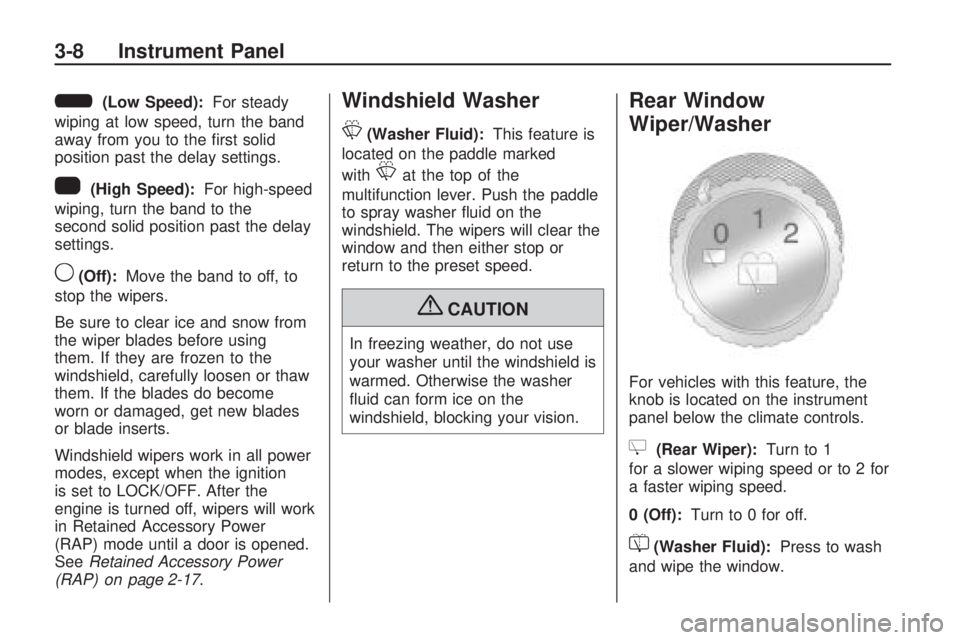
6(Low Speed):For steady
wiping at low speed, turn the band
away from you to the rst solid
position past the delay settings.
1(High Speed):For high-speed
wiping, turn the band to the
second solid position past the delay
settings.
9(Off):Move the band to off, to
stop the wipers.
Be sure to clear ice and snow from
the wiper blades before using
them. If they are frozen to the
windshield, carefully loosen or thaw
them. If the blades do become
worn or damaged, get new blades
or blade inserts.
Windshield wipers work in all power
modes, except when the ignition
is set to LOCK/OFF. After the
engine is turned off, wipers will work
in Retained Accessory Power
(RAP) mode until a door is opened.
SeeRetained Accessory Power
(RAP) on page 2-17.
Windshield Washer
L
(Washer Fluid):This feature is
located on the paddle marked
with
Lat the top of the
multifunction lever. Push the paddle
to spray washer uid on the
windshield. The wipers will clear the
window and then either stop or
return to the preset speed.
{CAUTION
In freezing weather, do not use
your washer until the windshield is
warmed. Otherwise the washer
uid can form ice on the
windshield, blocking your vision.
Rear Window
Wiper/Washer
For vehicles with this feature, the
knob is located on the instrument
panel below the climate controls.
Z(Rear Wiper):Turn to 1
for a slower wiping speed or to 2 for
a faster wiping speed.
0 (Off):Turn to 0 for off.
=(Washer Fluid):Press to wash
and wipe the window.
3-8 Instrument Panel
Page 131 of 382
Headlamps on Reminder
A headlamp reminder chime will
sound if the following conditions
are met:
The driver door is open.
Parking lamps or headlamps are
manually turned on.
The key is either not in the
ignition switch, or it is in the
LOCK/OFF position of the ignition
switch.
The headlamp reminder cannot be
turned off if the conditions listed
above are met.
In the automatic mode, the
headlamps turn off once the ignition
is in ACC/ACCESSORY.
Daytime Running
Lamps (DRL)
Daytime Running Lamps (DRL) can
make it easier for others to see
the front of your vehicle during the
day. Fully functional daytime
running lamps are required on all
vehicles rst sold in Canada.
The DRL system will come on when
the following conditions are met:
The ignition is on.
The exterior lamps control is
in AUTO.
The transmission is not in
P (Park), if the vehicle has
an automatic transmission.
The light sensor determines it is
daytime.When the DRL are on, no other
lamps are on. The instrument panel
will not be lit up either. For
vehicles rst sold in Canada, if
parking lamps are manually turned
on, DRL will stay on.
When it begins to get dark, the
automatic headlamp system will
switch from DRL to the headlamps.
The regular headlamp system
should be turned on when needed.
To turn off the DRL, seeExterior
Lamps on page 3-11.
Vehicles rst sold in Canada cannot
turn off DRL unless certain
conditions are met. SeeExterior
Lamps on page 3-11.
Instrument Panel 3-13
Page 153 of 382
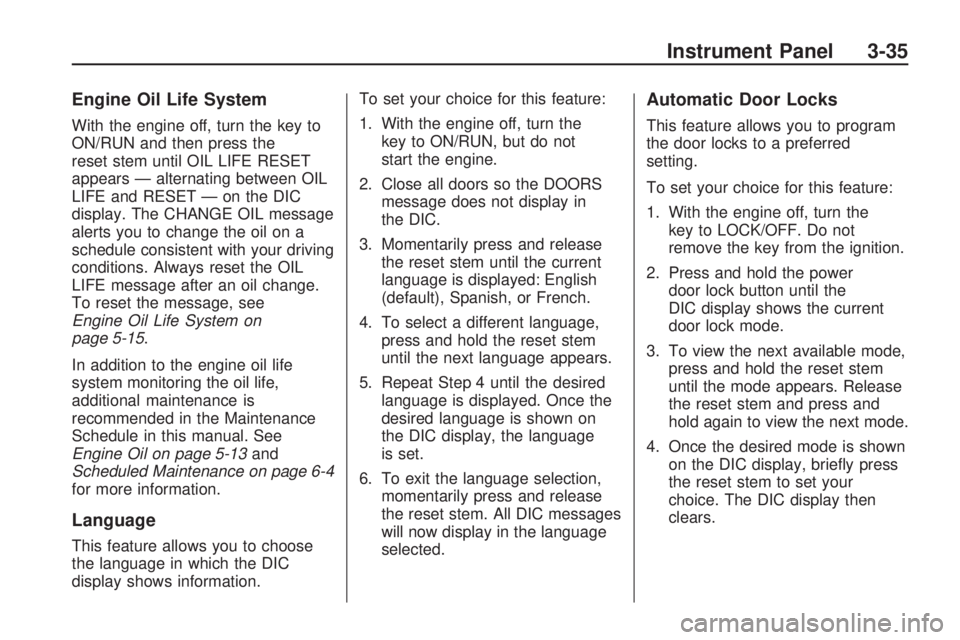
Engine Oil Life System
With the engine off, turn the key to
ON/RUN and then press the
reset stem until OIL LIFE RESET
appears — alternating between OIL
LIFE and RESET — on the DIC
display. The CHANGE OIL message
alerts you to change the oil on a
schedule consistent with your driving
conditions. Always reset the OIL
LIFE message after an oil change.
To reset the message, see
Engine Oil Life System on
page 5-15.
In addition to the engine oil life
system monitoring the oil life,
additional maintenance is
recommended in the Maintenance
Schedule in this manual. See
Engine Oil on page 5-13and
Scheduled Maintenance on page 6-4
for more information.
Language
This feature allows you to choose
the language in which the DIC
display shows information.To set your choice for this feature:
1. With the engine off, turn the
key to ON/RUN, but do not
start the engine.
2. Close all doors so the DOORS
message does not display in
the DIC.
3. Momentarily press and release
the reset stem until the current
language is displayed: English
(default), Spanish, or French.
4. To select a different language,
press and hold the reset stem
until the next language appears.
5. Repeat Step 4 until the desired
language is displayed. Once the
desired language is shown on
the DIC display, the language
is set.
6. To exit the language selection,
momentarily press and release
the reset stem. All DIC messages
will now display in the language
selected.
Automatic Door Locks
This feature allows you to program
the door locks to a preferred
setting.
To set your choice for this feature:
1. With the engine off, turn the
key to LOCK/OFF. Do not
remove the key from the ignition.
2. Press and hold the power
door lock button until the
DIC display shows the current
door lock mode.
3. To view the next available mode,
press and hold the reset stem
until the mode appears. Release
the reset stem and press and
hold again to view the next mode.
4. Once the desired mode is shown
on the DIC display, briey press
the reset stem to set your
choice. The DIC display then
clears.
Instrument Panel 3-35
Page 154 of 382
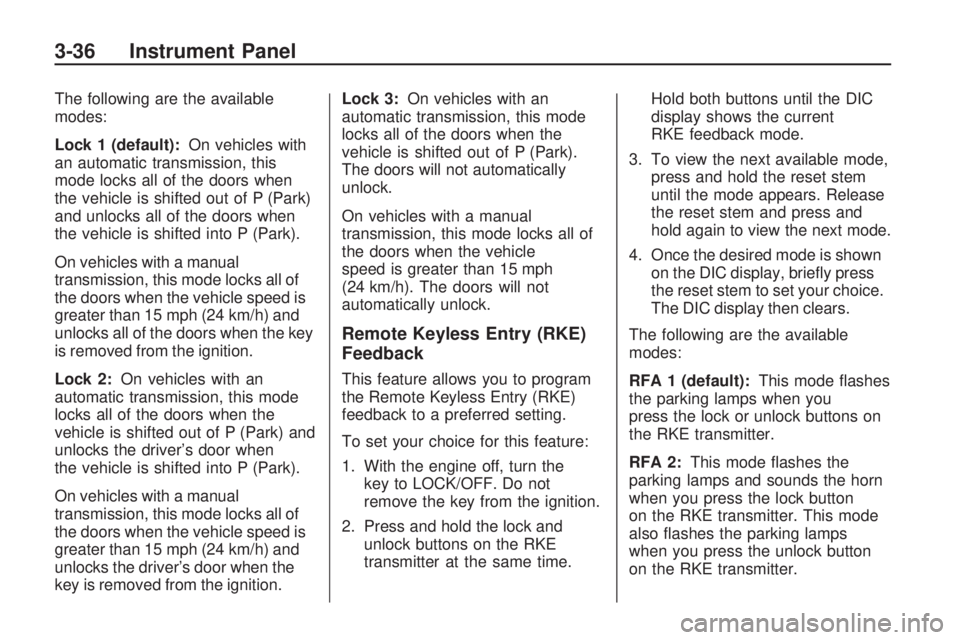
The following are the available
modes:
Lock 1 (default):On vehicles with
an automatic transmission, this
mode locks all of the doors when
the vehicle is shifted out of P (Park)
and unlocks all of the doors when
the vehicle is shifted into P (Park).
On vehicles with a manual
transmission, this mode locks all of
the doors when the vehicle speed is
greater than 15 mph (24 km/h) and
unlocks all of the doors when the key
is removed from the ignition.
Lock 2:On vehicles with an
automatic transmission, this mode
locks all of the doors when the
vehicle is shifted out of P (Park) and
unlocks the driver’s door when
the vehicle is shifted into P (Park).
On vehicles with a manual
transmission, this mode locks all of
the doors when the vehicle speed is
greater than 15 mph (24 km/h) and
unlocks the driver’s door when the
key is removed from the ignition.Lock 3:On vehicles with an
automatic transmission, this mode
locks all of the doors when the
vehicle is shifted out of P (Park).
The doors will not automatically
unlock.
On vehicles with a manual
transmission, this mode locks all of
the doors when the vehicle
speed is greater than 15 mph
(24 km/h). The doors will not
automatically unlock.
Remote Keyless Entry (RKE)
Feedback
This feature allows you to program
the Remote Keyless Entry (RKE)
feedback to a preferred setting.
To set your choice for this feature:
1. With the engine off, turn the
key to LOCK/OFF. Do not
remove the key from the ignition.
2. Press and hold the lock and
unlock buttons on the RKE
transmitter at the same time.Hold both buttons until the DIC
display shows the current
RKE feedback mode.
3. To view the next available mode,
press and hold the reset stem
until the mode appears. Release
the reset stem and press and
hold again to view the next mode.
4. Once the desired mode is shown
on the DIC display, briey press
the reset stem to set your choice.
The DIC display then clears.
The following are the available
modes:
RFA 1 (default):This mode ashes
the parking lamps when you
press the lock or unlock buttons on
the RKE transmitter.
RFA 2:This mode ashes the
parking lamps and sounds the horn
when you press the lock button
on the RKE transmitter. This mode
also ashes the parking lamps
when you press the unlock button
on the RKE transmitter.
3-36 Instrument Panel